

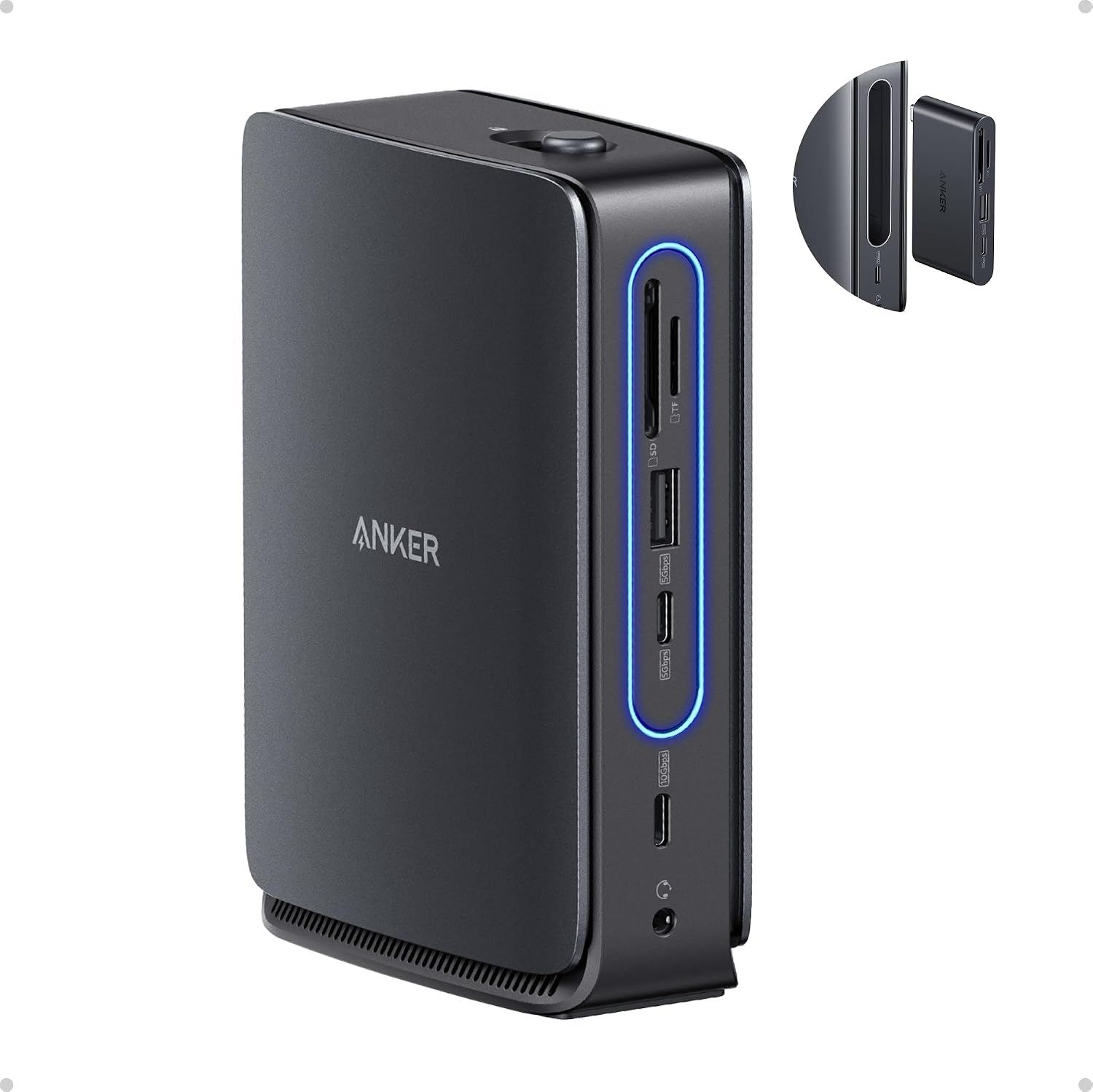
Anker A83C3 Nano Laptop Docking Station, 13-in-1 Triple-Display Dock
Product description
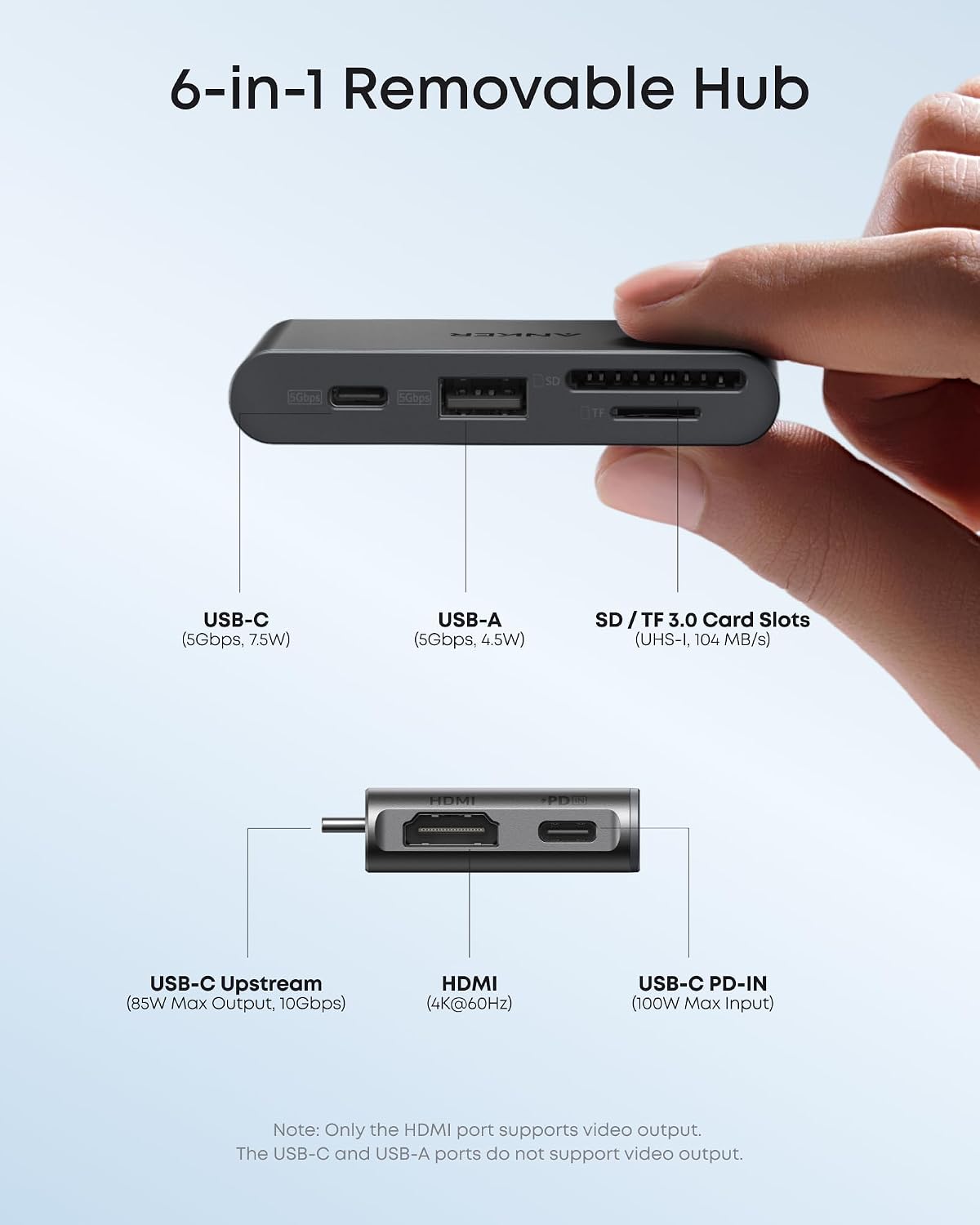
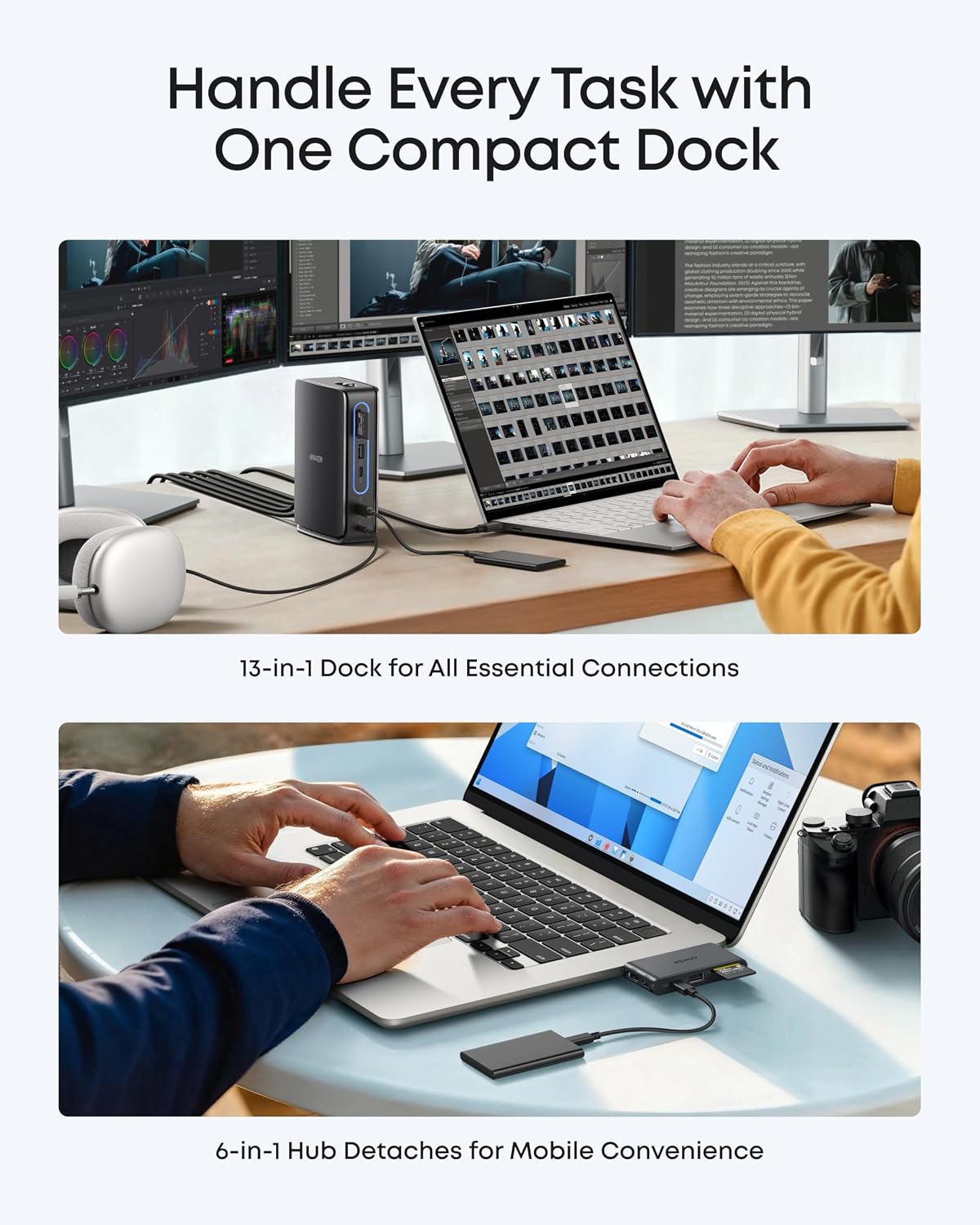
Set up a home office with three external monitors, wired Ethernet, and everyday peripherals connected through one USB-C docking station. The Anker Nano combines a 13-in-1 desktop dock with a detachable 6-in-1 hub, so you can keep a fuller workstation on your desk and take the smaller hub along when you need a more portable setup.
For a desk-first setup, use the HDMI and DisplayPort connections to expand your screen space. For work on the move, detach the hub for a compact set of connections. The dock remains functional with the hub removed, so switching between these two needs does not require unplugging all your desk connections.
Tips for day-to-day use
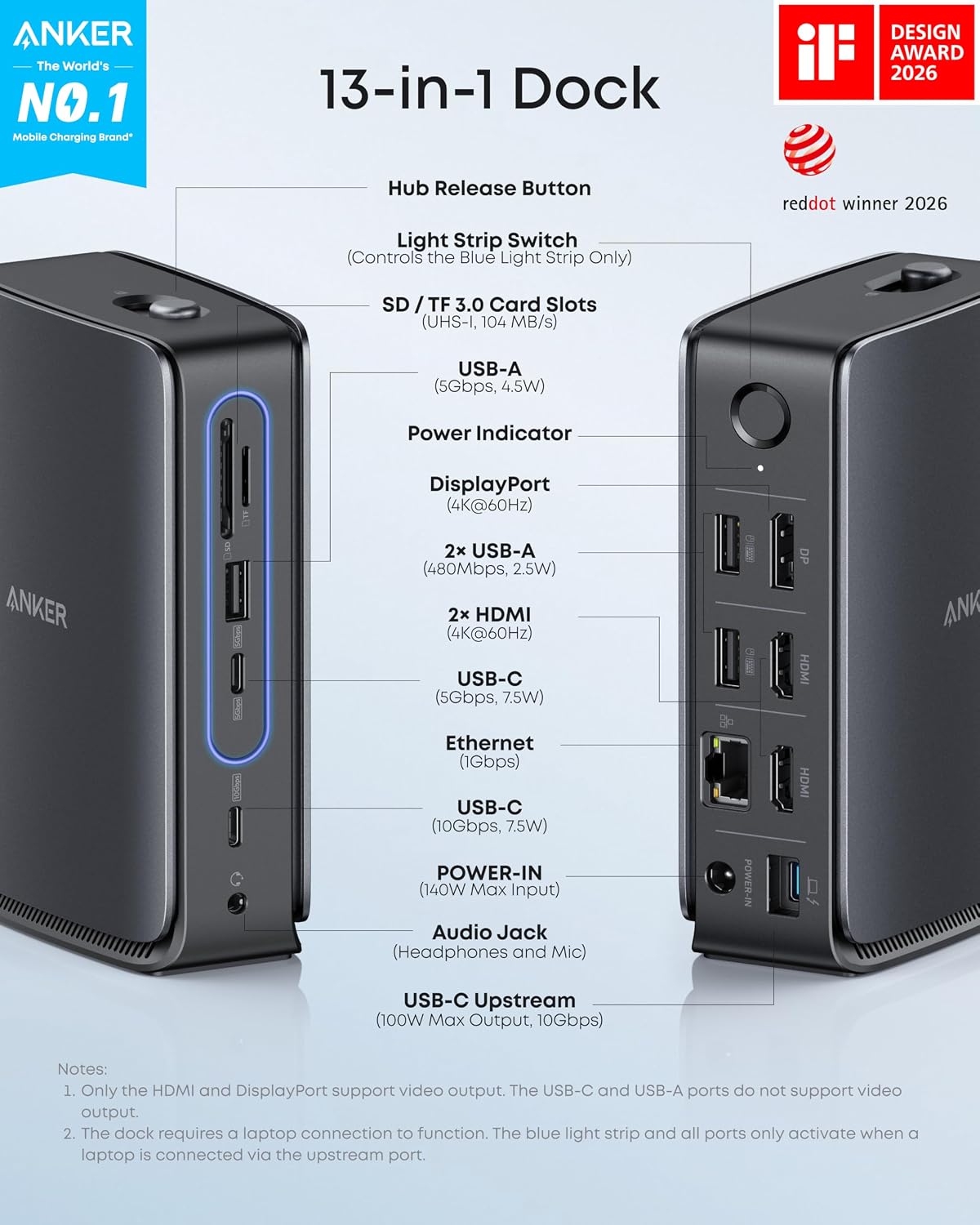
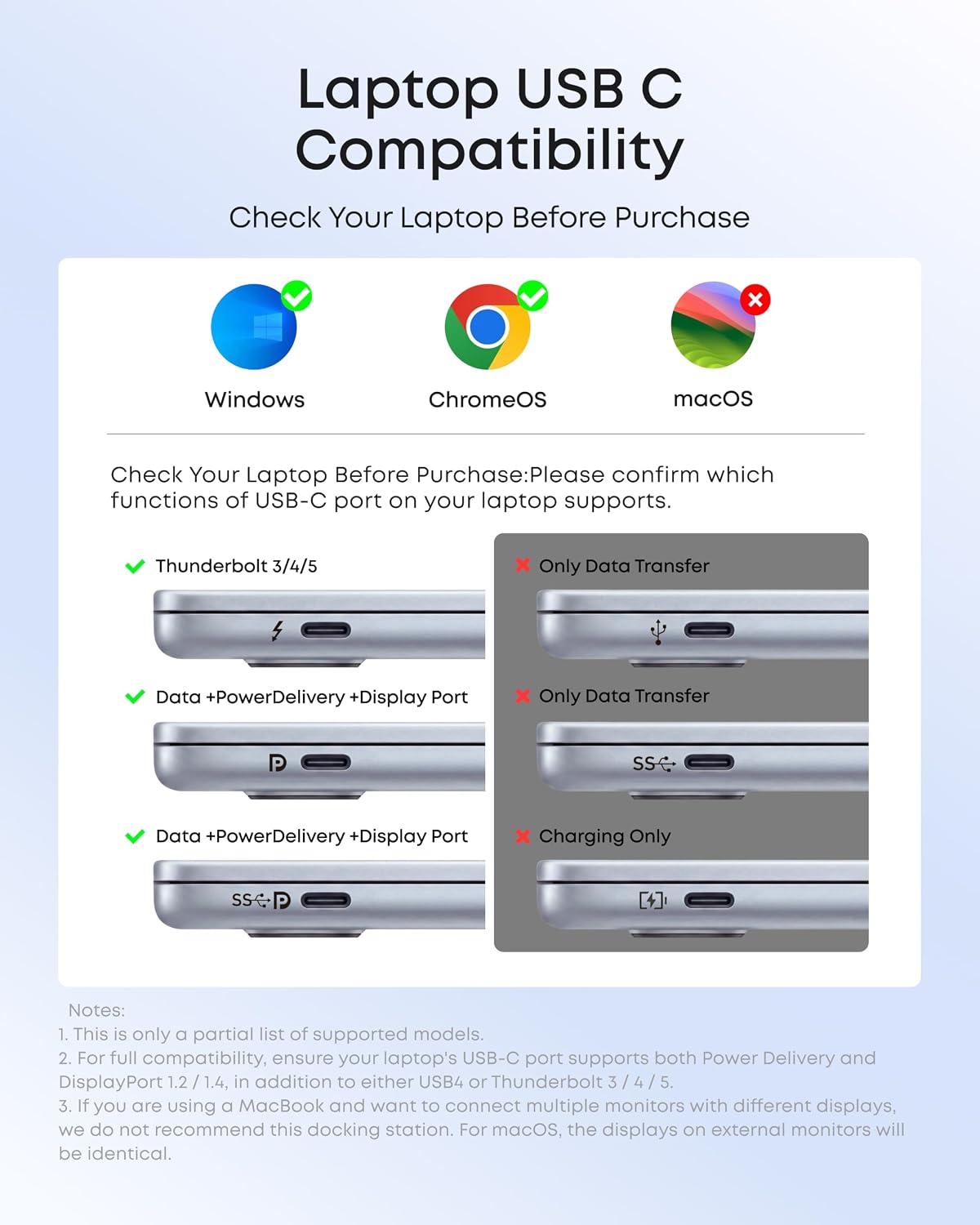
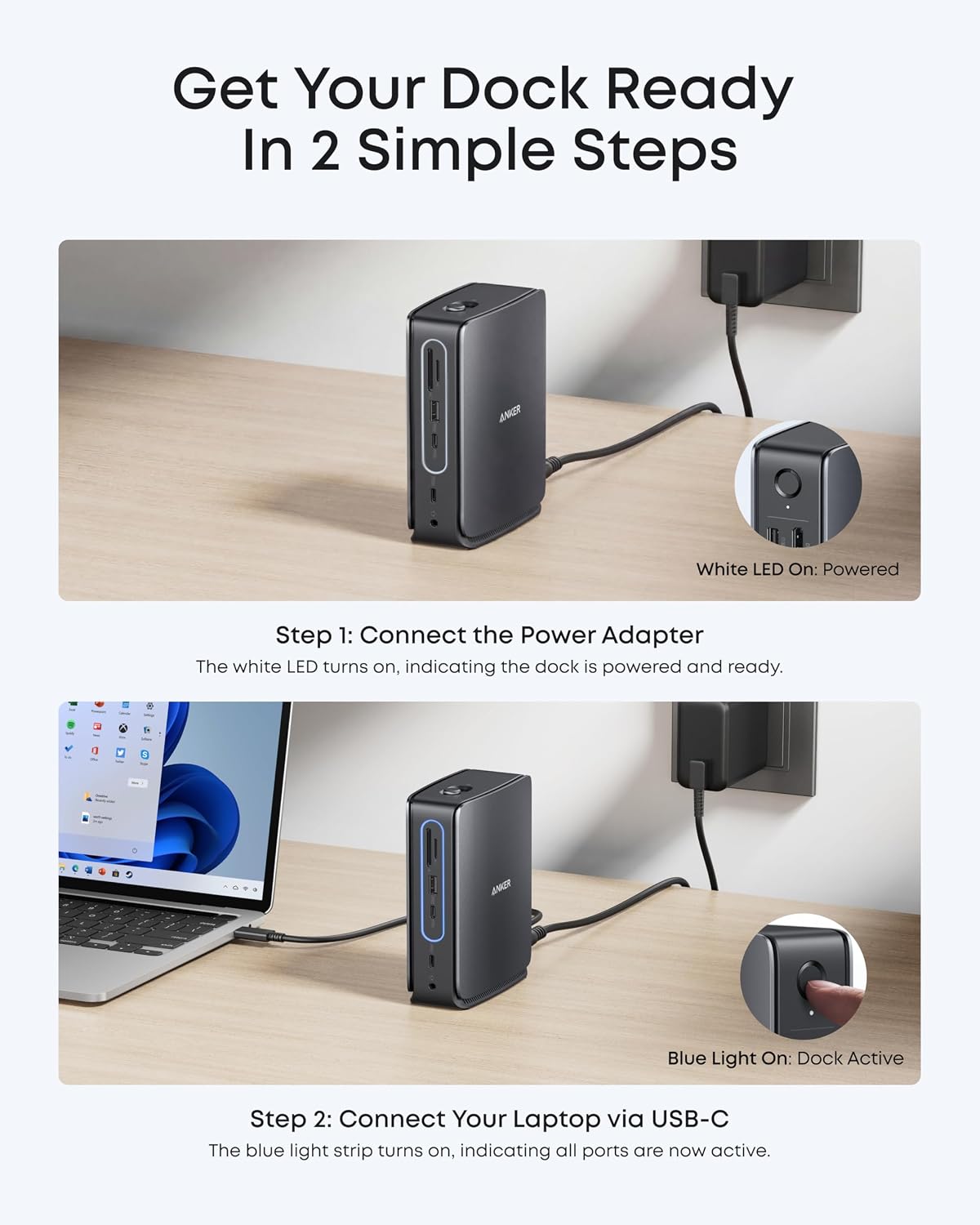
Connect the dock to your laptop through its upstream USB-C port, then connect displays, storage, input devices, headphones, or a wired network as needed. The available ports support a practical workstation layout: keep a keyboard and mouse connected, use the card slots to access SD or TF media, and route audio or Ethernet through the dock rather than relying only on the laptop’s built-in ports.
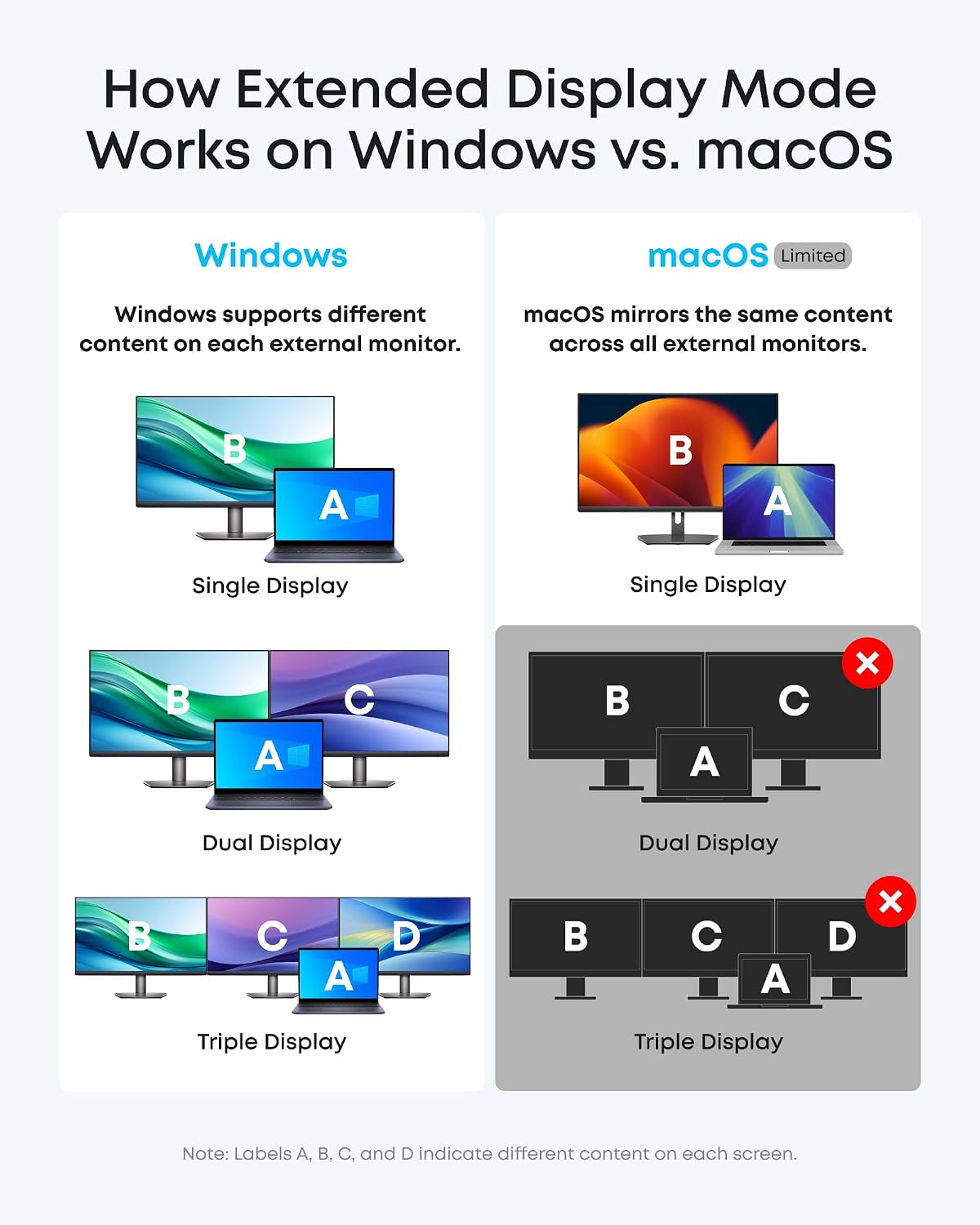
The display setup can be tailored to the task. Use one external display at up to 4K@60Hz, two at up to 2K@60Hz each, or three at up to 1080p@60Hz each. Multiple external displays on macOS operate in mirrored mode. The dock requires a laptop connection to activate its ports, Windows Ethernet use requires the latest Realtek driver for the dock.
Key specifications
- Type: 13-in-1 laptop docking station with detachable 6-in-1 USB-C hub
- Connectivity: 2 HDMI, 1 DisplayPort, 1 Gigabit Ethernet, 3 USB-A, USB-C data, 3.5 mm audio, SD and TF card slots
- Data transfer: USB-C data at up to 10Gbps and 5Gbps
- Power: Up to 100W Power Delivery for laptop charging, includes a 140W power adapter
- Compatibility: USB-C laptops, Windows 10/11 and macOS 13.5 or above. Multiple external displays on macOS mirror the same image.
- What’s included: Dock, 3 ft USB-C cable, 140W power adapter with 5 ft power cord, and welcome guide
Pros
The two-part design serves both fixed and mobile work without making you choose between a desk dock and a travel hub. At a desk, the range of display, network, audio, and peripheral connections helps bring common workstation gear together through one laptop connection. When traveling, the detachable hub offers a smaller set of ports to carry. Buyers praise the port selection, plug-and-play use, and removable hub, feedback on connectivity and power delivery is mixed, so those experiences vary. For the listed display modes, the key choice is whether you need extended screens on Windows or mirrored external displays on macOS.
Before you decide
How many monitors can it connect? It supports up to three displays through two HDMI ports and one DisplayPort. Supported modes are up to 4K@60Hz for one display, dual 2K@60Hz, or triple 1080p@60Hz.
Can I use the detachable hub separately from the dock? The hub detaches for portable use, while the desktop dock remains functional with the hub removed. Connect the dock to a laptop through its upstream USB-C port for the ports to activate.
What happens with multiple external displays on macOS? The displays mirror the same image. The dock is also listed as compatible with Windows 10/11 and macOS 13.5 or above.
When it makes sense
It makes sense if you want a single connection point for a multi-monitor home office and a detachable hub for lighter travel use. The triple-display outputs, wired networking, card slots, and up-to-100W laptop charging make the Anker Nano a practical fit for desk-based work that also calls for portable connectivity.