

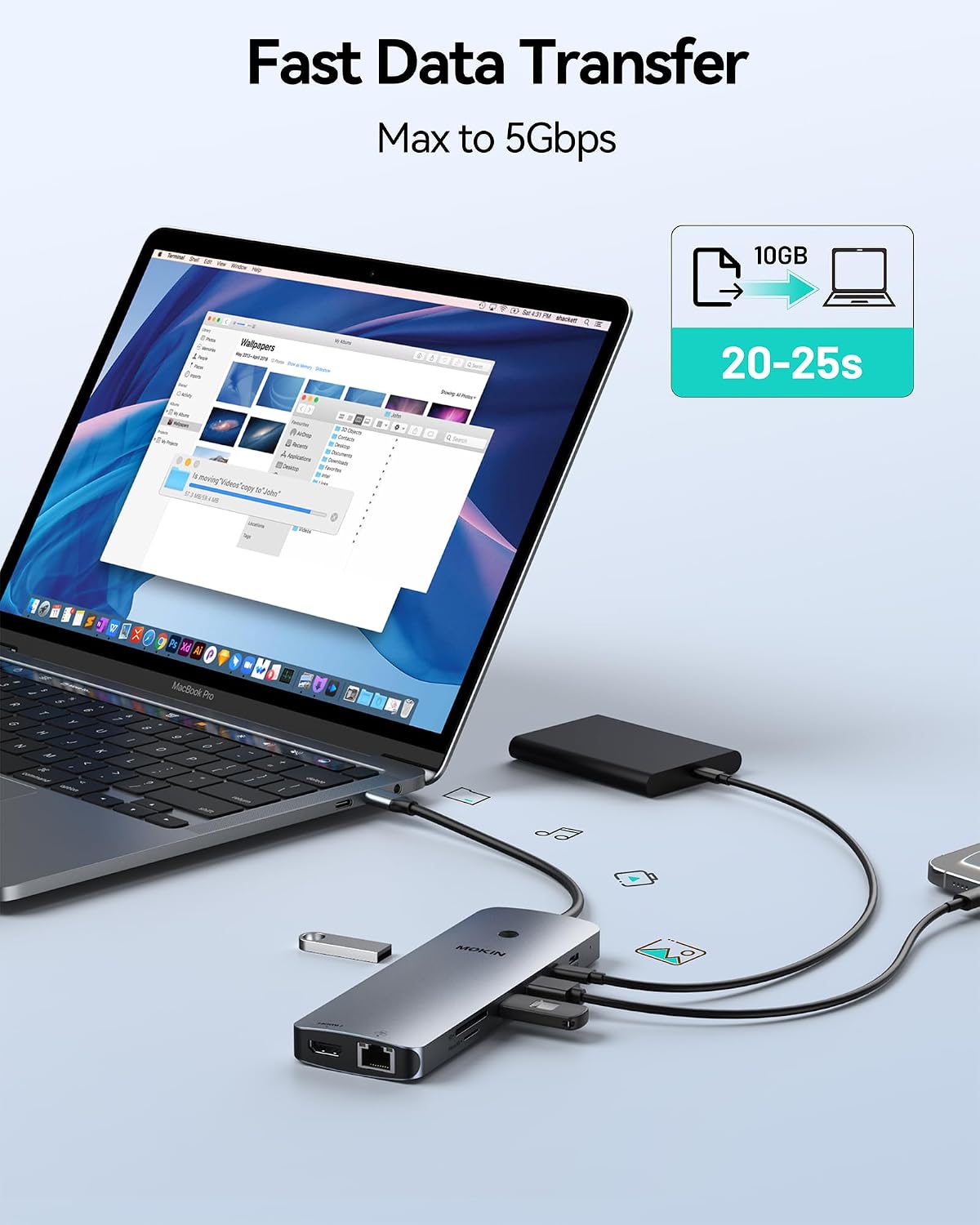
MOKiN UC0554 14-in-1 Laptop Docking Station with 2 HDMI and 2 DisplayPort
Product description
For a laptop setup that needs several displays and peripherals through one dock, the MOKiN UC0554 brings HDMI, DisplayPort, USB, wired networking, and card-reader connections together.
It is designed for laptops with Thunderbolt 3 or 4, or a full-function USB-C port. That connection requirement matters: a USB-C port without the required capabilities may not provide the display support this dock is intended to offer.
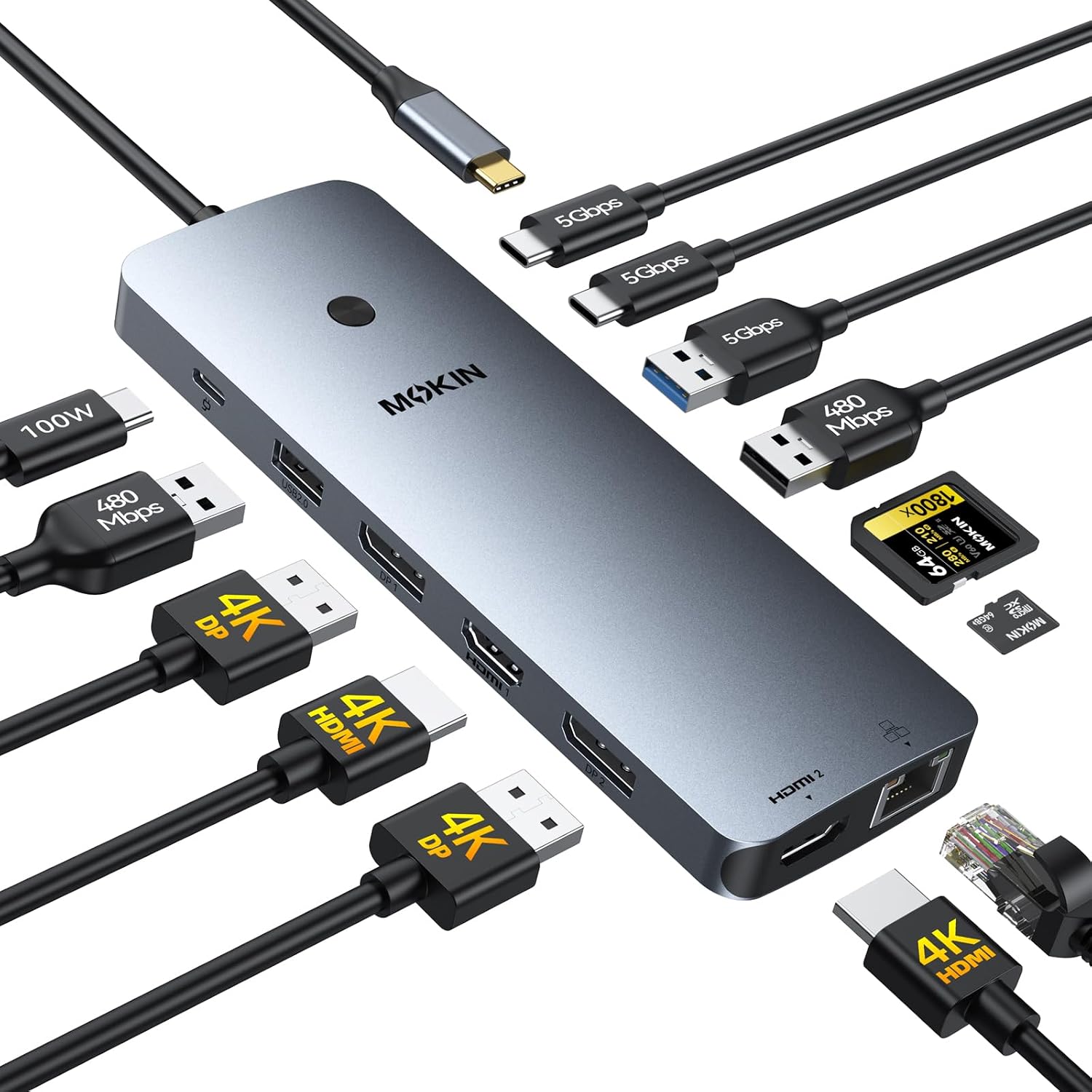
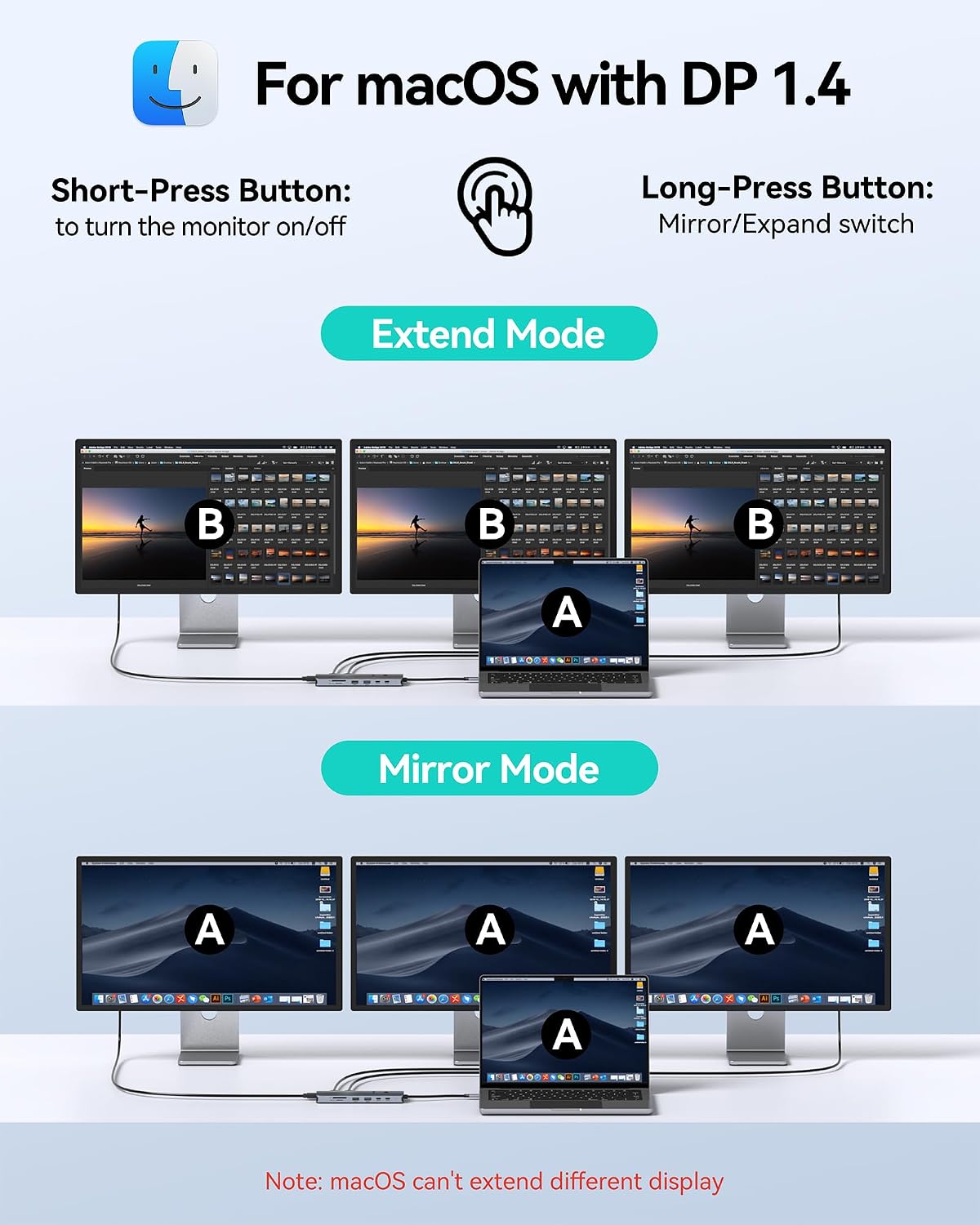
The dock combines four video outputs with everyday connections for storage, accessories, and Ethernet. One important display caveat is that macOS laptops support SST mode only, so connected external screens show the same mirrored image rather than separate desktops.
How to use it
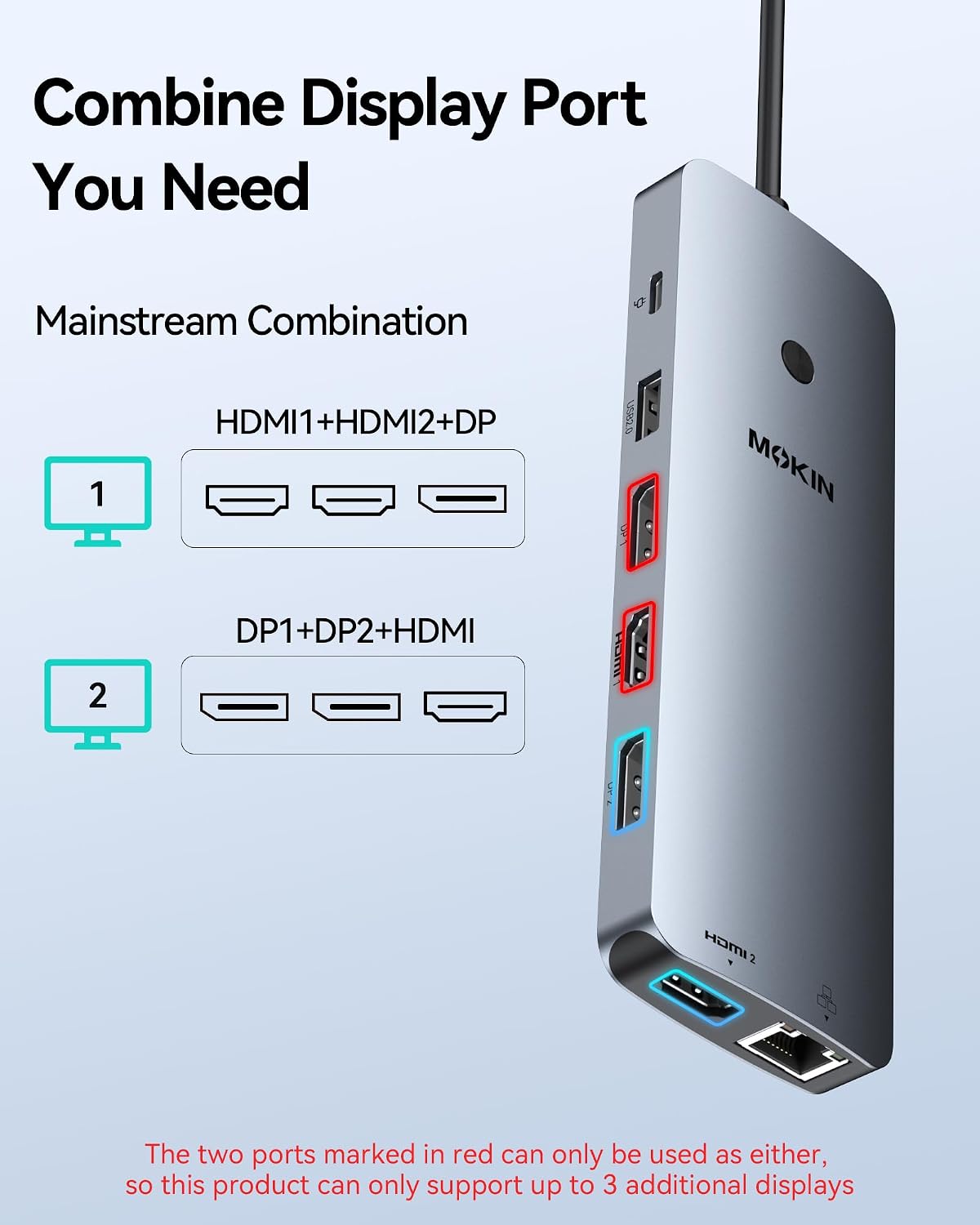
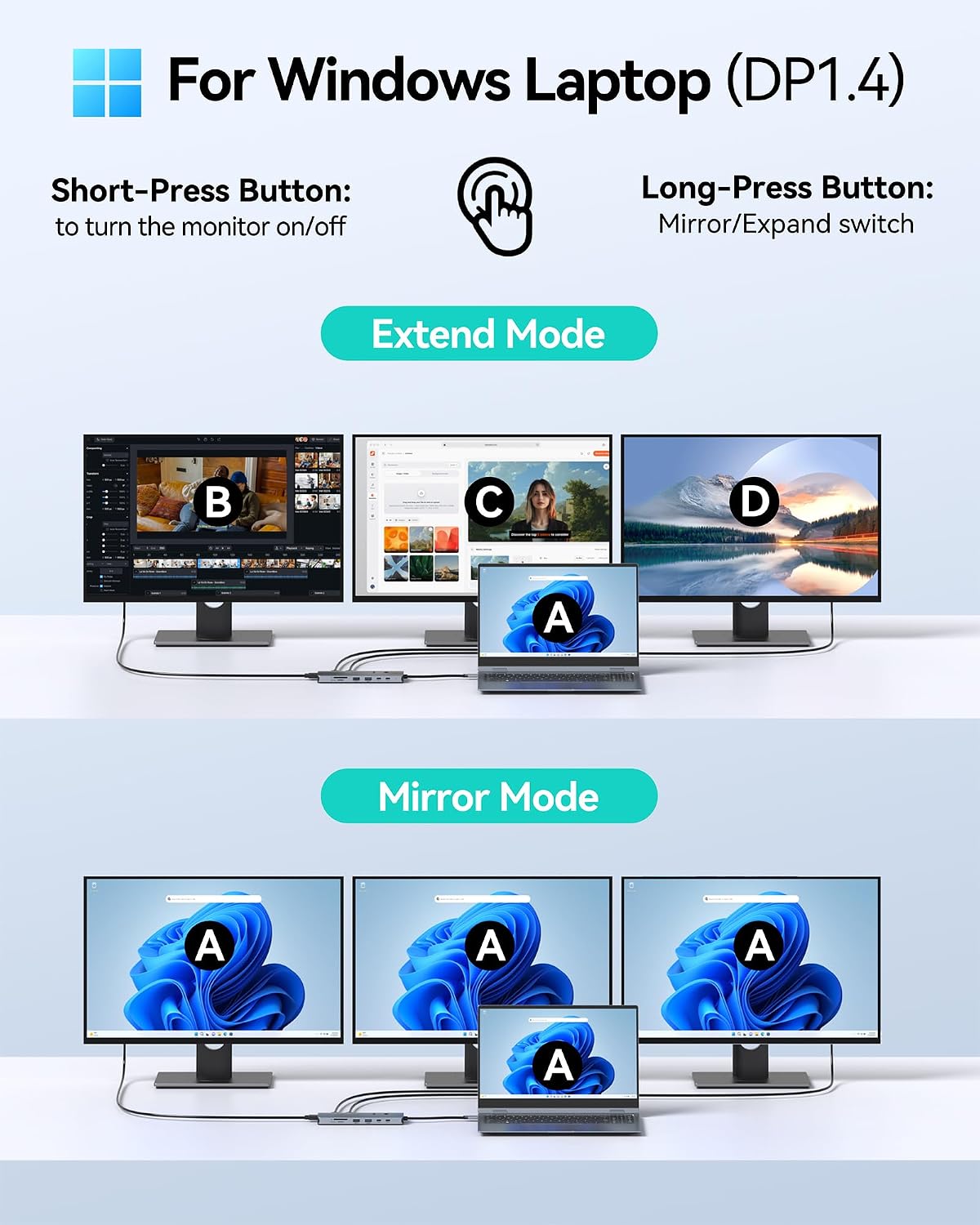
Connect the dock to a compatible laptop, then attach monitors and peripherals to the available ports. The two HDMI and two DisplayPort connections allow display combinations such as two HDMI outputs plus one DisplayPort, or two DisplayPort outputs plus one HDMI. The product is promoted for triple 4K use, but the listing does not specify the resolution and refresh-rate limits for each connection combination, so match those details to your intended setup before relying on a particular multi-monitor configuration.
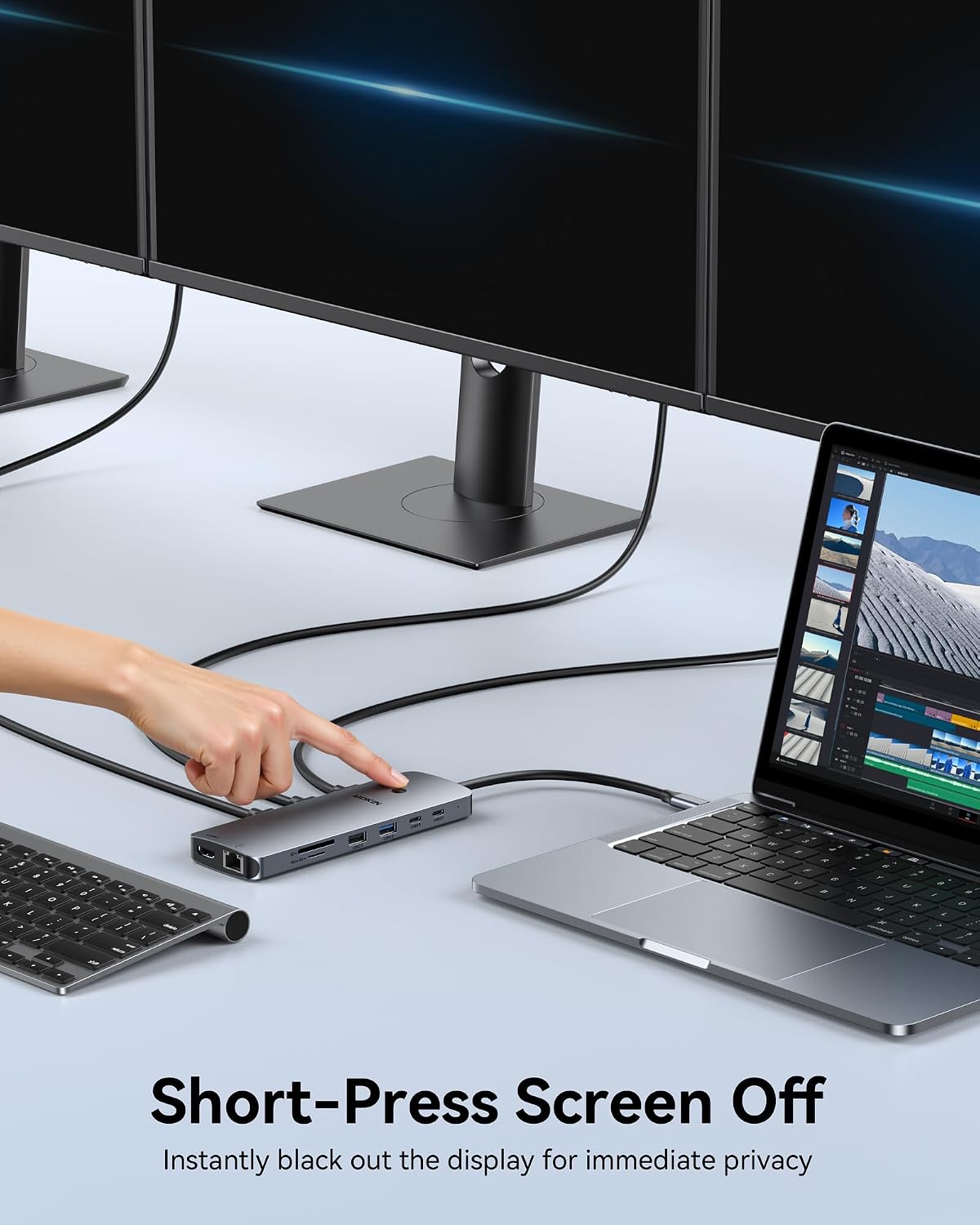
For a desk setup, the RJ45 port provides a wired network connection, while the SD and microSD slots give you a way to connect memory cards. USB ports can serve accessories and external storage. The screen button is intended to turn off connected screens with a short press, a useful control when you want to blank the displays without unplugging them.
Strengths
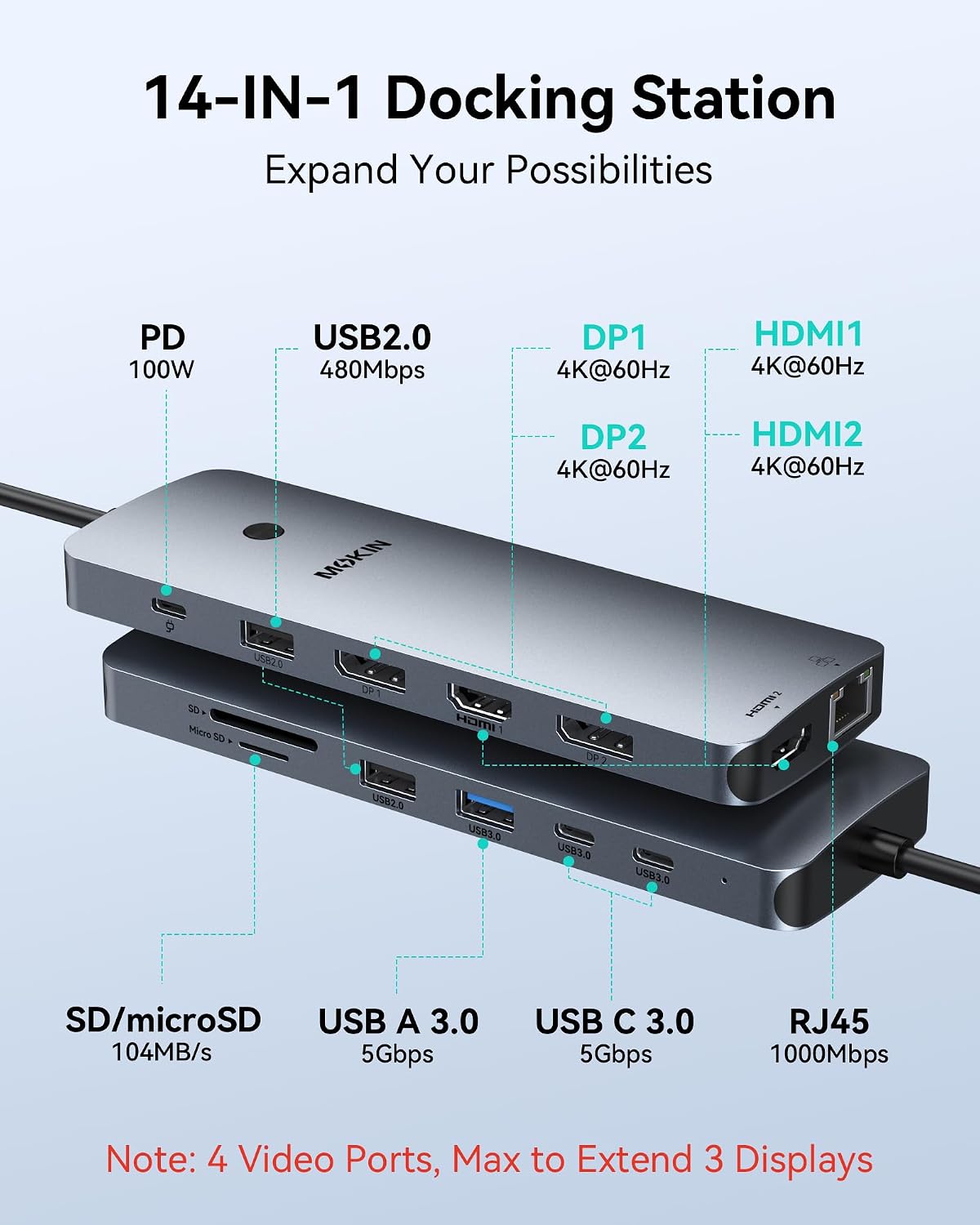
The main appeal is consolidation: instead of choosing a dock focused only on video or adding separate readers and network adapters, this model brings those connections into one hub. It has five USB ports in total, including USB-C and USB-A, along with Ethernet and SD/microSD card slots. The listed USB data-transfer rate is 5 Gbps.
A dedicated USB-C Power Delivery port supports charging, with up to 100W described in the product details. A 100W adapter is needed for charging under full load, and the adapter is not included. The package listing says it includes the dock, a user manual, and two cables.
Buyer feedback highlights the compact form, straightforward setup, and useful port selection. Reports are mixed, however, on laptop charging, video pass-through, and compatibility—some customers describe problems with MacBooks or other devices. These are individual reports rather than guaranteed outcomes, but they reinforce the importance of checking the laptop’s port capabilities and display requirements.
At a glance
- Model: UC0554
- Connections: 2 HDMI, 2 DisplayPort, RJ45 Ethernet, USB-C, USB-A, SD, and microSD
- Total ports: 14
- USB data transfer rate: 5 Gbps
- Operating systems listed: Windows and macOS
- Minimum operating system version listed: Windows 10
- Power Delivery: Up to 100W, 100W adapter not included
- Included: Dock, user manual, and two cables
Should you buy it?
It suits you if your laptop has Thunderbolt 3/4 or full-function USB-C and you want one dock for monitors, wired networking, memory cards, and USB accessories. It may be a practical alternative to assembling those connections from several smaller adapters, especially for a workspace that uses a mix of HDMI and DisplayPort monitors.
Not the best choice if you need separate extended displays from a macOS laptop: the stated macOS behavior is mirrored screens only. It is also worth considering a simpler single-display hub if you do not need the range of ports, or a dock with explicitly documented display modes if a particular resolution and multi-monitor layout is essential. The UC0554 makes most sense when its port mix matches the laptop and screens you already plan to connect.