

Anker Nano A210B 8-in-1 USB-C Docking Station, Dual 4K HDMI, 10Gbps
Product description
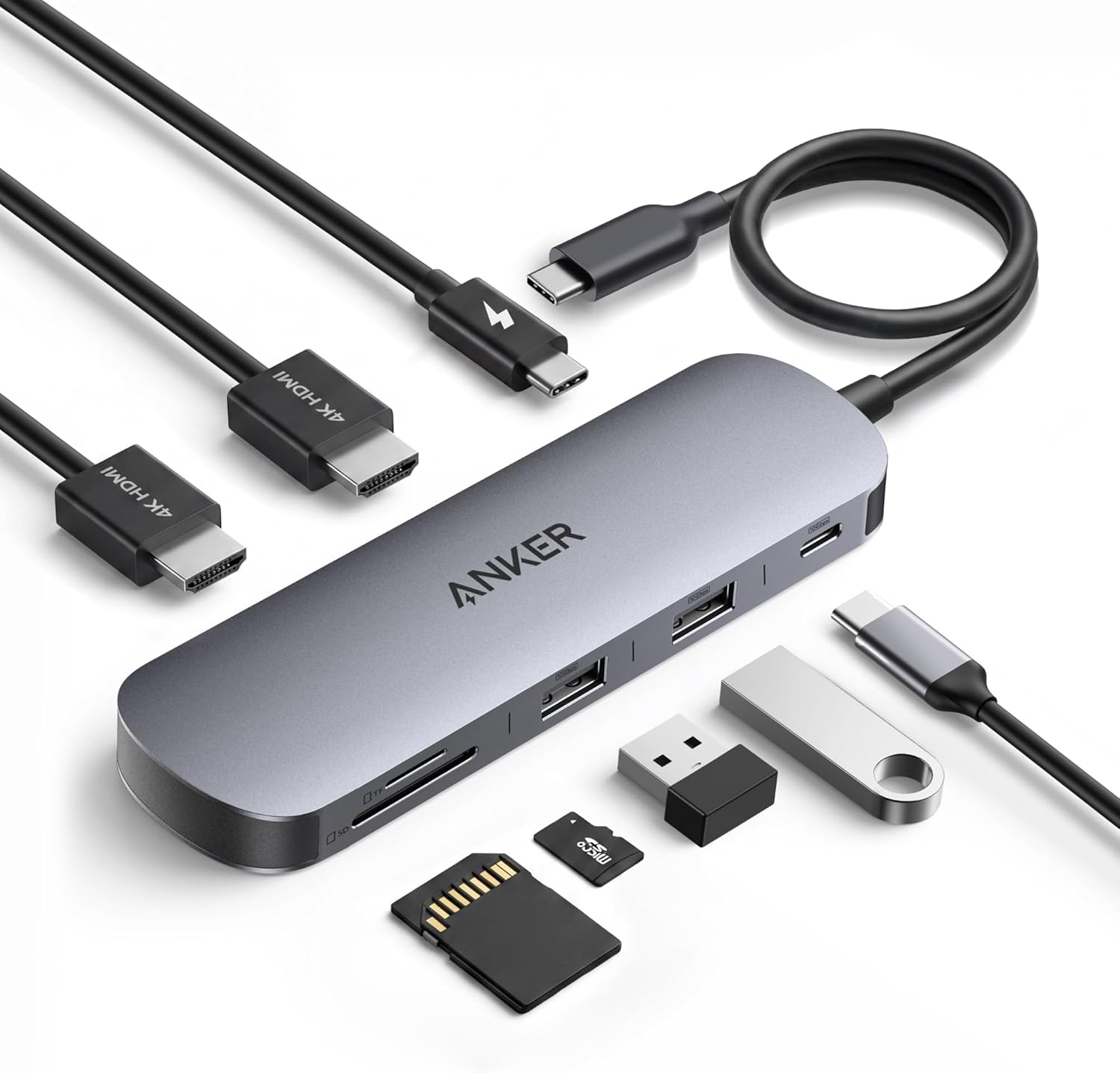
Connect a Windows laptop to two external monitors, USB accessories, and memory cards with the Anker Nano A210B. Its 8-in-1 design brings HDMI, USB-C and USB-A data ports, SD and TF card slots, and laptop power pass-through together in a compact desk hub.
Use one USB-C connection to expand a compatible laptop’s workspace and connect everyday peripherals. The 9.84-inch cable adds reach when positioning the hub alongside your setup.
Key features
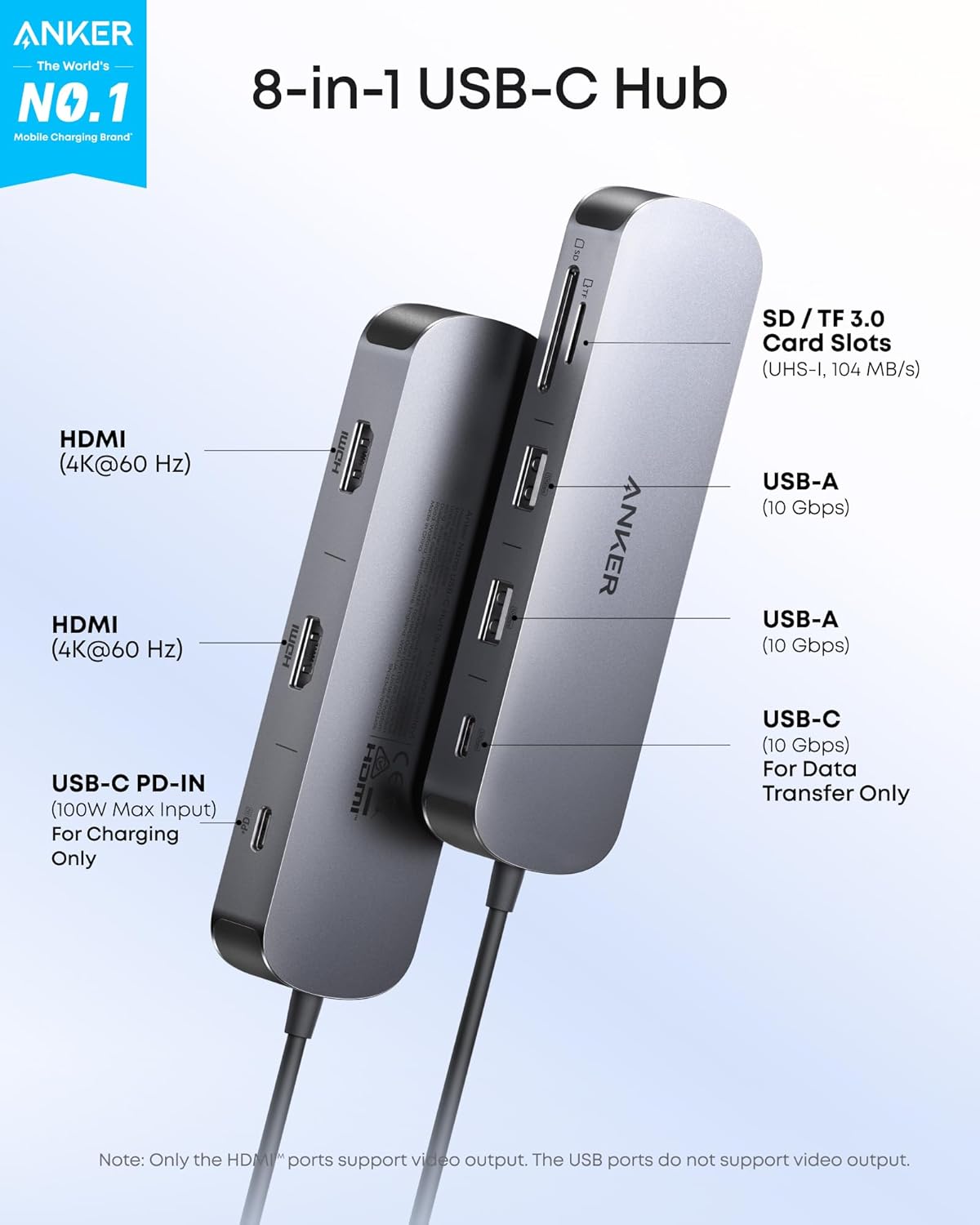
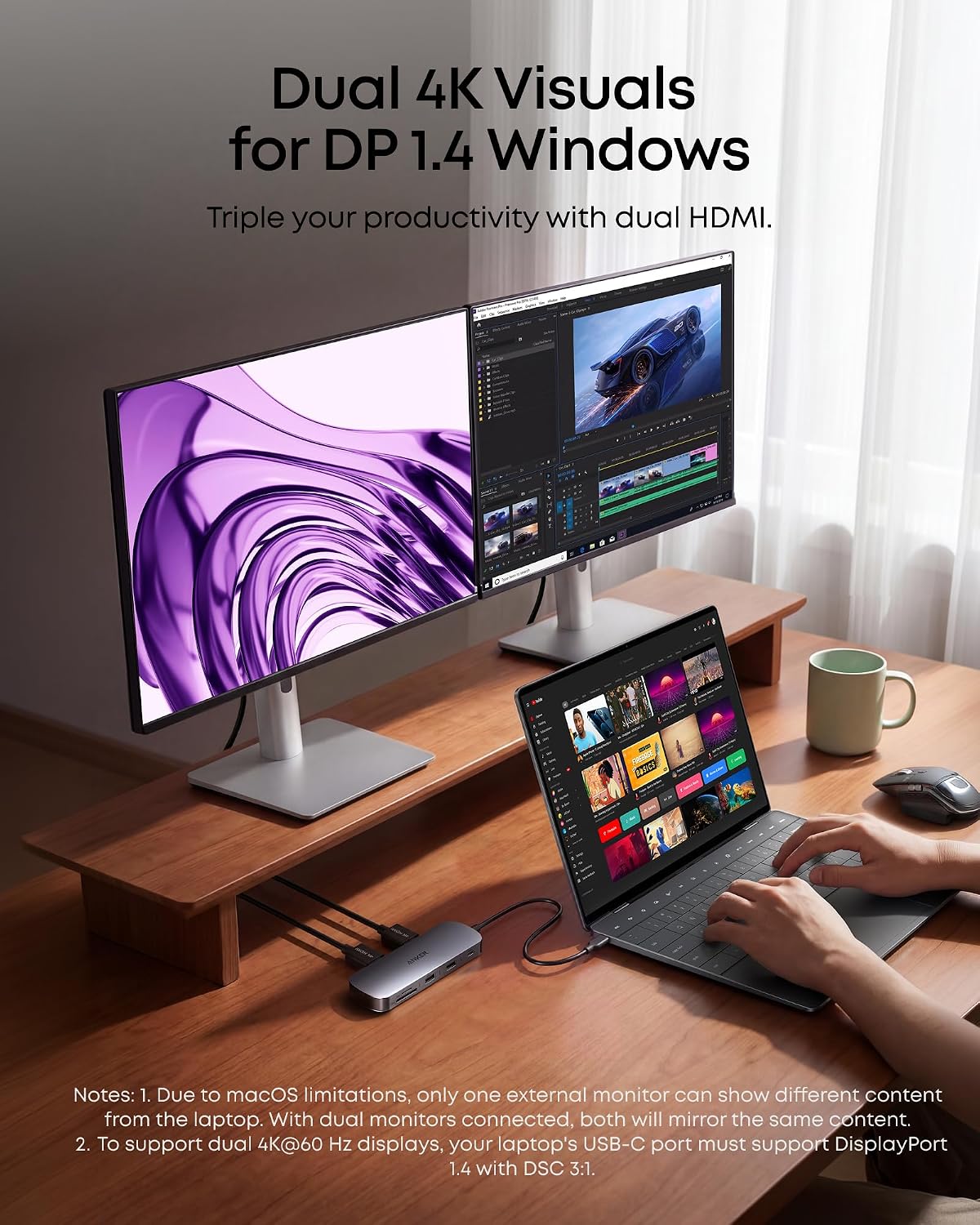
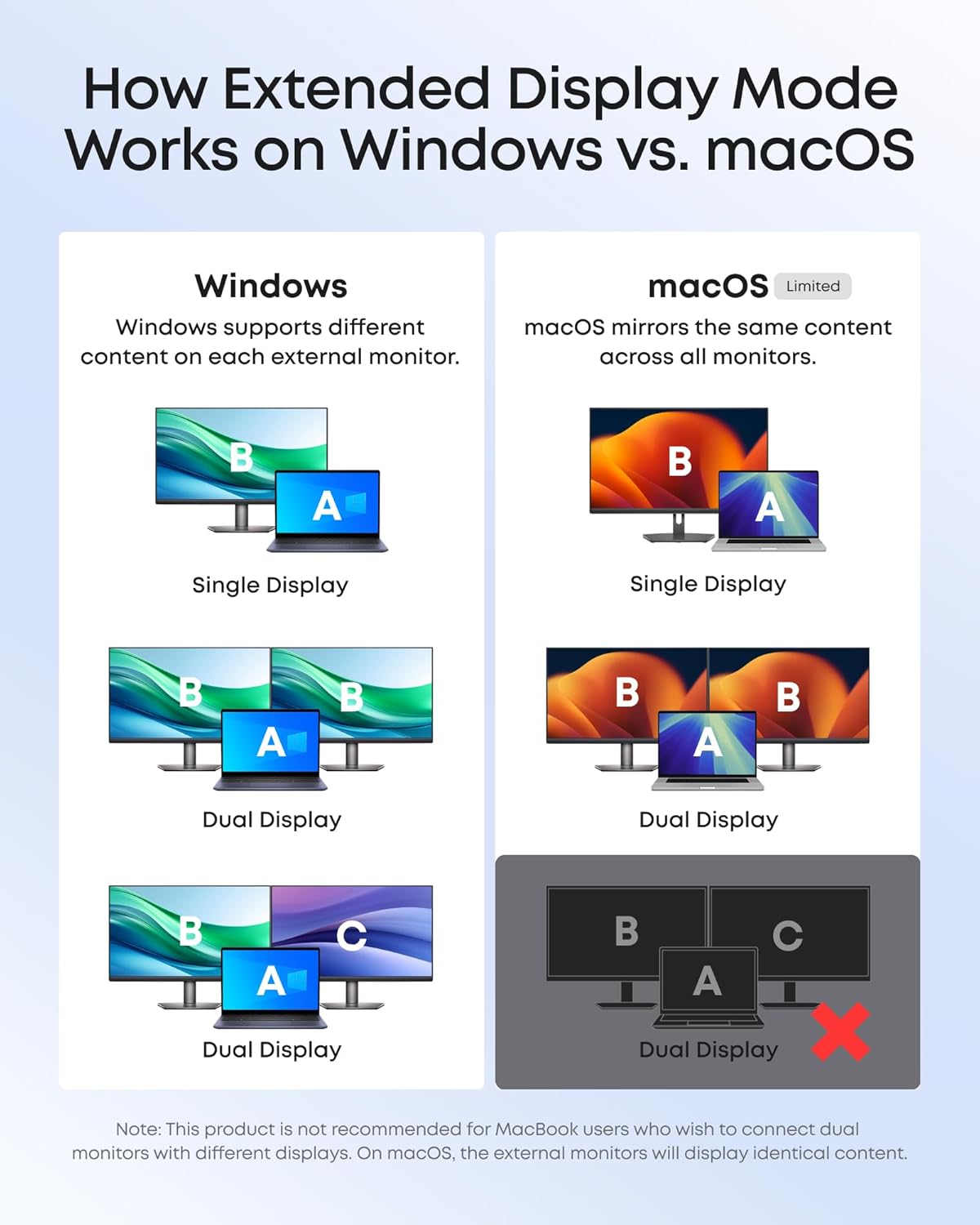
The two HDMI ports support up to 4K at 60Hz on each of as many as two external displays with Windows, provided the laptop’s USB-C port supports DP 1.4 with DSC 3:1. That makes the hub useful for keeping documents on one screen while working in another app on the laptop or second monitor. On macOS, external monitors mirror the same content rather than showing separate displays.
USB-C and USB-A data ports support transfer rates up to 10Gbps, while the SD and TF 3.0 slots support transfer speeds up to 104MB/s. This gives you convenient connections for compatible peripherals and memory cards without relying on a separate reader. The USB data ports do not provide charging or video output, video comes through the HDMI ports.
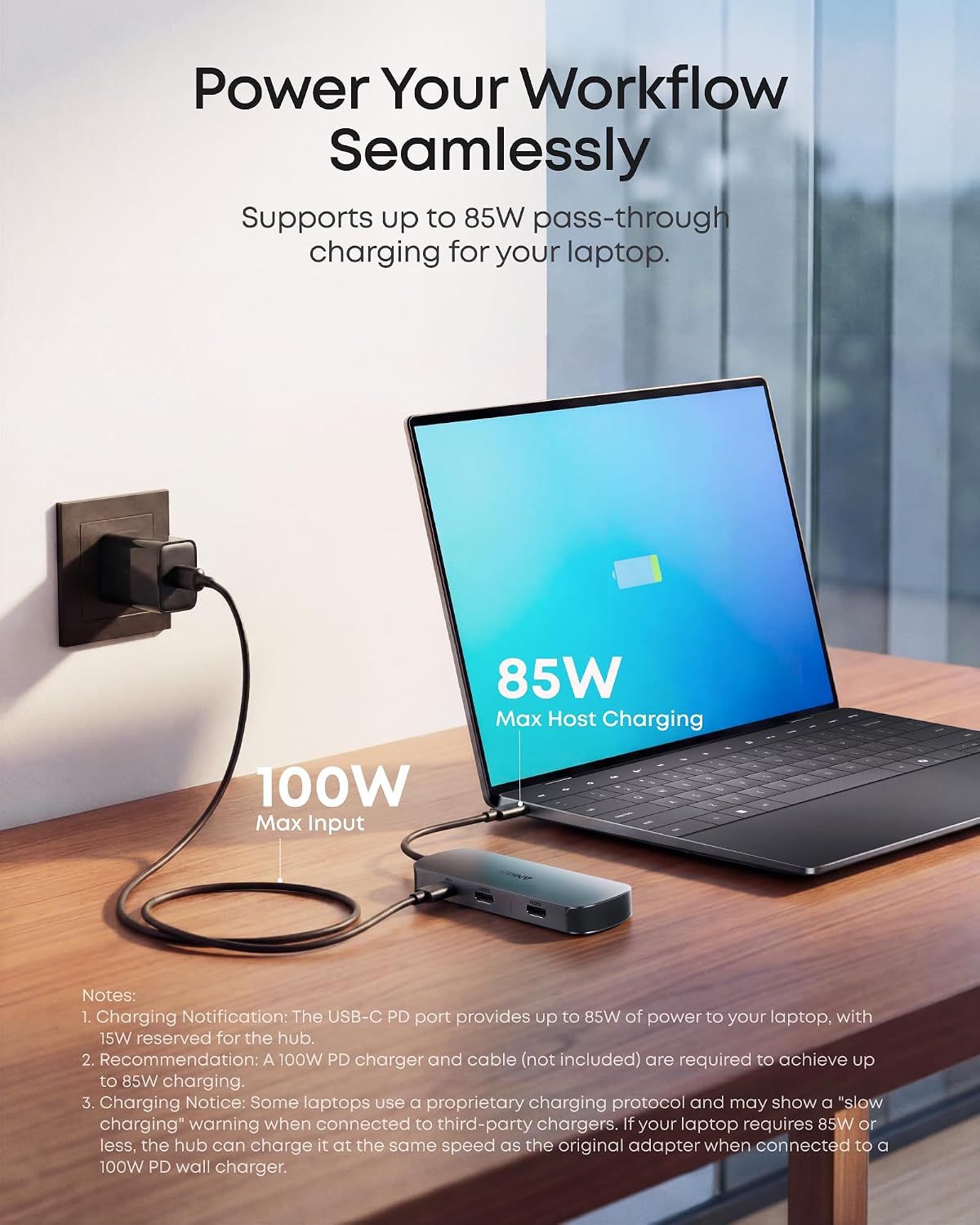
For laptop power, the hub supports up to 85W pass-through with a 100W USB-C PD input. A 100W PD charger and cable are required for full 85W charging and are not included. Its aluminum alloy housing and compact design suit a permanent desk setup or a workspace that needs to be easy to rearrange. Buyers often appreciate the straightforward setup and compact footprint, while reports on monitor compatibility and power pass-through are mixed, the stated host-device and power requirements help define the setup.
Practical tips
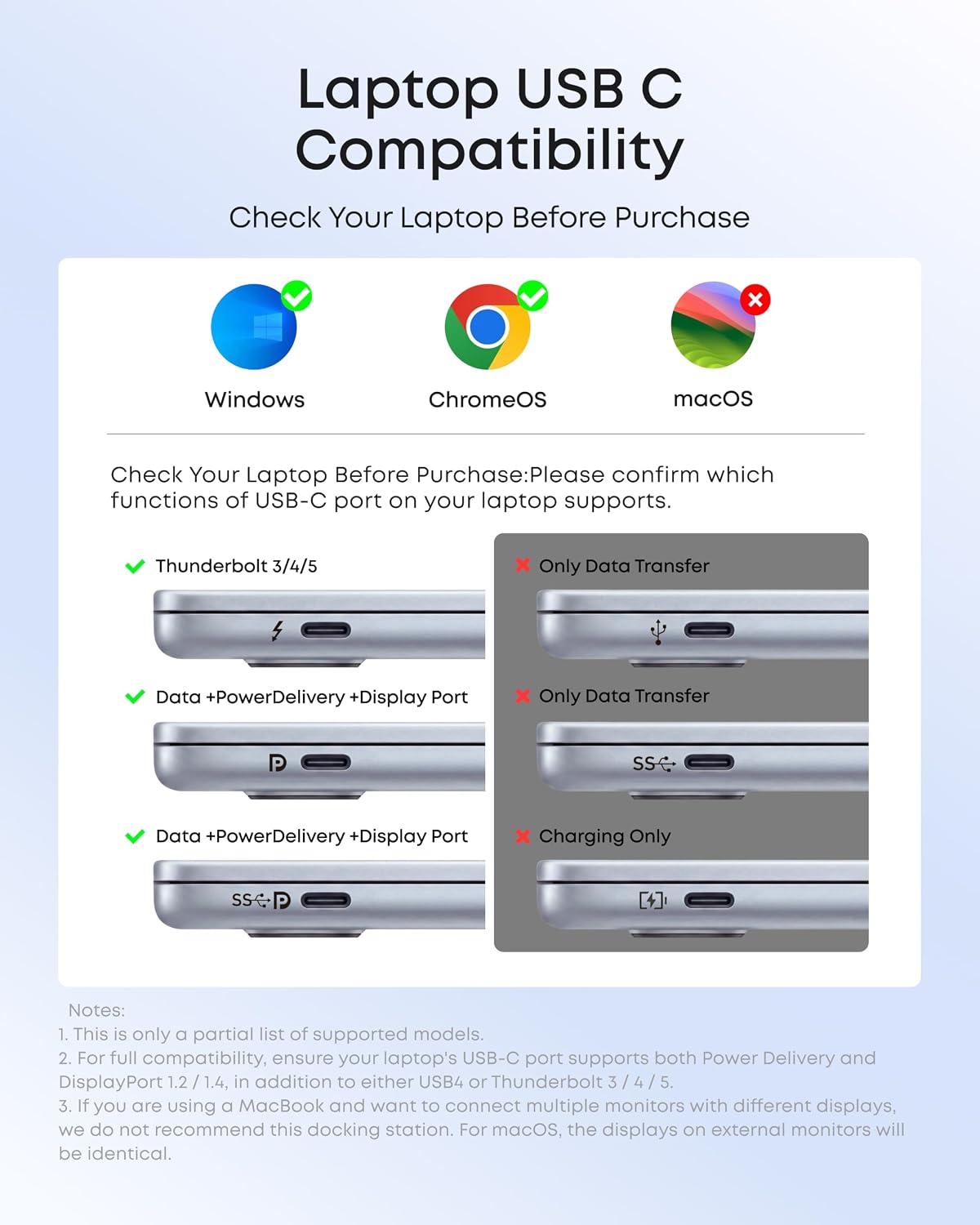
Before connecting two independent displays, confirm that the laptop has a full-function USB-C, USB4, or Thunderbolt connection that supports DP Alt Mode, Power Delivery, and the DP 1.4 with DSC 3:1 requirement for dual 4K at 60Hz. Need separate content on each external screen? Windows supports the dual-display setup described here, while macOS mirrors the external displays. The hub is compatible with Windows 10 and 11 and ChromeOS, as well as macOS for mirrored external displays, it is not compatible with Linux.
Usage tips
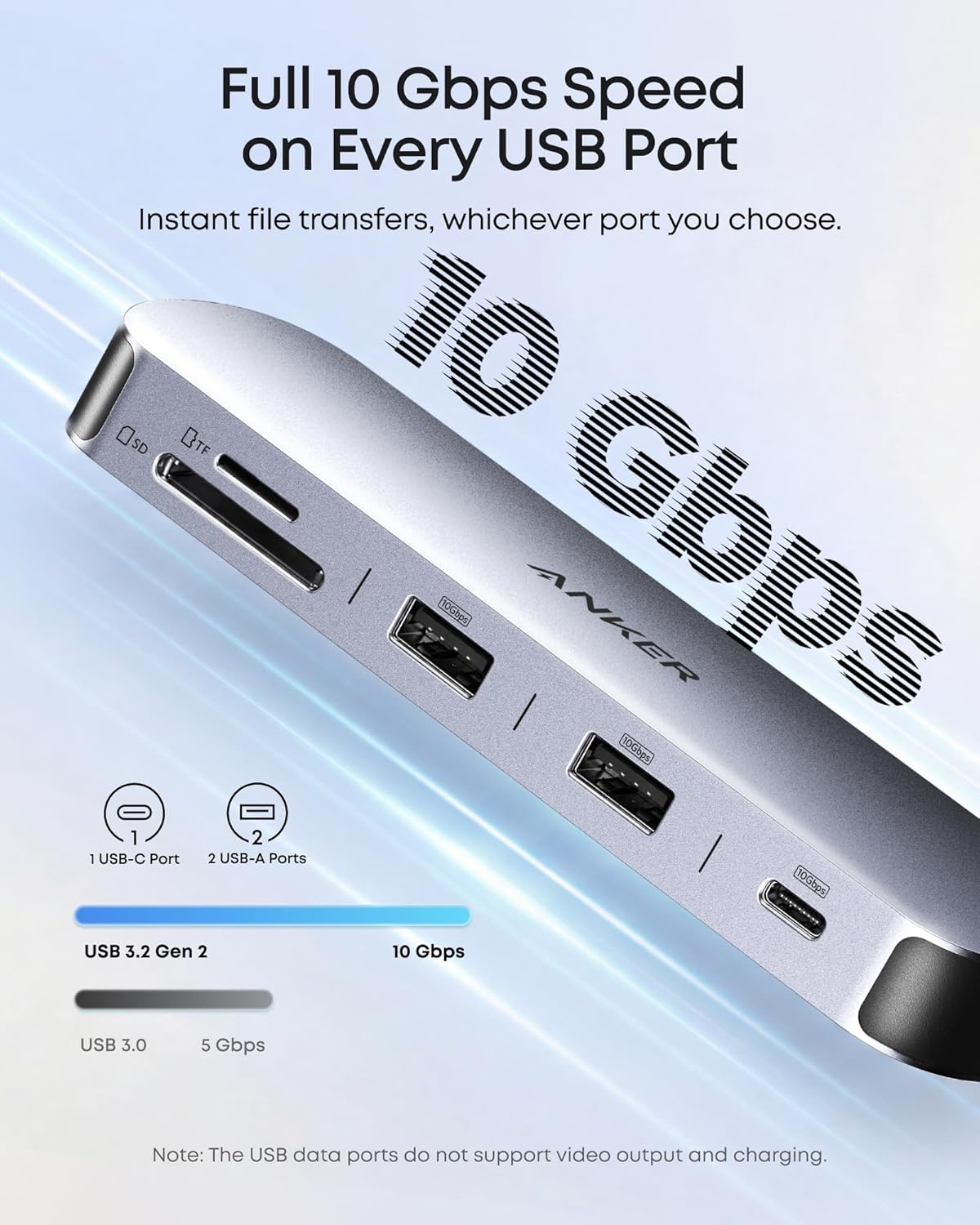
Connect the host cable to a compatible laptop, then use the HDMI ports for displays and the USB-A or USB-C data ports for accessories. For card transfers, use the SD or TF slot that matches your card. A high-speed, 10Gbps-compatible cable is needed to achieve the stated USB data rate. Keep video connections direct to the hub’s HDMI ports, using HDMI conversion adapters or cables may cause unstable connections or reduced resolution.
If you want laptop charging through the hub, connect a 100W PD charger to its USB-C PD input. The hub reserves 15W for its own operation, allowing up to 85W pass-through to the laptop. This arrangement keeps charging and peripheral connections in one desk setup.
When it makes sense
The A210B is a practical fit for a compatible Windows laptop user who wants two HDMI displays, fast USB data connections, and SD/TF card access in one compact hub. It brings more functions together than a basic single-purpose USB adapter, especially for a desk used for multitasking or file transfers. For a Mac setup, its HDMI ports remain useful when mirrored external screens suit your workflow. Choose it for a streamlined multi-display connection with clearly defined host and power requirements.