




iVANKY FusionDock Max 2 23-in-1 Thunderbolt 5 dock
Product description
This docking station brings multiport convenience to Mac users, combining Thunderbolt 5 speed with multi‑display output and active cooling for extended desktop productivity. If you need a Thunderbolt 5 docking station for MacBook that handles large transfers and several high‑resolution monitors, this model aims to cover those needs while noting some compatibility limits, according to the manufacturer. 🔌💻
Key Points
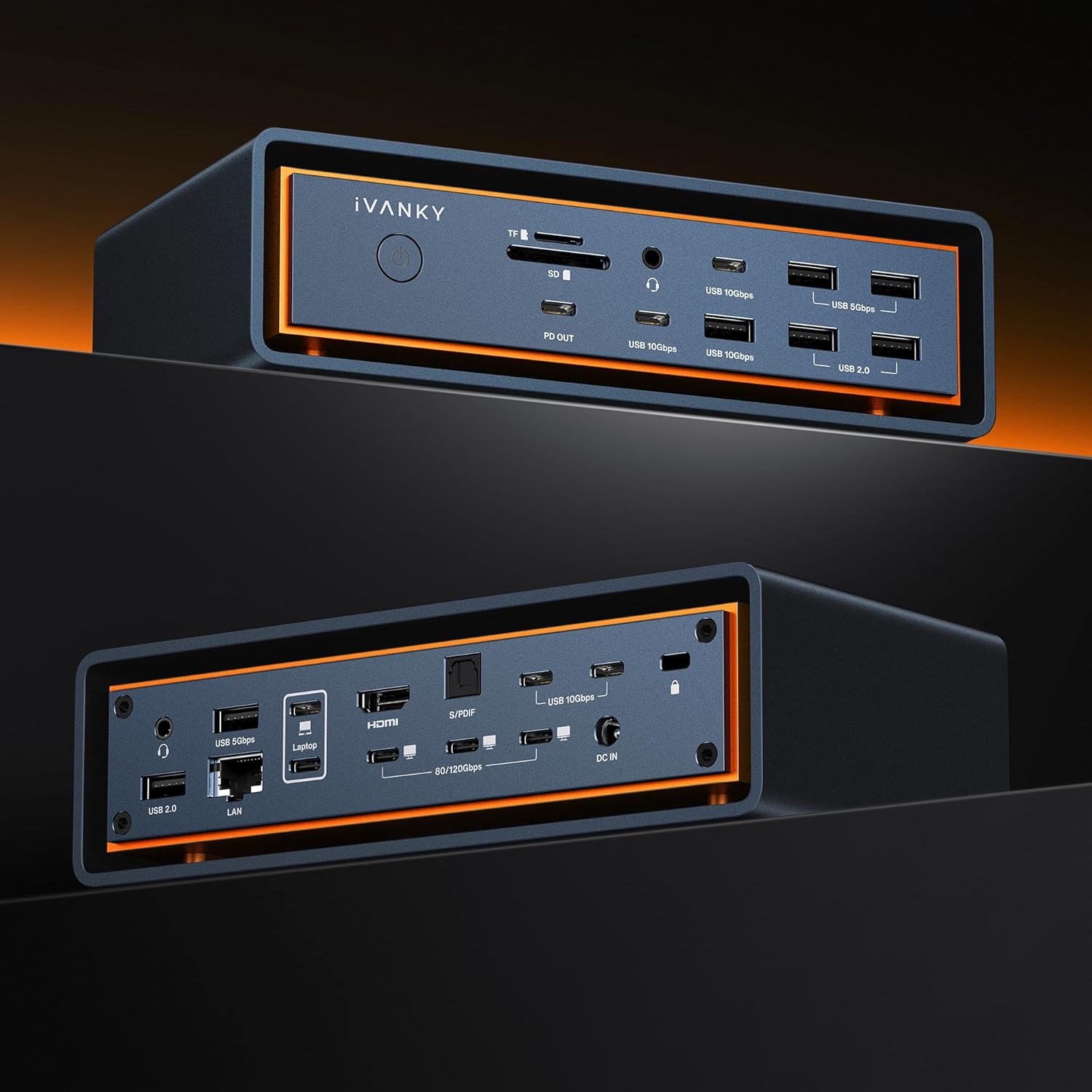
The unit integrates three Thunderbolt 5 ports capable of 120 Gbps transfers, which helps move large files and run fast external drives. It supports up to triple display output for compatible Mac chip configurations, with dual 6K@60Hz plus one 4K@60Hz in certain Max chip setups. Connection variety is wide with ten USB ports and SD/TF card slots for media workflows. The dock includes a hybrid cooling system with a copper heat plate, raised chassis for airflow, and an internal fan to keep performance stable during prolonged use. Note that Windows and Chrome OS laptops are not supported, and the dock is limited to a single Mac at a time, as stated by the manufacturer. 🌬️
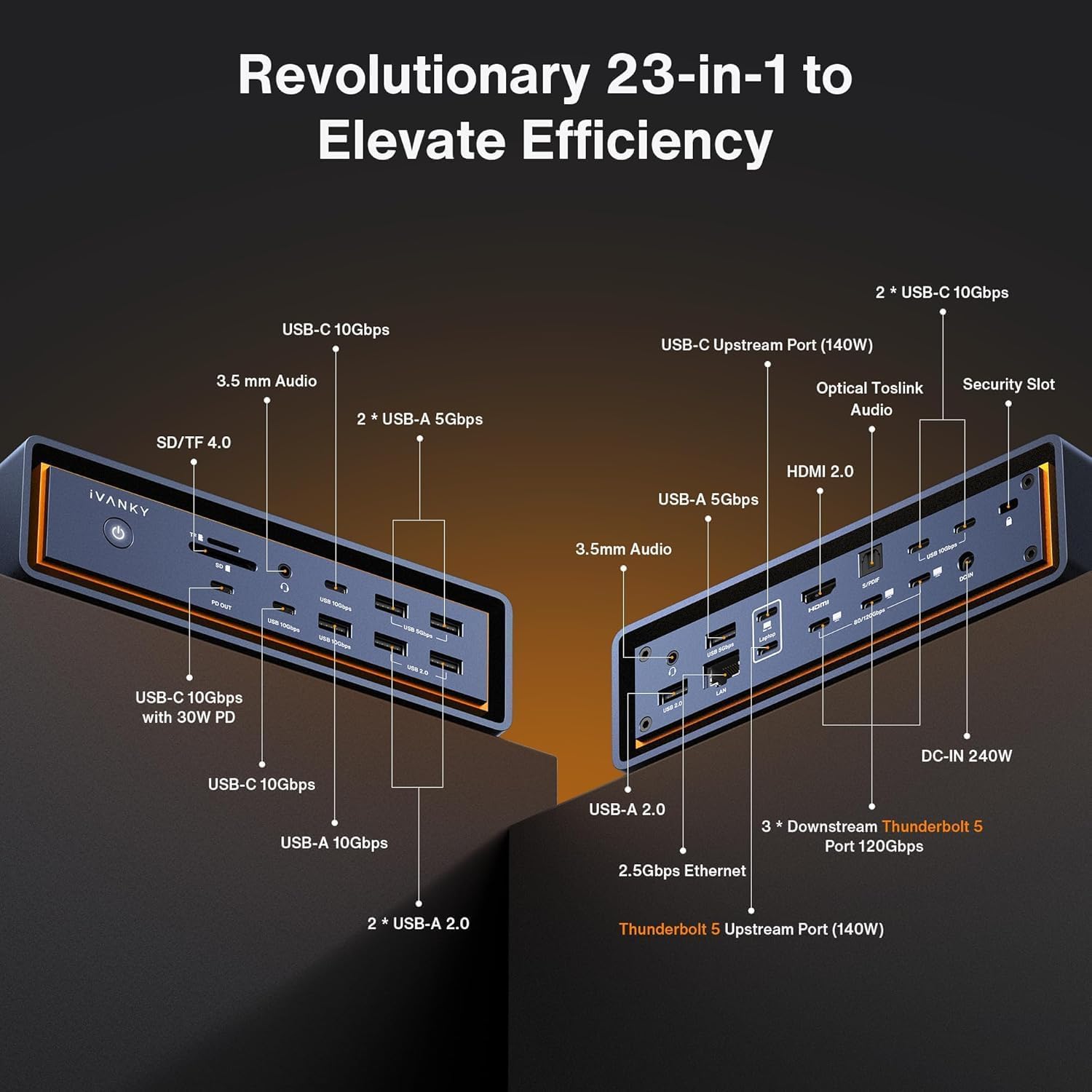
Technical Specifications
- Name: IVANKY FusionDock Max 2
- Thunderbolt ports: 3 x Thunderbolt 5, up to 120 Gbps each
- Power Delivery: 140W PD pass‑through
- Video output: up to triple displays, dual 6K@60Hz + 4K@60Hz for compatible Max chips
- Ethernet: 2.5 Gbps RJ45
- Card readers: SD/TF support up to 312 MB/s
Usage Recommendations
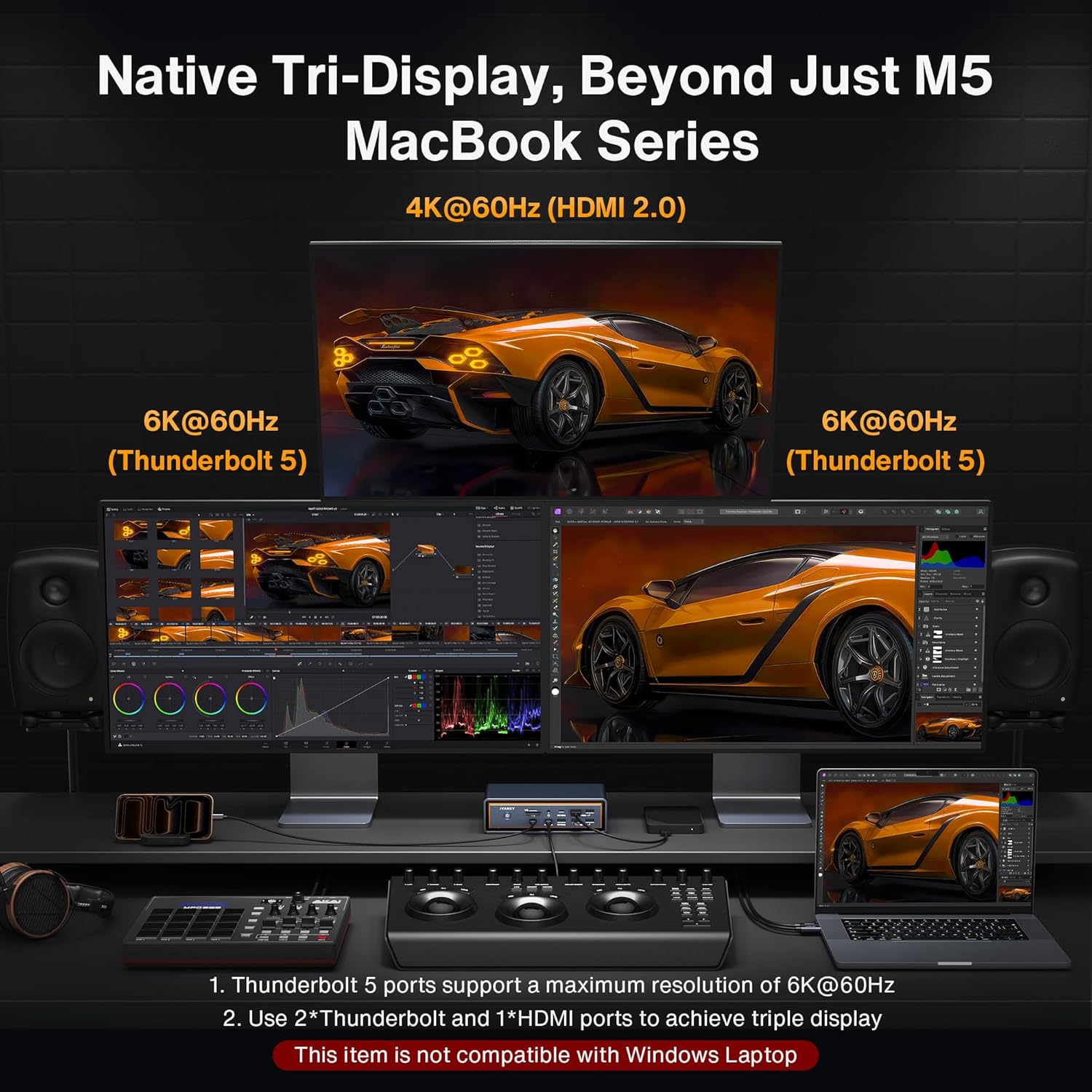
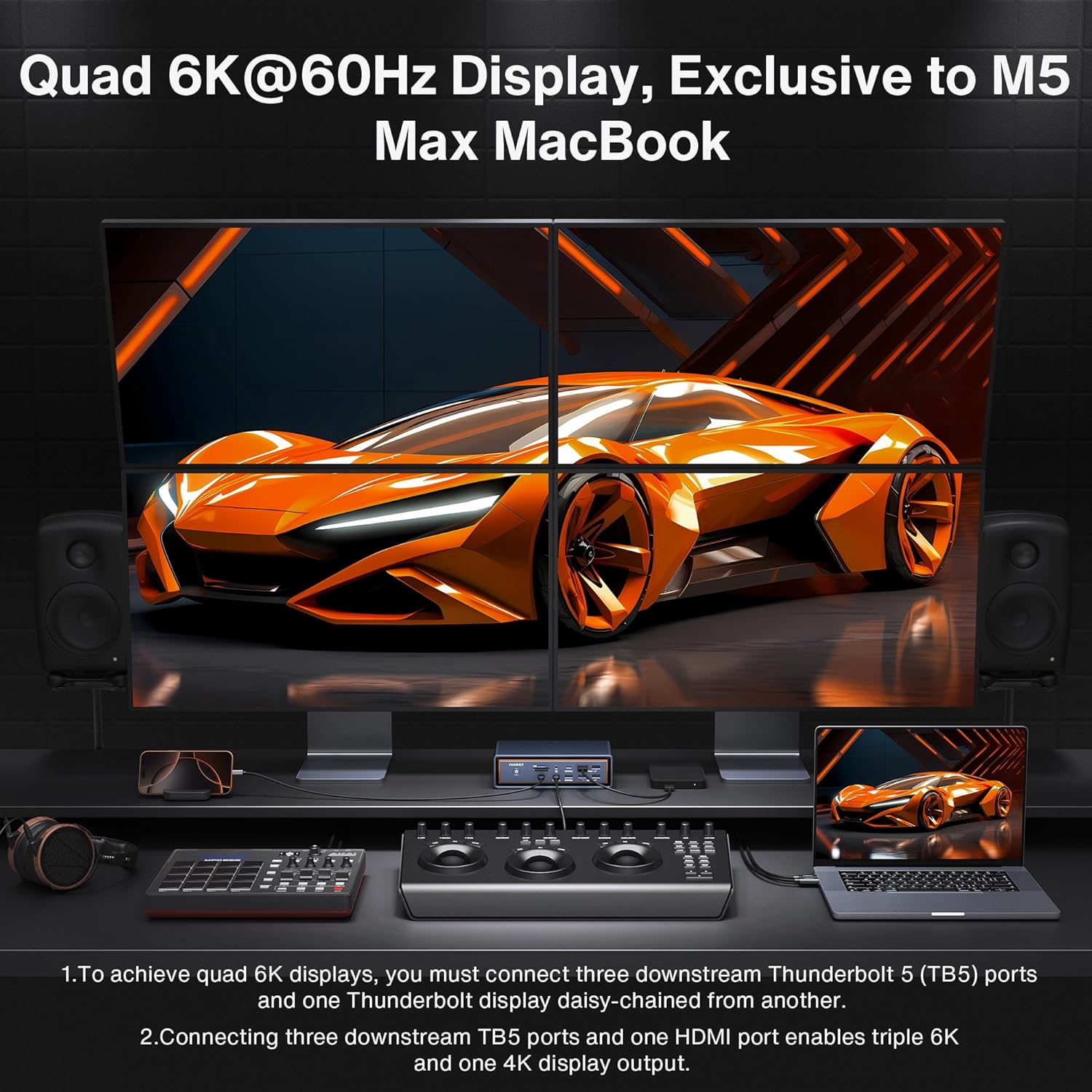
Use this dock on a MacBook with an M1/M2/M3/M4 Pro/Max or M1–M5 Max configuration to unlock the highest display options and bandwidth. For video editing and large file transfers, connect Thunderbolt external drives and monitor arrays to the Thunderbolt ports to keep data flow and display refresh rates consistent. Consider placing the dock in a ventilated area to make the most of the hybrid cooling design during long sessions of rendering or file synchronization. ⚙️
Advantages
The FusionDock Max 2 consolidates many connection needs into one hub, reducing cable swapping and freeing desk space. High aggregate bandwidth supports simultaneous high‑res displays and fast backups. The built‑in fan and copper plate aim to manage thermal load for longer continuous use, which is useful during heavy workloads. Bear in mind that multi‑display behavior depends on the Mac’s chip model, and the dock will not operate with Windows or Chrome OS laptops according to the manufacturer.