

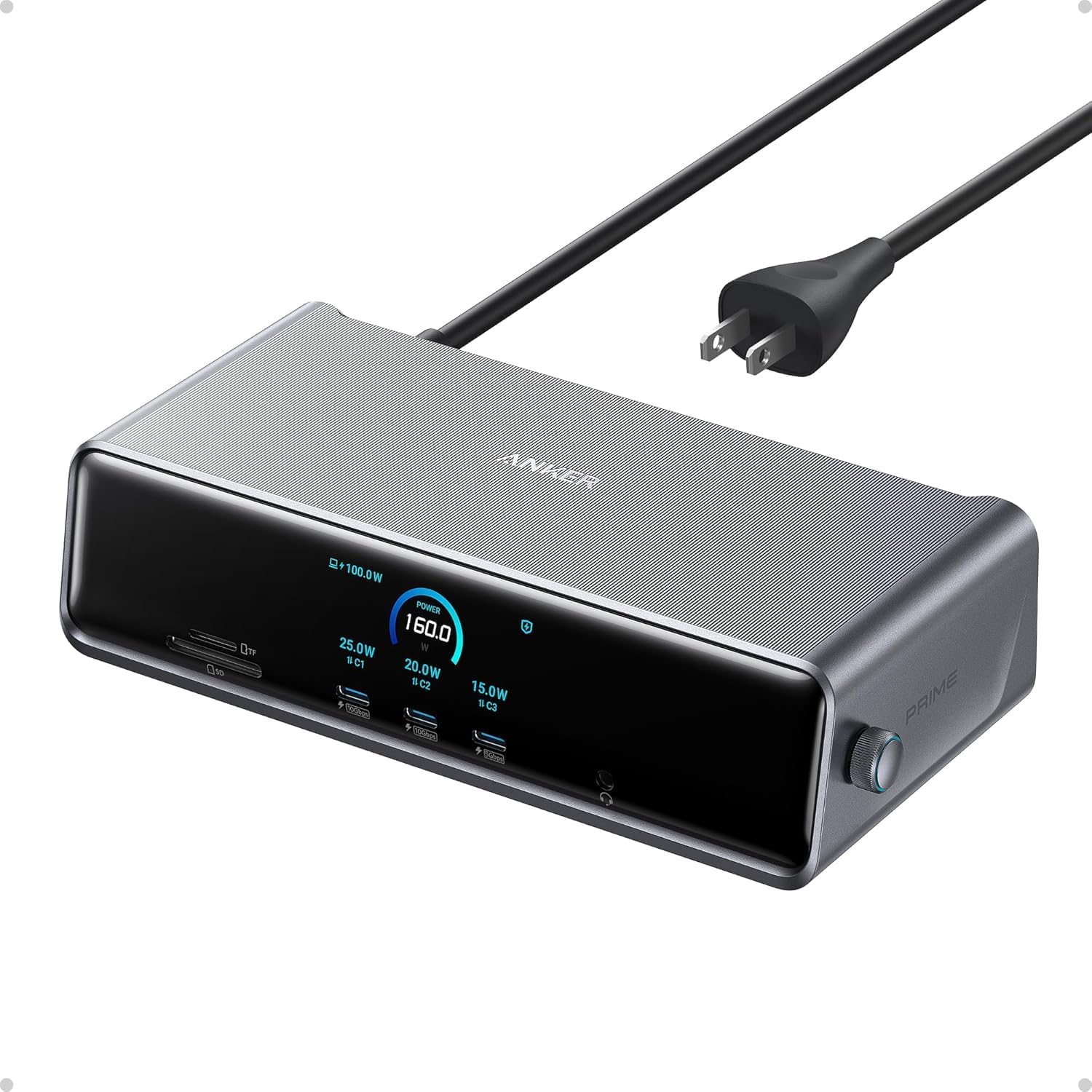
Anker Prime Docking Station DL7400, 14-in-1 Triple Display Dock, 140W
Product description
Three external displays can turn a Windows laptop setup into a broader workspace for documents, calls, and reference material. The Anker Prime Docking Station DL7400 supports up to three 4K displays at 60Hz through its HDMI and DisplayPort connections. Its 14 ports also bring charging, wired networking, audio, and card access to one desktop dock. It’s suited to a multi-screen desk, while a simpler hub makes more sense when you only need a few basic connections.
How to use it
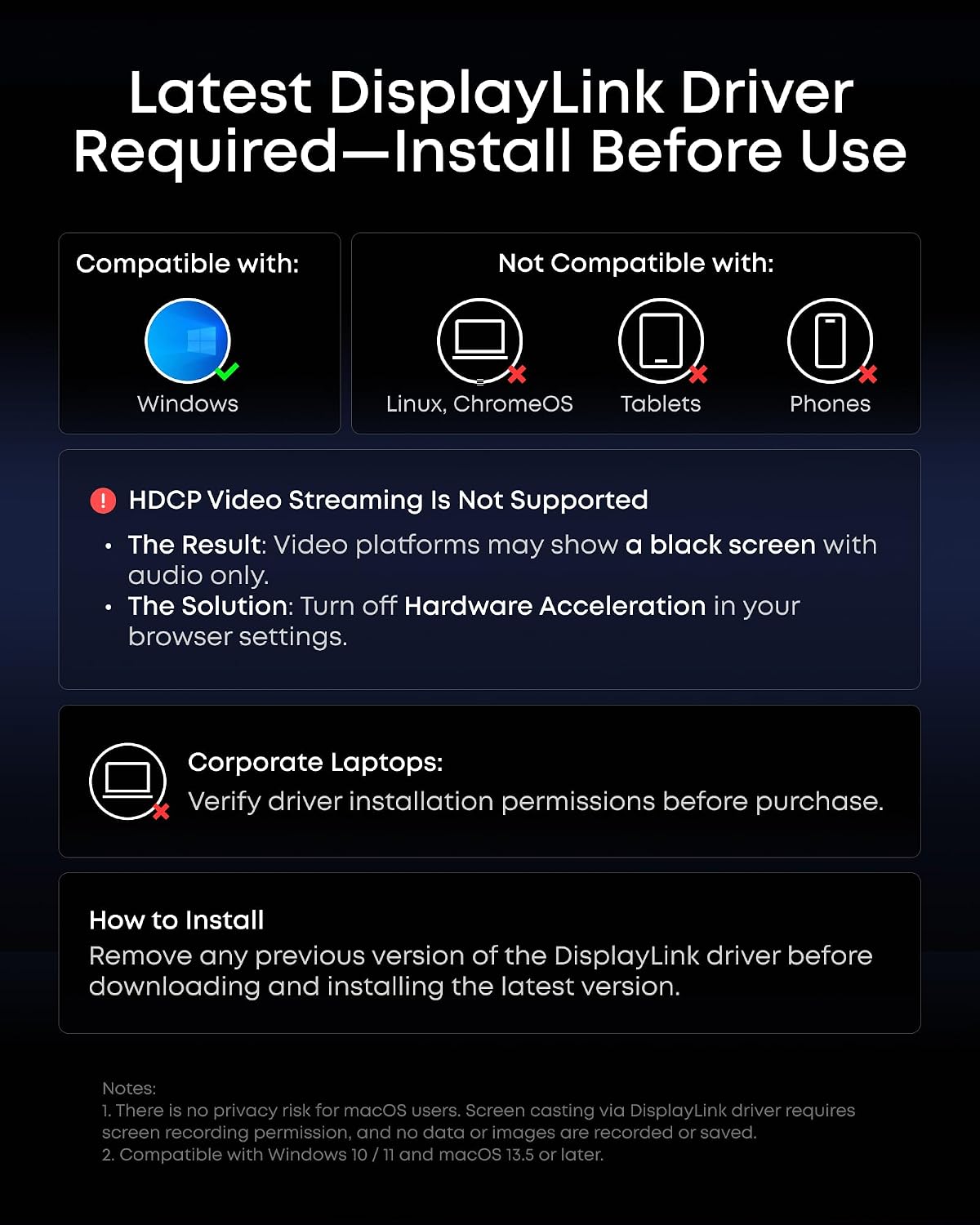
Connect the dock to a compatible USB-C Windows laptop using the included USB-C 3.2 Gen 2 cable, then attach displays through the two HDMI ports and one DisplayPort. The triple-display feature works with Windows 10 and Windows 11 and requires the latest DisplayLink driver. For a three-monitor workspace, this gives you room to keep a video call, active work, and supporting material visible at once.
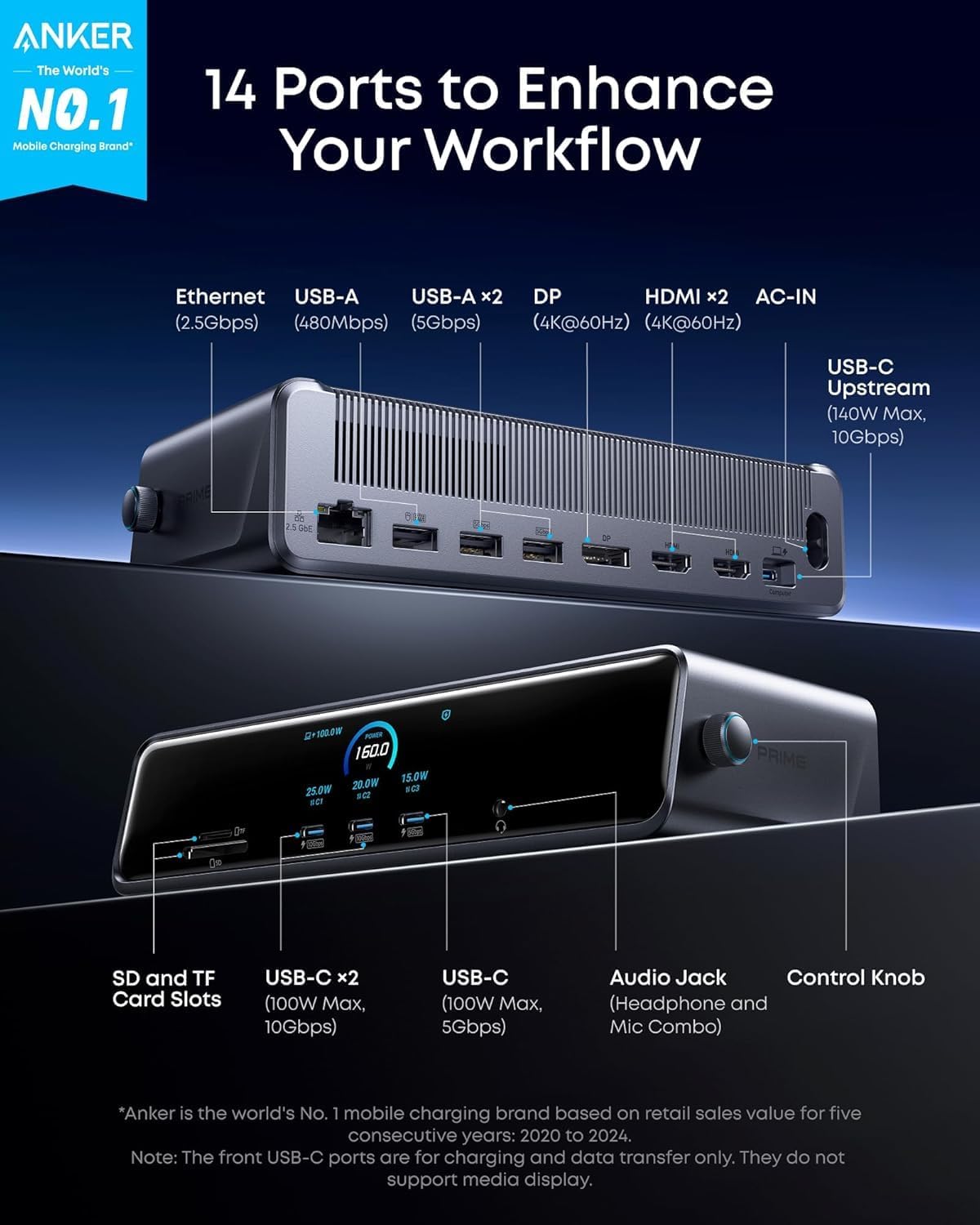
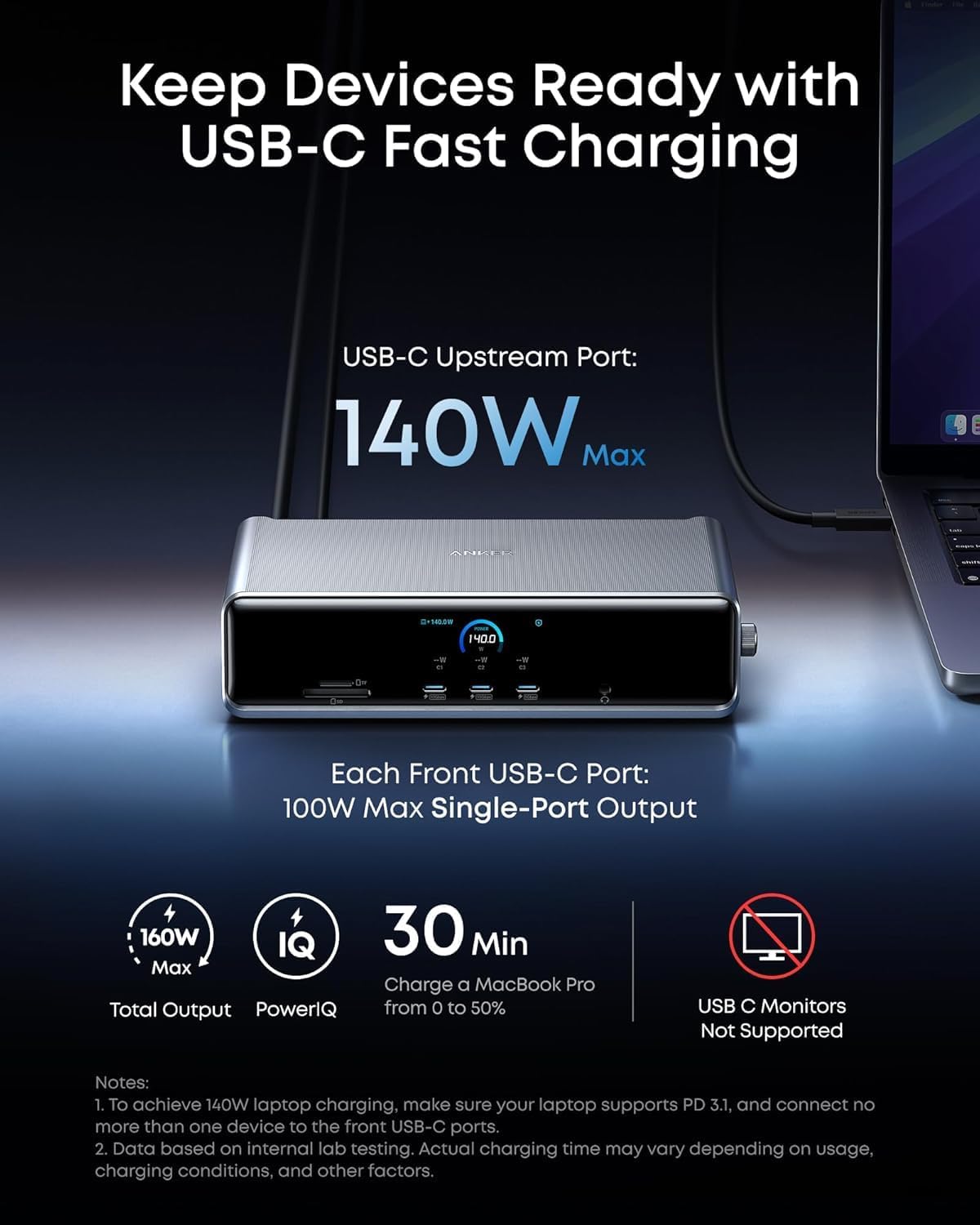
The remaining connections help bring desk accessories together: USB-C and USB-A ports for data and charging, 2.5Gb Ethernet for a wired network connection, a headphone and mic combo jack, and SD and TF card slots. Anker recommends connecting a mouse or keyboard receiver to the 480Mbps USB-A port. Use the included cable for the upstream laptop connection, the front USB-C ports support charging and data, not video output to USB-C monitors.
Pros
The dock combines 14 connections in one unit, including three USB-C ports, two HDMI ports, DisplayPort, Ethernet, audio, and memory-card slots. That range is useful when a laptop needs to serve as the center of a fixed workstation instead of relying on separate adapters for each accessory. The upstream USB-C port supports up to 140W of laptop power, while each front USB-C port supports up to 100W charging and data transfer.
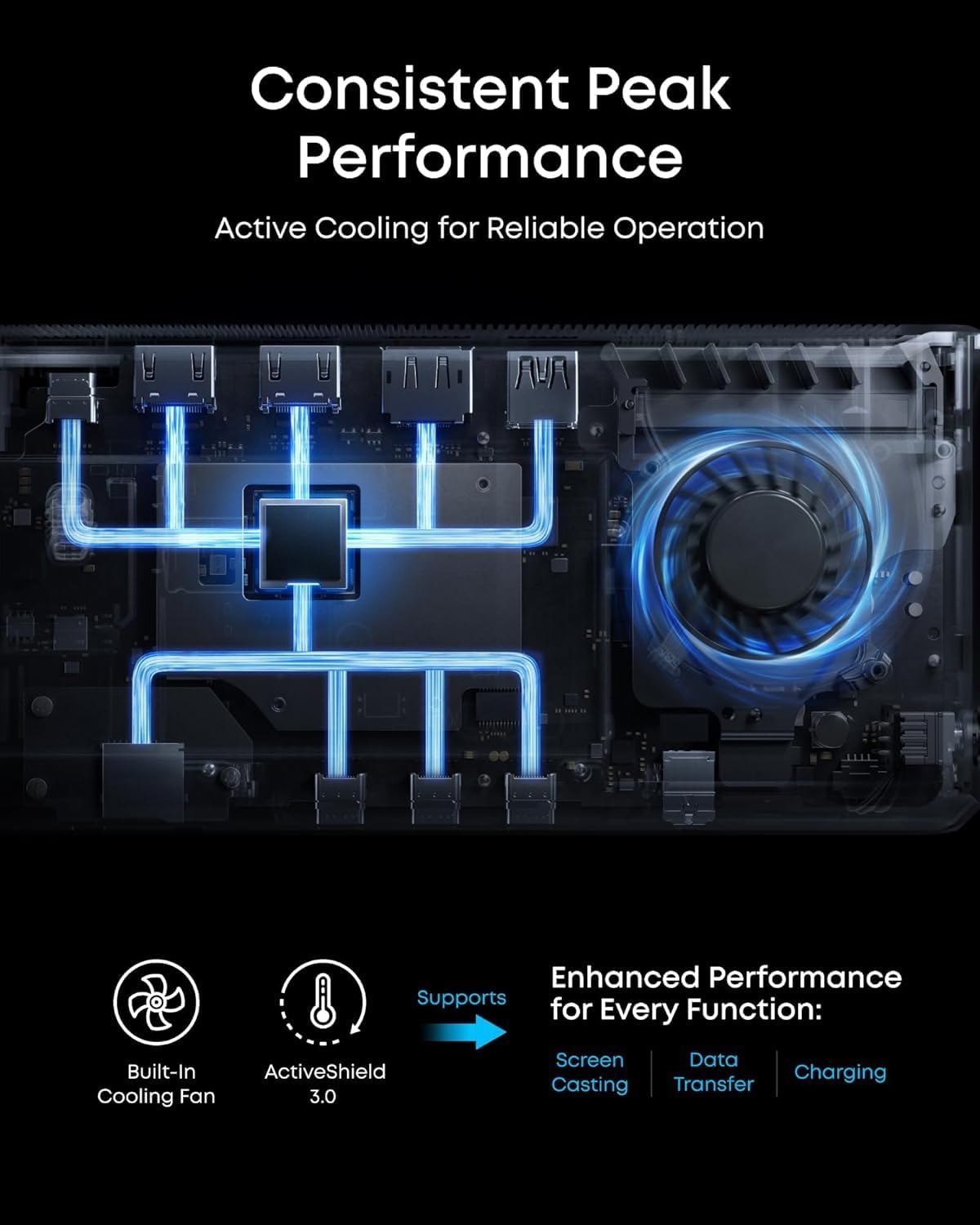
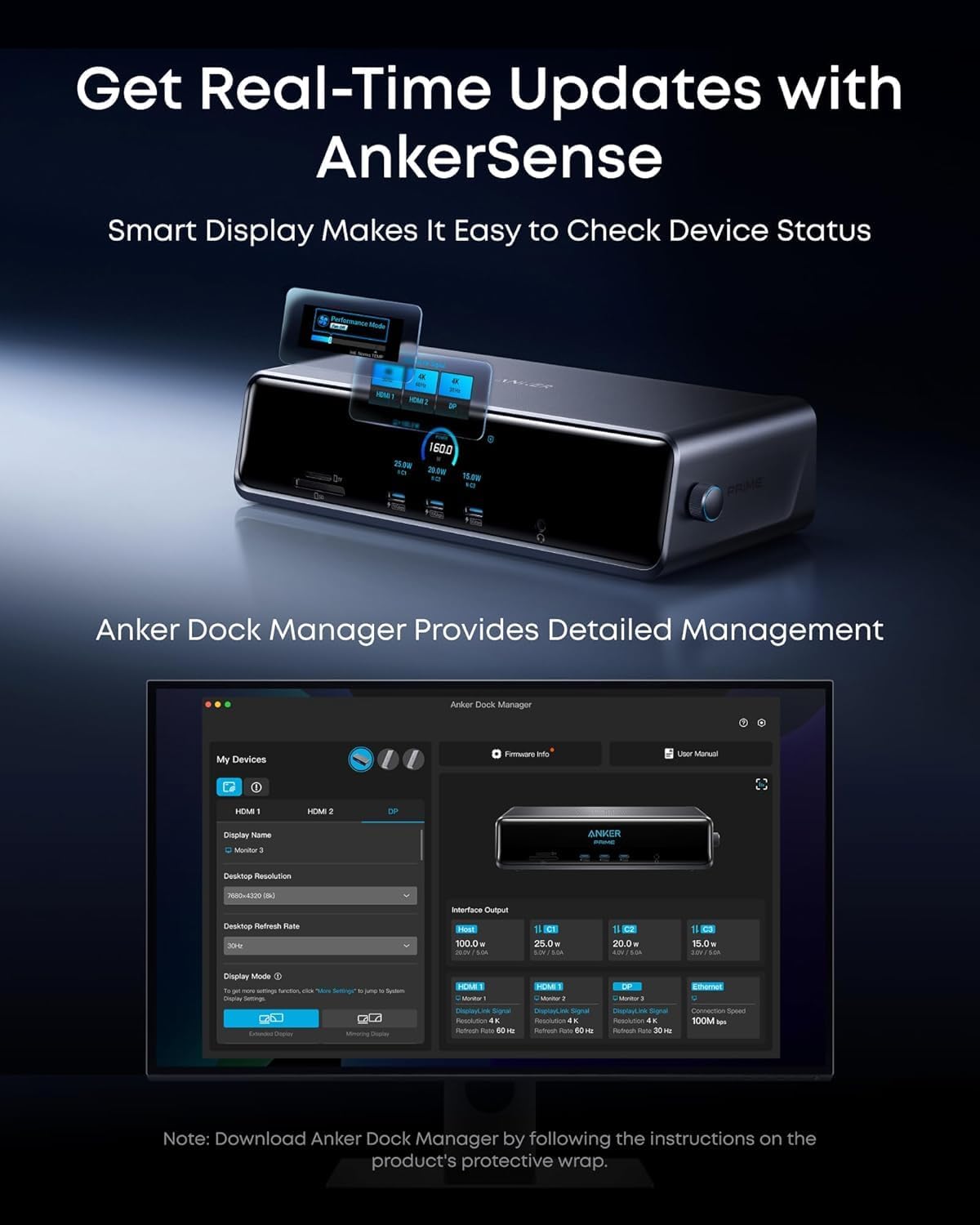
A smart display shows real-time charging power, display performance, fan cooling mode, and settings. The built-in fan and ActiveShield 3.0 are designed to help manage heat during desk use. Buyers also praise the setup process, solid construction, and selection of ports, feedback about connectivity and reliability is mixed, with some reporting connection or stability issues.
What to know
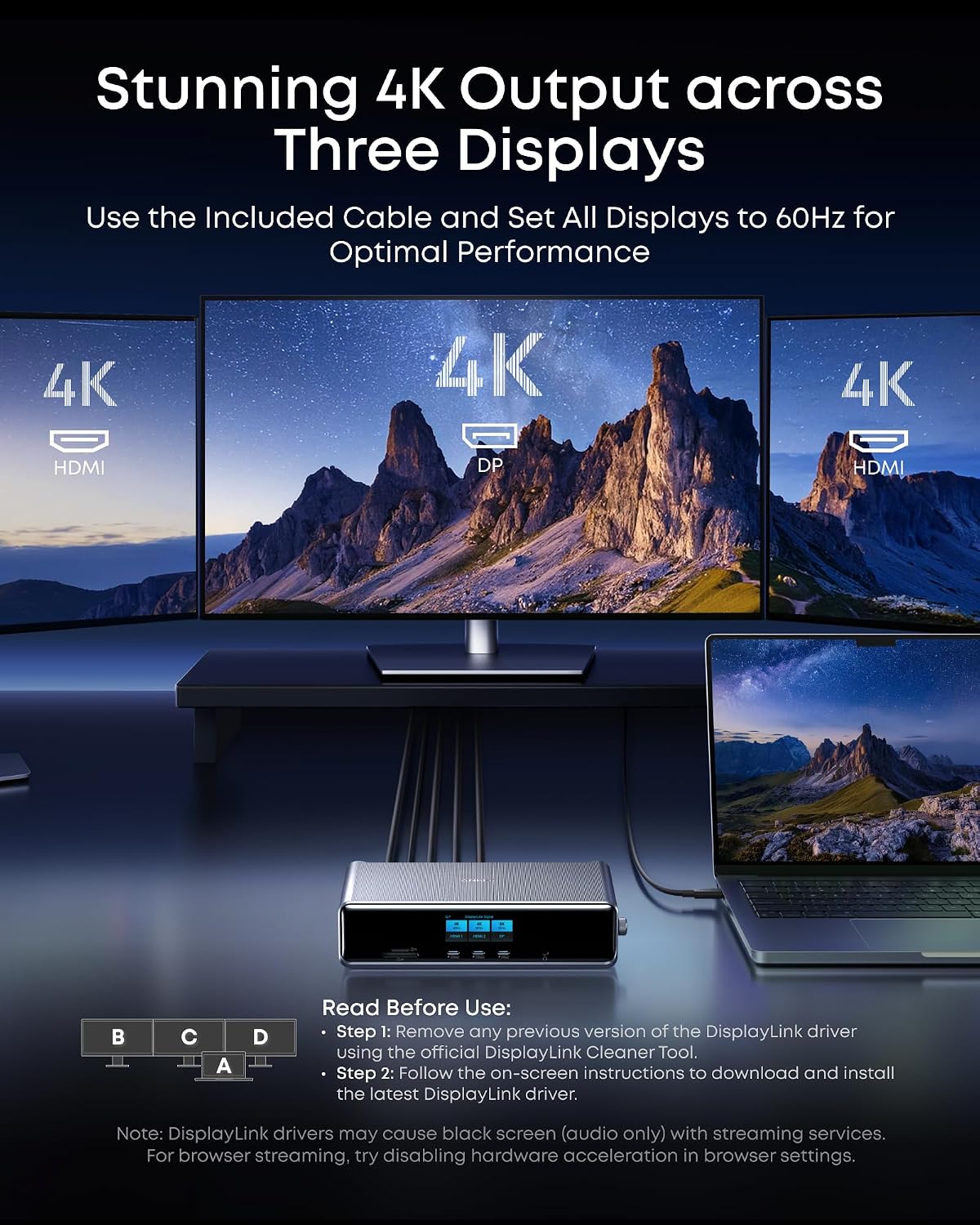
Display connections use the dock’s HDMI and DisplayPort outputs. The front USB-C ports are for charging and data, rather than connecting USB-C or Thunderbolt monitors. DisplayLink’s driver requirement is part of setting up the multi-display configuration, so install the latest version for Windows 10 or 11.
For protected streaming services such as Netflix, Prime Video, and Disney+, DRM restrictions may result in a black video screen while audio continues. The stated browser workaround is to disable hardware acceleration in the browser settings. The dock measures 7.67 × 3.62 × 1.89 inches and weighs 834.1 g, making it a desktop connection hub rather than a compact travel adapter.
What to clarify
Which laptops is the dock designed for? It is designed for USB-C Windows laptops and supports Windows 10 and Windows 11. The latest DisplayLink driver is required for its triple-display feature.
Can the front USB-C ports connect a monitor? No. Those ports support charging and data transfer, connect displays through the dock’s HDMI and DisplayPort outputs.
What happens with DRM-protected streaming video? Protected video may appear as a black screen while audio plays. For browser streaming, the suggested workaround is to disable hardware acceleration in the browser settings.
Final verdict
For a Windows laptop desk that needs three external displays alongside charging, networking, audio, and card access, the Anker Prime Docking Station DL7400 brings those connections into one 14-in-1 setup. Its 140W upstream charging, smart display, and mix of HDMI, DisplayPort, USB, and Ethernet make it a practical fit for a dedicated multi-monitor workstation.