

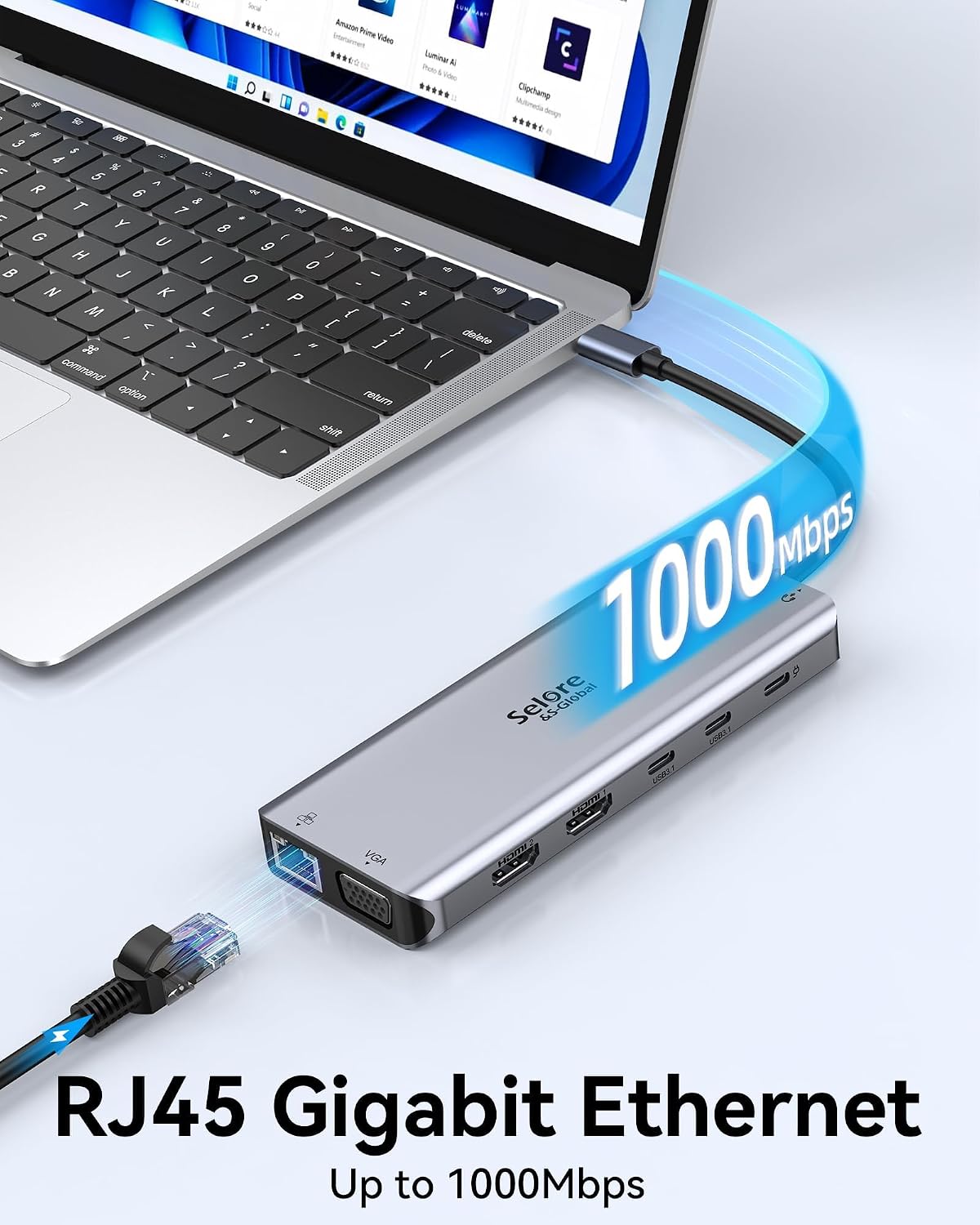
Selore&S-Global 14-in-1 USB-C Docking Station with Dual 4K HDMI, VGA & 100W PD
Reviews
Price
Product description
A laptop setup centered on one screen calls for a different hub than a desk built around multiple displays and peripherals. This Selore&S-Global docking station brings display, data, audio, network, and charging connections together in one USB-C dock.
Connect two HDMI displays and a VGA display for a more flexible workspace. The available display modes depend on your laptop’s operating system and video-capable USB-C connection.
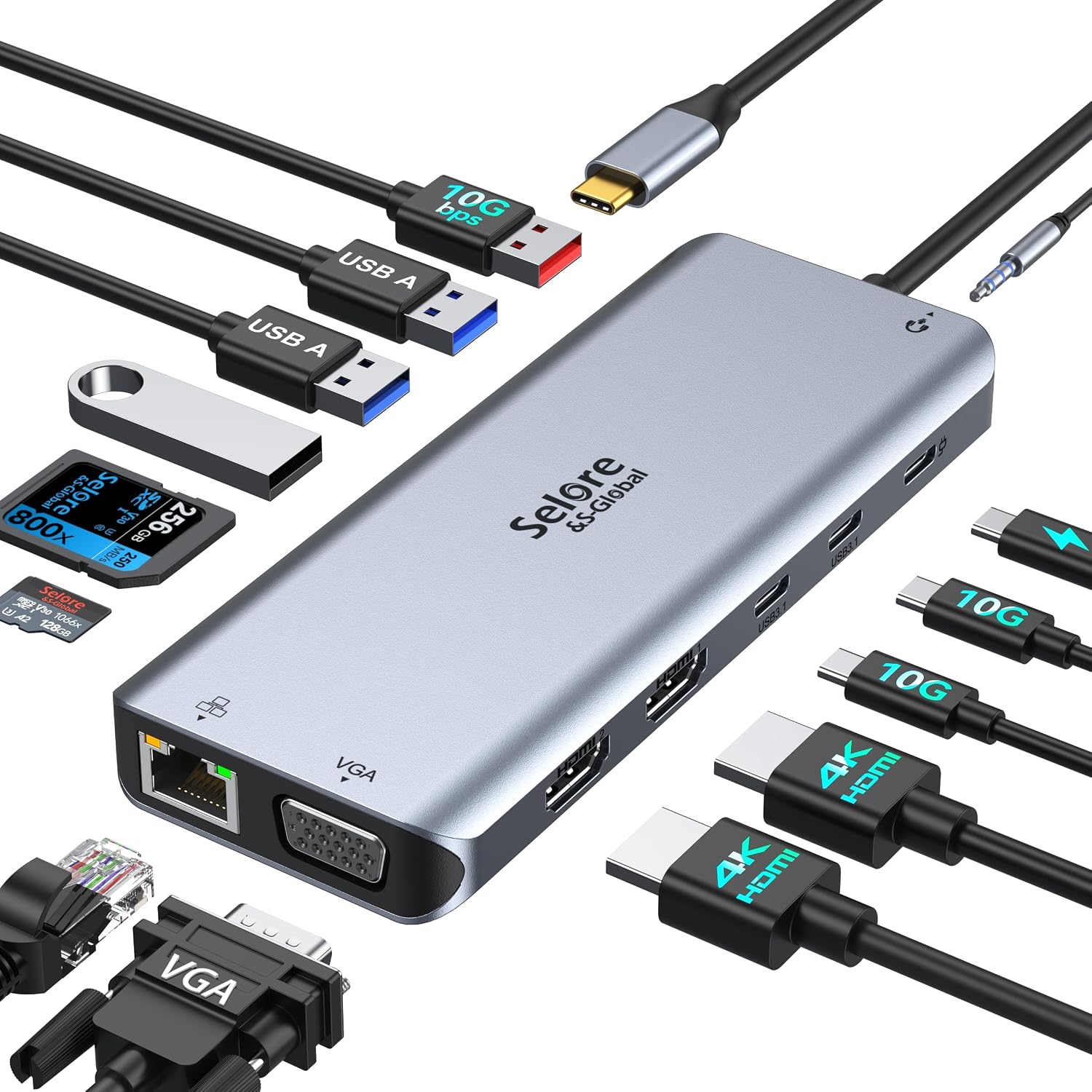
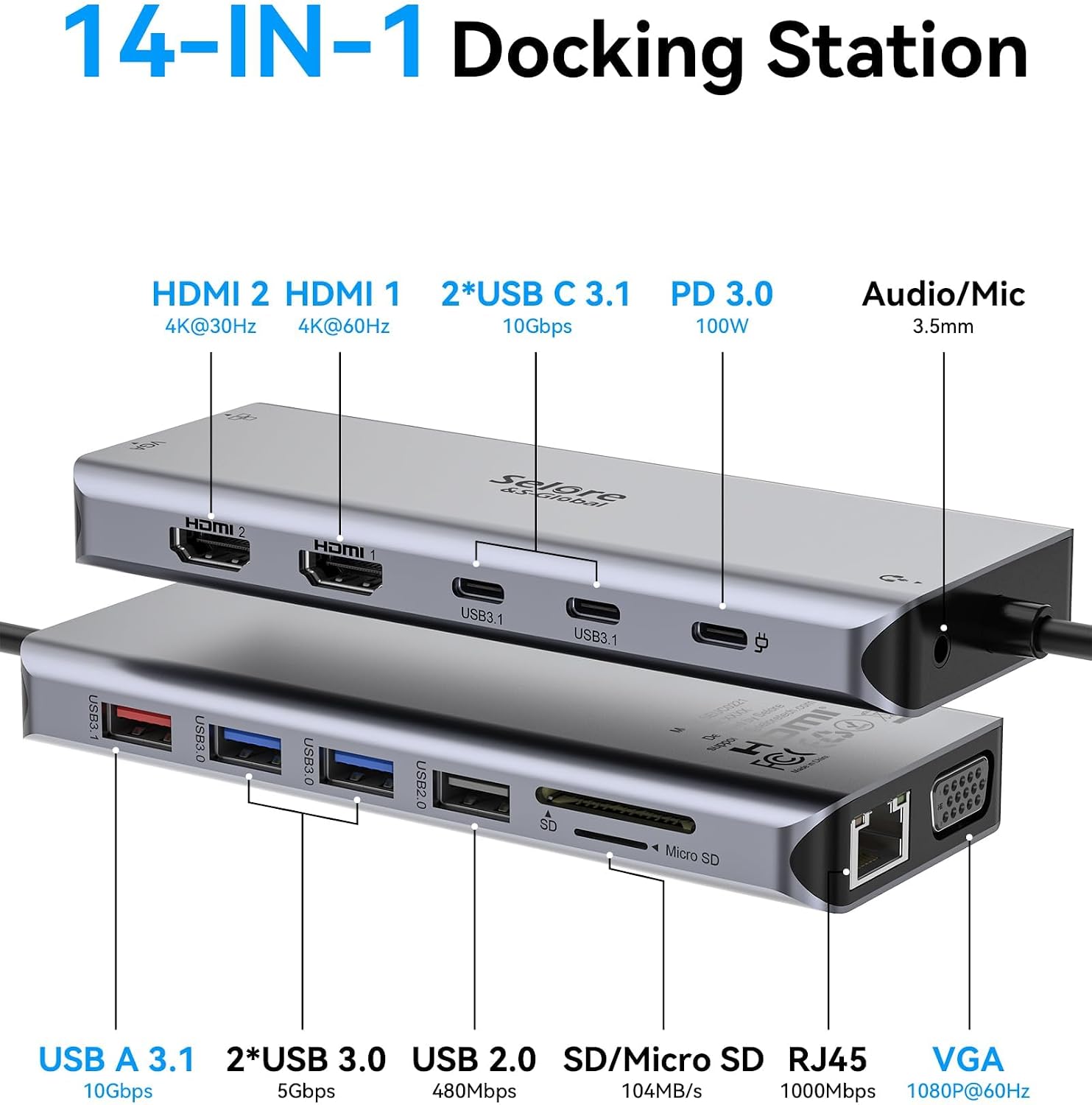
The 14-in-1 design also includes high-speed USB-A/C data ports, SD and microSD card readers, Gigabit Ethernet, and a 3.5mm audio port. It’s a practical way to connect common desk accessories through one dock.
Tips for day-to-day use
Start by connecting the dock to a USB-C or Thunderbolt 3 port that supports DisplayPort Alternate Mode. That video capability is essential for HDMI and VGA display output, the dock’s USB ports handle data transfer and charging, not video. Once connected, the dock is plug and play, with no driver or software installation required.
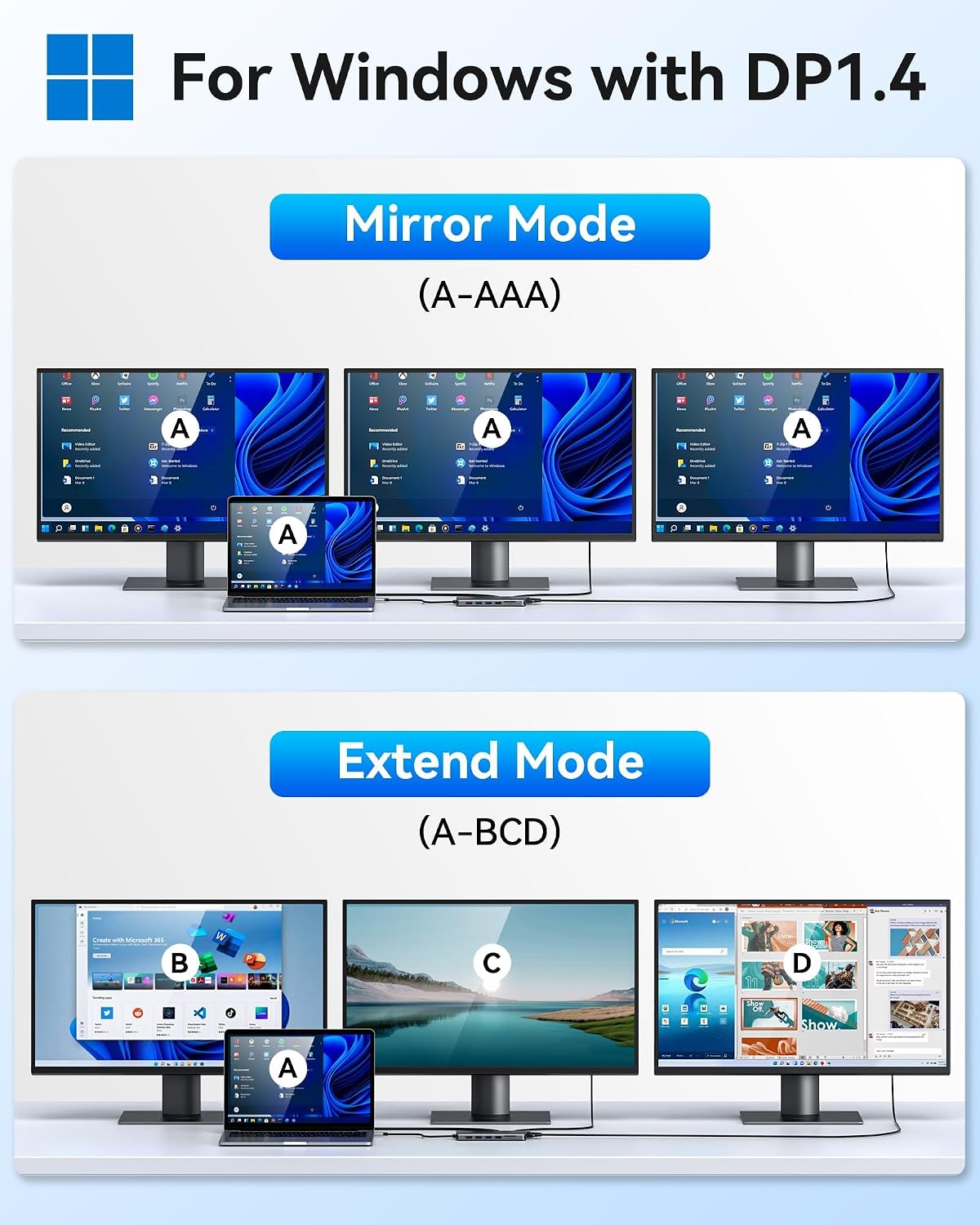
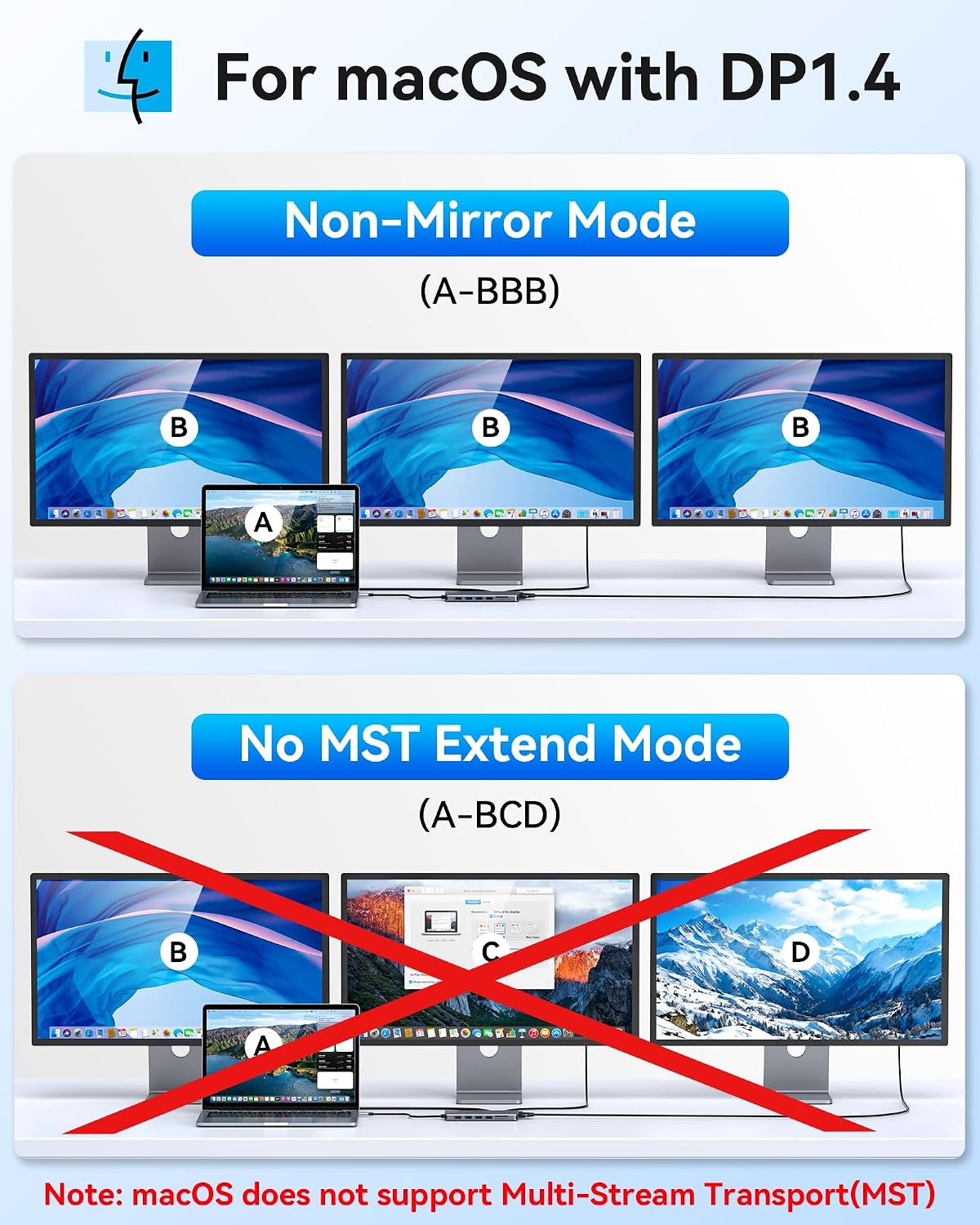
For extended work across three screens, Windows supports mirror and extend modes. Mac supports mirror mode, M1 and M2 Macs can show three identical screens. These display modes are based on a DP 1.4 laptop and monitors, so check that your display setup supports the mode you plan to use.
Tech specs
- Type: 14-in-1 USB-C docking station
- Display: Two 4K HDMI ports and one VGA port
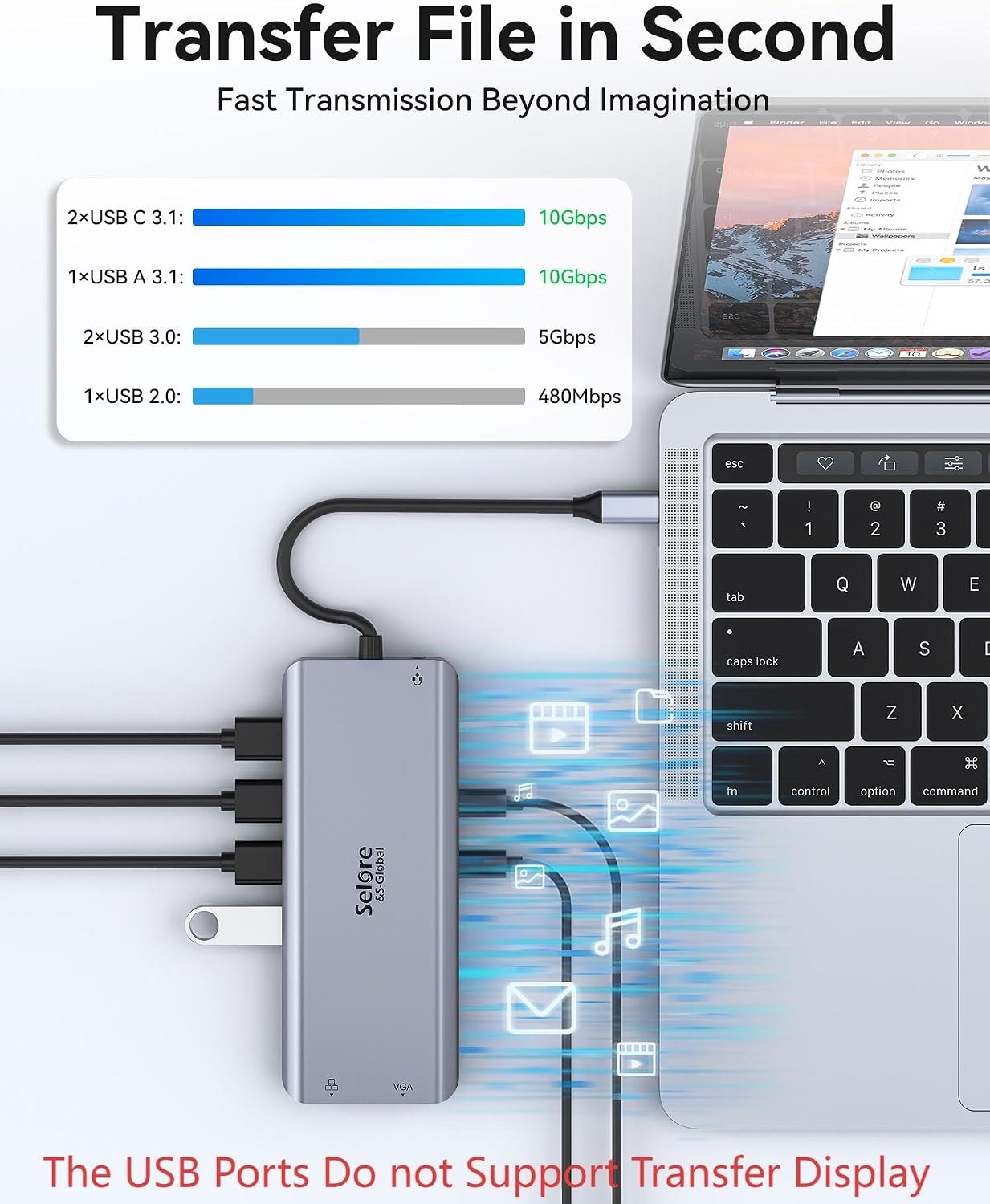
- Data transfer: USB 3.1 USB-A/C ports up to 10Gbps, USB 2.0 up to 480Mbps
- Card readers: SD and microSD, up to 200Mbps
- Connectivity: 1000Mbps Ethernet and 3.5mm audio
- Power: 100W USB-C PD input, laptop charging output is limited to 87W
- Color: Grey
- Enclosure material: Plastic
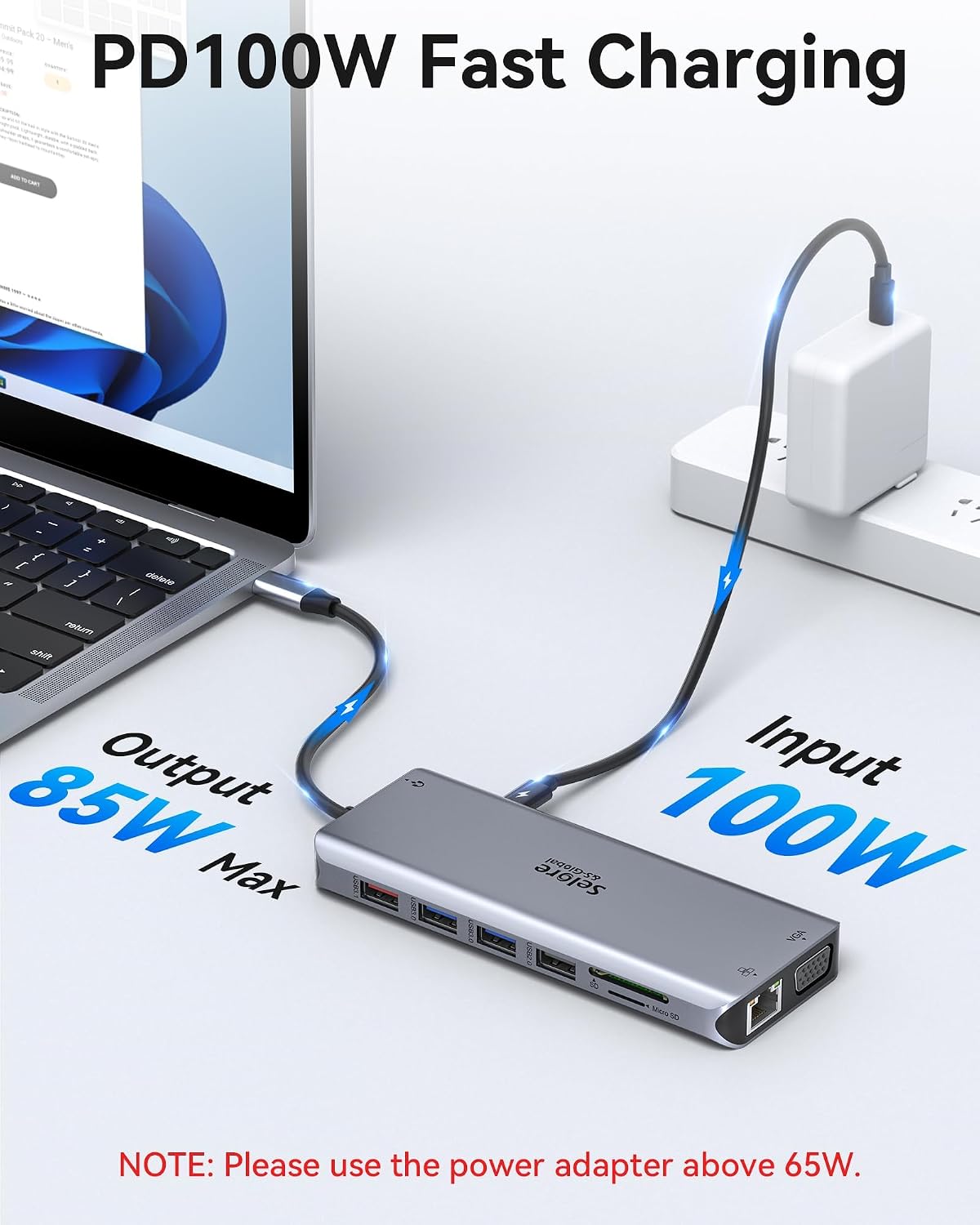
The USB-C PD charging port works with devices that support the PD protocol. For charging, use a 100W power adapter to supply the dock. USB 3.1 ports suit faster data transfers, while USB 2.0 ports are useful for accessories such as a keyboard or mouse.
Where it shines
This dock is suited to a desk where a laptop needs to connect to external displays, storage, input devices, and wired network access. For example, a Windows user can extend a compatible laptop across multiple displays while connecting USB peripherals and Ethernet through the same dock. The SD and microSD readers also make it convenient to transfer files from supported cards without relying on a separate reader.
Buyers often praise the range of ports, portability, and appearance. Feedback on compatibility and connection reliability is mixed, so the most useful first step is confirming that the laptop’s USB-C port supports DisplayPort Alternate Mode and that the intended display arrangement matches its operating system.
Before you decide
Can it extend a laptop display across three monitors? Windows supports mirror and extend modes, while Mac supports mirror mode, M1 and M2 Macs can display three identical screens. The laptop and monitors must support the applicable DP 1.4 display mode.
Will HDMI video work through any USB-C port? No. The laptop’s USB-C port must support DisplayPort Alternate Mode for video output. USB ports on the dock are for data transfer and charging, not video.
How does USB-C Power Delivery work with this dock? The PD port accepts up to 100W of power, and charging output to the laptop is limited to 87W. Use a 100W adapter, and make sure the device supports the PD protocol.
Buying verdict
For a compatible laptop, the Selore&S-Global dock brings multi-display connections and everyday desk essentials into one hub. Its dual HDMI and VGA outputs, card readers, Ethernet, audio, and USB ports make it a useful fit for building a more connected workspace around a single USB-C connection.