

Selore&S-Global SEUC2206 USB-C Hub for MacBook with 4K HDMI and Thunderbolt 3
Reviews
Price
Product description
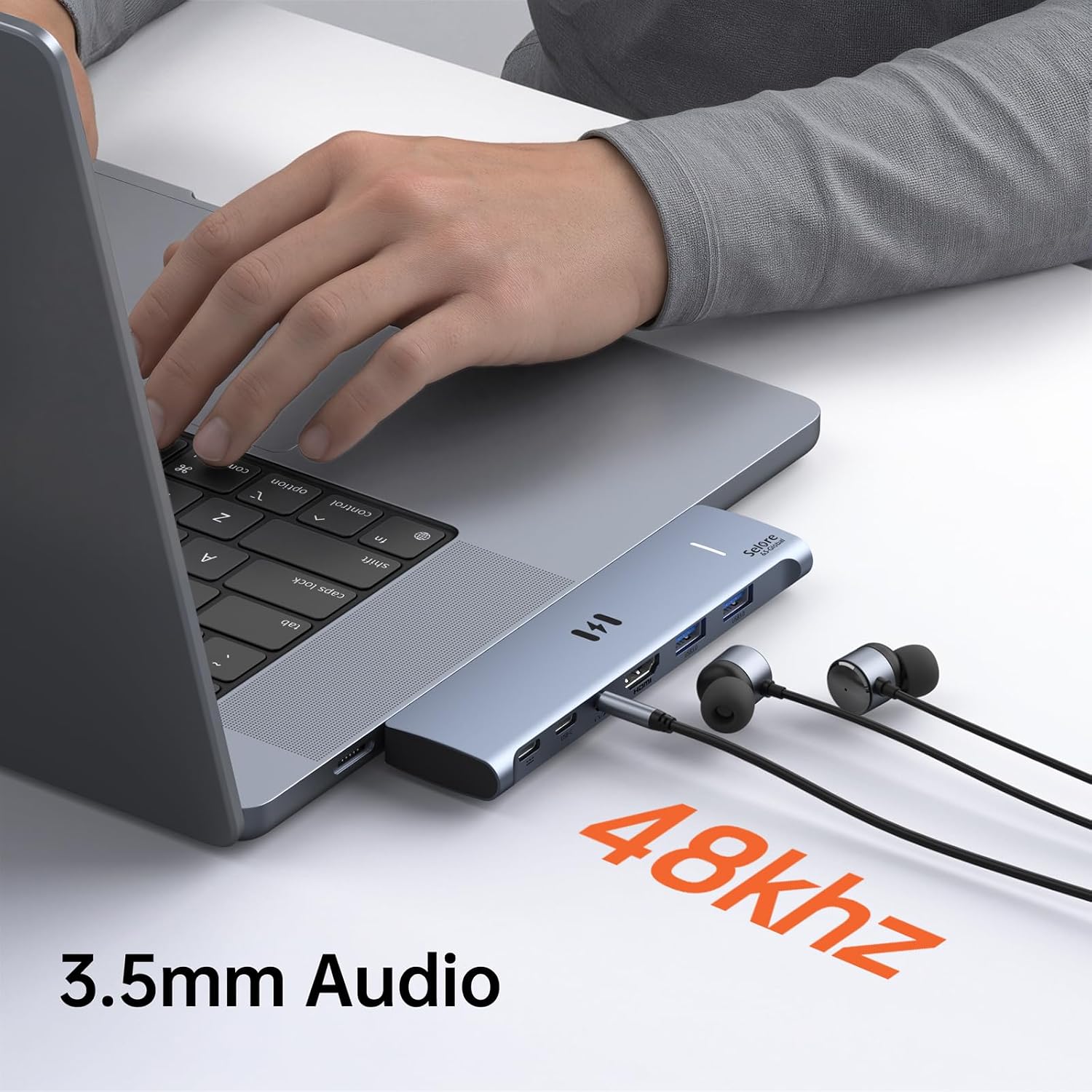
Choosing a MacBook hub often comes down to whether you need a simple display connection or a broader setup for screens, accessories, and audio. The Selore&S-Global SEUC2206 expands compatible MacBook Air and MacBook Pro models with HDMI, Thunderbolt 3, USB-A, USB-C data, and a 3.5 mm audio jack in one adapter.
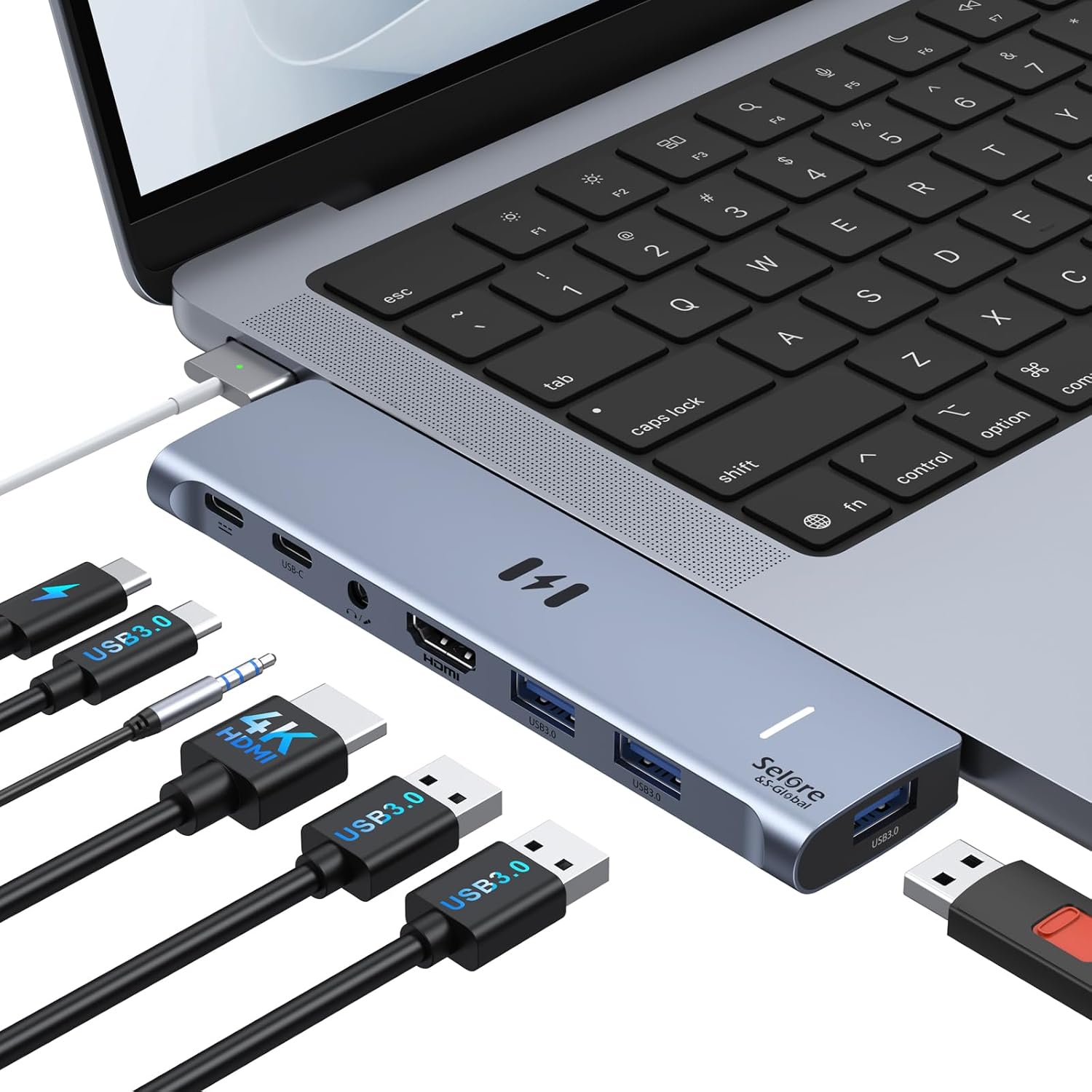
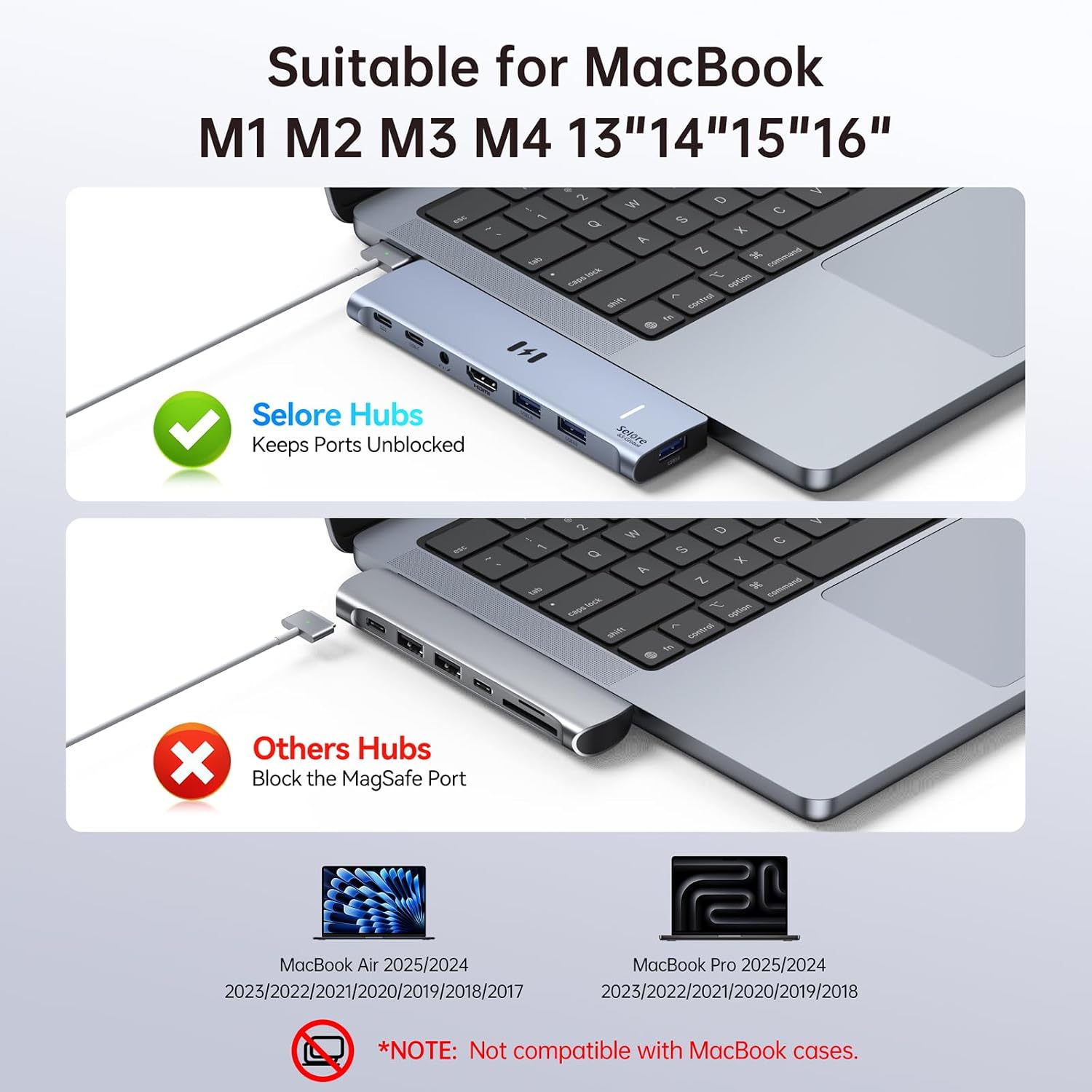
Its dual-plug design connects to the MacBook’s left-side USB-C ports and leaves the MagSafe cable unobstructed. That makes it practical for a desk setup where charging, peripherals, and an external display need to connect around the same time.
How to use it
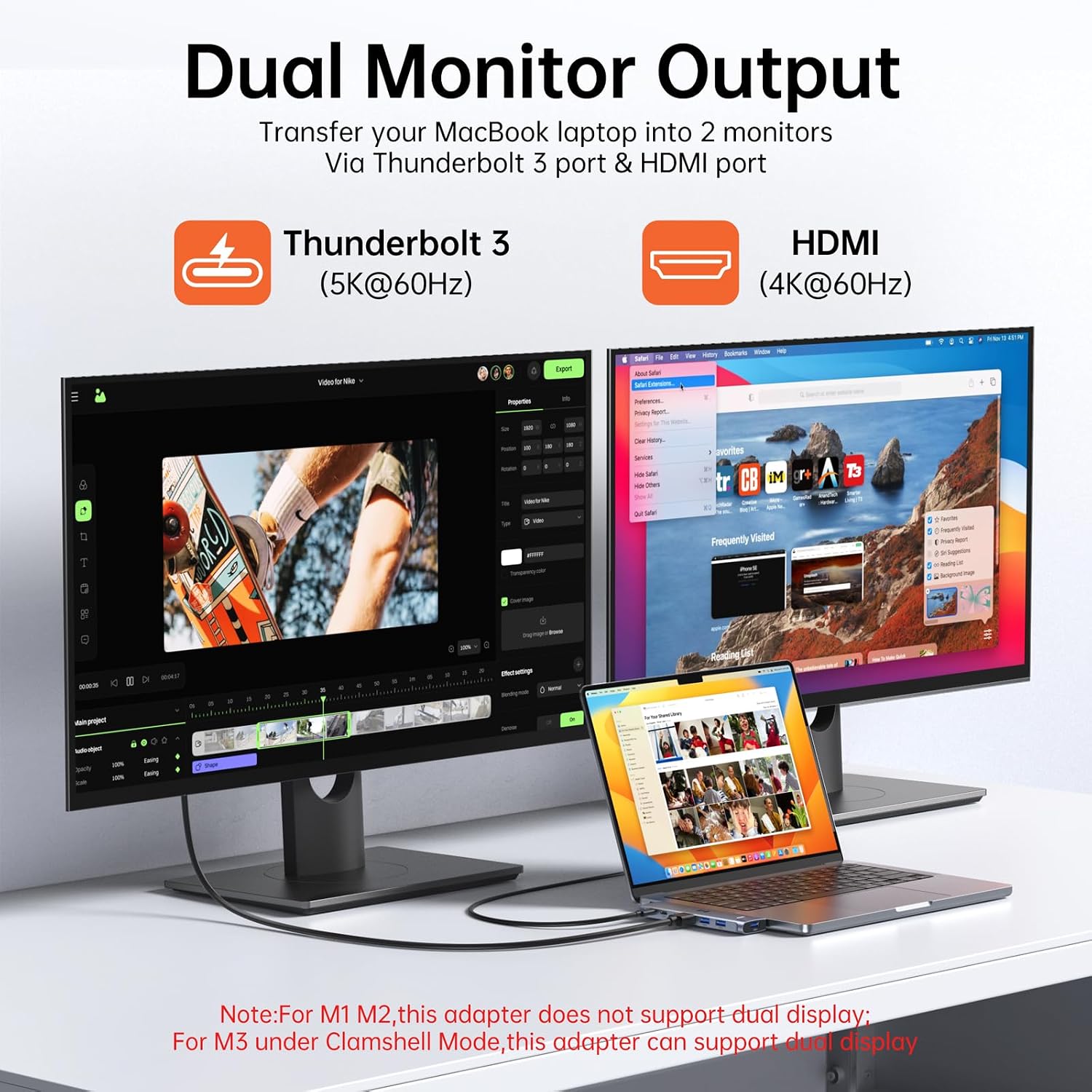
Connect the adapter to the left-side USB-C ports on a compatible 13- to 16-inch MacBook Air or MacBook Pro. Then use HDMI for a TV, monitor, or projector, or connect a display through Thunderbolt 3. The HDMI output supports up to 4K at 60Hz, while Thunderbolt 3 supports up to 5K at 60Hz. Available display modes depend on the Mac’s chip: M1 and M2 support one external display, M3 supports two displays in clamshell mode with the lid closed, M4, M5, and Intel models support two extended displays.
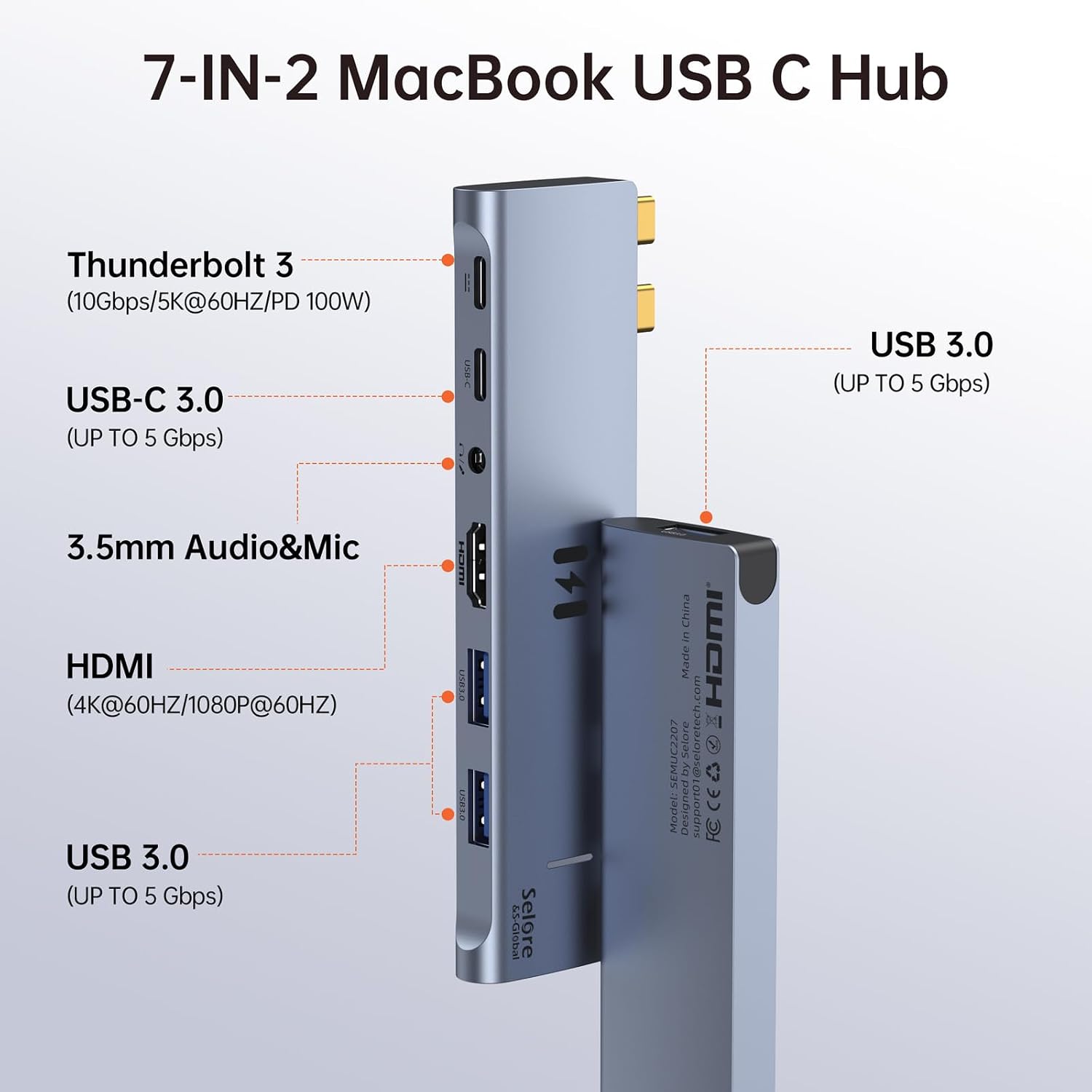
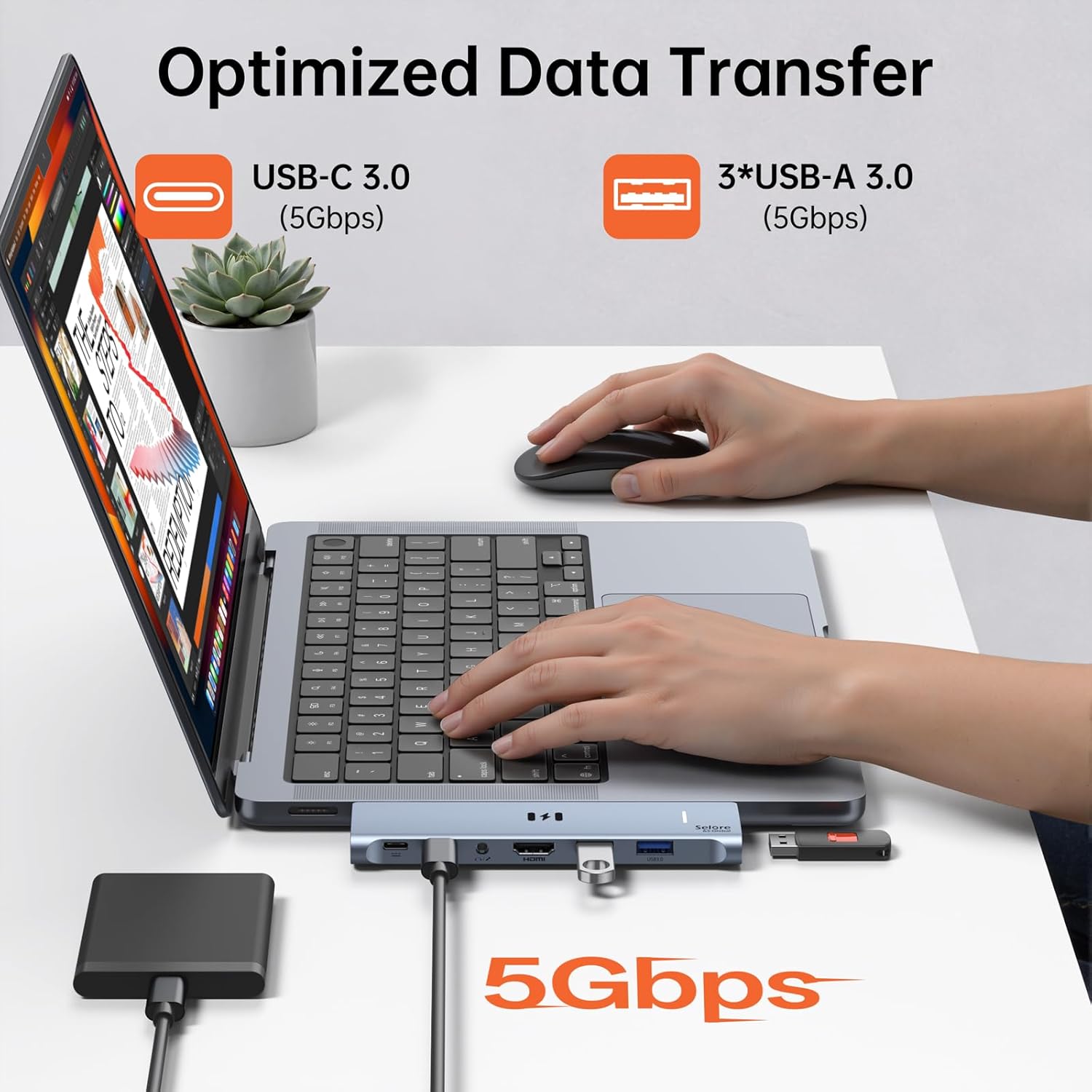
The three USB-A ports and USB-C data port connect peripherals such as a keyboard, mouse, printer, or storage drive. Data transfer through these ports is up to 5Gbps, with backward compatibility for USB 2.0 devices. The 3.5 mm audio jack provides a direct connection for compatible audio equipment.
Why it’s worth it
Instead of choosing a hub focused only on video, this 7-in-2 adapter combines display, data, and audio connections. It can keep common accessories connected while adding an external screen, reducing the need to swap plugs during a work session. For example, a MacBook user working at a desk can connect a monitor over HDMI, a keyboard and mouse over USB-A, and storage over USB-C.
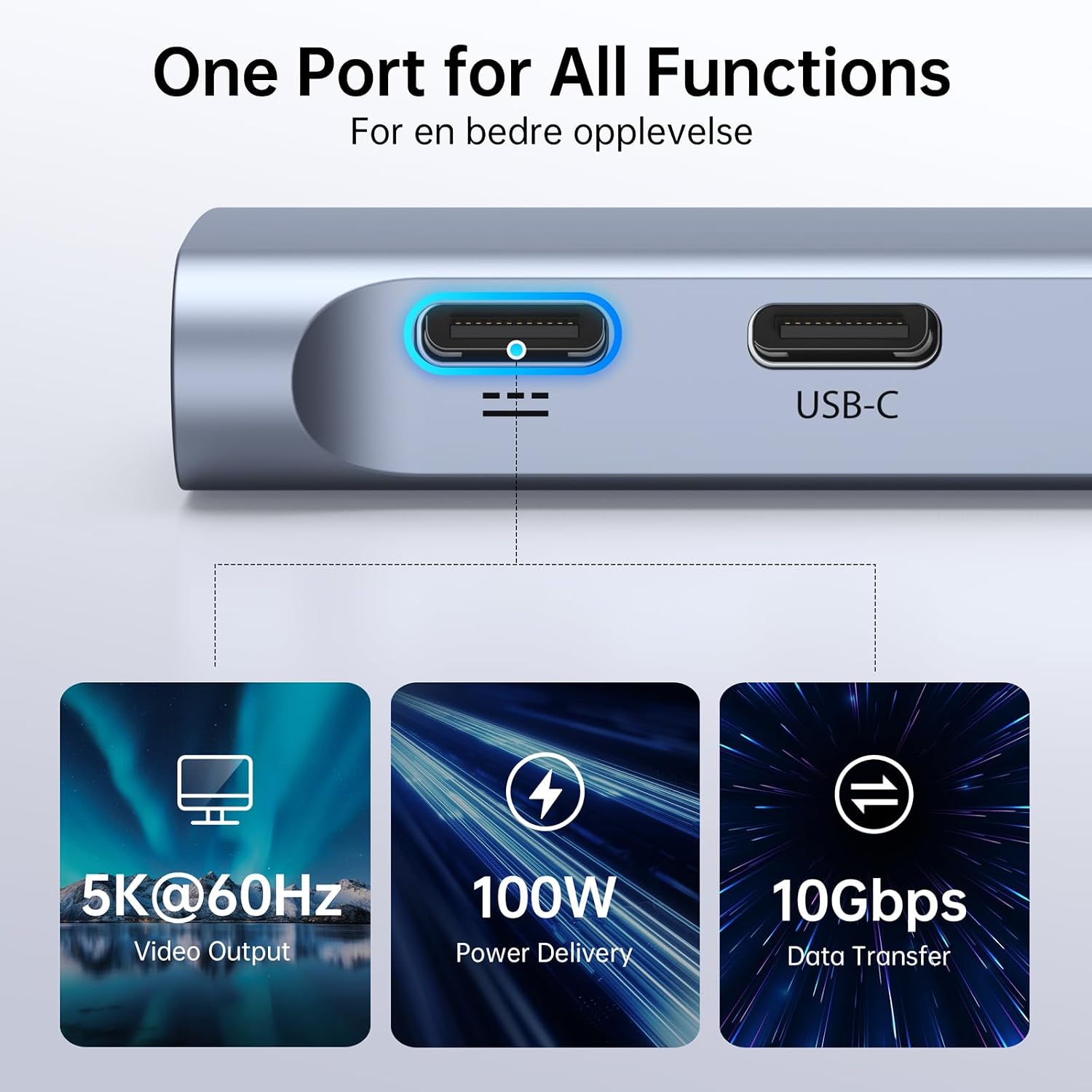
The Thunderbolt 3 port supports data transfer up to 40Gbps, display output up to 5K at 60Hz, up to 100W power delivery for laptop charging, or up to 15W downstream charging for phones. These four functions cannot be used simultaneously, so choose the Thunderbolt function that best suits the current setup.
Worth noting
The adapter is designed for MacBook Air and MacBook Pro models from 2018 through 2025, including M1, M2, M3, M4, M5, and Intel configurations. Its fit is not compatible with MacBook cases, so use it with the laptop’s ports accessible. Confirm the Mac chip before planning a dual-display setup, since external display support varies by processor and clamshell mode.
Buyers often praise the range of ports, compact portability, and appearance. Feedback on fit and compatibility is mixed, and some buyers report intermittent connections or reliability problems. Those observations are useful context when considering an adapter that connects directly to the laptop’s ports.
What to clarify
Can it connect two external displays? It can support two extended displays with M4, M5, and Intel MacBooks. M3 requires clamshell mode, while M1 and M2 support one external display through this adapter.
Can the Thunderbolt 3 port charge a MacBook? It supports up to 100W power delivery for laptop charging. The port’s charging, data, display, and downstream phone-charging functions cannot all operate simultaneously.
Will it work with a MacBook case? The dual-plug adapter is not compatible with MacBook cases. It connects to the left-side USB-C ports and is designed to leave the MagSafe cable unobstructed.
When it makes sense
The SEUC2206 suits MacBook owners who want one adapter for an external display, several everyday peripherals, and wired audio. Its mix of HDMI, Thunderbolt 3, USB-A, USB-C data, and a 3.5 mm jack is especially useful for building a more connected desk setup while keeping the MagSafe connection available.