

USB-C Docking Station 15-in-1
Product description
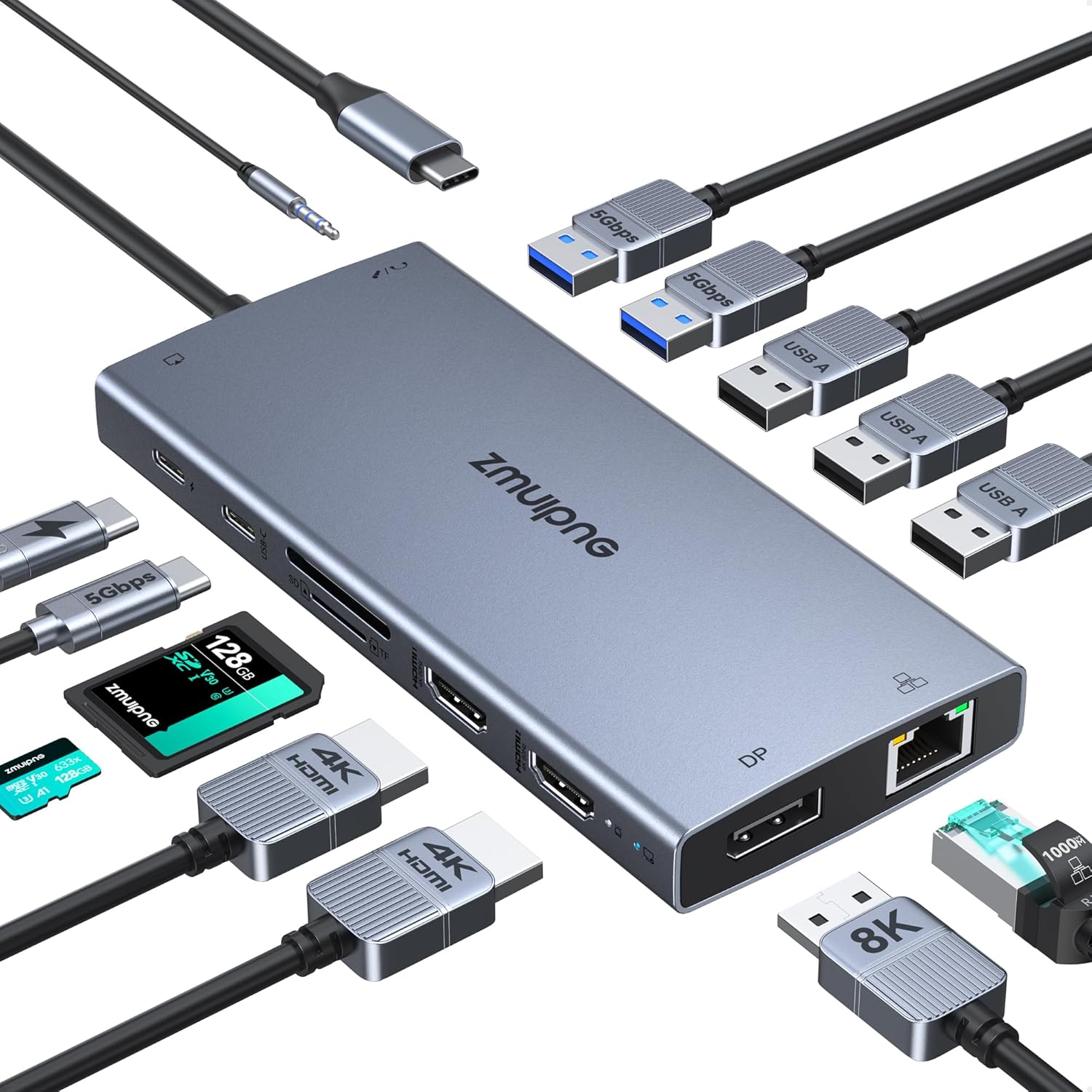
If your desk needs more connections and extra screens, a multiport dock can replace a handful of separate adapters. This one combines display outputs, USB ports, wired networking, card readers, audio, and laptop charging in a single hub.
The catch is that it depends on the right laptop connection. It is specified for laptops with Thunderbolt 3 or 4, or a full-featured USB-C port—not simply any laptop with USB-C or HDMI.
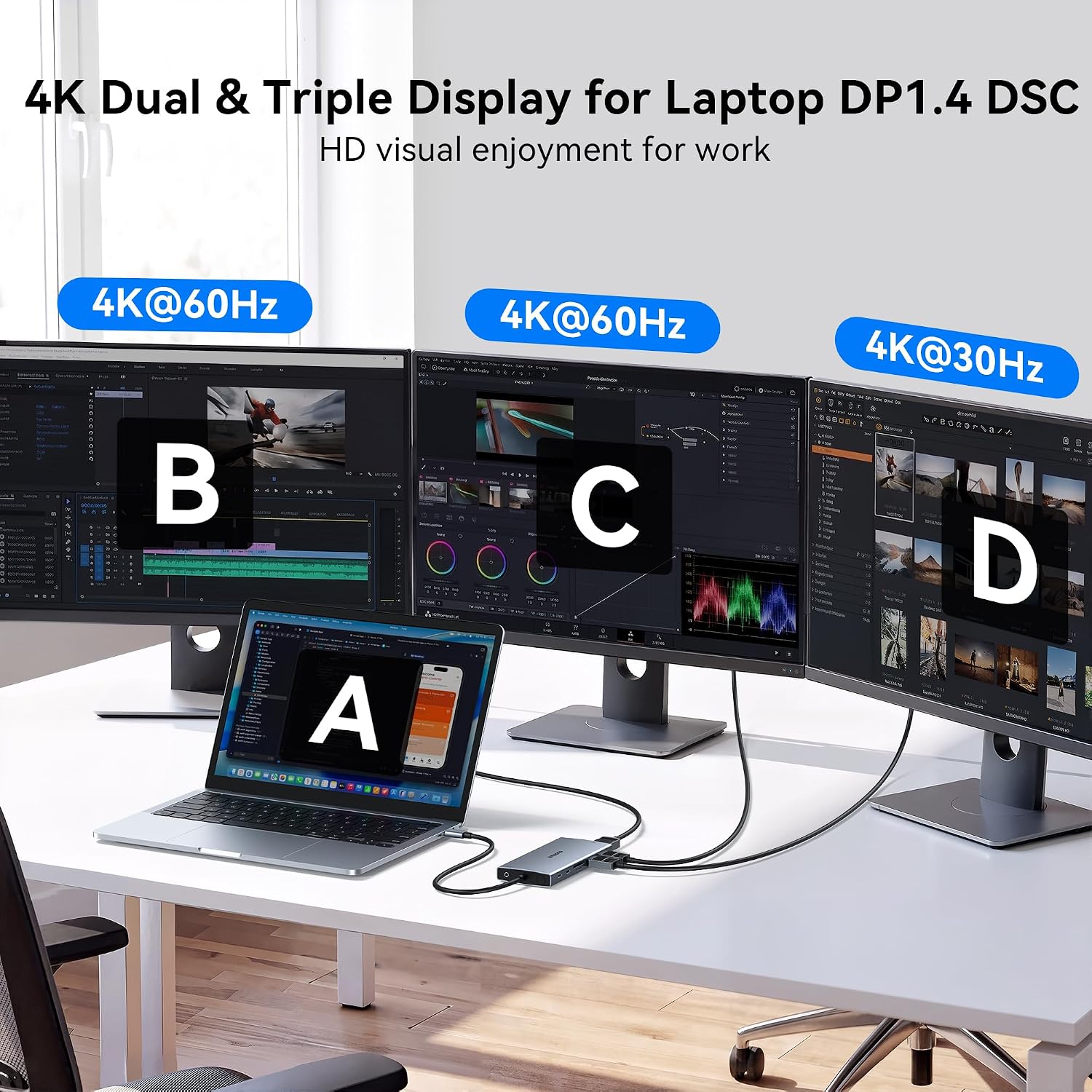
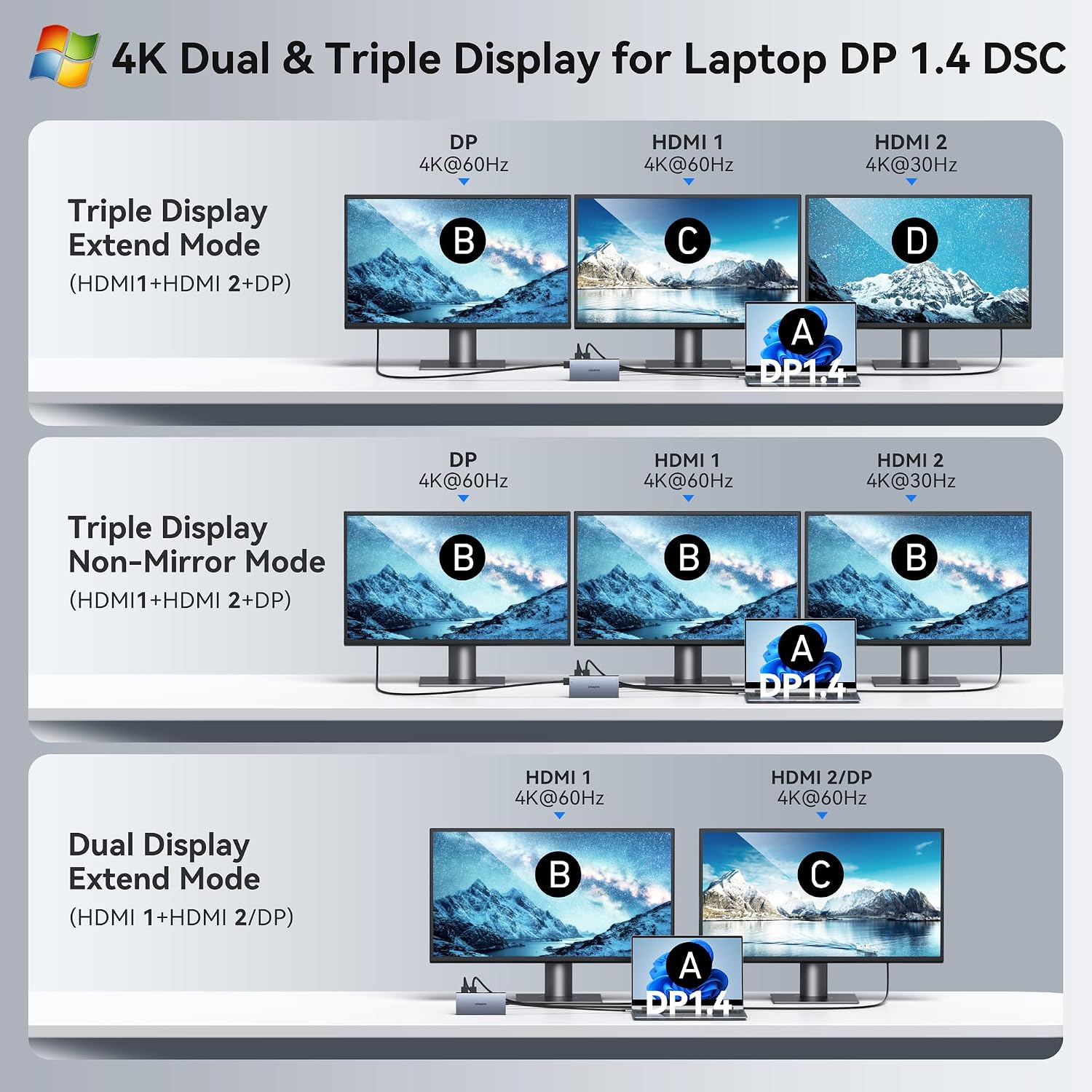
For a Windows setup, the three video outputs give you room to build a multi-monitor workspace. On a Mac, the listed limitation is important: connected external monitors mirror the same image.
How to use it
Connect the dock to a compatible laptop, then attach monitors using HDMI-to-HDMI or DisplayPort-to-DisplayPort cables, those cables are not listed as included. The dock has two HDMI outputs and one DisplayPort output. For a three-monitor connection that initially shows only two screens, the instructions say to connect DisplayPort first, then the two HDMI displays.
A practical desk setup might use one screen for a video call, another for a document, and the laptop display for notes. That flexibility is most relevant if your work benefits from separate screens rather than duplicated content. What matters before buying is whether your laptop’s port and operating system support the arrangement you want.
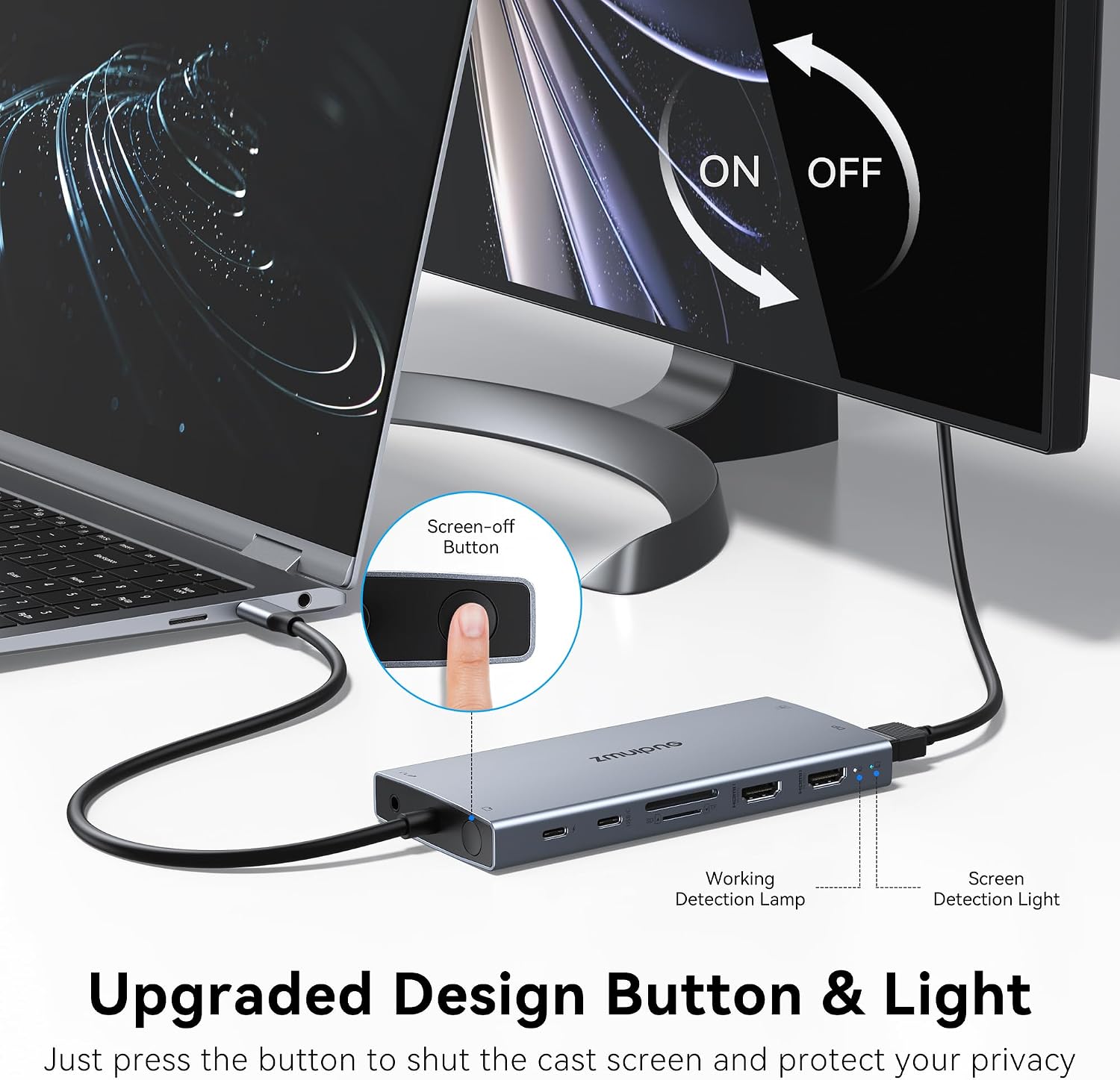
The dock also brings card readers, audio, and wired Ethernet to the same connection. Its button can turn off the connected screens when you need to step away, while the detection lights indicate compatibility and operation according to the product description.
Pros
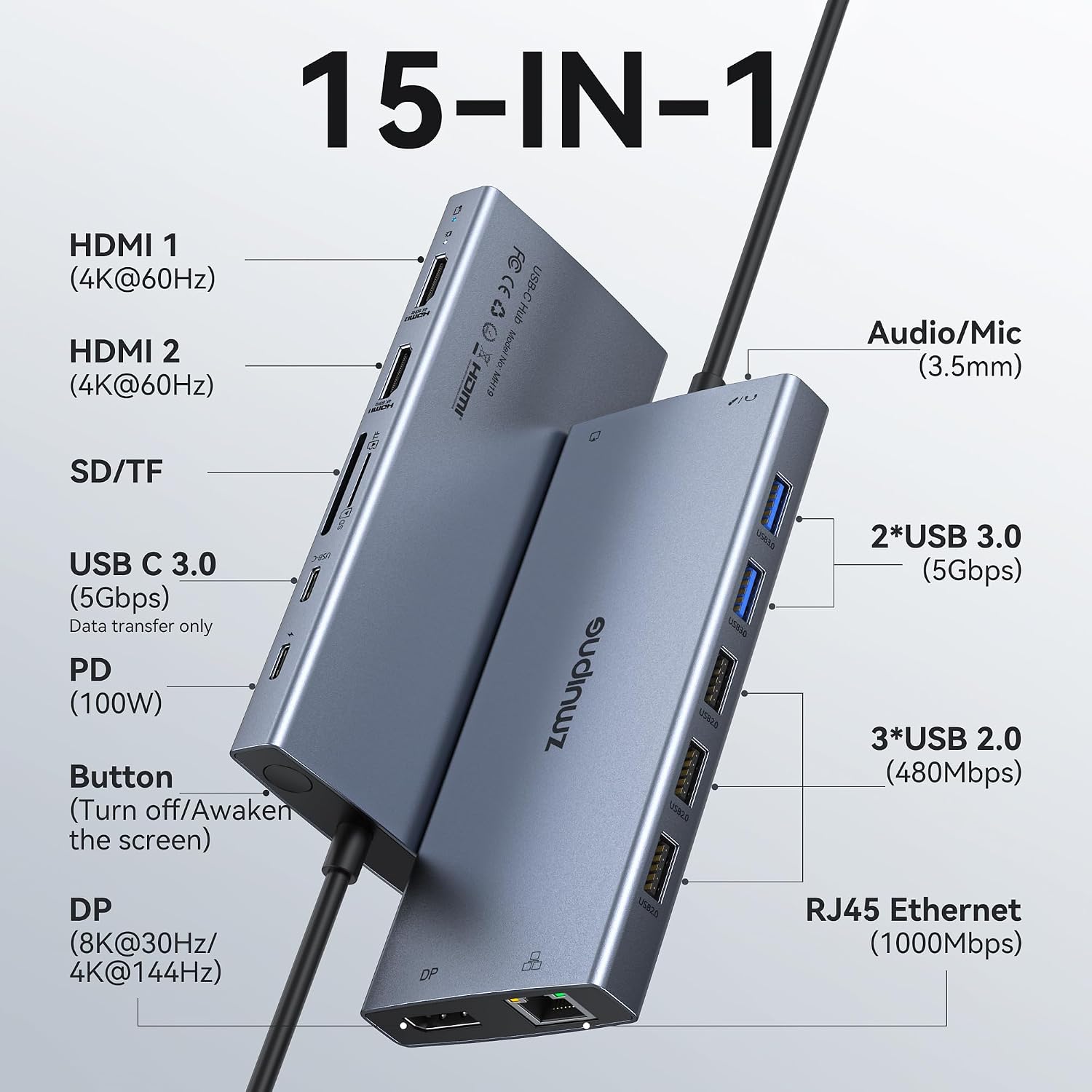
- Two HDMI ports and one DisplayPort give a compatible Windows laptop options for dual- or triple-display setups.
- Three USB 3.0 ports, two USB 2.0 ports, and one USB-C 3.0 port cover a range of peripherals. The listed USB 3.0 data rate is 5Gbps.
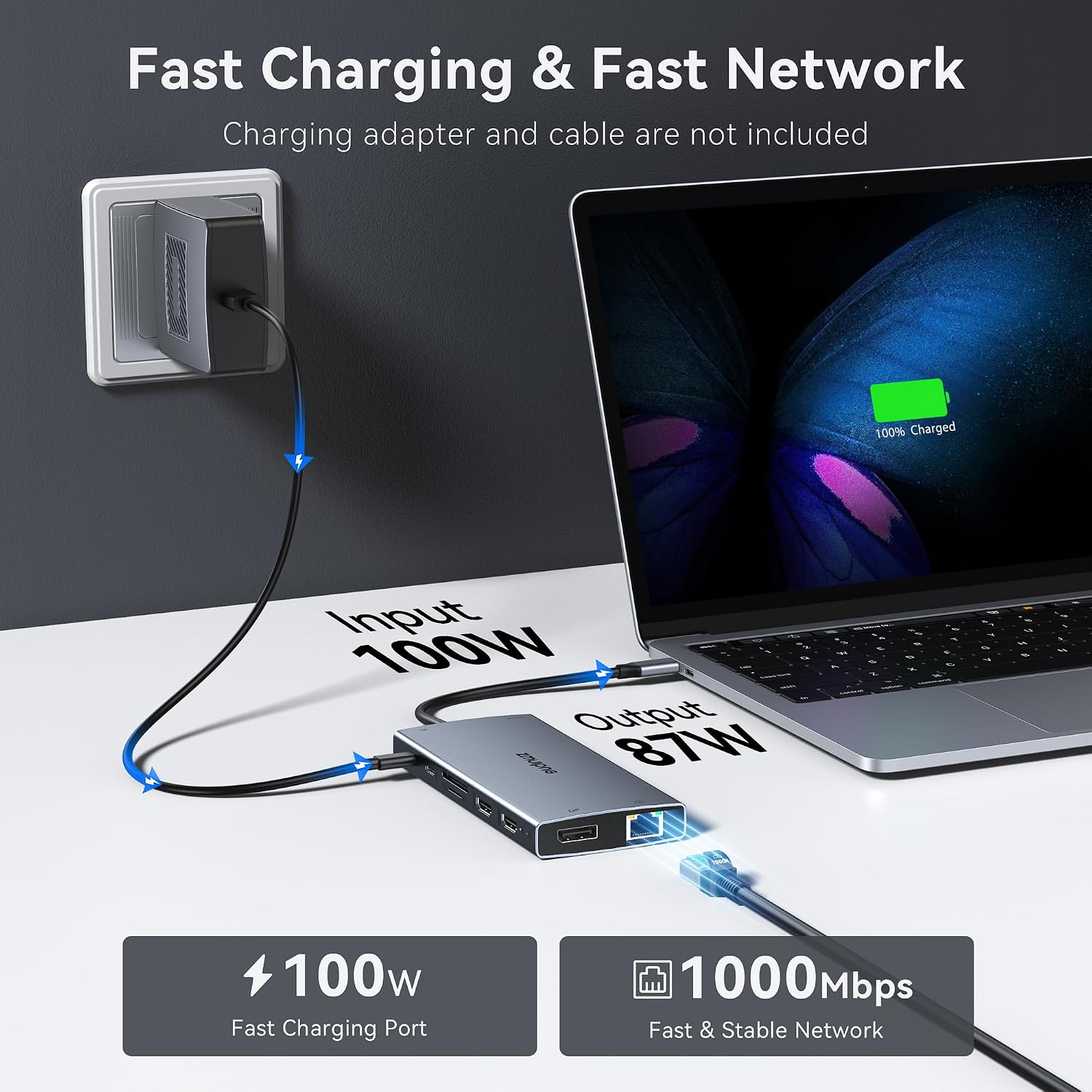
- A dedicated USB-C Power Delivery port supports up to 100W for laptop charging while the dock is in use. The charger is not included, so you’ll need a suitable 100W adapter to meet the stated full-load charging requirement.
- Gigabit Ethernet, SD and Micro SD readers, and a combined 3.5mm mic/audio port reduce the need for separate accessories.
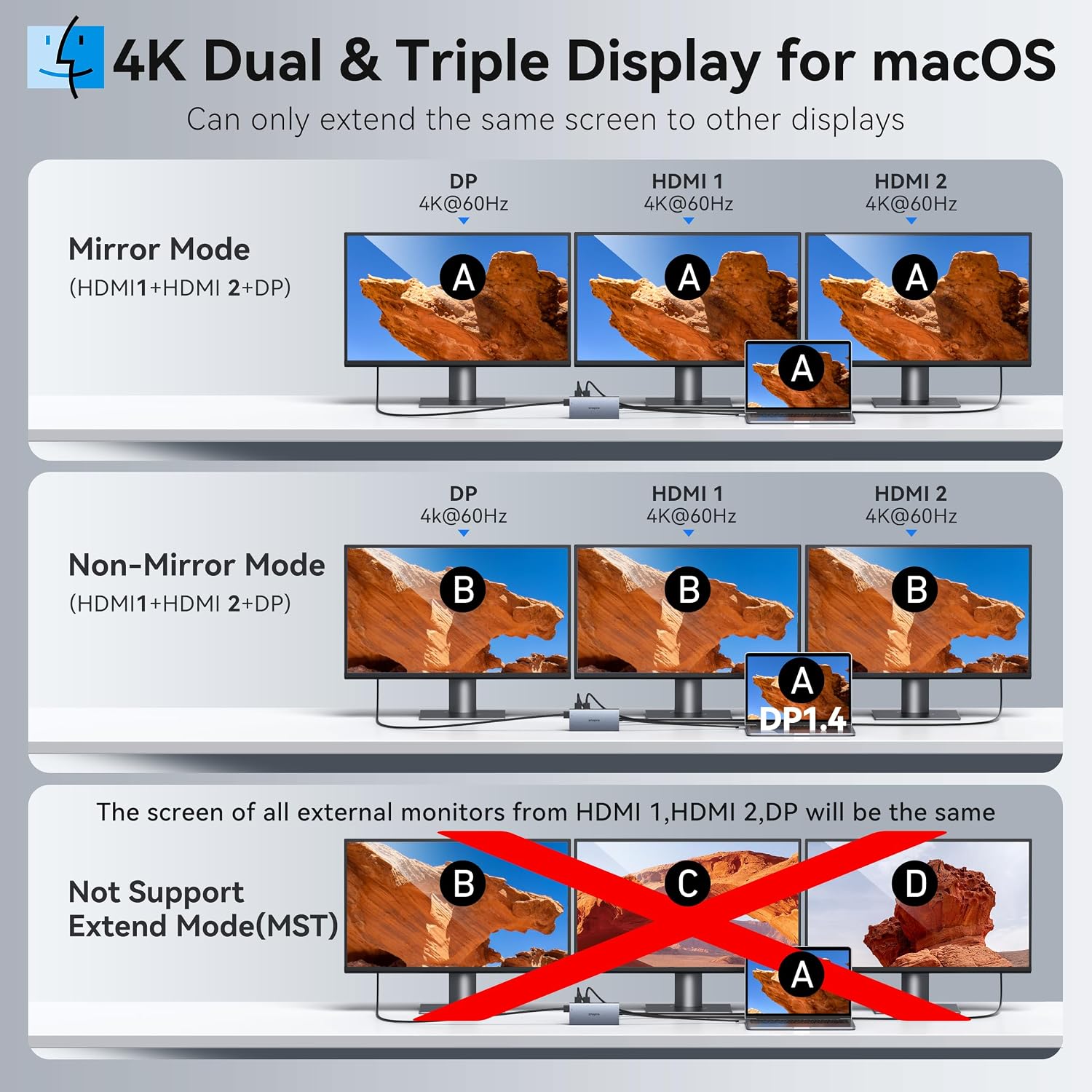
It’s a great fit if you want to consolidate desk connections and use multiple independent displays with a compatible Windows laptop. Better avoided if your laptop lacks Thunderbolt 3/4 or a full-featured USB-C port, or if you need separate extended displays from a Mac, the stated macOS behavior is mirrored output.
Spec sheet
- Type: USB-C docking station
- Format: 15-in-1
- Display outputs: 2 HDMI and 1 DisplayPort
- Display resolution: Single HDMI up to 4K@60Hz, DisplayPort up to 8K@30Hz (DP 1.4). The listing states 4K resolution when connecting two or three displays.
- USB ports: 3 USB 3.0, 2 USB 2.0, and 1 USB-C 3.0
- Power Delivery: Up to 100W, charger not included
- Networking: 1Gbps Gigabit Ethernet
- Other connections: SD and Micro SD readers, 3.5mm mic/audio
The resolution figures are on the spec sheet, actual display behavior also depends on the laptop connection and operating system. The listing identifies Windows multi-display support and macOS SST mode, where external screens mirror one another.
When it makes sense
Choose this dock if you want one connection point for monitors, USB accessories, memory cards, Ethernet, audio, and charging, and your laptop meets the port requirement. It offers more built-in connectivity than a basic USB hub, especially for a desk with several displays. A simpler adapter may make more sense if you only need one extra port or screen. Skip this one if you need a charger included, independent extended displays on macOS, or compatibility based only on having an HDMI port, the listing explicitly says HDMI alone is not enough.