


iVANKY Thunderbolt 5 Dock FusionDock Pro 3
Product description
If your MacBook desk needs several displays and a mix of fast peripherals, this dock takes a more expansion-focused approach than a basic hub. The FusionDock Pro 3 combines Thunderbolt 5 connections, wired networking, card reading, audio, and laptop charging in one setup. Its display support varies by MacBook chip, though, so the number of screens you can run depends on the computer you already own.
Where it shines
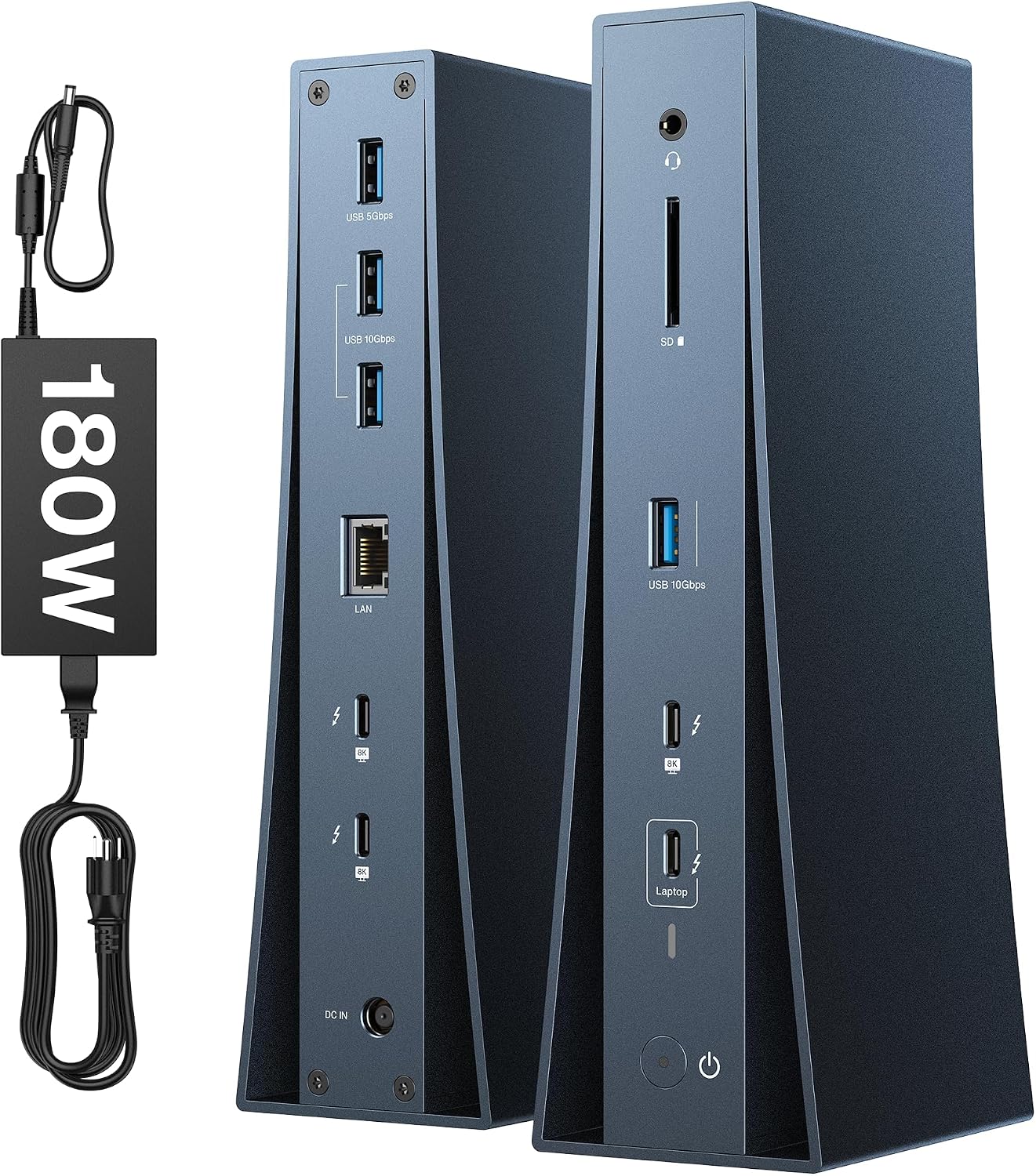
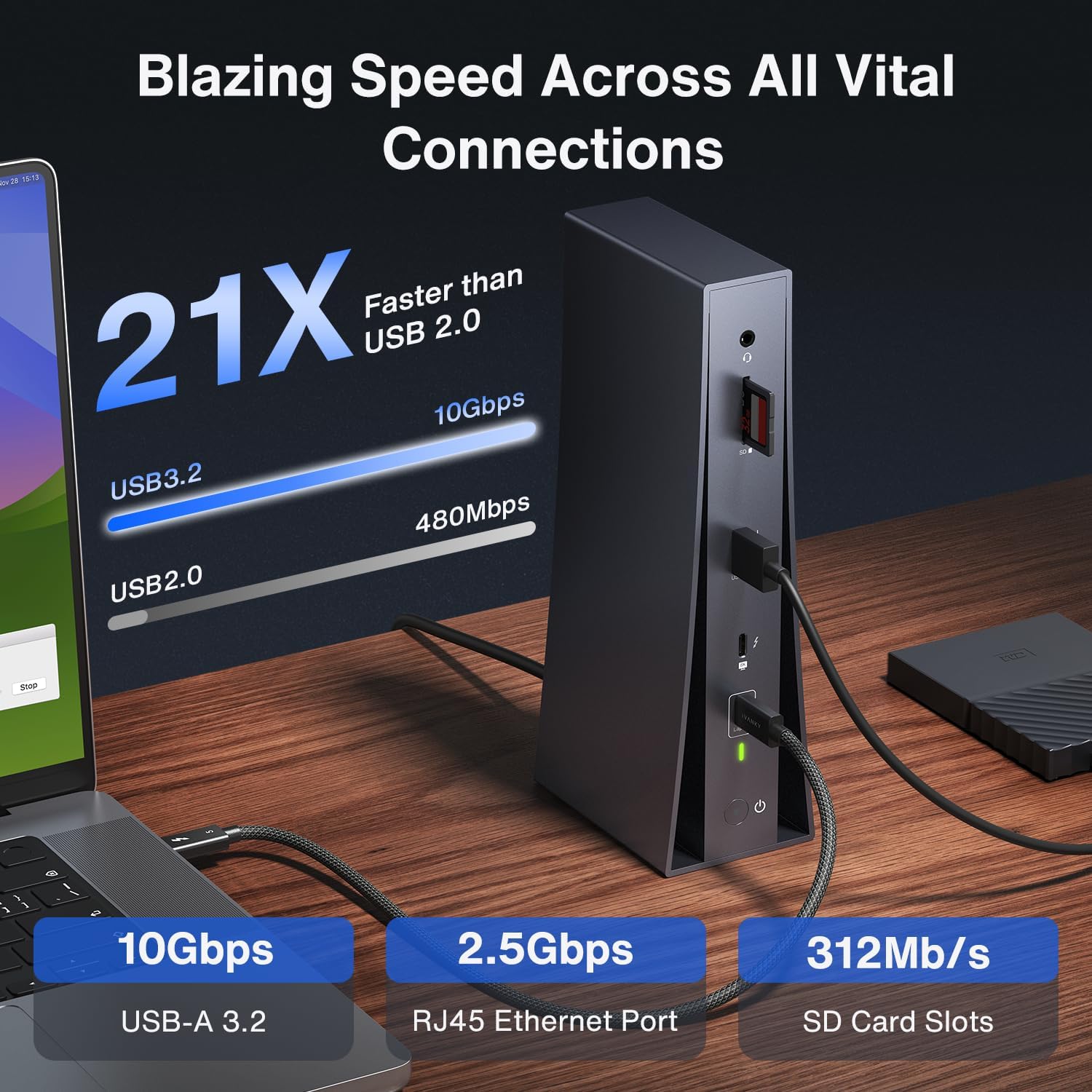
The main draw is the range of connections for a workstation that would otherwise rely on several separate adapters. There are three downstream Thunderbolt 5 ports, alongside three 10Gbps connections and one 5Gbps connection. The dock also includes 2.5GbE, an SD/TF 4.0 card slot, and a 3.5mm audio jack. That combination can make a desk with external storage, wired internet, a card-based workflow, and headphones easier to keep connected.

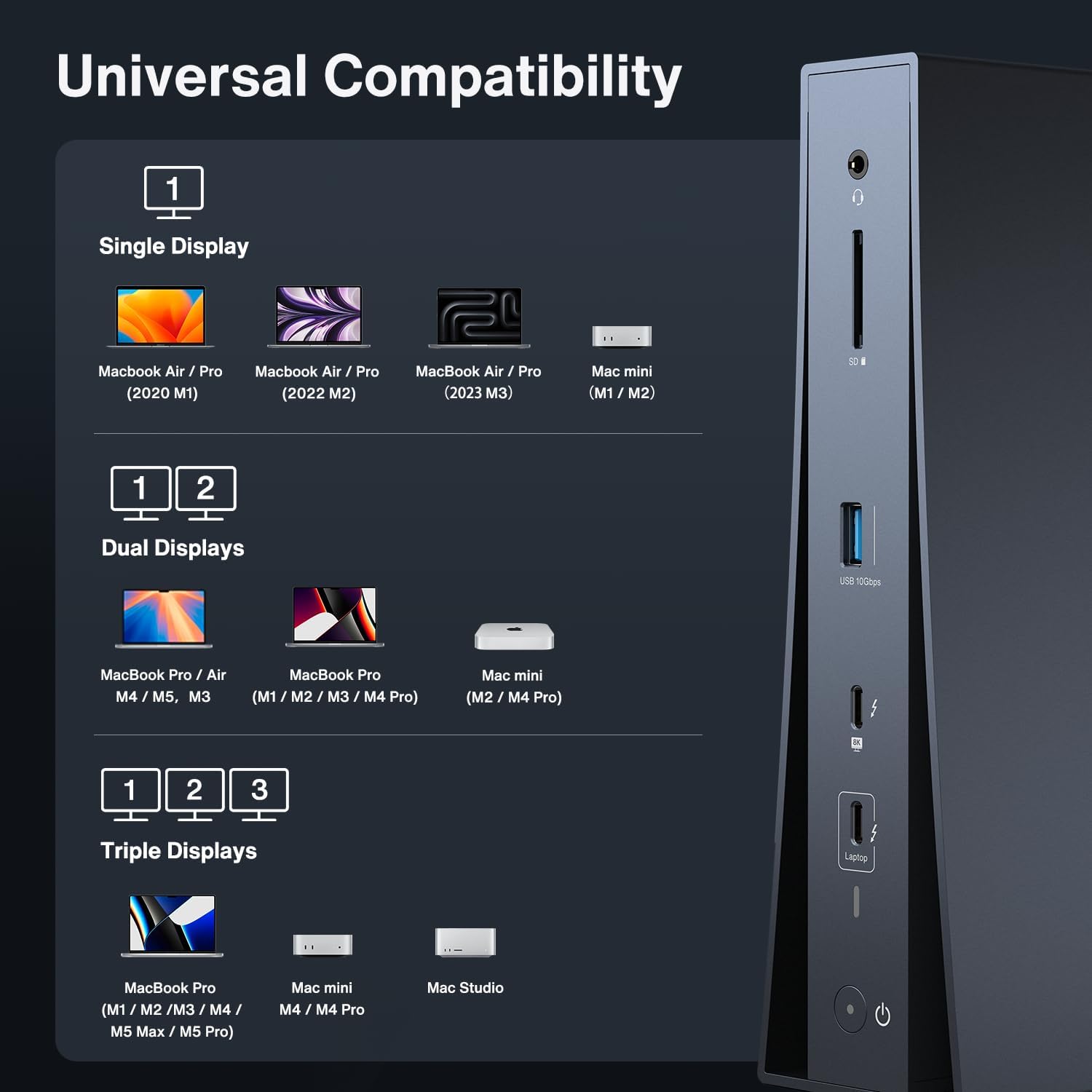
Display support is the standout for MacBook users who work across multiple screens. The listed configurations reach four 6K displays with M5 Max, three 6K displays with M5 Pro, and two 6K displays with several specified M1 through M5 Pro and Max models, plus M4/M5 base models. For single-display setups, the dock supports 8K at 60Hz with M4/M5 base models and 6K at 60Hz with M1/M2/M3 base models. If you move footage from a card and then edit across external displays, having those connections together can simplify the desk without turning each task into an adapter swap.
What to know
The headline display count is not universal across MacBooks: check the configuration for your specific chip before choosing this dock. Also, a monitor without a USB-C port needs a USB-C-to-DisplayPort or USB-C-to-HDMI adapter. That extra connection requirement matters if you are planning a multi-display setup around existing screens.
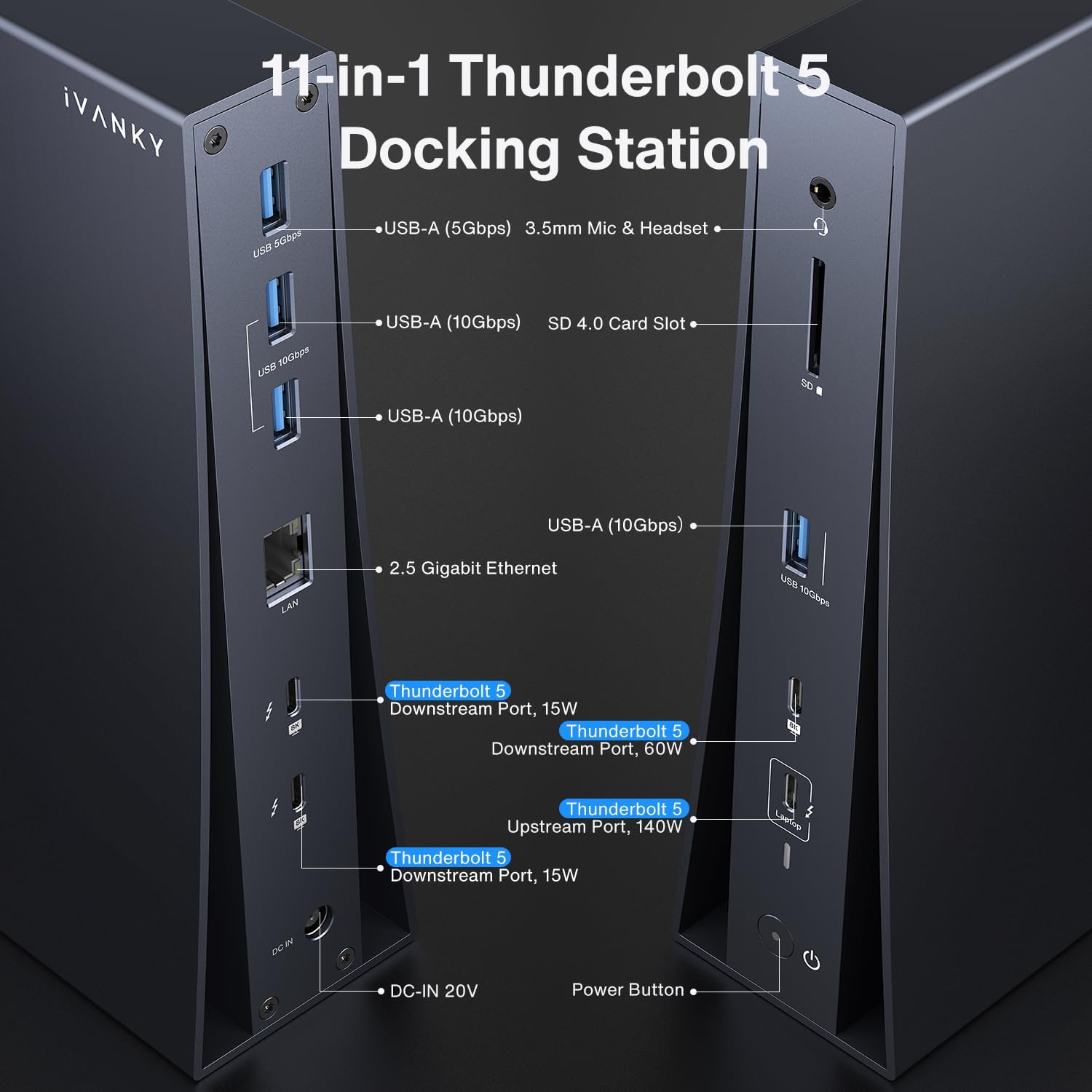
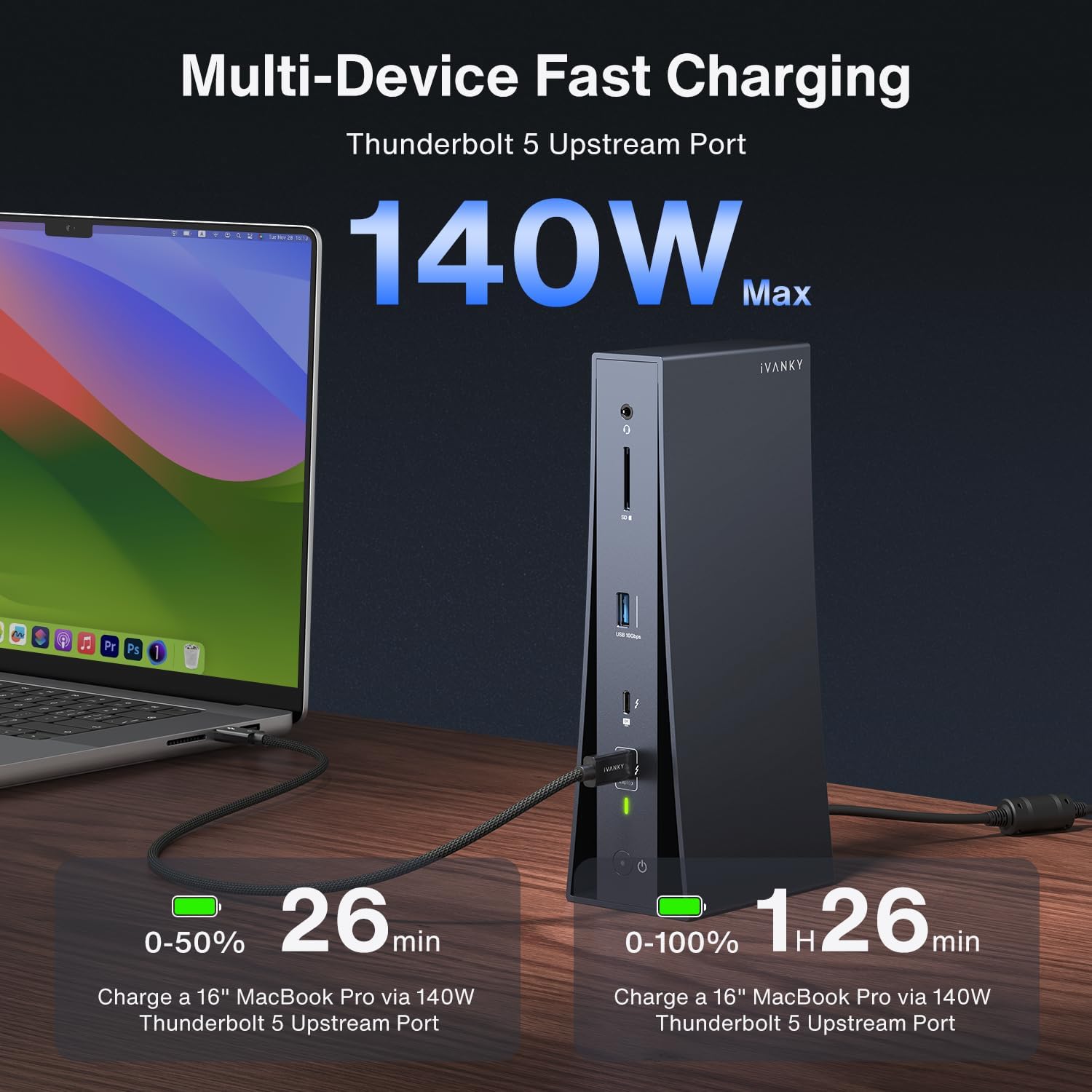
For data, the dock is rated for up to 80Gbps, with Bandwidth Boost capable of raising bandwidth to 120Gbps. Those figures describe the dock’s stated capability, not a guarantee that every connected device or transfer will reach that speed. The included 180W power adapter supports laptop charging up to 140W and USB-C PD devices up to 60W. From the way it is set up, this is a desk-oriented hub for consolidating connections, if you only need an occasional USB connection, a smaller, simpler adapter may be a better fit.
Best use cases
You’ll appreciate it if your MacBook is the center of a fixed editing or productivity desk and you want wired networking, card access, several displays, and charging in the same setup. It also makes sense when you regularly connect multiple peripherals and would rather leave them attached than plug them in one at a time. Better avoided if your MacBook’s display configuration does not meet your needs, or if your monitor connections require adapters you do not want to add.
Is it worth it?
The FusionDock Pro 3 is most compelling when you will use its combination of display support and varied connections, rather than buying it just for extra ports. Its stated 24-month warranty is another concrete detail for buyers weighing a larger dock against a basic hub. Before deciding, match your MacBook chip to the supported screen setup and account for any display adapters, if those details line up with your desk, the extra connectivity has a clear purpose.