

UGREEN USB-C Docking Station 12-in-1
Product description
Highlights
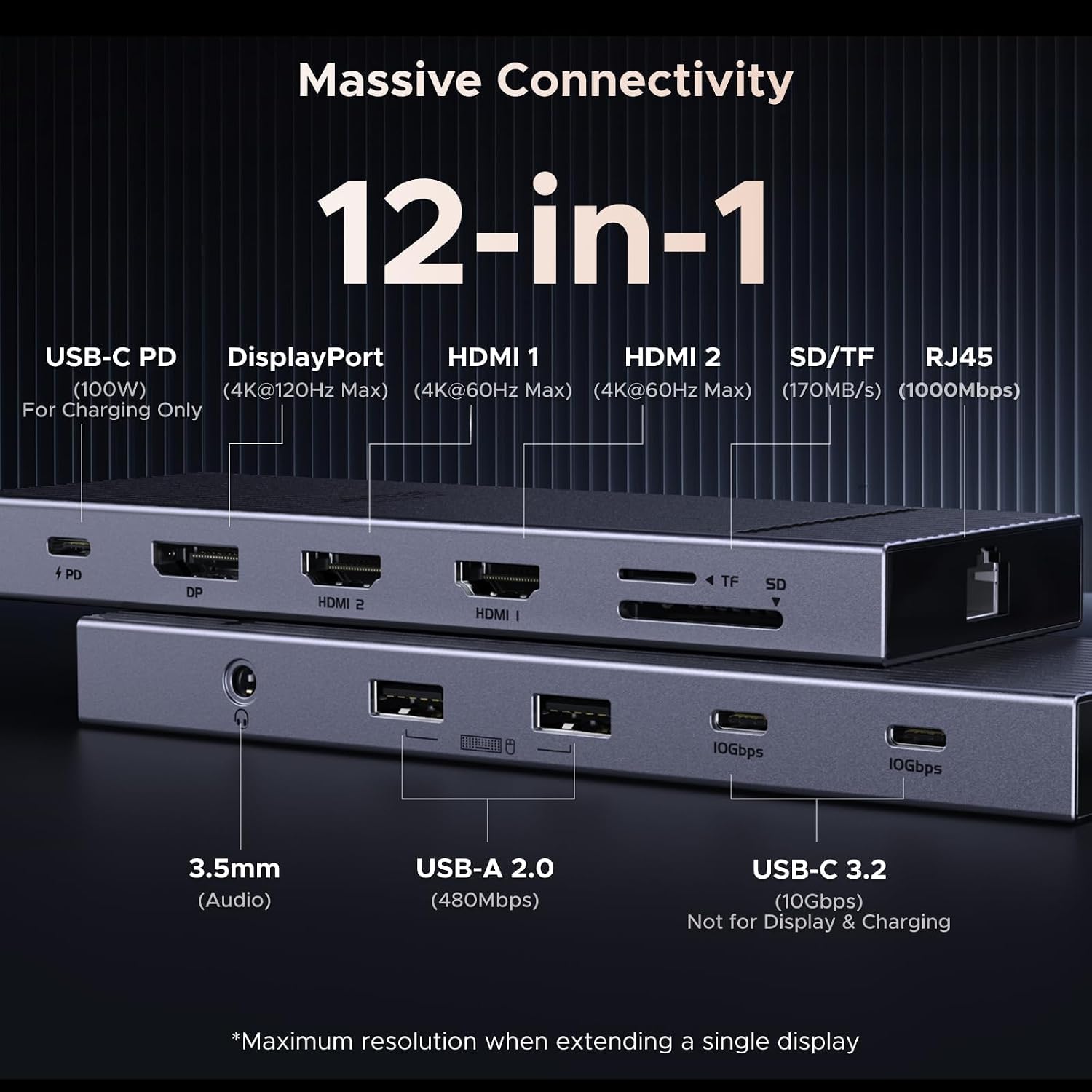
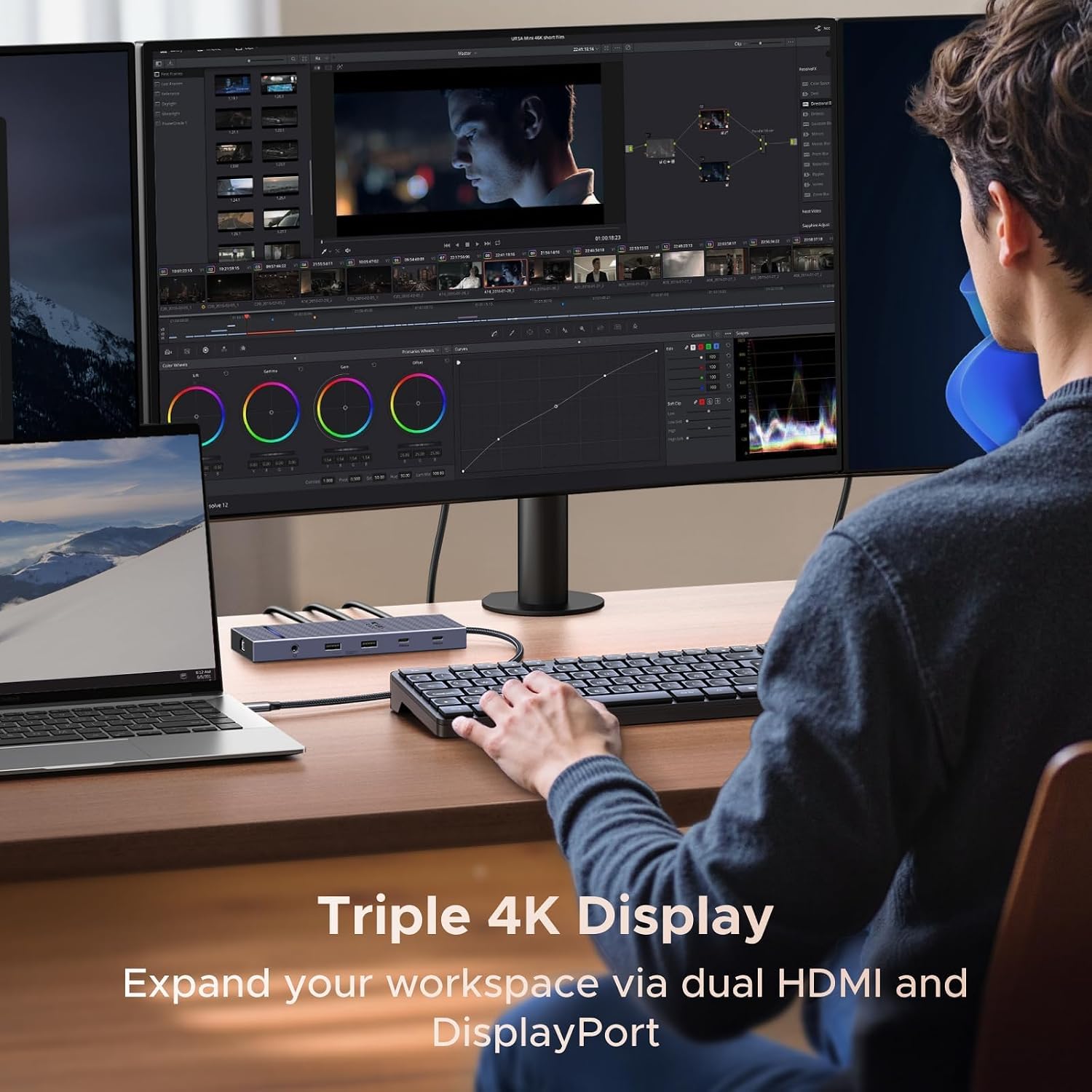
Three display outputs are the defining feature here: two HDMI ports and one DisplayPort can support a single screen at 4K@120Hz, two screens at 4K@60Hz, or three screens at 4K@30Hz. That gives a compatible laptop a path to a multi-monitor desk without relying on separate video adapters. The dock also brings together two 10Gbps USB-C ports, two USB-A 2.0 ports, SD and TF card slots, gigabit Ethernet, a 3.5mm audio jack, and power delivery.
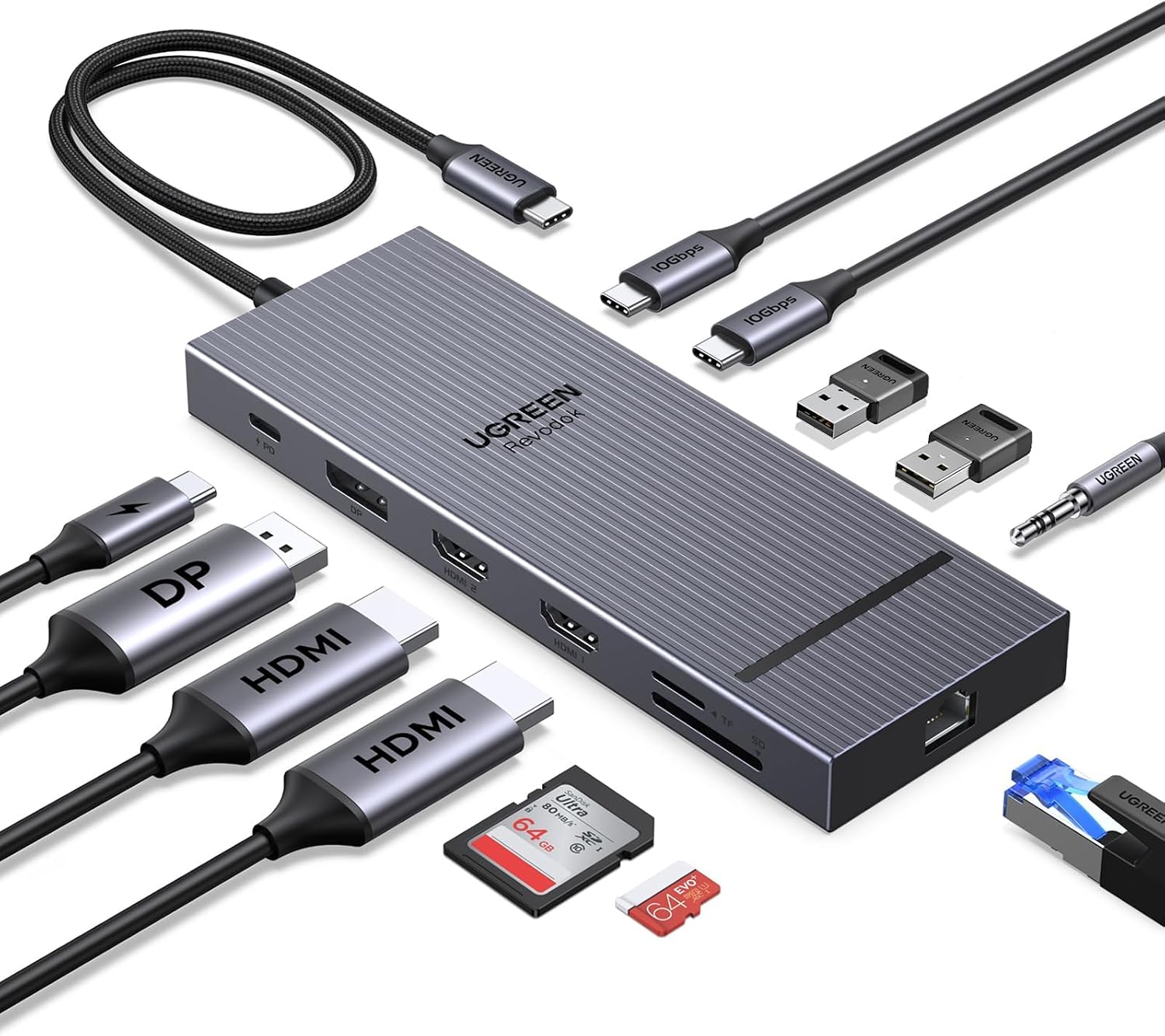
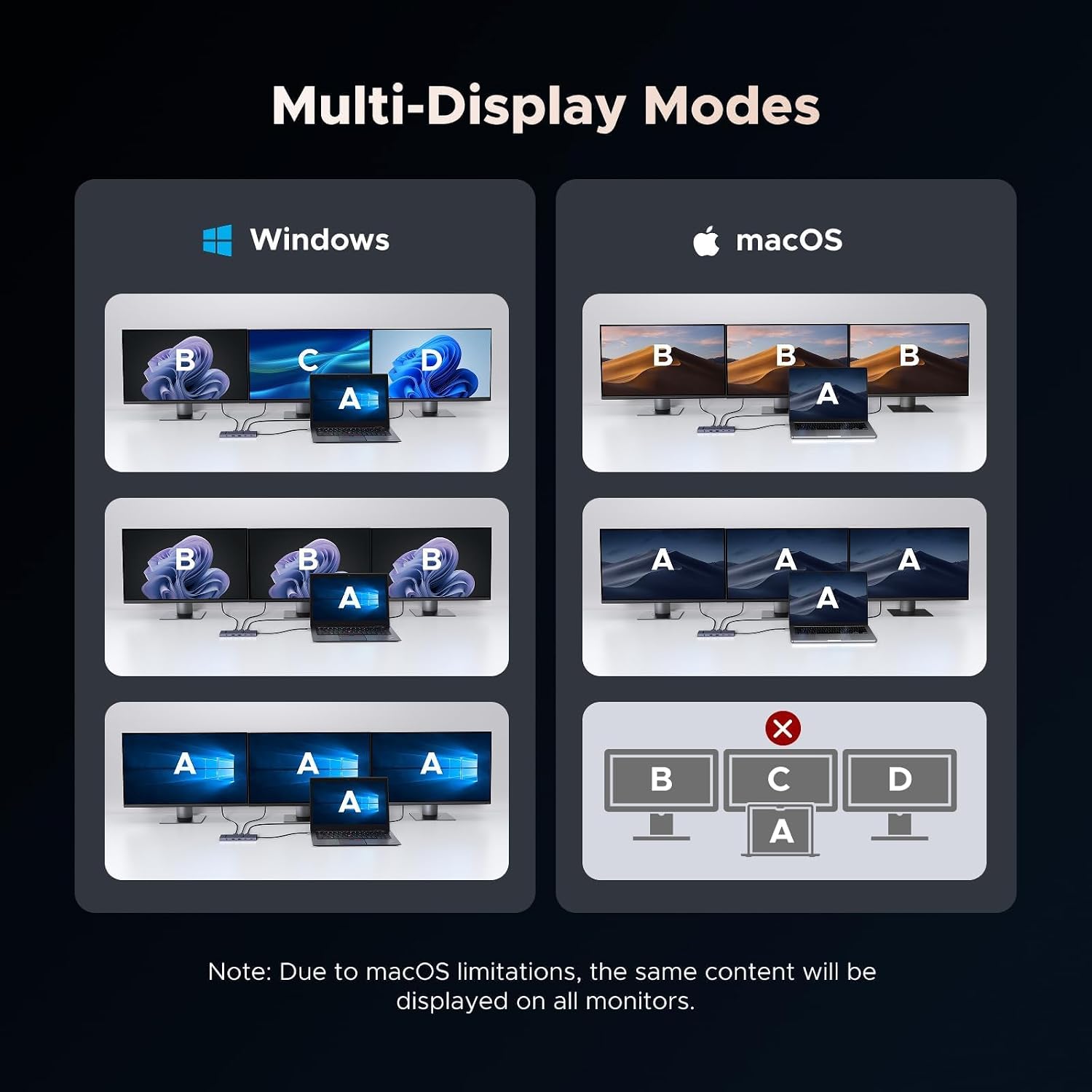
For a work setup, that could mean plugging in monitors, wired networking, a keyboard, and a memory card at the desk, then connecting the laptop through one dock. The listed display modes are useful context, but the macOS limitation matters: external screens mirror the same content rather than extending the desktop.
How to use it
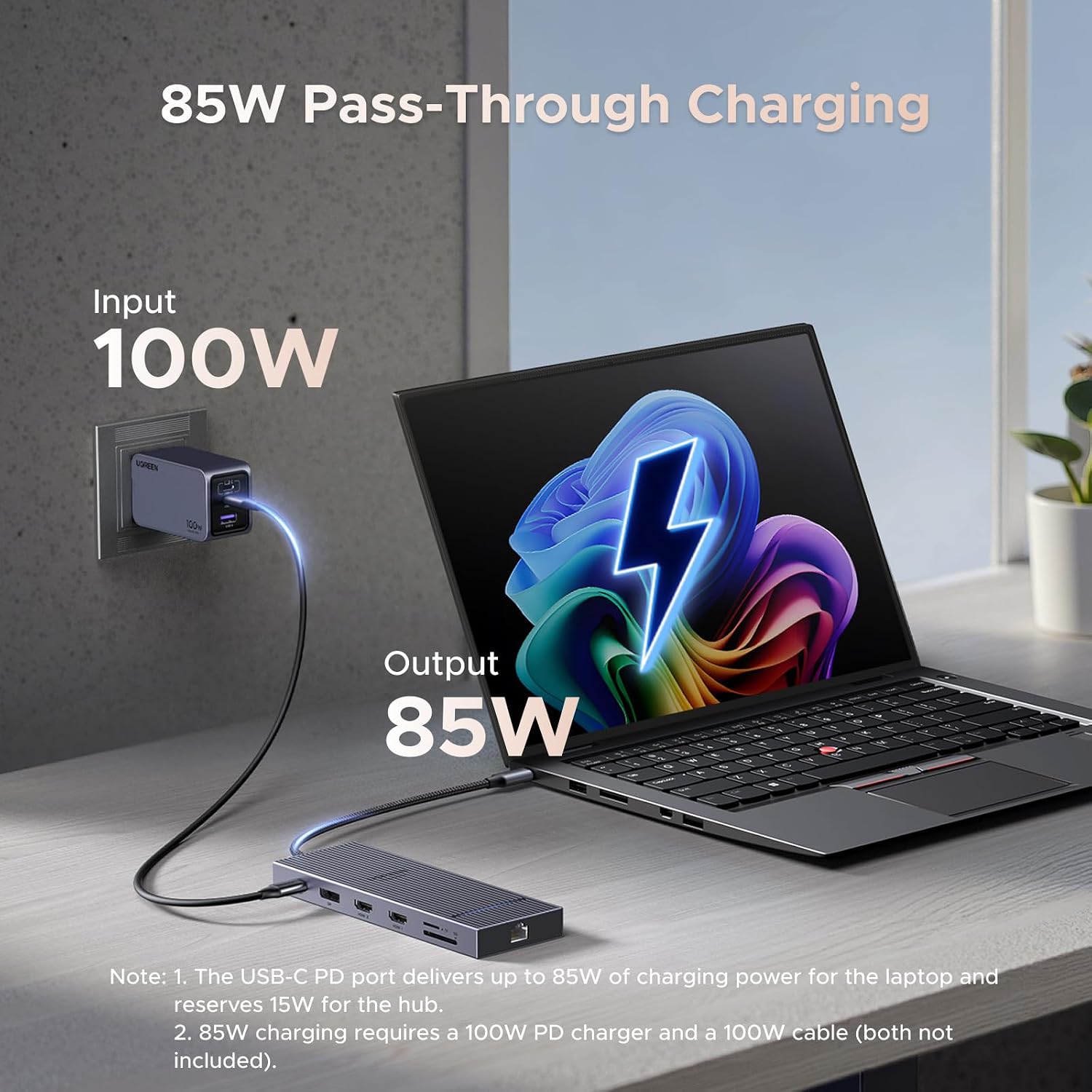
Connect the dock to a USB-C laptop, then attach the displays and peripherals you need. Its power-delivery input supports up to 100W, with up to 85W passed through to the laptop and 15W reserved for dock operation. Keep in mind that the power-delivery port is for charging only, it does not carry data or video. That distinction is easy to miss if you expect every USB-C connection on a dock to work the same way.
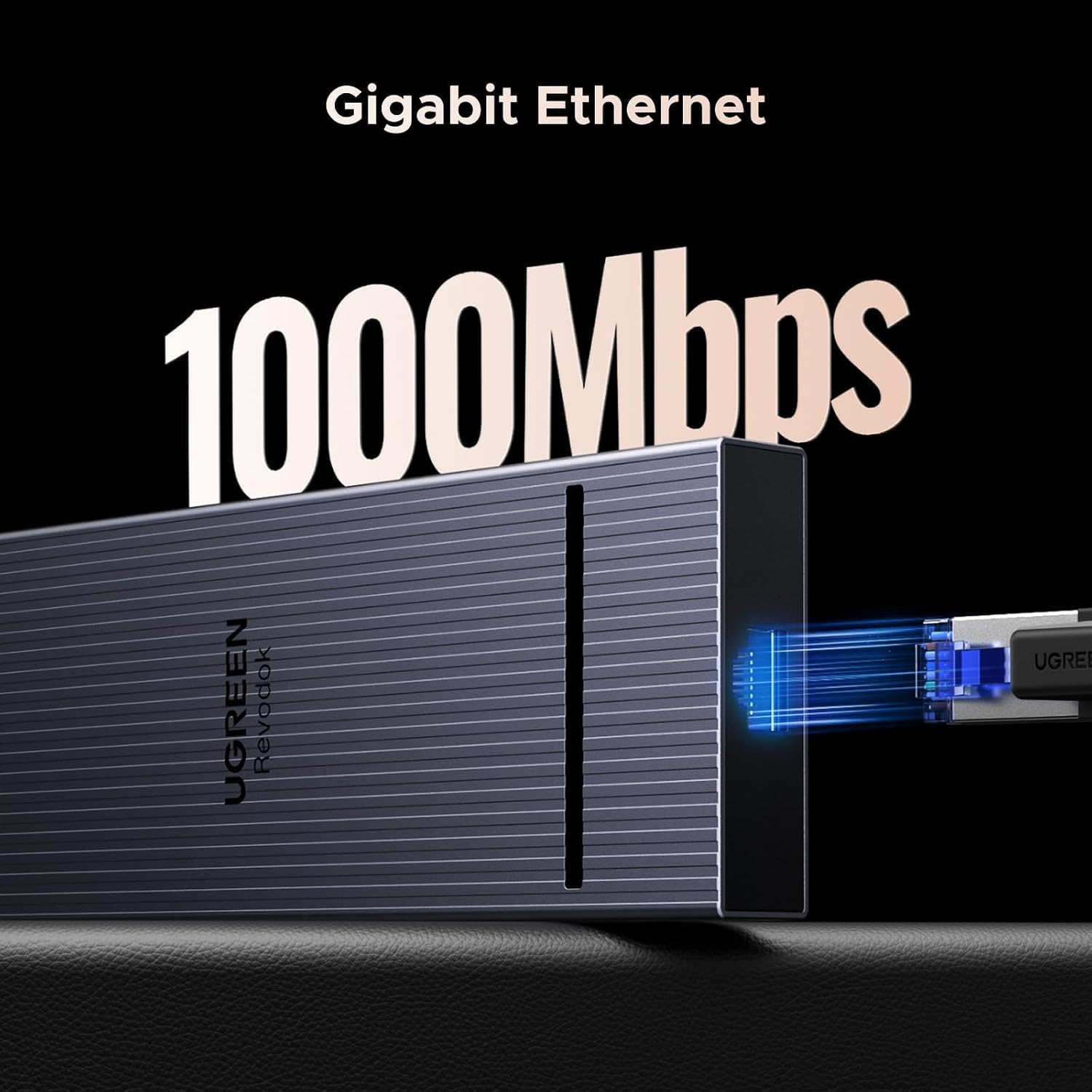
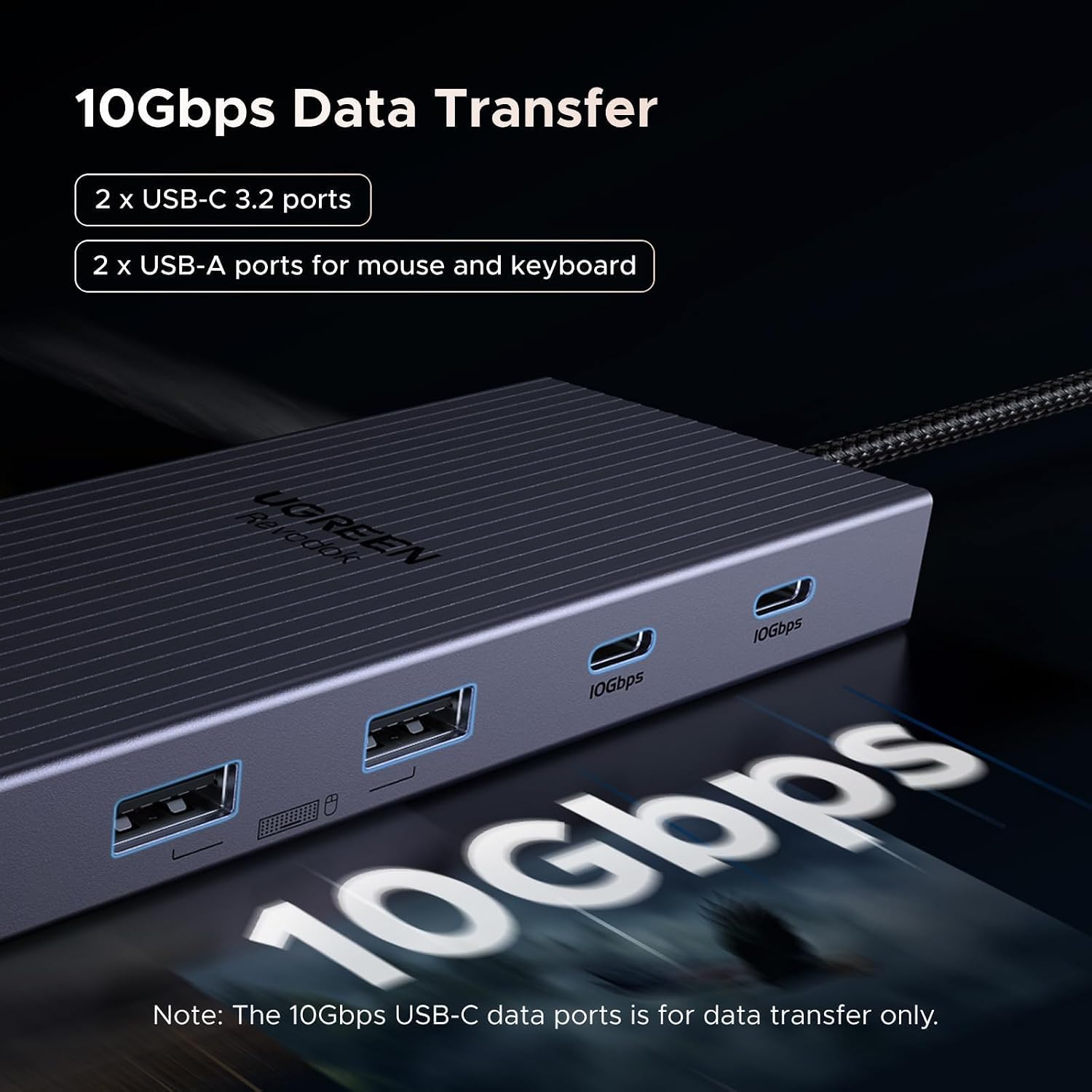
The faster USB-C ports are rated for 10Gbps data transfer. The USB-A ports are USB 2.0, so they make more sense for everyday accessories such as a keyboard or microphone than for a fast external drive. The SD/TF reader is listed at 104MB/s, while the Ethernet port supports 1000Mbps, the audio jack supports 192KHz, 24-bit output.
Practical tips
Before building a multi-screen setup around this dock, check what display arrangement your computer supports. On macOS, this model supports mirroring only, so it is a poor fit if you need different windows on several external monitors. Windows or other operating-system compatibility details beyond the listed capabilities are not provided, so avoid assuming every laptop will deliver every display mode.
For a desk with one high-refresh display, the single-screen 4K@120Hz mode is the most relevant listed option. If you want separate workspaces across multiple screens, note the lower listed refresh rate for triple display: 4K@30Hz. It suits you if you want a compact connection point for displays, wired networking, card access, and charging. It might not be a great match if your workflow depends on extended displays on a Mac or fast transfers through USB-A. From the way it is set up, this dock prioritizes a broad mix of ports over making every port equally fast.
Practical doubts
Can it run three external displays? The dock lists triple-screen support at 4K@30Hz. On macOS, those displays mirror the same content.
How much power reaches the laptop? It supports up to 100W input, with up to 85W pass-through charging for the laptop and 15W reserved for the dock.
Are all USB ports suitable for fast storage? No. The two USB-C data ports are rated at 10Gbps, while the two USB-A ports are USB 2.0.
Is it worth it?
This UGREEN dock makes the most sense when one USB-C connection needs to handle several kinds of desk gear, especially HDMI/DisplayPort screens, Ethernet, card reading, and laptop charging. Its mix of ports can reduce the need for separate adapters, and the listed single- and dual-display modes give more flexibility than a basic hub with only one video output. The tradeoff is specific: triple-screen output is listed at 4K@30Hz, USB-A is limited to USB 2.0, and macOS users get mirrored rather than extended displays. Choose it for port variety and a compatible multi-monitor setup, look elsewhere if extended Mac displays are essential.