

MOKiN USB-C Docking Station 13-in-1
Product description
Technical details
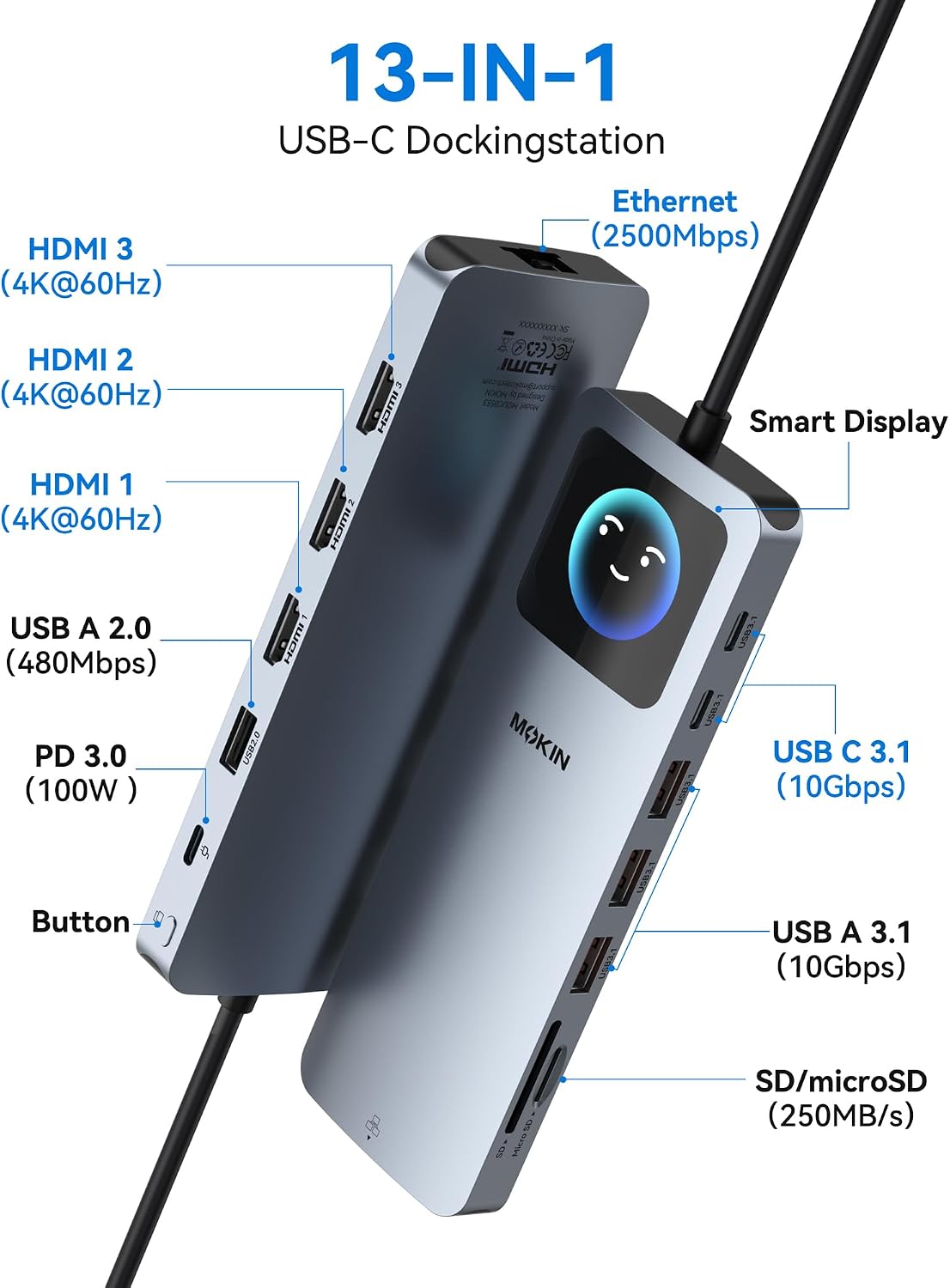
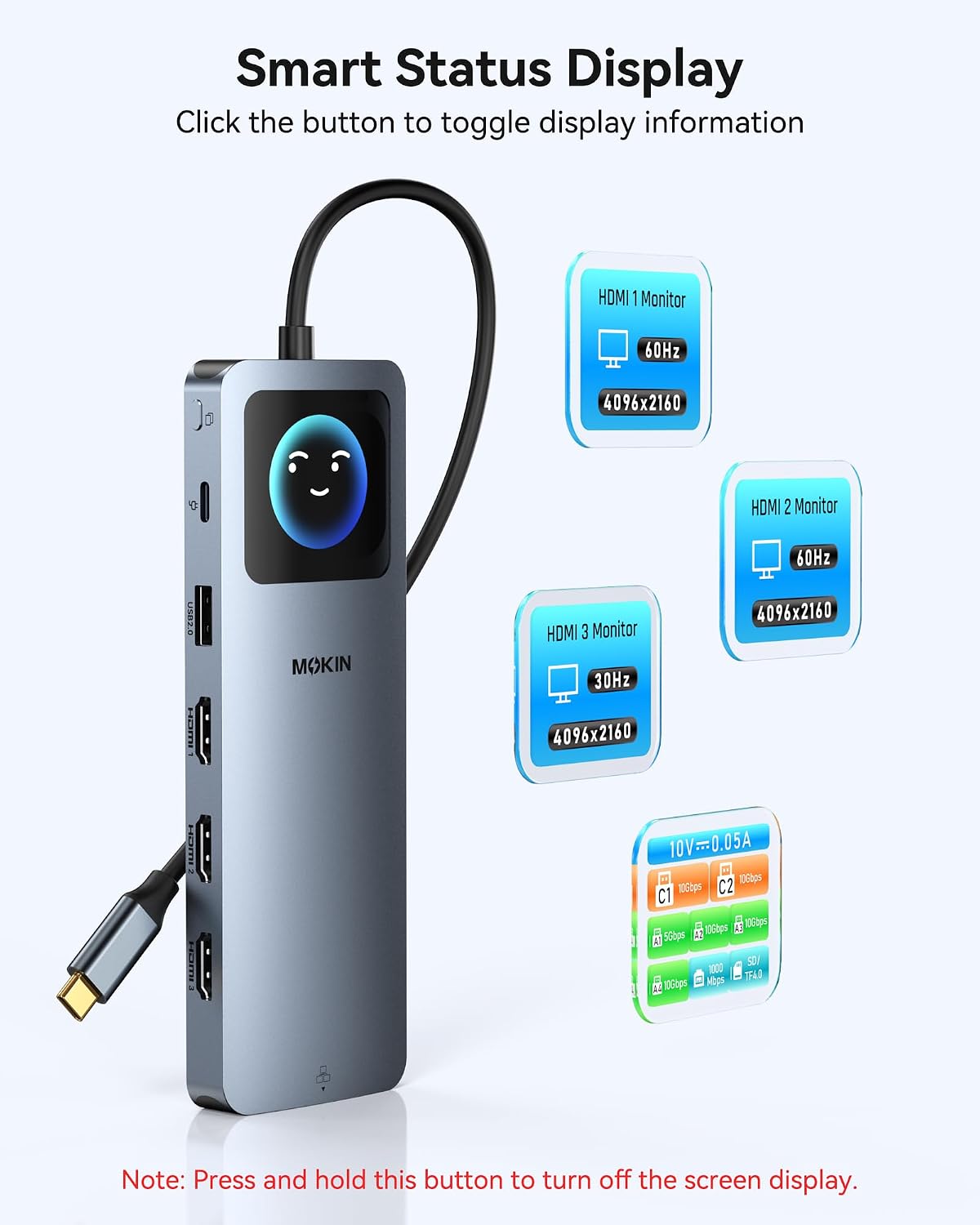
For laptop users building a desk setup around multiple displays, this MOKiN dock combines video, data, wired networking, card access, and charging in one USB-C connection. Its listed connections include three HDMI ports, three USB-A 3.1 ports, two USB-C 3.1 data ports, USB 2.0, RJ45 Ethernet, SD and microSD slots, and USB-C Power Delivery. A built-in LCD shows connection status, which can make it easier to see which ports are active without tracing every cable.
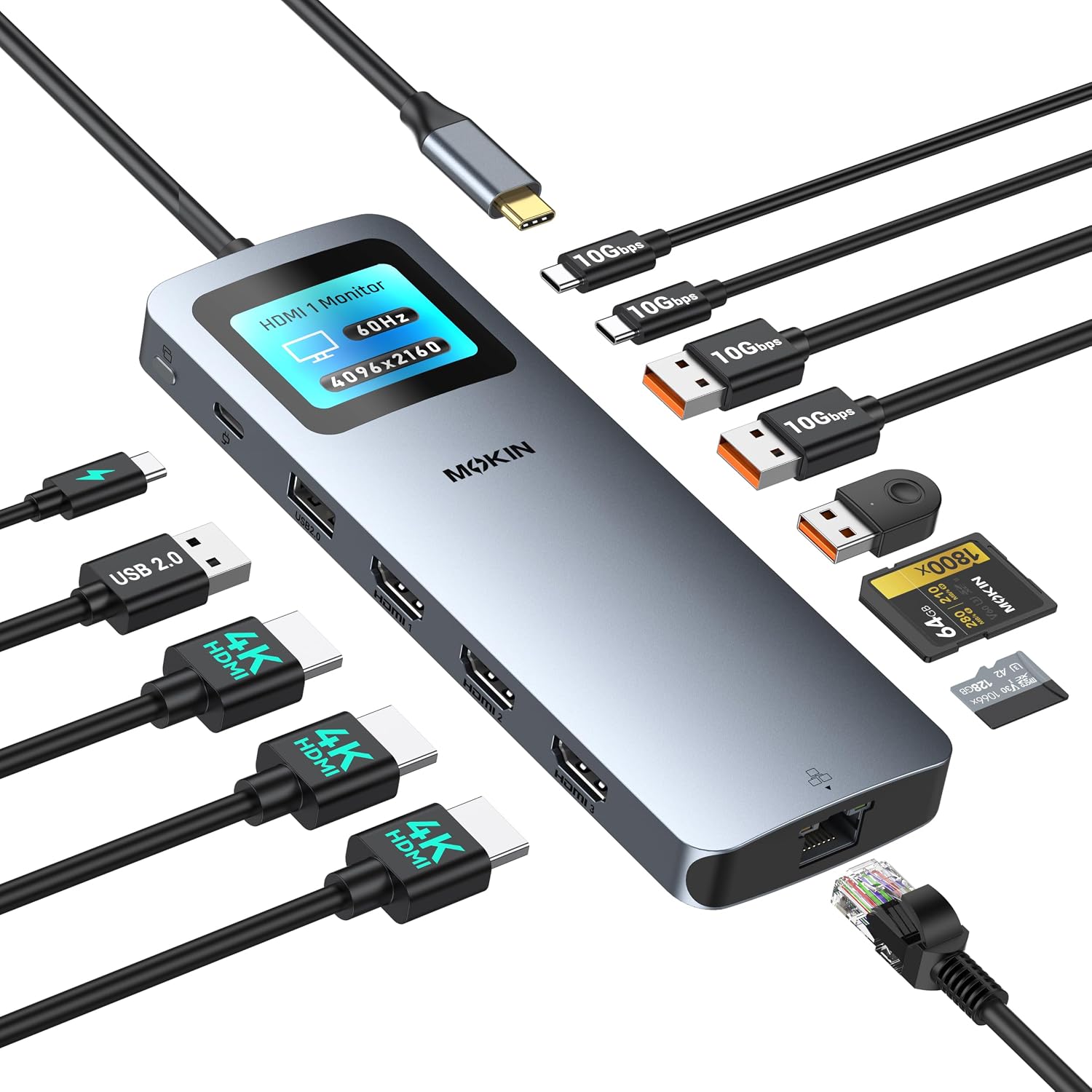
The display figures depend on how you use the HDMI outputs: the listing states up to 8K at 30Hz with one display, and gives different triple-display configurations for Windows and macOS. For Windows, it lists two displays at 4K/60Hz plus one at 4K/30Hz, for macOS, it claims three at 4K/60Hz. Windows uses MST, while macOS uses SST. Treat those figures as the dock’s stated capabilities, not a guarantee for every laptop, since the host computer and its USB-C video support also matter.
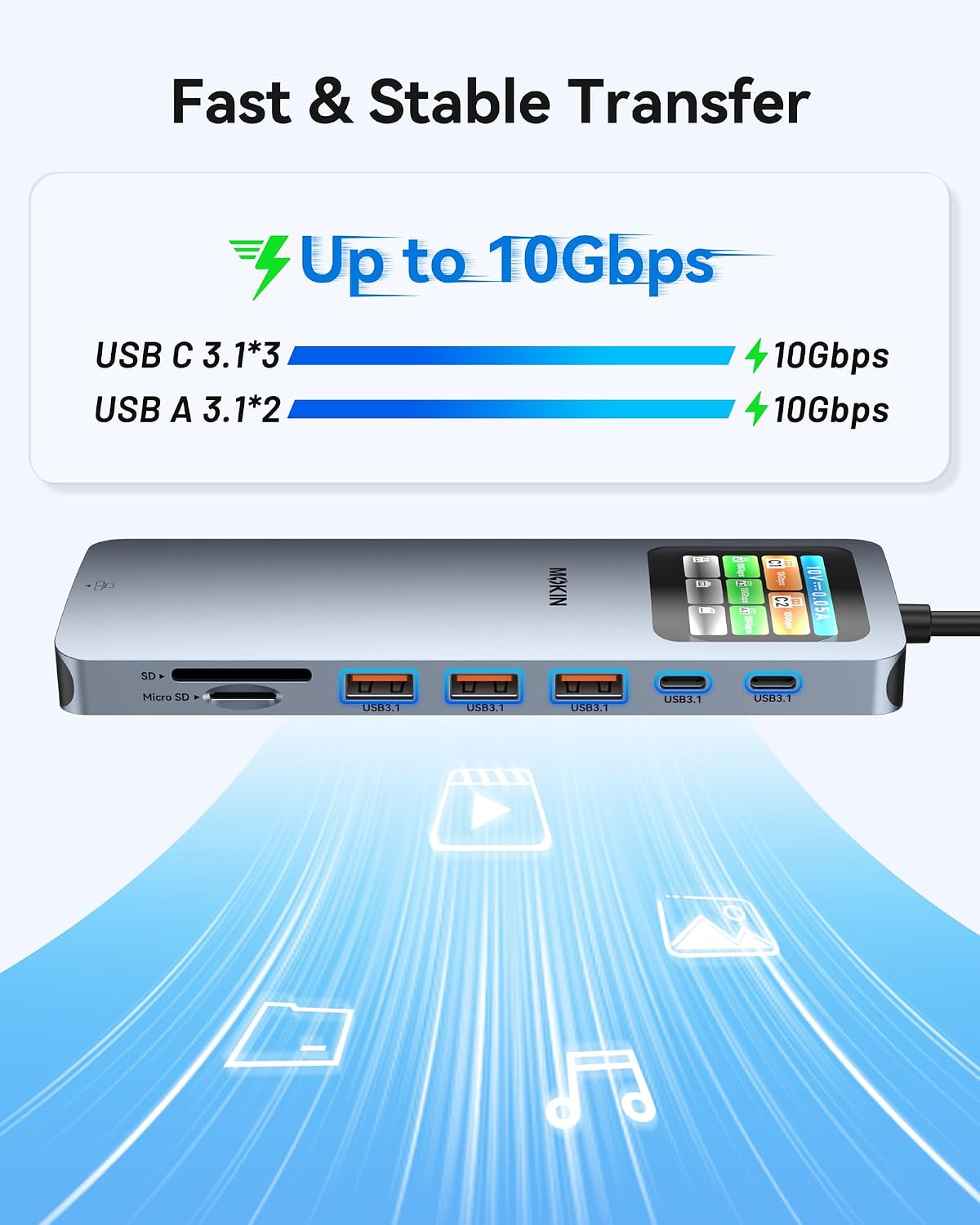
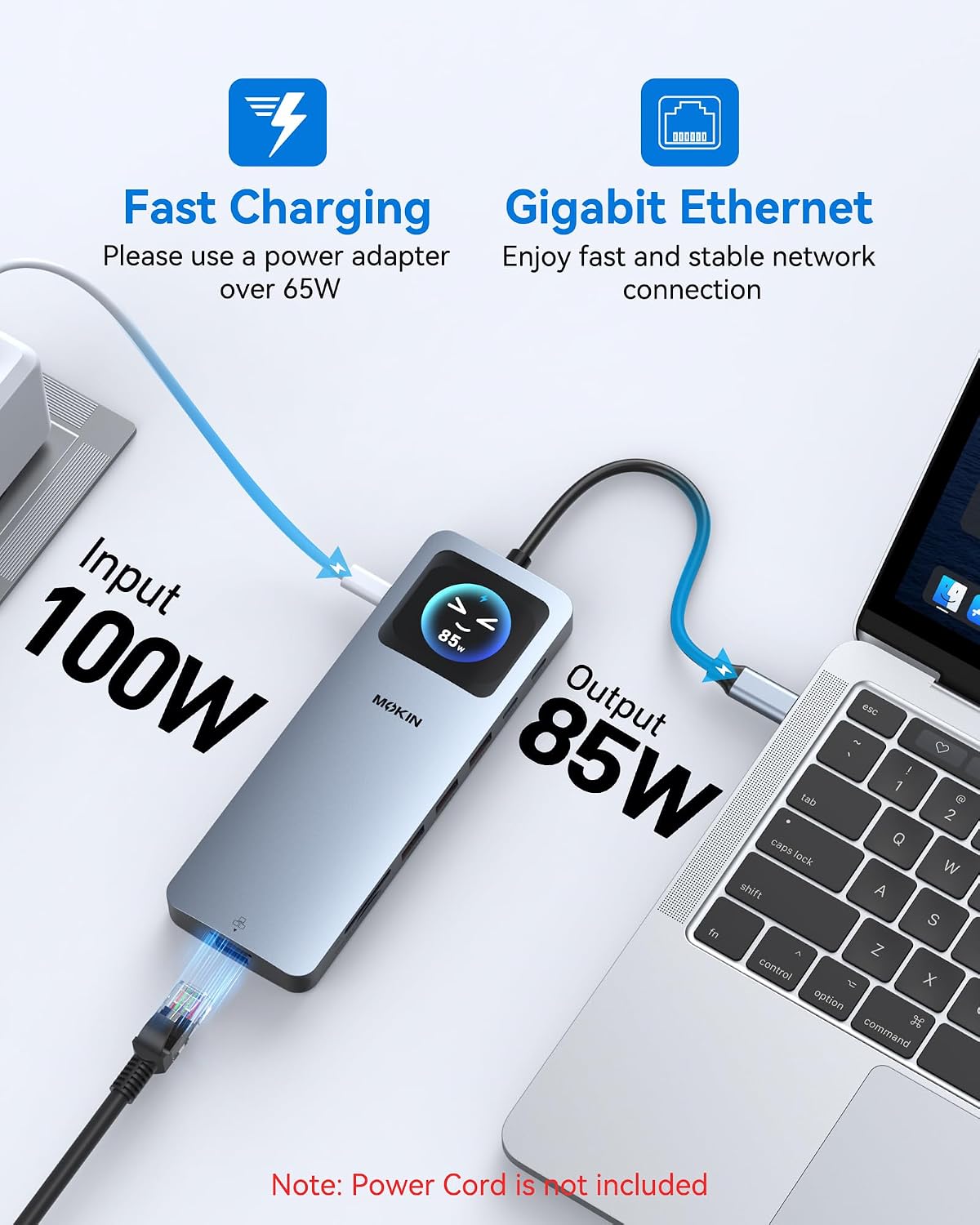
The USB 3.1 data ports are rated at 10Gbps, Ethernet at 2500Mbps, and the UHS-I card slots at read speeds up to 250MB/s. Power Delivery accepts 100W input and provides up to 87W output. Getting the full stated charging output requires a 65W-or-higher adapter, the adapter and cable are not included. That missing power gear is a real extra to account for if you’re setting up from scratch.
Compatibility
The listing names Dell and HP laptops, but the connection on your particular computer matters more than the brand: USB-C must support the functions you want, including video output or Power Delivery where applicable. A USB-C port that handles data alone may not provide the multi-monitor setup or charging you expect. Check your laptop’s port specifications before choosing this over a simpler USB hub that only adds peripherals and storage.
Usage tips
For a workday setup, connect the dock to your laptop, run HDMI cables to your monitors, then plug in a keyboard receiver, external storage, and Ethernet. The dedicated USB 2.0 port is intended for low-bandwidth accessories such as a mouse or keyboard receiver, while the faster ports are better suited to drives and larger file transfers. Photographers can also insert an SD or microSD card directly rather than carrying a separate reader.
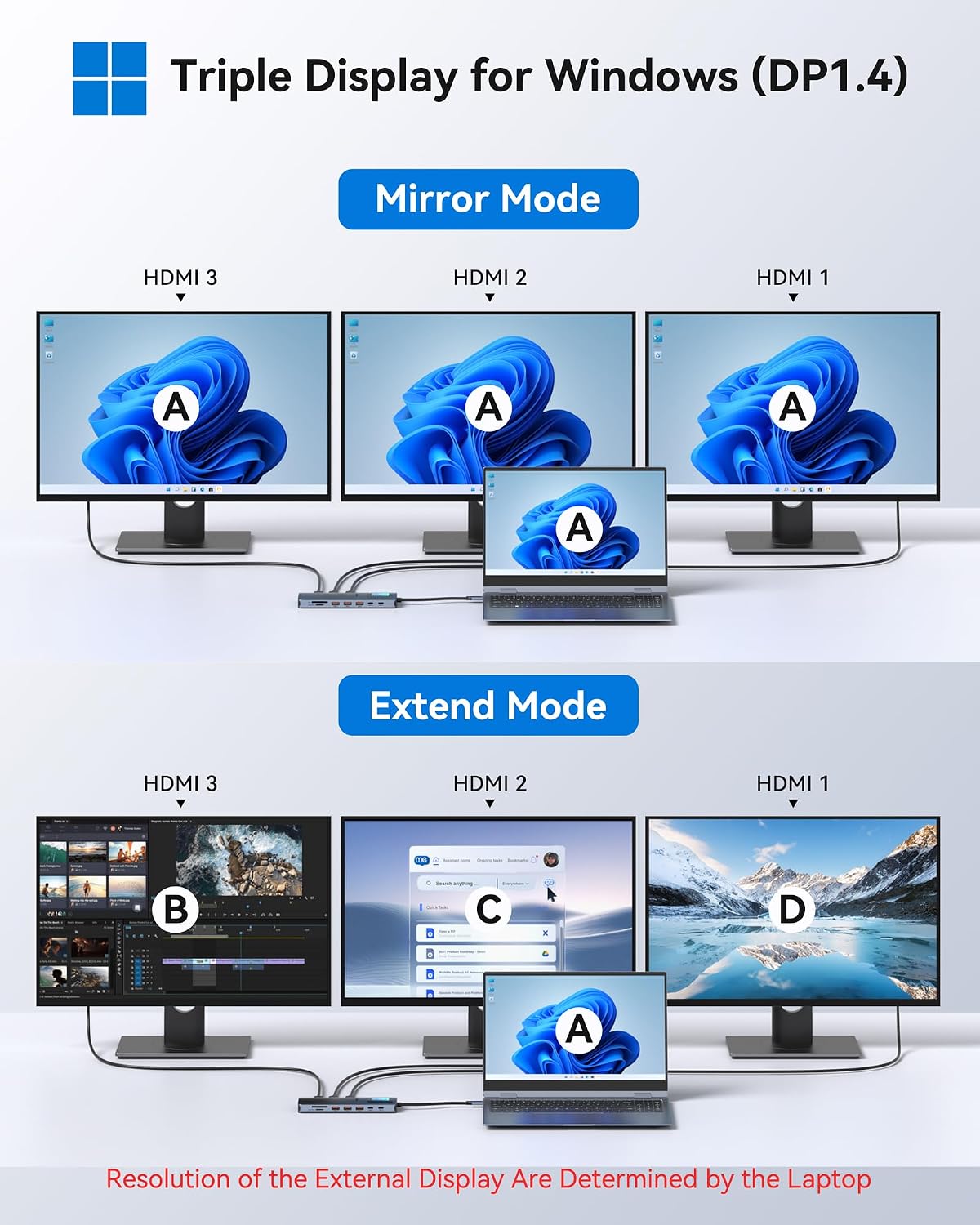
A solid pick if you want several kinds of connections gathered at the desk, especially multiple screens and wired networking. It might not be a great match if you need a ready-to-use charging bundle, expect every laptop to support the advertised display modes, or only need one extra USB port. On the spec sheet, the combination is broad, the main practical limitation is that host support and the right power adapter still determine what you can actually use.
Usage tips
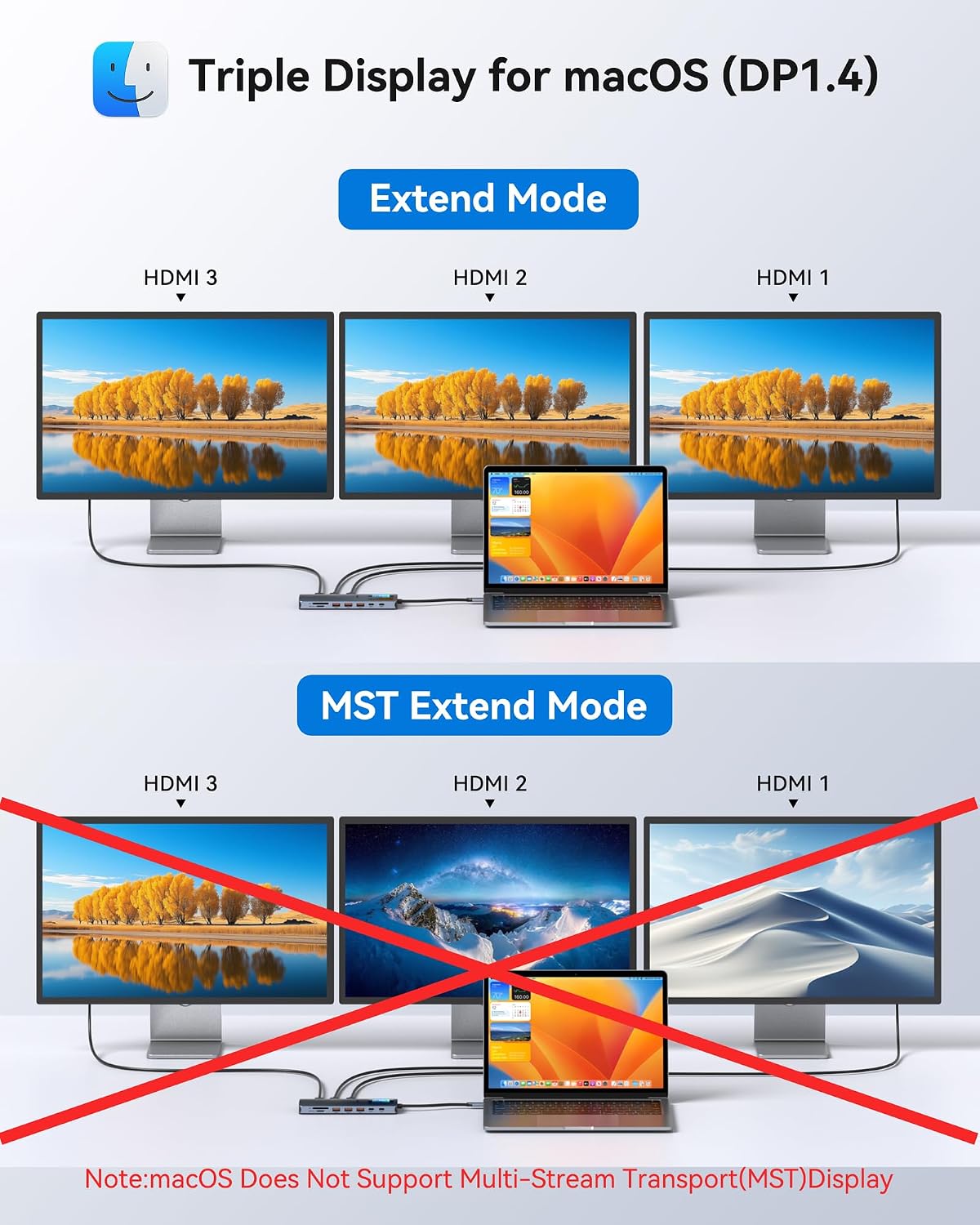
When moving large files, put the external drive on a 10Gbps USB data port and use the card slots for direct access to camera media. The LCD can help identify active connections at a glance, but it doesn’t replace checking your laptop’s display capabilities if a monitor stays blank or runs at a lower refresh rate.
Questions before you buy
Can it run three monitors? The listing describes triple HDMI output, with different stated resolutions and refresh rates for Windows and macOS. Your laptop’s video support also affects the result.
Does it include a power adapter? No. The adapter and cable are not included, the listing calls for a 65W-or-higher adapter to reach up to 87W output.
Can I use SD and microSD cards? Yes. Both card slots are listed as UHS-I, with read speeds up to 250MB/s.
When it makes sense
Choose this dock when a laptop desk needs multiple HDMI connections, faster wired networking, card slots, and several USB peripherals without relying on a stack of separate adapters. A basic hub is the more sensible approach if your setup is mostly a mouse and flash drive, a more demanding multi-monitor setup should start with the laptop’s supported USB-C video modes. The MOKiN makes most sense when its broad port mix fits your actual computer and you already have, or are willing to supply, the charging equipment it needs.