

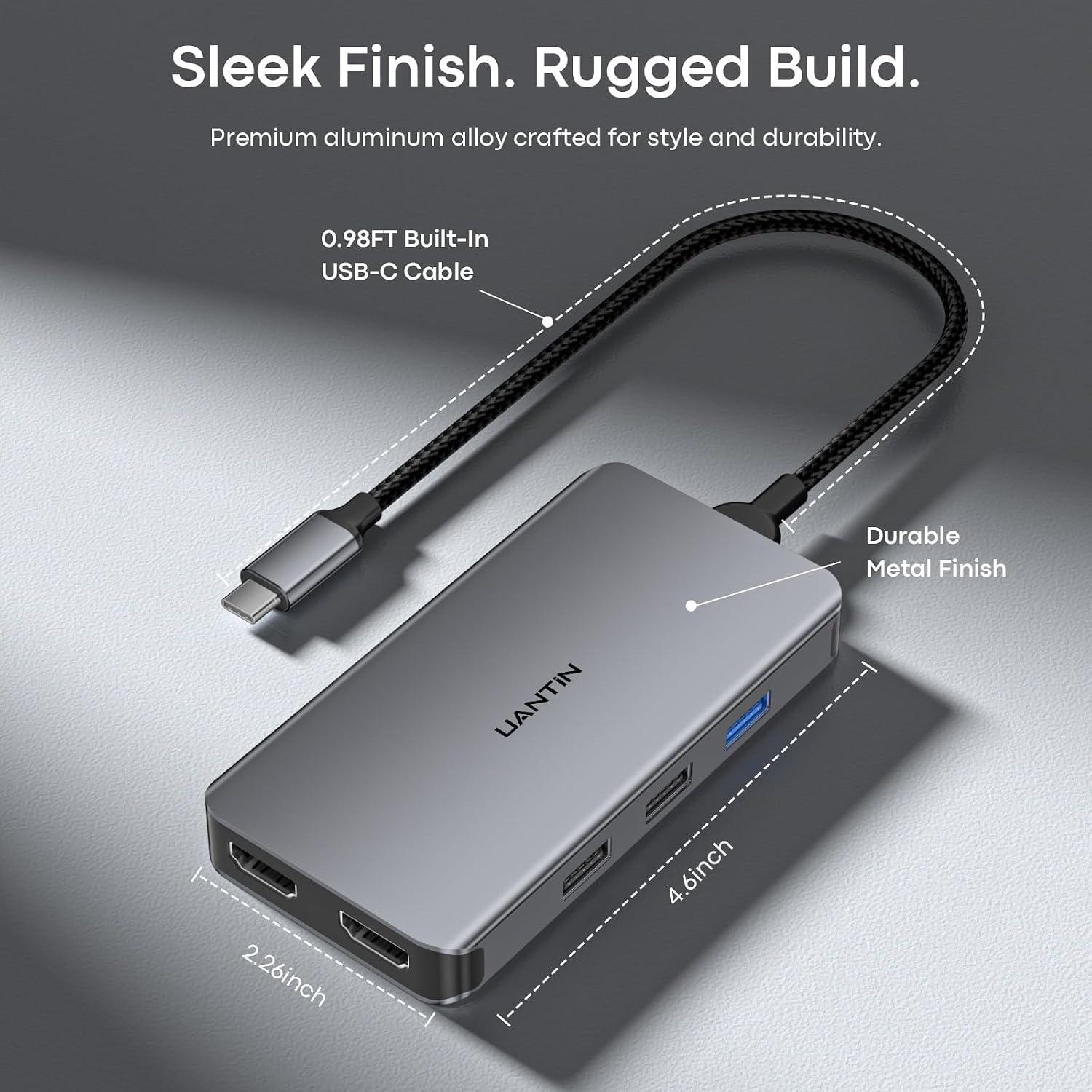
UANTIN USB C Docking Station Dual Monitor, 10-in-1 HDMI Hub with 100W PD
Reviews
Price
Product description
For a laptop setup that needs dual displays and room for everyday accessories, the UANTIN USB C Docking Station Dual Monitor brings video, data, memory card slots, and power pass-through together in one hub. Its 10-in-1 layout makes it easier to connect a monitor setup and peripherals through a single laptop port.
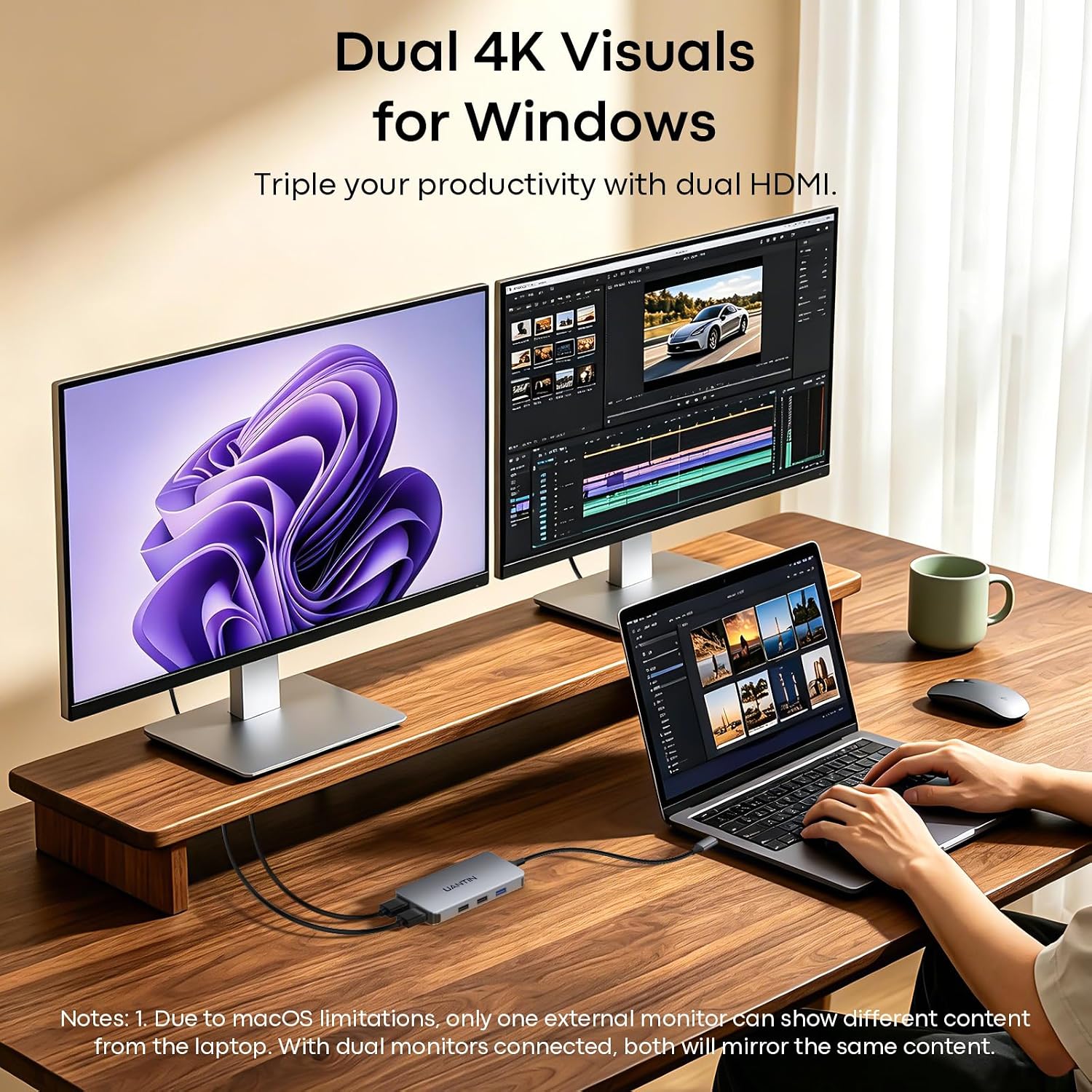
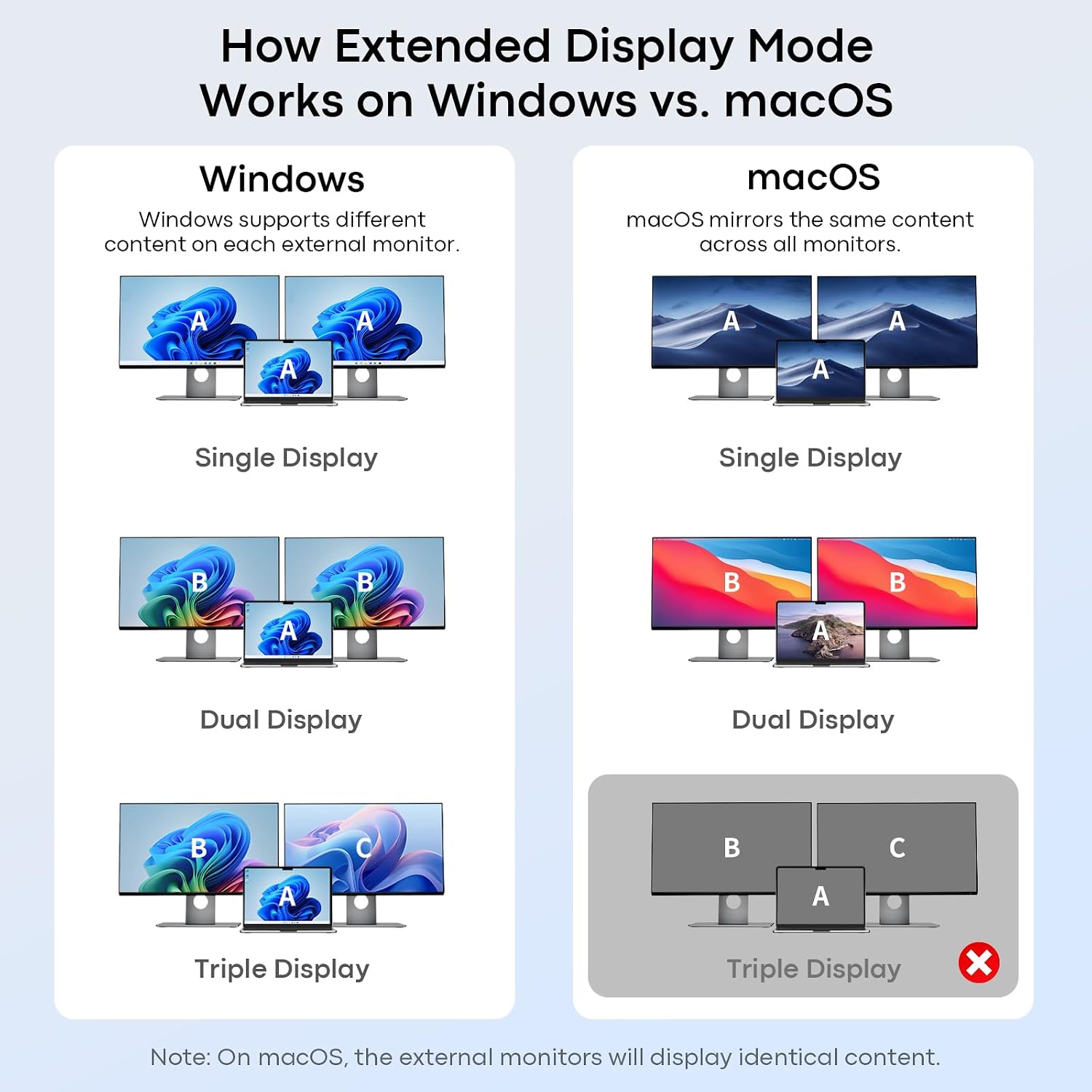
The two HDMI ports support up to 4K at 30Hz. On compatible Windows laptops, they can extend the desktop across two monitors, on macOS, both external displays mirror the same content. That distinction helps you choose the right hub for how you work.
Spec sheet
- Type: 10-in-1 USB-C docking station
- Color: Gray
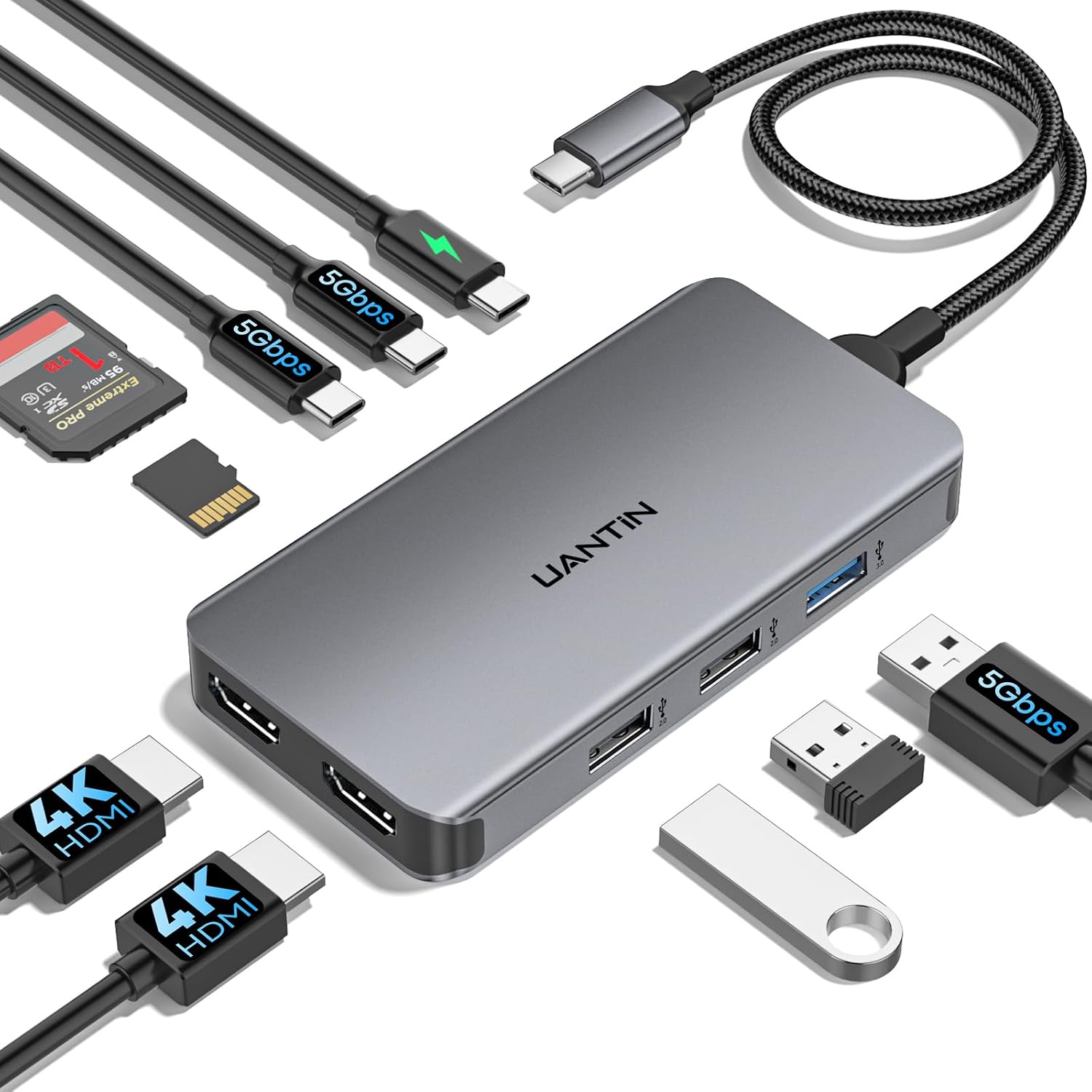
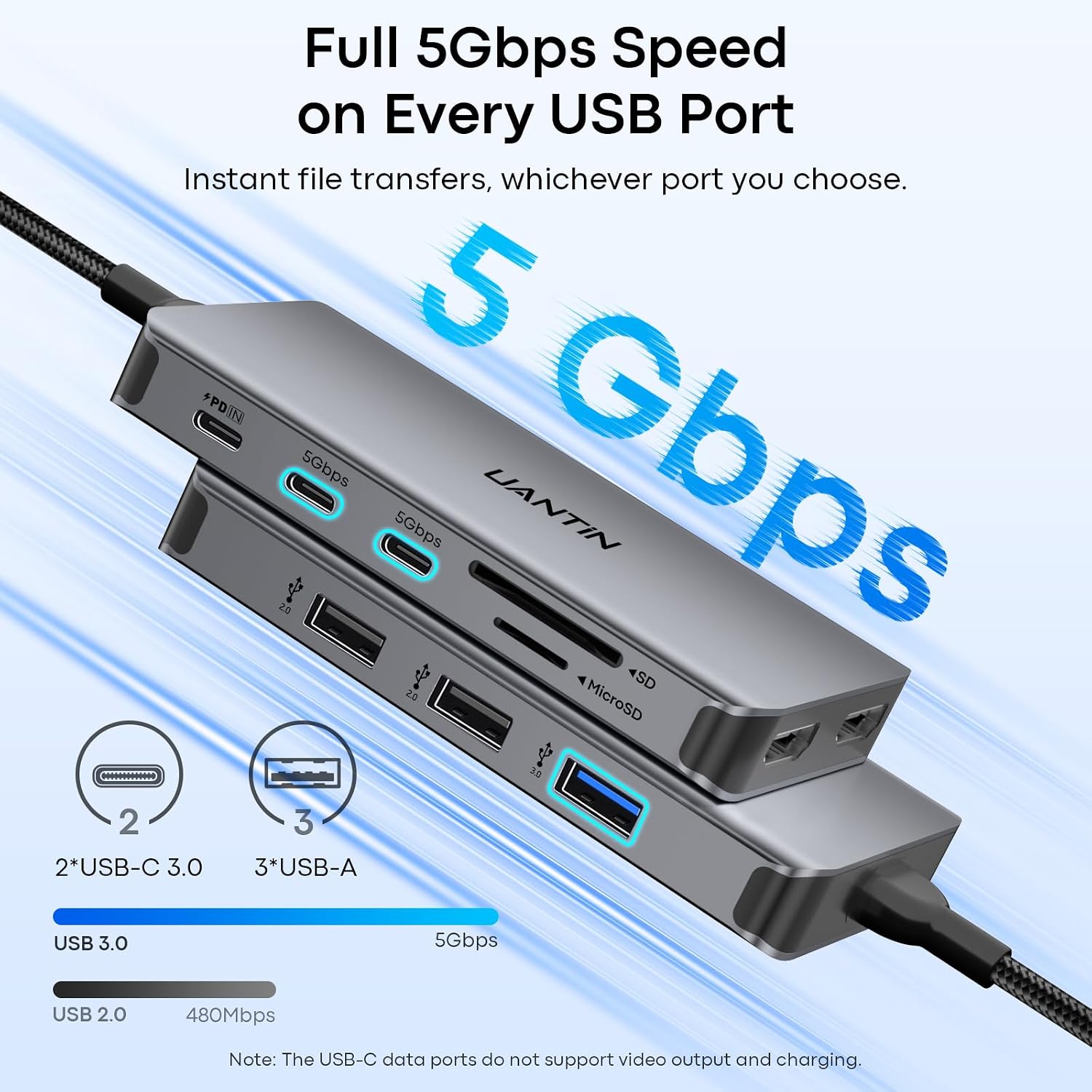
- Connectivity: Two HDMI ports, two USB-C data ports, three USB-A ports, SD and Micro SD card slots, and USB-C PD
- Resolution: Up to 4K at 30Hz via HDMI
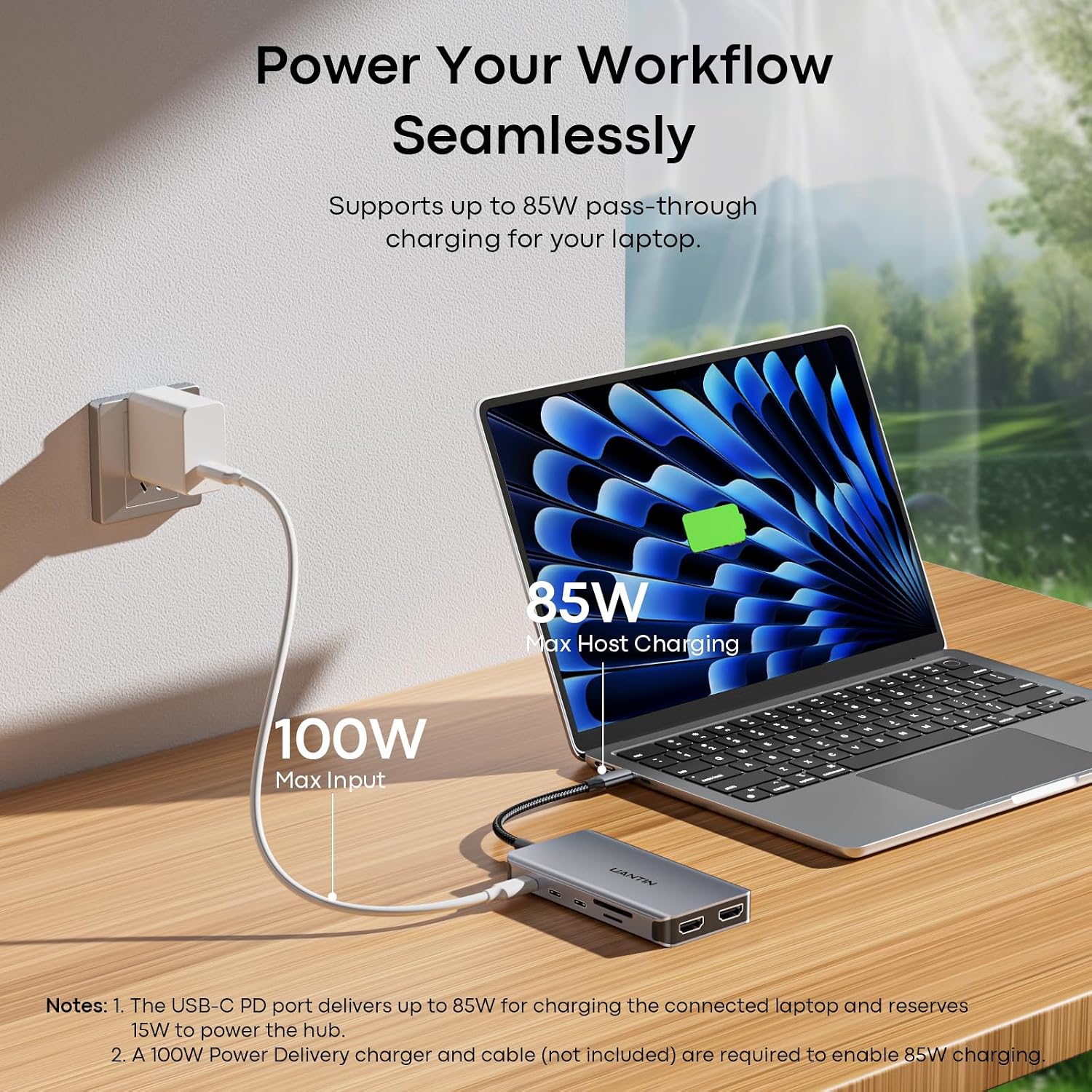
- Power: Up to 100W Power Delivery pass-through, up to 85W is delivered to the laptop, with about 15W reserved for the hub
- Compatibility: Full-function USB-C and Thunderbolt 3, 4, and 5 laptops
- Material: Aluminum alloy body with a nylon-braided 30 cm cable
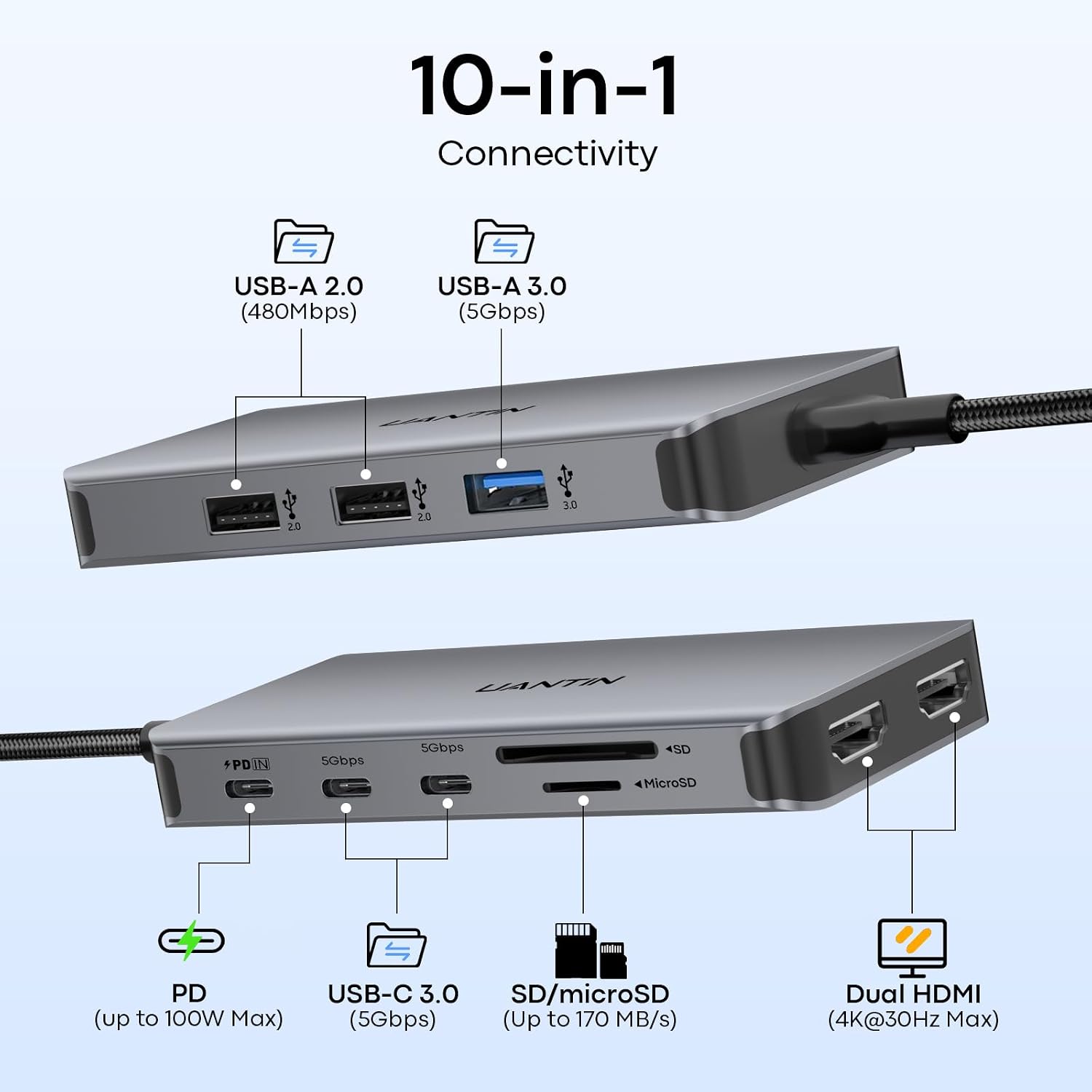
The USB-C data ports support up to 5Gbps and are for data transfer, not charging or video. The USB-A connections include one USB 3.0 port rated up to 5Gbps and two USB 2.0 ports, providing options for storage, a keyboard, a mouse, and other accessories. The dock requires no drivers, making it straightforward to add to a compatible laptop setup.
How to use it
Connect the hub to a full-function USB-C port or a compatible Thunderbolt port on the laptop, then attach monitors and peripherals to the appropriate hub ports. For pass-through charging, connect a USB-C PD power source to the hub’s PD port, the dock can deliver up to 85W to the laptop while reserving about 15W for its own operation. The two USB-C data ports are useful for transferring files to a compatible drive, while the card slots provide a direct connection for SD and Micro SD cards.
Compared with a basic single-purpose HDMI adapter, this hub is suited to setups that also need USB accessories, memory card access, and pass-through charging. Windows users can extend their workspace across two connected monitors, while macOS users should expect the external displays to show mirrored content. Customers describe the hub as compact and easy to set up, and appreciate having multiple connections in one device. Feedback is mixed on connectivity and power, and some buyers report reliability problems, so their experiences vary.
Usage tips
Before setting up a dual-screen workspace, consider how your laptop handles external displays: Windows supports an independent extended display across the two HDMI connections, while macOS mirrors the external screens. Use the USB-C data ports for file transfers rather than trying to connect a display or charge a device through them. For a desk or travel setup, the braided cable and compact hub keep the connections gathered around one laptop port.
What to clarify
Can it extend a laptop display across two monitors? On compatible Windows laptops, the two HDMI ports support an independent extended display. On macOS, the two external monitors mirror the same content.
Can the hub charge a laptop while other ports are in use? Yes. Its USB-C PD port supports up to 100W pass-through, with up to 85W delivered to the laptop and about 15W reserved for the hub.
Do the USB-C ports support video or charging? The two USB-C ports are 5Gbps data ports for devices such as portable SSDs and USB-C flash drives. They do not provide charging or video output.
Is it worth it?
This UANTIN dock is a practical fit for someone who wants a single hub for dual HDMI connections, USB peripherals, SD and Micro SD cards, and laptop charging. Its clearest advantage is the combination of those connections in a compact aluminum body, with display behavior that is easy to account for when choosing a Windows or macOS setup.