

Dell/HP USB-C Docking Station 14-in-1 for Dual/Triple Triple Display (2x HDMI 4K + DP) with 100W PD, Ethernet, USB, SD/Micro SD
Product description
The essentials
If you want a simpler desk setup—one USB-C cable that brings video, Ethernet, peripherals, and card readers into the mix—this Dell/HP USB-C docking station is built for that job. The core idea is straightforward: expand a single USB-C port into a multi-port workstation so you can keep your laptop mostly in place while you work like it’s a real desktop.
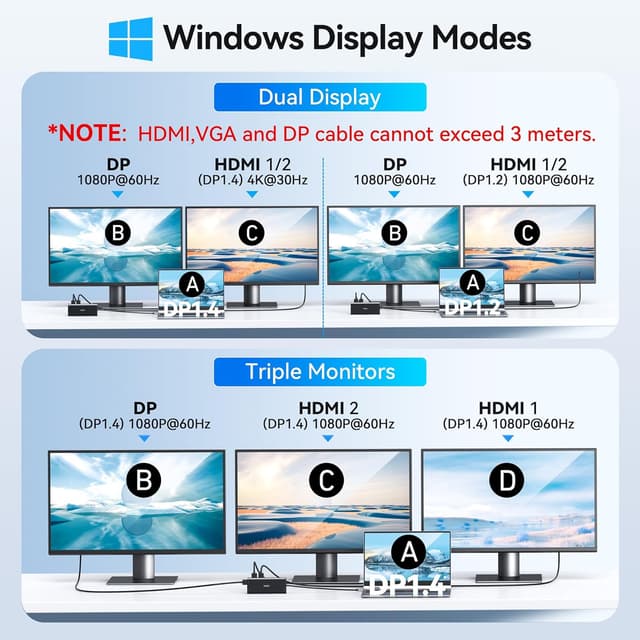
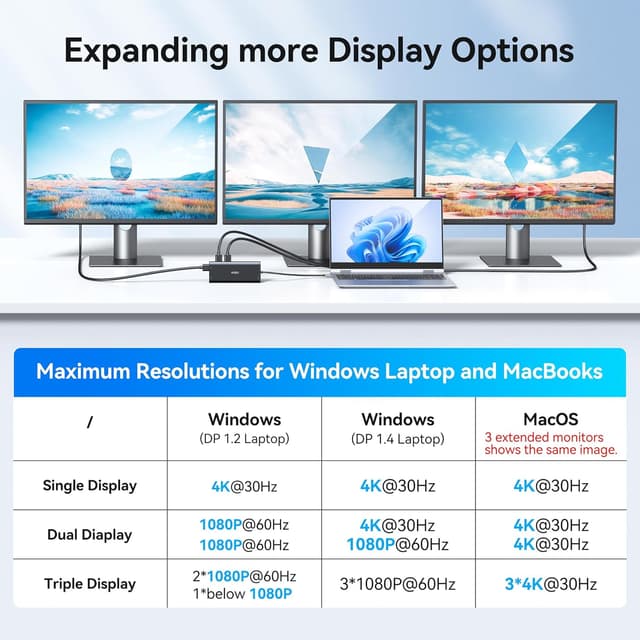
On paper it supports dual-monitor and even triple-display modes depending on how your laptop’s built-in USB-C output is set up. That’s the big “it might be a perfect fit… or not” point with docks like this: the functionality is tied to the specific USB-C port your laptop has and what it can drive.
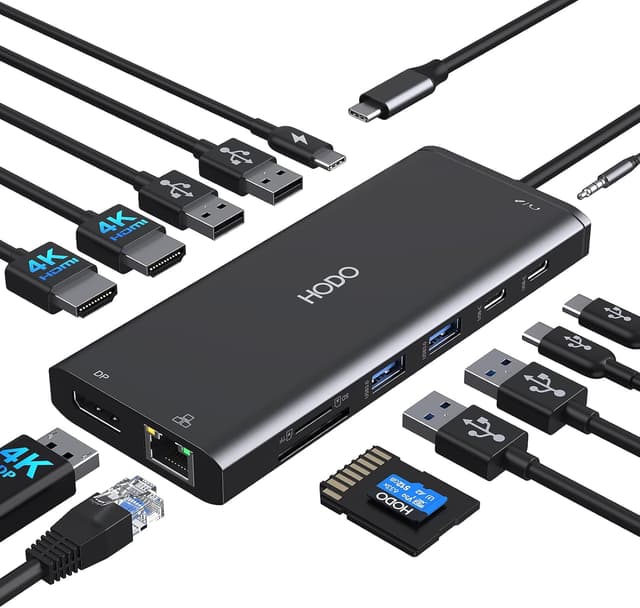
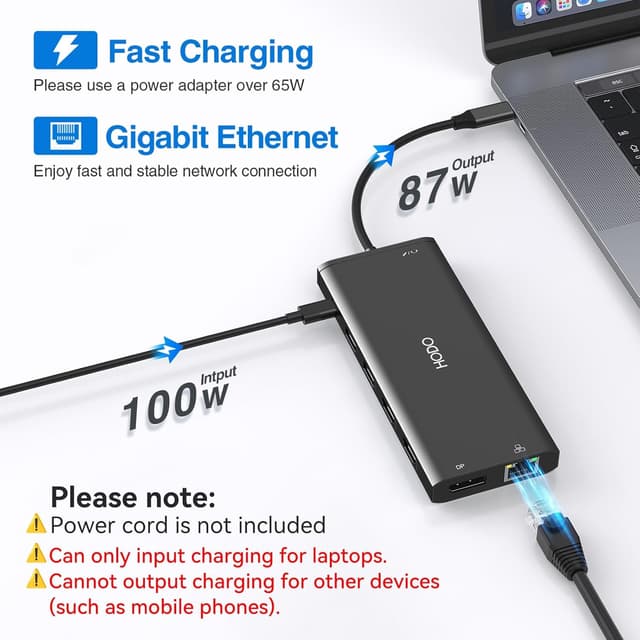
It also includes a USB-C power charging port rated up to 100W, wired gigabit Ethernet, audio/mic via a 3.5mm jack, and SD/micro SD readers. Plus, there are multiple USB ports: a mix of USB 3.0 and USB 2.0 for things like mouse/keyboard and everyday accessories. Not fancy, but practical.
Where it shines day to day
This dock is at its best when your workflow benefits from “less cable swapping.” For example, you can plug in once in the morning: monitors via HDMI (4K) and DisplayPort (listed as 1080P for the triple-monitor note), Ethernet for a steadier connection than Wi‑Fi, and your keyboard/mouse through the USB ports. Then you can add storage or media through the SD/micro SD readers when you’re moving files.
For video, the manufacturer notes dual-monitor 4K support via HDMI and a triple-monitor setup that uses DP (with the provided triple-monitor note indicating DP at 1080P). The practical takeaway: you can realistically plan for a multi-monitor setup, but your exact result depends on your laptop’s USB-C capabilities.
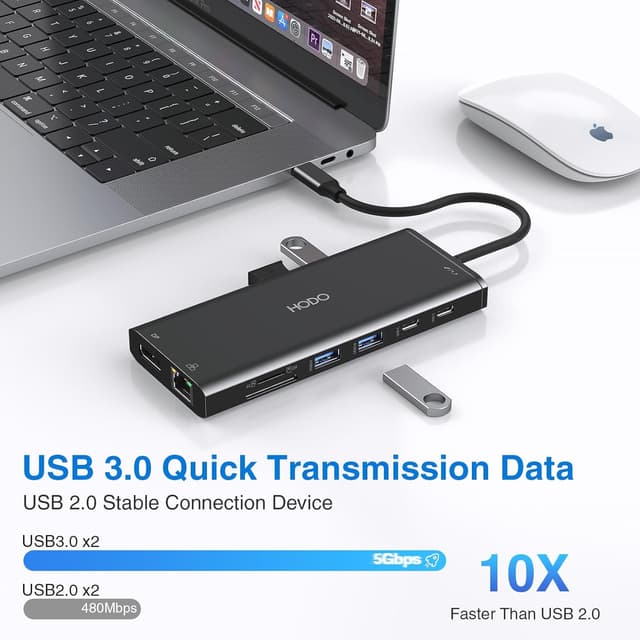
For file transfers, the dock’s USB 3.0 ports are described as up to 5Gbps. It’s meant to be fast enough for moving files from flash drives and USB/USB-C external storage without making you feel like you’re waiting all day.
What to know before you buy
The most important limitation here is compatibility. The listing specifically says only the laptop’s built-in USB-C port is the fully functional one, and it encourages checking compatibility if you’re unsure. In other words, this isn’t a “guaranteed works with everything” dock.
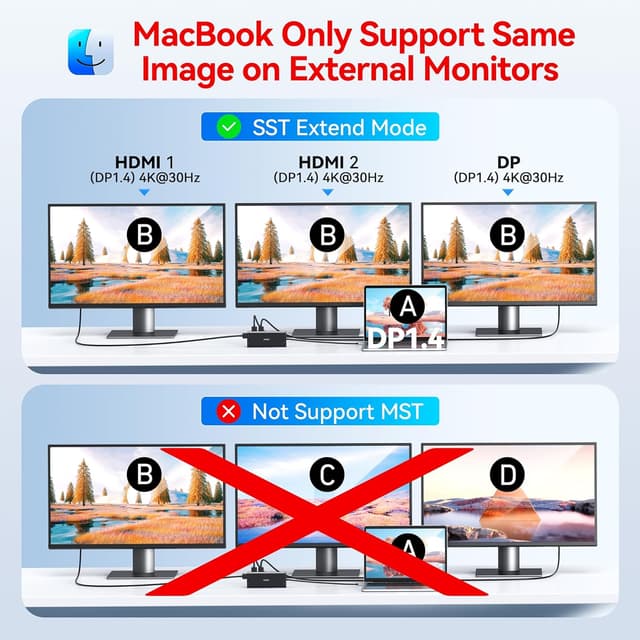
There’s also a note about macOS: external monitors will mirror the same screen rather than offering true extended behavior. So if your setup depends on independent multi-monitor desktop space on a Mac, you’ll want to take that seriously.
Finally, the docking station’s storage connection is limited: it’s noted as a USB-C dock where only one HDD/SSD can be connected at the same time. If you expected to plug in multiple drives, that’s not the direction this dock is designed for.
The ports and real-world usefulness
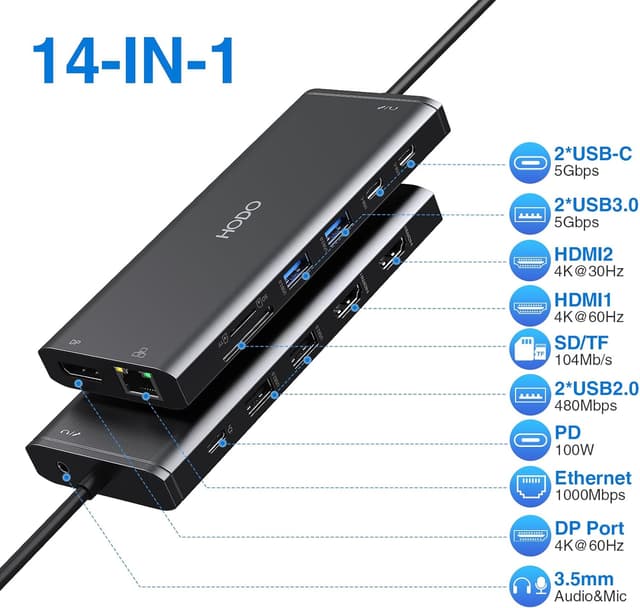
This is a 14-in-1 style docking station, with coverage across several desk needs:
- Multi-monitor video output using 2x HDMI (listed for 4K) plus DisplayPort for the triple-monitor scenario.
- Gigabit Ethernet (10/100/1000BASE-T) for a wired connection.
- USB connectivity including USB 3.0 ports and USB 2.0 ports, plus USB-C data transfer ports described as up to 5Gbps.
- A USB-C Power Charging port up to 100W for charging while peripherals are connected.
- SD and micro SD card readers for quick photo and file transfers.
- 3.5mm audio/mic for using wired headsets.
It’s a lot of functionality in one box, and the listing even mentions examples like browsing photos from USB-C smartphones/laptops and transferring photos quickly. That’s the kind of “small convenience, big daily payoff” benefit that can add up if you frequently move files or do creative/admin work.
Who it’s for (and who should skip it)
It makes sense if you’re working from a laptop and want a single-cable routine that covers monitors, Ethernet, common USB accessories, audio, and card reading. It also fits people who want to charge their laptop through the dock (up to 100W) while using the peripherals at the same time.
It might not suit you if: - You need guaranteed triple-monitor behavior without verifying your laptop’s USB-C video support. - You rely on extended (separate) displays on macOS, since the note says external monitors mirror. - You want to connect more than one HDD/SSD at once.
If you’re the type who is picky about display modes and wants fewer “it depends” moments, you may want to double-check compatibility details before committing.
Final verdict
Is it worth it? Worth considering if your laptop has a compatible built-in USB-C port and you want a single docking solution for dual/triple display, gigabit Ethernet, charging, and everyday USB accessories. It’s designed for practical desk expansion, not for pushing every edge-case on every device.
Don’t buy it yet if you can’t confirm your laptop’s USB-C video support or if you’re on macOS and need true extended multi-monitor behavior. In that situation, the limitations on paper could become annoying fast.
Quick overview (mini FAQ)
Does this dock support dual and triple monitors?
The listing describes a dual-monitor setup and also notes a triple-monitor scenario. The exact outcome depends on your laptop’s USB-C port capabilities, so it’s smart to verify compatibility before purchasing.
Will it work with macOS for extended monitors?
No—on macOS, the listing says external monitors mirror the same screen whether you choose mirror or extended mode.
Can it charge a laptop through the dock?
Yes, the dock includes a USB-C power charging port with support up to 100W (power cord/adapter not included).
How fast are the USB ports?
The listing states USB 3.0 ports are up to 5Gbps, and it also references up to 5Gbps for data transfer via USB-C data transfer ports.
Is the Ethernet connection wired gigabit?
Yes, it’s listed as gigabit Ethernet supporting 10/100/1000BASE-T for a wired connection.