

MOKiN triple display USB-C dock
Product description
Working from home or in the office often means you want more screen space without constantly swapping cables. This MOKiN laptop docking station is built to create a true triple monitor setup for compatible Windows laptops, helping you spread out documents, timelines, and apps for smoother productivity. It also adds wired networking and fast connections through a single USB C hub so your desk setup stays tidy.
The essentials
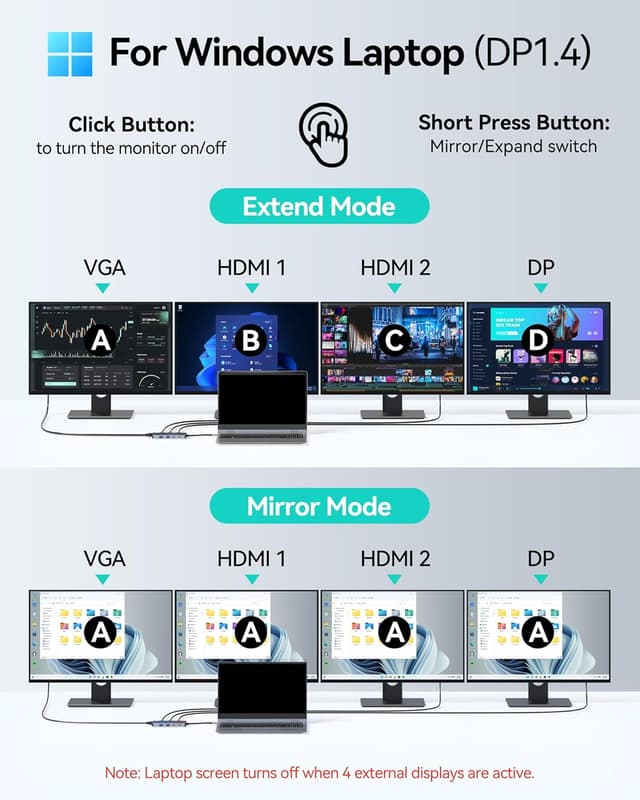
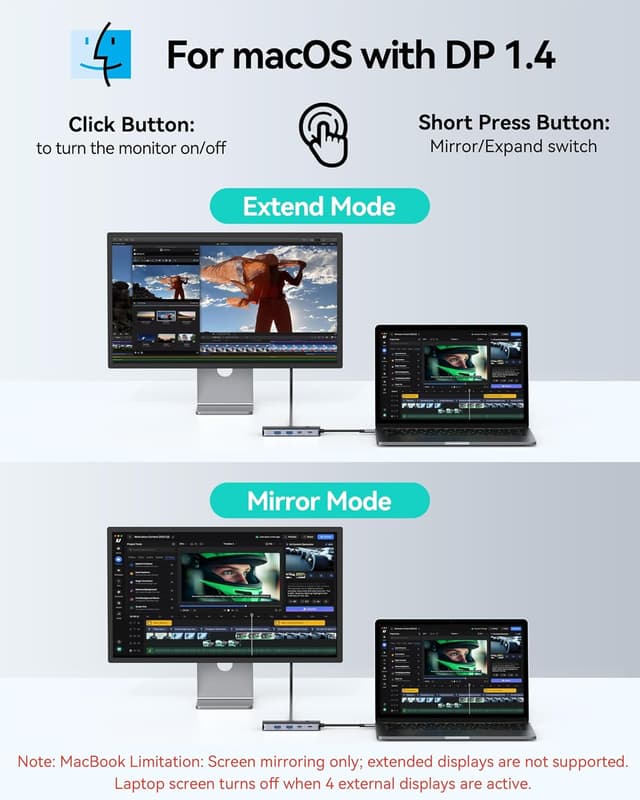
If you are aiming for a more comfortable multitasking workflow, the focus here is simple: connect up to three external monitors and expand your workspace efficiently. Using DisplayPort 1.4 MST technology, the dock can link monitors to a compatible Windows laptop, giving you flexibility with different display combinations depending on your configuration. For macOS, it only supports SST mode, which means the external monitors show the same screen configuration rather than matching the Windows-style flexibility. Keep in mind that if you use all four video ports together, the laptop screen turns off, so plan your monitor connections around how you want the overall desktop to behave. 👌

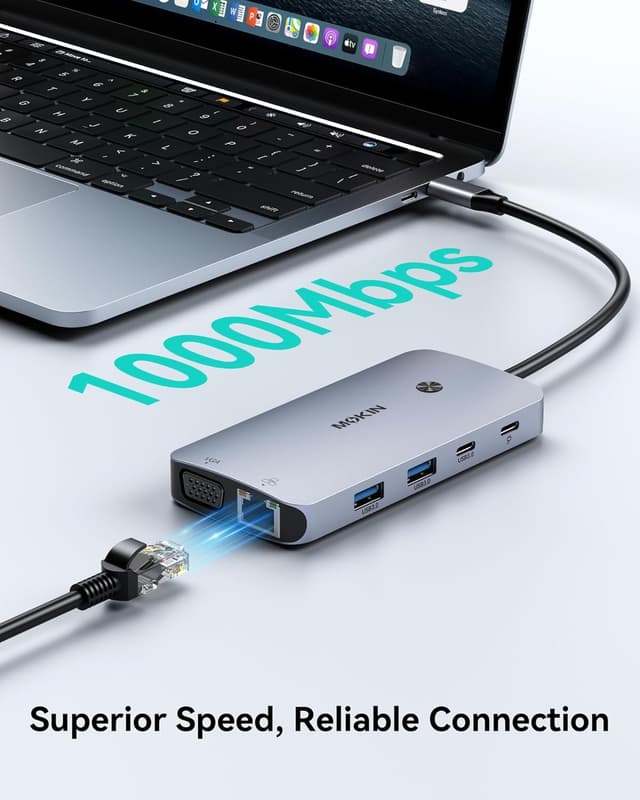
There is also a practical side to the connectivity. The dock brings together multiple video outputs, plus a Gigabit Ethernet port and USB options, so you can plug in peripherals in one place. Power is handled with a dedicated USB C Power Delivery charging port for pass-through charging, up to 100W, which can help keep your laptop battery level while you work. It is plug and play, so there should be no driver installation required for day to day use. ✅
Key features
The main differentiator is the dock’s ability to support triple display productivity on Windows, with DisplayPort 1.4 MST technology. That gives you room to run dual 4K displays at 60Hz, or mix refresh rates and resolutions depending on what your monitors can handle. You can also choose how you want your desktop laid out across screens, rather than being limited to a single view. What matters most is whether your laptop supports the required video output approach and whether your monitors match the combination you want to run.
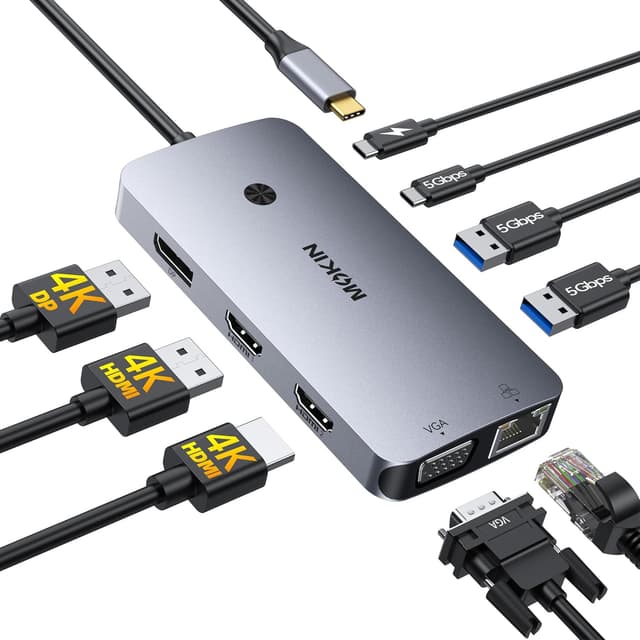
A second standout is the 9 in 1 style connectivity focus, built around everyday desk requirements. The dock includes HDMI ports, DisplayPort and VGA, plus Gigabit Ethernet, giving you options for both modern and older displays and a stable wired connection. On the data side, it provides two USB-A 3.0 ports and one USB-C 3.0 data port, which the manufacturer lists as operating at 5Gbps. For file transfers and typical peripheral use such as keyboards, mice, and webcams, that setup can reduce friction and keep cables contained.
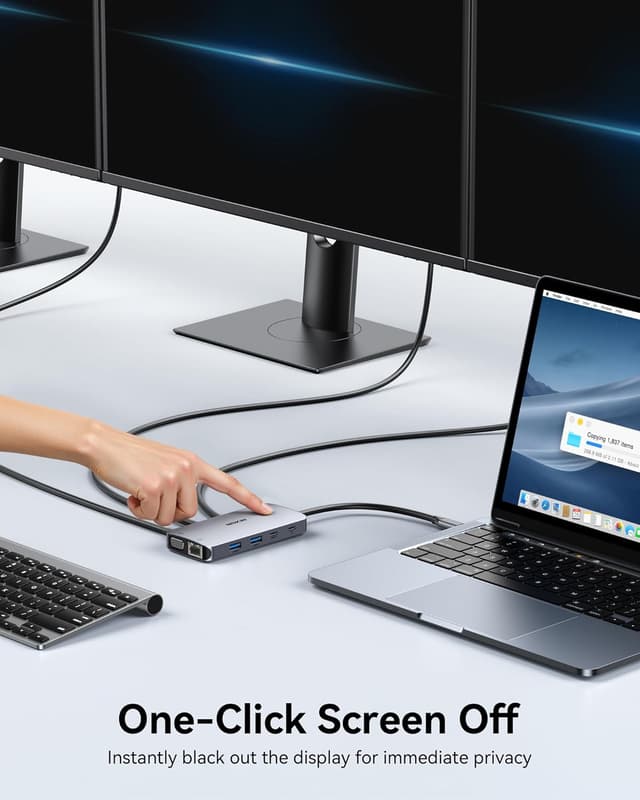
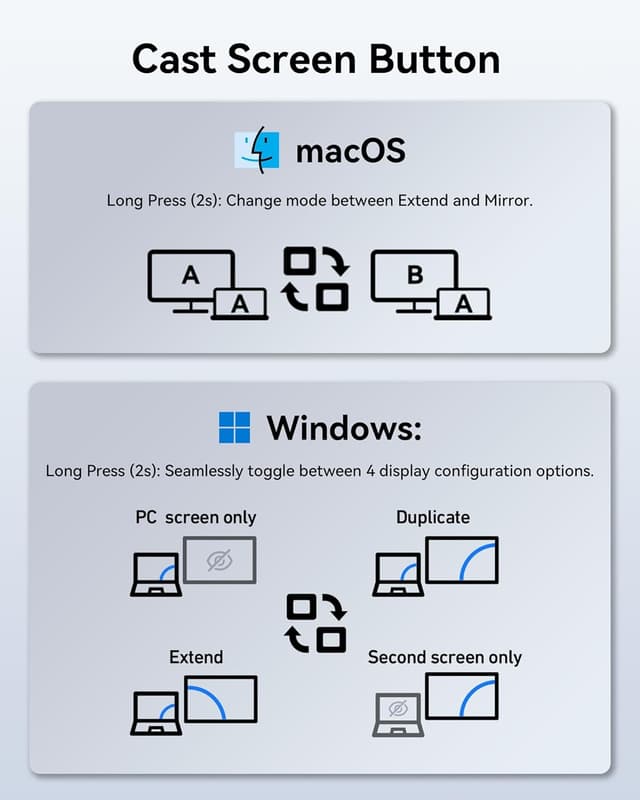
Then there is power and control. The dedicated USB C PD charging port supports pass-through charging up to 100W, so your laptop can be powered through the dock during use. A smart function button adds convenience, with short click to turn monitors on or off, and long press to cycle display modes. The available modes differ by system, with Mac cycling through Mirror or Extend, while Windows can cycle through options such as PC Screen Only, Duplicate, Extend, and Second Screen Only. 🔌
Worth noting, if you want the laptop screen to stay on, you should avoid the specific scenario where all four video ports are used at the same time. In that case the laptop screen turns off, and the maximum resolution for that combined mode is listed as 4K at 60Hz plus 4K at 30Hz plus 2K at 60Hz plus 1080P at 60Hz. For most people, choosing a clear three monitor layout will keep things straightforward and avoid surprises.
Tech specs
- Type: Laptop docking station
- Material: Not specified
- Colour: Not specified
- Display: Triple external monitor support on Windows via DisplayPort 1.4 MST, SST mode on macOS
- Charging: USB-C Power Delivery pass-through up to 100W
- Networking: Gigabit Ethernet RJ45
- Data transfer: USB-A 3.0 and USB-C 3.0 data up to 5Gbps
Who it’s for
It makes sense if you have a compatible Windows laptop and you want a cleaner workstation with triple monitor productivity for tasks like multitasking, working across spreadsheets and documents, and arranging windows for faster switching. You’ll like it if you also want wired Ethernet for steady conferencing and lag free online gaming, as well as a mix of video ports for different monitor connections. It is also a good match if your current setup includes peripherals that you want to plug in once and then manage from the dock.
It may not suit you if your primary use is macOS and you specifically want independent content across multiple external screens, since macOS support is limited to SST mode where external monitors show the same screen configuration. It might not be a great match if you plan to use all four video ports at once, because the laptop screen turns off in that mode. If you prefer a simple, consistent desk layout, choosing a monitor configuration that aligns with the dock’s listed operating modes should keep your setup running smoothly.