

USB-C Dual/Triple Monitor Docking Station (14-in-1) for Dell/HP/Lenovo/Surface/MacBook – Thunderbolt 3/4 style hub
Product description
The essentials
This USB-C docking station is built for people who want their laptop to feel more like a desktop: two display outputs, lots of ports for day-to-day peripherals, and a single cable to reduce desk clutter. On paper it’s a 14-in-1 setup, combining dual-video support (HDMI + VGA) with USB expansion, SD/microSD card readers, 3.5mm audio, and Gigabit Ethernet.
It also leans into convenience. The manufacturer states it’s plug and play and doesn’t require drivers, which is exactly the kind of thing that saves time when you’re swapping between home, office, and meetings.
That said, it’s not a no-questions-asked dock for every laptop. Some laptops may still limit display behaviour depending on video mode and your USB-C/Thunderbolt capabilities—so it’s worth checking compatibility before you buy.
What you’ll notice day to day
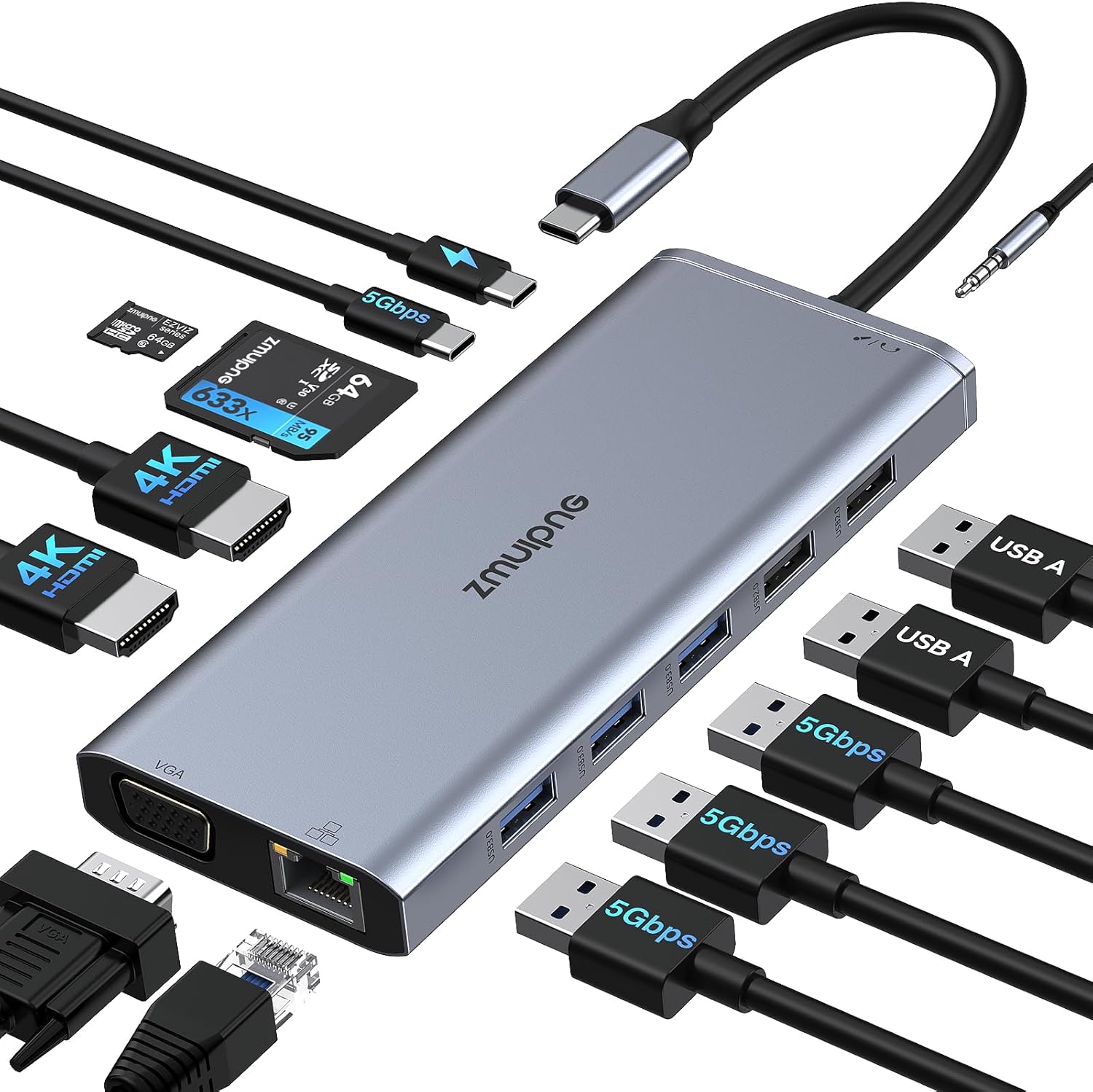
The main reason to consider this dock is the dual-monitor promise. The base description says you can extend one USB Type-C port to 2 HDMI, VGA, Gigabit Ethernet, multiple USB ports, card readers, and audio.
In practical terms, that means you can run a work setup like: - Connect your laptop via USB-C/TB - Plug in two monitors (one via HDMI and another via VGA, or depending on your chosen configuration) - Attach a keyboard and mouse via the built-in USB ports - Use the Ethernet socket for more stable connectivity than Wi‑Fi
If you regularly work with spreadsheets and tabs, having two screens can genuinely cut the back-and-forth—especially when you’re dealing with large documents, dashboards, or research-heavy tasks.
Display support: where it shines (and where it can get fiddly)
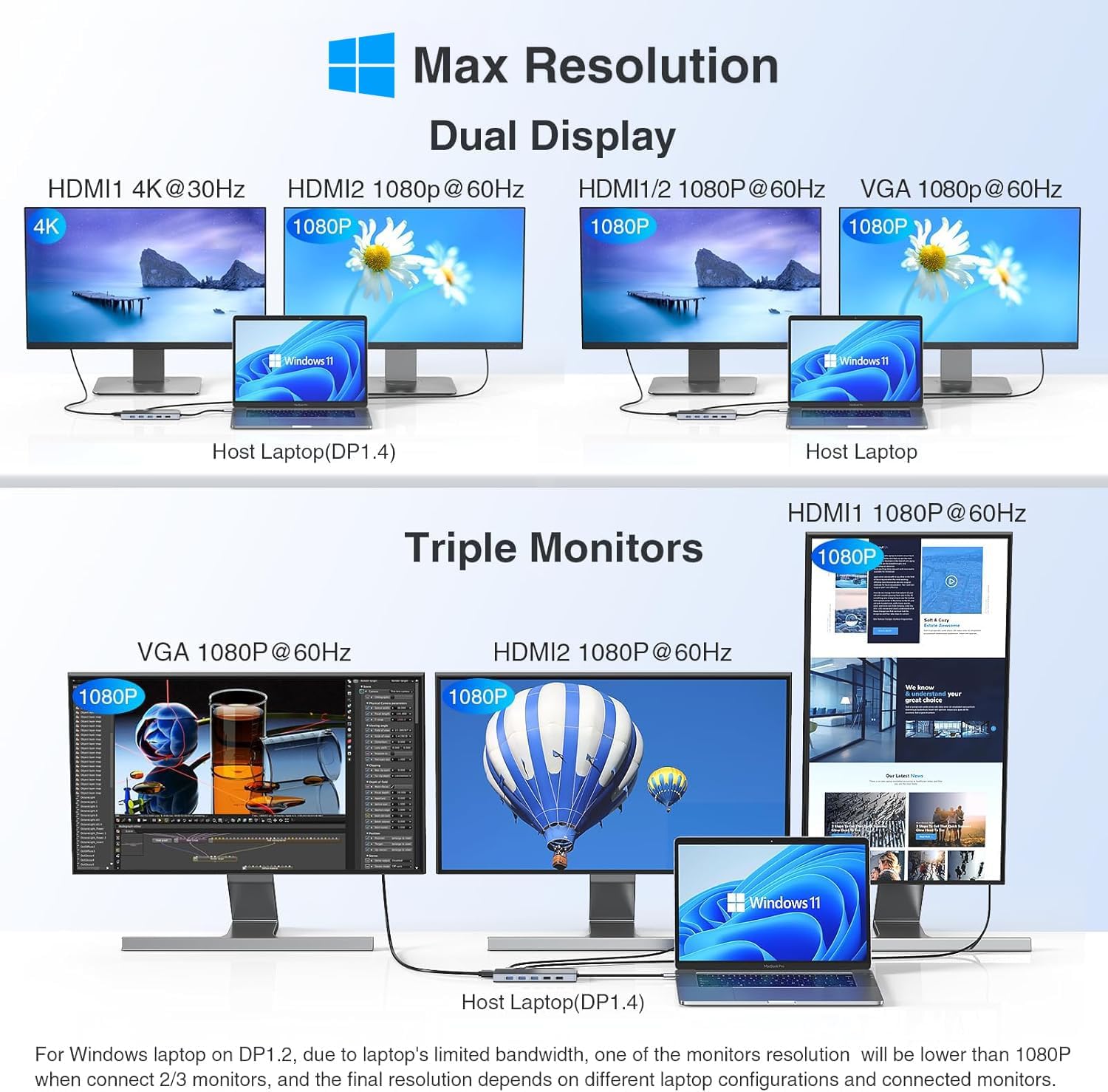
The dock’s display behaviour is fairly specific, and that matters if you care about resolution and refresh rates.
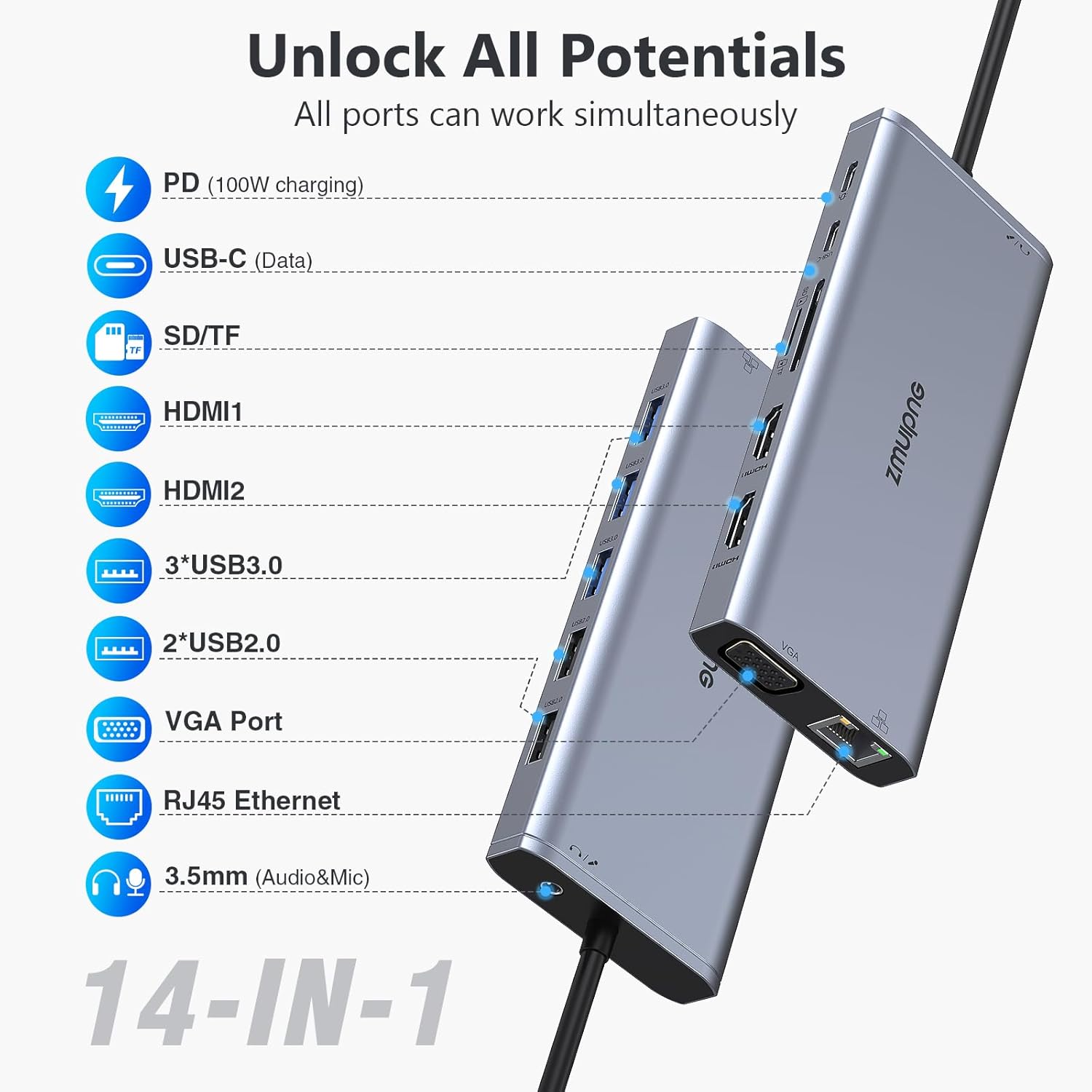
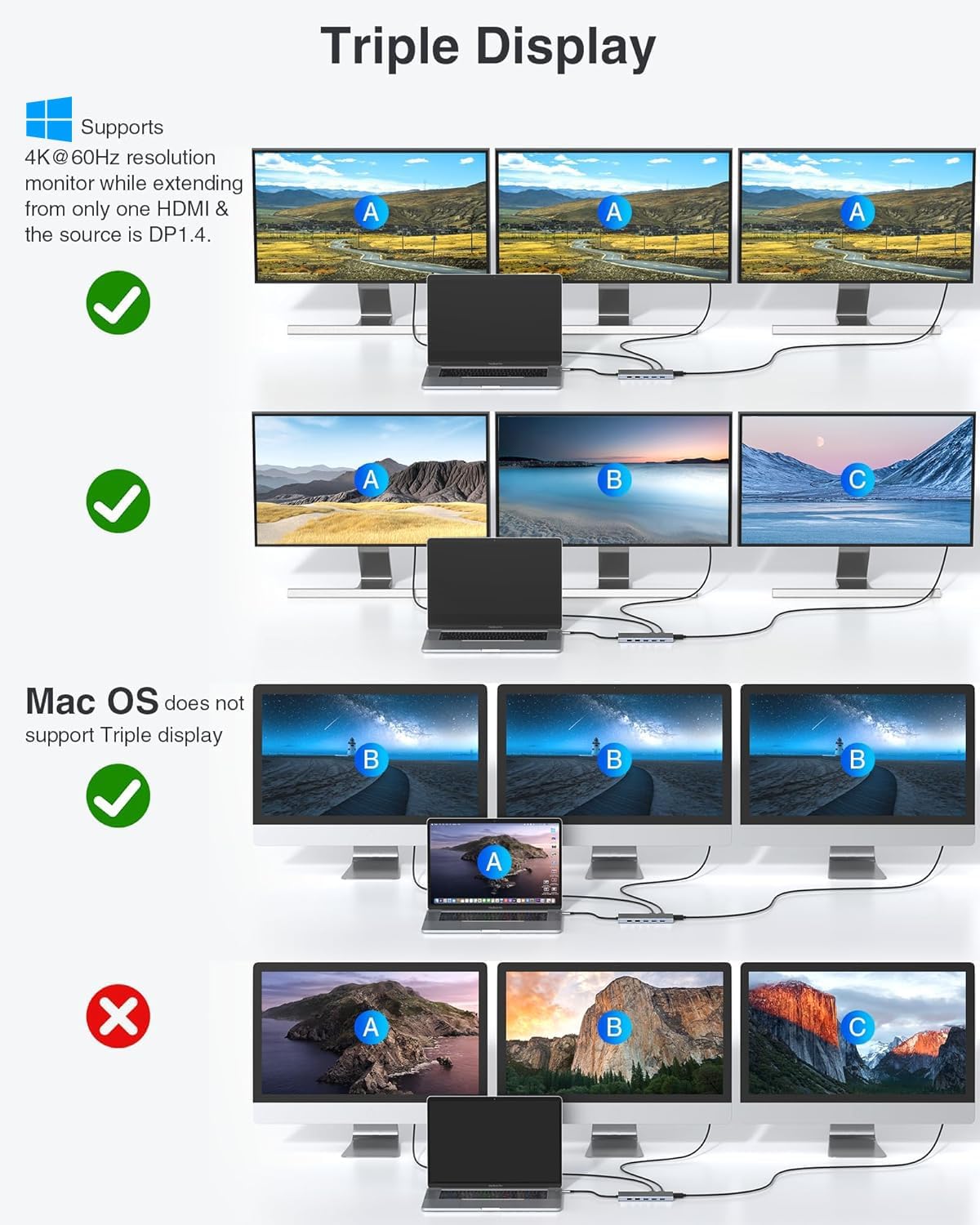
The listing states: - Single use HDMI (HDMI 1) can reach up to 4K 60Hz under a DP1.4 source. - When simultaneously using dual HDMI, resolution support is up to 4K@30Hz & 2K@60Hz (again, under DP1.4 source). - For “triply” display, it mentions up to 1080P for external 3 monitors when triply displaying under DP1.4 source.
There’s also an important system note for Mac devices: MacOS laptop only support SST mode, so all external monitor screens will be the same. In other words, don’t expect Mac dual-monitor setups that show independent desktop content if you’re relying on this dock.
Finally, keep in mind that inconsistent behaviour can happen if your laptop doesn’t deliver what the dock expects from DisplayPort over USB-C (DP1.4) or power delivery.
Ports & connectivity for the desk
Beyond monitors, this dock is trying to cover the “missing connections” problem:
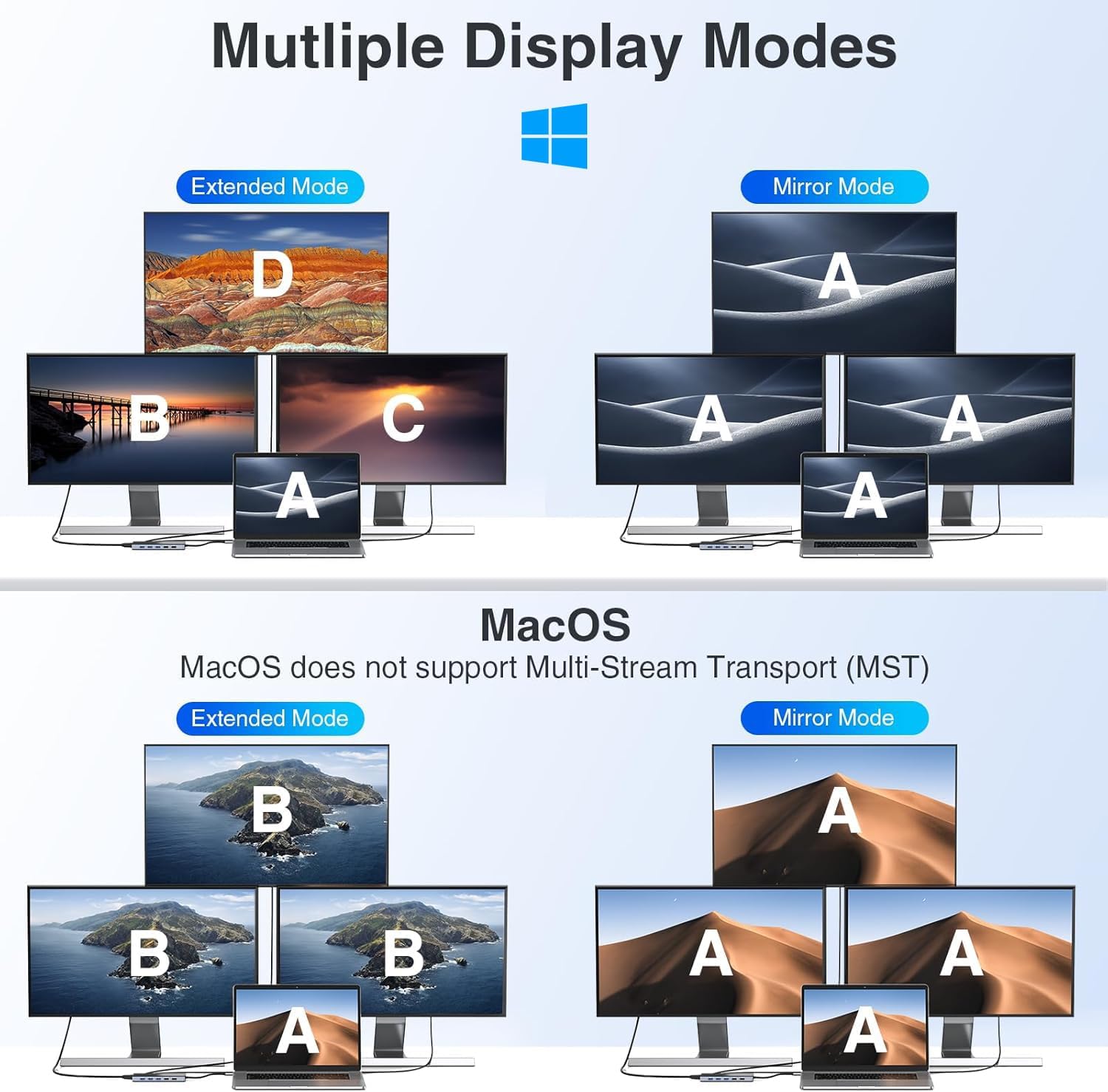
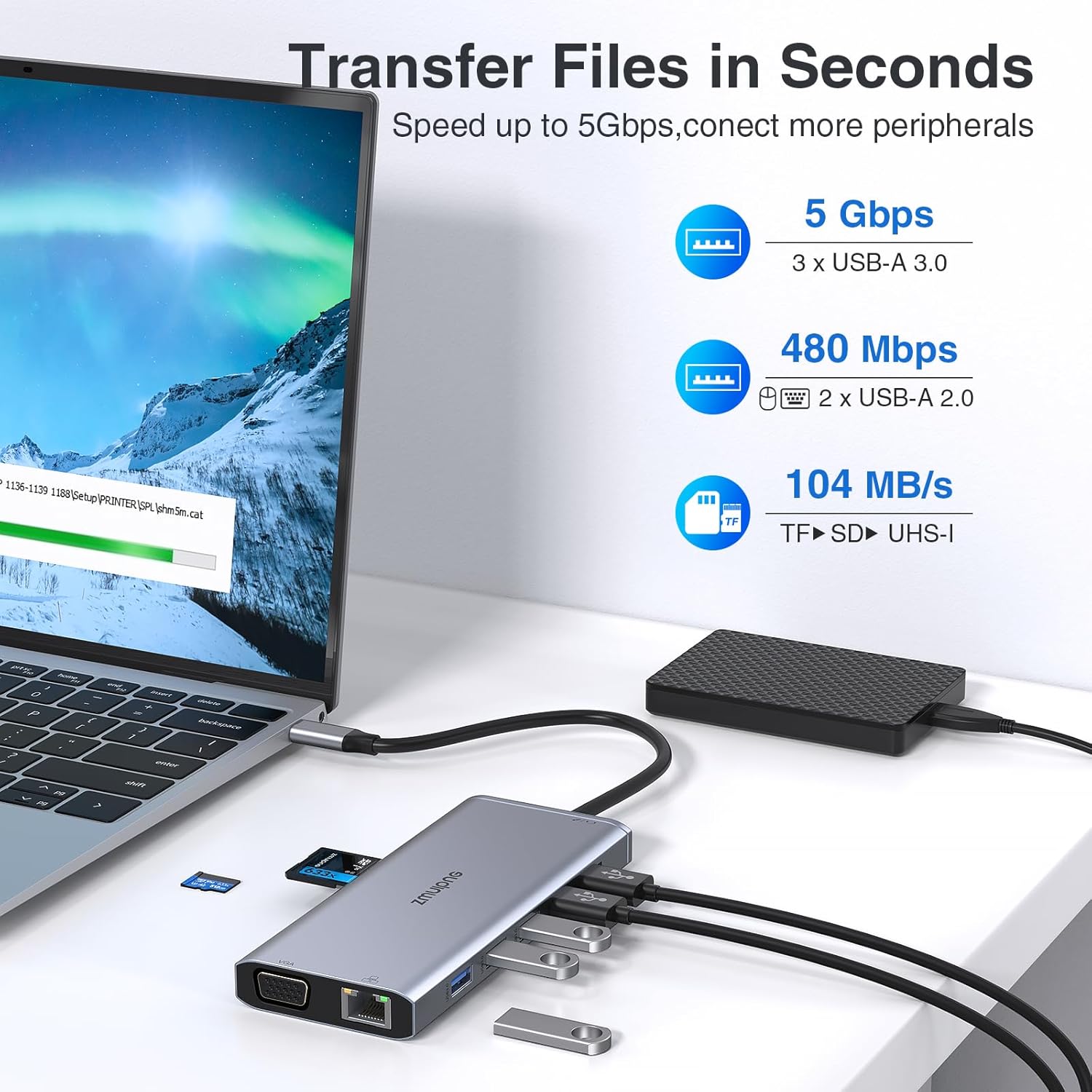
- USB expansion: the description mentions 3 USB 3.0, 1 USB C (5Gbps), and 2 USB 2.0 ports for devices like keyboard, mouse, USB flash drives, and USB-C storage.
- Network: Gigabit Ethernet support (10/100/1000BASE-T) for wired speeds.
- Storage cards: SD and microSD slots, with the listing stating fast speed up to 104MB/S.
- Audio: 3.5mm mic/audio support, plus mention of audio/mic function.
- Charging pass-through: a USB-C power charging port.
This is the sort of configuration that suits an office desk with a few constant peripherals. If you tend to carry one cable and don’t want to keep plugging monitors, Ethernet, and card readers individually, it makes day-to-day life easier.
USB-C charging (power delivery) – useful, but check the wattage
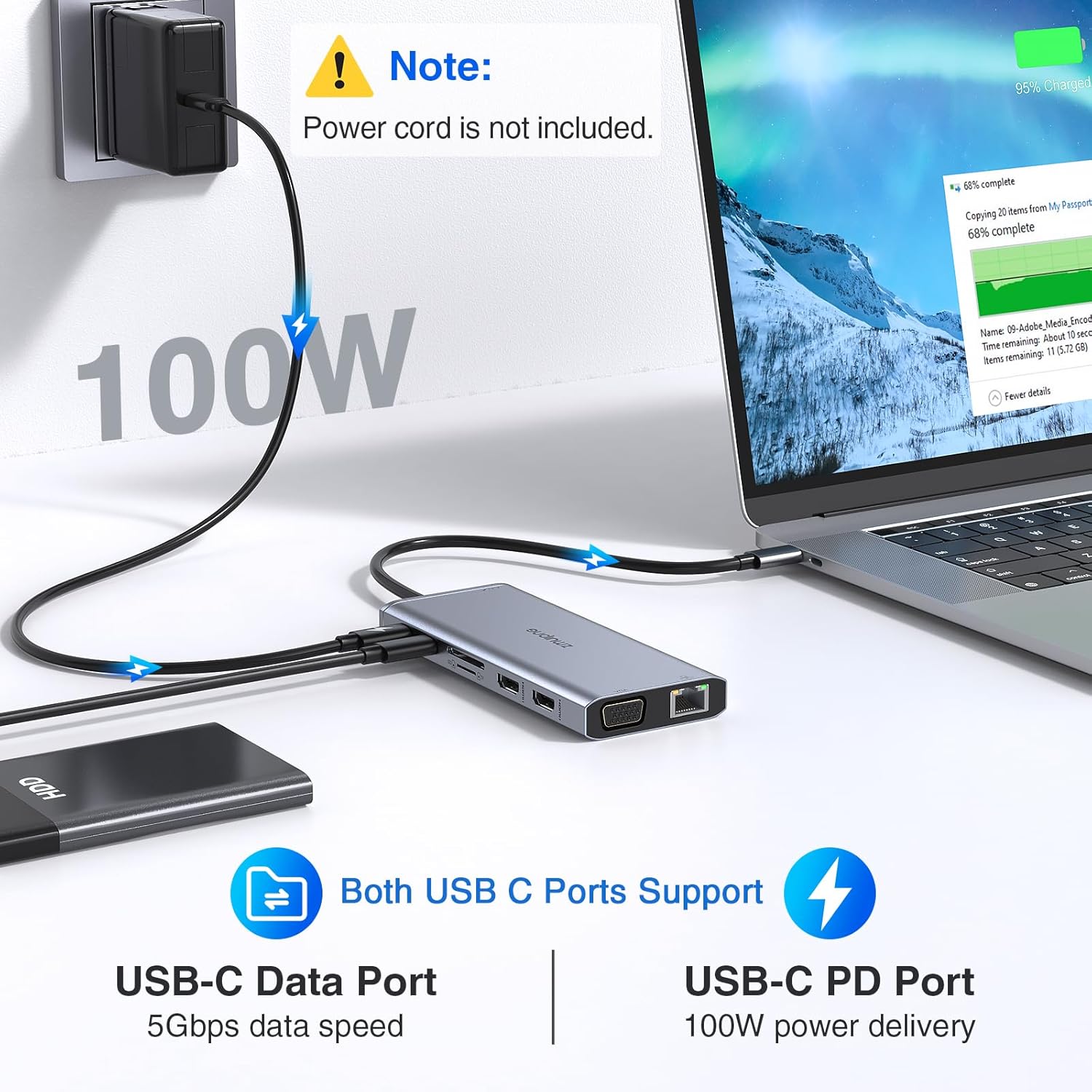
Power is where docks often trip people up, and this one explicitly flags it. It supports up to 100W input and 87W safe output for the laptop.
The listing also says you should make sure: - your laptop’s USB-C port supports power delivery, and - you’re using a power adapter of at least 65W when charging through the dock.
If you use a lower-wattage charger, the system may show warnings. It’s not a deal-breaker, but it’s a reminder to treat the dock and charger as a pair.
Quick overview of compatibility notes
The manufacturer states wide compatibility with laptops that have a full-featured USB-C port supporting DisplayPort, charging, and data transfer, including Thunderbolt 3/4 models from brands like Dell, HP, Lenovo, and Surface, plus MacBook models listed in the description.
However, there’s a clear warning: incompatible laptops can’t use the HDMI/VGA ports. So before you buy, it’s sensible to double-check that your specific laptop’s USB-C/TB port supports video output (DisplayPort over USB-C) and charging.
Also note the MacOS limitation about SST mode (mirrored external screens).
Key takeaways: who should buy, and who should skip
It makes sense if you want a single USB-C docking station to drive dual monitors (and possibly triple in certain DP1.4 scenarios), while also gaining Ethernet, multiple USB ports, SD/microSD slots, and audio.
It might not be the best match if: - you need independent dual-monitor screens on a Mac laptop (the listing suggests mirroring via SST mode), or - your laptop’s USB-C port doesn’t support the right video/power protocols, where HDMI/VGA use may fail entirely.
And if you’re expecting “set it and forget it” performance across any laptop, take the compatibility notes seriously—this kind of dock is only as dependable as the host laptop’s supported modes.
Final verdict
If your laptop has a suitable USB-C/Thunderbolt 3/4 port that supports DisplayPort and power delivery, this 14-in-1 docking station looks like a practical way to run a tidy multi-monitor desk setup with Ethernet and useful everyday ports. The display specs are promising, but also quite dependent on DP1.4 source and the simultaneous-output mode you choose.
Worth considering if you’re after value and convenience for office/home work. Better avoided if you have a Mac laptop and specifically need separate desktop views on external monitors, or if you’re unsure whether your USB-C port supports video output—because the dock’s own warning is clear that incompatible devices can’t use the HDMI/VGA outputs.
Mini FAQ
Does it need a driver? The listing says it doesn’t need drivers—just plug and play.
What resolution can I expect? The description mentions up to 4K 60Hz for single HDMI use under DP1.4 source, and up to 4K@30Hz / 2K@60Hz for dual HDMI. Triple display is described up to 1080P under DP1.4 source.
Will MacBook dual monitors show the same content? The listing states MacOS supports SST mode, so external screens will be the same.
Can it charge my laptop through the dock? It supports power delivery with up to 100W input and safe output stated at 87W, but the adapter should be at least 65W to avoid warnings.
Is Ethernet included? Yes—Gigabit Ethernet is listed (10/100/1000BASE-T).