

USB C Docking Station 8‑in‑1 for Dual HDMI
Reviews
Price
Product description
This compact USB-C hub expands a laptop into a multi-display workstation while keeping power delivery and peripheral connectivity in one plug. Ideal for hybrid work or home offices, this docking station supports multiple external screens and keeps a notebook charged, so you can run presentations, edit video and manage files without swapping cables. The USB C docking station for dual monitors also helps reduce desktop clutter and streamlines connections for Windows and compatible macOS devices. 🔌💼
Key Points
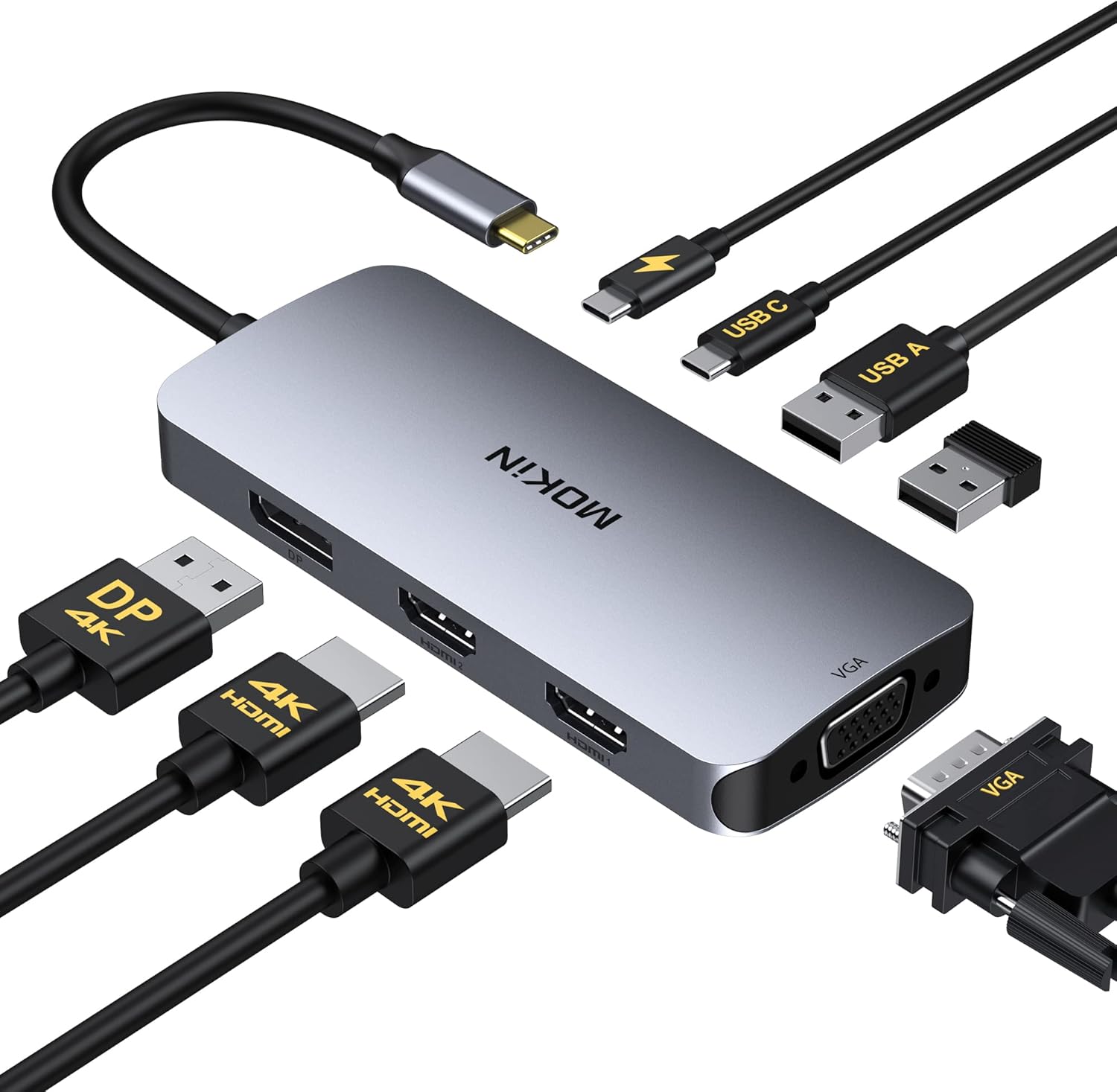
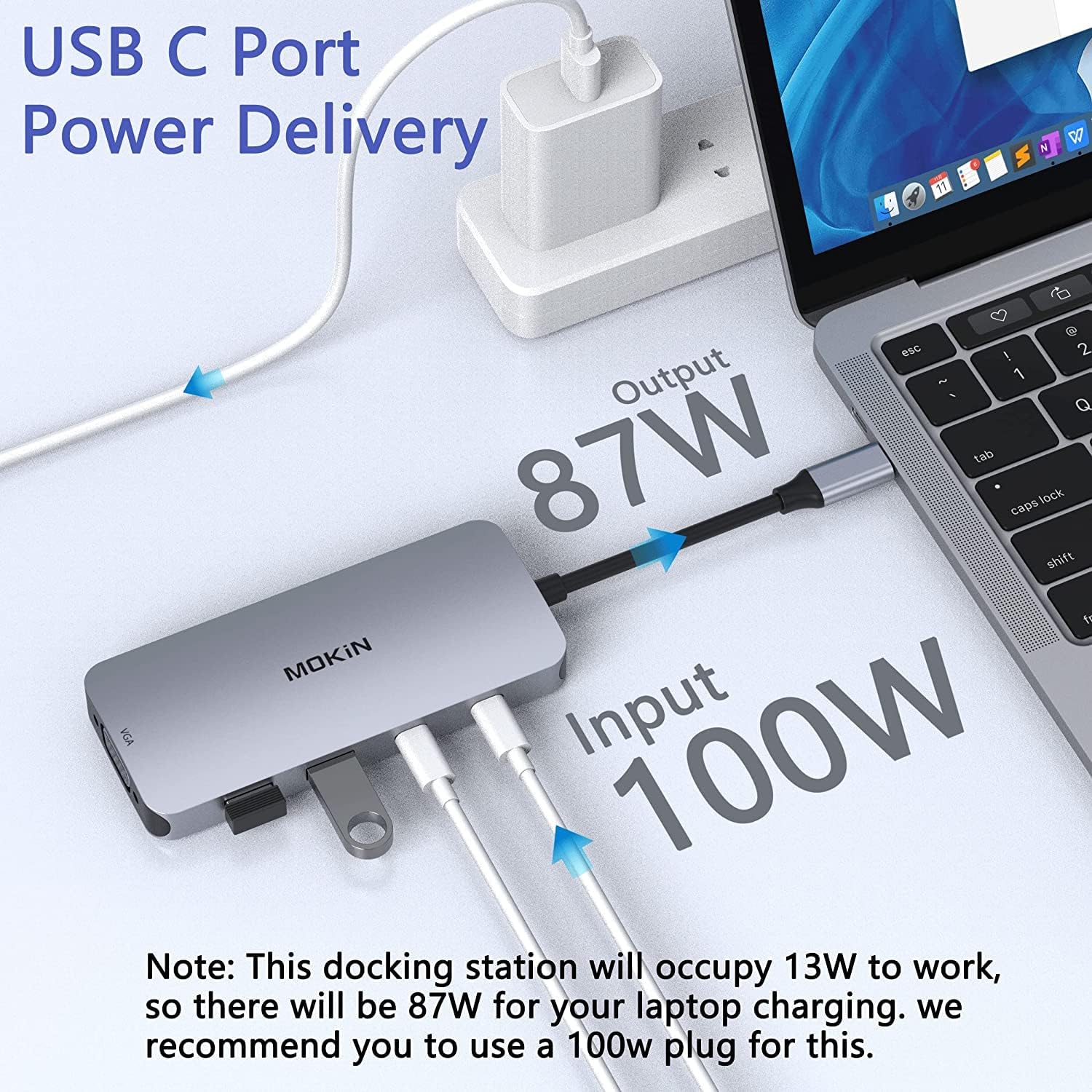
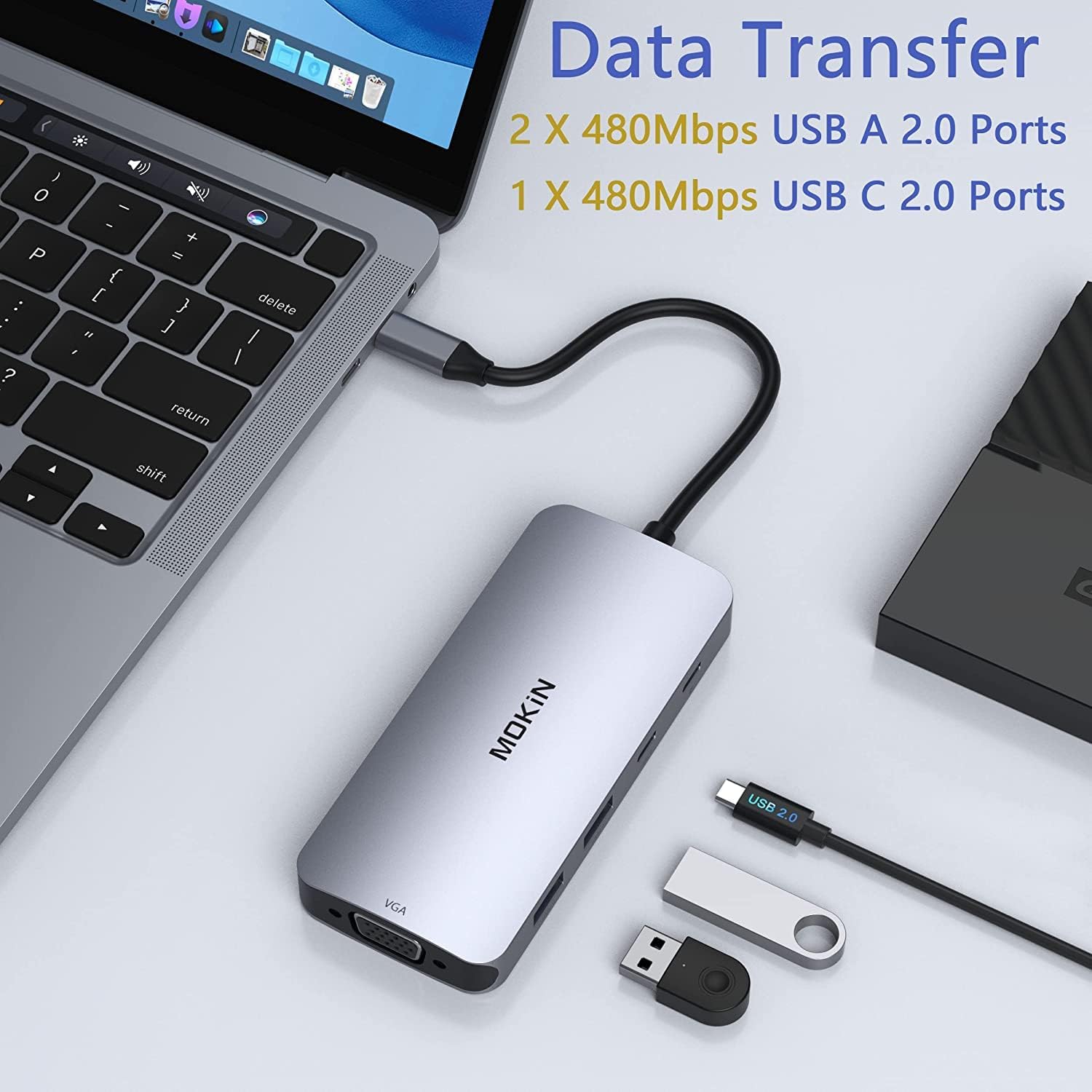
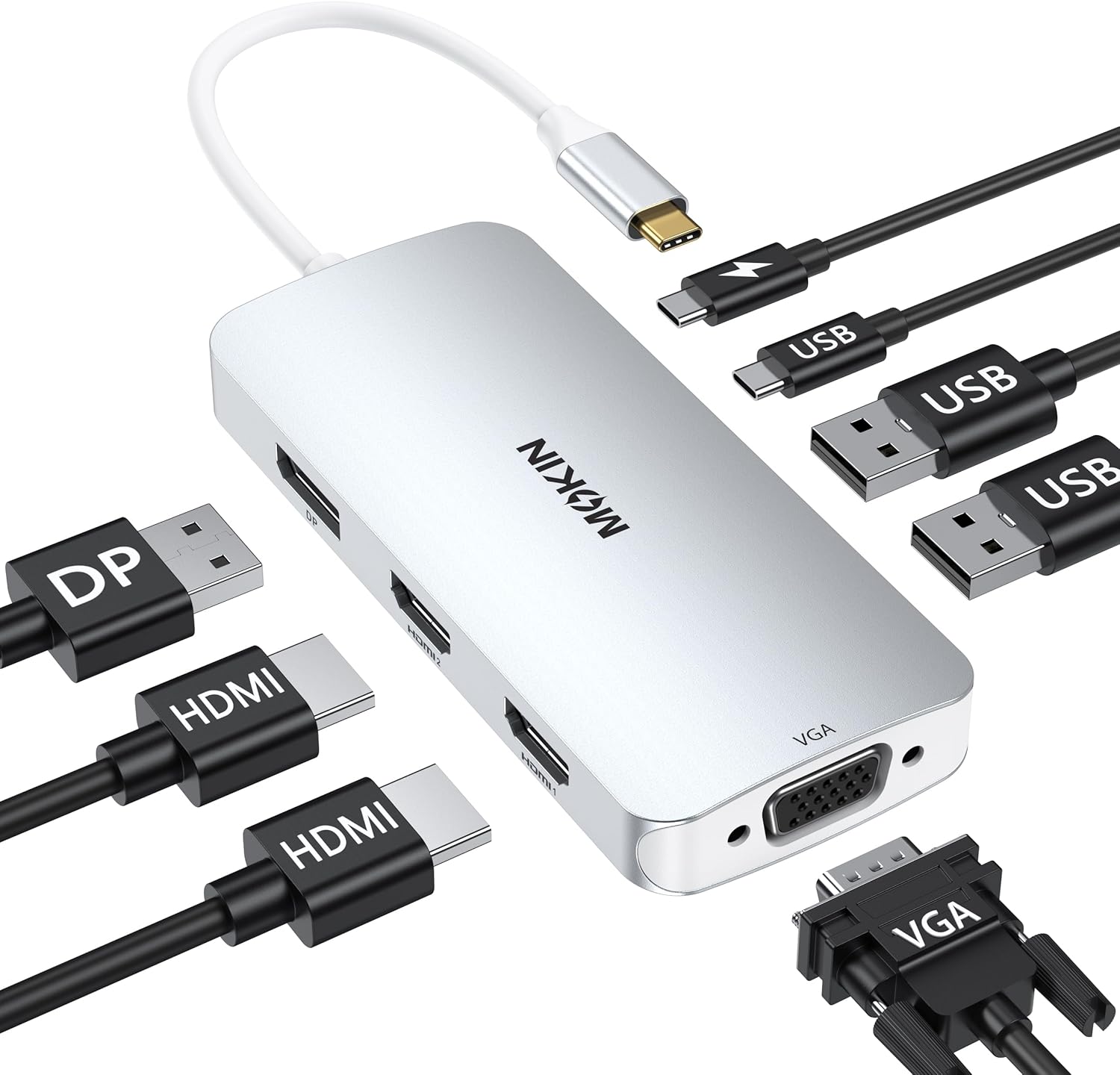
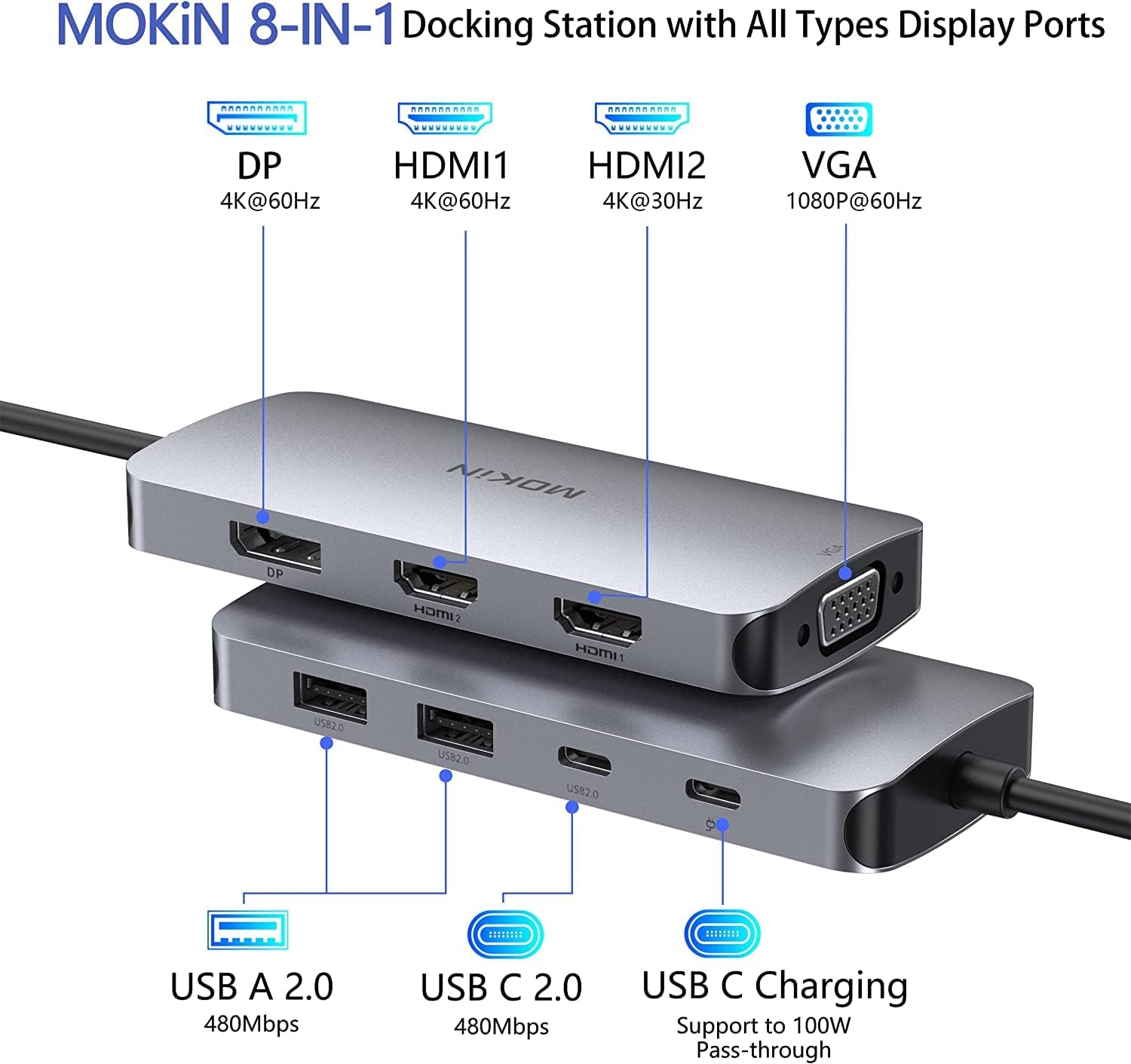
The dock includes two HDMI outputs with different frame-rate support, one DisplayPort and a VGA port to cover legacy and modern monitors. It supports single 4K@60Hz output or multiple-screen layouts up to three 4K displays at 30Hz, or four Full HD displays at 60Hz according to the manufacturer's specifications. Data ports include two USB-A 2.0 sockets and one USB-C data port for mice, keyboards and external drives. The integrated Power Delivery port supplies up to 100W to charge laptops while the dock handles video and data traffic.
Technical Specifications
- Name: MOKiN USB C Docking Station
- Video outputs: HDMI 1 4K@60Hz, HDMI 2 4K@30Hz, DisplayPort 4K@60Hz, VGA 1080p
- Power Delivery: 100W PD (Type-C PD charging port, PD protocol required)
- USB ports: 2 x USB-A 2.0, 1 x USB-C 2.0 (data)
- Multi-monitor modes: single, dual, triple and quad display support (see manufacturer notes)
Usage Recommendations
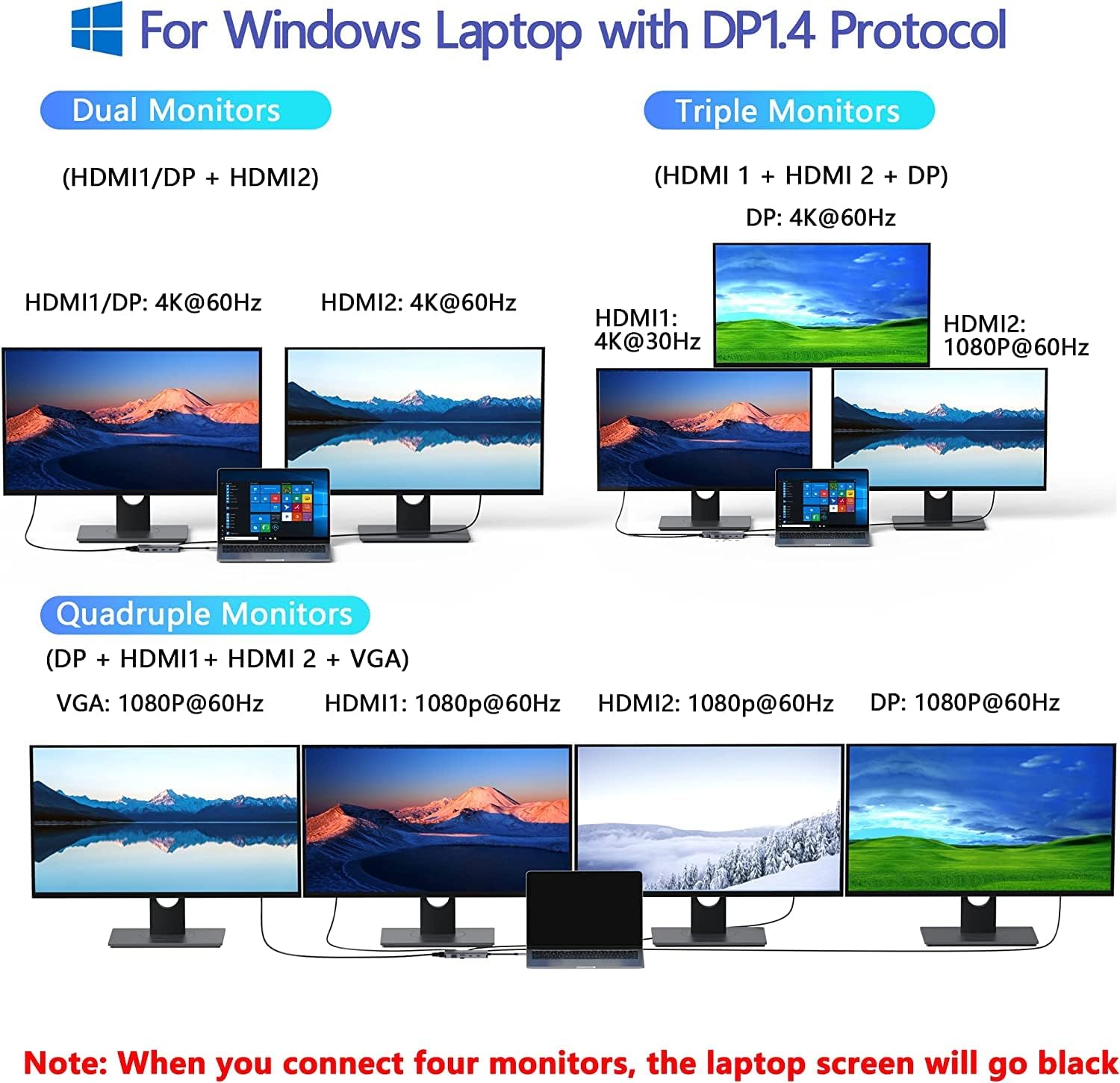
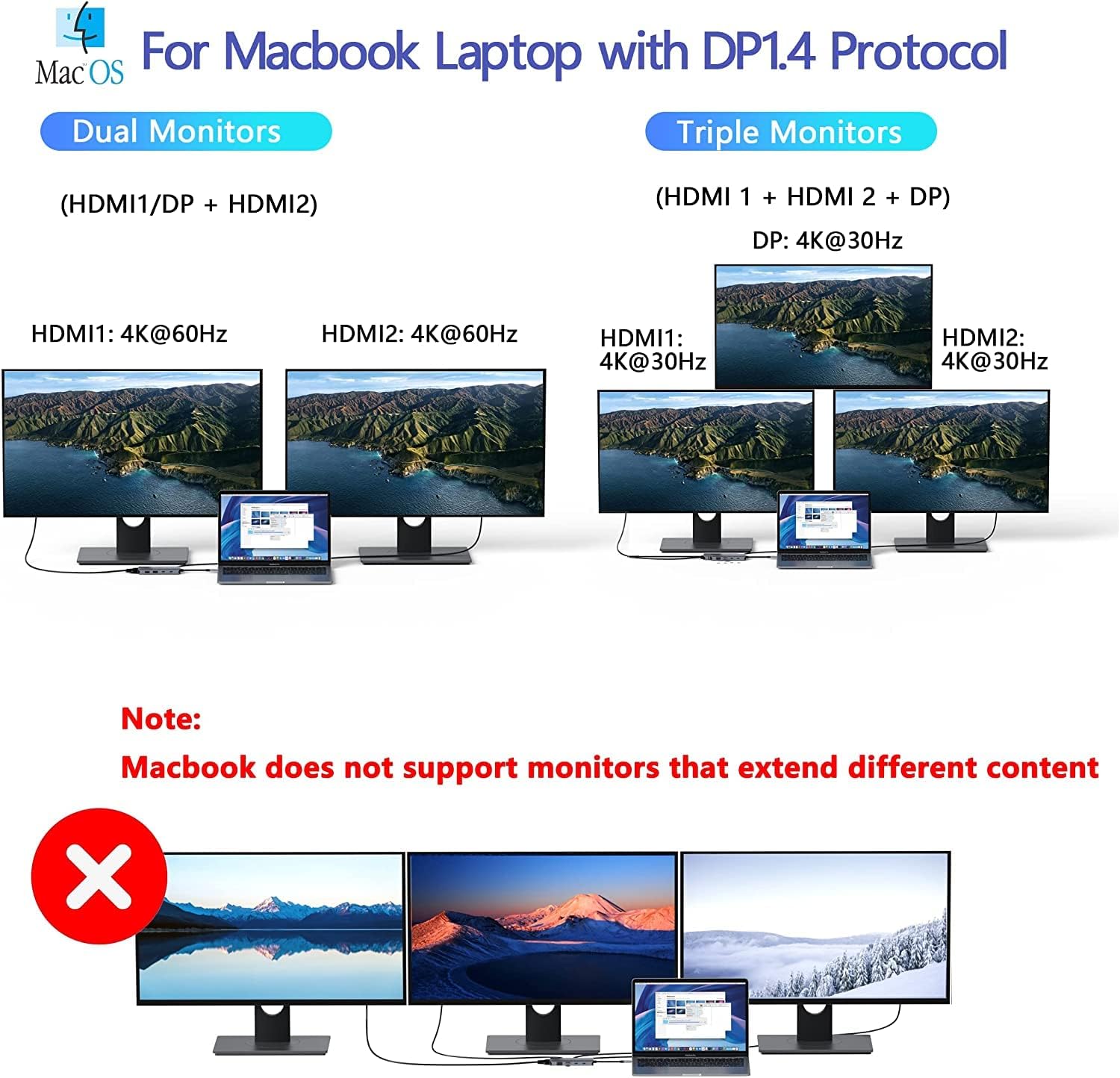
Connect the dock to a laptop with a full-function USB-C or Thunderbolt 3/4 port for the broadest compatibility. For the highest resolution and refresh rate use the DisplayPort or HDMI 1 port for your primary monitor. When running multiple monitors, be aware that combined bandwidth may reduce individual display refresh rates, so choose connections based on whether you prioritise resolution or smoother motion. For macOS users note that external screens may mirror each other depending on system limitations, so check system display settings after connecting. 🔁
Advantages
This hub simplifies a multi-device setup by grouping display, charging and peripheral connections into one unit. It works plug-and-play without extra drivers for most systems, making it practical for quick docking and undocking between meetings. The inclusion of a VGA port ensures compatibility with older projectors and monitors, while the variety of digital outputs supports current 4K displays. Consider that USB-A ports are 2.0 and therefore limited to 480Mbps for data transfers, which may not be suitable for demanding external drives.