

NOVOO USB C Docking Station Triple Display (14-in-1) with Dual HDMI and 8K/4K support
Product description
What it is and what it’s for
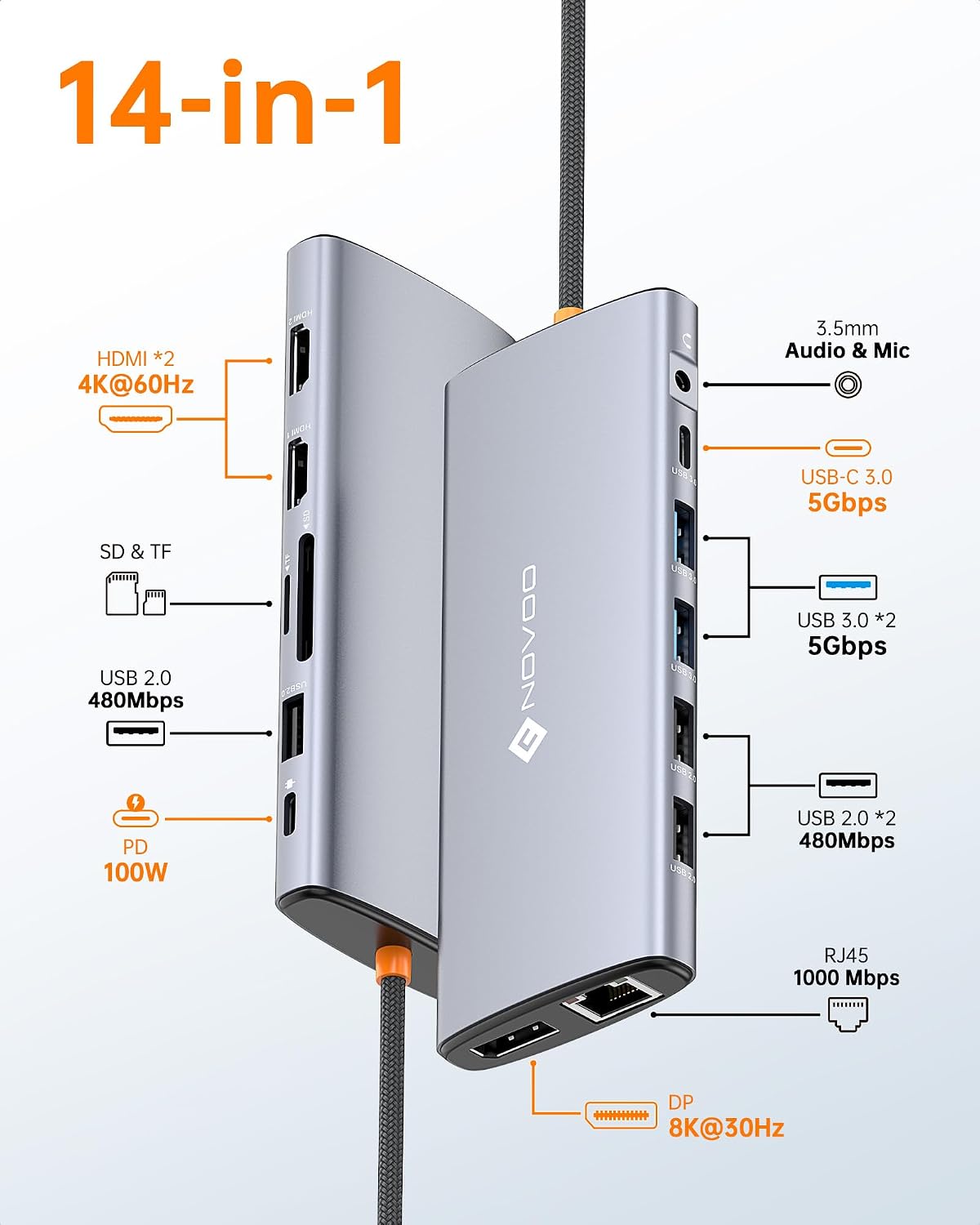
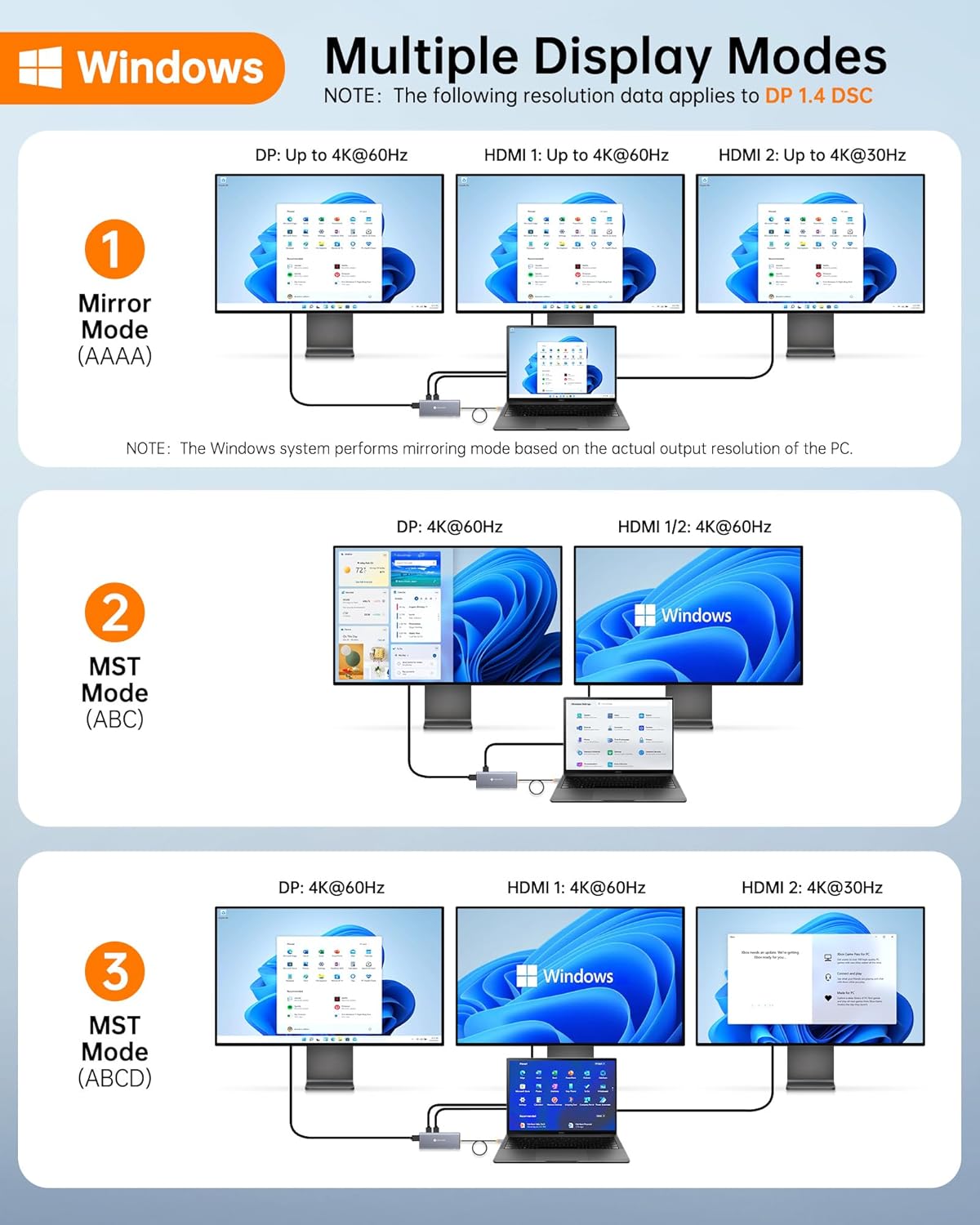
The NOVOO USB C Docking Station Triple Display is a 14‑in‑1 hub designed to expand connectivity for USB C laptops. It offers dual HDMI outputs up to 4K@60Hz and a DisplayPort output up to 8K@30Hz, along with a spectrum of ports for peripherals, quick data transfer and charging. If you work with multiple monitors, external storage or a need for reliable USB expansion, this dock can consolidate those needs into a single hub.
How it performs on paper
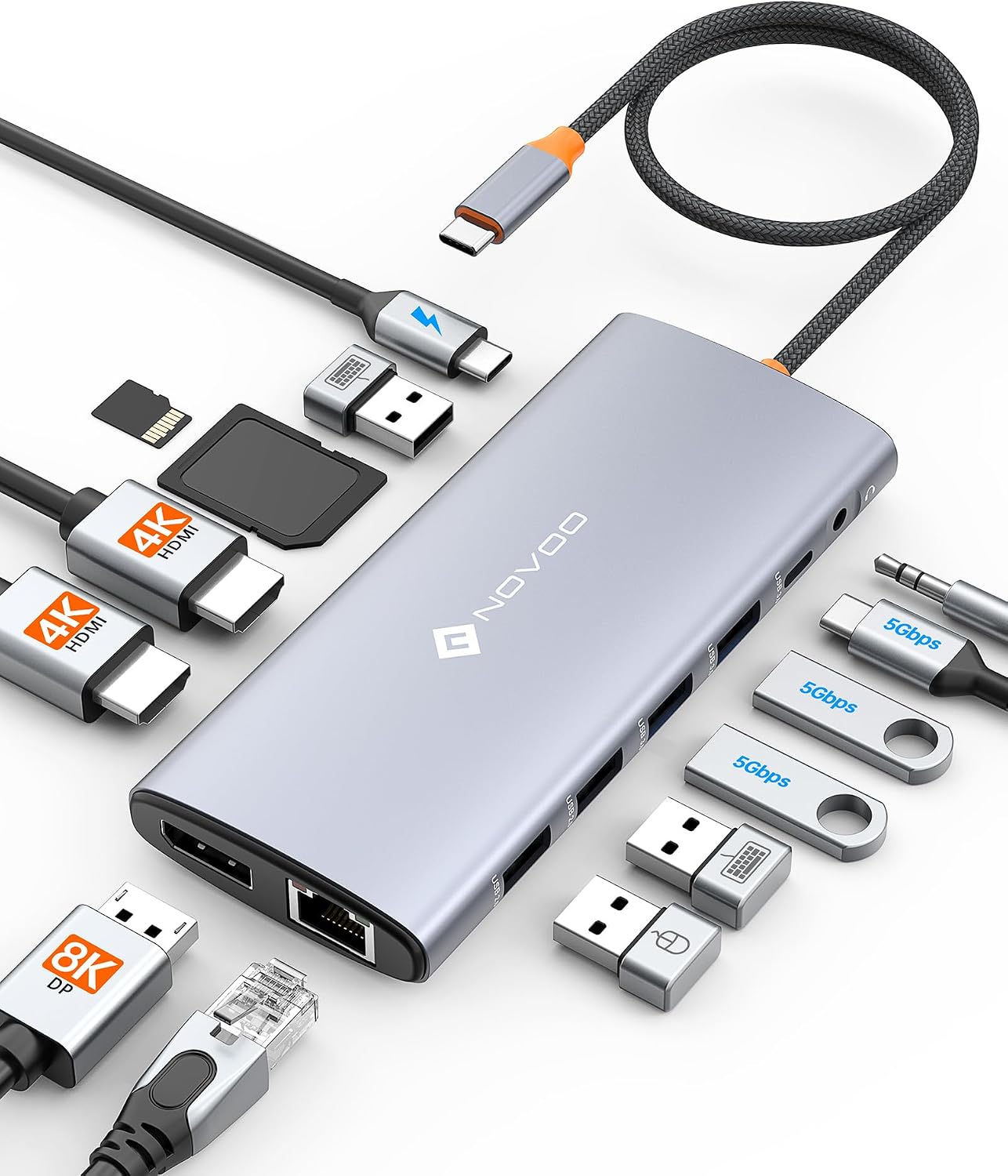
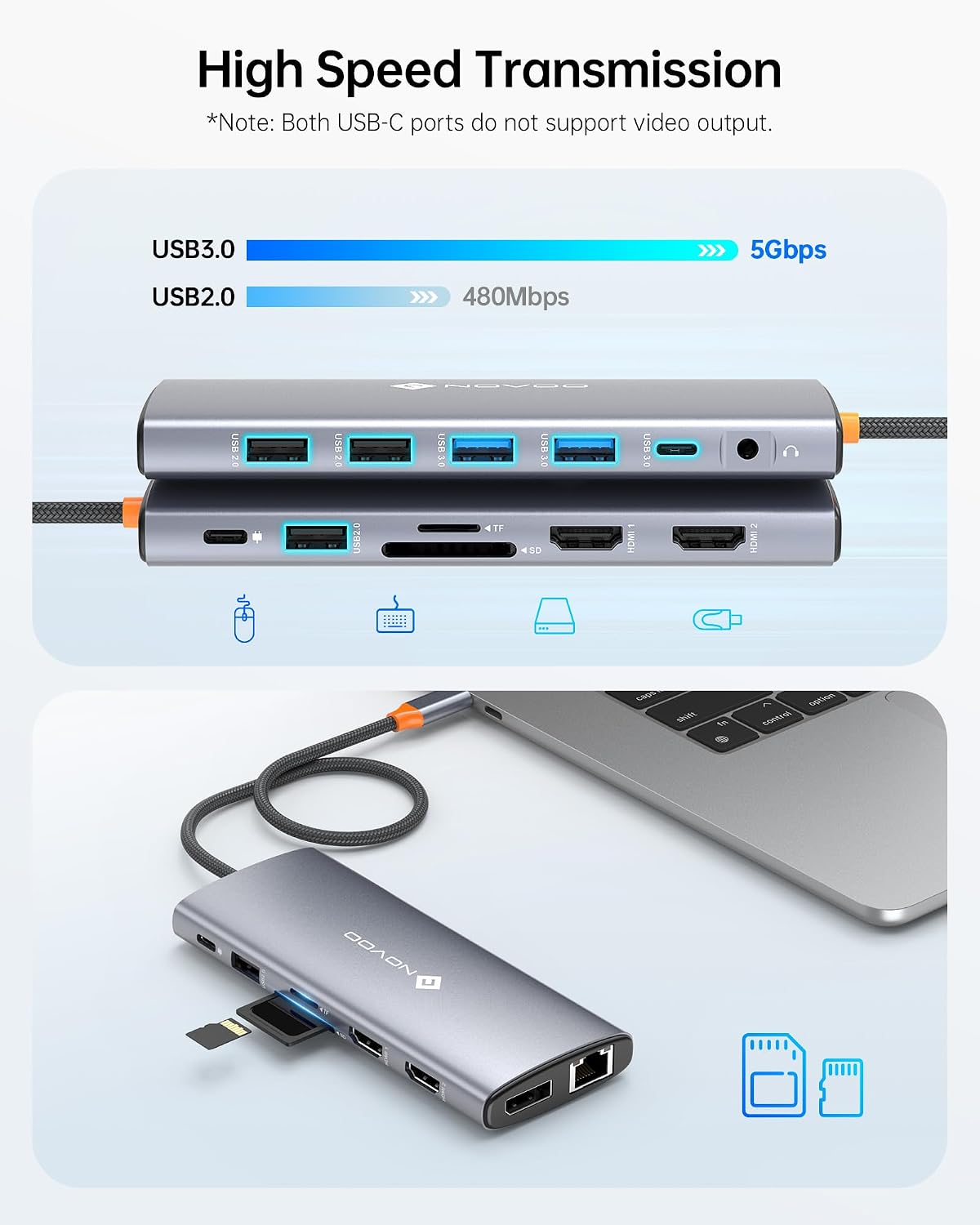
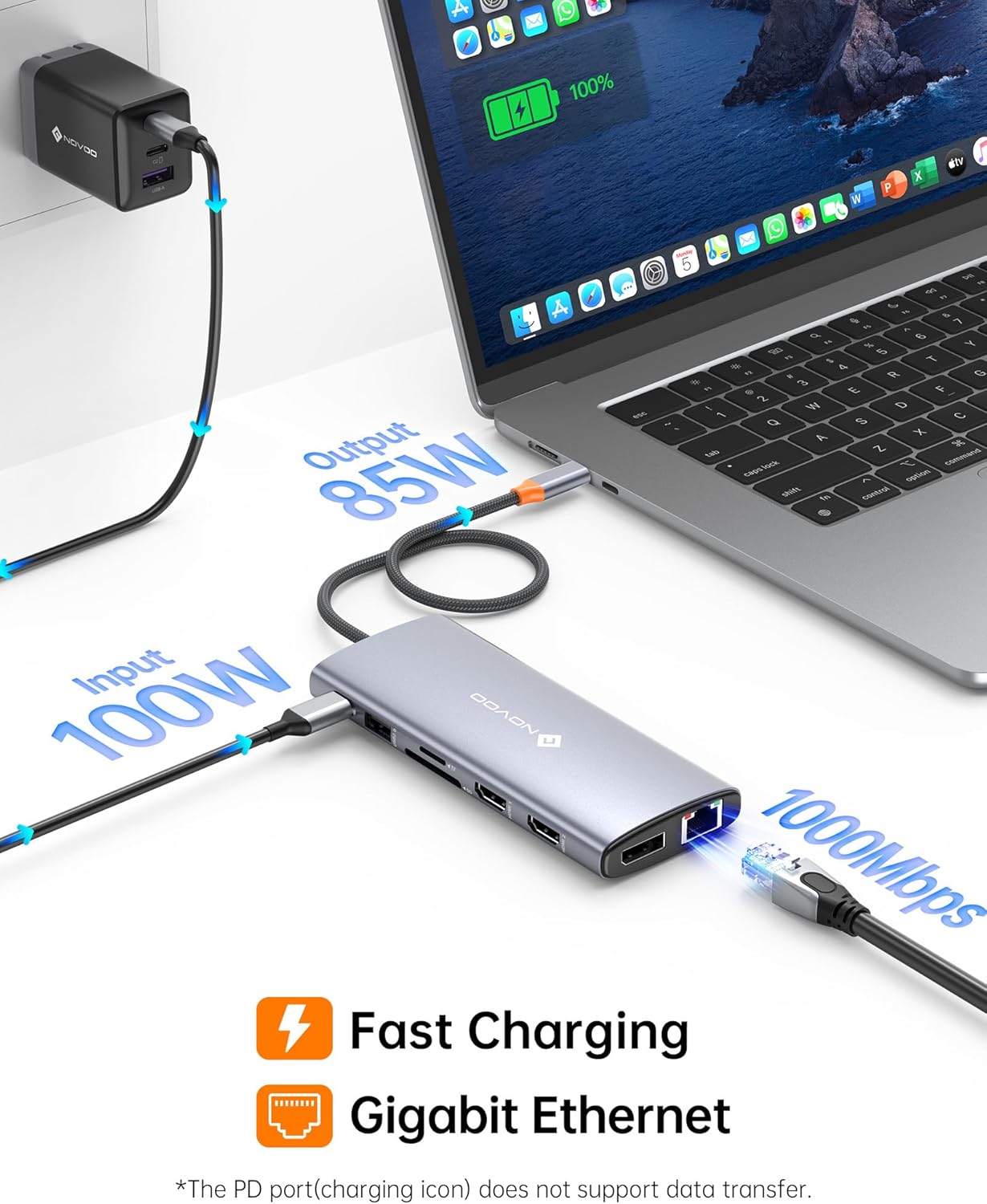
On paper, the setup supports multi‑display workflows via MST, enabling multi‑screen productivity. It includes six USB ports (various speeds), SD/TF card slots for quick media transfer, a 1Gbps Ethernet port and a 100W Power Delivery input for charging connected laptops. A 40 cm cable adds flexibility in desk arrangement, and a 3.5 mm audio/microphone jack covers basic audio needs. In short, it targets users who want a single, comprehensive dock rather than juggling several adapters.
Pros you’ll notice in daily use
- Consolidates display, data transfer and charging into one hub, reducing cable clutter.
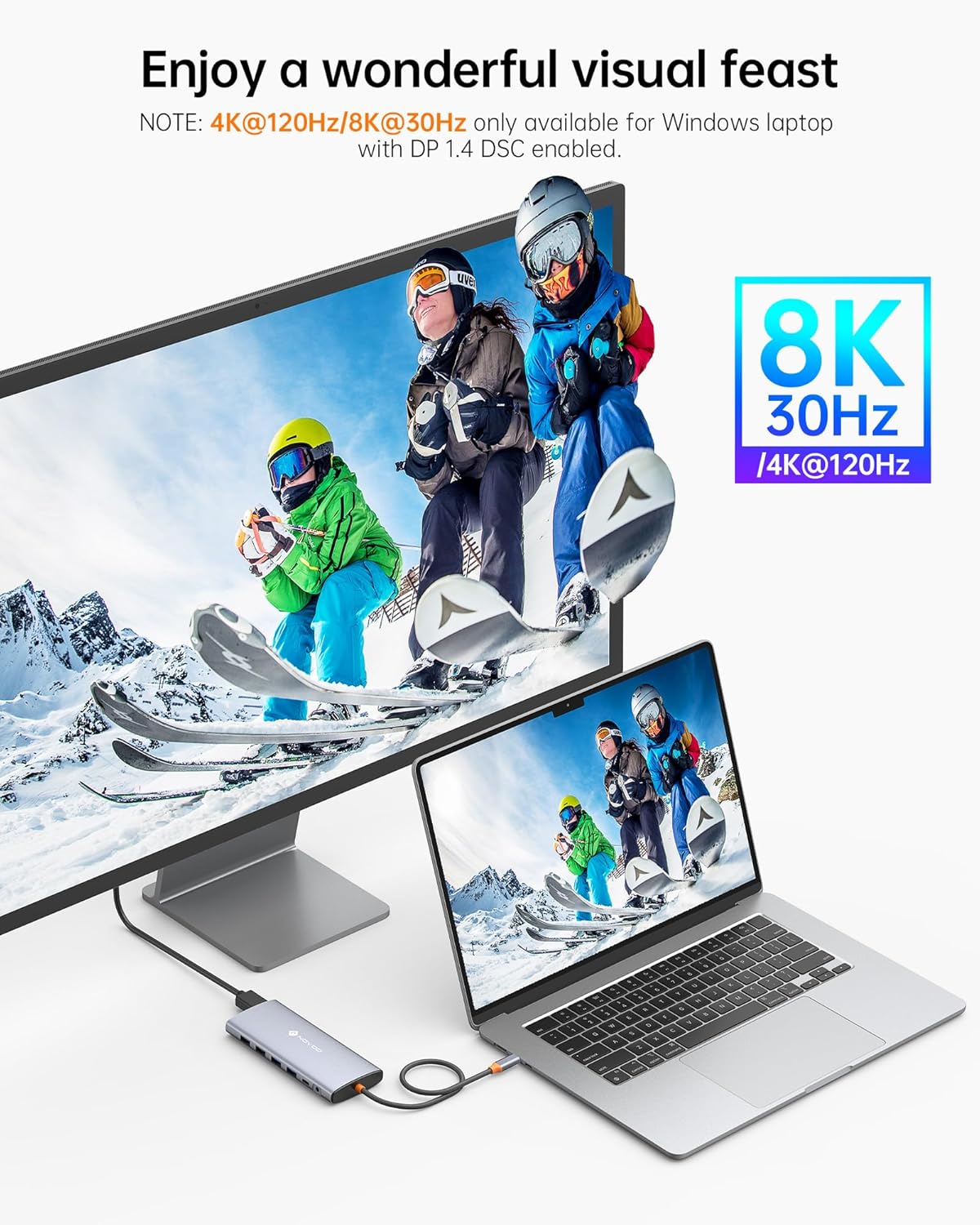
- Dual 4K@60Hz HDMI outputs plus 8K@30Hz DP option can support busy multi‑monitor setups for productive work or creative tasks.
- A mix of USB 3.0/2.0 ports provides reasonable headroom for external drives, peripherals and memory cards.
- 100W PD is generous for many laptops, and the 1Gbps Ethernet helps with reliable wired networking.
- The 40 cm cable offers flexible placement and tidier desktops.
Where it might fall short
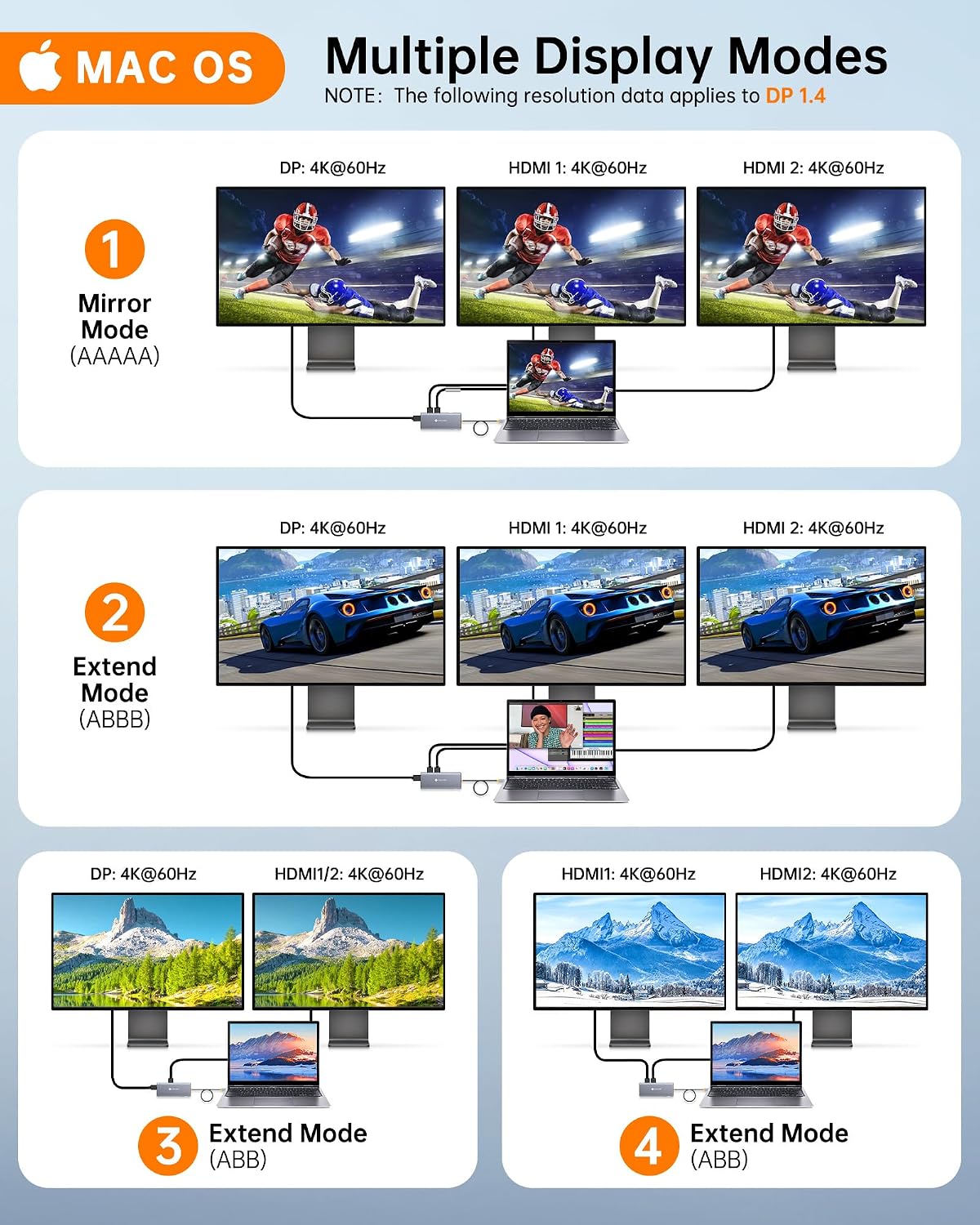
- MacOS users may be limited to mirroring or extending across all monitors due to system constraints, rather than independent display control for each screen. This can reduce versatility for some workflows.
- The dock’s performance depends on the host laptop’s capabilities and the available USB‑C/Thunderbolt bandwidth, so actual multi‑display results may vary.
- If you prioritise wireless peripherals or battery life from the dock itself, note that some features rely on host connection stability and driver compatibility.
Who it’s for
This dock is well suited to professionals or creatives who work with multiple displays and need convenient USB, card reader and network access from a single hub. It’s also reasonable for students or home offices that want a tidy, versatile docking solution for a USB C laptop.
Who it isn’t the best option for
If your setup requires independent control of three or more displays on every operating system, or if you rely heavily on macOS’s targeted display arrangements, you may run into compatibility limits. It may also not be ideal if you need ultra‑compact portability or specific high‑end feature sets beyond the listed ports.
When it makes sense to buy
- You want to reduce desk clutter while gaining multiple display outputs and fast data transfer.
- Your laptop supports USB‑C charging and you need a single hub that can power and connect peripherals at the same time.
- You often work with photos, video, or large files and benefit from SD/TF card read access alongside external storage.
Before you buy: quick checks
- Confirm your laptop’s USB‑C port supports power delivery and the bandwidth required for 4K/8K display output.
- Consider your primary display arrangement to ensure the MST/dual HDMI setup aligns with your workflow, especially if you’re on macOS.
- Check which USB devices you plan to use simultaneously to ensure adequate USB throughput.
Practical use example
Imagine a designer who has a laptop, two external monitors, a USB external drive and a memory card reader. With this dock, they can connect the laptop to the two HDMI displays for a dual‑monitor desktop, mirror or extend as needed, while accessing project files from the SD card and copying assets to an external drive. The built‑in Ethernet helps when Wi‑Fi is unstable, and the 100W PD keeps the laptop topped up during long sessions.
Quick comparison in context
If you’re weighing alternatives, this kind of docking station sits between compact, single‑purpose adapters and high‑end, modular docking systems. It makes sense when you want a straightforward, all‑in‑one solution for a USB‑C laptop rather than buying separate hubs for display, card readers and network. If your needs are very specific (for example, independent multi‑monitor control on macOS or ultra‑low latency gaming, or higher port counts in a compact form), you might consider other arrangements. In practice, this NOVOO dock aims for value by combining major features in one package for everyday professional use.
Final verdict
Is it worth it?
It’s a practical choice if you prioritise consolidation and ease of use for a USB C laptop, especially when you can utilise its dual‑HDMI and MST capabilities within its compatibility limits. It may not be the best fit if you require completely independent display control across all monitors on macOS, or if your desk setup demands a smaller form factor or more aggressive gaming‑oriented specs.
What’s included
The description does not specify the exact contents inside the box beyond the dock and its 40 cm cable, so verify the pack contents when you purchase.
FAQ
- Can I run three external displays independently? In practice, the dock supports dual HDMI and DP output, with MacOS limitations noted, independent control across all displays may vary by system.
- Does it charge a laptop while driving three displays? It includes a 100W PD port intended for charging, subject to the host laptop’s power requirements and compatibility.
- Is there a limitation on data transfer speeds when many devices are connected? The dock advertises multiple USB ports with up to 5Gbps transfer rates on the USB 3.0/3.1 ports, real speeds depend on devices and host bandwidth.