

ORICO Aluminium USB 3.2 Hub Clip with 5V Power – 5 Port Splitter with 10 Gbps, SD/TF Card Readers
Product description
What it is and what problem it solves
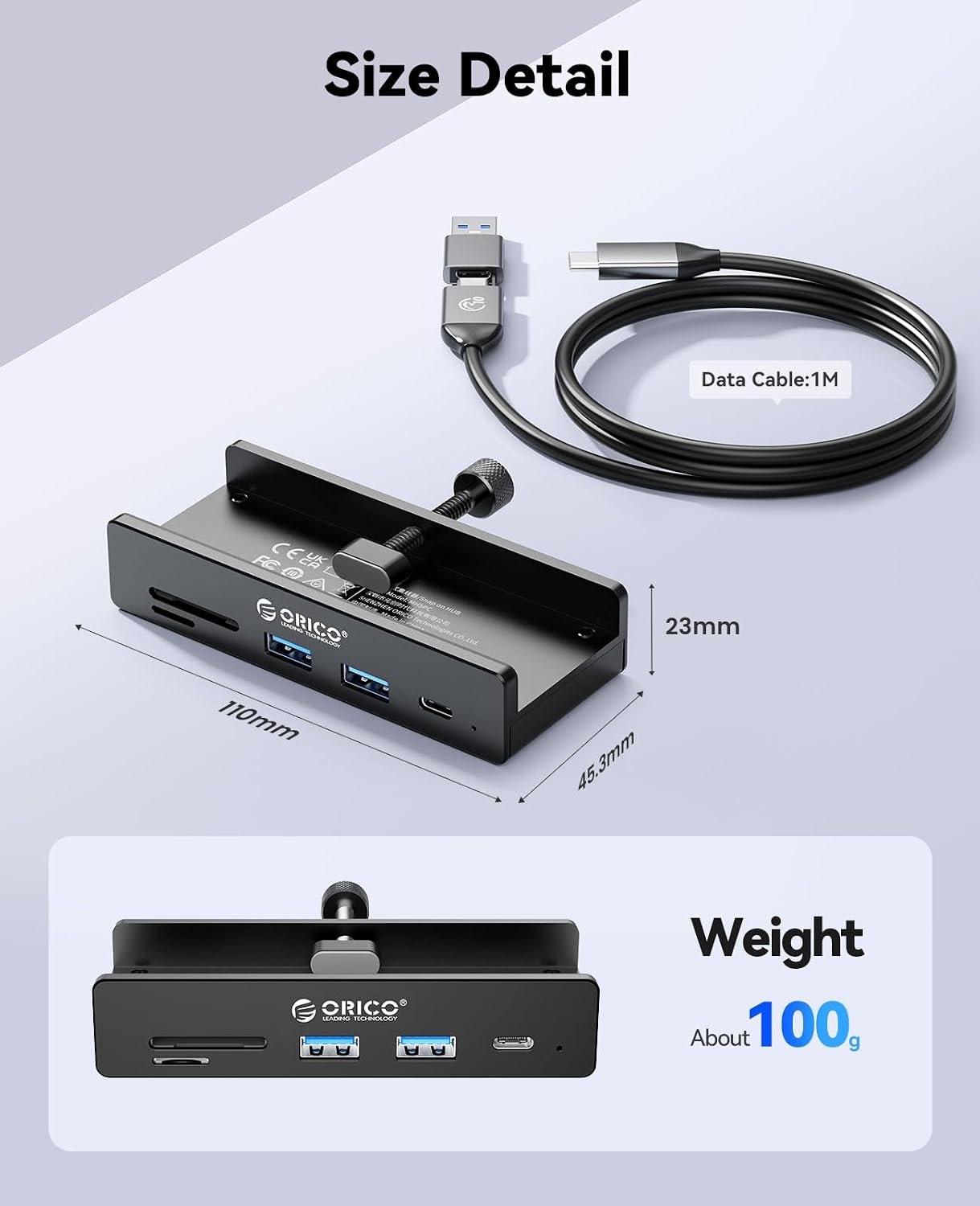
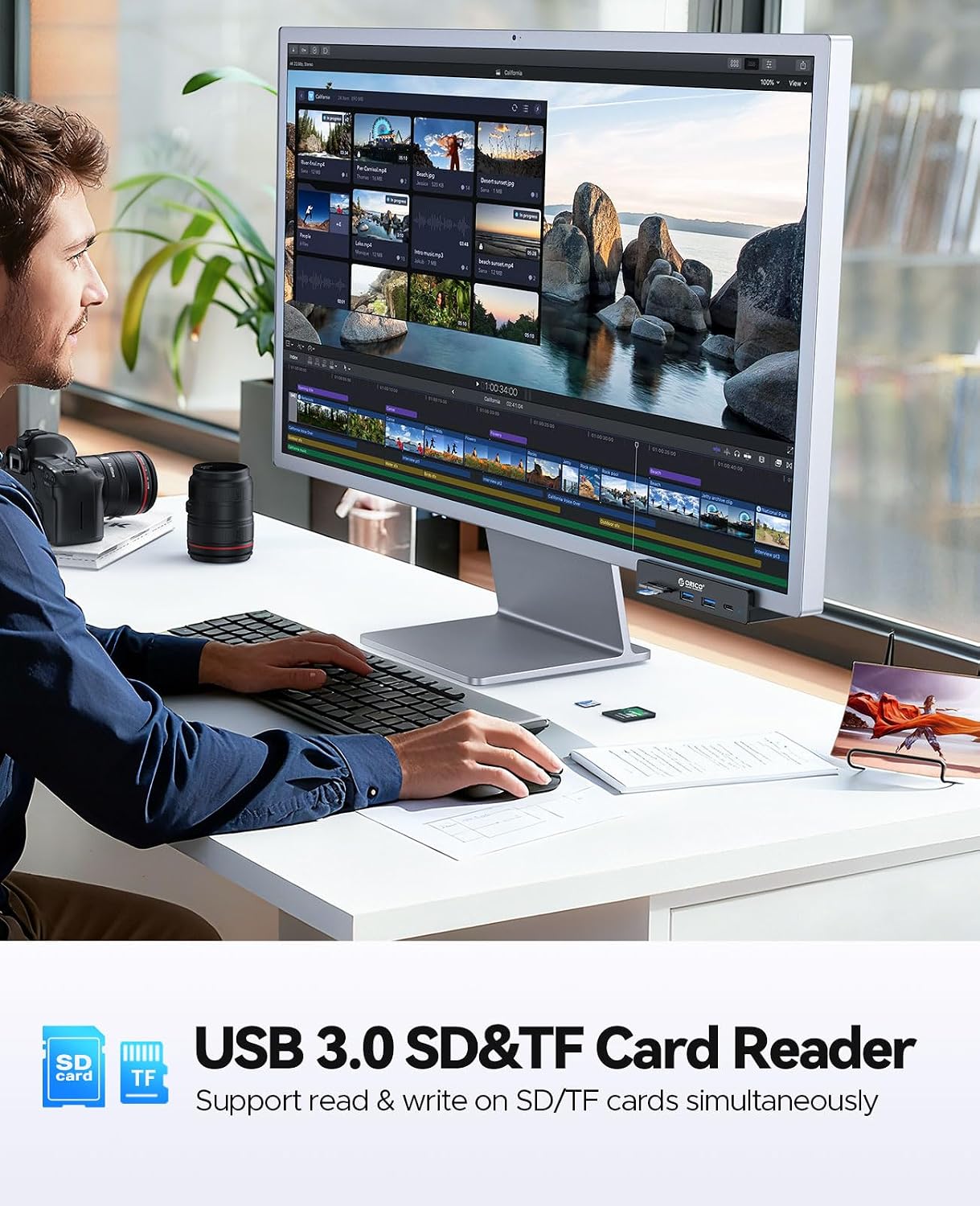
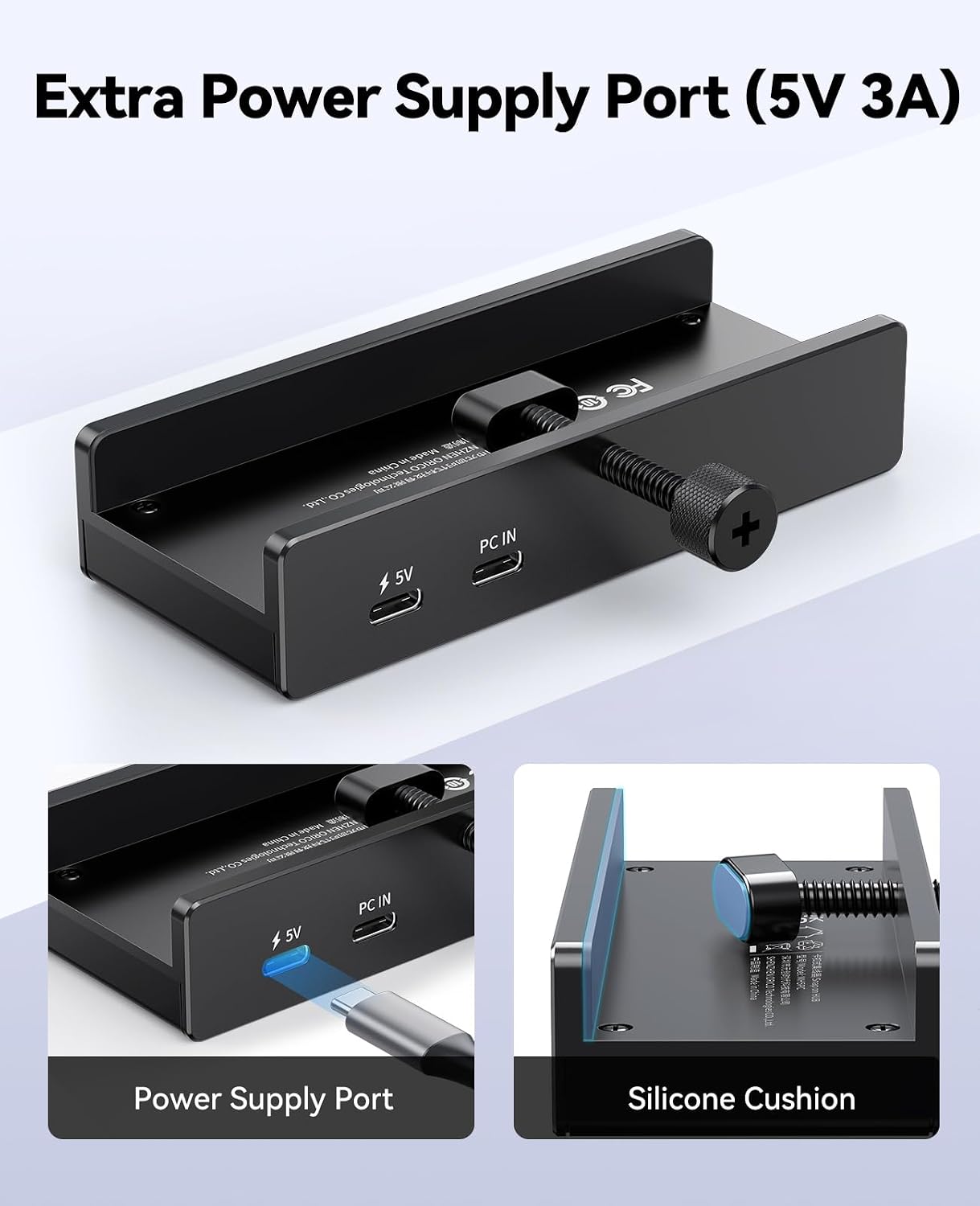
This ORICO hub combines several essential ports into a single, compact aluminium unit that clips to the edge of a monitor, desk or laptop. It essentially turns one USB-C input into a practical 6-in-1 expansion: two 10Gbps USB-A ports, one 10Gbps USB-C data port, a dedicated 5V USB-C power port for stable charging, and built-in SD/TF card readers. If you often find yourself juggling cables and needing quick access to peripherals, this design aims to keep things tidy and within easy reach.
On paper performance and design
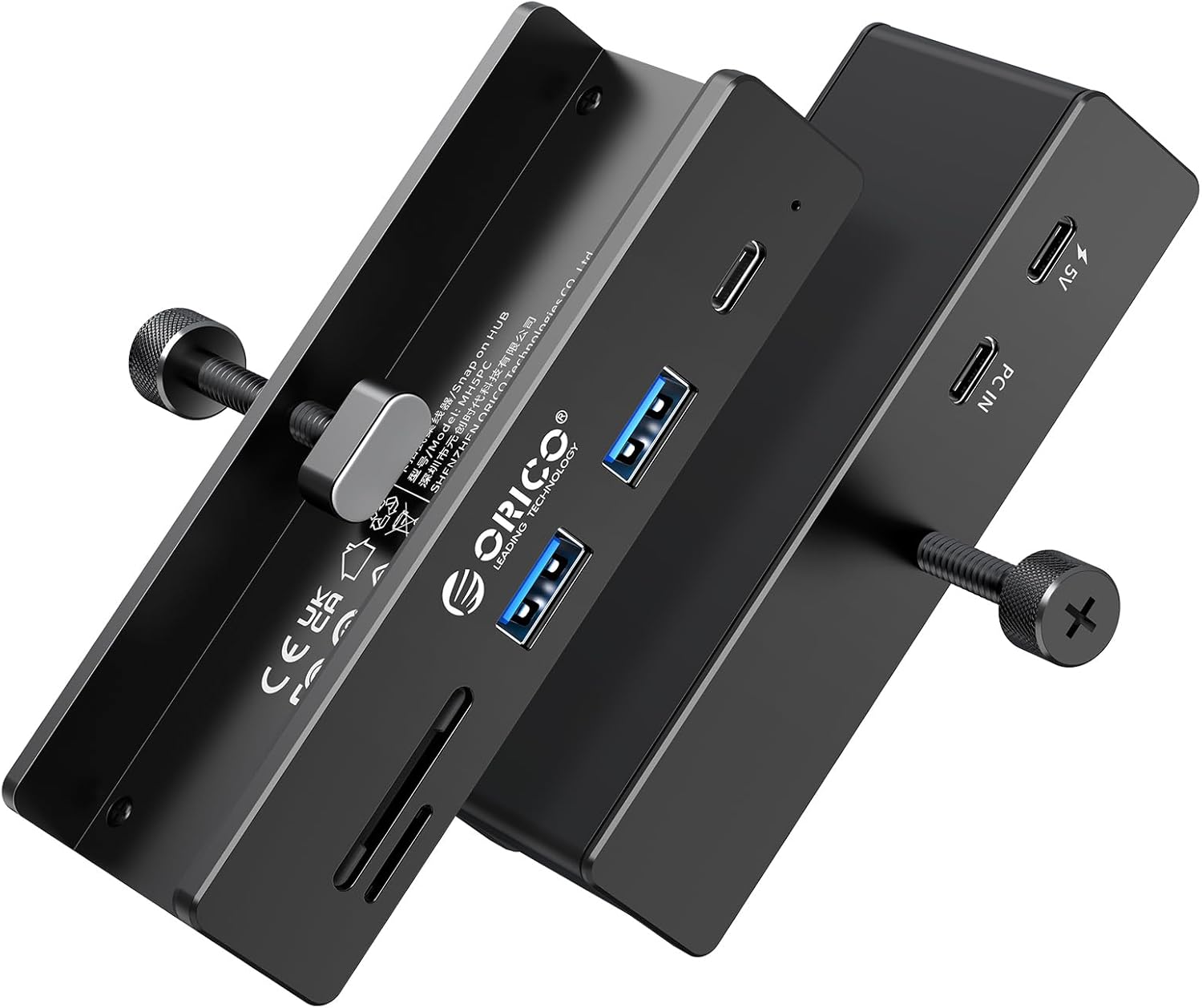
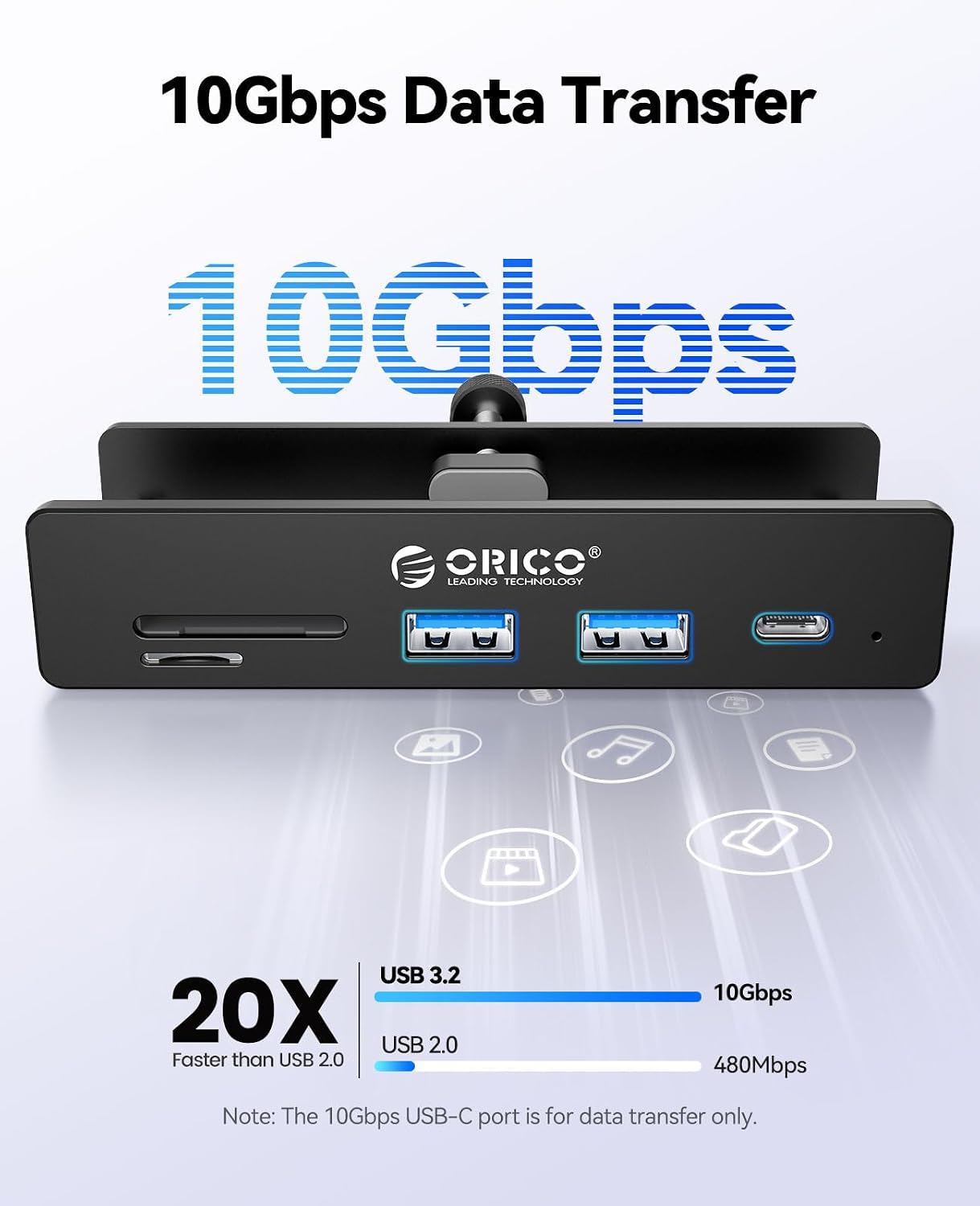
With USB 3.2 up to 10Gbps, data transfers should be noticeably quicker than many older hubs when moving large files or backing up content. The aluminium shell isn’t just about looks, it helps with heat dissipation, which is sensible if you’re pushing the hub for extended data tasks. The clip-on approach, aided by silicone pads, is convenient for keeping the hub steady on the side of a monitor or desk and at a comfortable viewing height.
Who it’s for
This hub is sensible for people who want a compact, cable-managed expansion that sits within easy reach—think remote workers, students, or anyone with a laptop that lacks plentiful ports. It also suits setups where a monitor doubles as a work area and you’d prefer to clip accessories rather than attach them to a crowded desk edge.
What stands out
- 10Gbps data capability across both USB-A ports and the USB-C data port on paper offers quick transfers for large files.
- The built-in SD/TF readers add straightforward memory card access without extra dongles.
- A dedicated 5V power port suggests better stability for power-hungry peripherals when needed.
- The clip design helps reduce desk clutter and keeps ports visible for quick use.
Potential limitations
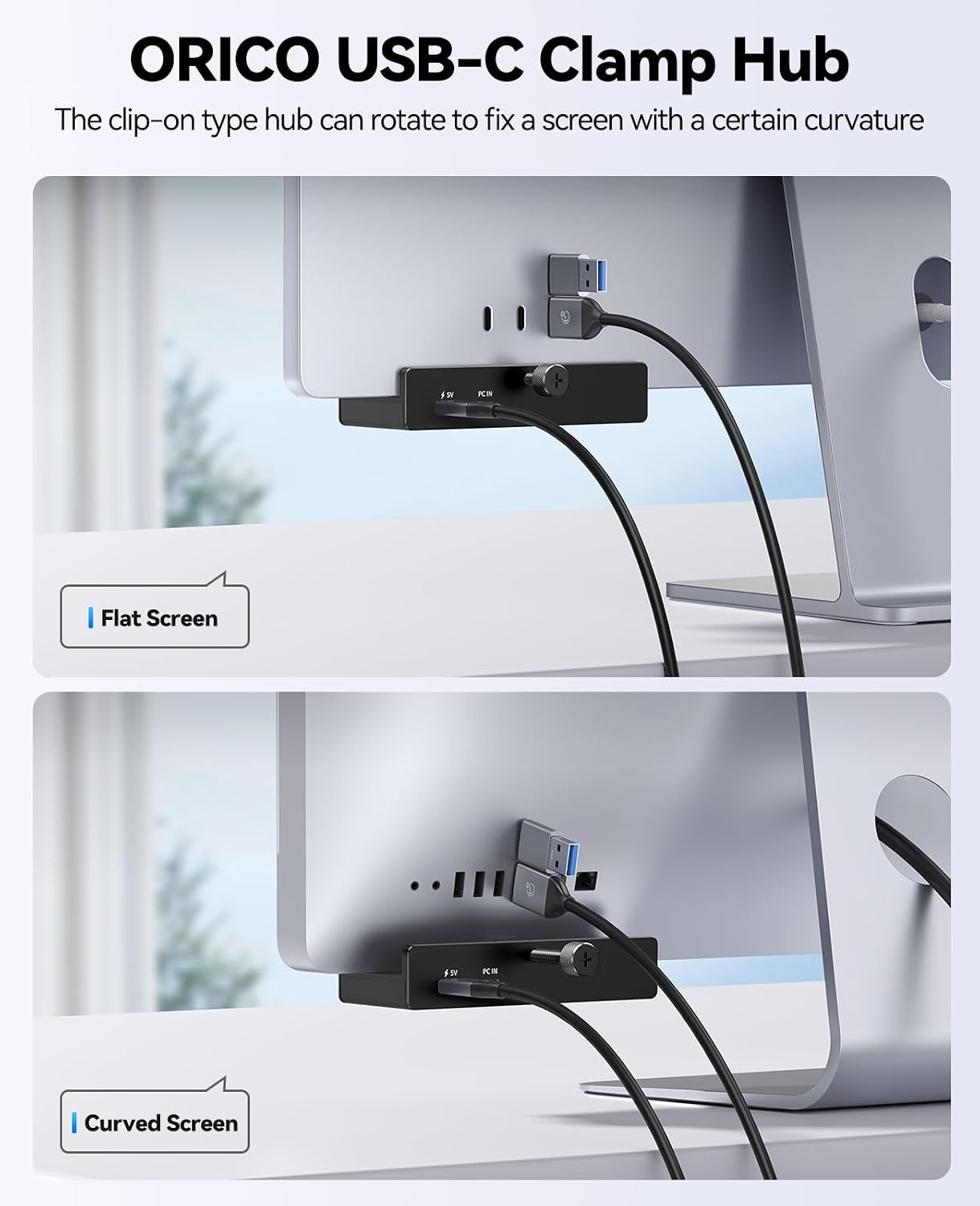
- As a clip-on device, fit may vary with monitor thickness or edge design, in some setups it might need a careful positioning to avoid obscuring ports or affecting screen angle.
- The hub relies on a single USB-C connection to the host, if your laptop has limited USB-C bandwidth or you’re running multiple high-demand devices, you might notice performance constraints depending on overall system load.
- It’s not a full docking station, if you require video output or audio pass-through from a single hub, you’ll need to consider other options.
Compare and what to consider before buying
If you value a tidy, mid-range expansion for everyday peripherals, this hub provides a practical mix of data speed, card readers and charging support. It’s likely more appealing for those seeking straightforward USB provisioning rather than a feature-heavy docking solution. For users prioritising raw video or multi-monitor setups, a dedicated dock with more extensive display options might be more suitable.
Practical use case
Imagine editing a photoshoot: you copy RAW files from a memory card to your laptop via the SD reader, transfer large files to an external drive through a 10Gbps USB port, while keeping a printer and a USB keyboard connected. The clip keeps the hub at eye level, which reduces reaching for ports on the laptop itself.
What to check before you buy
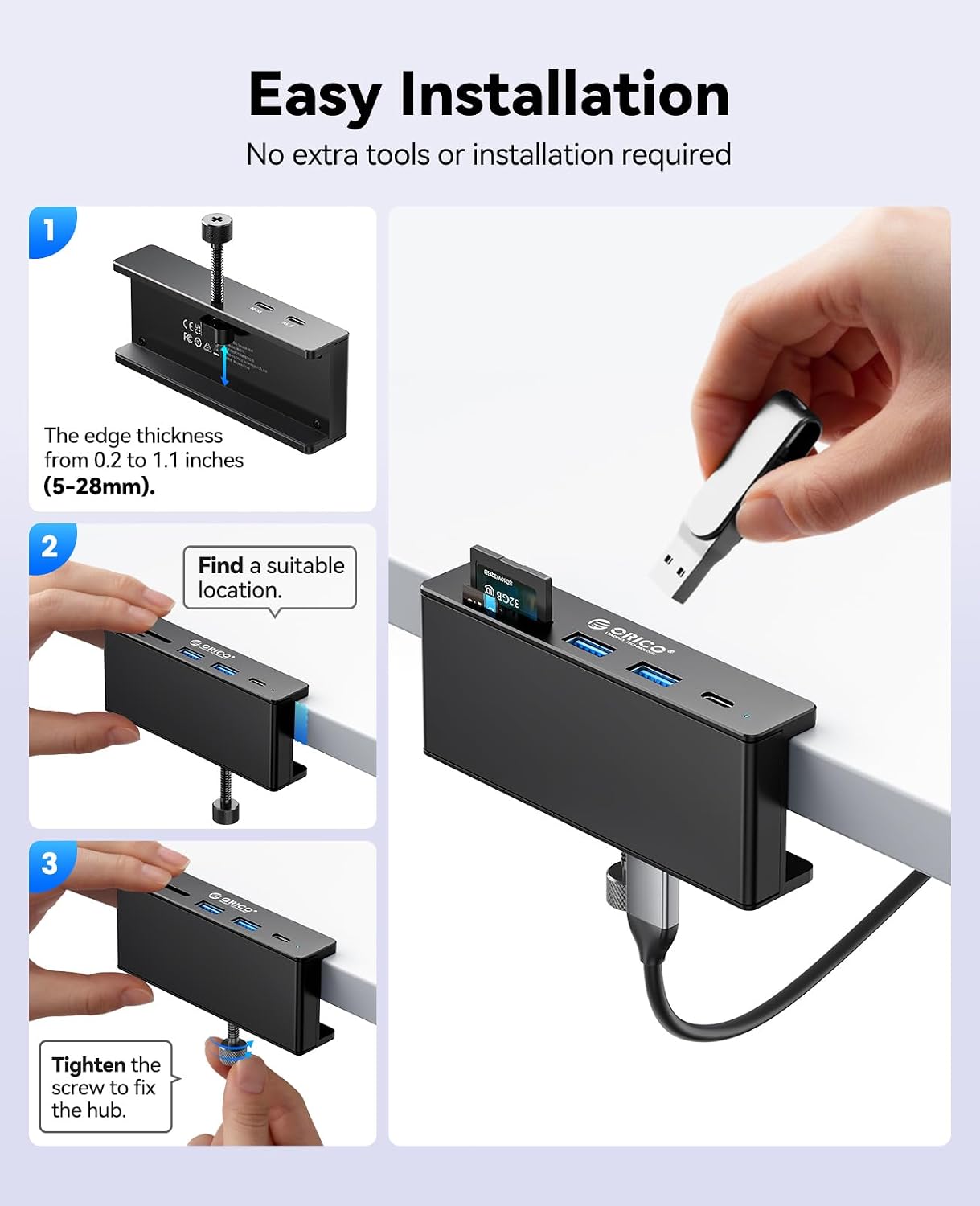
- Confirm the thickness of your monitor or desk edge to ensure a secure clip fit.
- Check that your primary devices can benefit from 10Gbps transfers and that they’re powered when needed via the 5V USB-C port.
- Consider whether you need more than 5 ports or additional video outputs, as this setup prioritises USB data and card reading over video docking.
Is it worth it?
You’ll like it if you want a compact, practical USB expansion with fast data ports and convenient card readers, without a full docking station. It may not be the best match if you require robust multi-monitor support or higher power delivery for power-hungry devices.
FAQ
- Does the hub require drivers? No drivers needed—plug and play on compatible systems.
- Can it power external devices? It includes a 5V power port for stable charging when needed.
- Will it work with a PS5 or other consoles? It’s designed for broad compatibility, but performance will depend on the host device and use case.
Final decision
Should you buy it? If you’re after a slim, clip-on USB hub that keeps essential ports within reach and supports fast transfers plus card reading in a tidy package, this ORICO model is worth considering. If your priority is multi-monitor output or ultra-heavy power delivery, explore other docking options.