

Anker Nano Laptop Docking Station with Detachable Hub (13-in-1) – Triple display via 2×HDMI + 1×DP, 10Gbps, 100W PD
Product description
If you switch between “desk” and “on the go”, a detachable hub can be the difference between a tidy setup and constant unplugging. The Anker Nano Laptop Docking Station with Detachable Hub is designed to give you a full 13-in-1 desk-style connection point, while the removable 6-in-1 hub (as described) is there for quick access when you’re working away from your main workstation.
That said, docks aren’t one-size-fits-all. The display behaviour depends on your device and operating system, and it’s not perfect for everyone—especially if you rely on USB-C video output on macOS. Worth looking at the details before you commit.
The essentials: what this dock is built for
This Anker dock is a USB-C docking station with a detachable hub. In practice, it’s aimed at people who want one cable to manage the majority of their connections (monitors, Ethernet, audio, card slots, USB devices), then keep extra ports accessible without having to bring the entire desk rig with them.
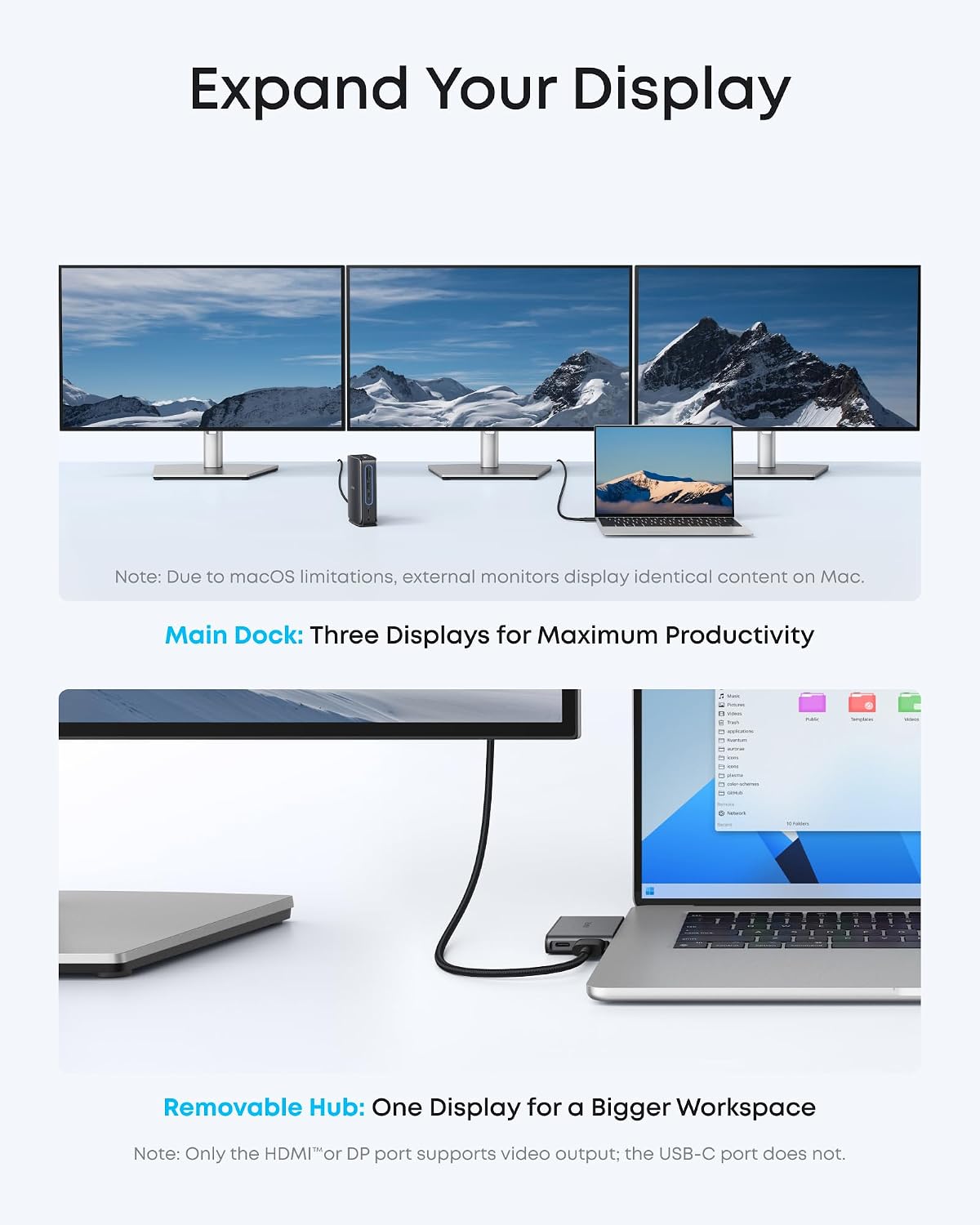
The core draw is flexibility around displays. You can set up a triple-screen workstation using the main dock, or you can use the removable hub for a simpler single-display setup when you’re not at your desk.
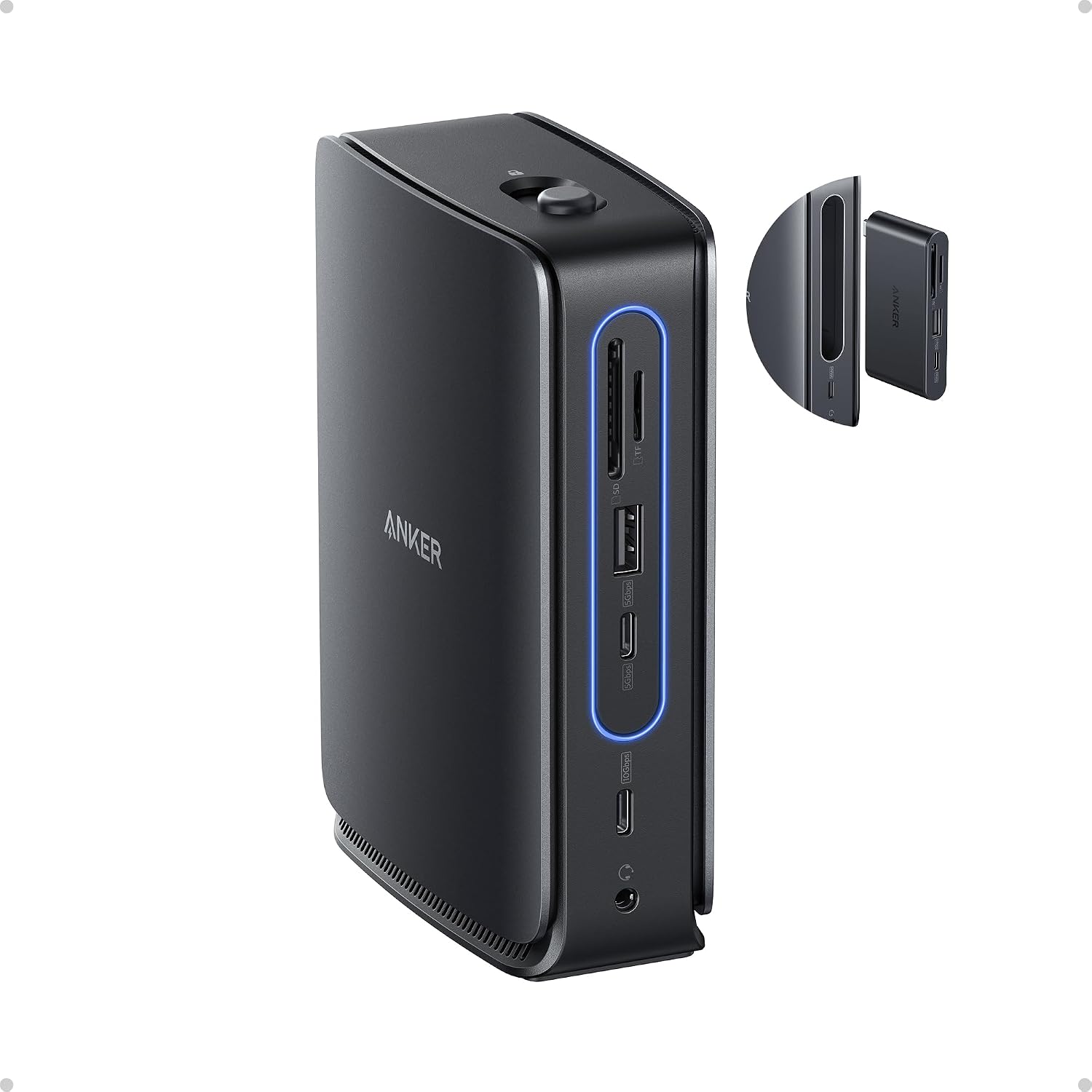
Here’s a quick example of how it can feel in daily use: you arrive at work, plug the upstream USB-C cable into your laptop, and your keyboard, mouse, Ethernet, and card reader are already ready. When you later travel with a smaller setup, you detach the hub and take only that portion for quick port access.
Key takeaways: ports and connectivity that cover the common desk needs
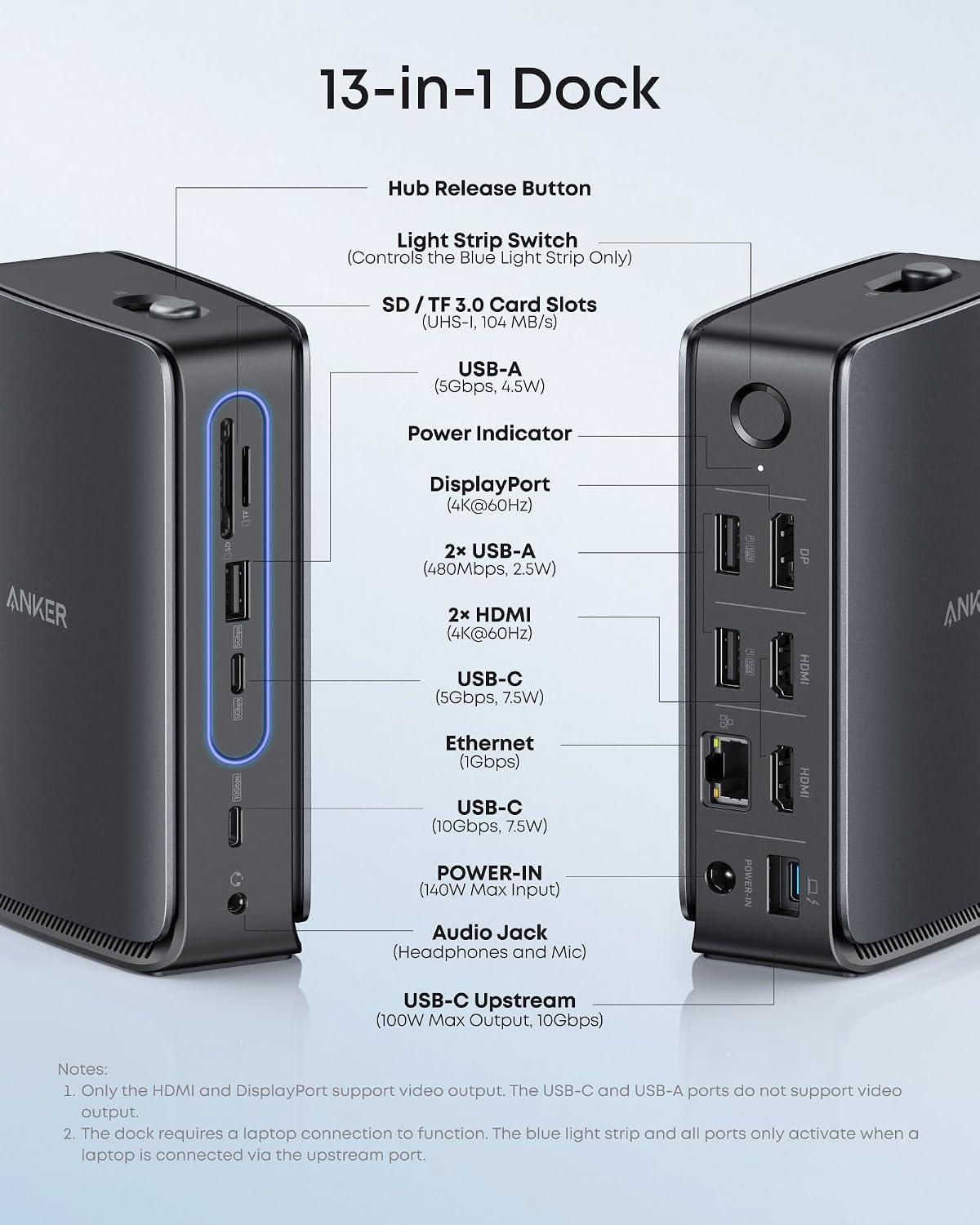
On paper, the connection list is broad for a “nano” style dock. You get:
- USB-C upstream port (for connecting to your laptop)
- Two USB-C data ports
- Three USB-A data ports
- Dual HDMI plus DisplayPort outputs for up to 4K resolution (as stated)
- Ethernet
- Audio jack
- SD and TF card slots
- DC input port for power
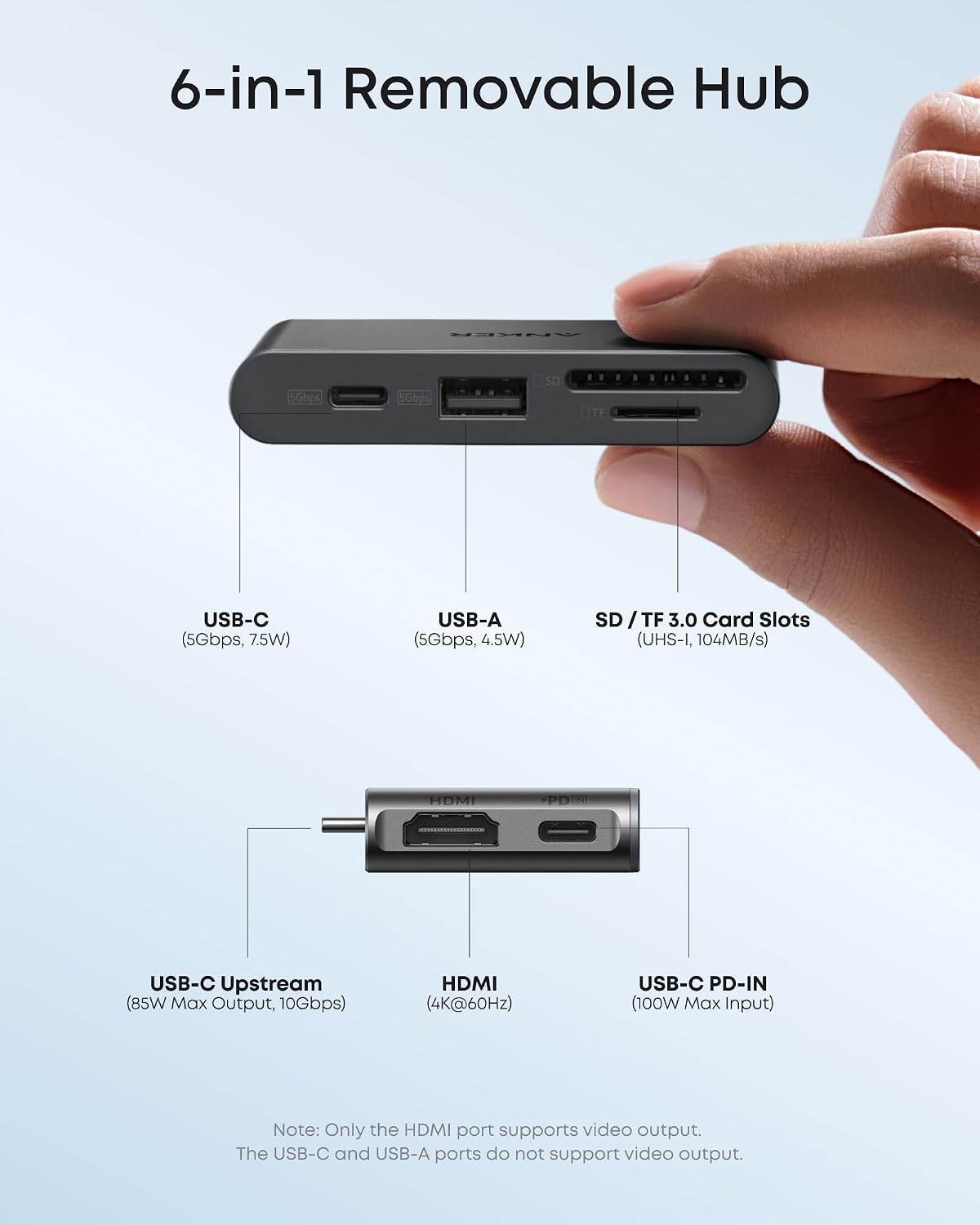
The detachable hub adds extra ports so you don’t have to do everything via the main dock when you’re mobile. If your workflow involves plugging in a phone, external drive, or card reader often, having dedicated ports in both the desk and portable modes can save time.

A gentle limitation to bear in mind: it’s not positioned as a “wireless dock” replacement, it’s a cable-first, desk/workstation connection hub.
What to expect from the triple display setup
The dock supports triple display via the main setup. However, the fine print matters.
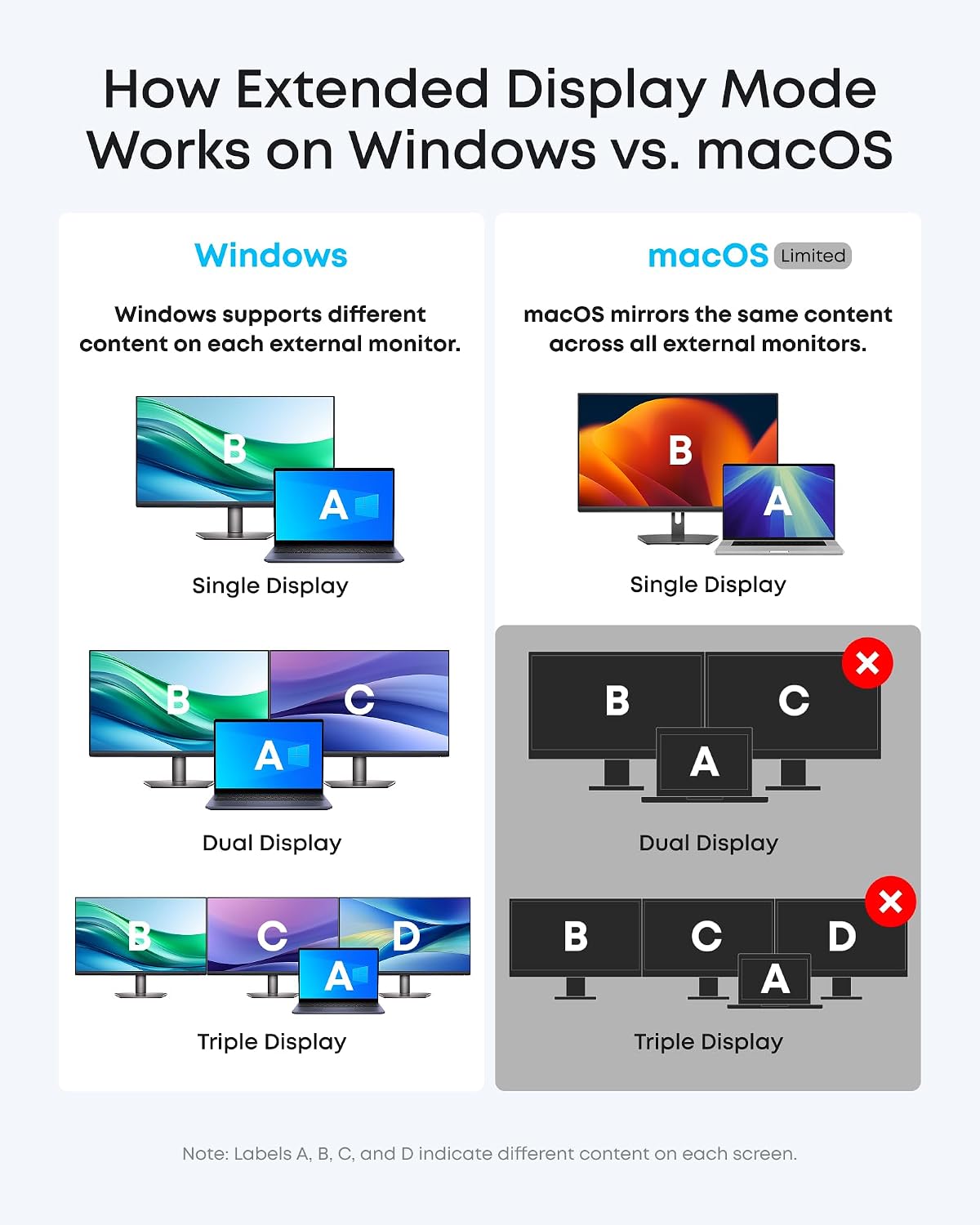
The description notes an important macOS limitation: on macOS, all external monitors mirror the same content. It also states that only HDMI or DisplayPort supports video output, while USB-C does not support video output.
So, it’s a strong choice if your setup aligns with HDMI/DisplayPort video output expectations and you’re happy with the macOS mirroring behaviour. It may feel less ideal if you specifically need independent multi-monitor control on macOS.
Tech specs: power and data performance
Power and transfer speeds are the two headline numbers here.
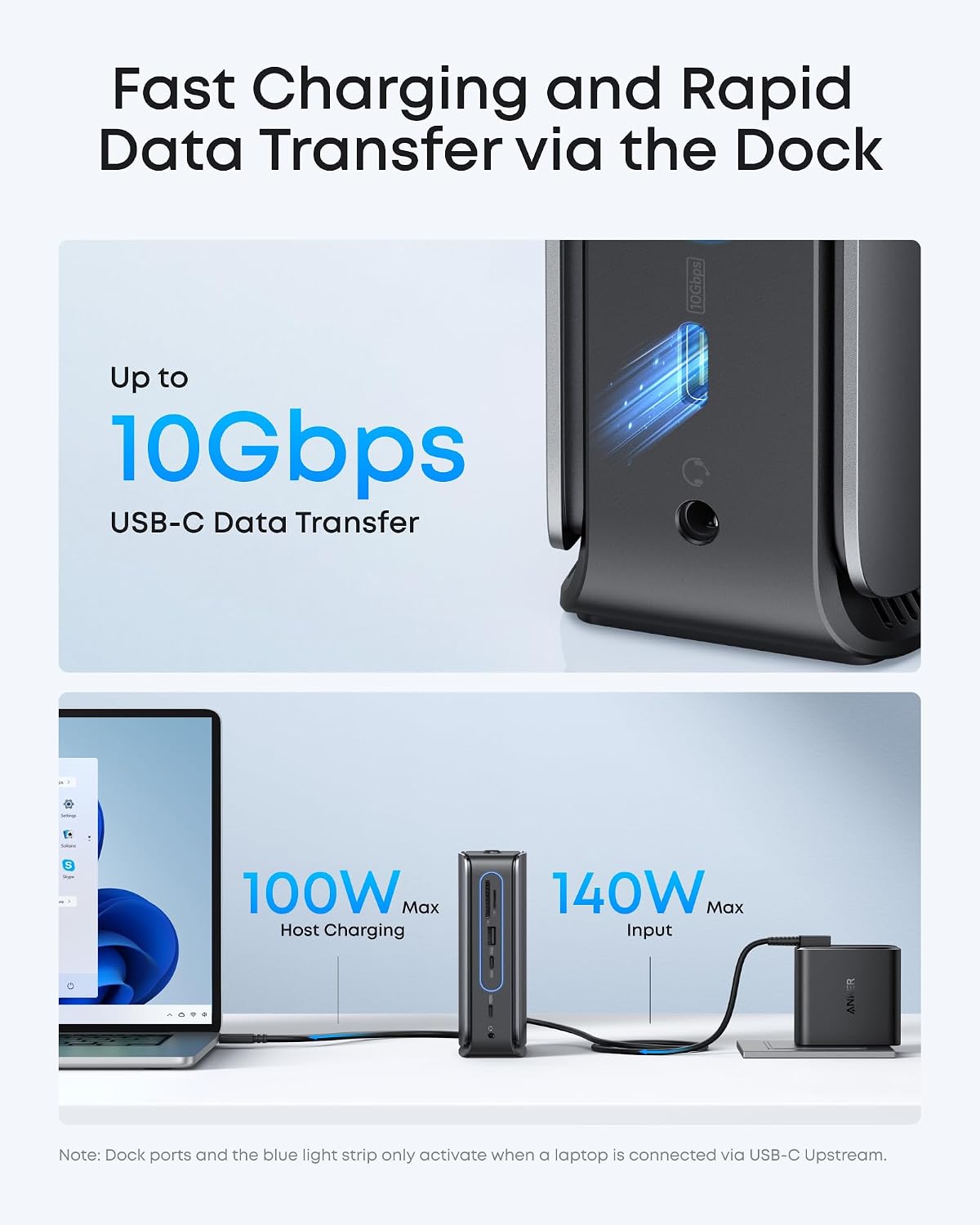
- 100W max PD output to your laptop (via USB-C), intended for Dell, Lenovo, HP and more (as claimed)
- Up to 10Gbps data transfer via USB-C (upstream)
- Up to 140W max input from the included power adapter to maintain stable power for connected devices (as described)
- Included cable: 3 ft USB-C to USB-C for the upstream connection (10Gbps)
This is the area where the dock feels most “practical”. If you’re charging and moving data (for example, importing photos from an SD/TF card or transferring files to a drive) you’re not just getting ports—you’re getting speed and a defined power budget.
One thing to consider before buying: if your laptop power requirements and the number of connected devices are unusually demanding, it’s smart to double-check your device’s charging needs and how you plan to load the dock.
Where it shines, and where it may not be the best match
Where it shines:
- If you want a single dock for your desk, plus a detachable hub for portable work
- If you use multiple display inputs (2 HDMI + 1 DP), Ethernet, audio, and card readers as part of your routine
- If you care about charging over USB-C while still having fast upstream data transfer
Where it may fall short:
- If you’re on macOS and rely on independent multi-monitor content, the mirroring note is a deal-breaker for some people
- If you specifically expect USB-C video output on macOS, the description suggests you won’t get it
It’s not a bad product, just one that depends quite a lot on your laptop/OS expectations around display output.
Buying verdict: when it makes sense
This Anker Nano docking station with detachable hub is a solid pick if you want a streamlined “dock at the desk, hub when mobile” workflow and you’re comfortable using HDMI/DisplayPort for video output (particularly on macOS, where mirroring is called out).
It’s also a sensible choice if you value having a broad set of everyday ports in one place, along with up to 10Gbps data transfer and up to 100W PD charging.
You may want to skip it if independent multi-monitor behaviour on macOS is non-negotiable, or if you were planning on USB-C video output as part of your monitor setup.
Mini FAQ
Is it good for triple monitors?
The dock is designed for triple display on the main dock, with dual HDMI and DisplayPort outputs. Just be aware the macOS notes mention mirroring and that USB-C does not support video output there.
Can I use it without setting up the full triple-screen desk?
Yes. The description explains that the detachable hub can be used so you can connect one display through the hub when you’re working away from your desk.
How fast is the data transfer?
The upstream USB-C connection is rated for up to 10Gbps, using the included 3 ft USB-C to USB-C cable (as stated).
Will it charge my laptop?
The dock supports up to 100W max PD for laptops from Dell, Lenovo, HP and more (as claimed). It’s still worth checking your laptop’s charging requirements and your intended number of connected devices.
What’s included in the box?
The listing includes the Anker Nano Docking Station (13-in-1, triple display, built-in removable hub), a 3 ft USB-C to USB-C upstream cable (10Gbps), a 140W power adapter with a built-in 5 ft power cord, and a safety sheet with a QR code for the manual.