

NOVOO RM11 Pro USB-C docking station (11-in-1) for triple display, 100W PD and RJ45 Ethernet
Product description
Key takeaways
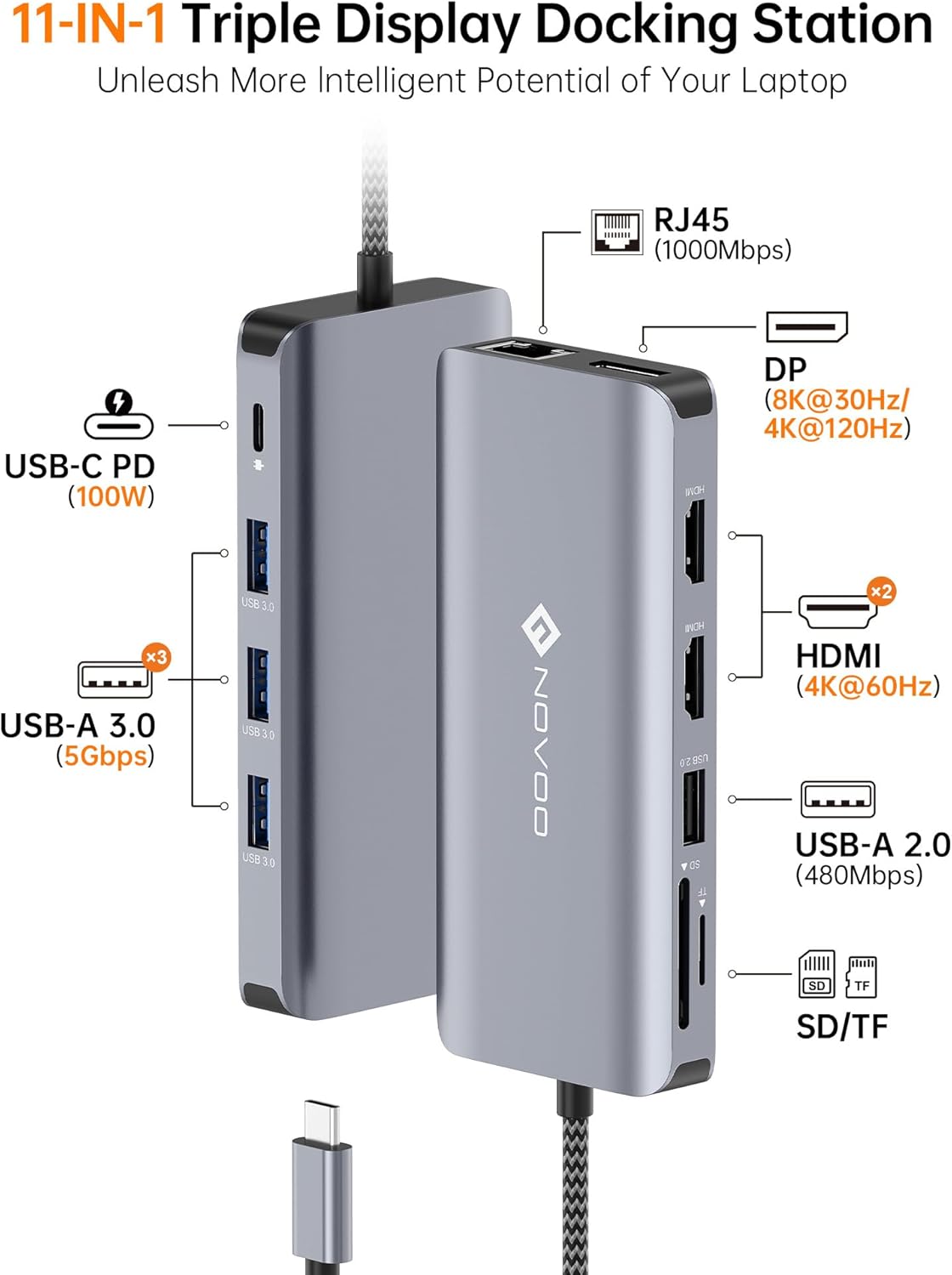
If you’re trying to turn a laptop with limited ports into a proper work setup, the NOVOO RM11 Pro is built for that exact job. It’s an 11-in-1 USB-C docking station with triple display support, an Ethernet port for steadier connections, and a mix of USB-A and card slots so you’re not constantly swapping dongles.
On paper, it looks like the sort of dock that suits a daily “desk-to-meeting” routine: one cable into the laptop, then your monitors, network, peripherals and media connections are handled in one go. The only caveat is that multi-display setups can be picky depending on your laptop’s video output capabilities, so it’s worth checking compatibility on your side before you commit.
What you get and what it’s for
The RM11 Pro positions itself as more than a basic hub. You’re getting multiple display outputs (DisplayPort and HDMI options), wired Ethernet via RJ45, and several USB ports for peripherals. It also includes SD/TF card slots, which is handy if you move photos or footage between your laptop and camera/media cards.
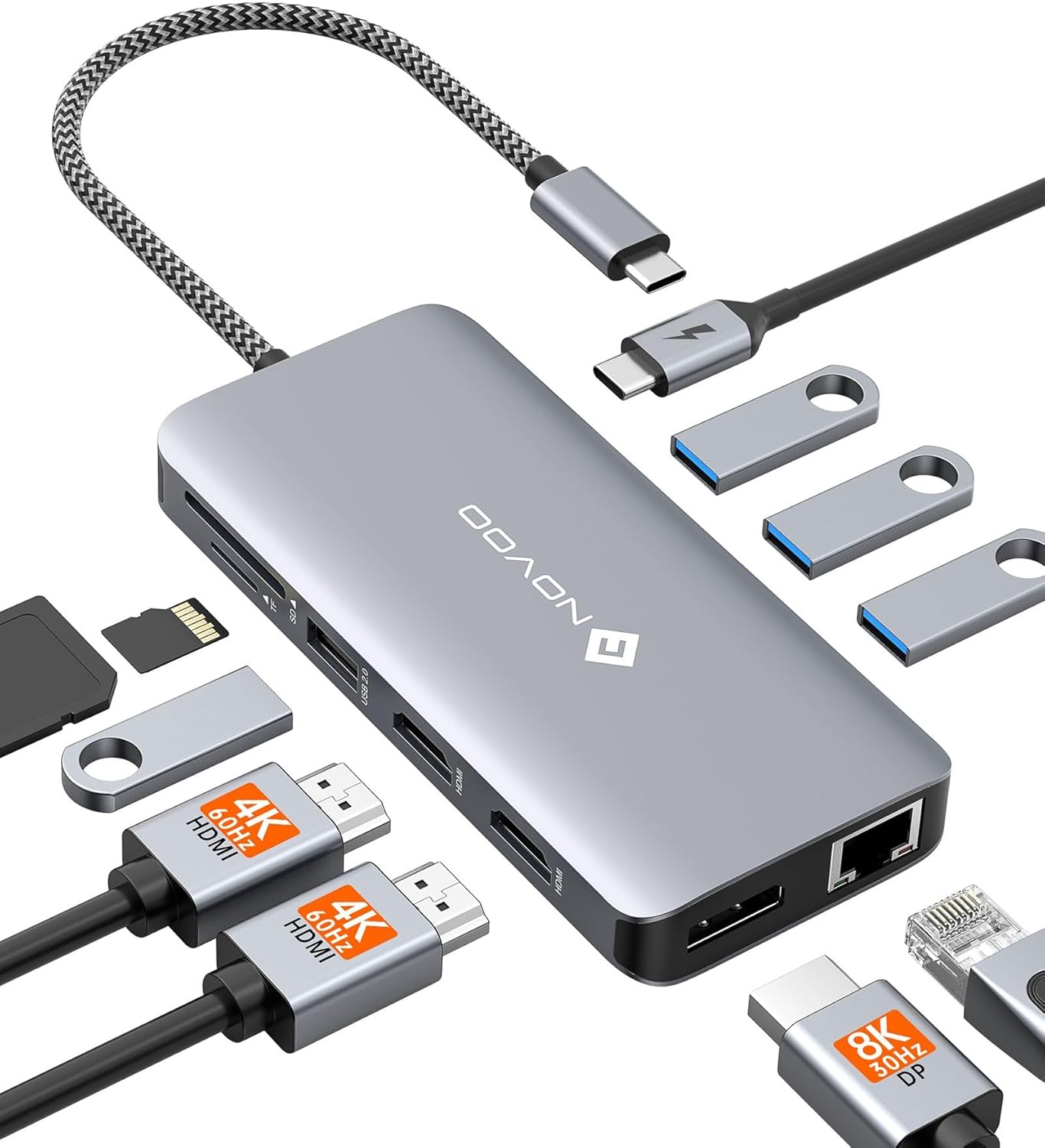
A practical example: imagine you’re working from home and want two monitors for spreadsheets and reference material, plus your camera card for quick edits. With this dock, you can plug in once, run the monitors through the dock outputs, attach your network cable for stable video calls, and pop the SD/TF card in without hunting for a separate reader.
Key features for desk productivity
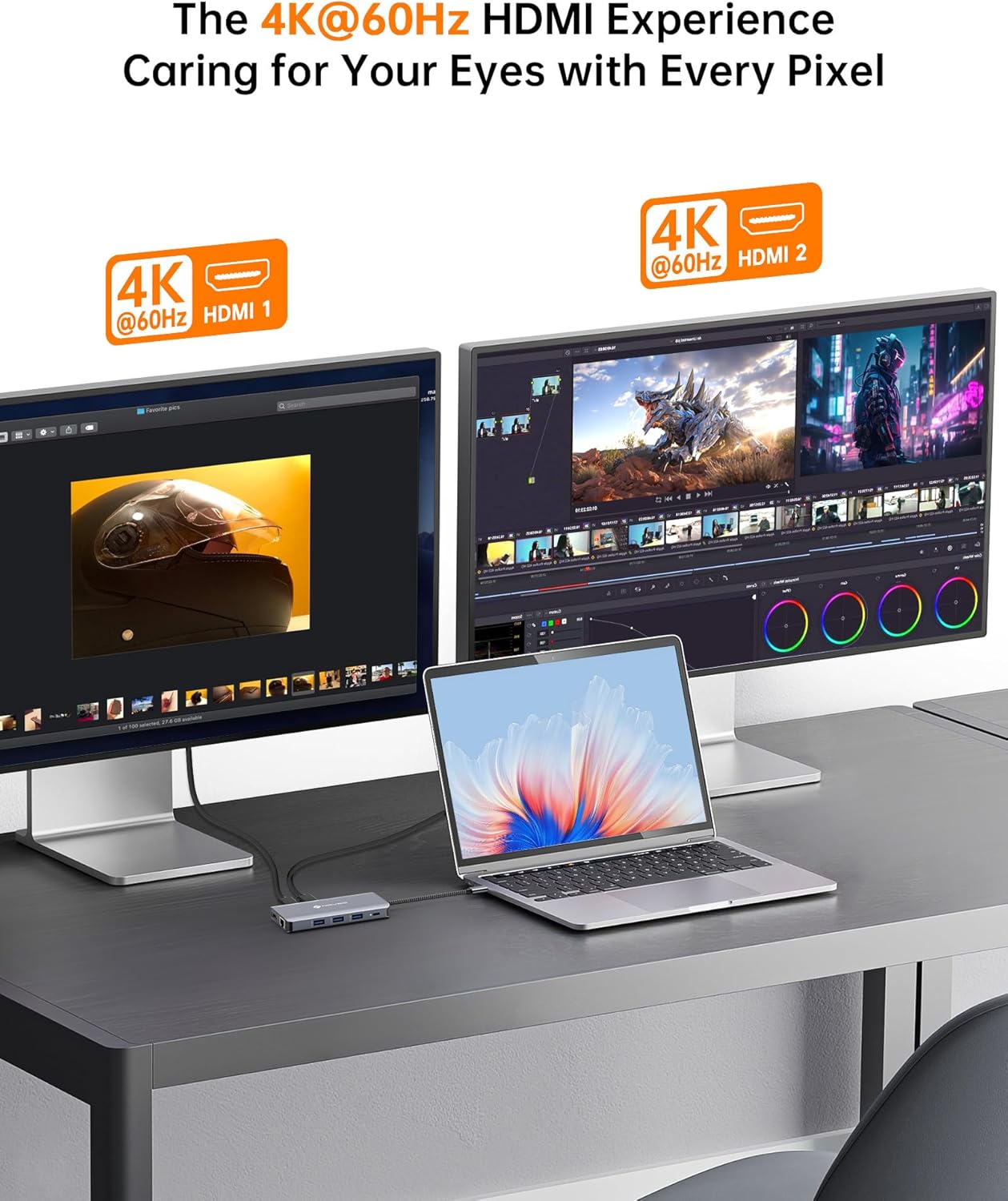
What stands out here is the display and connectivity mix. The dock supports up to three monitors simultaneously (the listing describes triple display capability), and it offers different output options for different monitor setups: - DisplayPort output capability is specified up to 8K@30Hz or 4K@144Hz - HDMI outputs include dual 4K@60Hz support
For networking, the RJ45 Ethernet port is rated up to 1000Mbps. That’s the kind of detail that matters if you’re doing video conferencing, streaming, or you simply prefer not relying on Wi‑Fi stability.
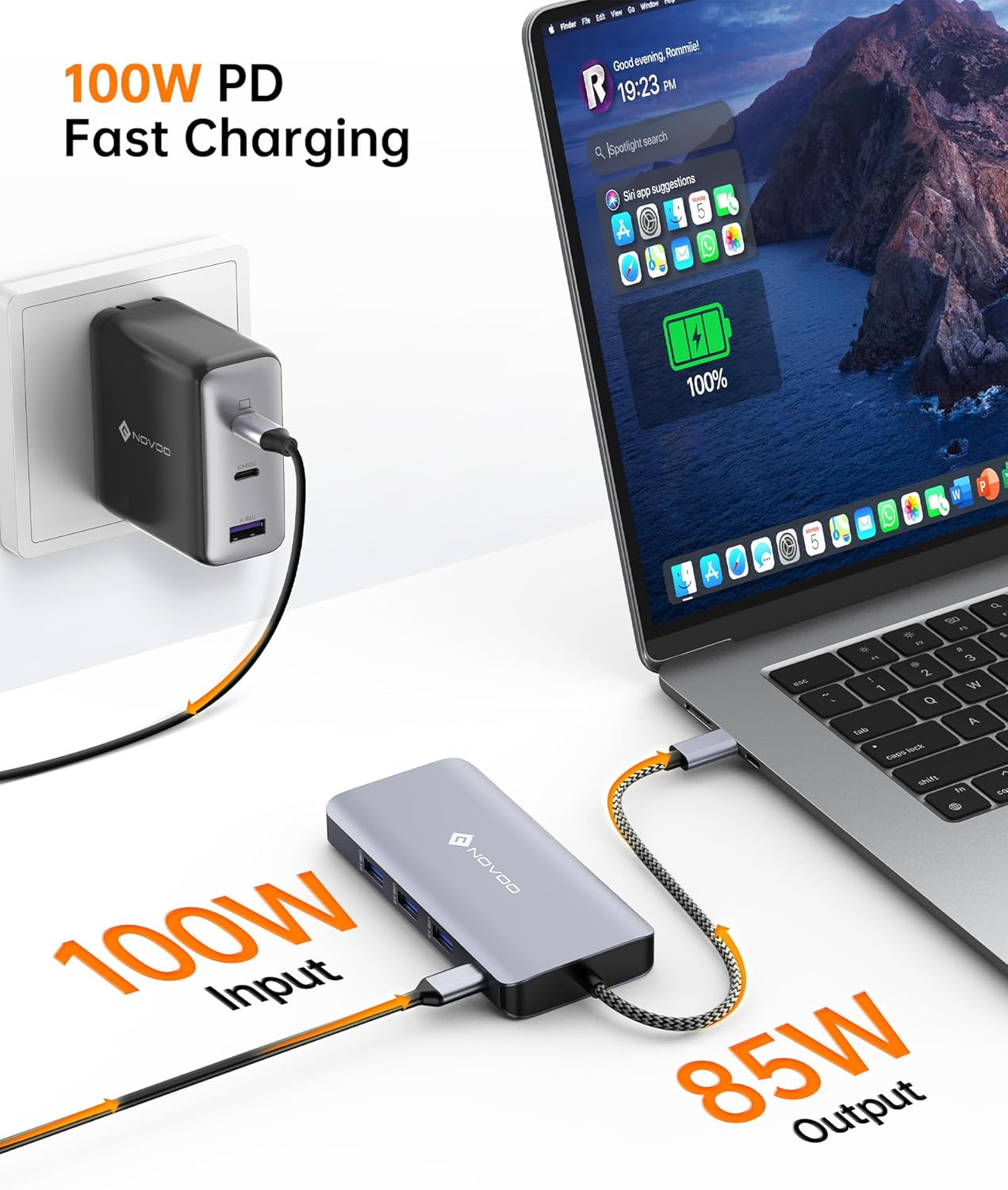
Power delivery is also a big part of the “one-cable” idea. The dock includes 100W USB-C Power Delivery, intended to keep your laptop and devices powered throughout the day rather than forcing you to juggle chargers.
USB and data transfer—how it helps day to day
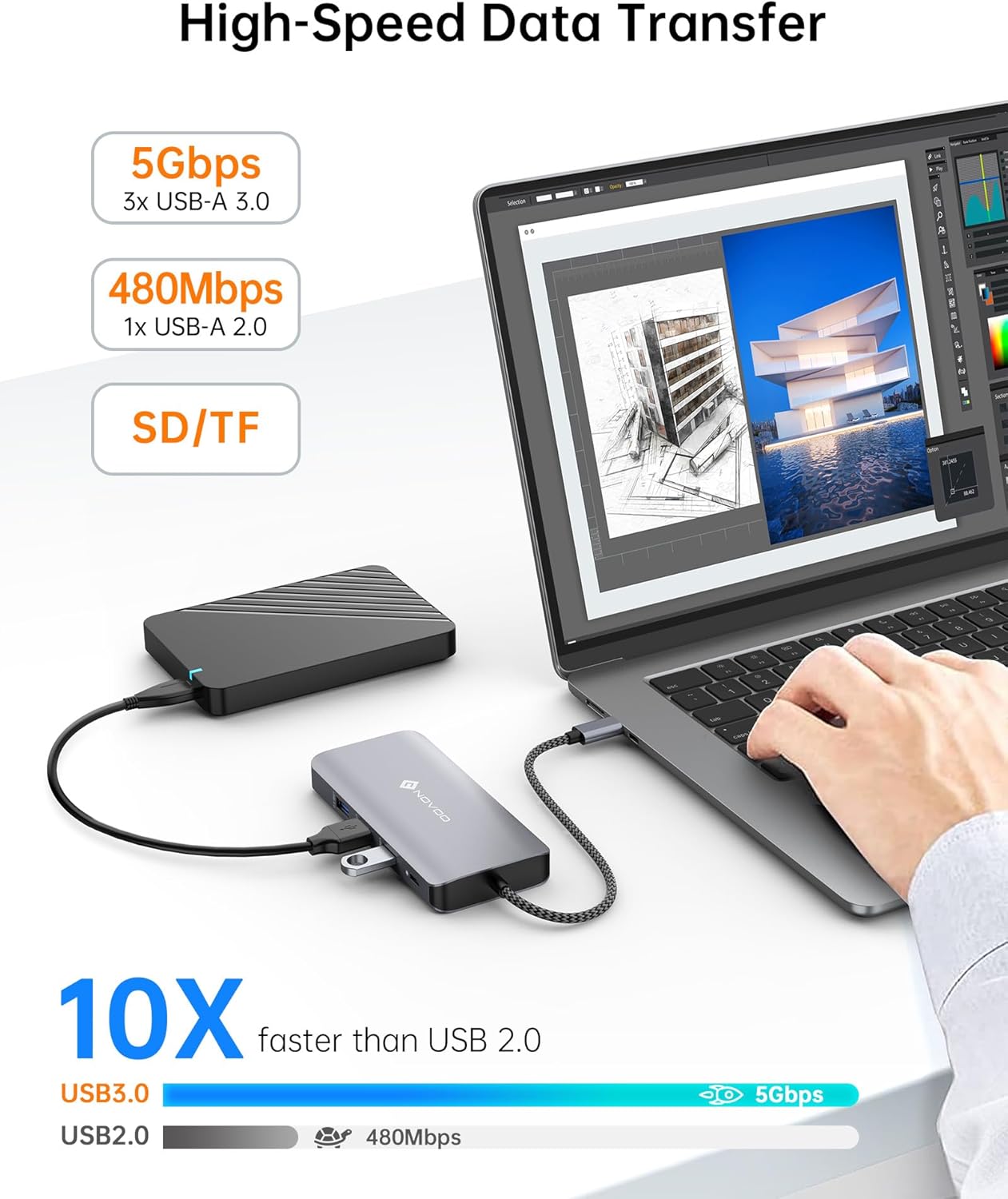
The RM11 Pro includes three USB-A 3.0 ports (rated up to 5Gbps) plus an additional USB-A 2.0 port. For most people, that’s enough to cover a keyboard/mouse receiver, a USB drive, a card reader alternative when you don’t want to use SD/TF, or other peripherals that don’t need the fastest bandwidth.
It’s not trying to replace every high-speed accessory you might own, but it does address the common “I need more USB ports” problem that shows up fast when you move from a thin laptop to a more desktop-style workflow.
Worth noting about performance and limitations
A few things are worth keeping in mind. Multi-display docks depend quite a bit on the laptop itself—especially how your laptop handles video output over USB-C. Even if the dock supports triple display on paper, your real-world result can vary.
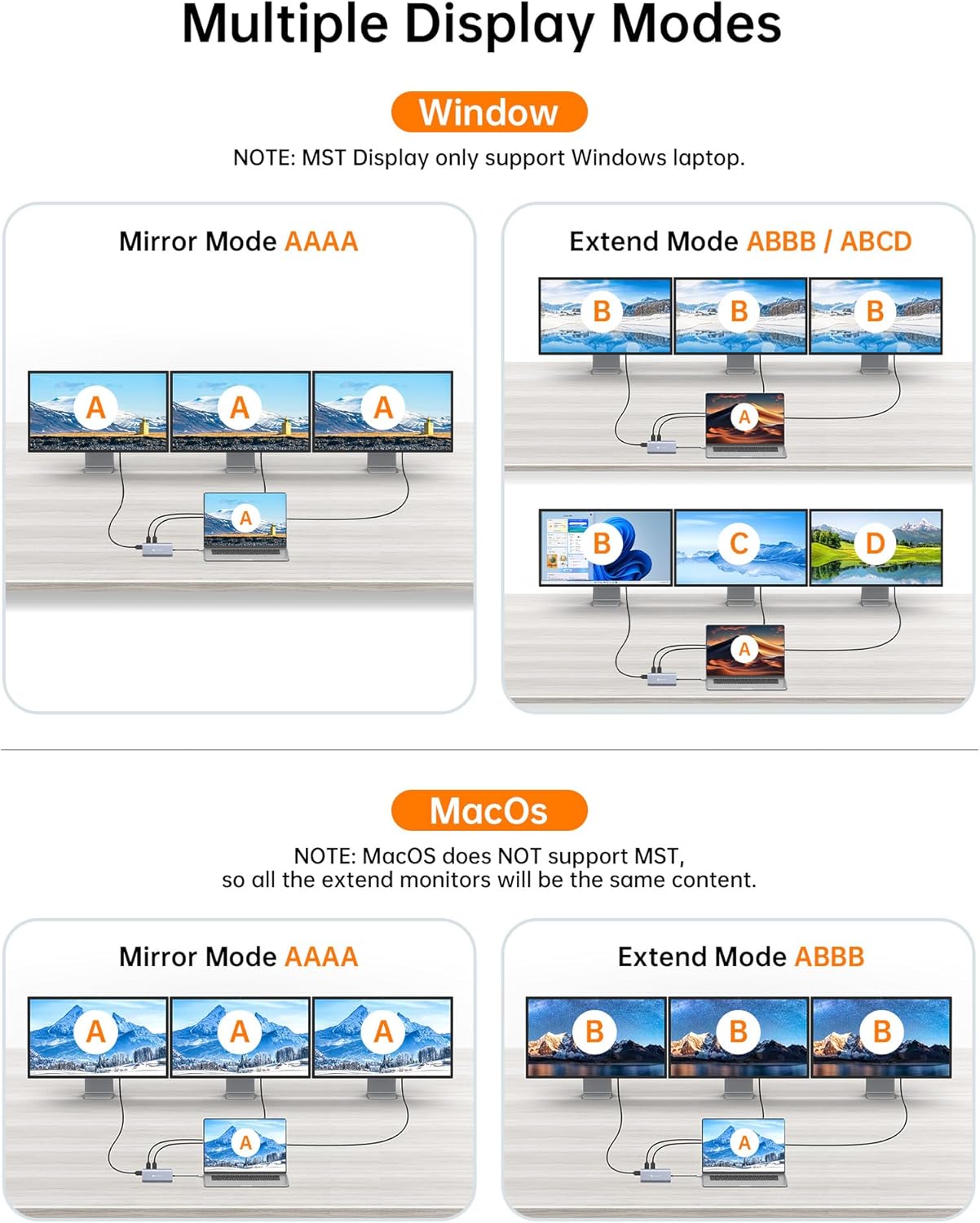
Also, while the listing includes high resolution refresh rate figures for certain outputs, you should treat those as best-case scenarios and expect outcomes to depend on your monitor resolutions, cables, and the specific way you configure the outputs.
In other words: it looks like a strong mid-range productivity dock, but it’s not the kind of product you should buy blindly if you know you’ll need a very specific triple-display arrangement.
Tech specs

- Name: USB C Docking Station Triple Display - NOVOO RM11 Pro 11-in-1 USB C Dock
- Type: USB-C docking station
- Display: Supports DisplayPort up to 8K@30Hz or 4K@144Hz, and dual HDMI up to 4K@60Hz
- Capacity: 100W Power Delivery
- Dimensions: Not provided
- Weight: Not provided
- Material: Aluminum body
- Colour: Not provided
- Ethernet: RJ45, up to 1000Mbps
- Ports: 3 x USB-A 3.0 (up to 5Gbps) + 1 x USB-A 2.0
- Media: SD/TF card slots
Pros
- Triple display support for a more expansive desktop feel
- 100W USB-C Power Delivery for all-day power (where supported)
- RJ45 Ethernet rated up to 1000Mbps for steadier connections
- SD/TF card slots for quick media transfer
- Aluminum body aimed at portability and day-to-day durability
When it makes sense (and when it doesn’t)
It makes sense if you want a single USB-C connection to handle multiple screens, wired networking, and common peripherals—especially for home working, office hot-desking, or content creation workflows where media cards are part of the routine.
You may want to skip it if your primary goal is just to add one extra monitor and a couple of USB ports, because you might not use (or fully benefit from) the extra display and port features. It might also be a poor match if you can’t rely on your laptop to support the required multi-display behaviour over USB-C.
Is it worth it?
The NOVOO RM11 Pro is a solid “one-dock-to-run-the-day” approach: triple display support, Ethernet, multiple USB-A ports, and SD/TF slots in a compact aluminium design. If your laptop can make use of the dock’s video outputs over USB-C, it should feel like a proper upgrade to your workspace rather than another gadget to manage.
That said, multi-monitor results aren’t fully guaranteed from the dock listing alone—so if your setup is strict (specific monitor sizes/resolutions or a particular triple-screen layout), it’s worth double-checking your laptop’s USB-C display support before buying.
Mini FAQ
Does it connect to a laptop using a single USB-C cable?
Yes—this is described as a USB-C docking station that lets you connect devices through a single hub connection.
How many monitors can it run at once?
The listing states it supports dual monitor setups with the ability to connect up to three monitors simultaneously.
What network connection does it offer?
It includes an RJ45 Ethernet port rated up to 1000Mbps.
Are there media card slots included?
Yes, there are SD/TF card slots for media access.
What power delivery does it provide?
The dock includes 100W USB-C Power Delivery for powering your laptop and devices, where supported.