

USB C Docking Station Dual Monitor Adapter 100W ⚡🖥
Reviews
Price
Product description
This USB C docking station is built to expand a laptop's display and port options for multitasking at a desk or workstation. The USB C Docking Station Dual Monitor Adapter supports multiple external screens while offering pass-through power and extra USB ports to connect peripherals easily.
Key Points
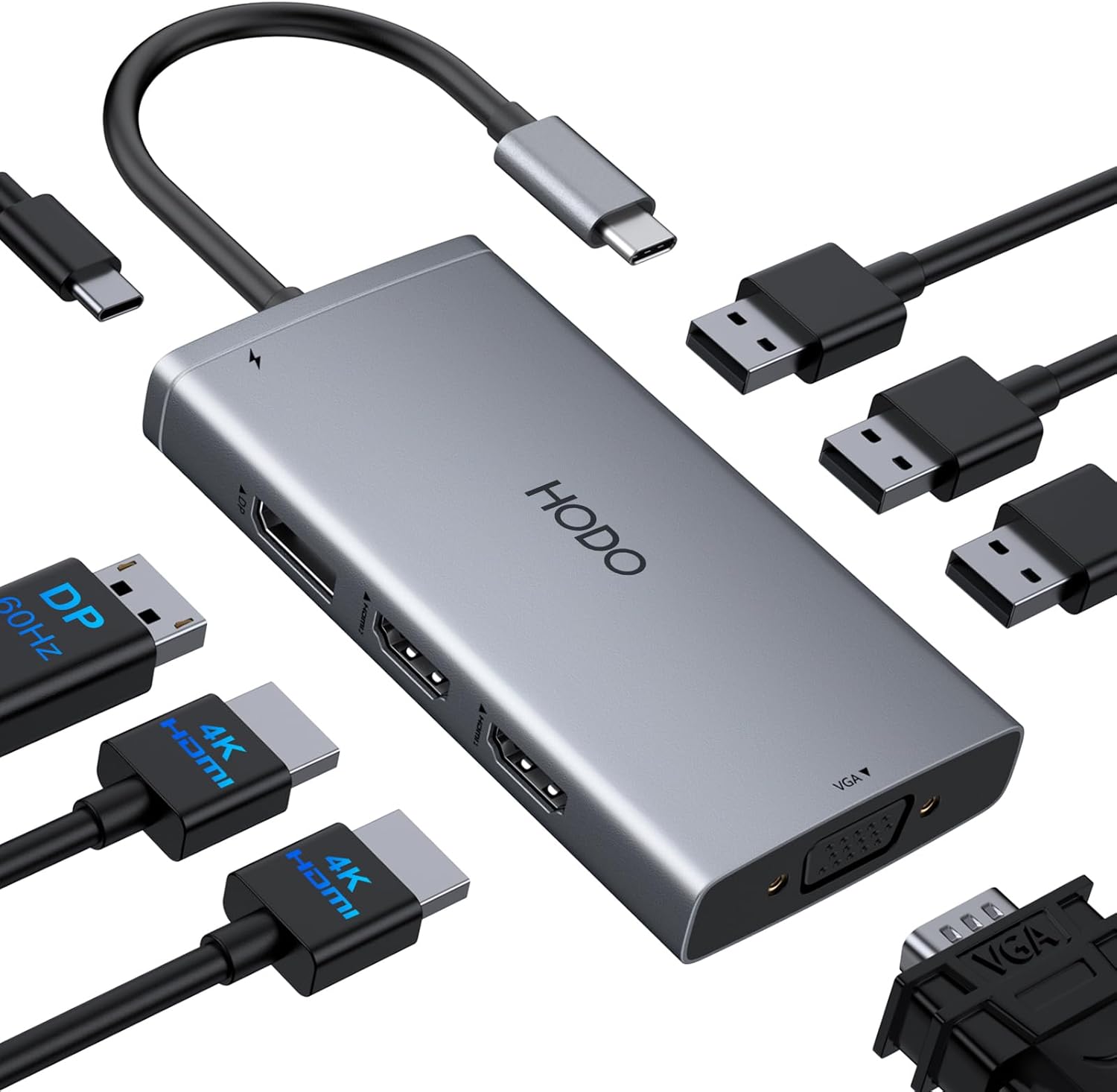
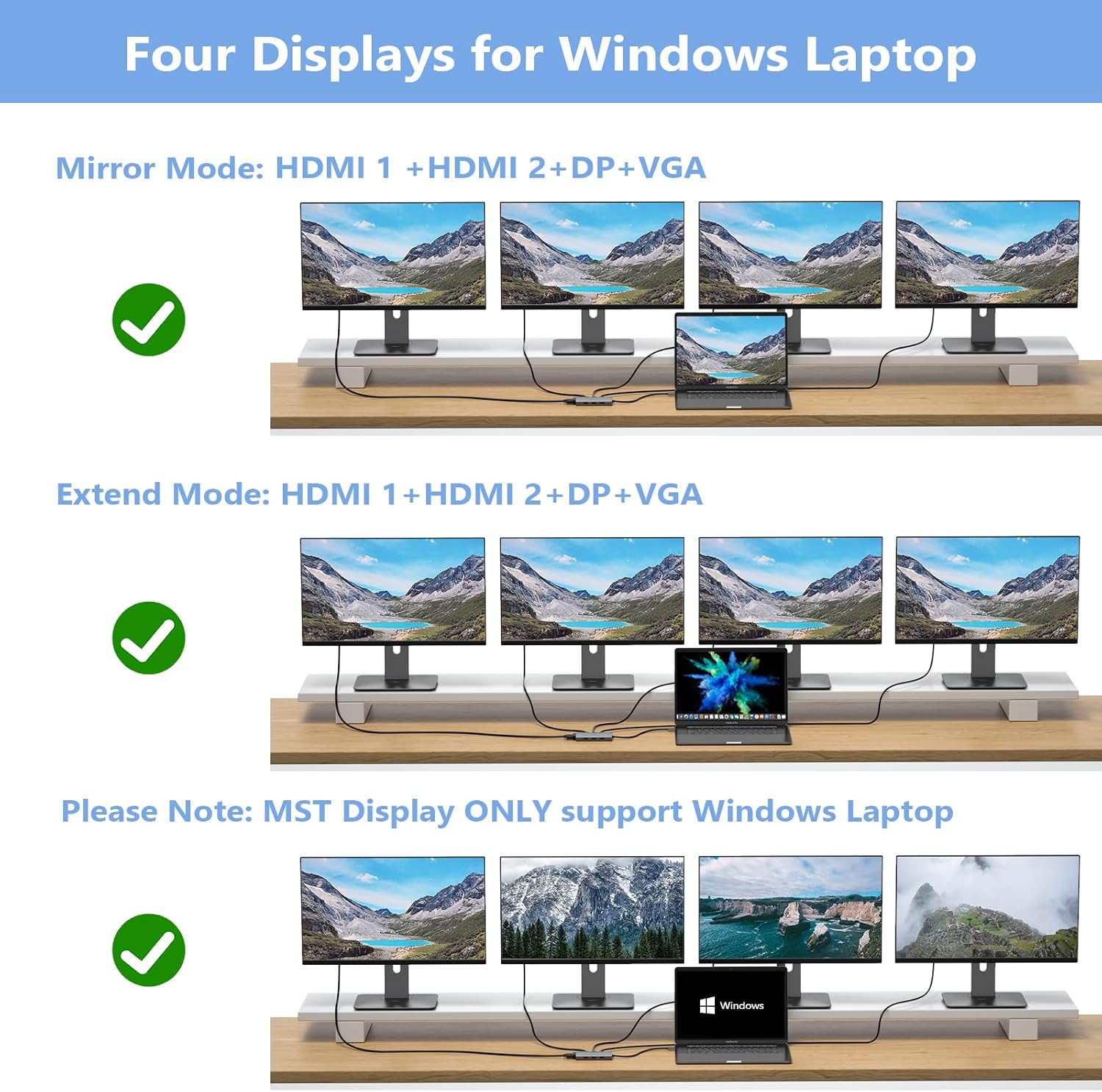
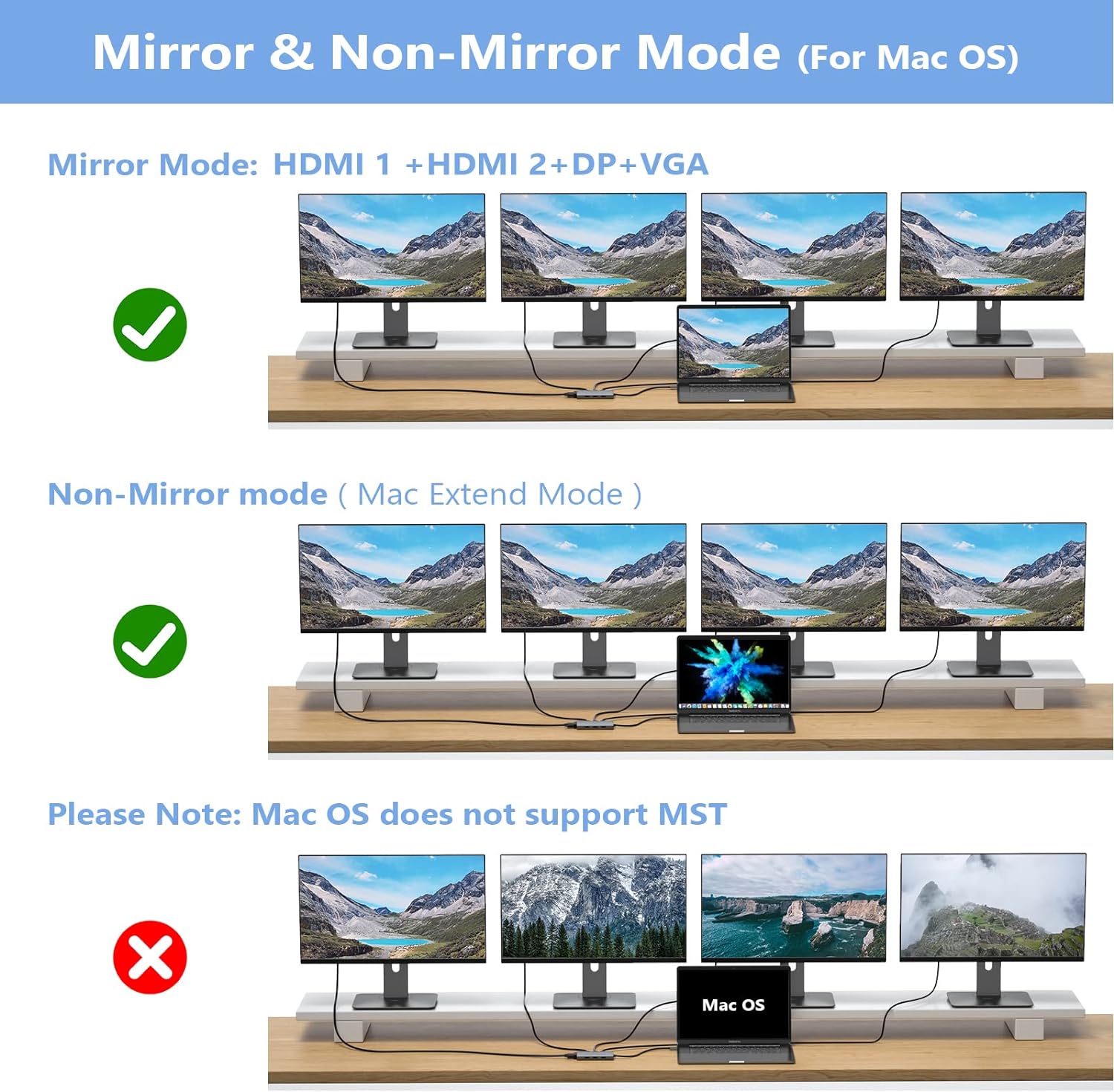
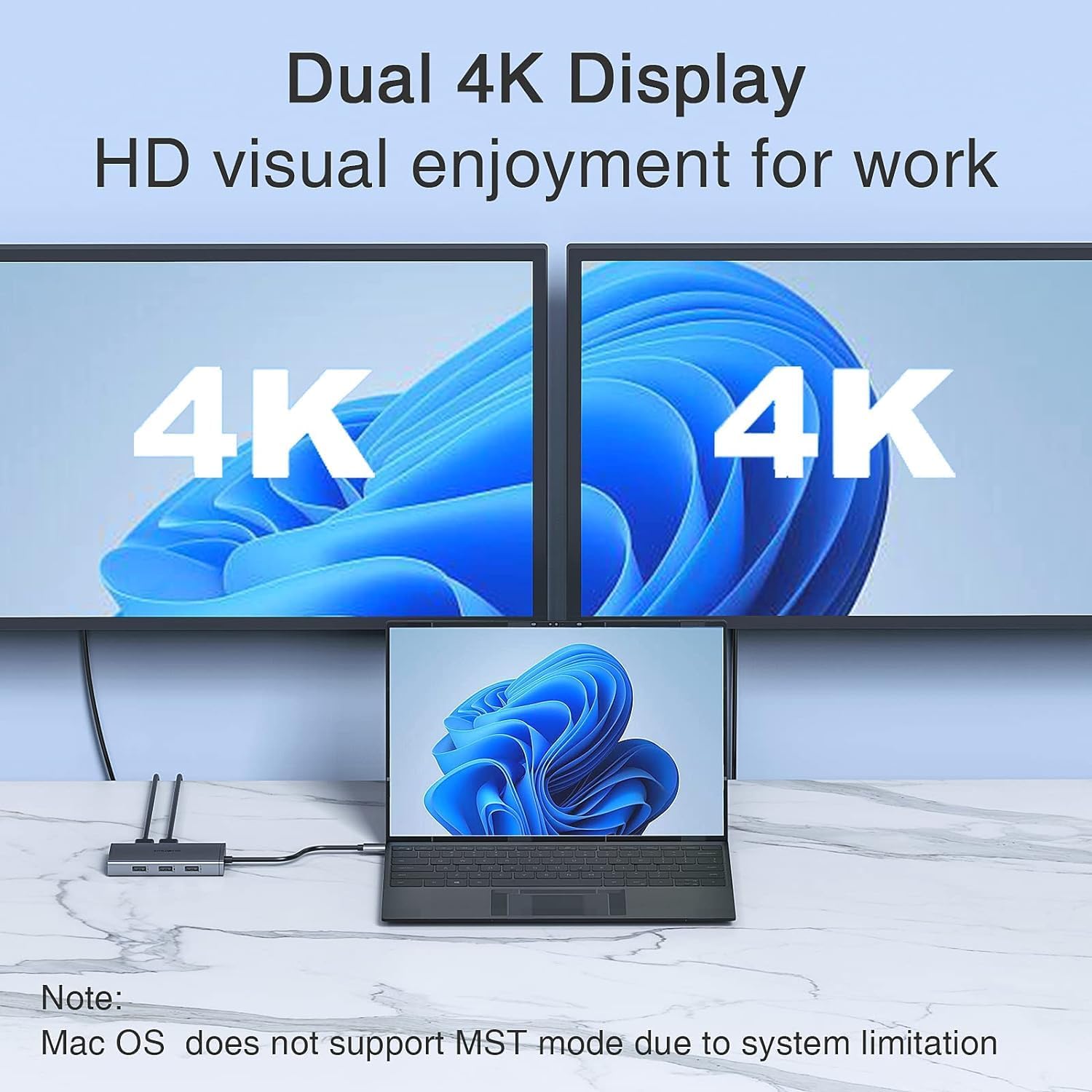
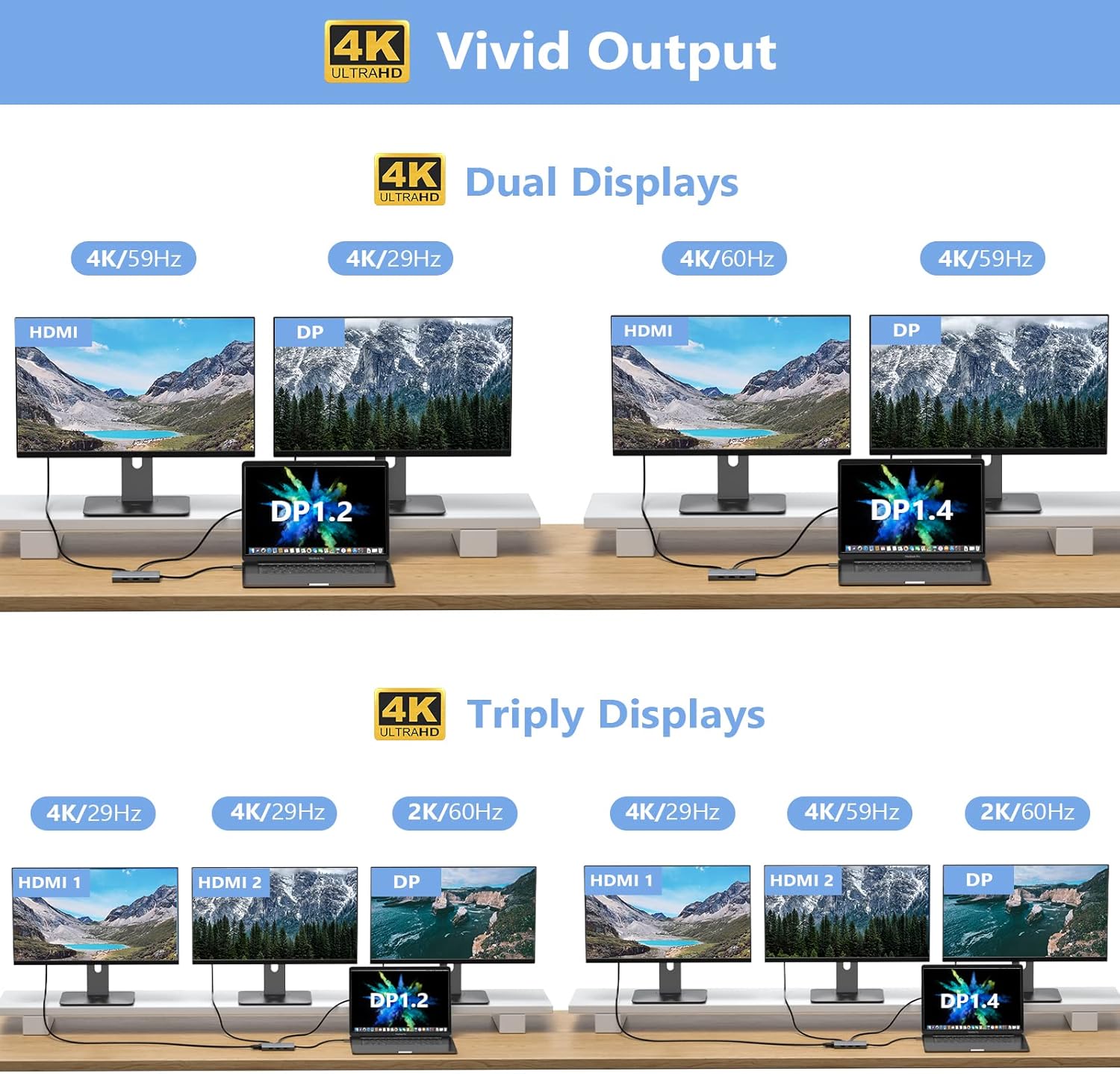
The hub provides up to four video outputs with a combination of two HDMI ports, one DisplayPort and one VGA. It can drive dual or triple displays at mixed resolutions and refresh rates, which helps when you need several windows open for productivity or content review. Note that on macOS the external screens mirror each other according to the manufacturer, which limits independent extended displays on those systems.
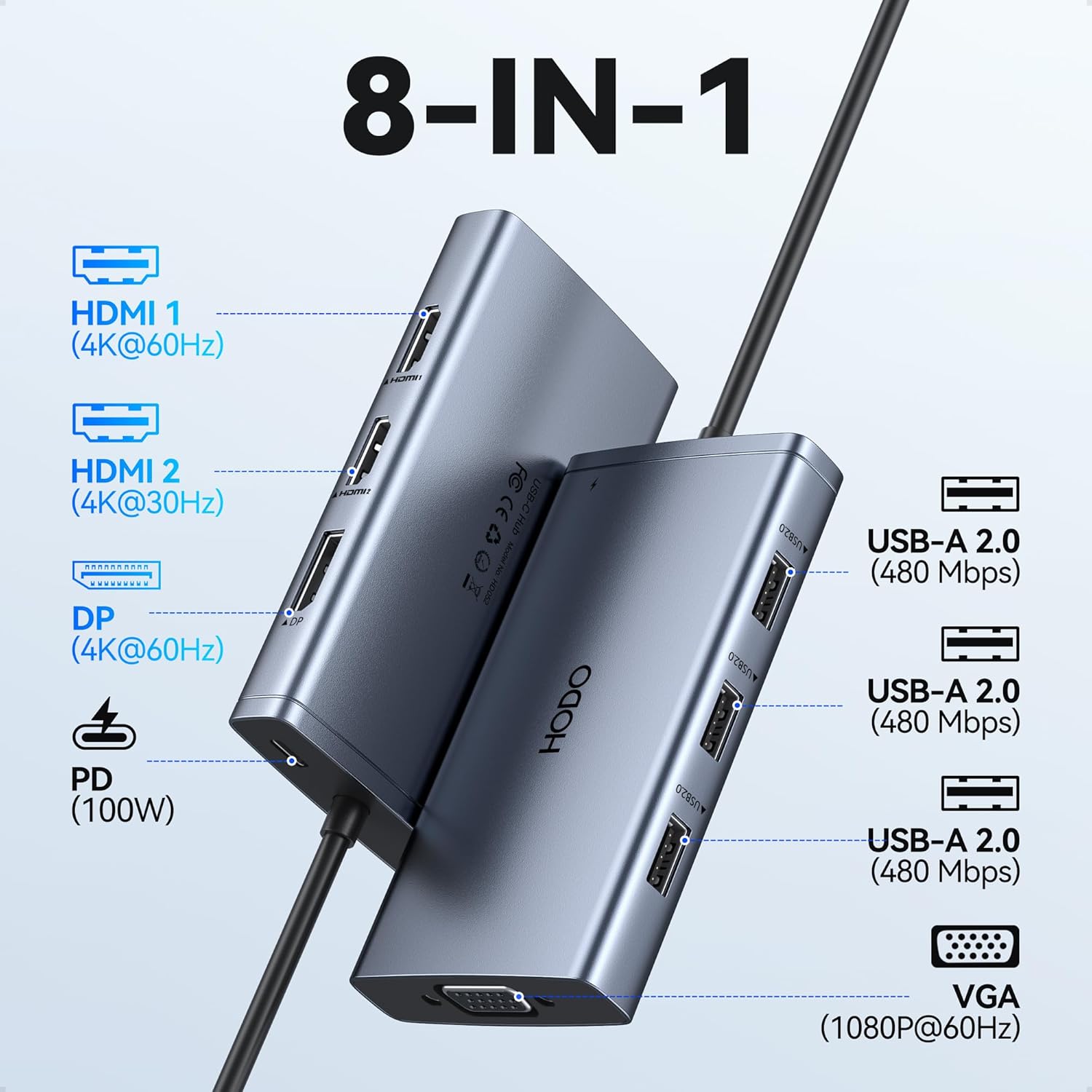
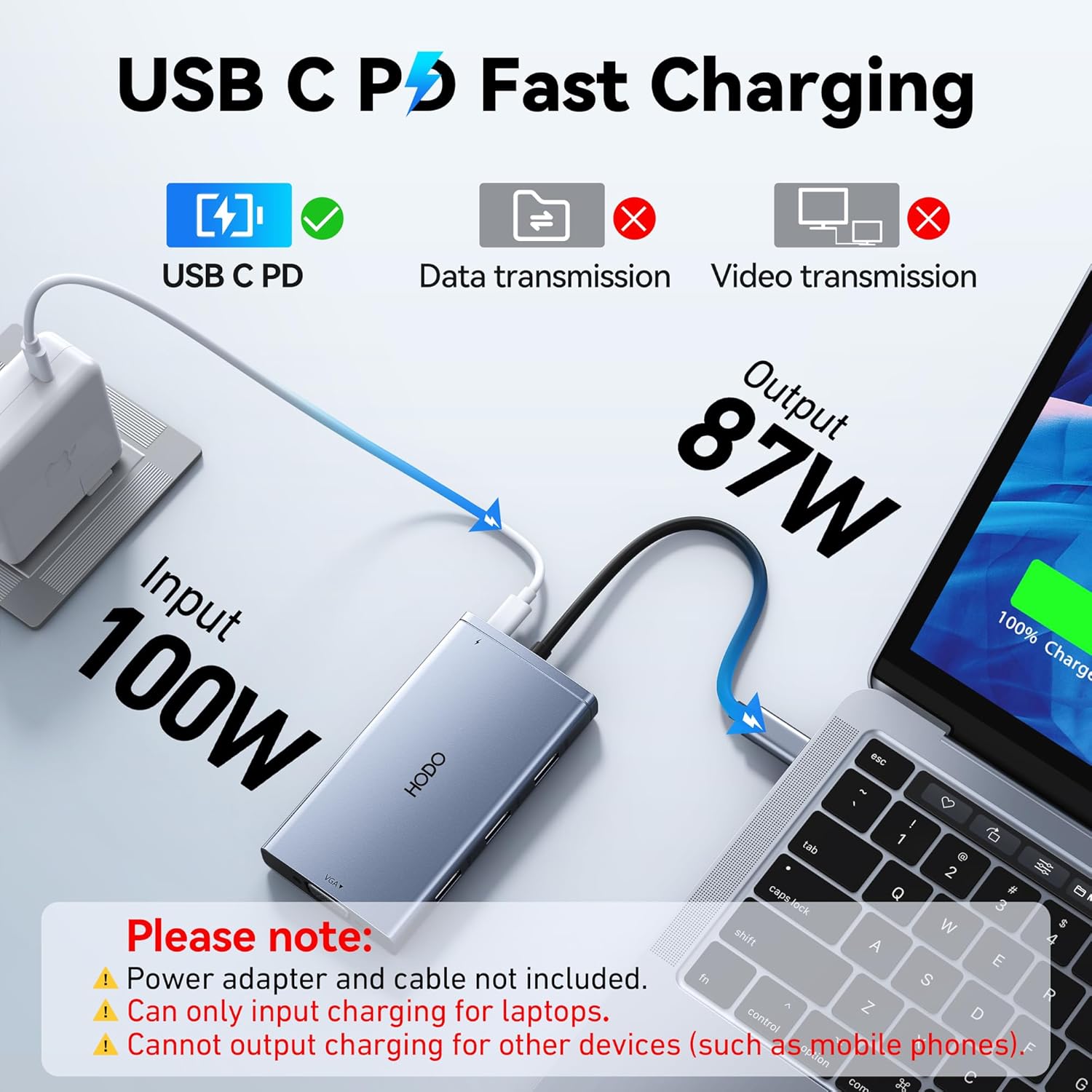
This dock includes a 100W USB-C power input and an 87W safe output to the connected laptop, allowing for charging during use when your laptop’s USB-C supports power delivery. For data and accessories there are three USB 2.0 ports suitable for keyboards, mice and flash drives at transfer speeds up to 480 Mbps. Be aware that using the VGA port reduces all connected displays to 1080p output as part of its design.
Technical Specifications
- Name: HoDo USB C Docking Station 8-in-1
- Video outputs: 2x HDMI (one 4K@60Hz, one 4K@30Hz), 1x DisplayPort (4K@60Hz), 1x VGA (1080p)
- Power delivery: Input up to 100W, output up to 87W (manufacturer stated)
- USB ports: 3x USB 2.0, data transfer up to 480 Mbps
- Compatibility: Laptops with full-featured USB-C supporting Display and PD protocols, including Dell XPS, Latitude, Lenovo ThinkPad and Surface models.
Usage Recommendations
Connect the docking station to a laptop with a full-featured USB-C port and use a power adapter of at least 65W to avoid power warnings, according to the product notes. If you plan to run multiple 4K displays, verify that your laptop supports DP1.4 or equivalent multi-stream transport features to reach the higher resolutions. For stable multi-monitor setups place the dock in a ventilated area and avoid mixing VGA and high-resolution digital outputs when maximum resolution is required.
For macOS users consider that mirrored output of external displays may prevent independent extended desktops, so test your configuration if you rely on separate screen layouts. Also, the three included USB 2.0 ports are best for low-bandwidth devices like keyboards and mice rather than high-speed external drives. 🖥️🔌
Benefits
The docking station streamlines a tidy workstation by consolidating video, power and peripheral connections into a single USB-C cable. It reduces cable swapping and offers flexible display options for presentations, office apps and light multimedia tasks. While it supports 4K output on compatible ports, note that mixed outputs and the VGA option impose practical limits on simultaneous high-resolution performance.