

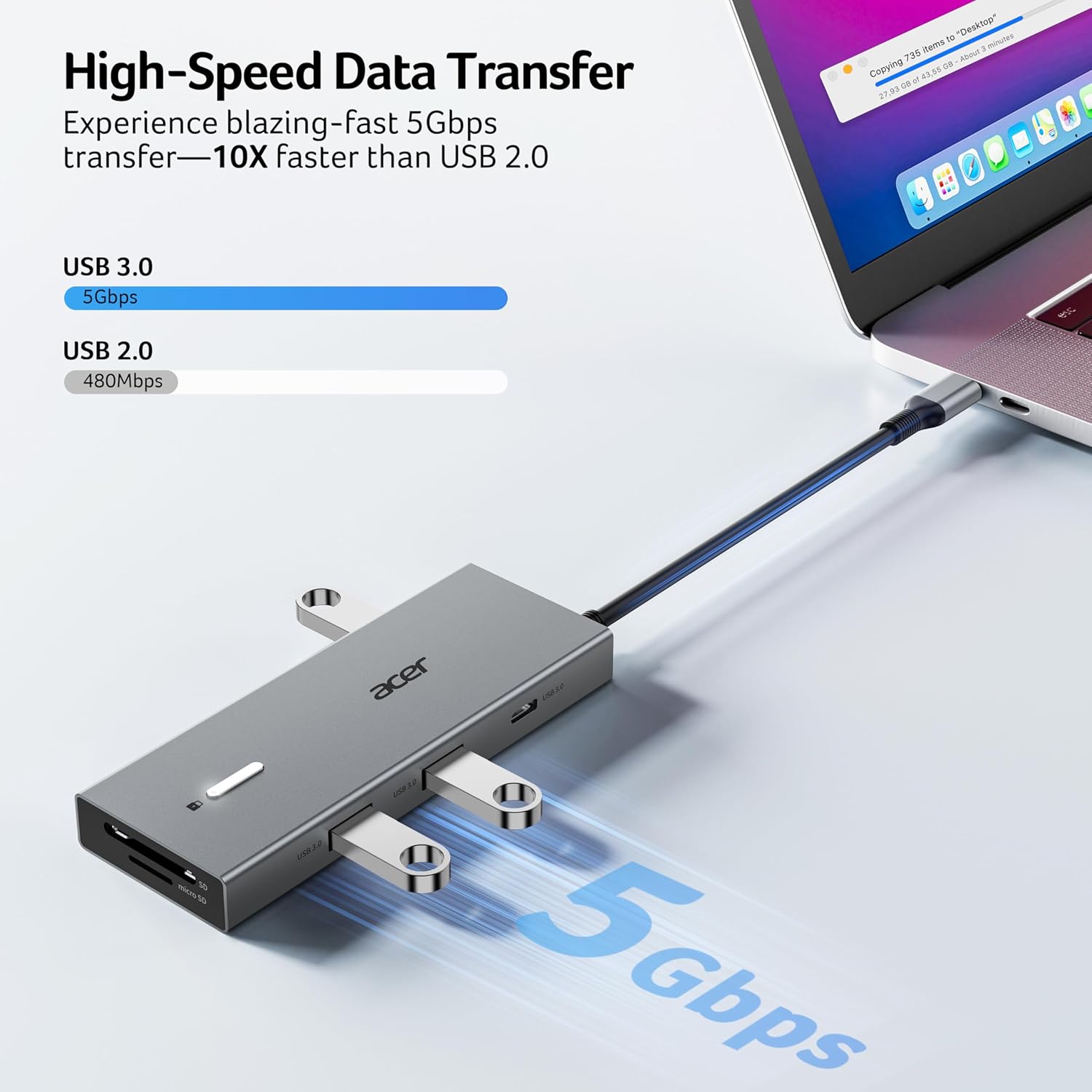
Acer ODK4K0 9-in-1 USB-C Docking Station with Dual HDMI and 100W PD
Product description
With a built-in 0.65FT cable and an aluminum body, the Acer ODK4K0 brings display, data, and charging connections together in one USB-C dock. Its dual HDMI ports support up to 4K at 60Hz, and its USB and SD card slots give desk setups more room for everyday peripherals. Choose it to connect several devices at a workstation, a basic single-port adapter makes more sense when you only need one extra connection.
Key takeaways

The 9-in-1 layout combines two HDMI ports, three USB-A ports, one USB-C port, SD and MicroSD slots, and USB-C Power Delivery. USB-A and USB-C data ports support transfer speeds up to 5Gbps, while the card slots support up to 104Mbps. That range is useful when a laptop needs to connect to monitors, storage, a mouse, or a keyboard without relying on a collection of separate adapters.
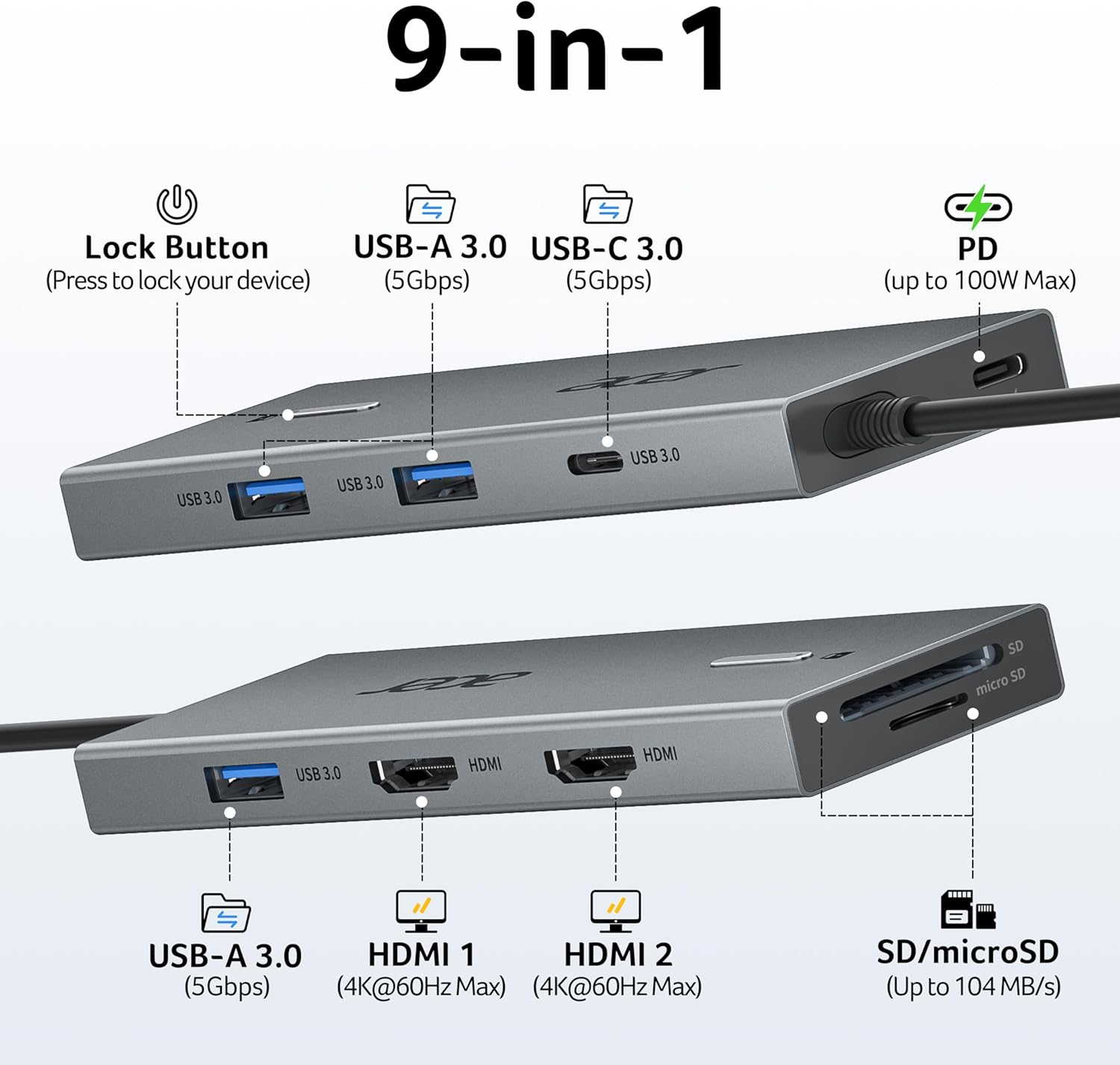
For a desk-based workflow, connect HDMI monitors and USB accessories through the dock, then use the card slots to access compatible SD or MicroSD media. The HDMI connections support up to 4K at 60Hz when the laptop, cables, and monitors support HDMI 2.0 or higher. Windows users can extend or mirror displays. On macOS, external monitors mirror the same content, so the dock is better suited to a mirrored display setup than separate desktop content on each screen.
Who it’s for
This dock is designed for Windows and macOS devices with a full-featured USB-C port that supports DisplayPort Alt Mode for video. For charging through the dock, the laptop’s USB-C port must also support Power Delivery. It is listed for use with Acer, Dell, Lenovo, Surface, HP, ASUS, MacBook, and Samsung devices, the specific USB-C port capabilities determine whether display, data, and charging functions are available.

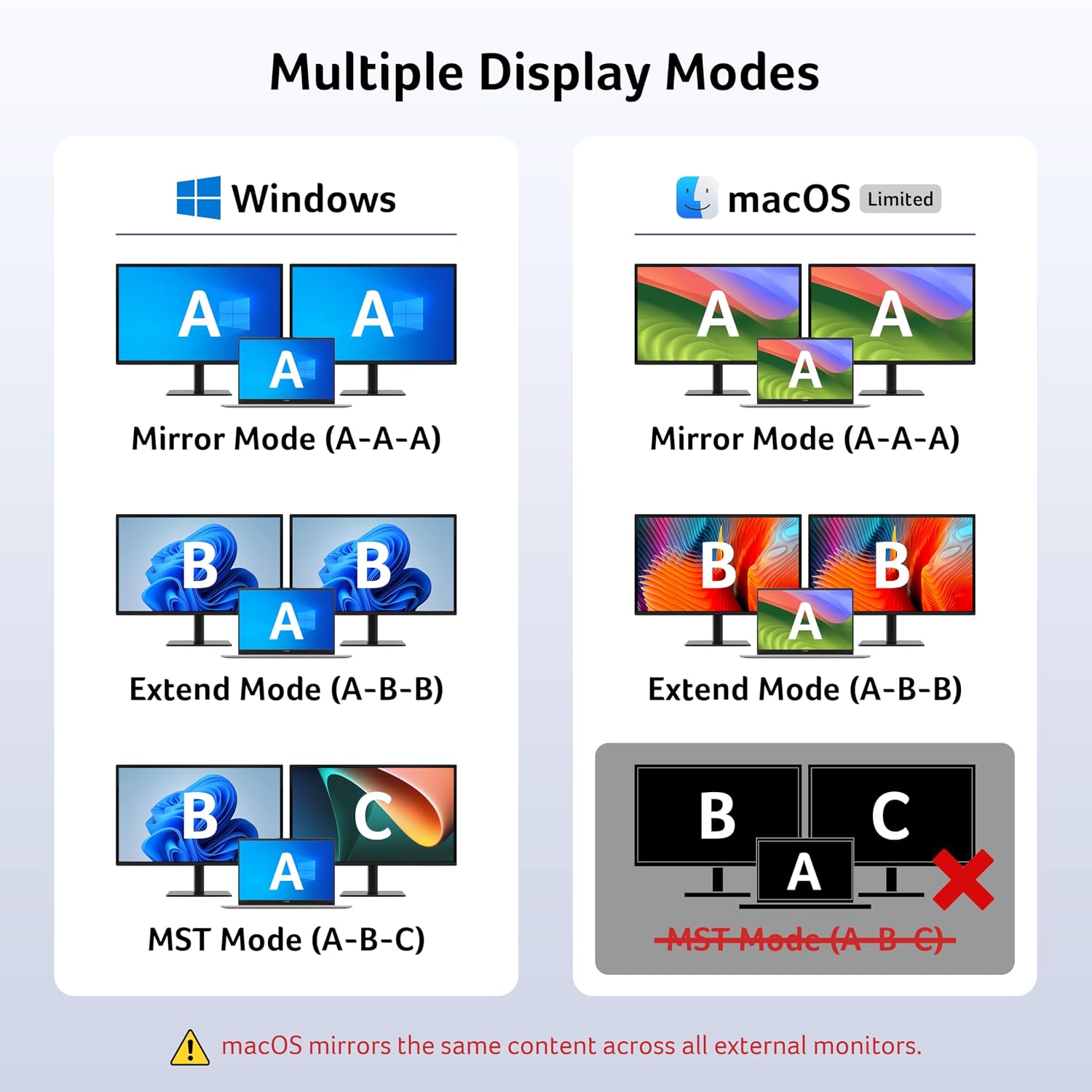
The dock accepts up to 100W of power and delivers up to 90W to a laptop. A 100W-or-higher USB-C power adapter is needed for Power Delivery and is sold separately. For a setup where both external screens should show different content on a Mac, note that macOS supports mirroring across the connected external monitors rather than separate images.
Practical tips
Before connecting displays, confirm that the laptop’s USB-C port supports DisplayPort Alt Mode and that the display chain supports the resolution and refresh rate you plan to use. If you’re connecting two monitors to a Mac, plan for mirrored content. These checks help match the dock’s display connections to the way you intend to work.

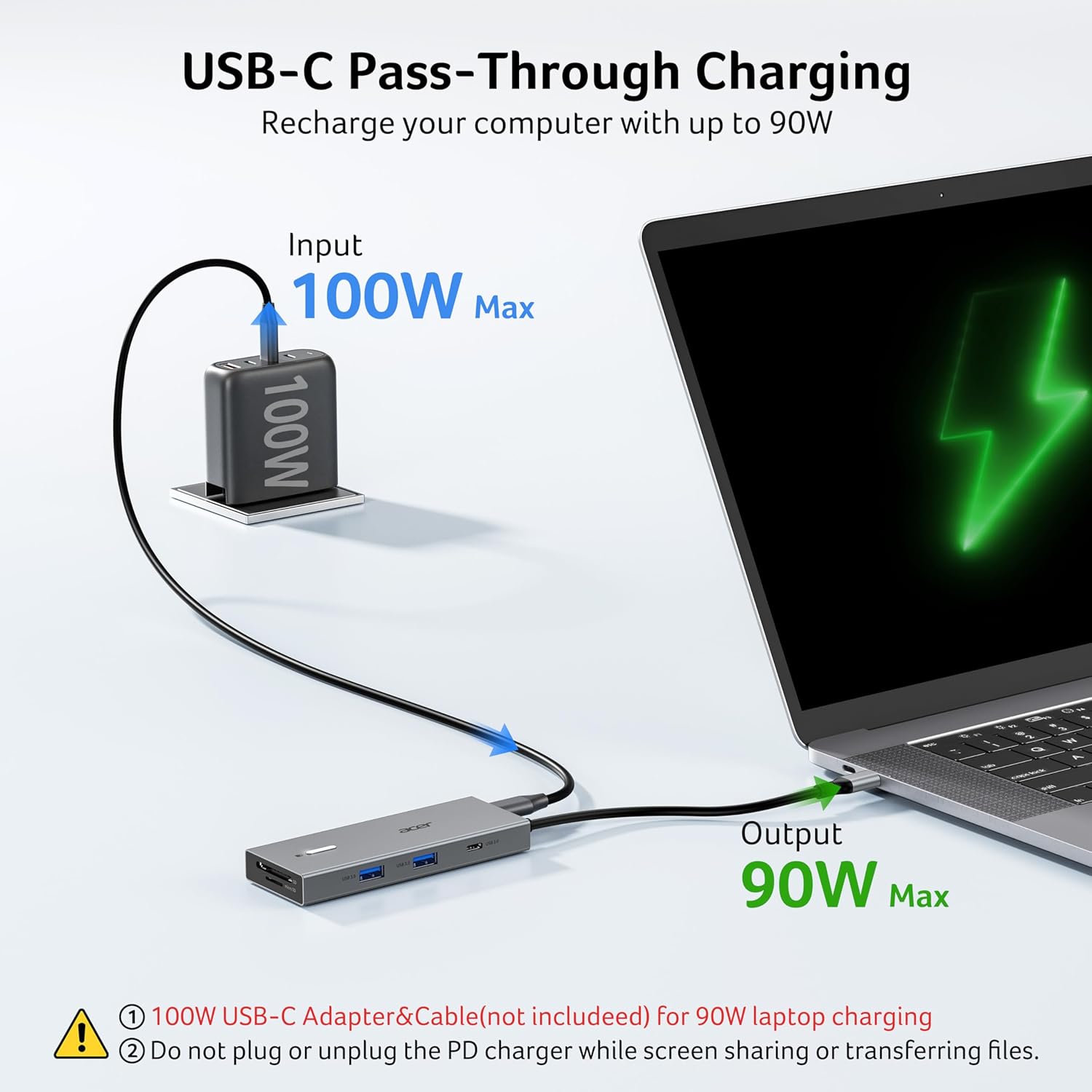
For charging, connect a 100W-or-higher USB-C power adapter to the dock and use a laptop port that supports Power Delivery. The built-in cable keeps the connection point attached to the dock, while the USB ports and card readers provide convenient access for desk accessories and removable media. Buyers often praise the straightforward setup and selection of ports, though feedback is mixed: some report reliability problems, including failures after about a month and a half, as well as charging or device-stability issues, including Dell laptop crashes.
Should you buy it?
If you want one USB-C dock for a monitor-focused workstation, this Acer pairs dual HDMI connections with USB-A, USB-C, and SD/MicroSD access in a single aluminum-bodied unit. It’s a great fit if your laptop supports the required USB-C video and, when needed, Power Delivery features, and you want those connections close at hand for everyday desk use.