

MOKiN USB-C Docking Station with Dual DisplayPort, HDMI, VGA and 100W PD
Product description
Some laptop setups need just one extra connection, others need several displays, peripherals, and power routed through one hub. The MOKiN 8-in-1 USB-C docking station brings dual DisplayPort, HDMI, VGA, USB 2.0, and power delivery together to support a more connected desk setup.
Its range of video outputs makes it easier to match the hub to different monitor connections, while the USB ports provide places for everyday accessories. For the stated display and charging functions, connect it to a full-featured USB-C port that supports video, charging, and data, or to a Thunderbolt port.
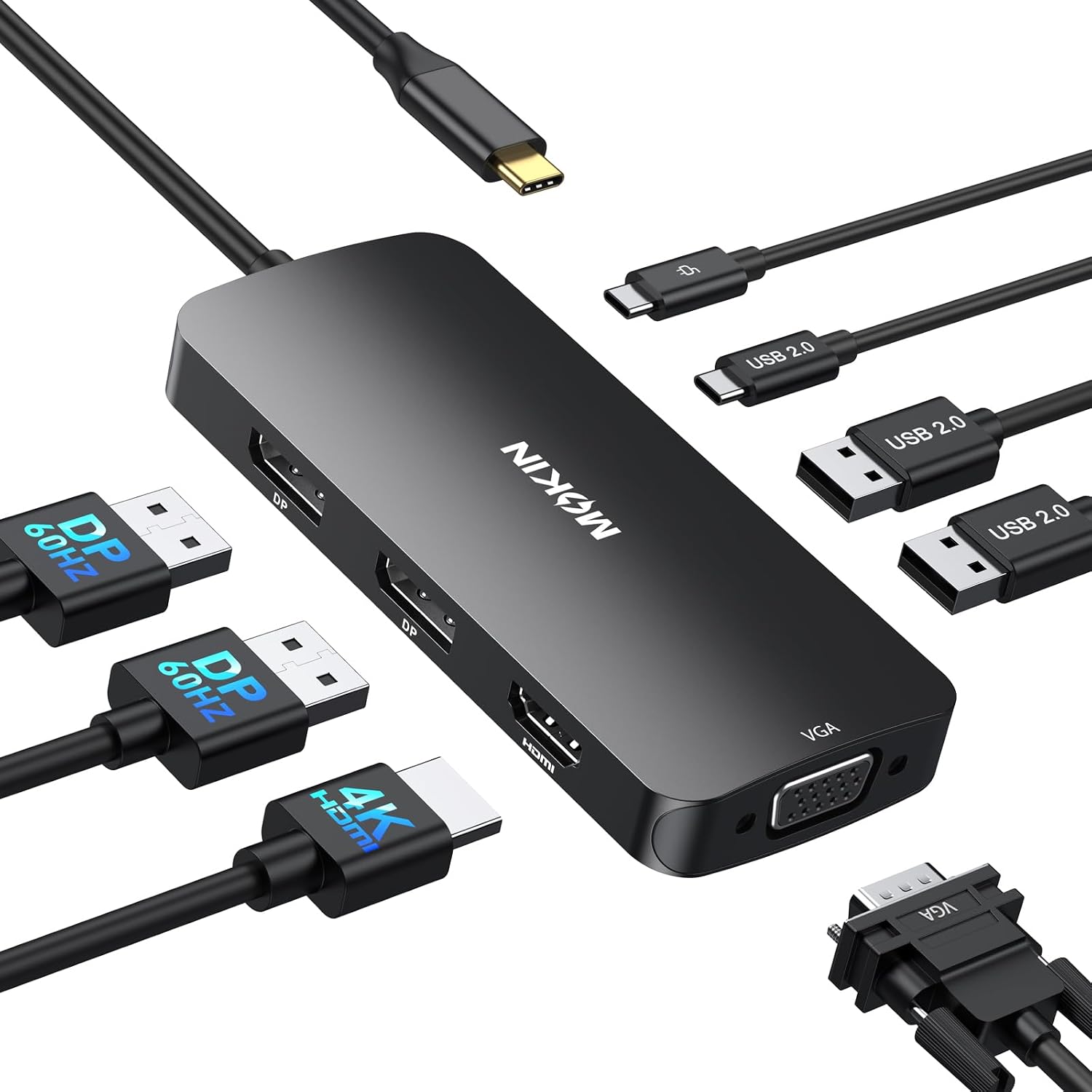
Quick overview
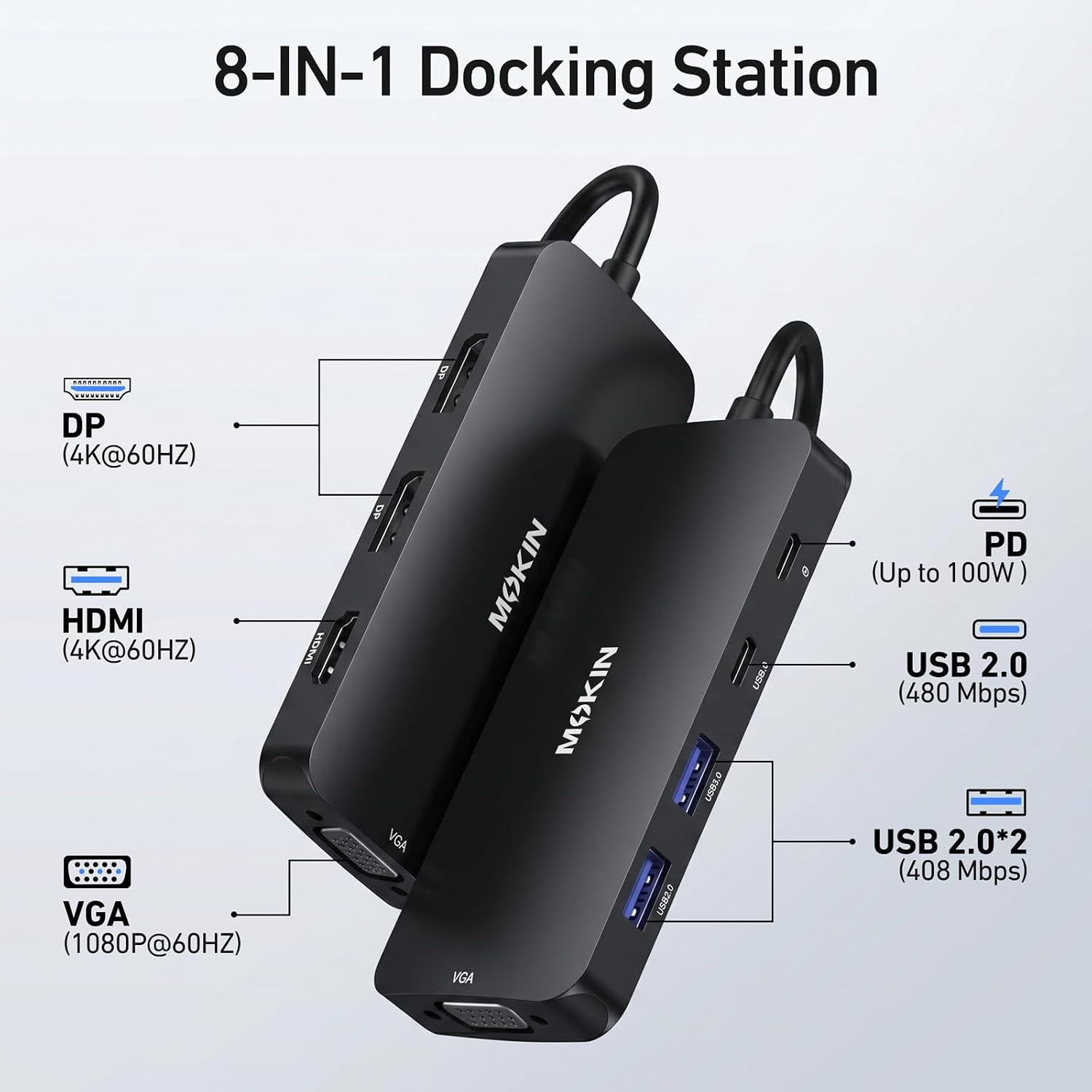
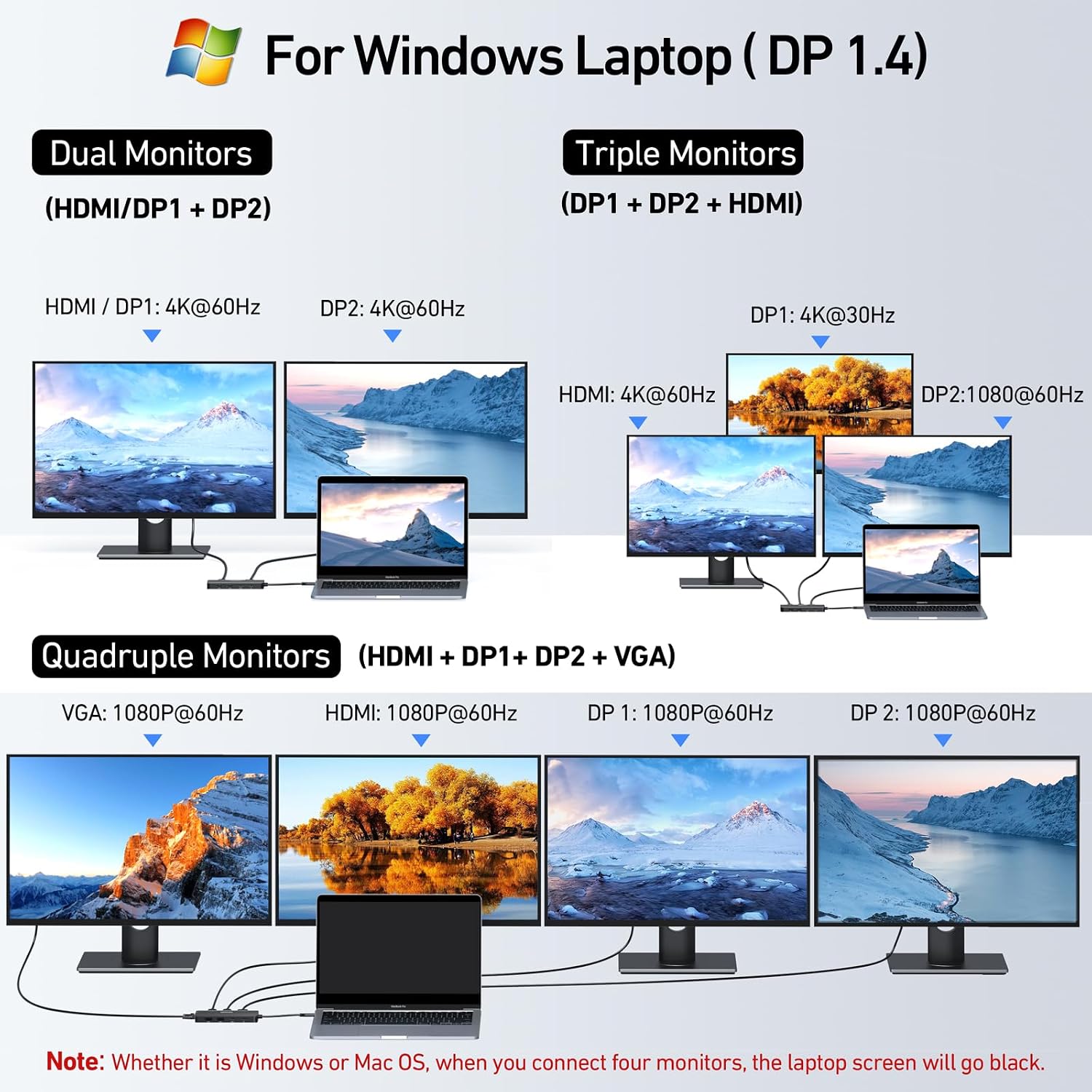
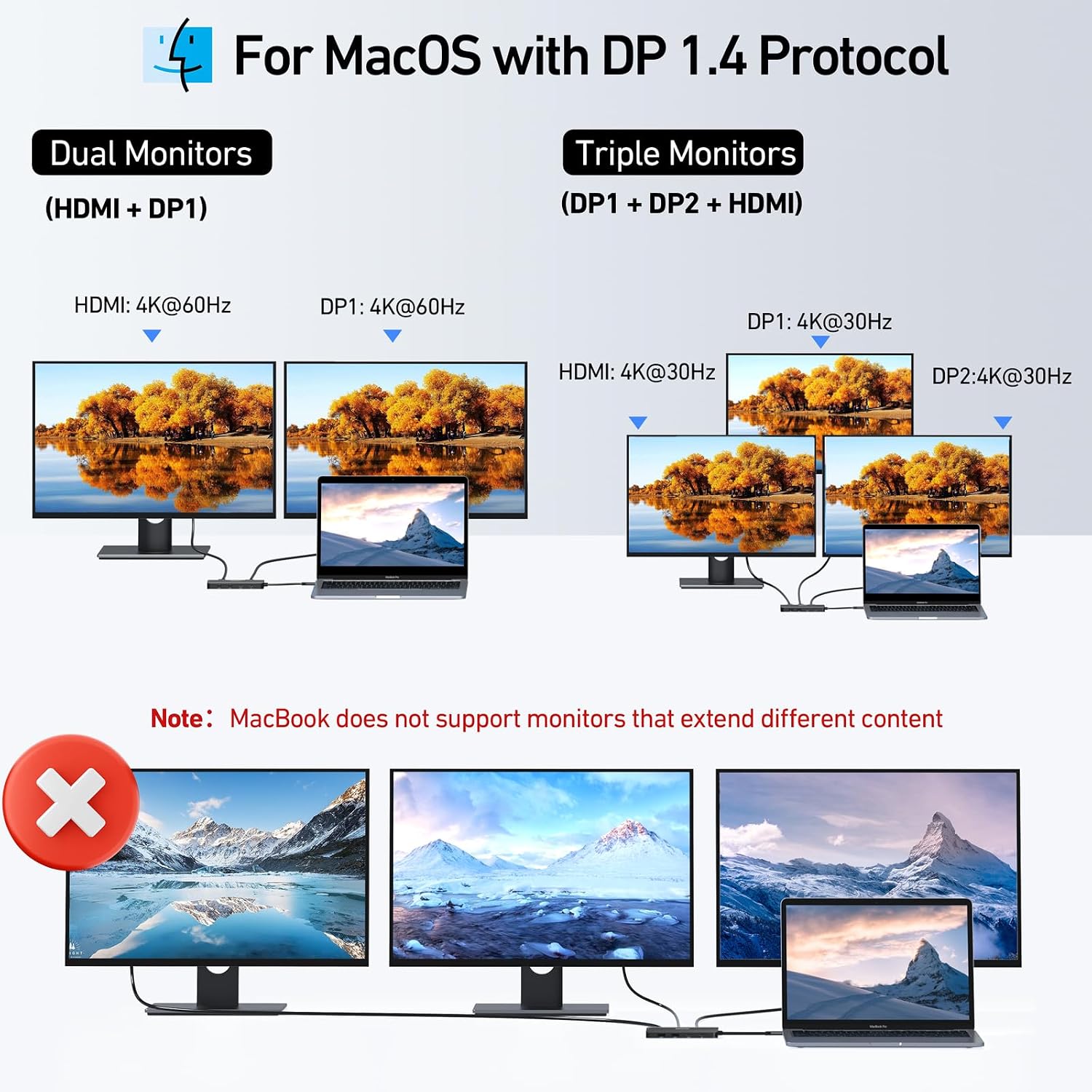
The hub has two DisplayPort outputs, one HDMI port, and one VGA port. The DisplayPort and HDMI connections support up to 4K at 60Hz, and VGA supports up to 1080p at 60Hz. It can connect multiple monitors, with the available resolution and refresh rate depending on the laptop’s USB-C and DisplayPort capabilities. On a Windows laptop with DP 1.2, the listed extended-display configurations are one monitor at 4K at 60Hz, two at 4K at 30Hz each, or three at 4K at 30Hz each. On a MacBook, connected monitors mirror the same image rather than extending the desktop.
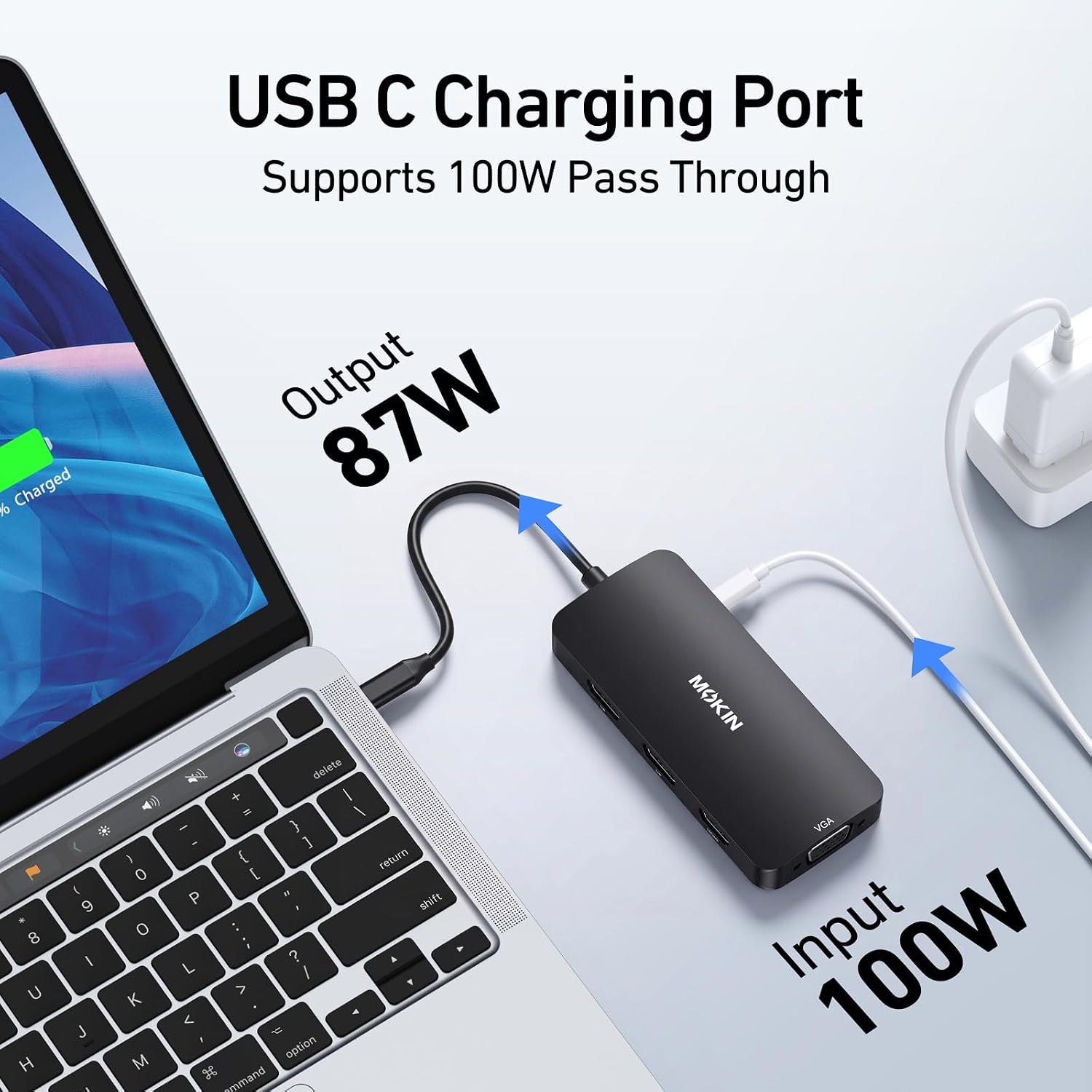
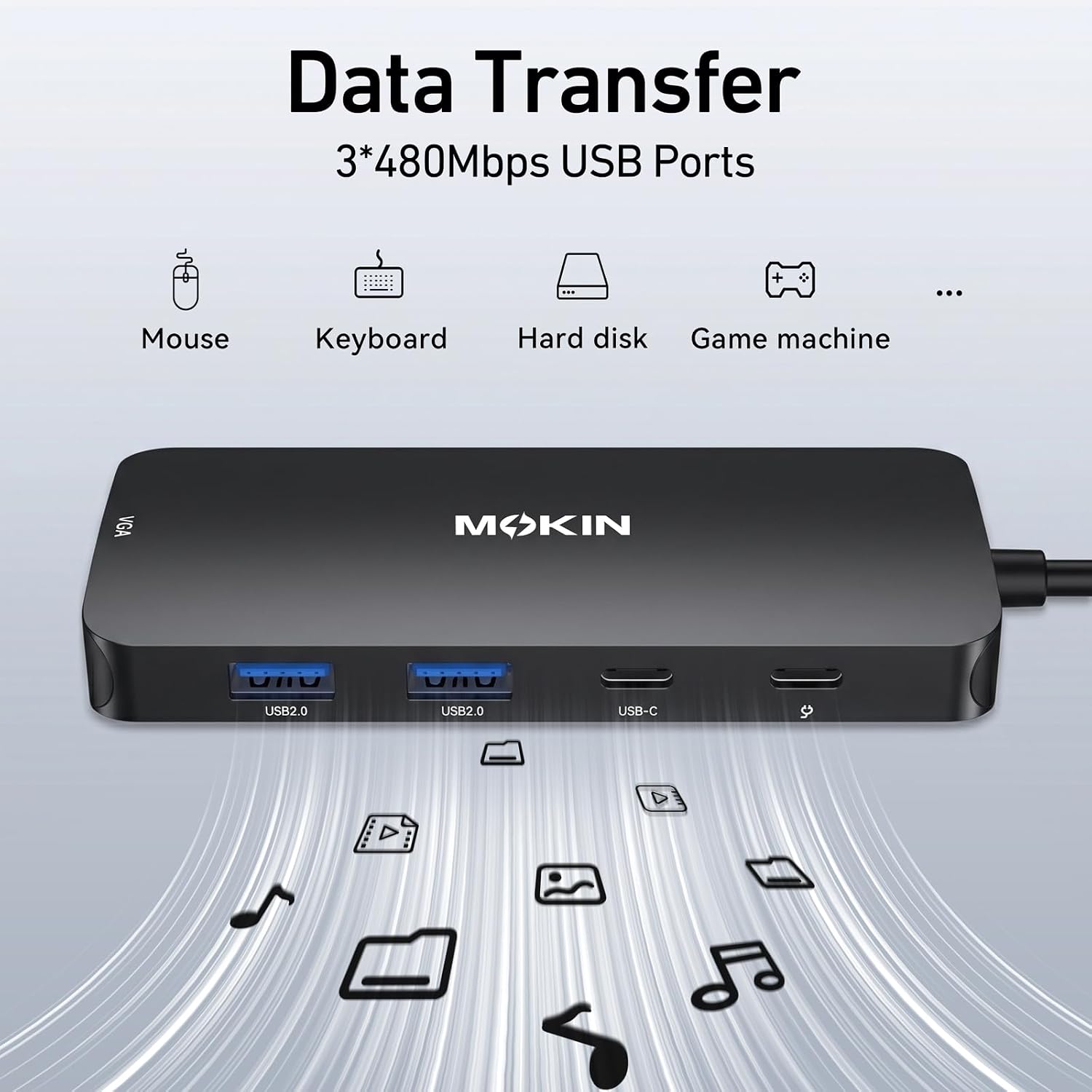
For accessories, the dock provides two USB-A 2.0 ports and one USB-C 2.0 port, with data transfer speeds up to 480 Mbps. That gives you connections for items such as a keyboard, mouse, or USB drive alongside your displays. The USB-C PD port supports up to 100W input, the dock uses 13W, leaving up to 87W for laptop charging when paired with a 100W power adapter.
Buyer feedback highlights the range of connections, ease of setup, and usefulness for building out a desk workspace. Some buyers also report reliability and connectivity problems, so choosing a compatible laptop port is an important part of getting the intended display setup.
Getting the most from it
Start by connecting the dock to a laptop USB-C port that supports video output, charging, and data, or to a Thunderbolt port. Then connect monitors using the matching DisplayPort, HDMI, or VGA output. For Windows systems using DP 1.2, the documented multi-monitor modes provide a practical guide to planning the display arrangement, MacBook users can use the connected screens in mirror mode.
The USB-A and USB-C ports are suited to connecting common work accessories, while the PD port can pass power to the laptop. Because the dock draws 13W, a 100W power adapter is recommended to provide up to 87W for laptop charging through the hub.
Best use cases
This setup is useful for a home office or workstation where a laptop needs connections for more than one monitor and several USB accessories. The variety of video outputs helps accommodate displays with different connection types, while the USB ports keep a keyboard, mouse, or storage device connected at the same time. It is also a practical fit for users who want to connect a laptop to an external screen for a larger work area without relying on a single video output type.
The listed compatible systems include Dell XPS models, HP EliteBook 745 G5, Microsoft Surface Pro 7, Microsoft Surface Book, and selected Lenovo Yoga and ThinkPad Yoga models. Compatibility depends on having a full-featured USB-C or Thunderbolt port with the required display, charging, and data support.
When it makes sense
Choose this MOKiN dock when a laptop-based desk setup calls for multiple monitor connection options, USB accessory ports, and USB-C power delivery in one hub. Its combination of dual DisplayPort, HDMI, VGA, and USB 2.0 is especially useful when connecting a mix of displays and everyday peripherals. It suits you if your laptop has the required USB-C or Thunderbolt capabilities and you want a single docking point for a multi-display workspace.