

Defitch Stylus Pen for iPad (Pencil) 11th/A16 & 10th Gen — 2-Pack Capacitive Stylus
Product description
If you want a stylus for everyday note-taking and sketching, this Defitch 2-pack is built around the iPad Pencil-style experience for a range of 2018–2025 iPads. On paper, it focuses on smooth, precise writing with a fine tip, plus features like palm rejection and tilt detection. Still, there’s a big catch: it’s only meant for specific iPad generations, so compatibility needs to be checked before you buy.
With a two-pack, you’re also buying convenience. One stylus can stay charged/ready while the other covers the “misplaced” scenario that happens to everyone eventually. Just keep expectations realistic: this is more of a practical, everyday stylus setup than something you’d choose to “max out” advanced creative workflows.
Key takeaways
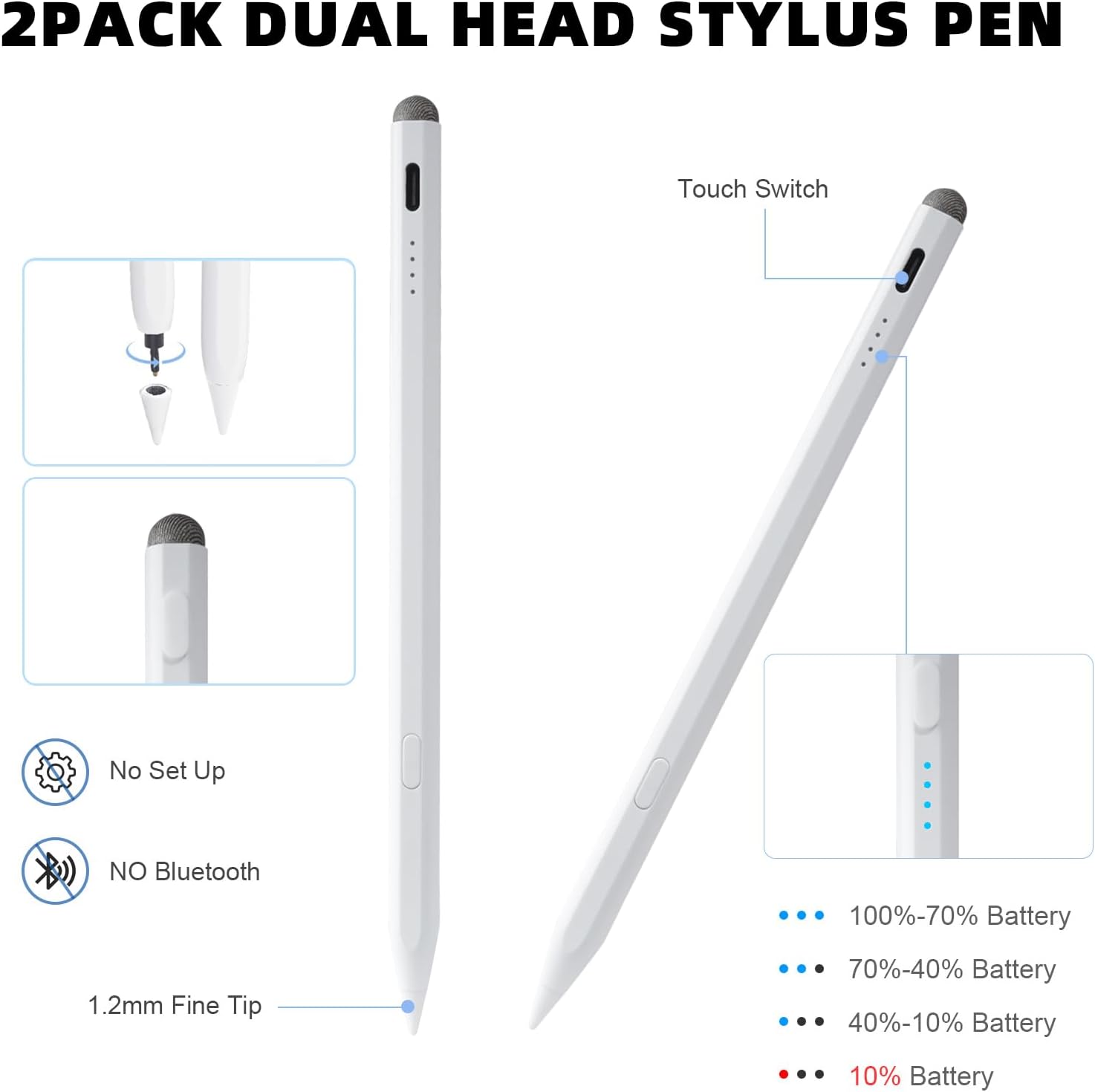
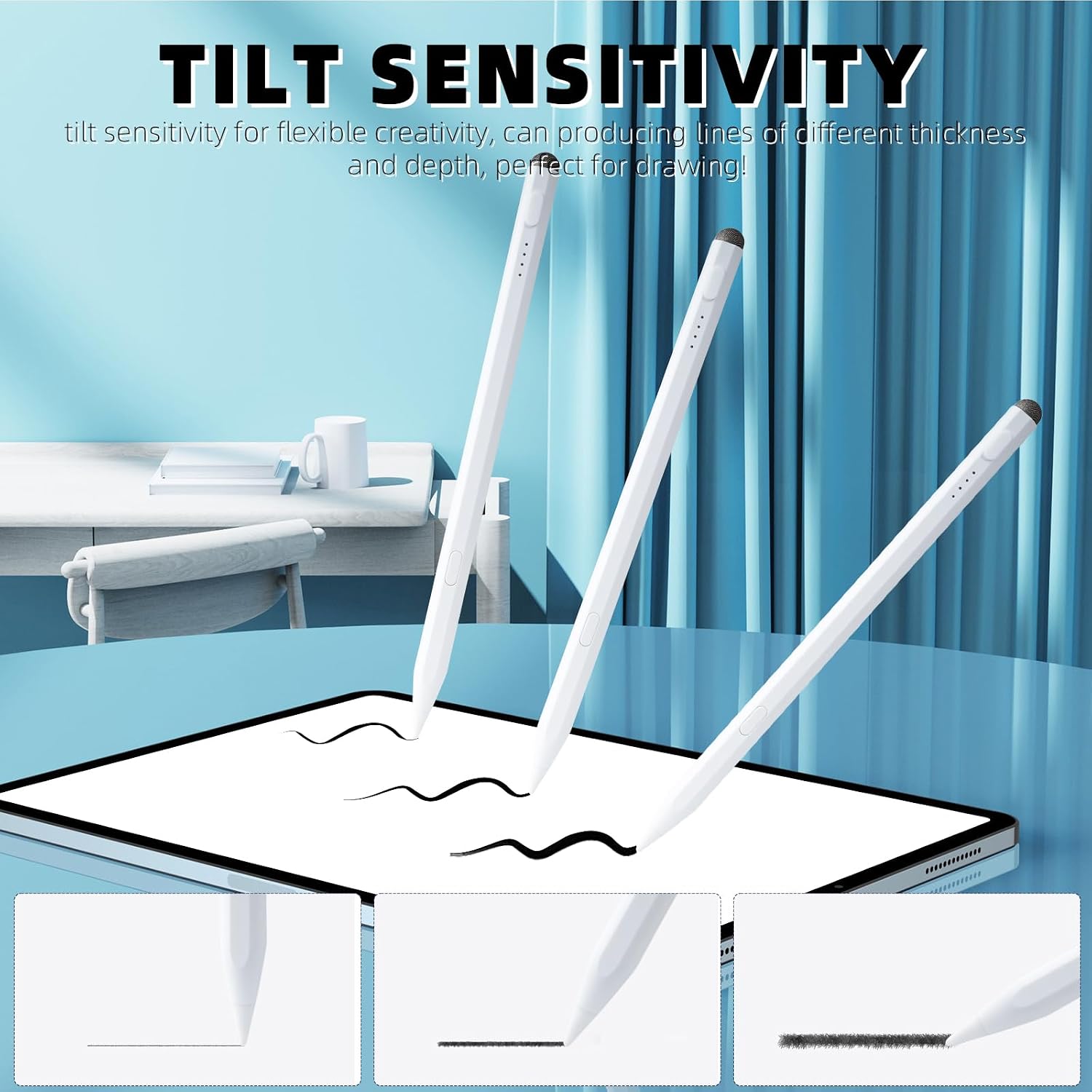
The biggest reason to consider this Defitch stylus is the combination of a fine precision tip (designed for small writing and thin lines), plus palm rejection and tilt detection. That pairing is meant to feel closer to natural writing, instead of a generic pen-like marker that gets in the way.
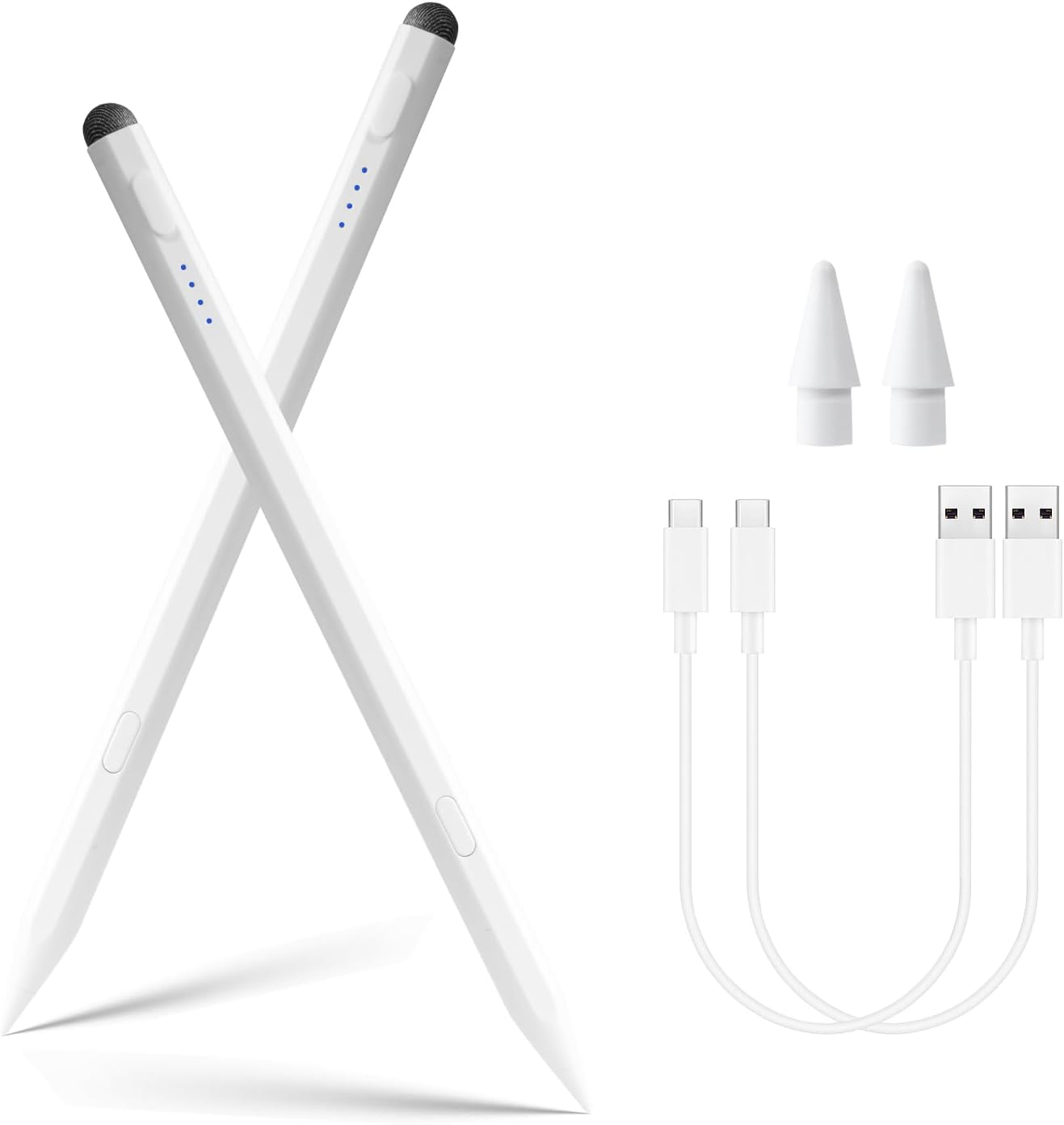
The second reason is the bundled approach. Having two pens can reduce downtime, especially if you share an iPad, teach with it, or just want a spare. The charging and battery indicators are also meant to keep you from guessing whether you’re about to run out mid-session.
And yes, there’s a limitation to acknowledge: compatibility is restricted to iPads from 2018 to 2025. If your device is older than that, this won’t be the right fit.
What it’s for (and what you’ll notice day to day)
This stylus is aimed at people using an iPad for handwriting, quick annotations, studying, and casual drawing—work where you want control more than flashy effects. The fine tip is the star here. If you like writing small notes or drawing thin line details, the design intent is clear: easier precision, less “fat line” feel.
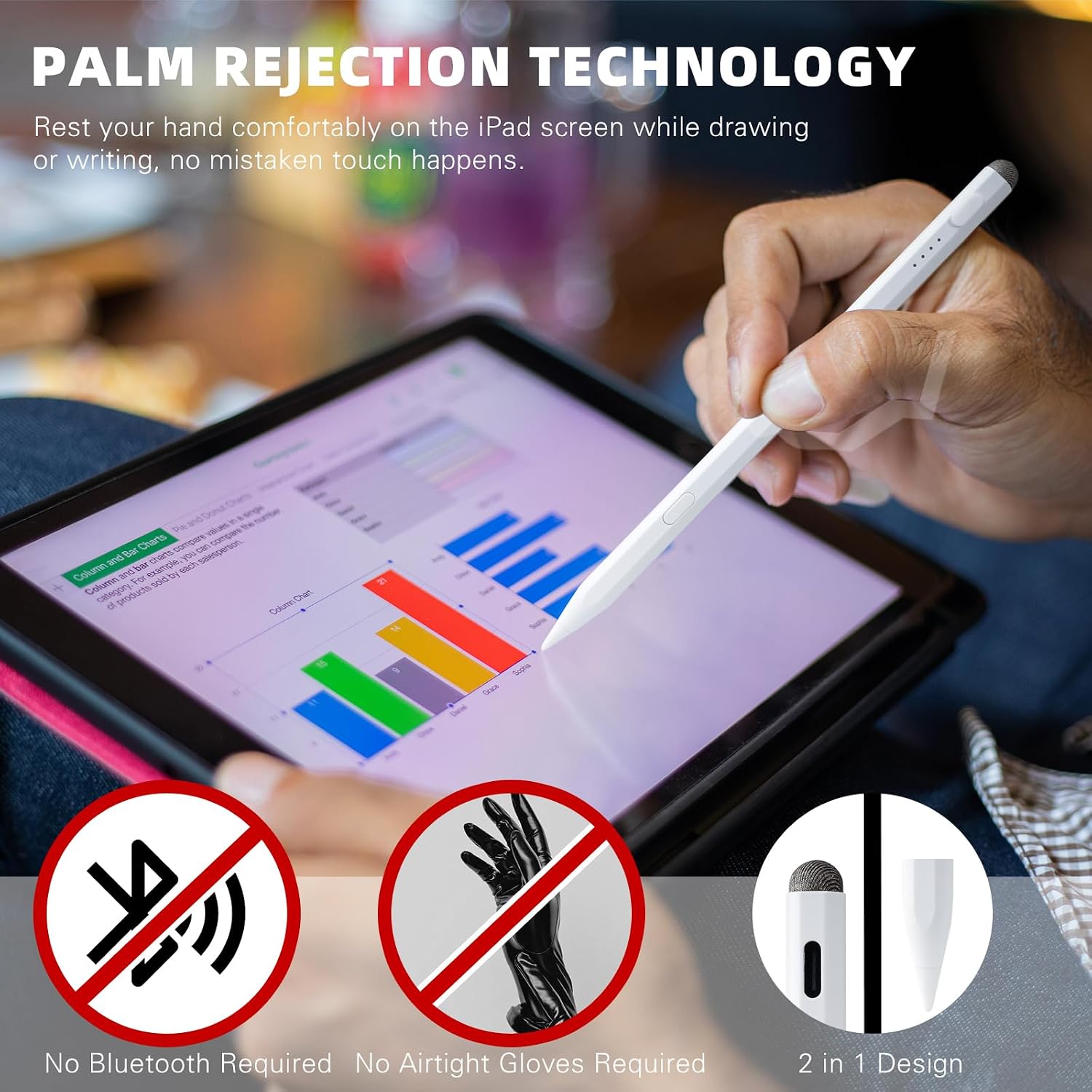
Palm rejection and tilt detection are there to make the interaction smoother when your hand rests on the screen. In practical terms, that means fewer annoying interruptions when you rest your palm while writing or shading.
If you’re using it on an iPad with a glass screen protector (the brand specifically suggests using one for the 11th A16/10th gen iPad), you can expect the experience to be more consistent with how the tip is meant to ride across the display.
Compatibility you shouldn’t skip
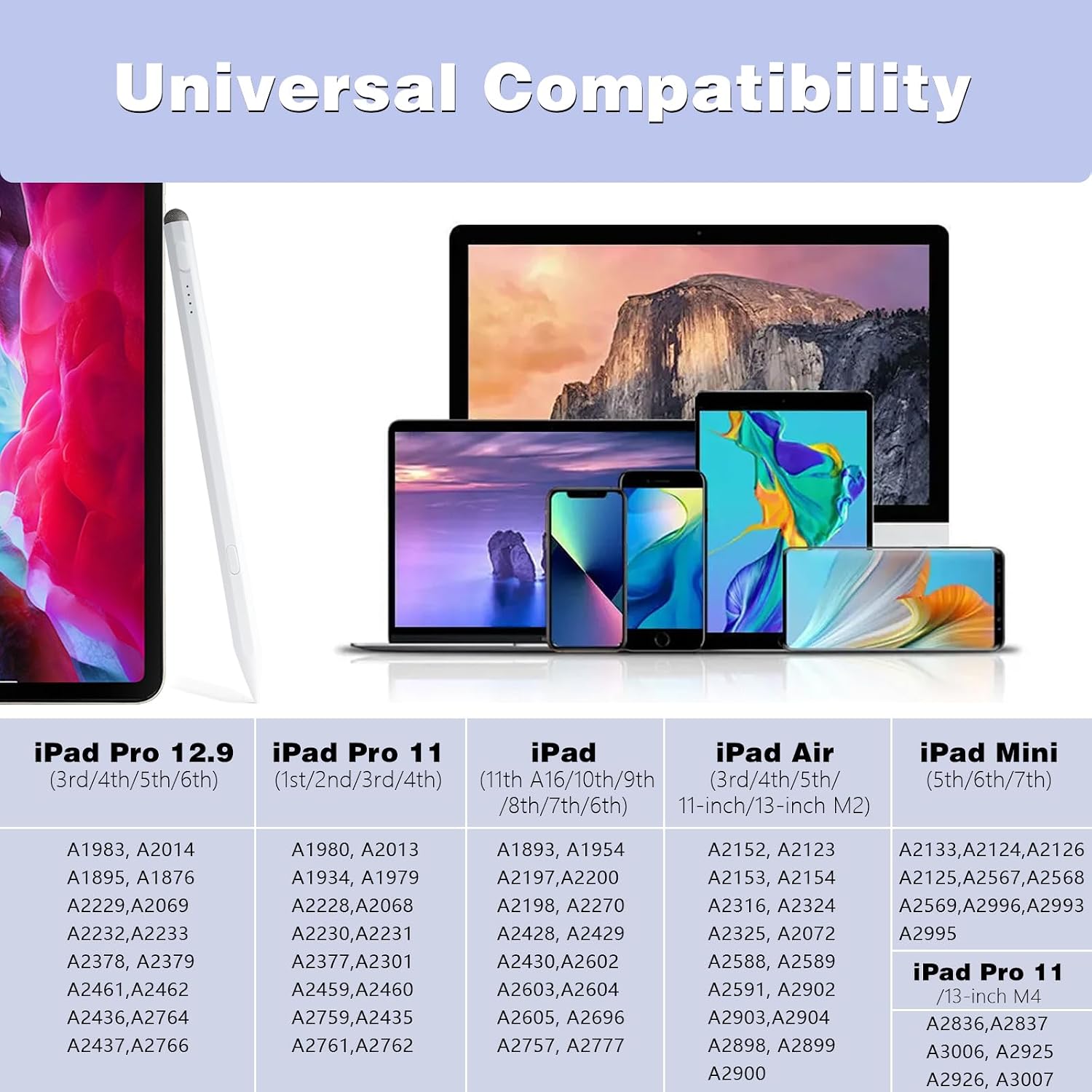
The description is explicit that you should confirm your iPad before ordering. It’s presented as compatible with iPad (11th A16, 10th/9th/8th/7th/6th gen), iPad Air (6th/5th/4th/3rd gen), iPad mini (7th/6th/5th gen), and specific iPad Pro sizes/generations (including 13-inch models and multiple 11-inch and 12.9-inch generations).
It also states it is not compatible with models earlier than 2018. That’s not a small detail—if your iPad falls outside the listed generation range, you’ll be stuck with the wrong stylus.
Charging, battery behavior, and the “ready to create” idea
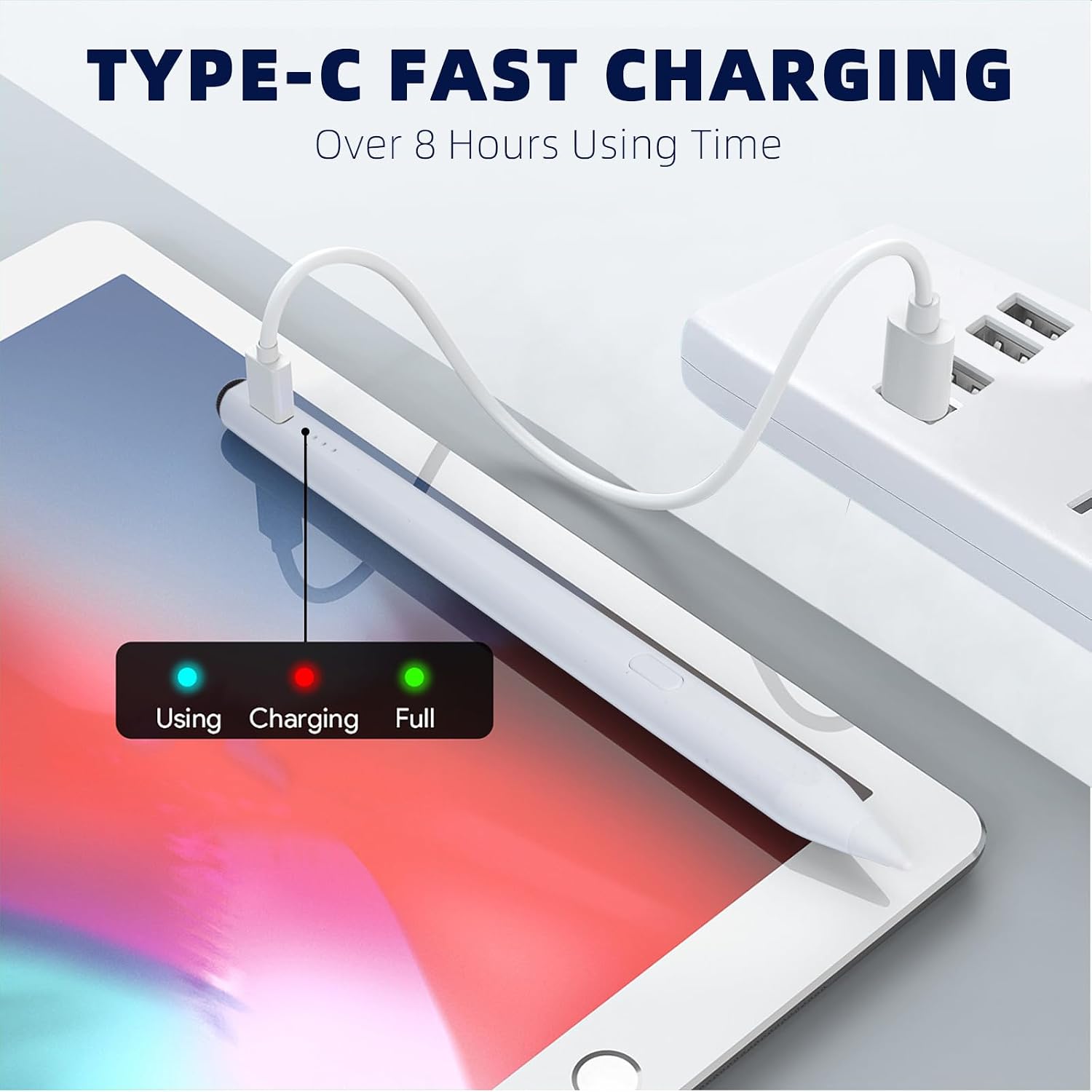
The setup here includes fast charging: a charge time is listed as 20–25 minutes, with up to 8 hours of uninterrupted use. The pen is also described as auto power-saving: it turns off after 10 minutes of inactivity, plus a one-minute warning flash before it sleeps.
There’s also a triple indicator power display intended to make battery status visible at a glance. For real-world use, that matters if you’re studying, commuting, or using your iPad in sessions where you don’t want to keep checking settings.
One limitation to keep in mind: the “hours of use” figure is the manufacturer-stated expectation, and actual results can vary depending on how heavily you use it.
Tech specs (as stated)
- Product type: capacitive stylus pens (2-pack)
- Tip precision: fine tip (1.5 mm) for precise writing and drawing
- Features: palm rejection technology and tilt detection
- Compatibility window: iPad models from 2018 to 2025 (confirm your exact device)
- Fast charging: 20–25 minutes
- Stated runtime: up to 8 hours of continuous use
- Power saving: auto-off after 10 minutes of no use
- Battery indicator: triple indicator power display
Pros and where it may fall short
Where it shines: - Fine-tip precision for small handwriting and thin lines - Palm rejection and tilt detection aimed at a more natural feel - Two-pack reduces the “one stylus only” problem - Battery indicators and auto-sleep are designed to help you stay ready
Potential downsides: - It may not suit you if you need compatibility with an older iPad (pre-2018 isn’t supported) - Some people expecting a perfect, premium-tier creative tool might feel it sits more in the practical/mid-range category than the top end of stylus tech - The brand recommends using it with a screen protector on the 11th A16/10th gen iPad—without that, the feel could be less consistent
Practical tips for getting good results
If you’re testing it for the first time, try a short routine: write a small line pattern (like a short checklist) and a few thin curves right away to see how the tip lands on your screen. Then do one longer paragraph while resting your palm—this is where palm rejection should show its value.
Also, if your iPad has a glass screen protector, that’s aligned with the guidance provided. If not, it’s worth considering how the surface affects the “precision” you’re buying.
Is it worth it?
This Defitch 2-pack stylus is worth considering if you have a compatible iPad from 2018–2025 and you want a fine-tip stylus for everyday handwriting, notes, and light drawing—with palm rejection and tilt detection meant to make it feel easier and more controlled.
You may want to skip it if your iPad is older than 2018, because the description clearly limits compatibility. It also may not be your best choice if you’re trying to squeeze every last bit of advanced creative performance from a stylus and expect top-tier behavior across the board—this is more about practical, smooth day-to-day input than pushing cutting-edge features.
If you prioritize “use it right away” convenience and having a spare, the two-pack angle makes a lot of sense.
Mini FAQ
Does this work with all iPads?
No. The description says it’s not compatible with iPad models earlier than 2018, and it lists specific generations. Double-check your exact model before ordering.
What’s the main benefit of the fine tip?
It’s intended to help with smaller handwriting and thinner lines, so details come out more controlled.
Does it support palm rejection?
Yes, palm rejection technology is mentioned, aiming to reduce accidental inputs when your hand rests on the screen.
How long does it take to charge?
Fast charging is listed as 20–25 minutes.
Is there an auto power-off feature?
Yes. It’s described as turning off after 10 minutes of inactivity, with a one-minute warning flash beforehand.