

USB-C hub adapter for MacBook, 8-in-2
Reviews
Price
Product description
If you rely on multiple peripherals at once, this USB C hub adapter for MacBook helps you expand ports without constantly swapping leads. It combines HDMI video output, Thunderbolt 3 connectivity, USB ports, and SD or microSD card reading in a single compact Mac dongle, making it a practical upgrade for everyday desk setups. It is built for specific MacBook Pro and MacBook Air models, so checking compatibility is worth it before purchase. ✅
The essentials
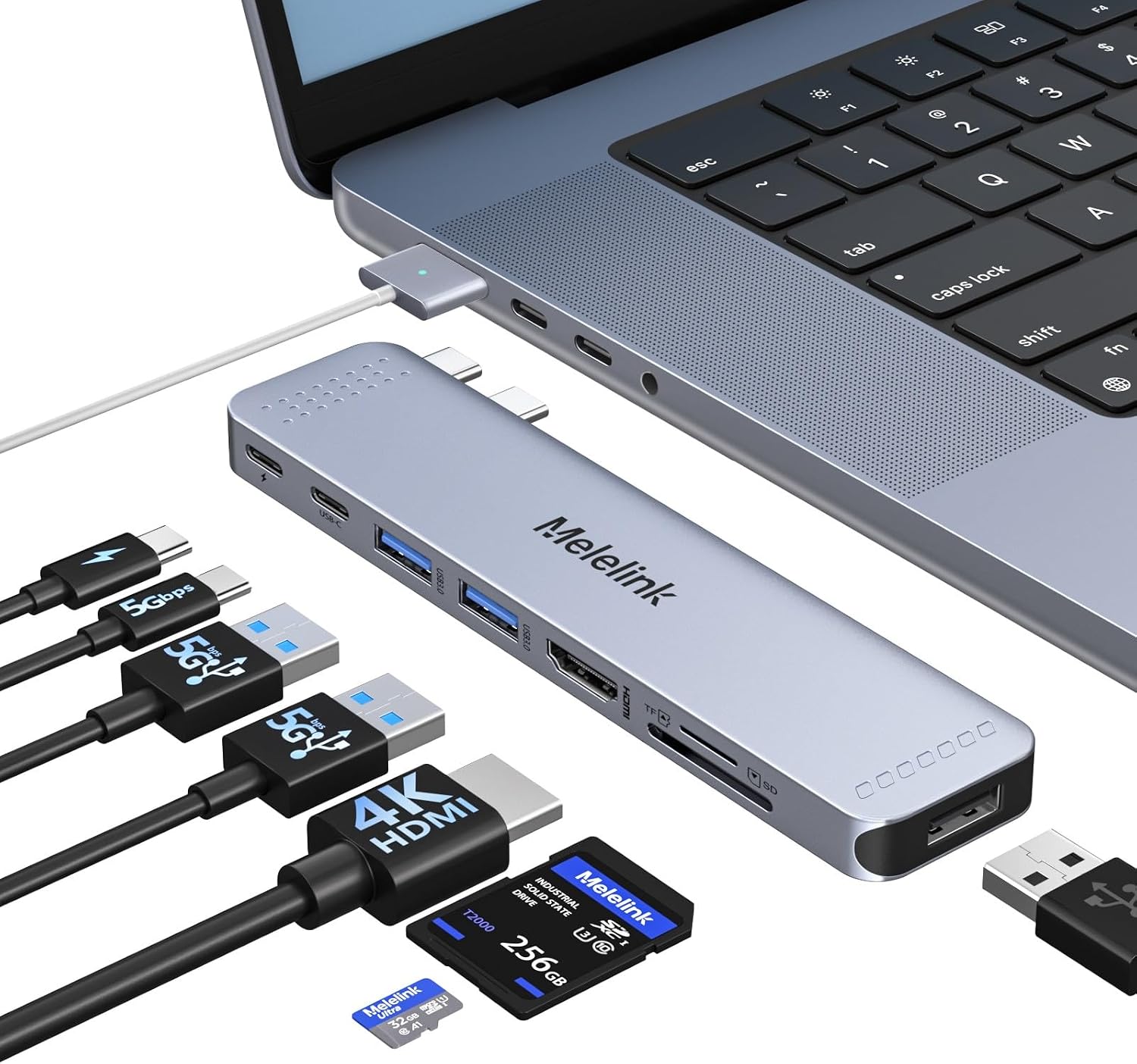
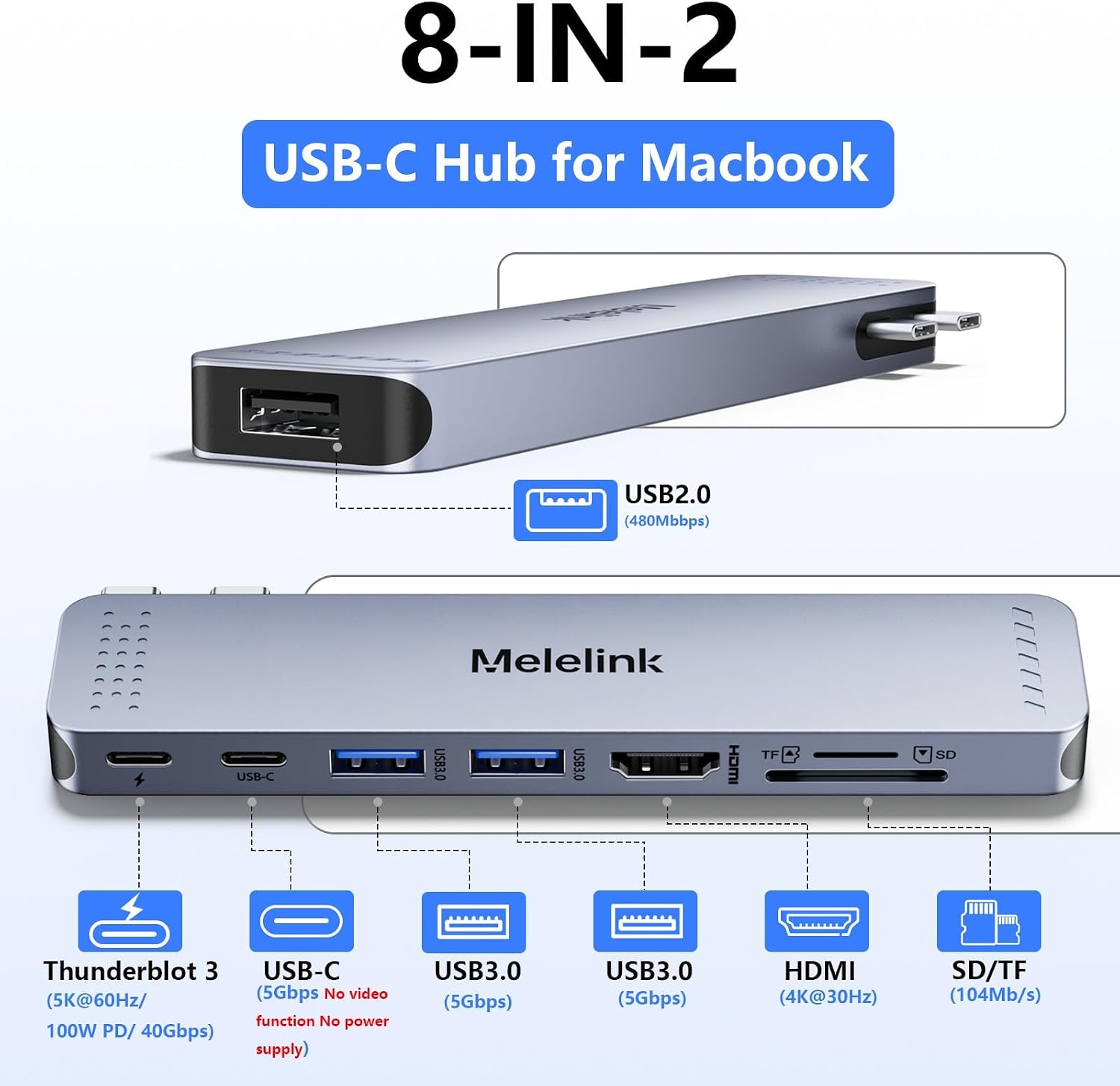
This Mac USB adapter is designed to add useful connectivity to compatible MacBook Pro and MacBook Air models, covering everything from displays to storage cards. You get an HDMI port for video output, multiple USB connections for devices like a keyboard and mouse, and both SD and microSD card readers. There is also a Thunderbolt 3 port included, which adds flexibility for higher performance workflows.
In day to day use, the appeal is simple. Instead of searching for a different cable for each task, you can keep everything plugged in together. That is especially helpful if you work from a laptop and regularly switch between a screen, a couple of USB devices, and card based content like photos from a camera or mobile. 📁
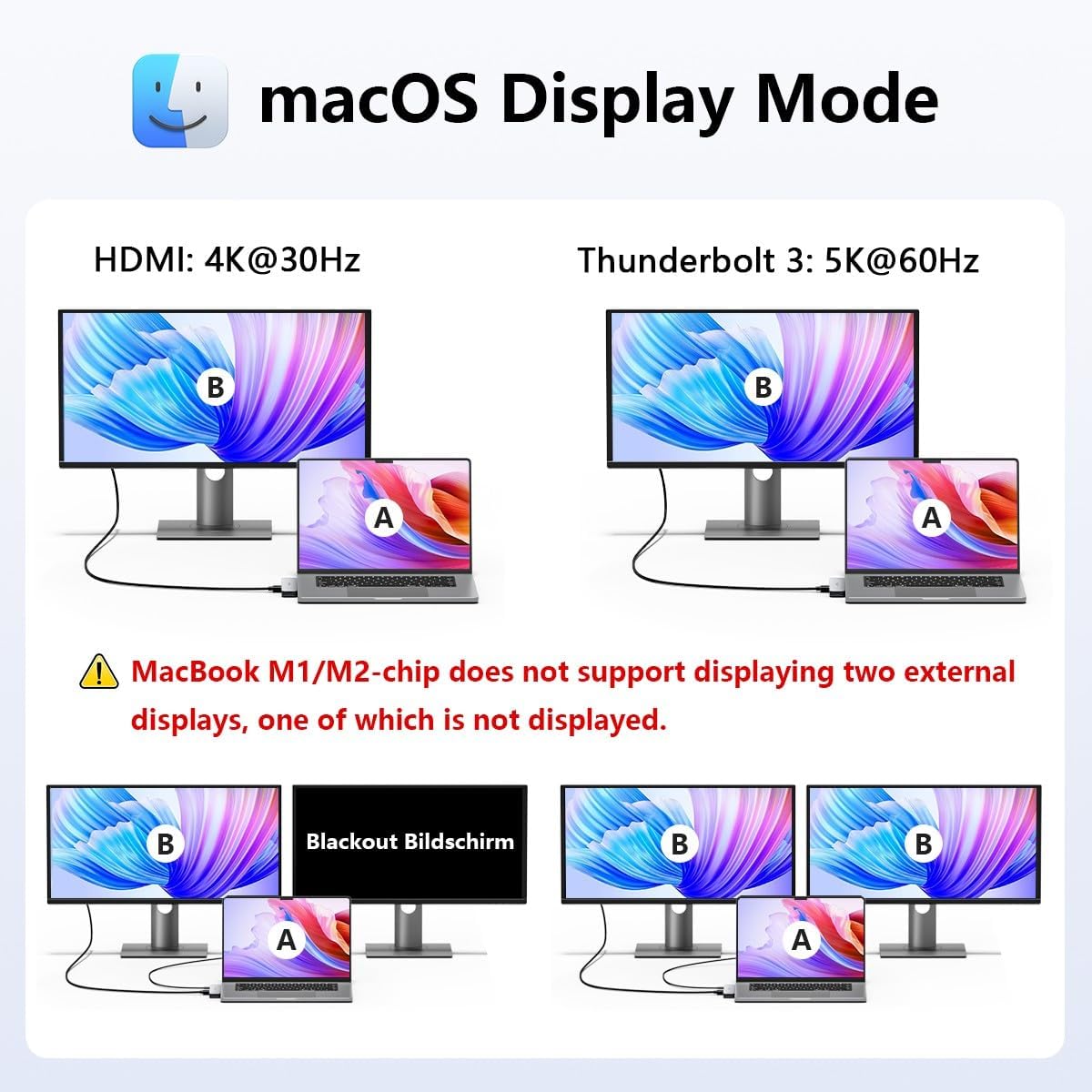
Worth noting, according to the manufacturer, the adapter will not fit if the MacBook has a case on the bottom. It also states that for MacBook M1 chips, dual external monitor output is not supported, so one display may go blank. Keep those limitations in mind to avoid unpleasant surprises when you set up your workspace.
Key features
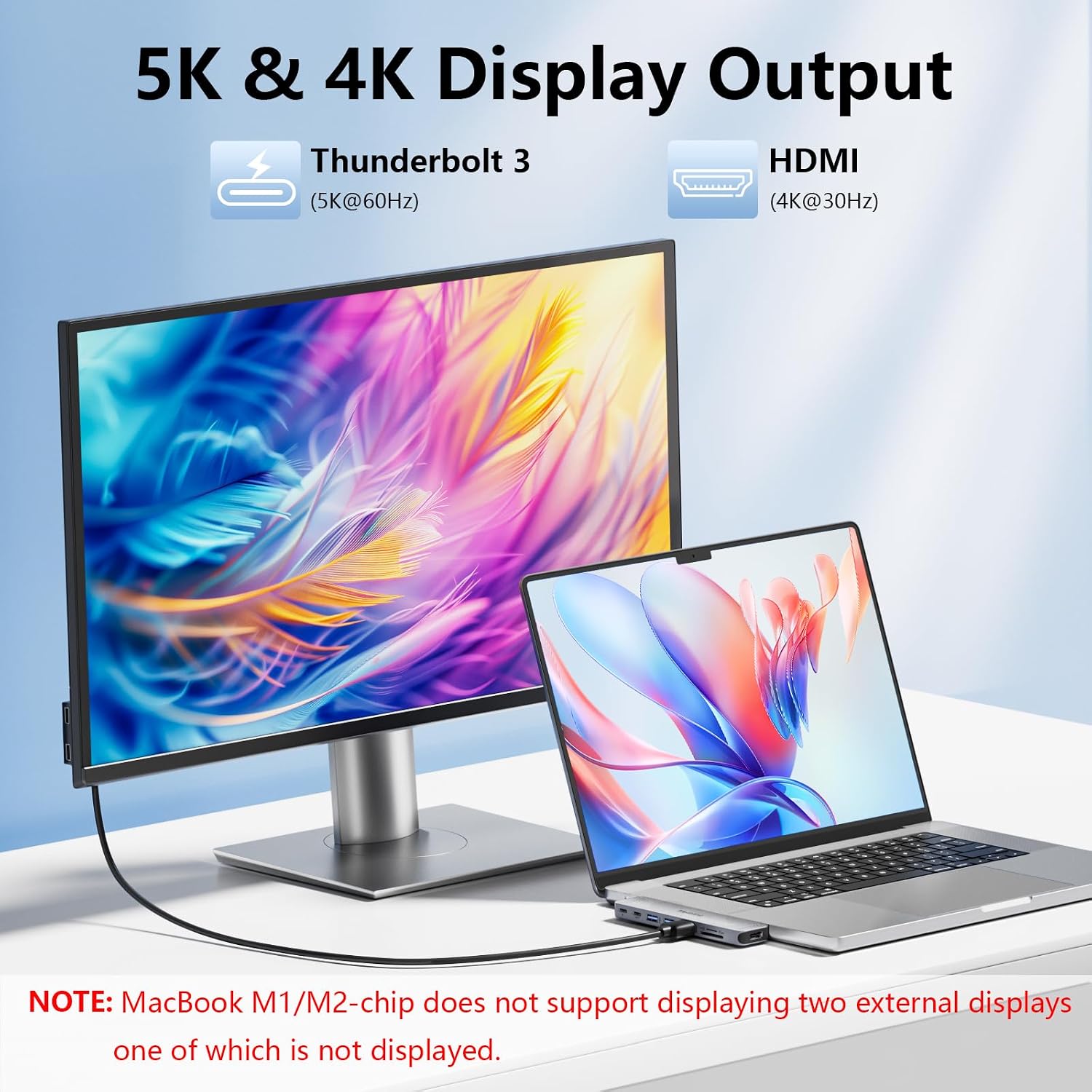
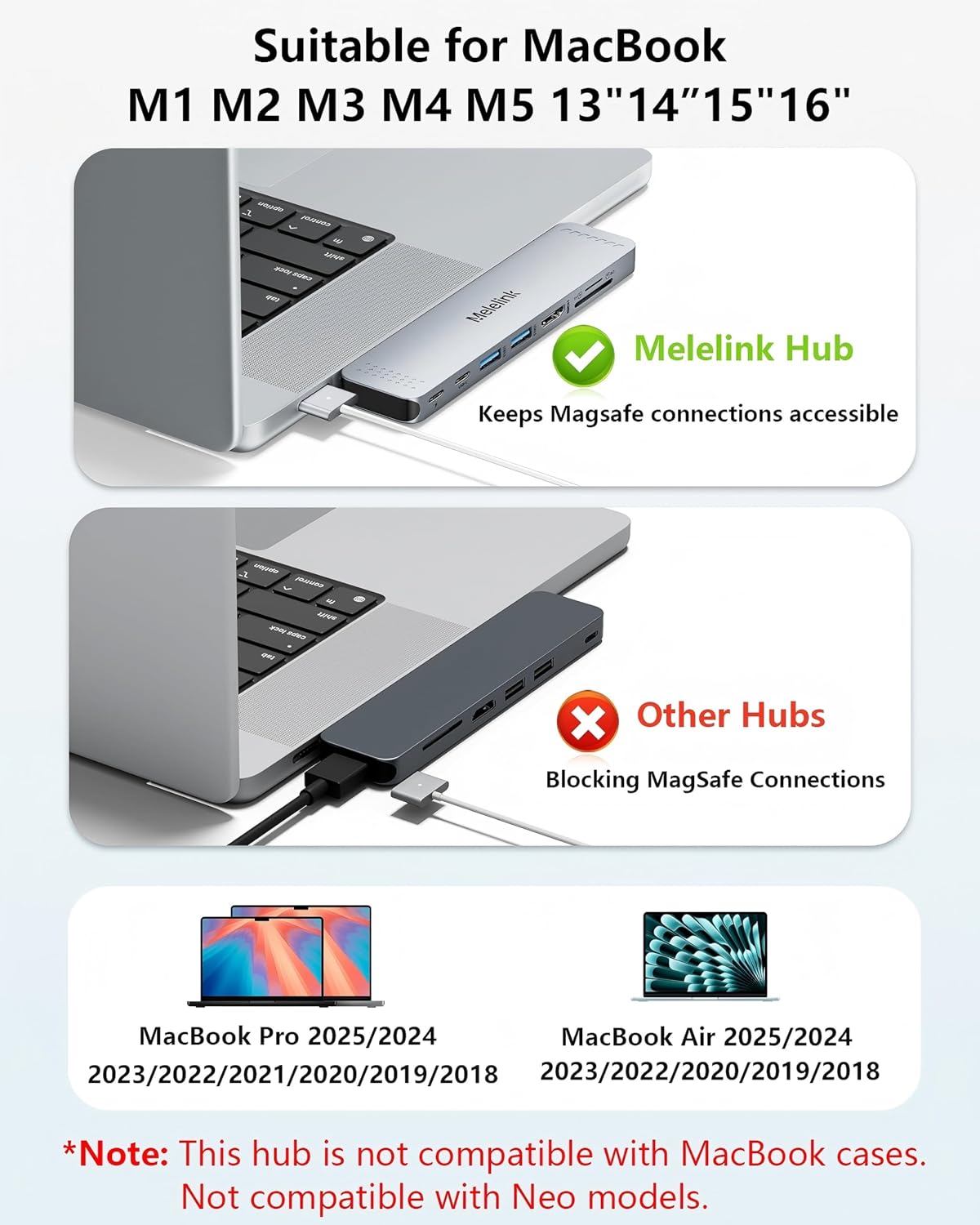
The USB C hub adapter for MacBook brings together several ports that are commonly needed at home, in an office, or while travelling. The HDMI port supports 4K at 30Hz, which is useful for connecting to a TV, monitor, or projector for presentations or media viewing. For users who want higher throughput options, the Thunderbolt 3 port is intended to support display output up to 5K at 60Hz.
For video workflows, the adapter is described as supporting dual monitor display, letting you mirror or extend your MacBook screen when supported by the Mac model. If you prioritise a multi screen layout, make sure your MacBook configuration is compatible with the dual display behaviour described for your chip generation.
You also get a mix of USB speeds for different devices. USB 3.0 and USB C connections are intended for faster peripherals like storage and high speed devices, while USB 2.0 can suit lower bandwidth needs. According to the manufacturer, one practical limitation is that for a stable connection you should avoid using the adapter with high power devices, and it supports one hard drive rather than the Apple USB SuperDrive.
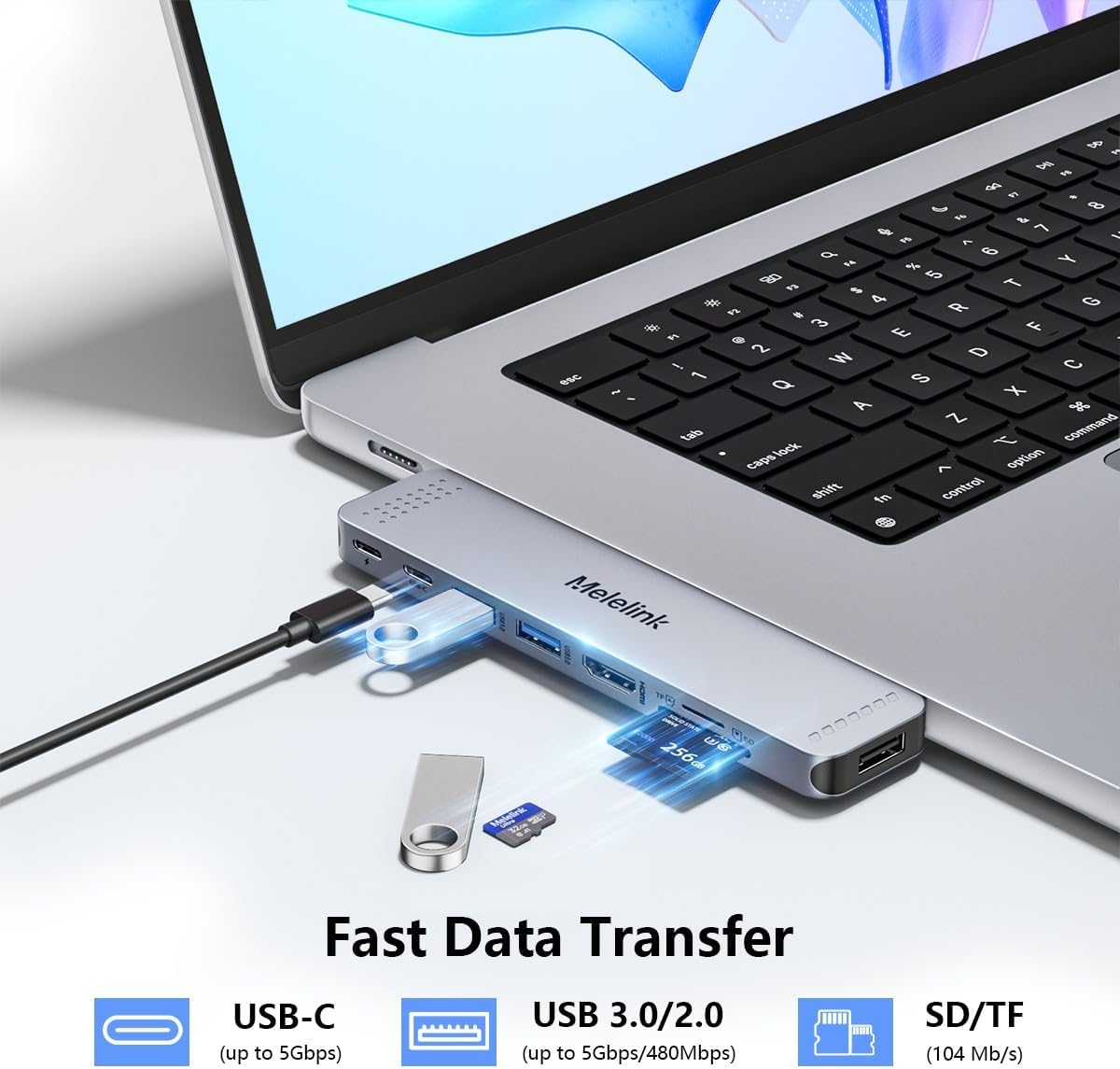
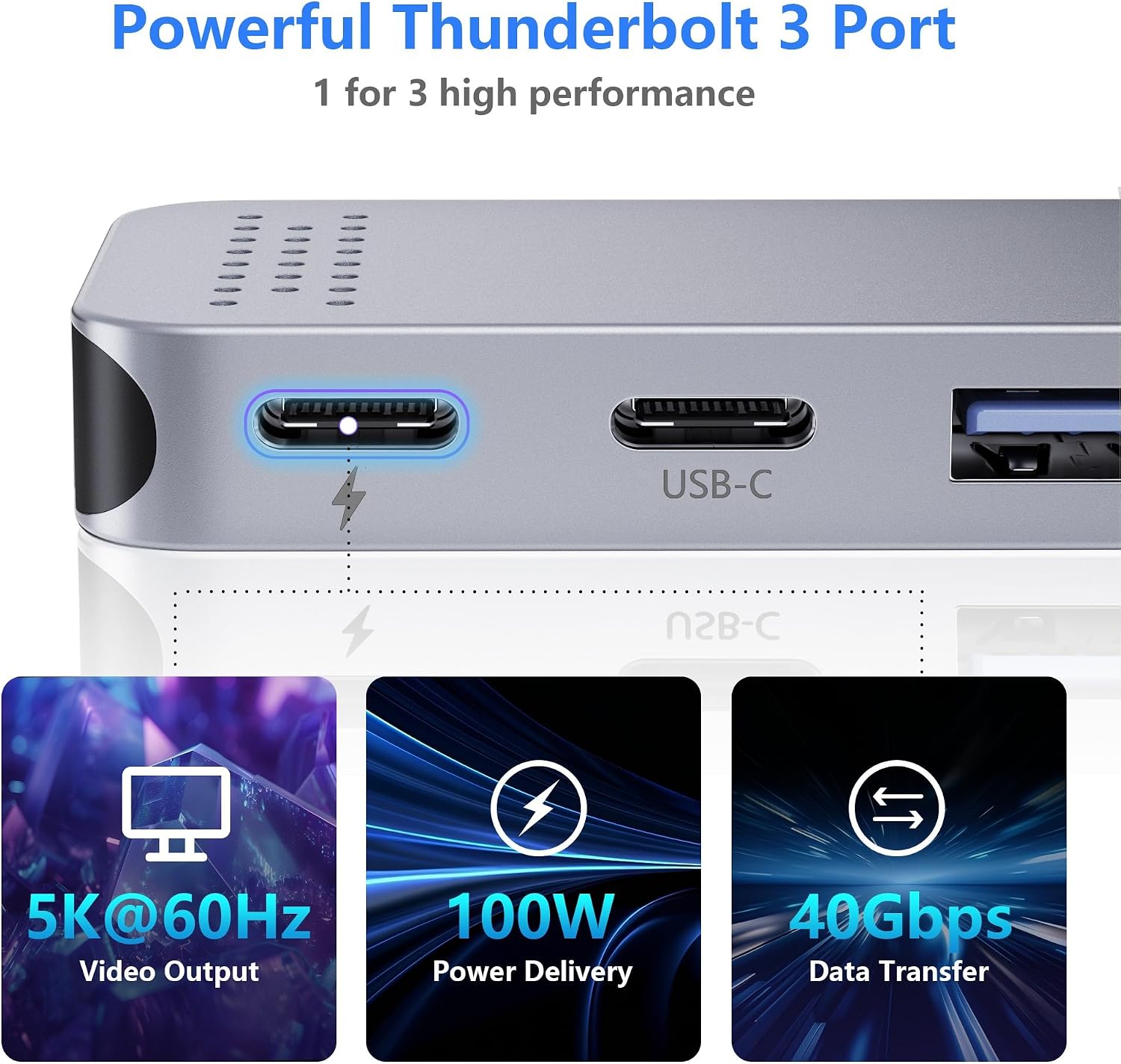
Charging is integrated as well. The manufacturer describes fast power delivery with a 100W input and an 85W output figure, which is intended to help the MacBook charge efficiently while you use the other ports. There is a Thunderbolt 3 port included as part of the charging and connectivity package.
Tech specs
- Name: USB C Hub Adapter for MacBook, 8 in 2 MacBook Adapter Multiport Accessories with 4K HDMI, Thunderbolt 3, USB C and Data Ports, SD/TF, Mac Dongle for MacBook Pro Air M5 M4 M3 M2 M1 2025-2018
- Type: Multiport USB C hub adapter
- HDMI resolution: 4K at 30Hz
- Thunderbolt 3 display support: 5K at 60Hz
- USB and data speeds: Thunderbolt 3 up to 40Gbps, USB 3.0 and USB C up to 5Gbps, USB 2.0 up to 480Mbps
- SD and microSD reader speed: up to 104MB/s
- Power delivery: 100W PD input with 85W output for charging
Who it’s for
It’s a good fit if you want one compact Mac dongle that covers HDMI video, USB peripherals, and SD or microSD card reading, all while keeping your MacBook connected to the essentials. It suits people who work with photos and files on the go, for example transferring images from memory cards straight into a laptop workflow. If your setup includes a monitor or TV alongside a keyboard and mouse, the port selection is designed to match that common desk pattern.
It makes sense if your MacBook matches the stated model range, and if your MacBook does not rely on dual external monitors when using an M1 chip. It might not be a great match if you use a bottom case, because the adapter is described as not fitting with a case. Better avoided if you plan to connect high power devices, since the manufacturer advises avoiding that for stable operation.