

Melelink 15-in-1 USB C docking station
Reviews
Price
Product description
A compact way to expand your laptop, the Melelink 15 in 1 USB C docking station gives you dual HDMI and DisplayPort connectivity along with a full set of everyday ports. It is built for a triple display setup, while also covering essentials like gigabit Ethernet, SD and micro SD readers, and a 3.5 mm audio jack for calls and desk use. ✅
The essentials
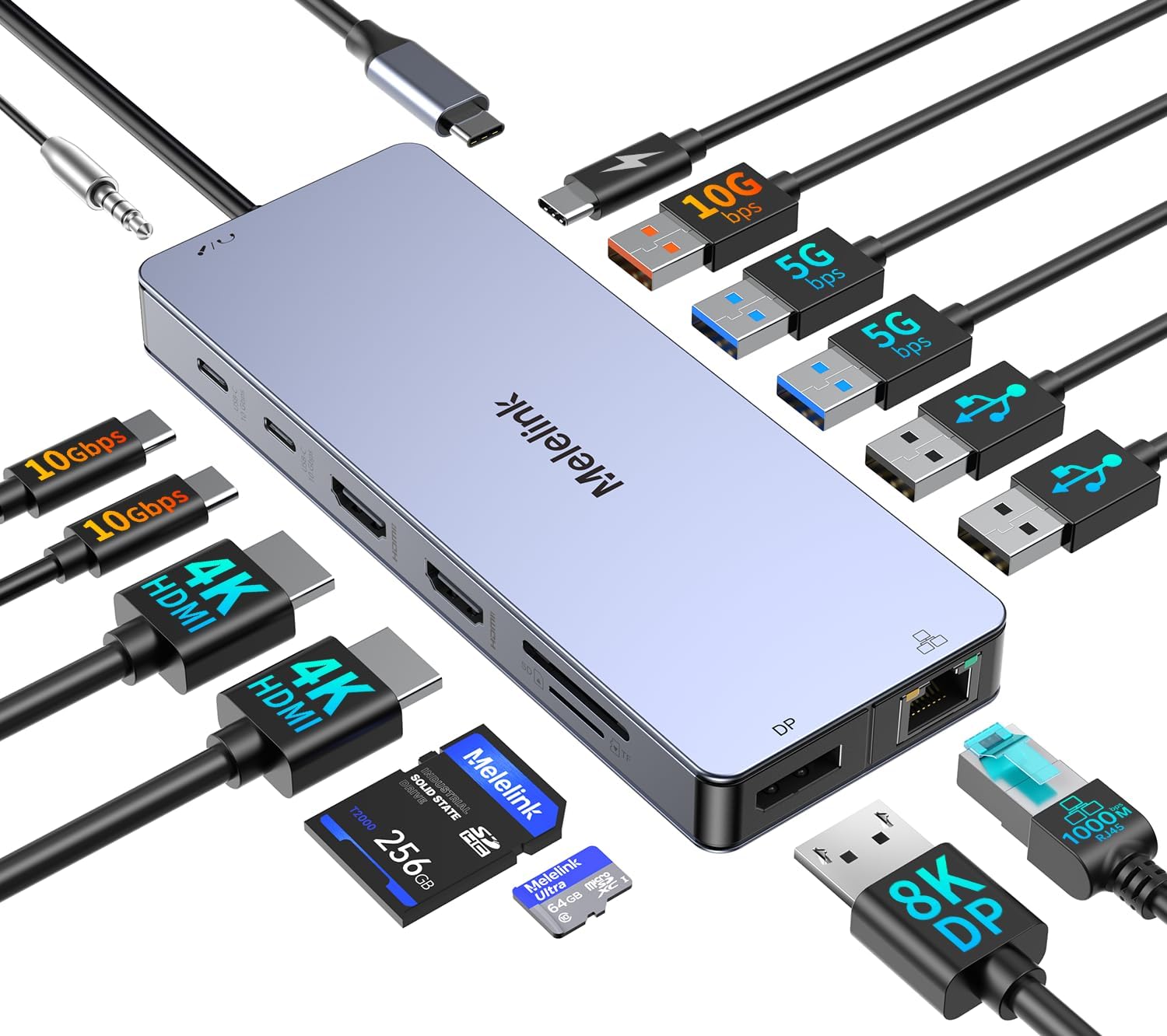
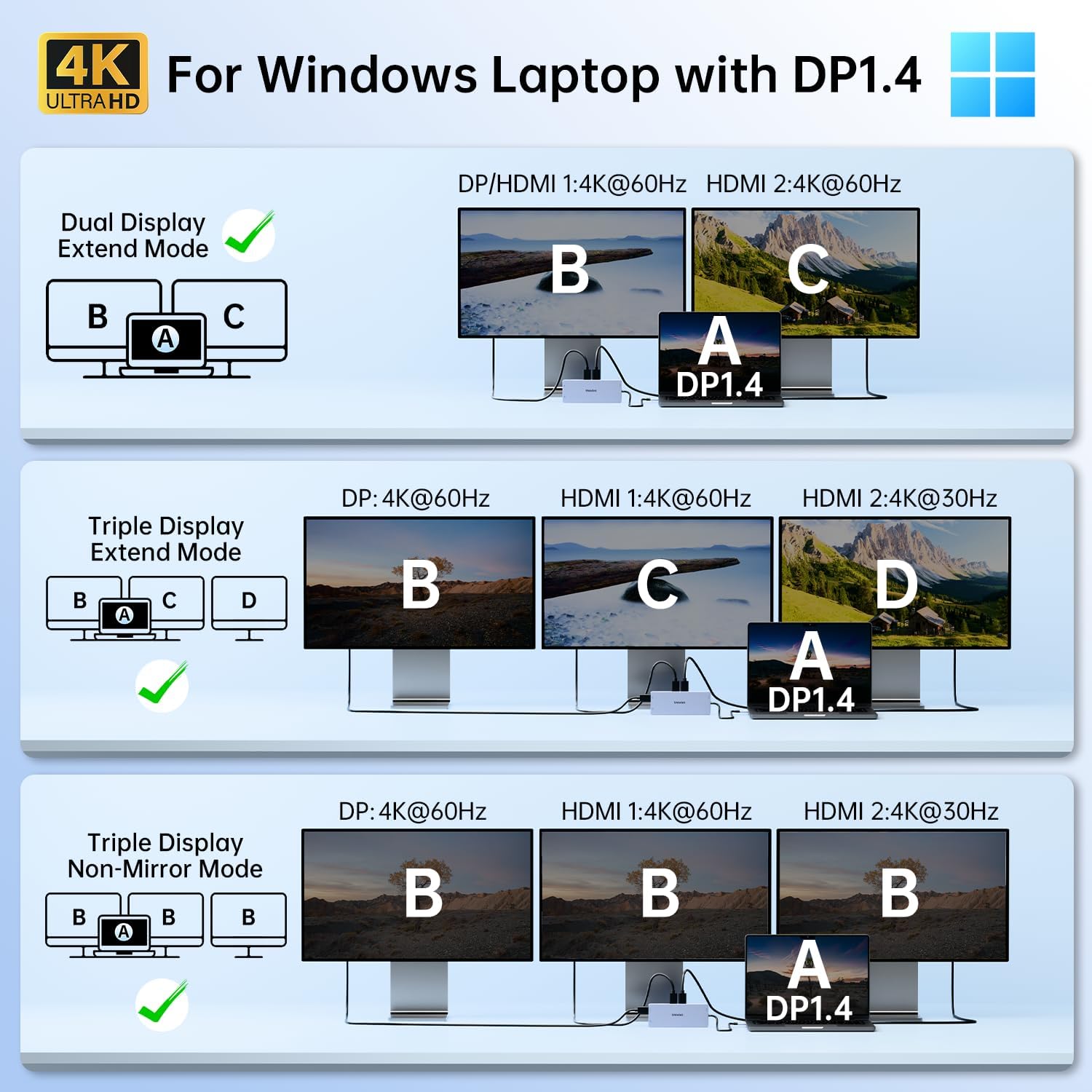
With more than video outputs, this docking station focuses on practical desk connectivity. You can connect external monitors using dual HDMI plus one DisplayPort, then rely on USB ports for peripherals, cards, and data transfer. According to the manufacturer, it supports triple display output up to 4K at 144 Hz or 8K at 30 Hz, with specific refresh rates depending on which ports you use together. It also uses plug and play, so you can set it up without driver installation for compatible systems.
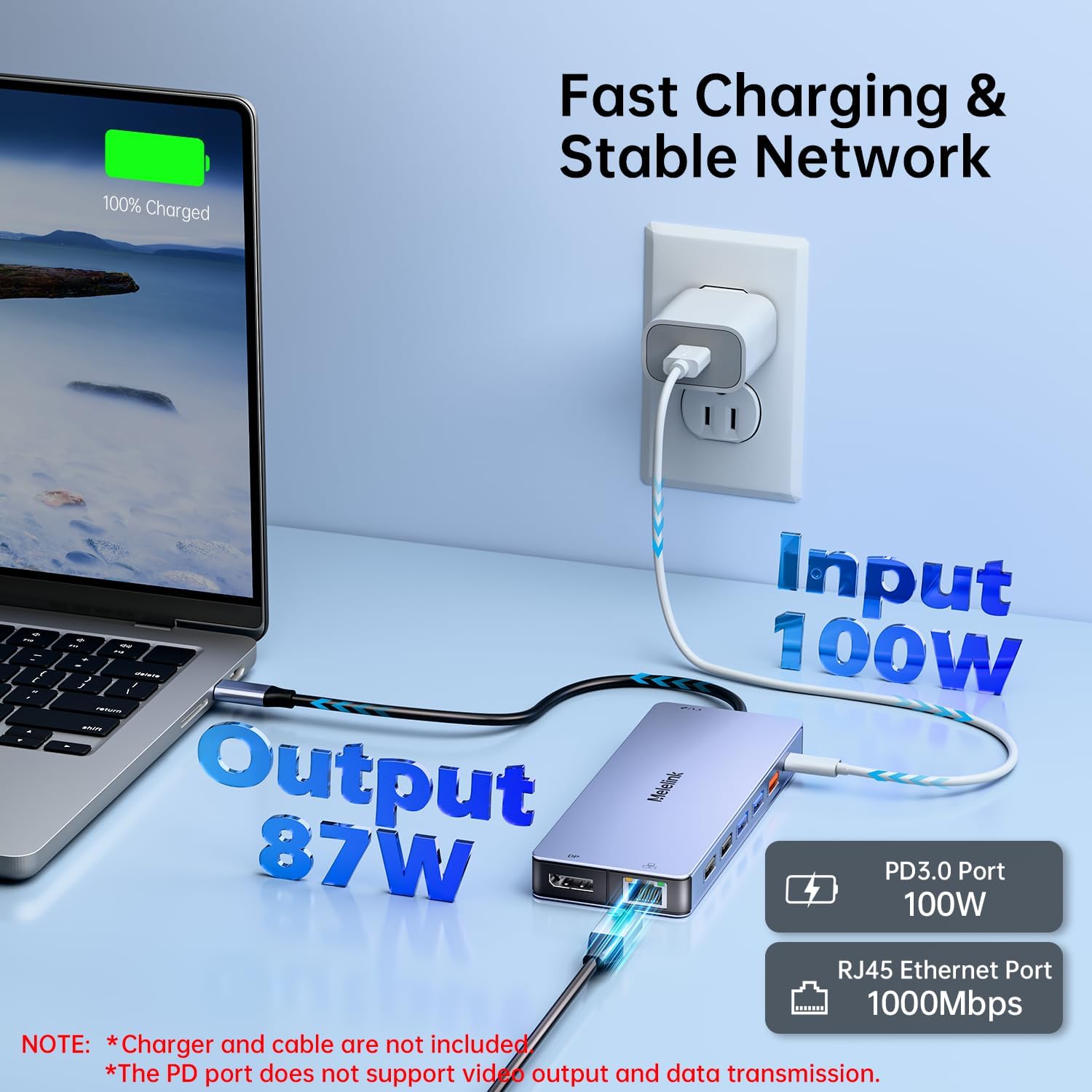
It includes USB C power charging with up to 100 W PD, which helps reduce charger clutter when your laptop supports the PD protocol. That matters on busy weekdays when you want one connection to handle both charging and accessories. For example, you can drive external monitors, connect a wired network for stability, and still have room for a keyboard, mouse, and storage. 🧠
Key features
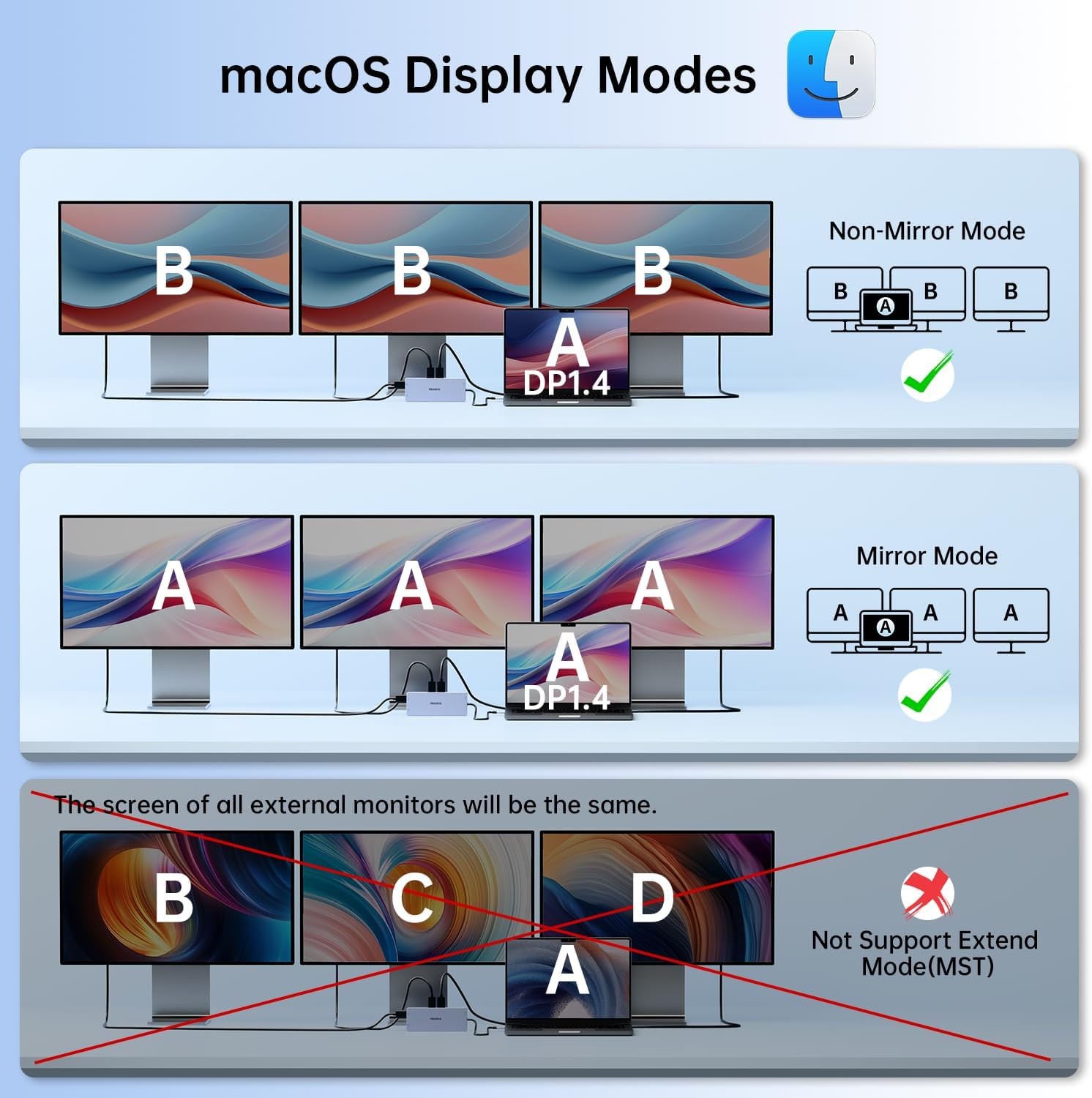
The video side of the Melelink dock is designed around flexible monitor combinations. It features two HDMI ports and one DisplayPort, and the manufacturer specifies how resolutions and refresh rates are handled across different pairings. In practice, this gives you options when your monitor setup includes a mix of HDMI displays and a DisplayPort compatible screen. It is also worth noting that macOS laptops only support SST mode, so all connected external screens will display the same content. 🖥️
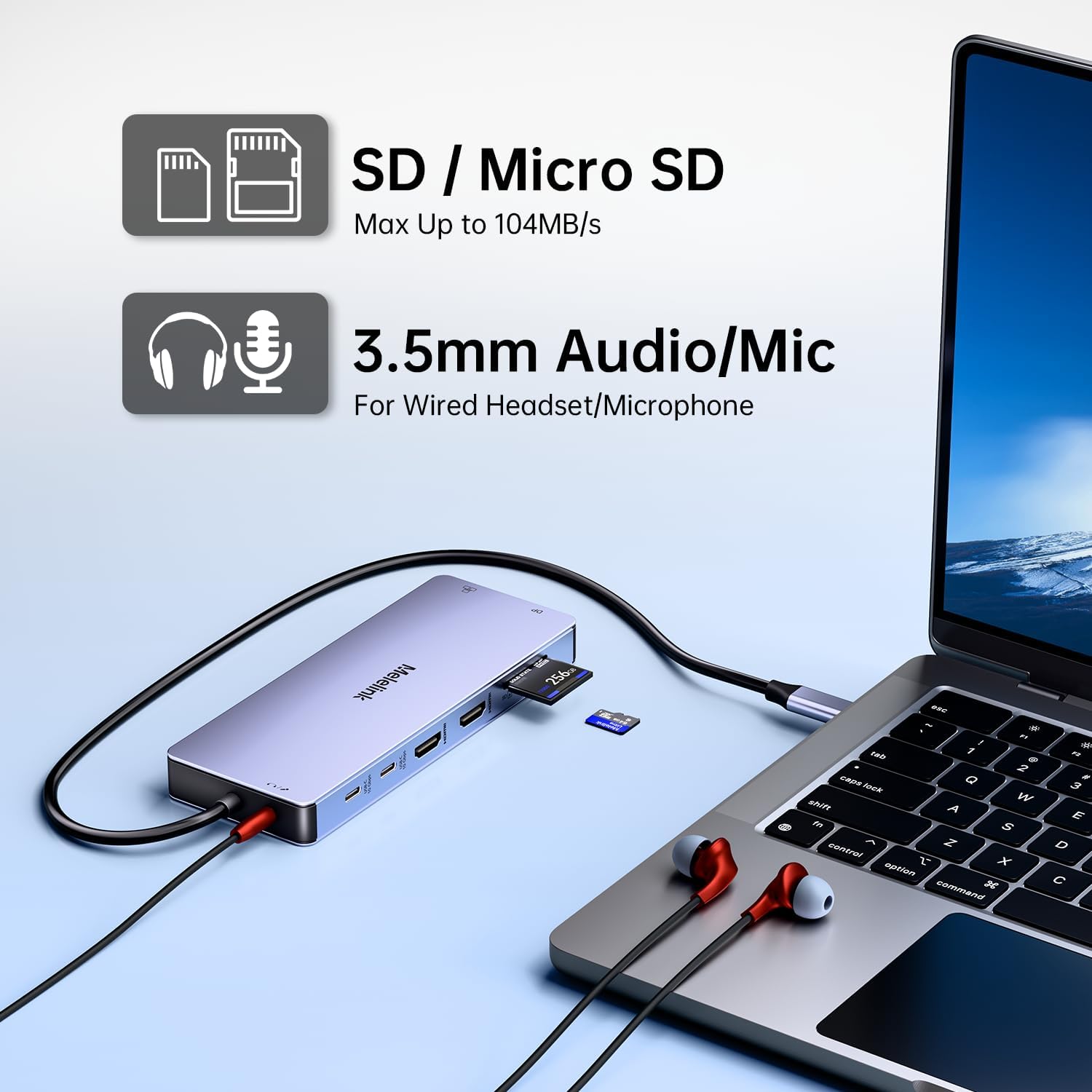
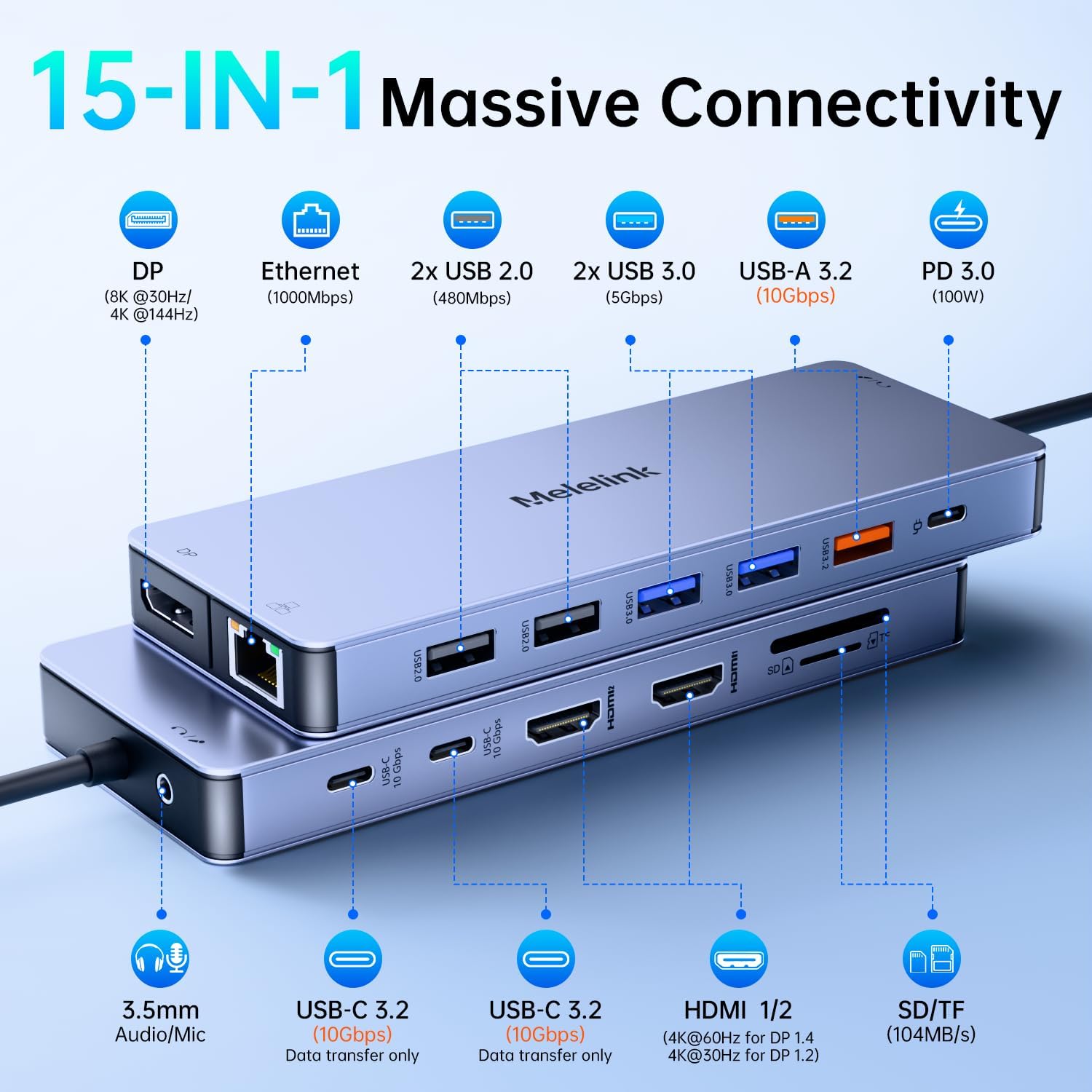
For day to day connectivity, the 15 in 1 design bundles multiple port types so you do not need separate adapters. There is gigabit Ethernet for a dependable wired connection, alongside SD and micro SD card readers for quick transfers. There is also a 3.5 mm mic and audio jack that can be useful for meetings, podcasting, or simply desk audio. If you work with files or external SSDs, the faster USB ports are aimed at reducing wait time for large transfers.
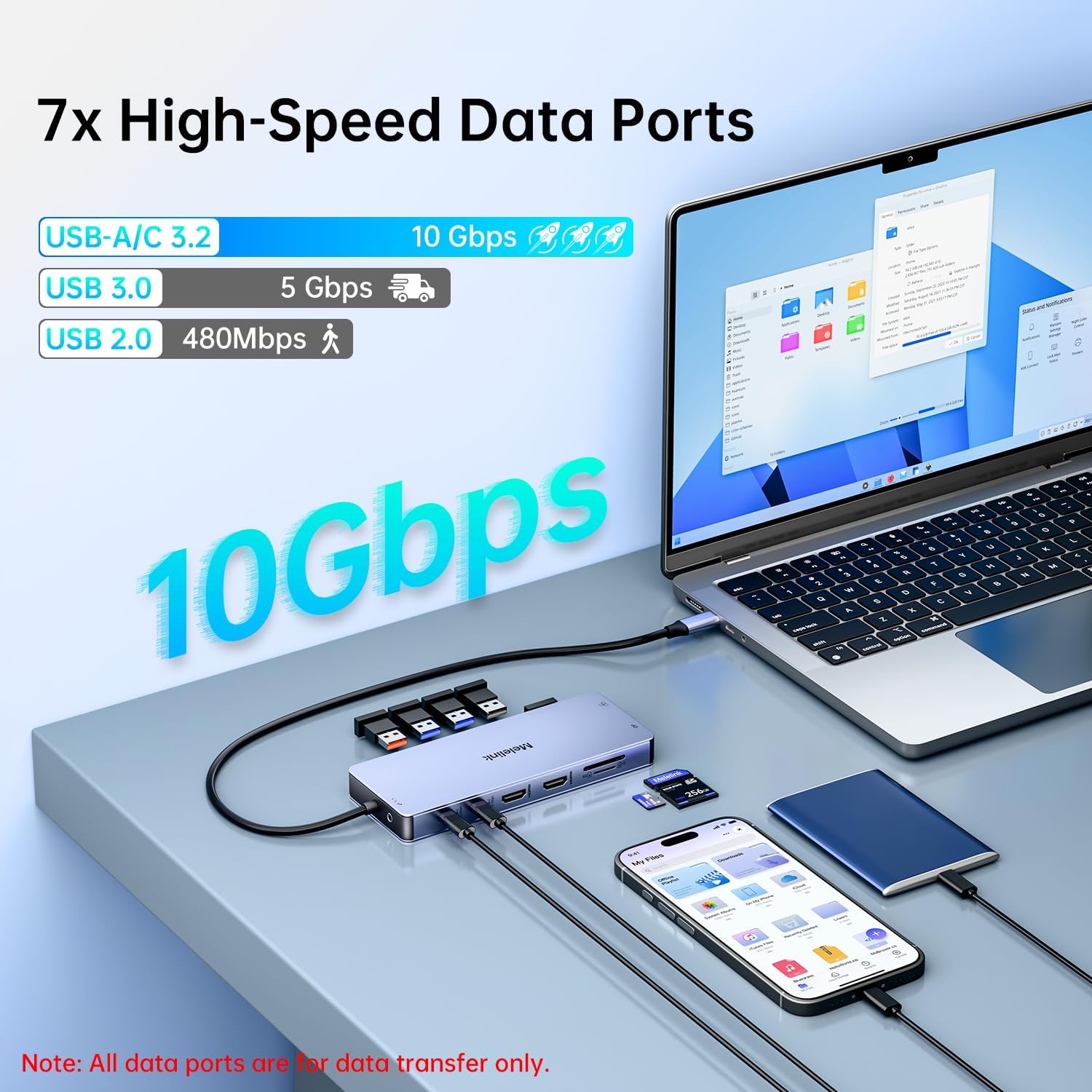
USB throughput is split across different port speeds, so you can match the device to the connector. The manufacturer states that there are 2 USB 2.0 ports rated at 480 Mbps, 2 USB 3.0 ports rated at 5 Gbps, and an additional 10 Gbps set using 1 USB-A 3.1 and 2 USB-C 3.2 ports. You may find this handy when you use a mixture of accessories such as wireless receivers, faster storage devices, and high bandwidth peripherals. 🔌
The charging feature is another key part of the convenience. This dock offers a USB C power charging port with a stated maximum of 100 W PD, designed to charge compatible laptops and devices. The manufacturer also highlights an important limitation, you need a laptop USB C port that supports the PD protocol, and using an adapter wattage similar to your laptop charger helps avoid slow charging.
Tech specs
- Type: USB C docking station
- Name: Melelink 15 in 1 USB C Hub Multiport Adapter
- Display: Triple display with dual HDMI and one DisplayPort
- Resolution: up to 8K at 30 Hz via DisplayPort, and up to 4K at 144 Hz via DP, according to manufacturer details
- Charging: USB C Power Delivery charging up to 100 W
- Ethernet: Gigabit Ethernet
- USB ports: 7 USB ports with a mix of 480 Mbps, 5 Gbps, and 10 Gbps connections
Who it’s for
It makes sense if you want a single USB C dock for a more complete home or office setup, especially when you need dual monitor support and dependable desk connectivity. You will likely appreciate the combination of video outputs, gigabit Ethernet, card readers, and a variety of USB ports for everyday peripherals. It can also suit users who travel between workstations and want a portable hub that covers both charging and accessories through one connection.
It might not suit you if you rely on macOS triple screen independence, as the manufacturer notes macOS laptops only support SST mode, so external displays will mirror the same content. You may also want to check your laptop USB C port supports the PD protocol if you plan to use the 100 W charging feature. Finally, keep your expected monitor resolution in line with the manufacturer guidance, since output performance depends on which combination of HDMI and DisplayPort connections you use.