

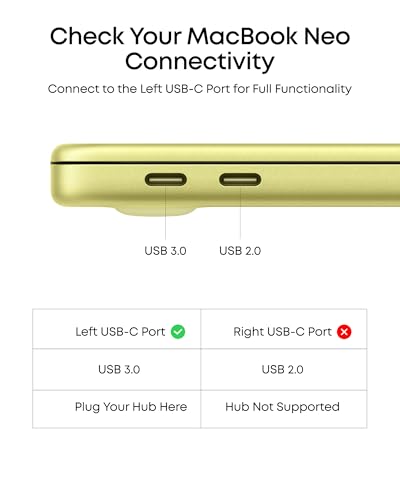
Anker USB-C Hub (5-in-1) – USB-C to HDMI Hub with 4K Display, 85W PD Pass-Through
Reviews
Price
Product description
What matters most
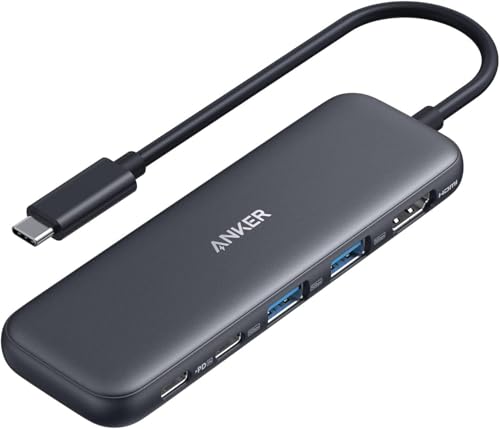
If you’re looking to expand a USB-C laptop or tablet into a compact workstation, the Anker 5-in-1 USB-C Hub provides a straightforward way to add video output, data transfer, and charging in one compact hub. On paper, this hub focuses on a practical balance: a single 4K HDMI output for external display, two USB-A 5 Gbps ports for peripherals, a USB-C data path, and a 100W PD-IN port for pass-through charging. It’s not a universal dock, but for everyday tasks it covers the essentials without turning binding cables into a tangle.
What it is and what it isn’t
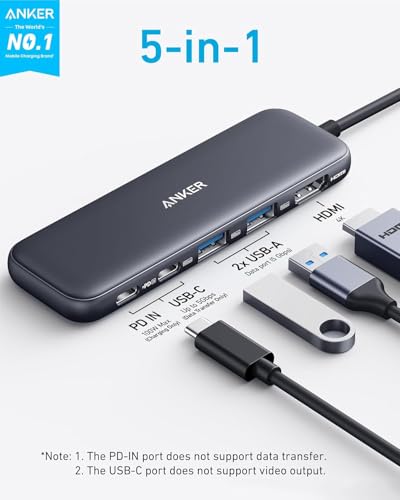
This is a 5-in-1 USB-C hub designed to live on your desk or travel pack. It plugs into your USB-C host and expands connectivity: one HDMI 4K port, two USB-A ports, one USB-C data port, and a Power Delivery input. It is important to note that the USB-C data port does not support video output. If you prioritise a simple way to mirror or extend your screen and transfer files quickly while charging, it can be a sensible companion. If you need HDMI power delivery to charge and drive video simultaneously from multiple USB-C video outputs, you may want to consider a different setup.
The strengths you’ll notice
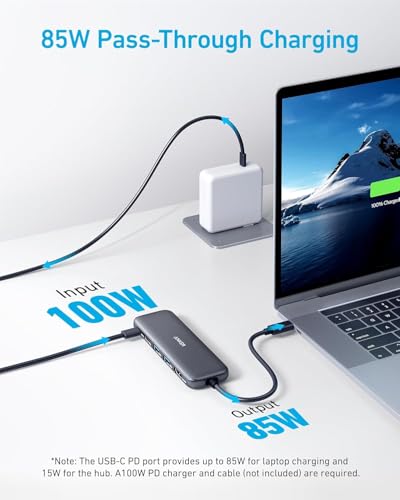
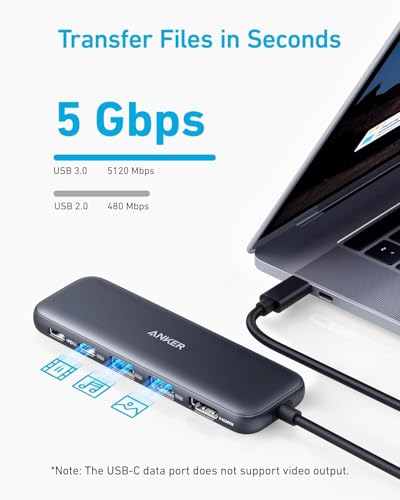
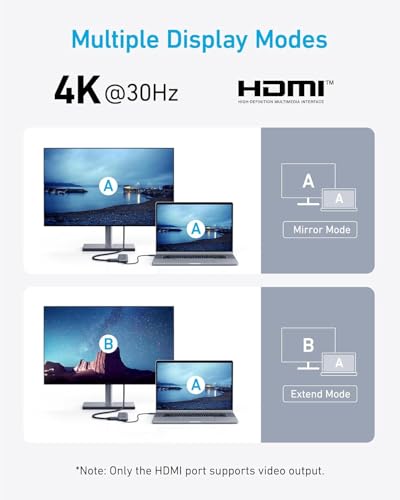
On the plus side, the 4K HDMI output enables external display use at up to 4K@30Hz, which is perfectly adequate for document work, browsing, and light media tasks. The dual USB-A ports are useful for peripherals like a keyboard, mouse, or USB drive, and the USB-C data port supports fast file transfers up to 5 Gbps. The 85W pass-through charging means you can power a laptop while using the hub—an important consideration if you’re short on outlets or don’t want a separate charger for the dock itself. The bounded footprint and single cable approach make it a clean, low-profile desk setup.
The caveats you should mind
There are meaningful trade-offs. The HDMI output is limited to 4K@30Hz, if you work with high-refresh-rate tasks or GPU-heavy media editing, this may feel restrictive. The USB-C port is used for data only, so you won’t get video output through it. Pass-through charging requires a charger (not included), and performance depends on the charger’s capability and the host computer’s power draw. If you regularly run multiple high-demand peripherals or need 4K HDR at higher refresh, you’ll want to compare with higher-spec docks or dedicated USB-C hubs.
Who it’s for
This hub suits students, remote workers, and light-duty power users who want a compact, reliable way to connect a monitor and essential peripherals while keeping a laptop charged. It’s particularly appealing if your setup includes a single external display, a couple of USB devices, and a charger with sufficient wattage. If you routinely push your laptop to its limits with demanding external devices or multi-monitor setups, you might prefer more feature-rich options.
Who it’s not ideal for
Not ideal if you need multi-monitor support, higher refresh displays, or video output through the USB-C port. Also, if you rely on a single power supply to charge multiple devices at once, you’ll want to confirm your charger’s capability aligns with 85W pass-through requirements.
When it makes sense to buy
If you want a compact 5-in-1 solution that offers 4K HDMI display, quick file transfer via USB-C or USB-A, and pass-through charging, this hub presents a pragmatic option. It’s suitable when you value a tidy desk, need straightforward plug-and-play performance, and can work within the 4K@30Hz limit.
What to check before buying
- Confirm your charger supports up to 85W pass-through and that you have a charger included (as noted, the unit does not include a charger).
- Ensure your monitor is compatible with 4K@30Hz via HDMI from a USB-C hub.
- Remember the USB-C data port does not carry video, plan your layout accordingly if you rely on multiple video outputs.
Practical use example
Imagine you’re working from a laptop with a single USB-C port. You connect this hub to drive an external 4K monitor for content creation, plug in a USB keyboard and a portable SSD through the USB-A ports, and attach your charger to the PD-IN port to keep the laptop topped up. The screen mirrors or extends to the external display while you move files and work, all without juggling multiple chargers.
What stands out in use
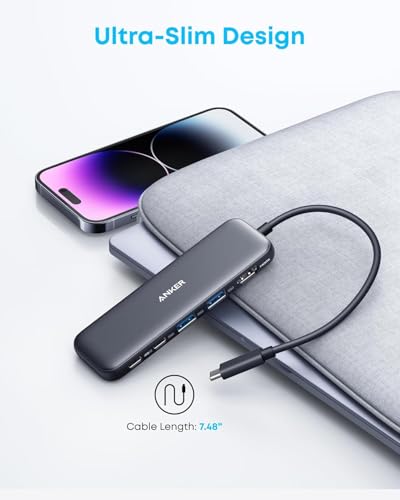
You’ll notice the clean, low-profile design and the convenience of having essential ports in one place. The 85W pass-through is welcome for many laptops, and the two USB-A ports give you room for peripherals without needing a separate hub.
Final decision
Is it worth it? Worth considering if you prioritise a simple, compact hub for basic multi-tasking with a 4K display and occasional file transfers, while keeping your laptop charged. It’s a sensible mid-range choice for straightforward setups, but not the best fit if you require high-refresh 4K output or video over USB-C.
FAQ
- Does the hub support 4K@60Hz? No, the HDMI output supports up to 4K@30Hz.
- Can I charge my laptop while using the HDMI output? Yes, via the 85W pass-through, provided you use a compatible charger (not included).
- Do the USB-C and USB-A data ports support video? Only the HDMI port handles video, the USB-C data port is for data transfer.
Technical overview
- 5-in-1 connectivity: 1 x 4K HDMI, 1 x USB-C data, 2 x USB-A data, 1 x PD-IN.
- Video output: HDMI up to 4K@30Hz, USB-C ports do not support video output.
- Data transfer: USB-C and USB-A ports up to 5 Gbps.
- Power: 85W pass-through charging (charger not included).
What it costs (value notes)
The hub aims to deliver essential expansion at a practical price point, balancing portability with enough ports for everyday tasks. If your needs evolve toward higher video refresh or more USB devices, there are more capable alternatives, but they often come with a bigger footprint or higher price.
In the box
Anker 332 USB-C Hub (5-in-1), welcome guide, 18-month warranty, and access to customer support. ( charger not included )