

EPOMAKER TH99 Pro 96% Wireless Mechanical Keyboard with Screen, Knob, 10000mAh Battery (Pink, Sea Salt Silent) — Hot Swap
Product description
Overview: a 96% keyboard that tries to replace your desk workflow
The EPOMAKER TH99 Pro is a 96% mechanical keyboard built around a few standout ideas: a glass screen for at-a-glance keyboard status, a precision volume knob for quick in-game or media control, and a wireless “tri-mode” setup powered by a large 10,000mAh battery. On paper, it’s aiming at the person who wants fewer tabs, fewer shortcuts to manage, and less cable clutter—while still getting a compact layout (including a full numpad) and a genuinely customizable feel thanks to hot-swap.
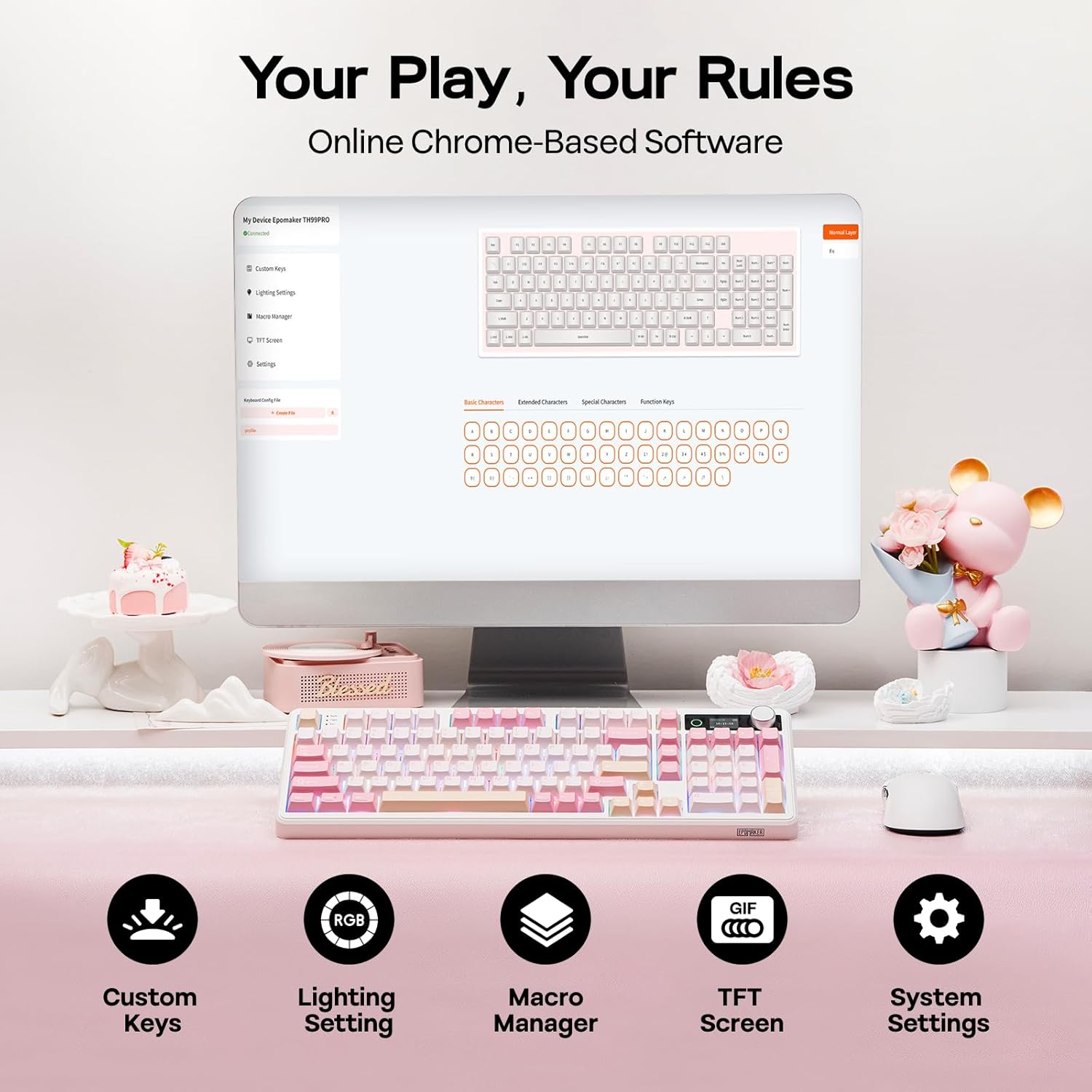
The keyboard also leans heavily into software control. The included Chrome-based tool (available online and offline per the description) lets you remap keys and record complex macros—useful when you’re repeating the same spreadsheet steps in Excel or running multi-hit combos in games without fumbling through menus.
That said, “Pro” features come with tradeoffs. A screen and knob add complexity and bulk compared to simpler mechanical boards, and the best experience will depend on whether you’re comfortable setting up macros/remaps through the provided software.
What the screen + knob actually do day to day
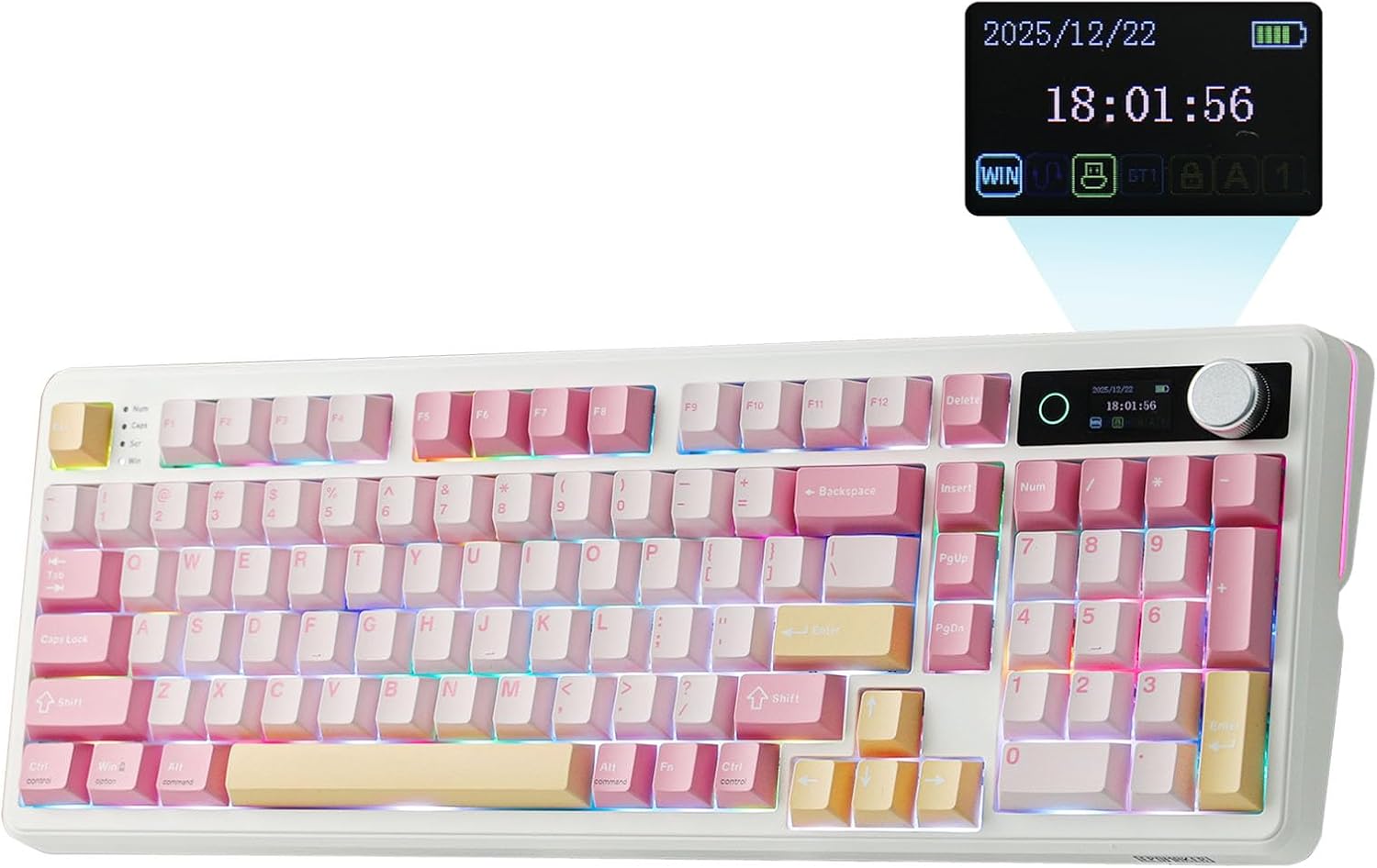
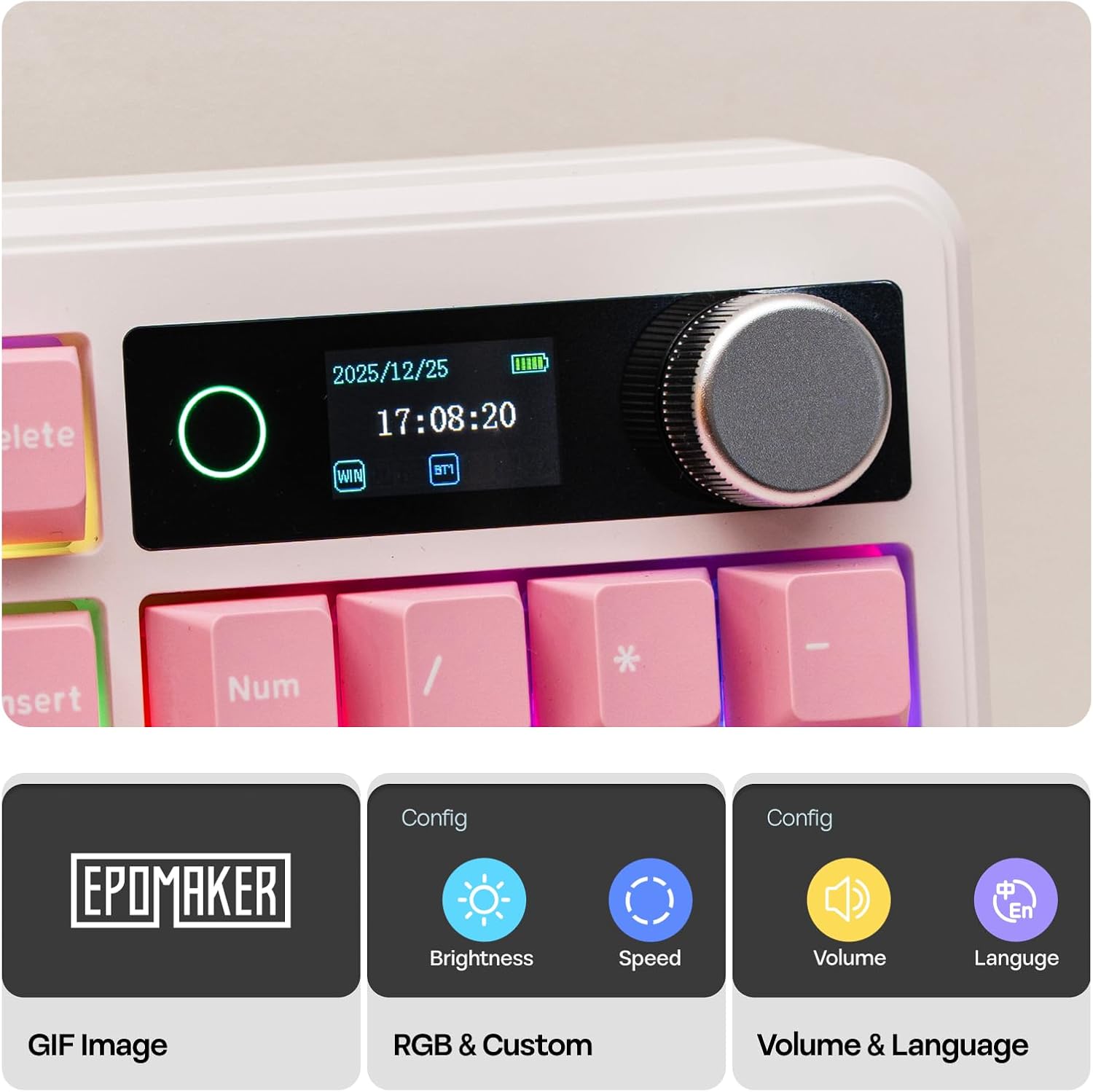
Where this keyboard feels different from a standard gaming board is the “digital command center” concept. The glass screen shows keyboard status plus battery and time monitoring, and it includes GIF display and an RGB control panel. The point isn’t just aesthetics—it’s about reducing distraction. If you often manage audio, RGB profiles, or mode switching mid-session, seeing the info right on the board can be faster than checking a separate app.
The precision-engineered volume knob is positioned as a practical solution to a common problem: changing volume during play without alt-tabbing. It’s the kind of convenience feature that sounds small until you realize how often you reach for audio settings mid-match or mid-task.
One limitation to keep in mind: if you rarely change volume, profiles, or modes, the screen and knob may feel more like extra steps than essentials.
Wireless battery life: strong promise, but watch the RGB
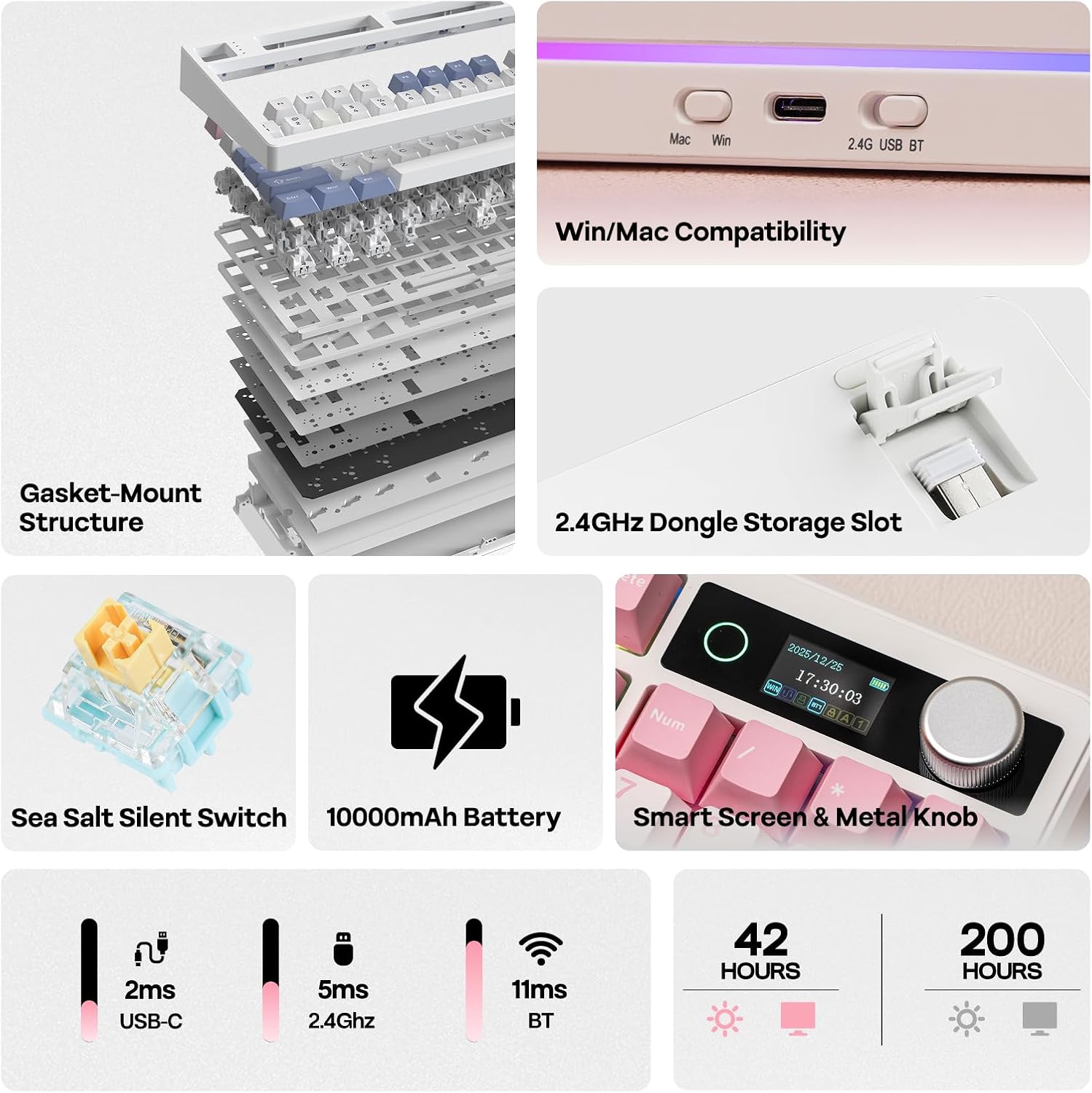
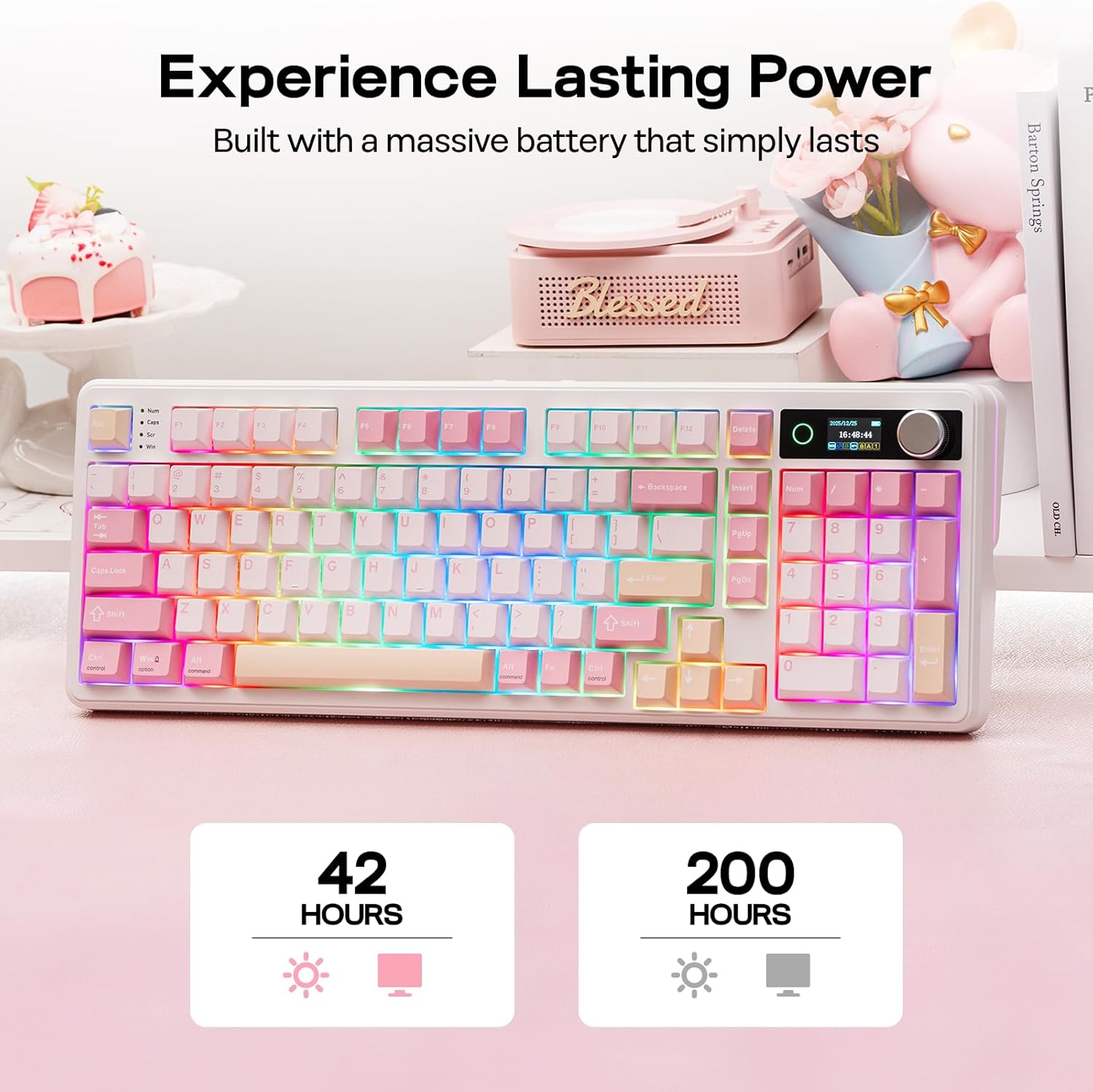
Battery capacity is a headline here: the keyboard is described as offering about 150–200 hours of high-performance use on a single charge when RGB is off. With RGB lighting on full blast, the description says roughly 40+ hours when using the screen display.
That’s a meaningful range. It suggests the board can comfortably cover long stretches of use if you don’t keep the RGB and screen fully maxed, but it may require more frequent charging when you treat the display like a centerpiece.
If you’re choosing this for a desk setup with movement (switching between your PC and laptop) or for reducing cable clutter, the 10,000mAh approach makes sense. If your priority is maximum battery endurance with minimal attention, you’ll want to factor the RGB/screen usage pattern into your expectations.
Layout, keycaps, and sound: a “thocky gasket” direction
The TH99 Pro uses a 96% layout described as “compact in size for extra ‘swipe room’,” while still keeping a full numpad. It’s built with 98 keys and features PBT keycaps intended to keep the look newer over time (the description specifically mentions resistance to greasing up and dust-proof lubed switches).
Sound-wise, it’s tuned toward a soft, cushioned typing feel using a multi-layer sound-optimized design that includes PORON, latex, IXPE, and silicones. The gasket approach is described as acting like a shock absorber to reduce harsh vibrations and metallic ping, aiming for less finger fatigue during long coding sessions or gaming raids.
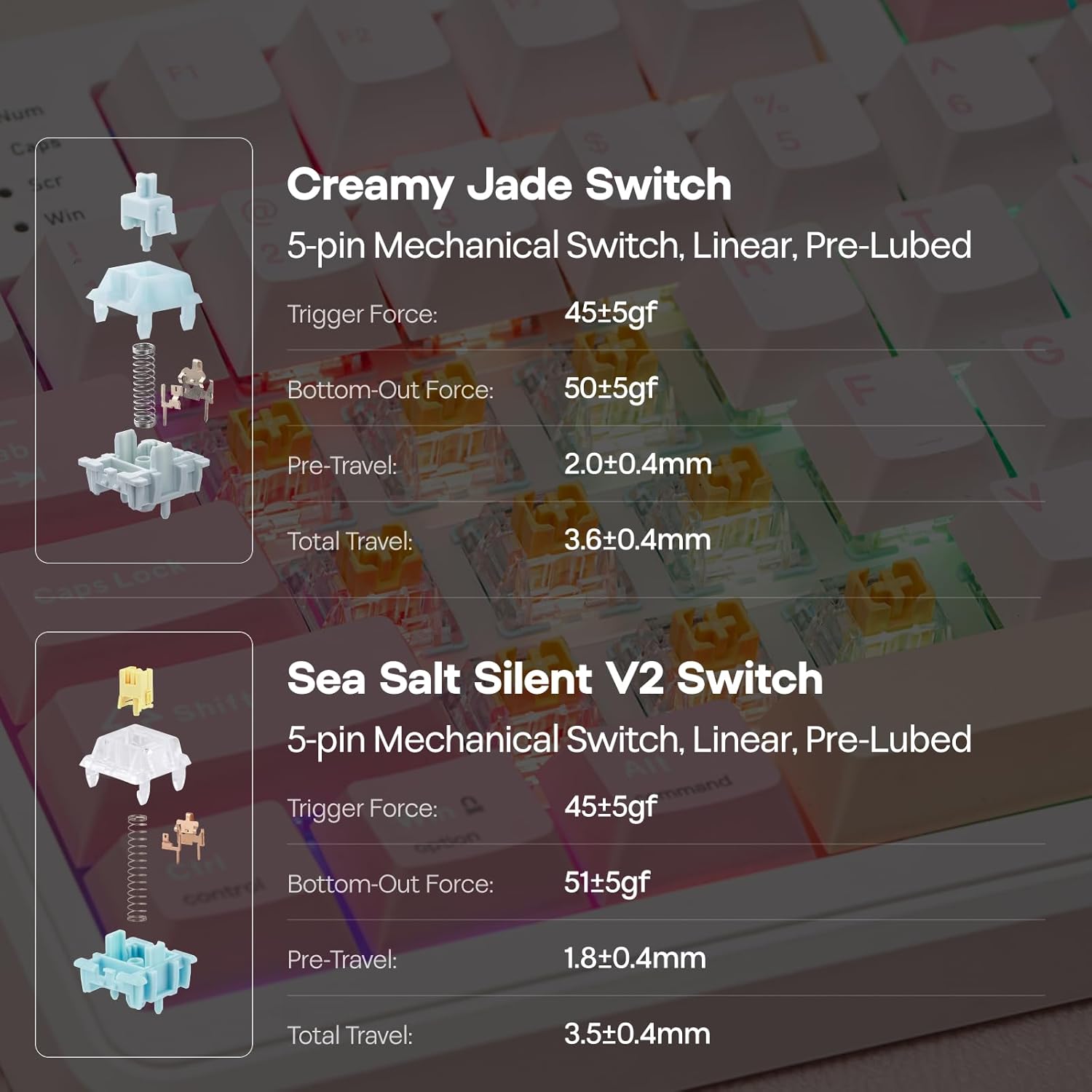
The big “do you like the feel?” uncertainty: it offers two switch options in the listing (one noted as “Creamy Jade” style and another as “Sea Salt Silent”), and the final experience will depend on which switch character you actually prefer—linear vs tactile vs silent feel. Since the post only clearly names the “Sea Salt Silent” option in the product title, you’ll want to double-check the switch you’re selecting when buying.
Connectivity and software control: good on flexibility, better with setup time
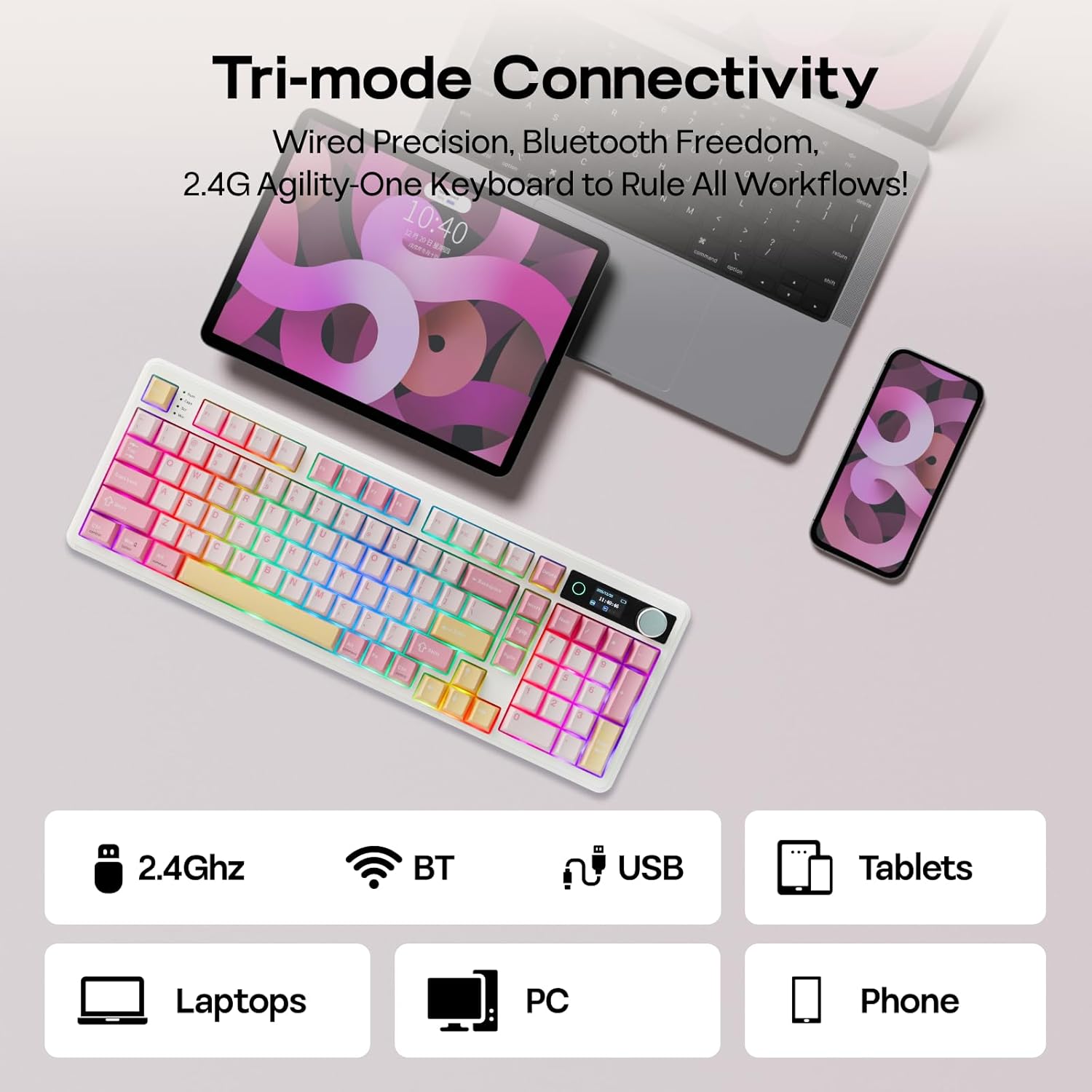
The keyboard supports 2.4Ghz and Bluetooth (and the description calls it tri-mode overall). It’s presented as switching between PC gameplay, responding to a text on an Android phone, and then moving straight to a Mac laptop via shortcuts.
The software side is where you either get serious value or you stop short. The description says the Chrome-based software lets you remap every key and record complex macros. For gamers, that can mean consistent combo execution. For productivity, it can mean automating repeated Excel strings with a single tap.
A practical micro-example: if you’re alternating between a spreadsheet and a game, you could set one macro to insert a repeated calculation pattern (or a multi-step formatting action) and another to trigger an in-game sequence—then use the screen to verify battery and mode status without leaving your workflow.
However, if you’re the type of user who just wants plug-and-play without remapping, the screen, macros, and custom controls may feel like “more system” than you need.
Key tech specs to know before you commit
Tech specs
- Type: 96% mechanical keyboard with screen, knob control, RGB backlight, and hot swap
- Connectivity: 2.4Ghz and Bluetooth (tri-mode mentioned in the description)
- Battery: 10,000mAh
- Key switches: hot-swappable, Sea Salt Silent is referenced in the product title (another switch option is mentioned in the description)
- Layout: full numpad with a 98-key 96% layout
- Keycaps: PBT keycaps
Is it worth it?
The EPOMAKER TH99 Pro is worth considering if you want a wireless mechanical keyboard that does more than typing: a built-in screen for status visibility, a volume knob for quick adjustments mid-session, and a feature set designed around remapping and macros. The 96% layout with full numpad also makes it a strong fit if you don’t want to give up number pad functionality while still staying more compact.
You may want to skip it if you prefer a simpler keyboard experience with minimal setup, or if your idea of “best deal” is maximum battery life without paying attention to RGB/screen behavior. In those cases, the extra features can be more overhead than payoff.
It also feels more like a “mid-to-upper complexity” pick than a basic entry board: the screen, software workflows, and hot-swap customization are the point. If you’ll actually use those, it can feel surprisingly practical. If not, the value drops fast.
Final questions to make sure it’s the right match
If you’re still deciding, these are the checks that matter most:
- Do you plan to remap keys or use macros regularly (for games or repetitive spreadsheet work)?
- Will you keep RGB and the screen on often, or are you okay with turning effects down to protect battery?
- Are you comfortable with a more feature-heavy keyboard (screen + knob + software setup) compared to a straightforward wireless board?
- Which switch option are you selecting—does the “Sea Salt Silent” feel match what you like to type on?
Answer those, and you’ll know whether the TH99 Pro’s “command center” approach is actually your kind of workflow.