

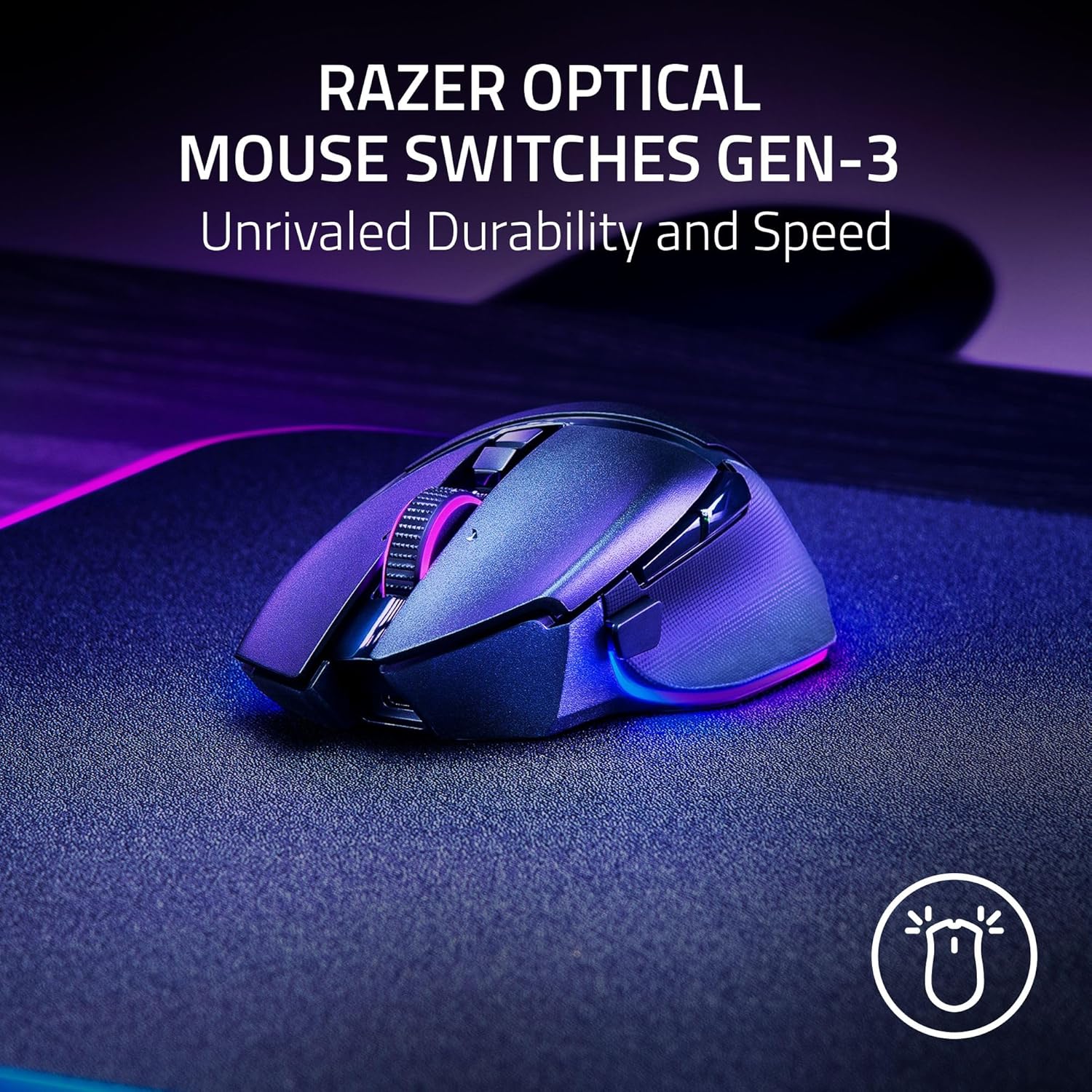
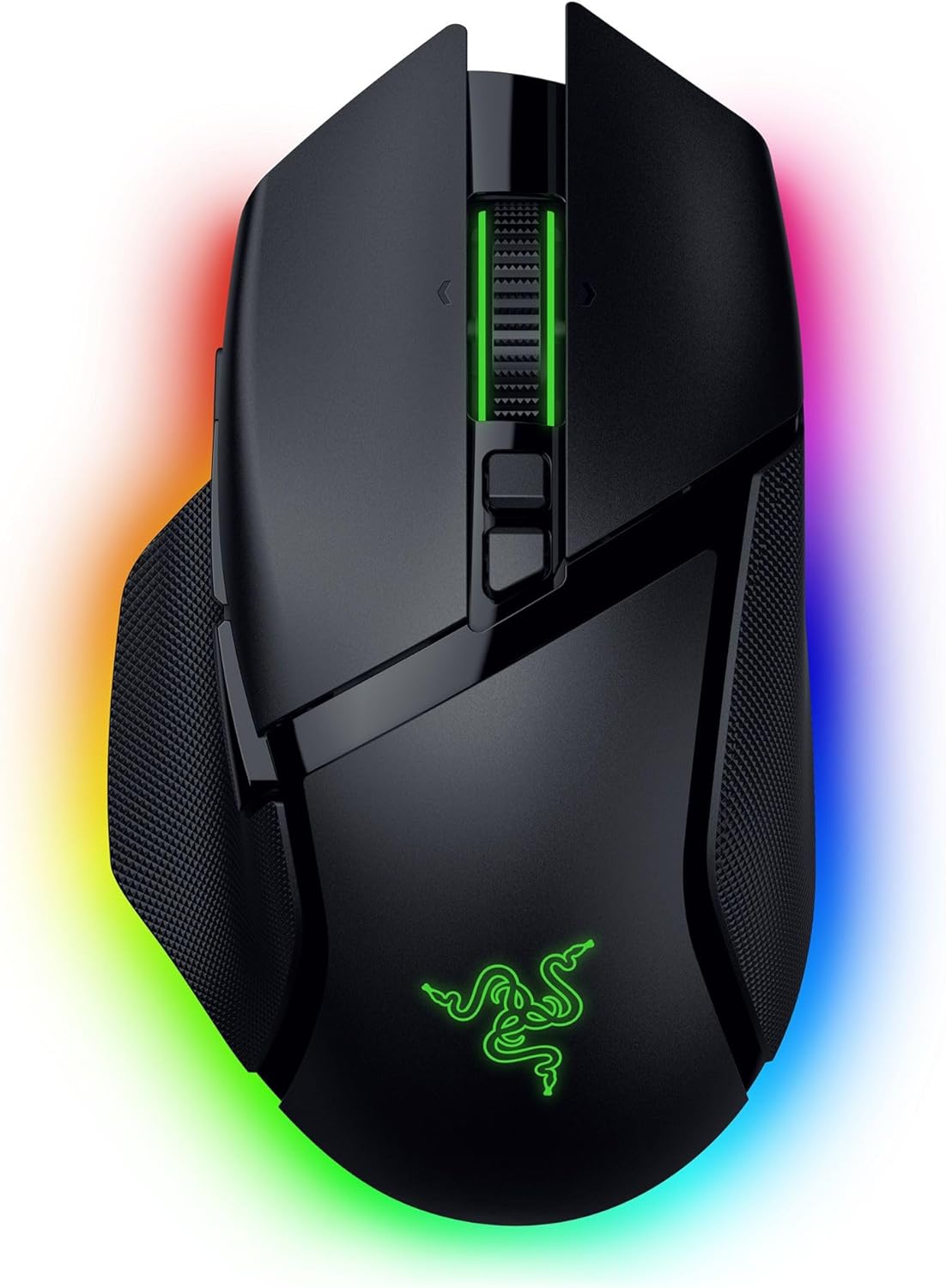
Razer Basilisk V3 Pro 35K Wireless Gaming Mouse — HyperScroll tilt wheel, 35K optical sensor & up to 140-hour battery (Black)
Product description
What it is and why it matters
The Razer Basilisk V3 Pro 35K is a high-end wireless gaming mouse built around one idea: make precision feel effortless while keeping you in the game for a long time. On paper, it pairs a “35K” optical sensor with a configurable HyperScroll tilt wheel (tactile cycling, smooth free-spin, or speed-based auto-switching). Add in Chroma RGB lighting with an underglow setup and 13 customizable controls, and you get a mouse aimed at players who tinker—more than people who just want something to click with.
That said, “best-in-class” tracking and all those modes only matter if they match your habits. If you like a simple, no-fuss wireless mouse, this one can feel like a lot. If you enjoy dialing settings, assigning macros, and using the mouse for more than aiming (push-to-talk, pings, shortcuts), it lands much better.
The essentials: key features you’ll actually use
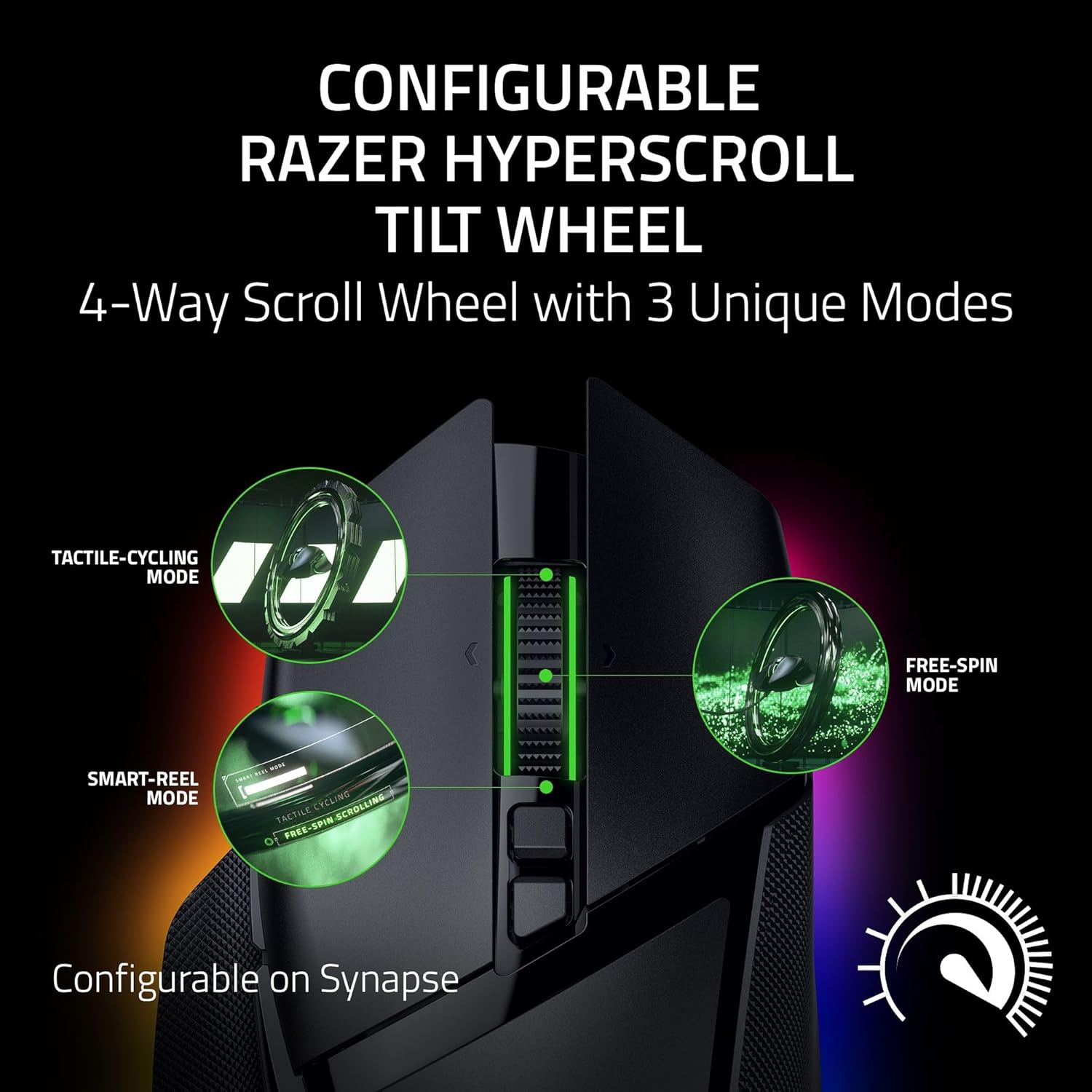
The HyperScroll tilt wheel is the headline feature. Instead of one scrolling behavior, you can choose between tactile cycling and smooth free-spin scrolling, or use Smart-Reel mode to auto-switch based on scroll speed. In practice, that can mean you’re not stuck between “tight steps” and “goes too far” scrolling. For example: in a match lobby or team comms, you might want controlled scrolling through a list of options, then switch to faster free-spin when you’re searching or adjusting quickly.
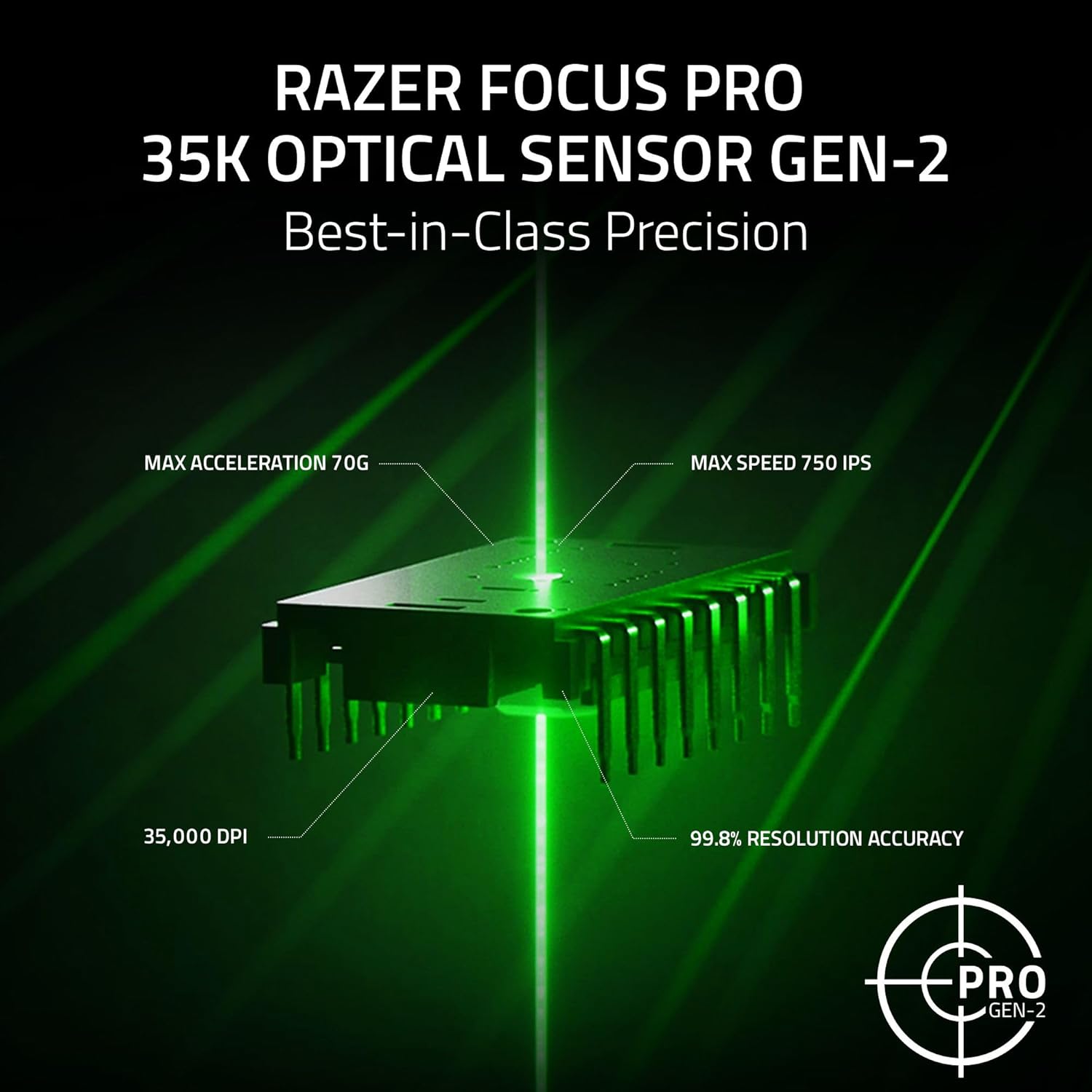
On the sensor side, the included “Razer Focus Pro” optical sensor is positioned as strong across more surfaces, including glass. It also mentions 1-DPI step adjustments for more granular aim and control. Again, that’s the kind of detail that tends to matter for players who care about consistency and fine tuning rather than casual browsing.
Wireless performance is addressed with Razer HyperSpeed Wireless, promising smooth, lag-free play and up to 140 hours of battery life. There’s also an “8000 Hz polling rate” mode, but it’s tied to using specific accessories (both sold separately): the Razer Mouse Dock Pro or the HyperPolling Wireless Dongle. Worth noting: if you don’t plan to buy those extras, you may not get the very top polling-rate claim.
Controls, macros, and lighting (the “feel” layer)
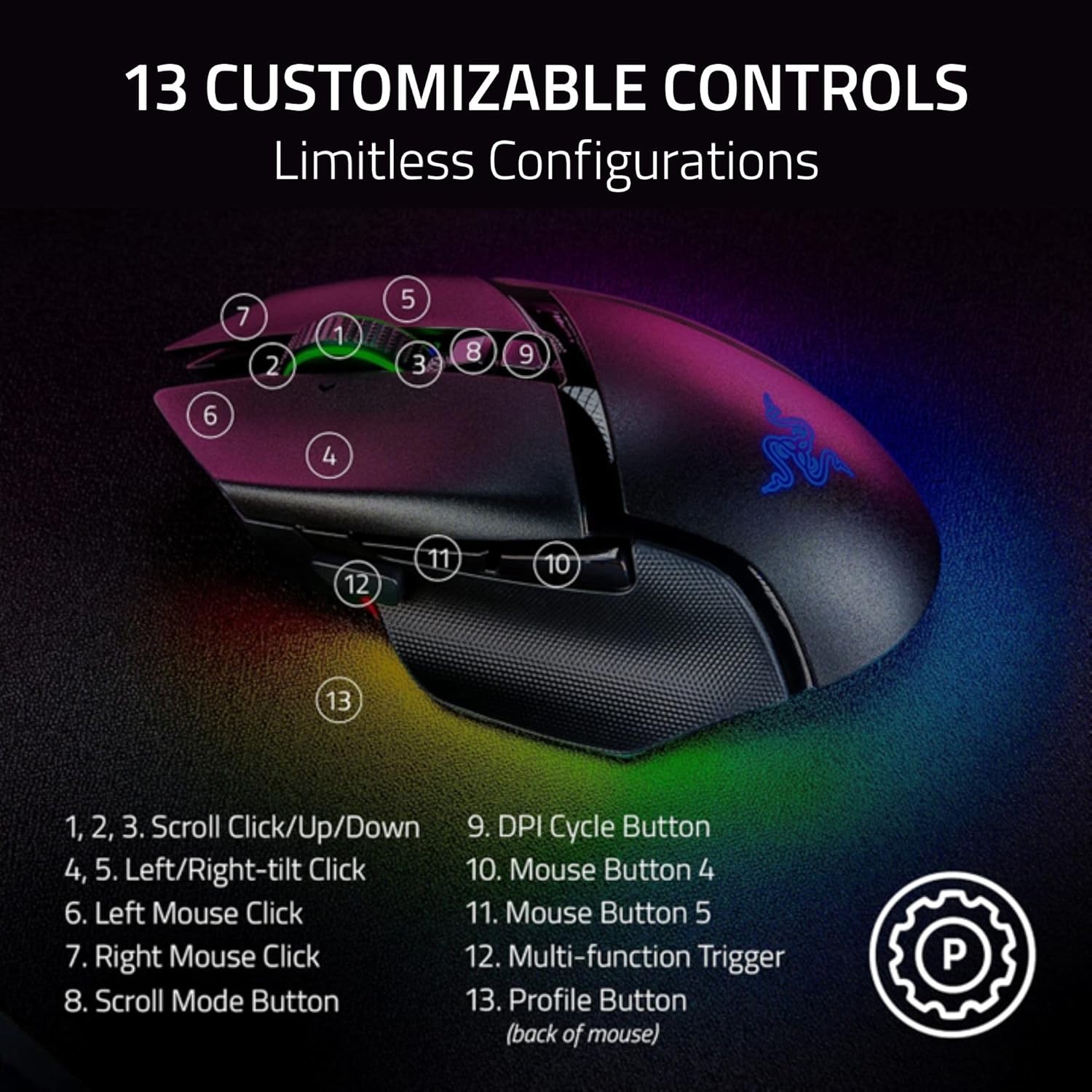
This mouse gives you 13 customizable controls, including a multi-function trigger designed for essential actions like push-to-talk and pinging. If you play games where communication or quick utility matters, that extra button real estate can reduce the need to hunt through keyboard shortcuts mid-fight.
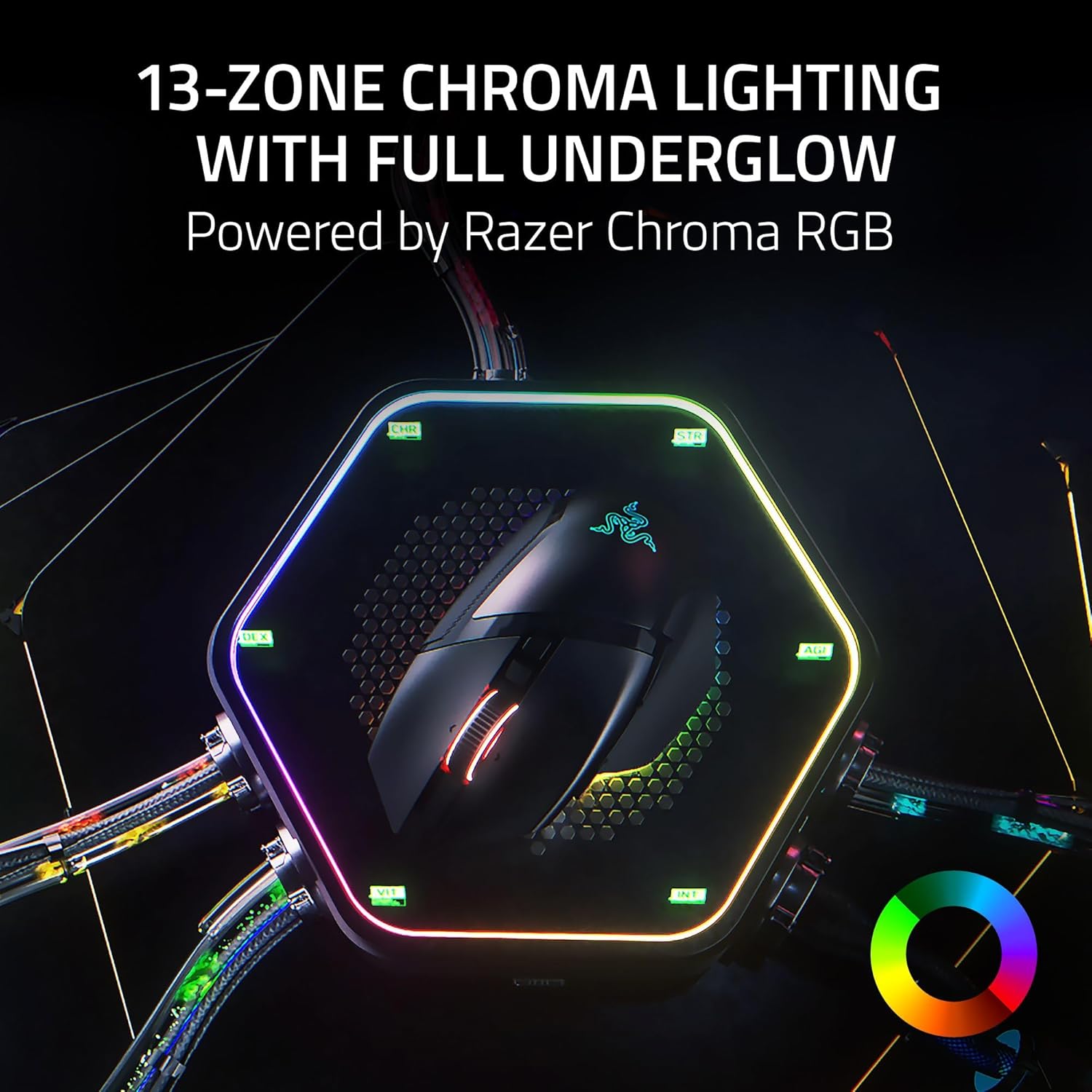
The RGB side is also more than decoration. It supports 13-zone Chroma lighting with full underglow and customization across 16.8 million colors, plus dynamic effects in over 200 Chroma-integrated games (as stated). If you prefer a clean setup, you’ll still have the ability to dial it back—but if you enjoy visual feedback and immersion, this is built for that.
Tech specs (as described by the product text)
- Type: Wireless gaming mouse
- Sensor: Razer Focus Pro 35K Optical Sensor Gen-2
- Sensitivity/Resolution: up to 35K DPI (Gen 2)
- HyperScroll wheel: configurable tilt wheel with Smart-Reel mode
- Optical switches: Gen 3
- Battery life: up to 140 hours (Razer HyperSpeed Wireless)
- Controls: 13 customizable controls
- RGB lighting: Chroma with 13-zone underglow
Who it’s for, and who should think twice
It makes sense if you’re the type of player who: - wants a wireless mouse that can last a long stretch (up to 140 hours is a big promise for weekend-to-weekend use) - cares about scroll behavior enough to want tactile, smooth free-spin, or speed-based switching - uses macros and wants 13 easily accessible controls rather than relying only on keyboard keys - enjoys Chroma lighting and plays at least some of the Chroma-integrated games referenced

It might not be the best match if you: - prefer a simple “set it and forget it” mouse and won’t use wheel modes or macros much - are hoping to automatically get the highest polling-rate behavior without additional accessories (the 8000 Hz option is connected to dock/dongle sold separately) - need a very lightweight, minimal design and are sensitive to extra features you may never touch
Things to double-check before buying
Before you commit, it’s worth thinking about three practical points. First, are you actually going to use the HyperScroll modes (especially Smart-Reel), or will you mostly scroll in one way? Second, do you plan to use the extras mentioned for the very high polling rate, or will you be fine with the standard wireless setup? Third, if RGB and reactive lighting matter to you, confirm you’ll enjoy the 13-zone underglow approach rather than treating it as an afterthought.
Final verdict
If you want a feature-forward wireless gaming mouse built for customization, the Razer Basilisk V3 Pro 35K makes a strong case—especially thanks to the configurable HyperScroll tilt wheel, the emphasis on optical sensor tuning, and the promise of long battery life. It’s not perfect for everyone, though: if you won’t use macros, scrolling modes, or Chroma, you may feel you paid for complexity you don’t need.
Quick FAQ
Is HyperScroll tilt wheel configurable in more than one way?
Yes. The wheel supports tactile cycling, smooth free-spin scrolling, or Smart-Reel mode, which auto-switches based on scroll speed (configurable on Synapse Razer Focus Pro 35K).
How long does the battery last?
The product text states up to 140 hours on Razer HyperSpeed Wireless.
Do I need extra accessories to get 8000 Hz polling?
According to the description, the 8000 Hz polling rate option requires the Razer Mouse Dock Pro or the HyperPolling Wireless Dongle, both sold separately.
What can the multi-function trigger be used for?
The description calls out actions like push-to-talk and pinging as examples of essential commands you can execute with it.
Does the mouse work on different surfaces?
The sensor is described as performing on a wider variety of surfaces, including glass.