

YUNZII C75 Wireless Mechanical Keyboard: Cute 75%, Hot-Swap, Tri-Mode, RGB
Product description
What it is and what it solves
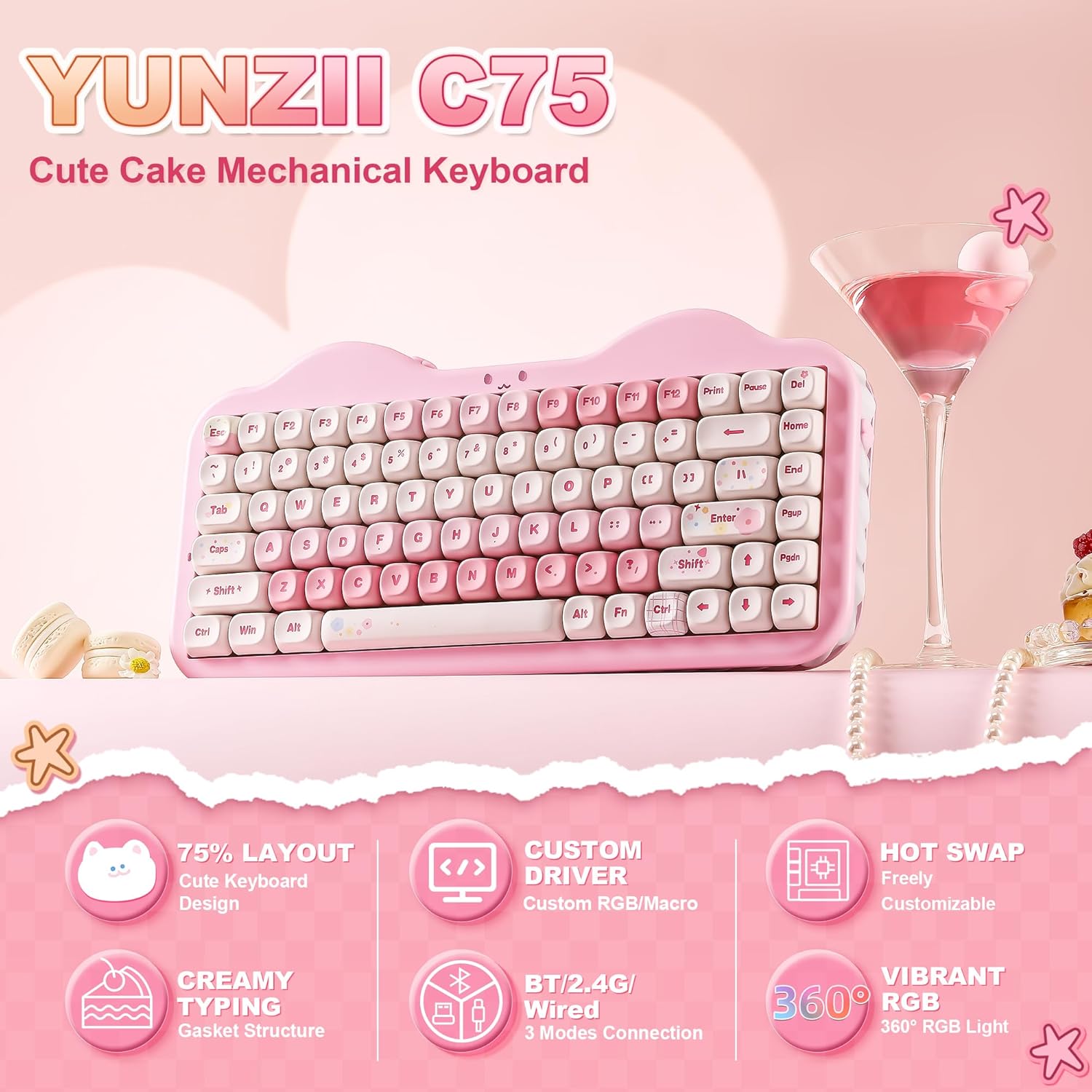
The YUNZII C75 is a wireless mechanical keyboard with a 75% layout, designed to save desk space while keeping essential keys within reach. It targets users who want a compact board for gaming, coding, or everyday typing without sacrificing personalize-ability or wireless convenience. On paper, it blends a gasket-inspired sound-damping structure with pre-lubed switches and a hot-swappable PCB, plus multi-device wireless connectivity. If you value a softer, creamy typing experience and prefer a keyboard that works across Mac and Windows setups, this could check several boxes at once.
How it feels in use
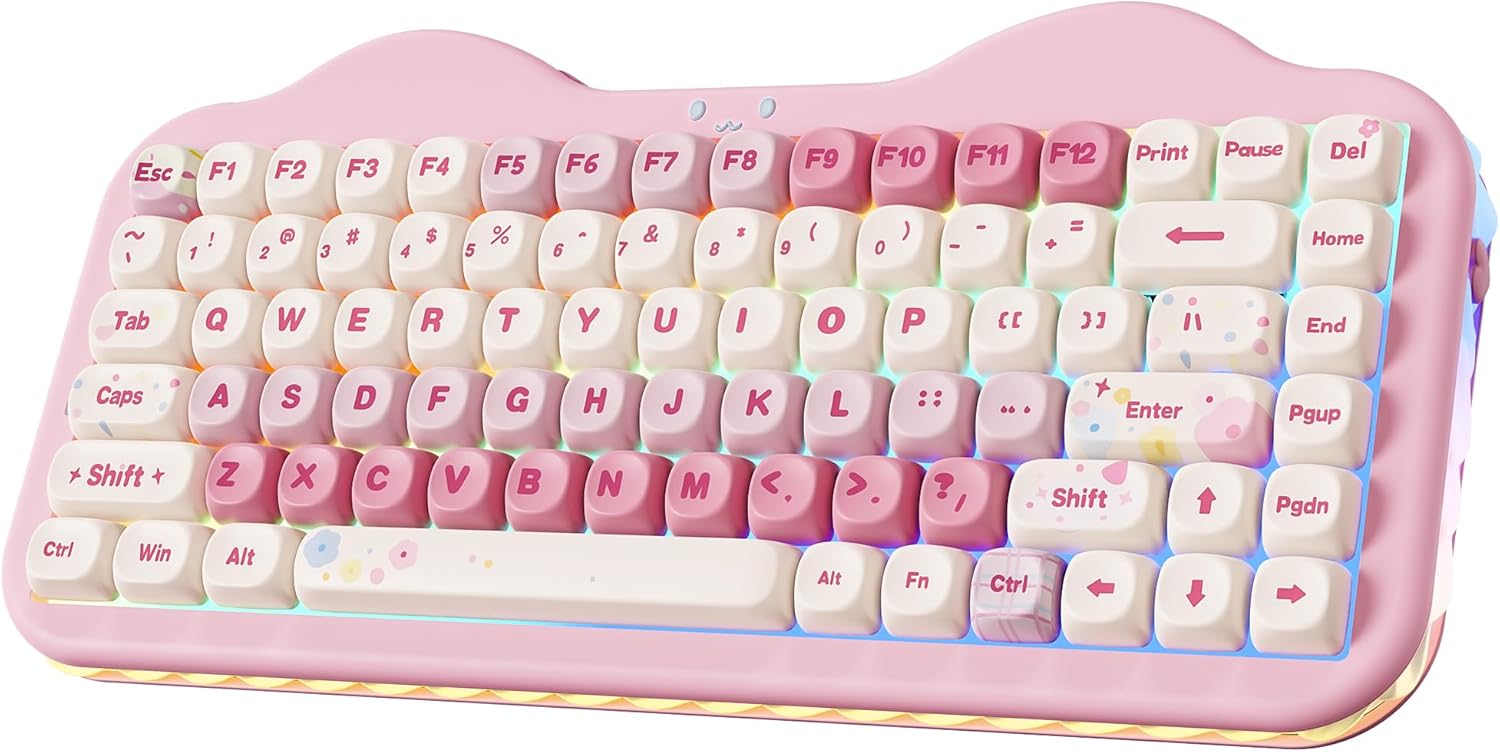
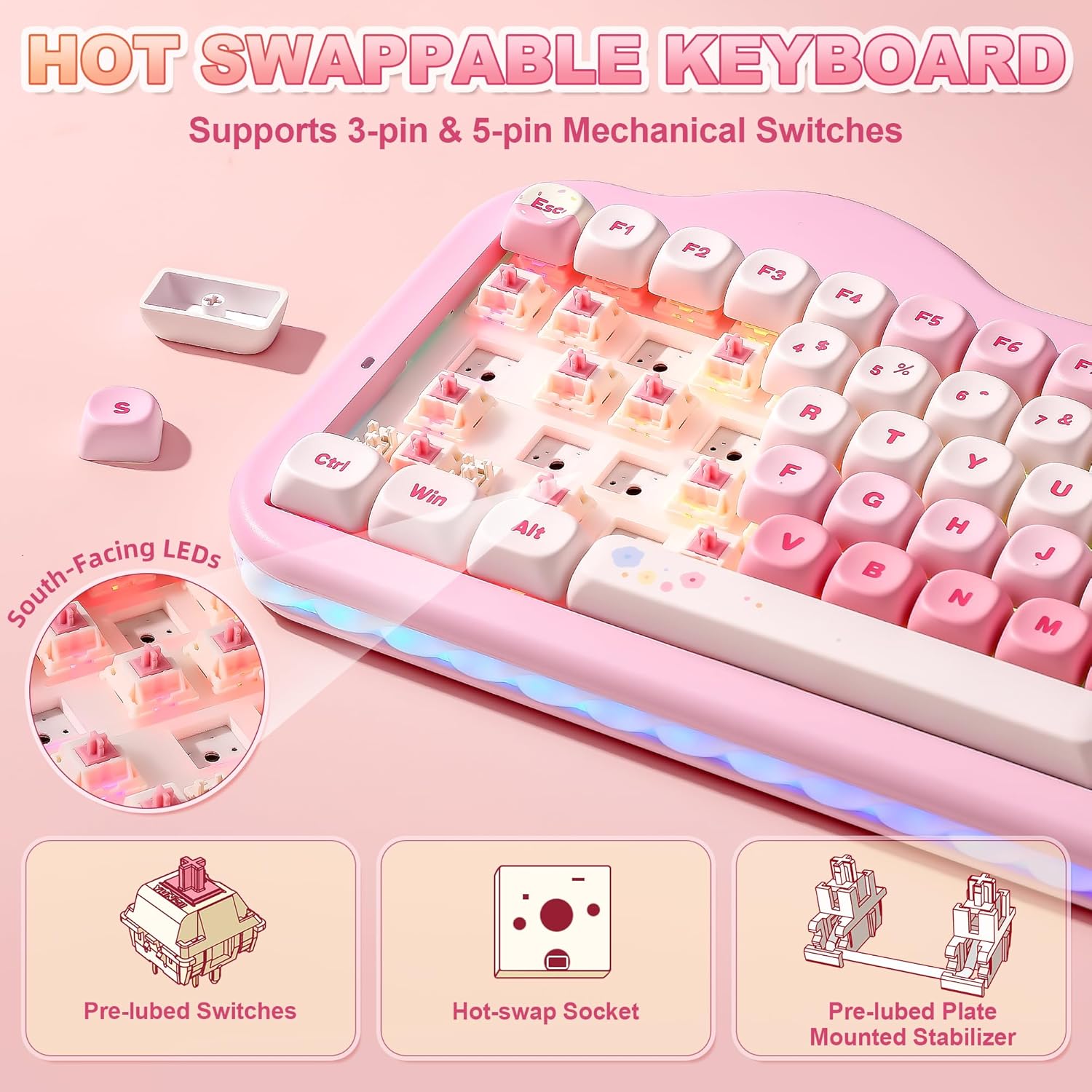
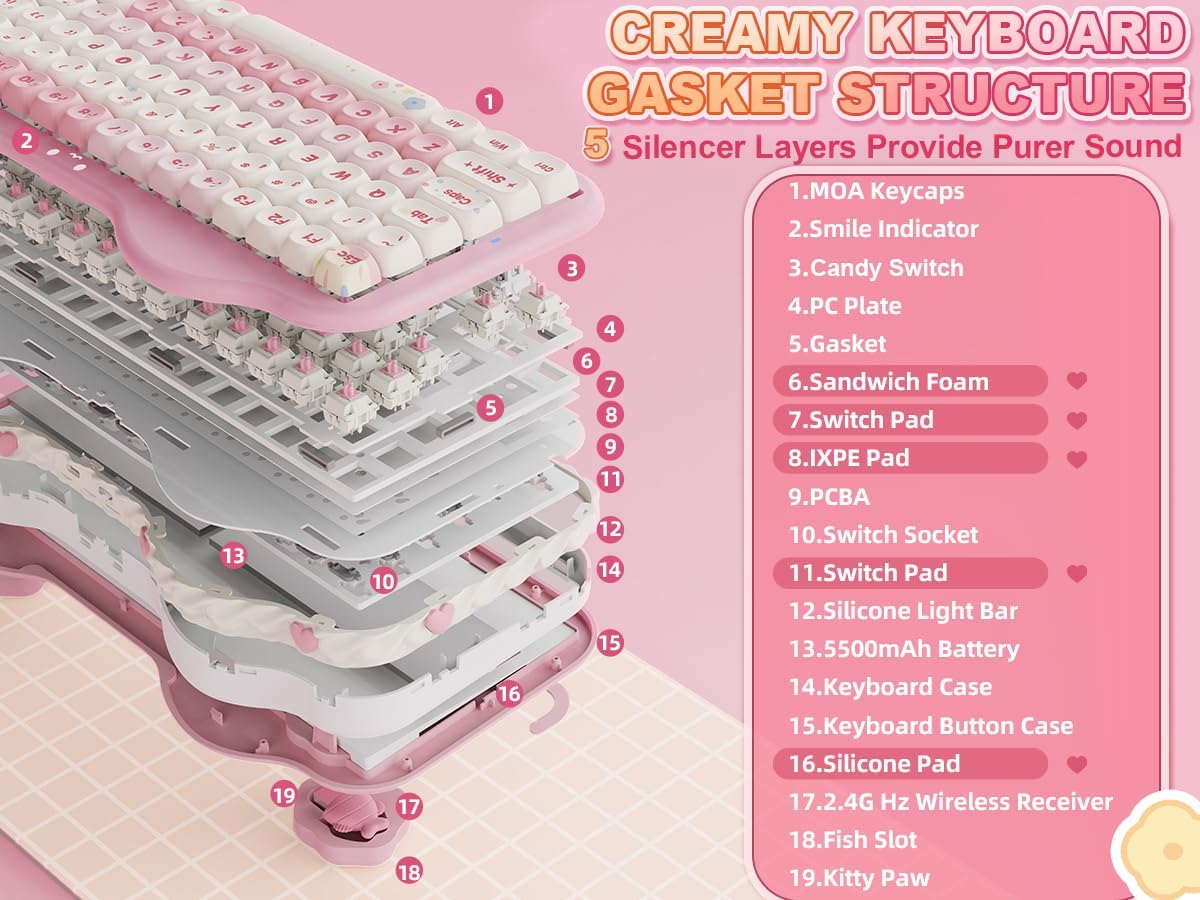
This keyboard emphasizes a “creamy” typing feel thanks to its gasket construction and layered sound-absorbing fillers. The result is a more consistent keystroke with a quieter, thocky footprint. The hot-swap capability (3-pin and 5-pin switches) lets you tailor the feel without soldering, which is convenient for experimentation or updates as your preferences evolve. For many, the pre-lubed linear switches offer smoothness, and the option to swap for tactile or clicky switches can tailor your feedback to gaming or typing tasks. Whether you’re building a colorful desk setup or looking for a compact gaming keyboard, the C75’s design aims to blend form with function.
Who it’s for
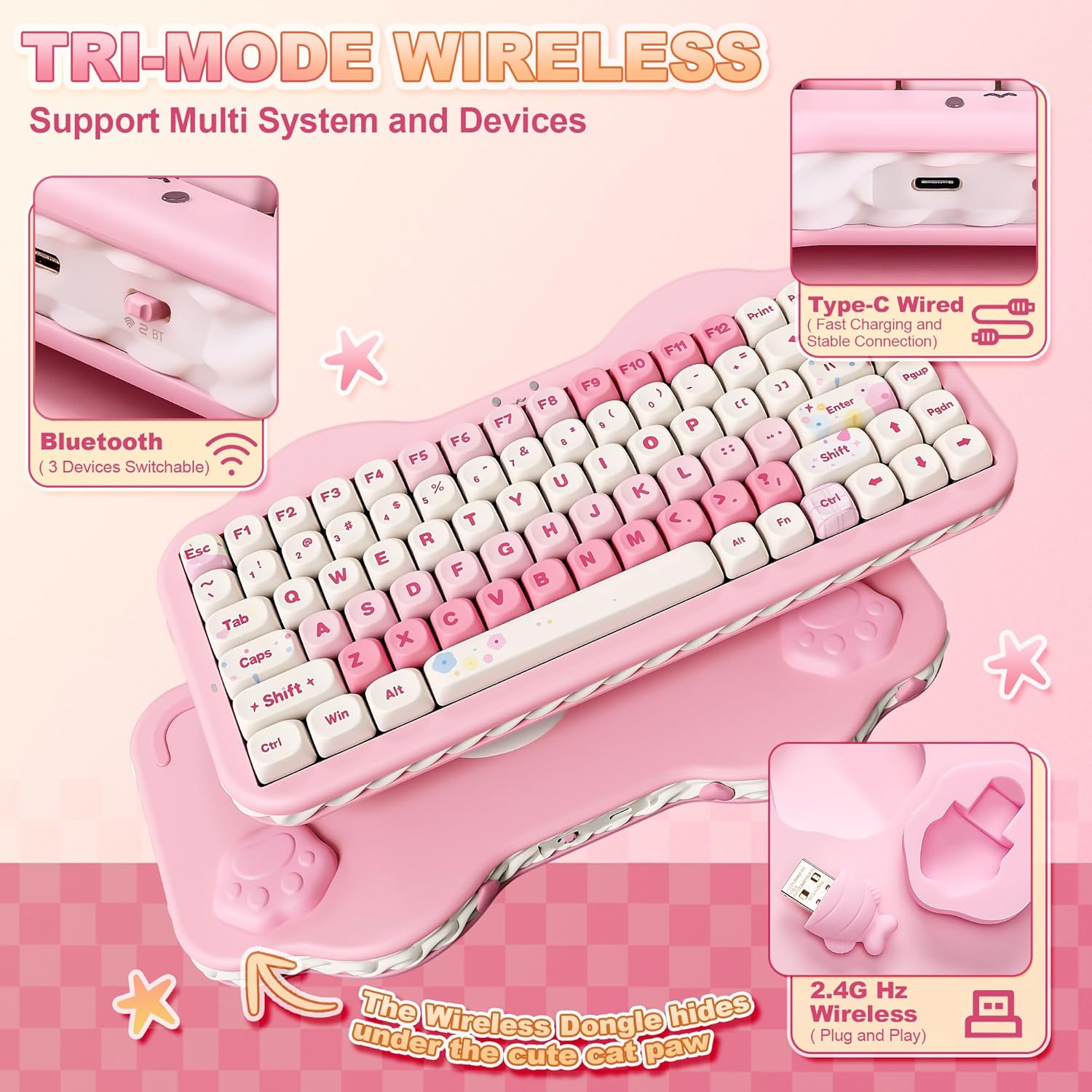
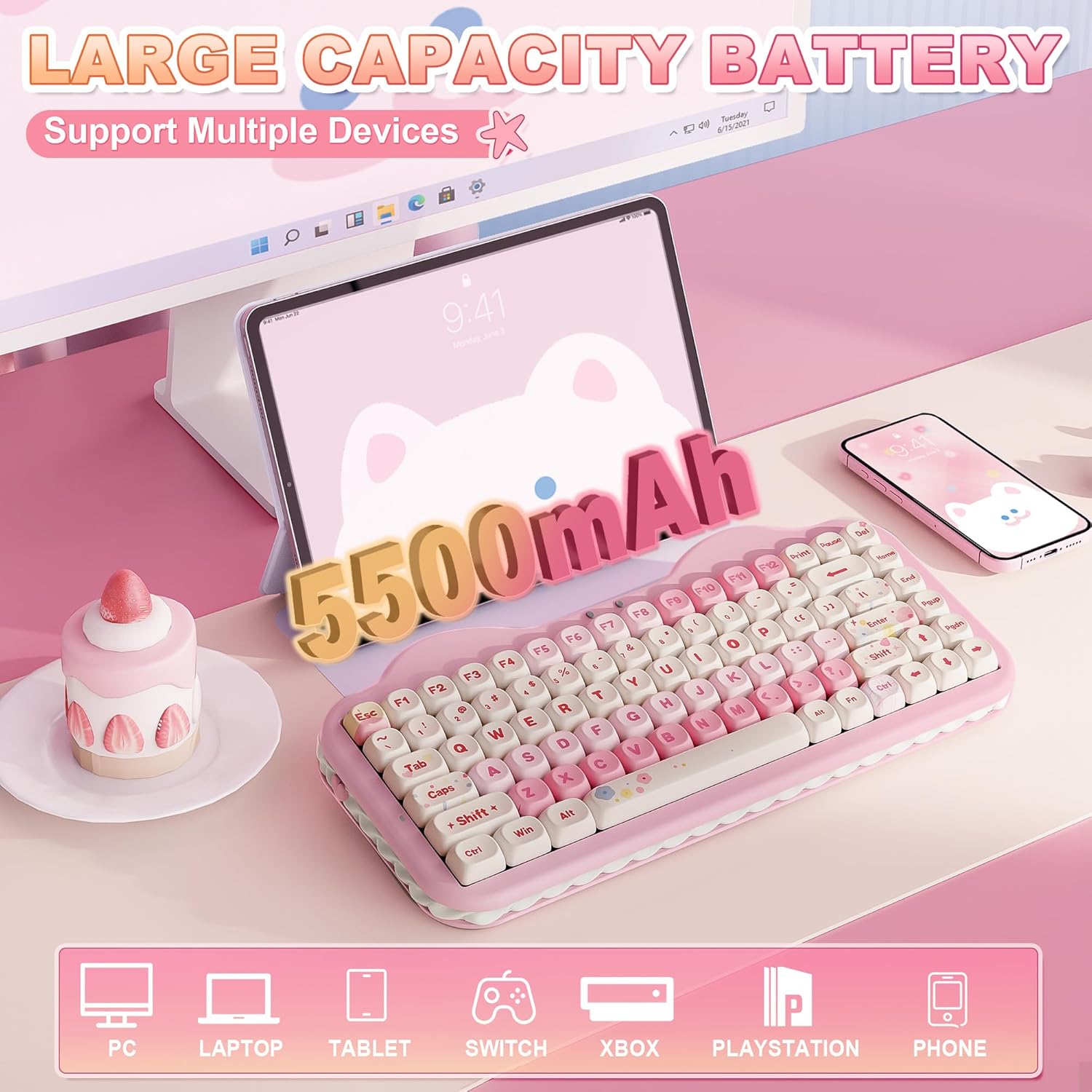
If you primarily work across multiple devices or ecosystems (Windows, macOS, Android, iOS) and want a keyboard that can switch between up to five devices, this model suits that use case. It’s also appealing if you like a vivid RGB presentation and a pastel aesthetic that stands out in a typical setup. The 75% form factor benefits users who want fewer keys on the desk without losing essential functionality such as dedicated media or function keys via Fn-shift combos.
What stands out
- Tri-mode wireless connectivity (BT 5.0/2.4G) plus USB-C wired, which supports quick switching across devices.
- Hot-swappable PCB compatible with both 3-pin and 5-pin switches, enabling customization without soldering.
- Gasket mount with multiple sound-absorbing layers for a quieter, creamier typing character and reduced clamp noise.
- Battery life backed by a sizable 5500mAh cell, aiming for longer sessions between charges.
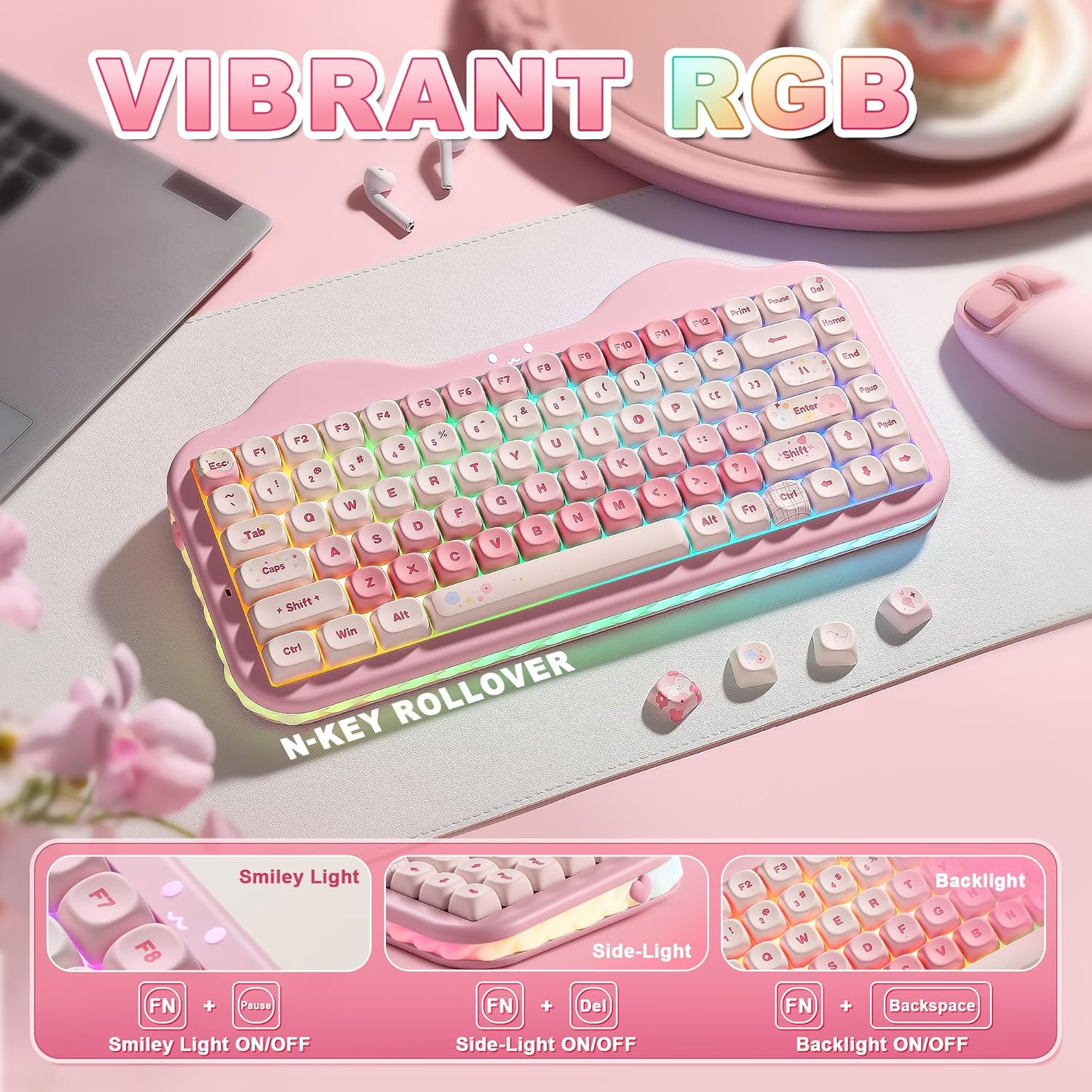
- 3-zone RGB with side underglow and a distinctive cupcake/cat-inspired emblem, offering a playful but functional lighting setup.
Potential limitations to consider
- The flavor of the typing experience can depend heavily on switch choice, if you’re chasing a very specific tactility, you might want to experiment with different switches.
- While the 75% layout is compact, it still requires some adaptation for users coming from full-size keyboards, especially if you rely on dedicated arrow keys or nav cluster in intense workflows.
- Battery life is strong on paper, but real-world endurance depends on RGB usage and wireless activity. If you keep RGB on at full brightness constantly, expect higher drain.
- The aesthetic is intentionally cute and pastel, if you prefer a more understated or professional look for a work environment, this may feel too playful.
What to review before buying
- Check switch compatibility: the hot-swap design supports 3-pin and 5-pin switches, but verify you have the right type if you plan to swap.
- Confirm compatibility with your devices and OS: it supports multiple systems, but ensure you can access required function-key mappings and macros in your setup.
- Consider your typical typing profile: if you value a very light actuation or a specific tactile feel, read up on how the gasket and pre-lubed switches translate to your experience.
- Look at battery use vs. RGB: if you’ll rely on RGB for long sessions, plan for periodic recharges and consider turning off lighting when not needed.
Practical use case
Imagine you’re gaming on a PC and need to switch to a work tablet mid-session. With the C75 you can swap devices with a quick toggle, keep a clean, compact desk, and enjoy a quieter, consistent keystroke that still feels reactive during rapid-fire or precision tasks. The ability to customize RGB and macros in software adds another layer of utility for power users who want quick in-game or productivity shortcuts without cluttering the keyboard space.
Tech specs (selected highlights)
- Layout: 75%
- Connectivity: BT 5.0, 2.4G, USB-C (tri-mode)
- Switches: hot-swappable (3-pin and 5-pin compatible)
- Keycaps: Dye-Sub PBT
- Battery: 5500mAh
- Case: gasket mount with multi-layer sound absorption
- RGB: 3-zone with side underglow, customizable per-key
- Compatibility: Windows, Mac, Android, iOS
- Included: programmable software for remapping and macros
Is it worth it?
Not every buyer needs a pastel, compact board with hot-swap capability and multi-device support. If your priority is a steel-heavy, ultra-minimalist build or you don’t need hot-swapping, a simpler option might suffice. However, if you value customization, a distinct aesthetic, and the flexibility to work across ecosystems while keeping a smaller desk footprint, this model provides a compelling blend of features on paper.
FAQ
- Does it work well for Mac and Windows alike? Yes, it supports both systems and can switch between multiple devices.
- Can I customize the lighting and macros? Yes, via programmable software for Windows and Mac.
- Will the typing sound change if I swap switches? Likely, different switches affect sound and feel, but the gasket structure also dampens noise for a more uniform tone.
Buying verdict
Is it worth it? If you value multi-device versatility, a compact form factor, hot-swappability, and a playful aesthetic with a creamy keystroke, this keyboard is worth considering. It may not be the best fit if you need a strictly professional look, or if you don’t plan to take advantage of its switch customization and RGB features. For gamers or heavy multi-device users who want a distinctive desk companion, this model stands out in its category.