

YUNZII B75 PRO MAX Wireless Mechanical Keyboard — 75% Layout with Screen & Knob
Product description
What this is and who it suits
The YUNZII B75 PRO MAX is a compact 75% wireless mechanical keyboard with a built-in screen and a multifunction knob. It’s designed to sit at the center of a modern desk setup, offering quick glance status indicators and easy access controls without taking up a full-size footprint. If you value a clean desk, a customizable key layout, and multi-device workflow, this keyboard aims to meet those needs in one device.
What stands out in use
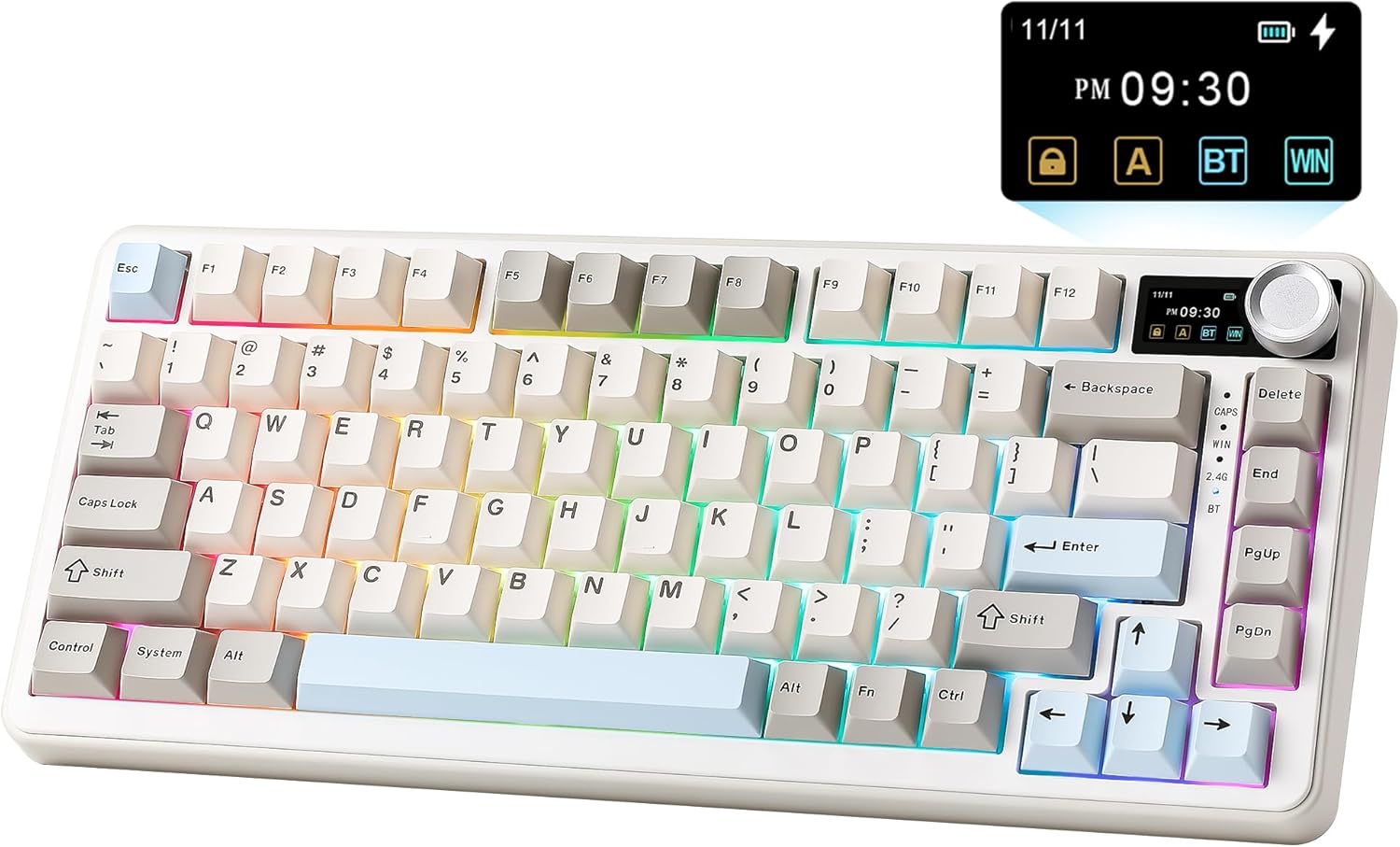
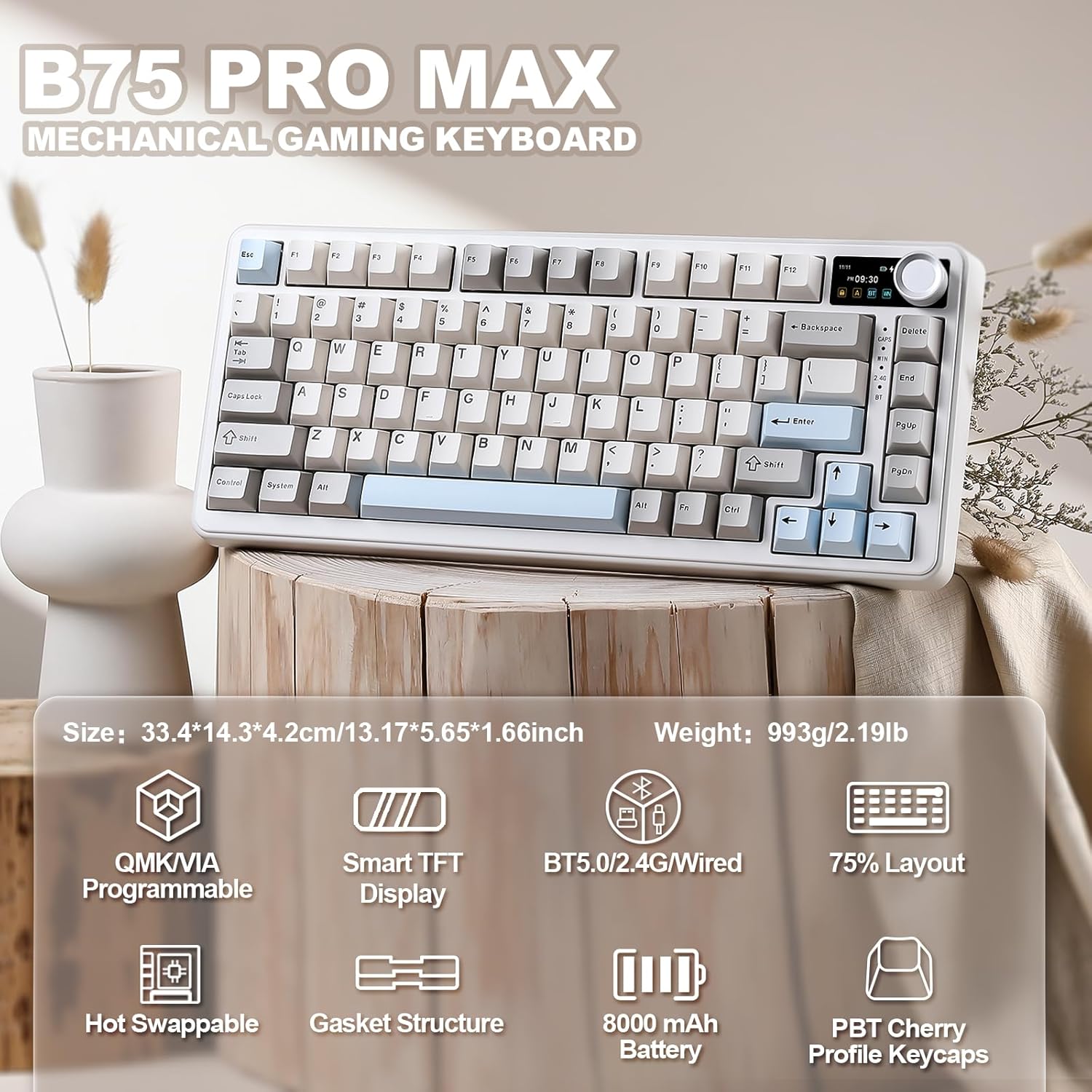
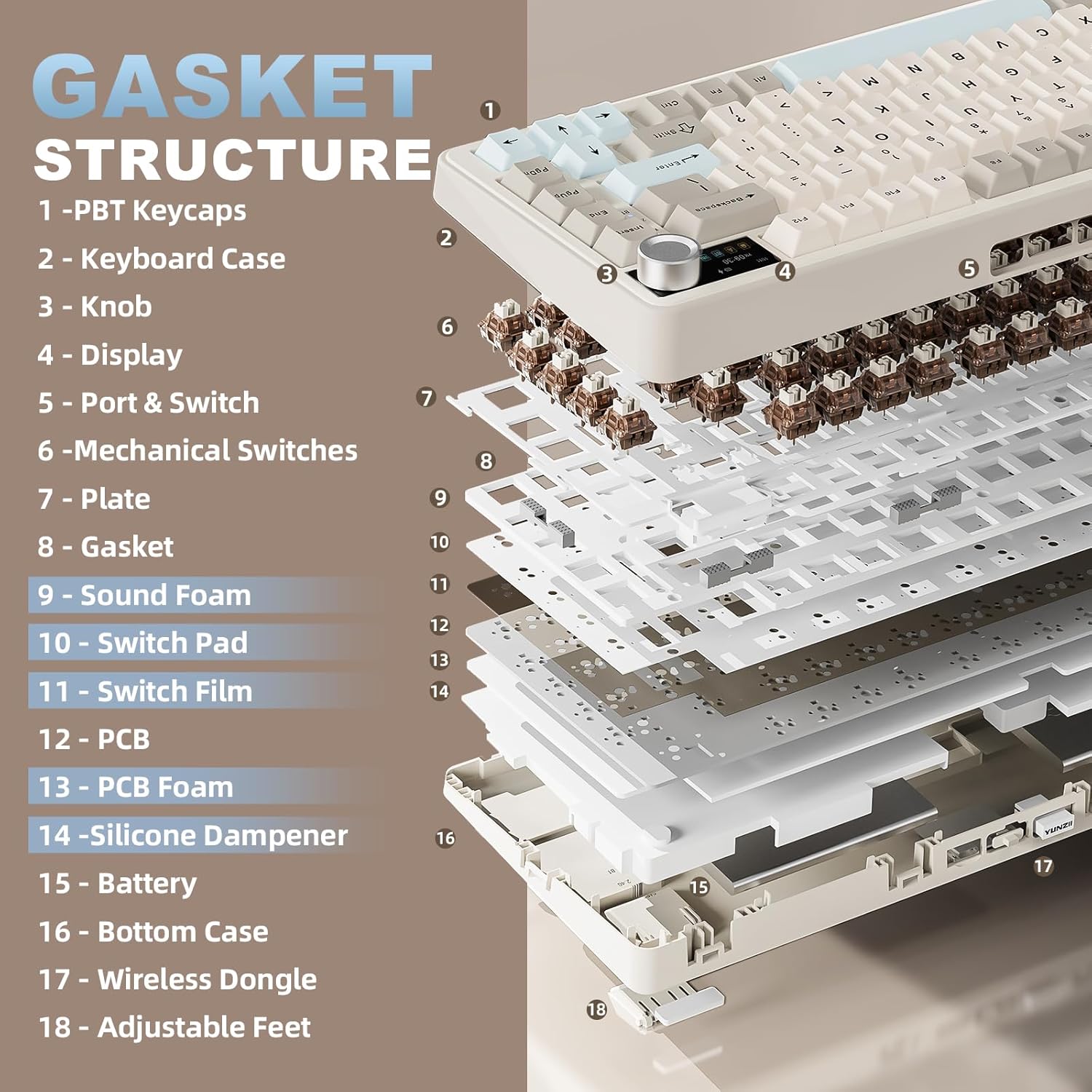
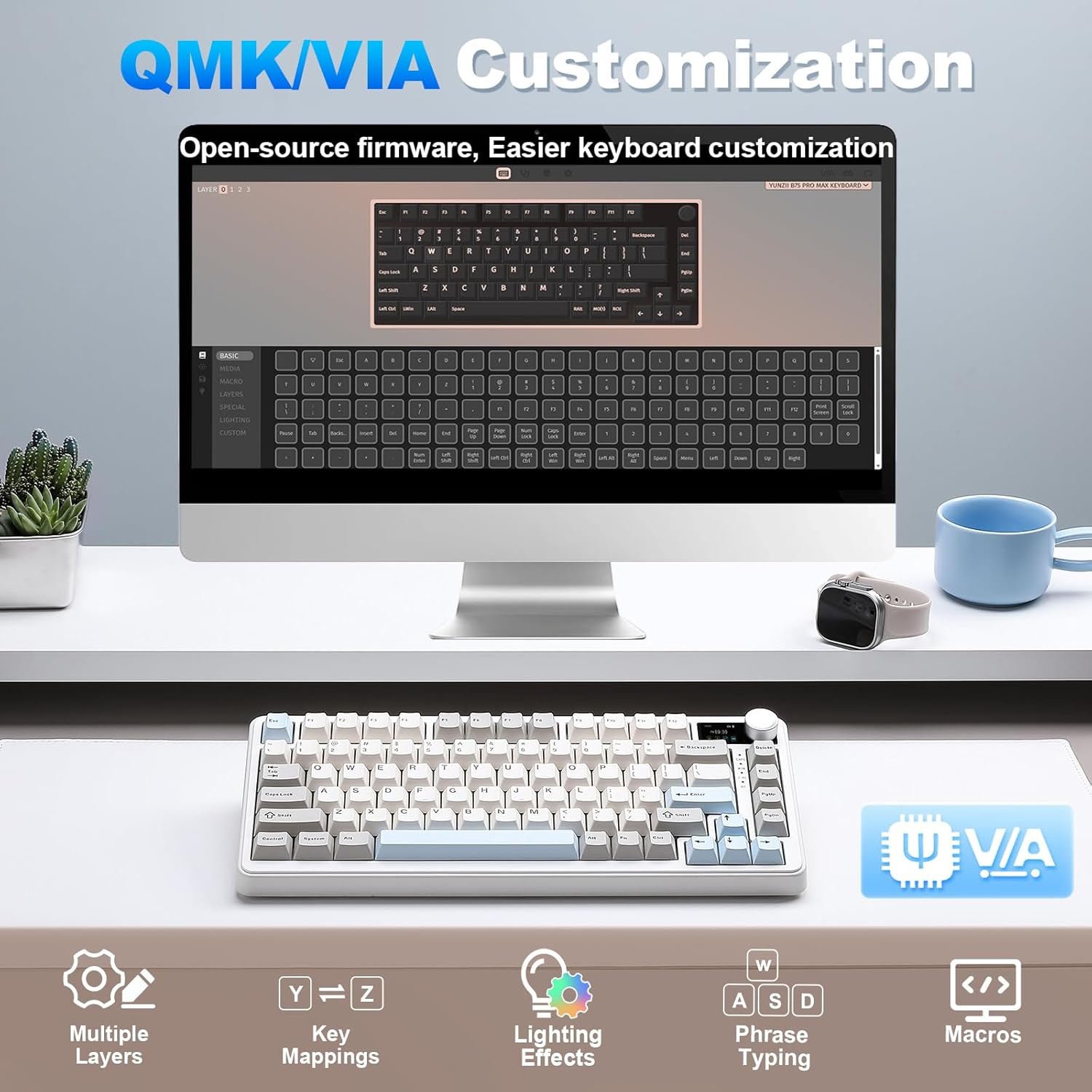
On paper, the standout ideas are the open-source QMK/VIA firmware, a hot-swappable switch system (3-pin and 5-pin compatibility), and a gasket-mount construction that’s supposed to yield a creamy, tactile feel with reduced noise. The keyboard supports wired, 2.4GHz, and Bluetooth connections, and it can pair with up to five devices, making it practical for users who juggle a laptop, tablet, desktop, or even a monitor setup.
The best and the trickiest parts
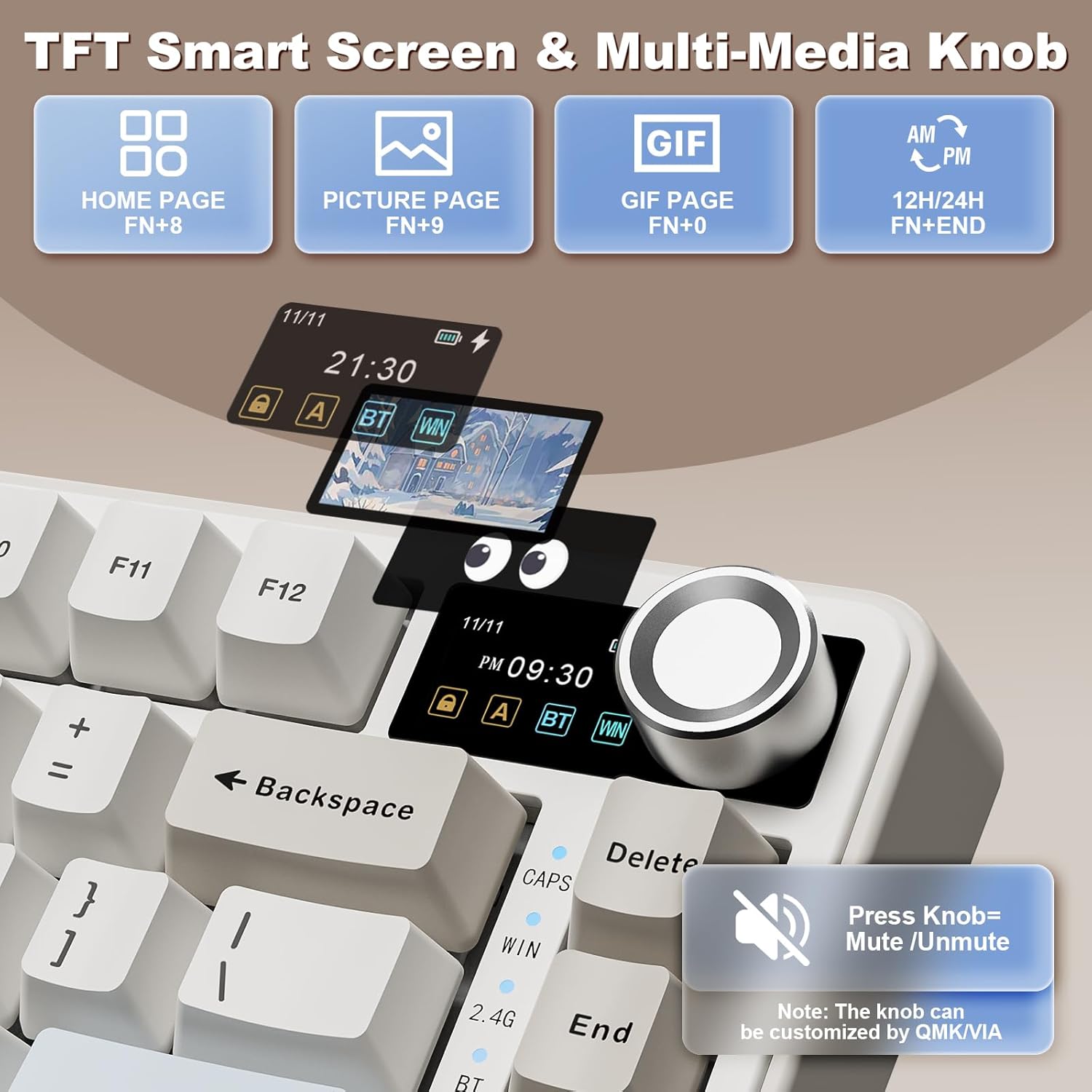
What you’ll notice day to day is the ability to remap keys, craft macros, and tune RGB effects via VIA/QMK. The pre-lubed switches and gasket design are intended to deliver smoother keystrokes and a distinct acoustic signature. The built-in screen adds a quick, at-a-glance view of battery, date/time, OS, and even simple GIFs or photos—nice for a personalized touch, but it may not be a must-have feature for everyone.
Realistic pros and cons
Pros: customizable firmware, wide device compatibility, hot-swappable switches, long battery life with a sizable 8000mAh cell, gasket-mount for a premium feel, multi-device connectivity, and a sizable number of backlight modes. Cons: the feature set is ambitious, so the learning curve for customizing with QMK/VIA can be non-trivial, the screen and knob add complexity and potential points of failure, the 75% form factor, while compact, means fewer dedicated keys which may require re-mapping.
Who it’s for
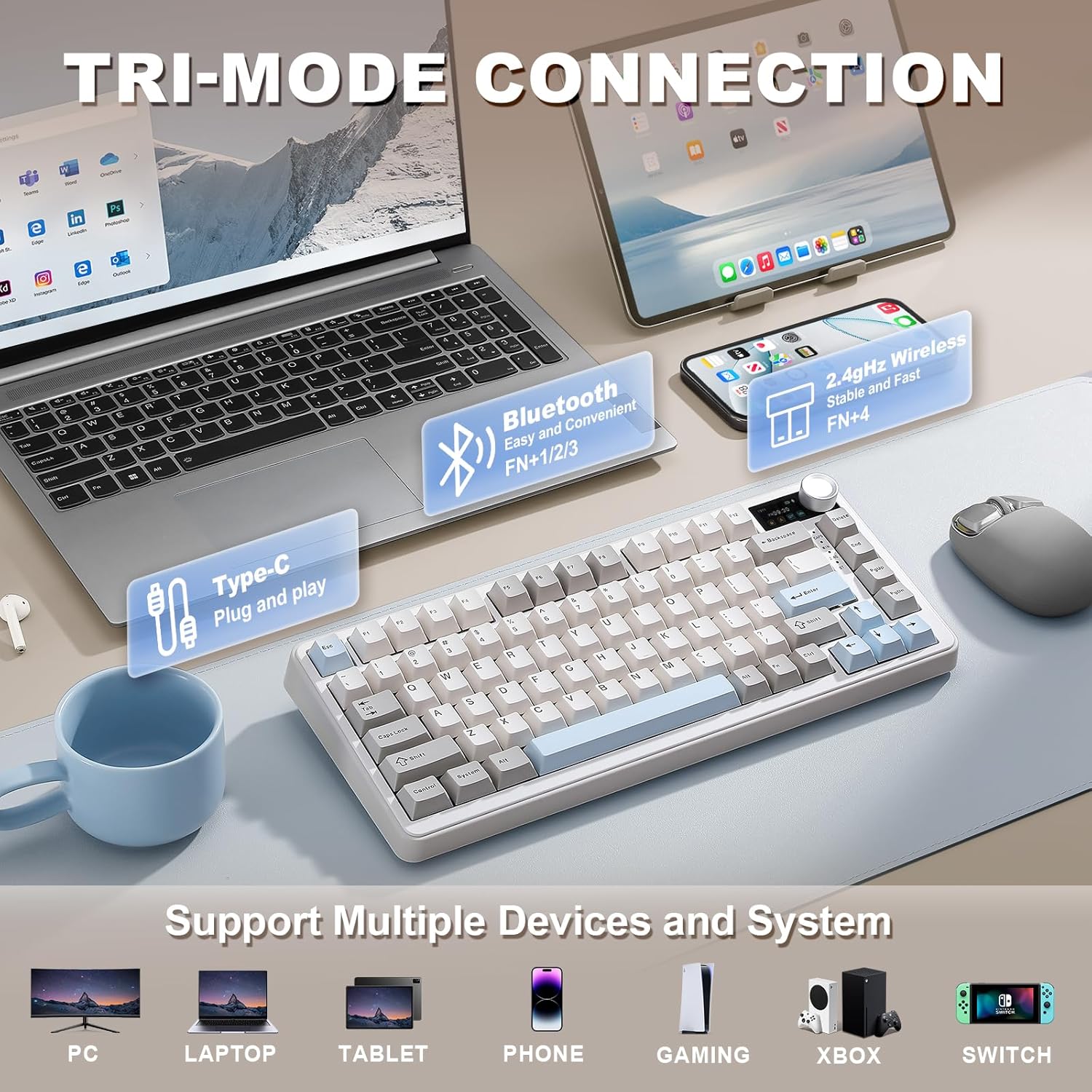
This keyboard suits enthusiasts who want deep customization, cross-platform use (Windows, Mac, Linux, Android), and a compact desk footprint. It’s also a good fit for multi-device users who value quick switching and a built-in status display. If you prioritize straightforward, plug-and-play performance over customization, this model may feel overkill.
Who might want to skip it
If you don’t plan to invest time into firmware tweaking, or if you’re happiest with a simple, conventional keyboard, the setup effort and calibration required could be more than you need. Also, if you don’t care for multi-device syncing or the tactile differences introduced by a gasket mount, a more standard mechanical keyboard might offer a quicker payoff.
When it makes sense to buy
Consider this model if you want a compact keyboard with a screen and a knob that can be tailored to your workflow, you work across multiple devices, and you’re comfortable exploring QMK/VIA to unlock its full potential. It’s particularly sensible if you value a premium typing feel and a distinctive acoustic signature that comes with a gasket-mount design.
What to check before buying
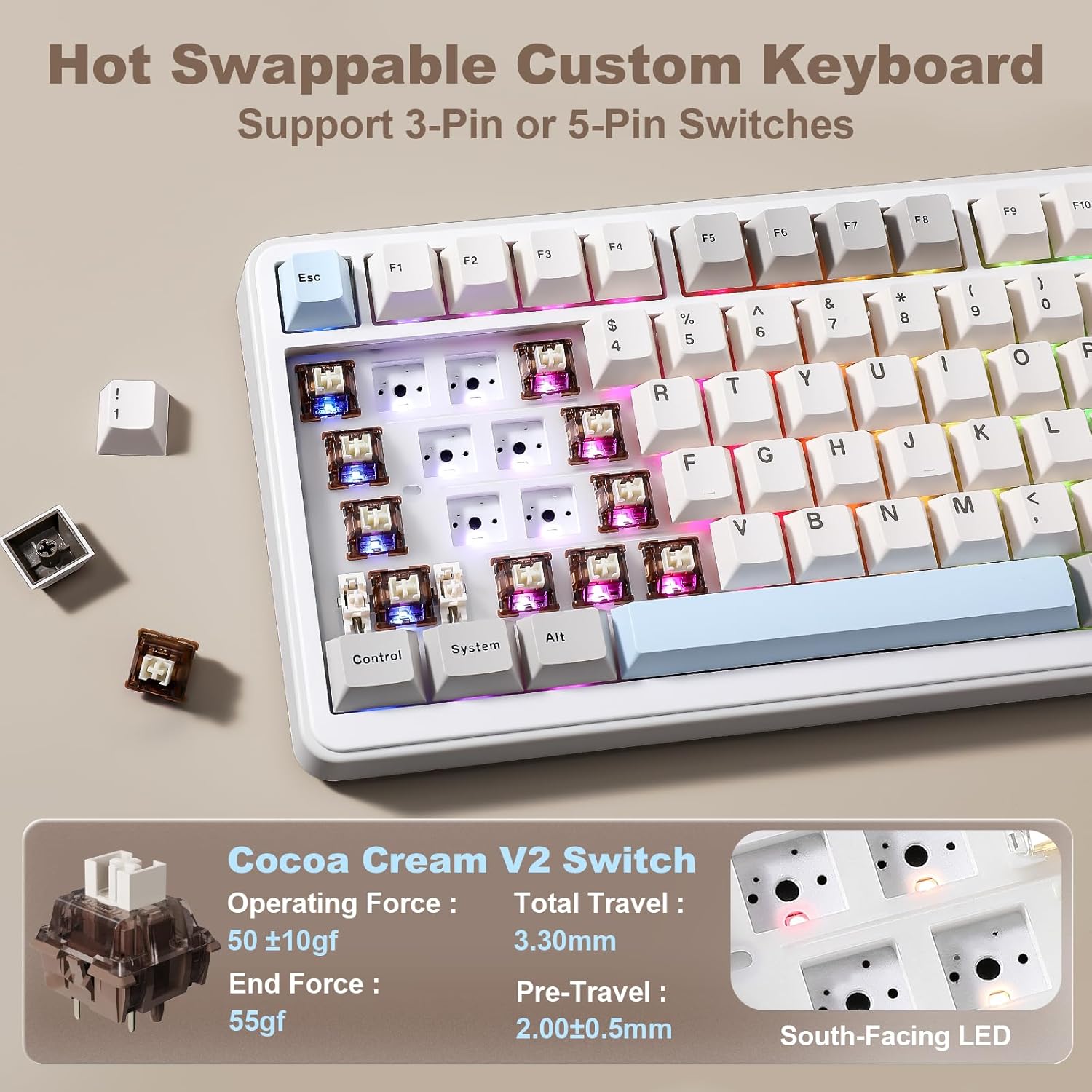
- Confirm your preferred switches are compatible with hot-swapping (3-pin/5-pin support).
- Consider whether the multi-device pairing fits your daily routine (5 devices max).
- Think about how you’ll use the screen and knob in practice, ensure this aligns with your needs rather than being a gimmick.
- Review battery life expectations based on usage patterns and backlight settings.
- Ensure your software setup (Windows/Mac/Linux) aligns with VIA/QMK customization you plan to execute.
How it compares to alternative approaches
If you want minimal setup and a plug-and-play experience, a conventional wireless keyboard may be a better fit. If you’re after maximum customization and a strong, unique typing experience, this YUNZII model offers more knobs, screens, and firmware flexibility than typical 75% keyboards. For work-focused use, the multi-device capability could tilt the decision in its favor, for pure gaming and quick hotkeys, some players might prefer simpler layouts or dedicated gaming keyboards without firmware depth.
Practical use case
Imagine switching from a laptop to a desktop monitor without pausing your active macros. You can remap frequently used commands, save separate profiles for work and gaming, and use the knob to adjust system volume or scroll smoothly—while the screen keeps you oriented with battery and OS status at a glance.
Final decision
Is it worth it? It makes sense if you value deep customization, multi-device versatility, and a premium-tactile, gasket-mounted 75% keyboard. If you prioritize simplicity, plug-and-play comfort, or you don’t need a screen or knob, you may want to explore other options.
FAQ
- Do I need to use QMK/VIA to get the most out of it? Yes, to unlock advanced remaps, macros, and knob customization.
- Can this keyboard work with macOS and Windows the same way? It supports both, along with Linux and Android, but some key mappings may behave differently across OSes.
- Will upgrading switches be easy? The hot-swappable design supports 3-pin and 5-pin switches, but installation requires care to preserve the gasket-mount integrity.