

ASUS ROG Azoth Wireless Mechanical Gaming Keyboard (75% TKL) with OLED + Tri-Mode, Hot-Swappable Switches, PBT Keycaps
Reviews
Price
Product description
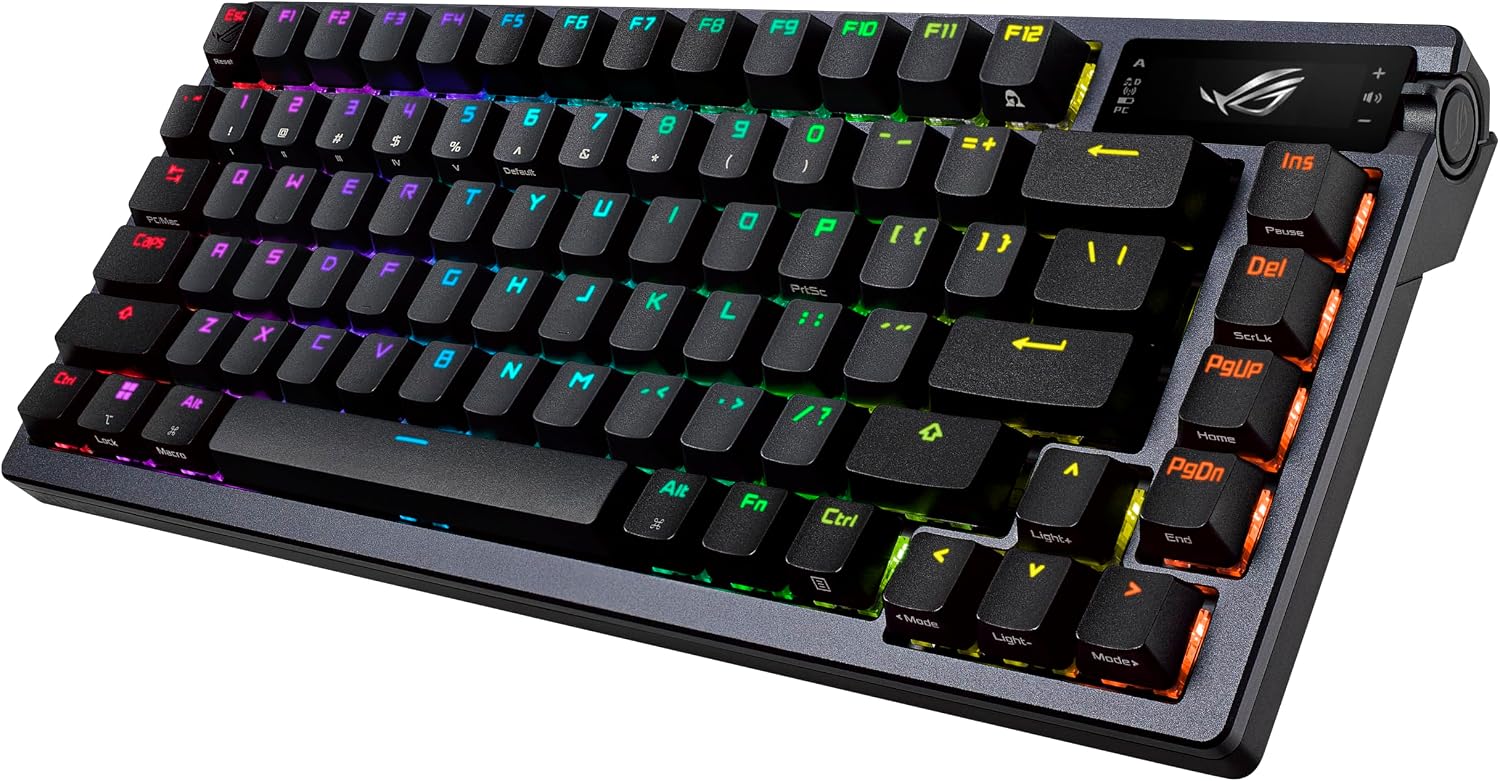
If you’re shopping for a 75% TKL wireless mechanical keyboard that feels more “built for enthusiasts” than “off the shelf,” the ASUS ROG Azoth is the kind of board that tries to win on experience. The headline ideas are a custom multi-layer mounting design for softer, more tuned sound and feel, plus an OLED display and a 3-way knob for quick, on-device control—without needing to dive into software every time.
Still, it’s not a magic wand. Depending on what you want most (simple plug-and-play vs. tinkering freedom), this keyboard can either feel like a dream or like extra complexity you didn’t ask for.
What it is and the problem it aims to solve
The ROG Azoth Wireless is a mechanical gaming keyboard in a 75% TKL layout (so you get function row and most of the desk-friendly size benefits, without going full 100%). It targets people who care about both day-to-day typing feel and the “setup experience”: you can check system info and keyboard configuration via the OLED, and you can adjust settings quickly using the built-in 3-way knob.
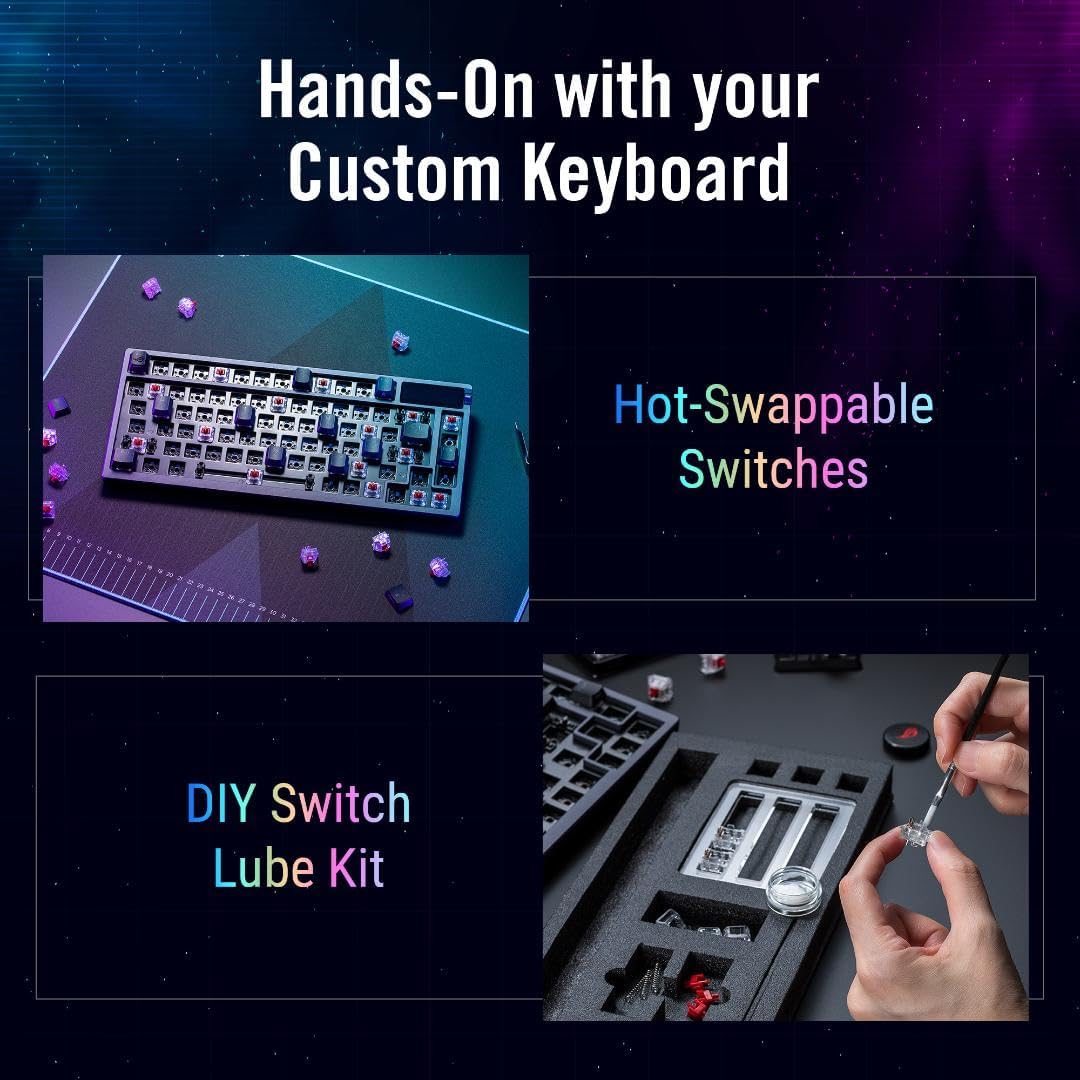
Under the hood, it’s built around hot-swappable switch support and pre-lubed switch options. In practical terms, that means you can experiment with the typing character without fully committing to soldering—handy if you enjoy dialing in your preferred sound and key feel.
What stands out in daily use
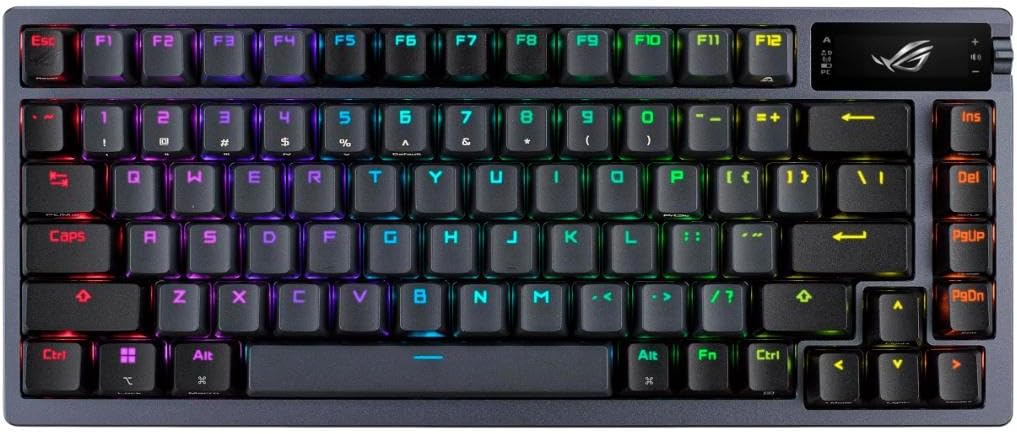
Where this keyboard gets interesting is the mix of tactile hardware controls and switch/tuning-friendly design.
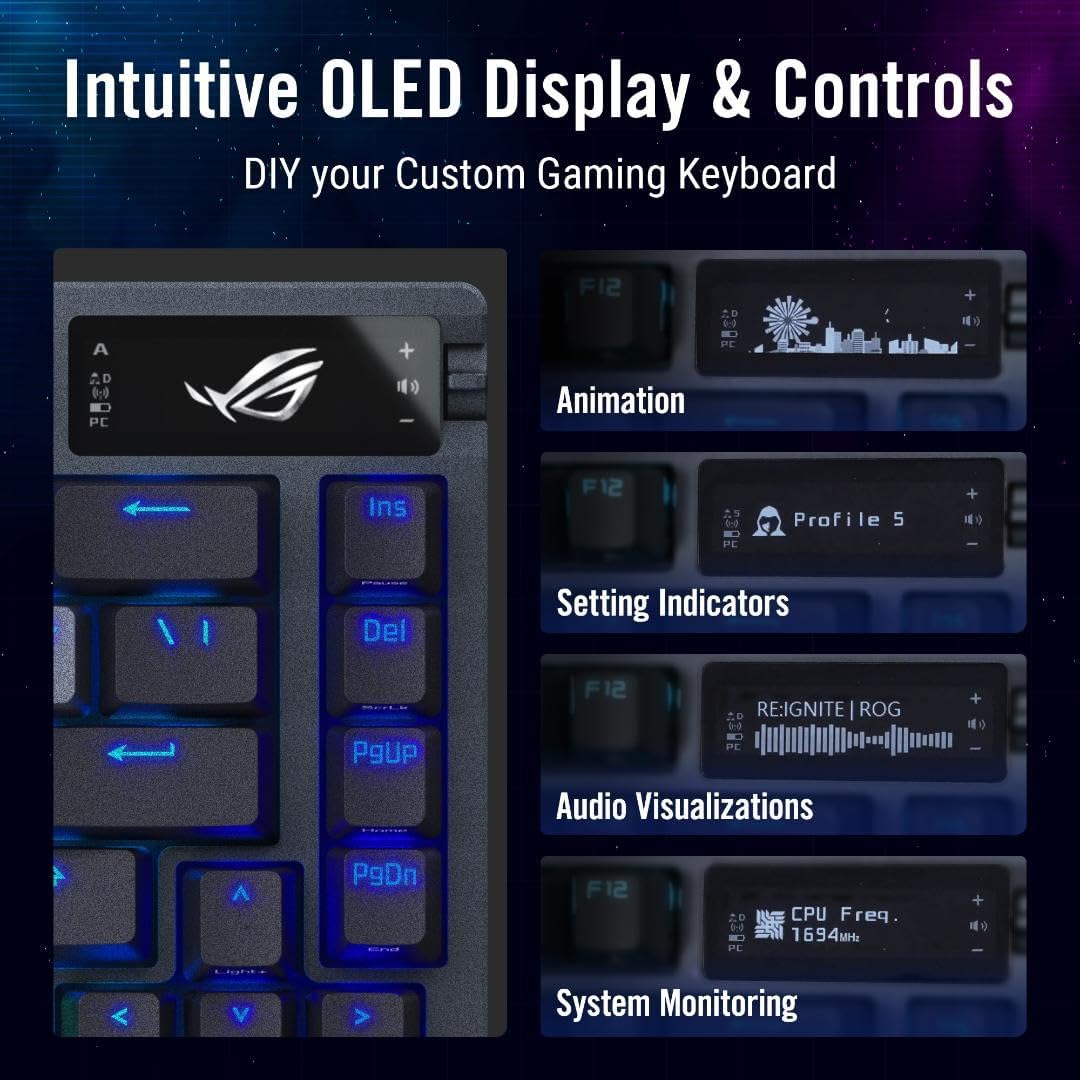
The OLED + knob combo is the most “use it immediately” feature. Instead of hunting for menus, you can glance at information and configuration straight on the board. The 3-way knob is meant for fast adjustments, which is exactly the kind of convenience that matters when you’re switching between gaming profiles or changing behavior for different tasks.
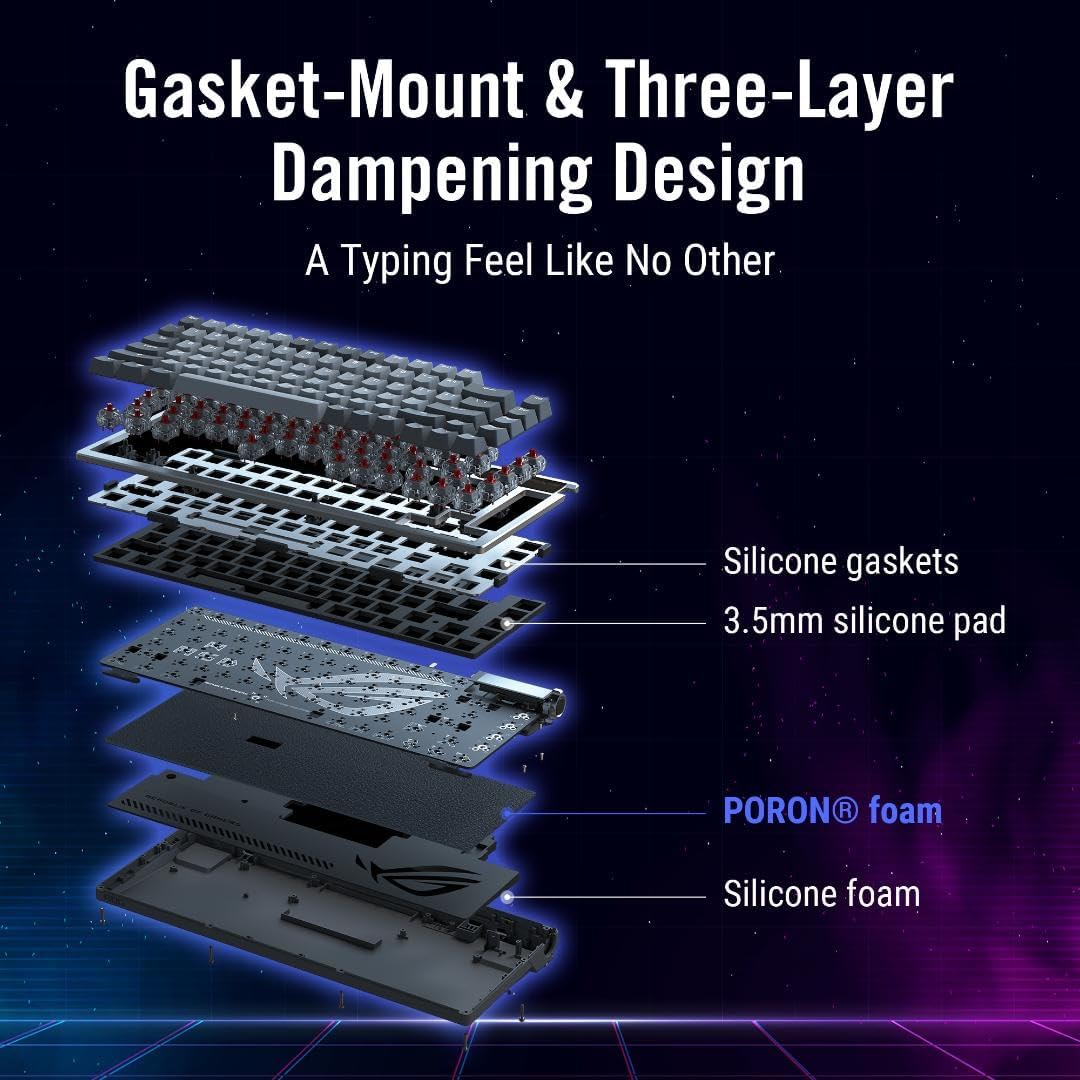
Then there’s the mounting concept: a three-layer silicone gasket-style mount designed to create a more distinctive writing experience. In plain English, that kind of design usually aims to make the board feel more controlled and less harsh than simpler, stiffer setups.
Here’s a concrete micro-scenario: imagine you’re at your desk for a gaming session, then switch to work. You check what mode/config is active on the OLED, tweak a setting with the knob, and keep typing right away—no reboot, no rummaging through app layers.
Switch system and how the feel is meant to work
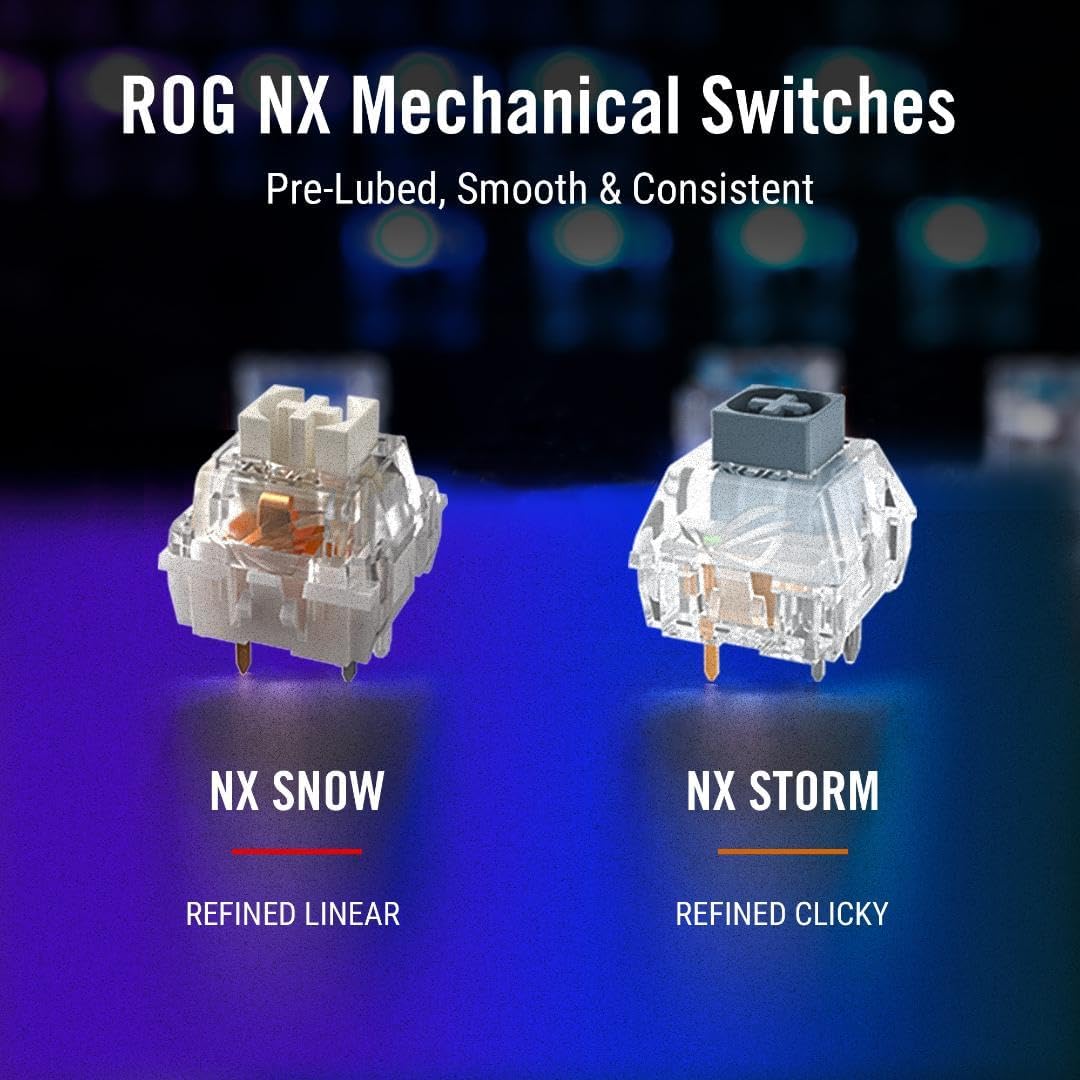
The Azoth Wireless supports hot-swappable switches, and it’s tuned around pre-lubed ROG NX Snow Linear switches and ROG NX Storm clicky options (with the note that the design includes a wall-stem approach for stability and acoustic character).
Also worth noting: the description calls out pre-lubed keyboard stabilizers, intended to reduce friction for smoother key presses and better stability on longer keys. That matters because stabilizers are often where keyboards feel “off” when you compare a basic board to a more premium-feeling one.
It’s not purely a “gaming only” design either—PBT keycaps are mentioned as durable double-shot (and positioned as resistant to shine over time). That’s a practical reason people choose PBT: it tends to age more gracefully than cheaper cap materials.
One limitation to keep in mind: if you prefer the simplest possible setup with no need to think about switches at all, you may not take full advantage of hot-swap and the included tuning elements.
Tri-mode wireless + Mac support (and why it matters)
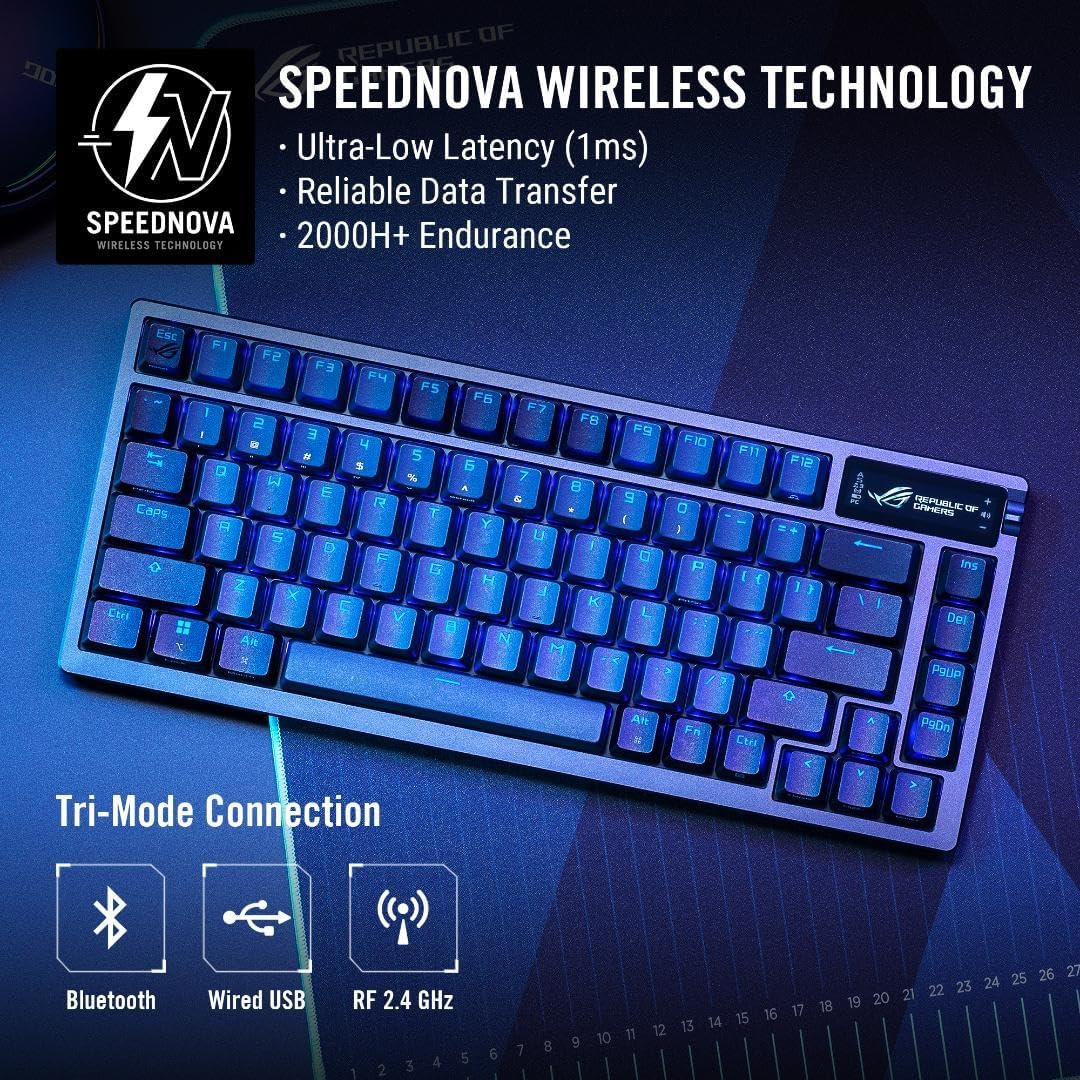
You’re getting tri-mode connectivity, plus explicit support for switching between Windows and macOS modes. For many buyers, that’s the difference between a keyboard that lives on one machine vs. one that actually travels with your setup.
If your desk includes both a work laptop and a desktop (or a Mac for creative work), having a built-in way to change modes can reduce the “keyboard doesn’t quite match how I work” friction. Still, you’ll want to verify how your specific device setup responds to the mode switching you plan to use.
The DIY angle: what you get and what you should consider
ASUS includes a switch lubricant kit with essentials, including Krytox GPL-205-GD0, positioned for starting your own DIY tuning.
This is where the Azoth feels very “for enthusiasts.” If you like experimenting—refining sound, feel, and consistency—this kit supports that workflow.
If you don’t care about modding at all, it’s still nice to see the board arrives with at least some tuning support, but you may never open the bag. The keyboard can still make sense as-is, yet the DIY bundle is a clear signal that it’s meant to be adjusted, not merely owned.
Comfort and ergonomics details
The keyboard includes two pairs of feet with different heights, supporting up to three tilt positions. That’s a small feature, but it’s one of those “you notice it after a week” things—especially if you’re switching between gaming and longer typing sessions.
Key takeaways before you buy
Worth considering if you want a 75% TKL wireless mechanical keyboard with an OLED screen, a physical control knob, hot-swappable switches, and pre-lubed components aimed at smoother actuation.
It might not be a great match if you only want basic plug-and-play operation, or if you dislike any product that nudges you toward tinkering (hot-swaps + included lube kit strongly suggest you may be tempted to go further).
Also, double-check that your preferred switch style—linear vs. clicky—is aligned with what you plan to run long-term, since you’ll likely think about swaps once you feel how it sounds and types.
Is it worth it?
Buy the ASUS ROG Azoth Wireless if your priority is more than just “a good mechanical keyboard”—you want a board that gives you control on the hardware itself (OLED + 3-way knob), supports hot-swapping for customization, and includes pre-lubed switches/stabilizers plus a mounting design meant to improve the feel.
Skip it if you’re looking for the simplest possible experience with no interest in switching options or DIY tuning. In that case, the added features may feel like overhead rather than a benefit.
Mini FAQ
Will the Azoth Wireless work for both Windows and macOS setups?
The description states it supports toggling between Windows and macOS modes, so it’s built with mixed-device use in mind.
Is it really hot-swappable?
Yes—hot-swappable switches are mentioned, with pre-lubed NX Snow Linear and NX Storm clicky options described.
Does it include anything for DIY switch tuning?
It includes a switch lubricant kit with essentials, including Krytox GPL-205-GD0, intended to help you get started with DIY tuning.
What layout is it?
It’s a 75% TKL keyboard layout.
Does it have physical controls for settings?
Yes, the keyboard includes an OLED display for system/config info and an integrated 3-way knob for quick adjustments.