

YUNZII AL80 Wireless Mechanical Keyboard: 75% Aluminum, Gasket Mount, LCD Display, and Knob with Tri-Mode Connectivity
Product description
What it is and what problem it tackles
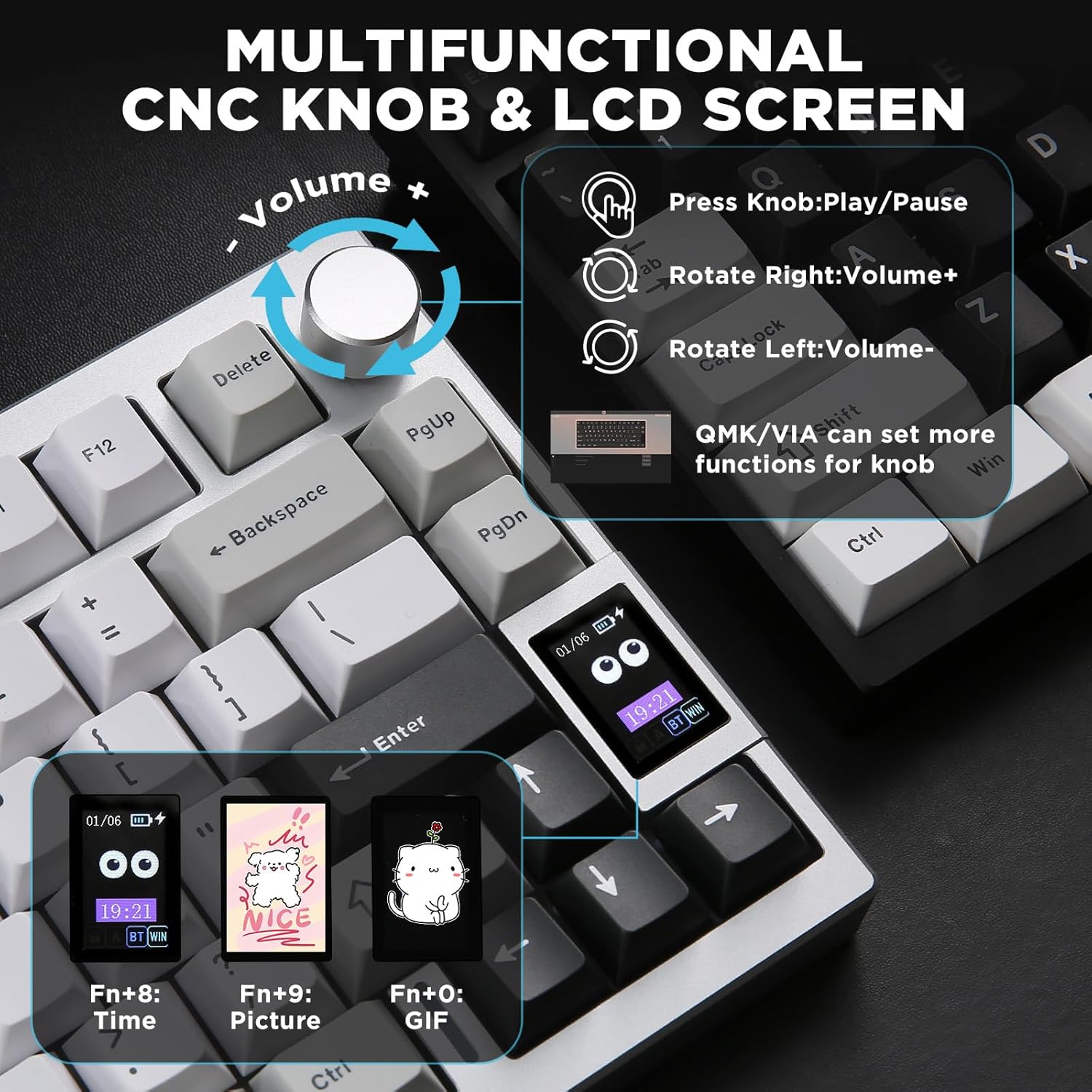
The YUNZII AL80 is a compact 75% wireless mechanical keyboard designed for both gaming and daily work. It combines a sturdy full aluminum CNC frame with a gasket-mounted layout to soften typing and reduce noise. A built-in smart LCD display shows time, battery status, connection mode, and more, adding a practical centerpiece to your desk. If you value a clean desk setup with serious customization options and a focal point in RGB ambience, this keyboard targets that niche.
Design and build quality
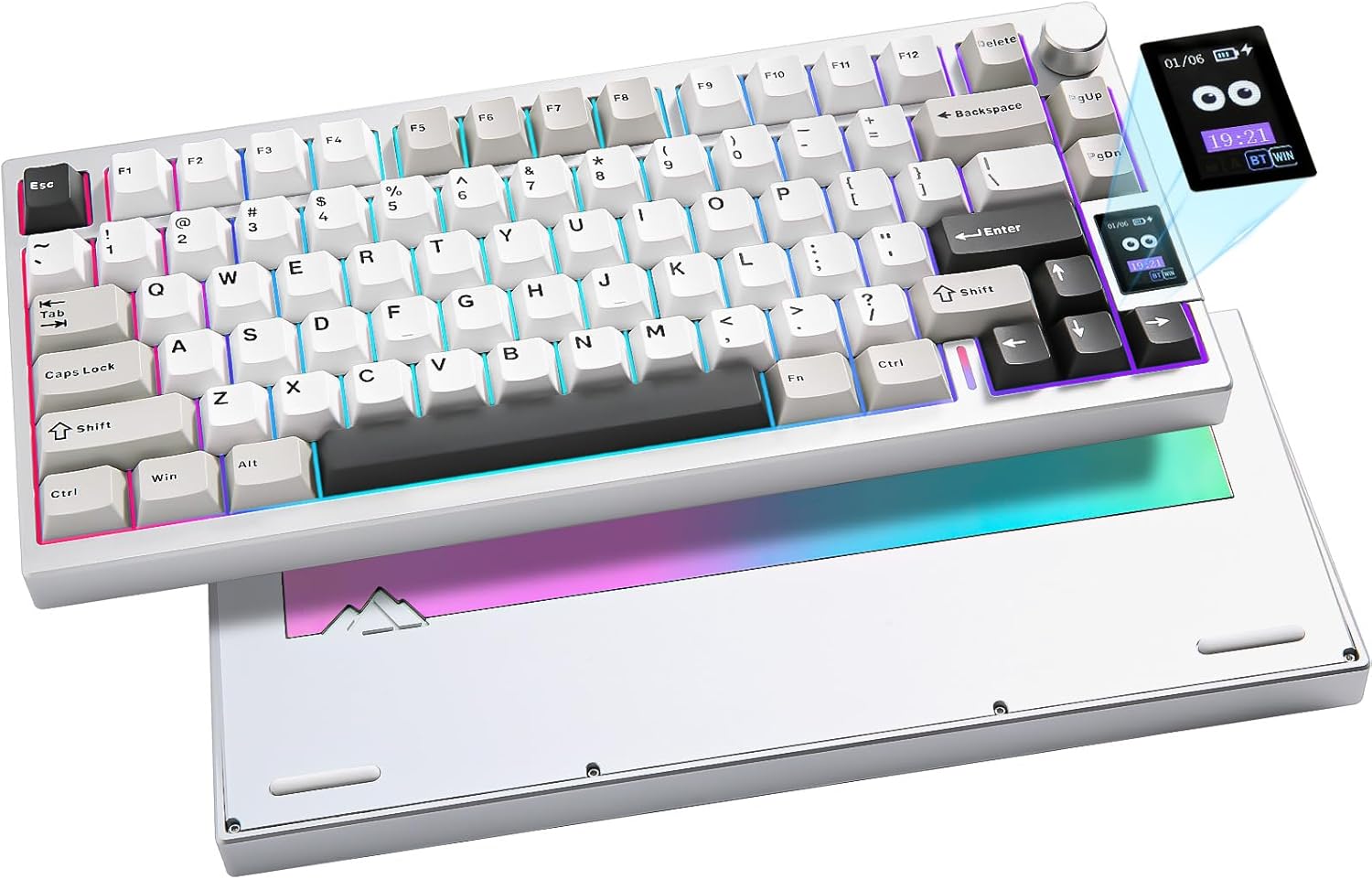
On the surface, you get a silver anodized aluminum chassis that promises durability and a premium feel. The gasket-mounted construction aims to deliver a softer, thockier keystroke, which many typists and gamers appreciate for long sessions. The 75% layout keeps essential keys within easy reach while freeing up desk space. A metal mechanical knob provides additional input, which can be remapped for macros or volume control via QMK/VIA.
Connectivity and power
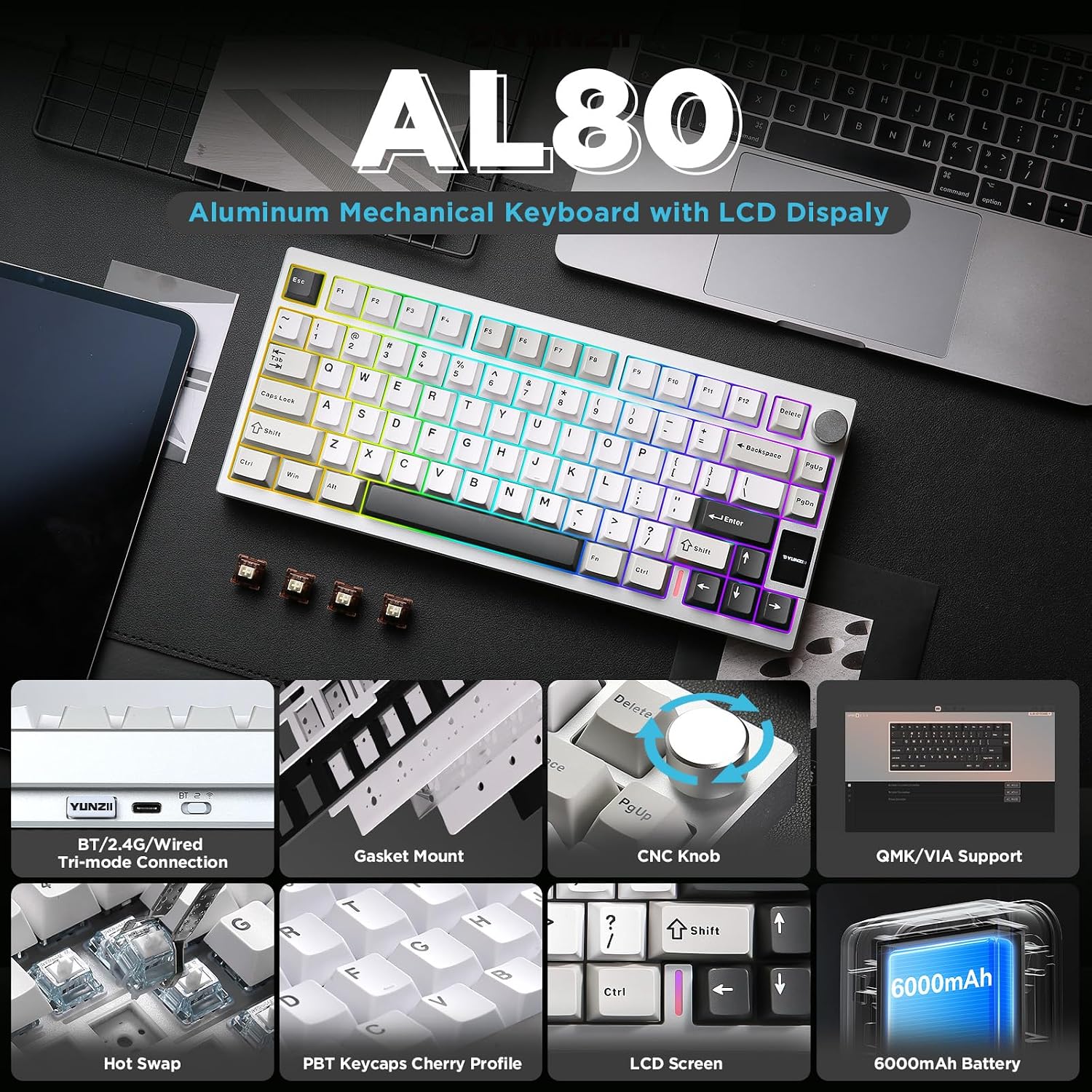
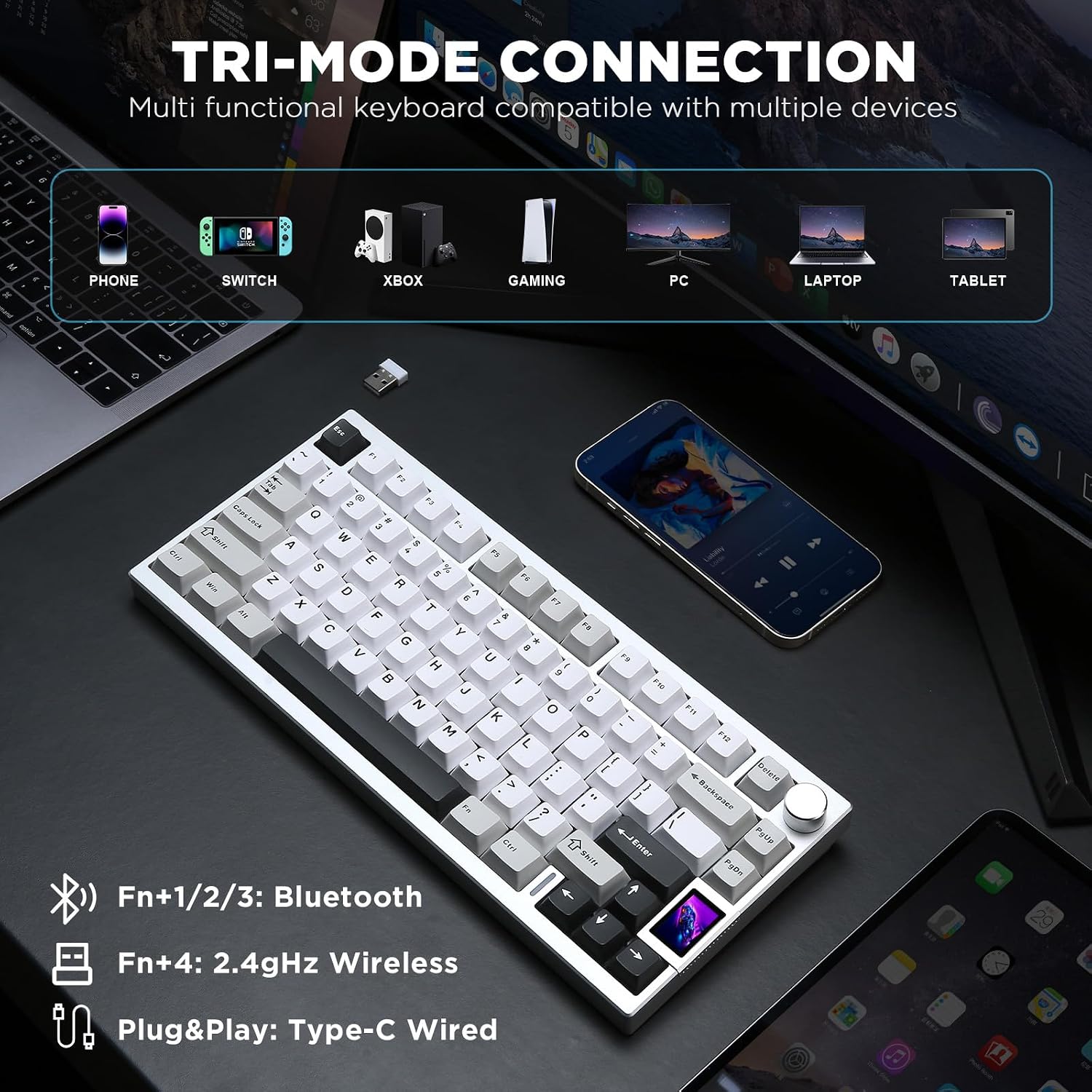
A standout feature is tri-mode connectivity: Bluetooth, 2.4G wireless, and USB-C. This setup makes it easier to switch between devices—Windows, Mac, Linux, Android, or iOS—without juggling dongles. The keyboard supports up to five devices and aims for a responsive 1000 Hz polling rate when wired or wireless where supported. Power comes from a sizable 6000 mAh battery, which translates to long sessions between charges, though real-world endurance will depend on RGB usage and LCD activity.
Customization and software support
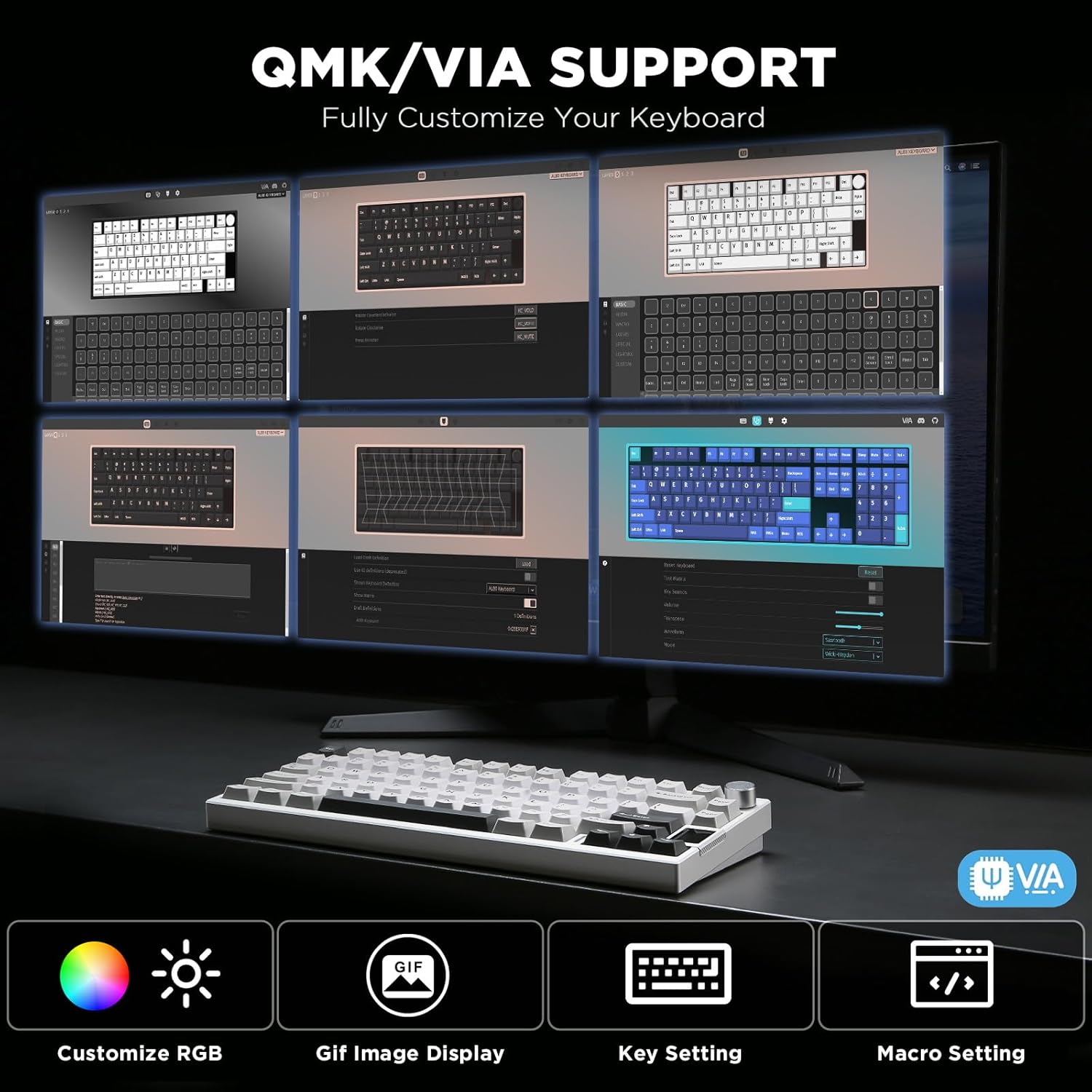
With QMK/VIA compatibility, you can remap every key and craft macros, including the aluminum knob, to fit your workflow or gaming needs. Dynamic RGB is a core part of the experience, with over 20 backlight modes and a 1.68 million color palette. Shortcuts or drivers can adjust effects, so you can align the lighting with your game or mood.
typing experience and switches
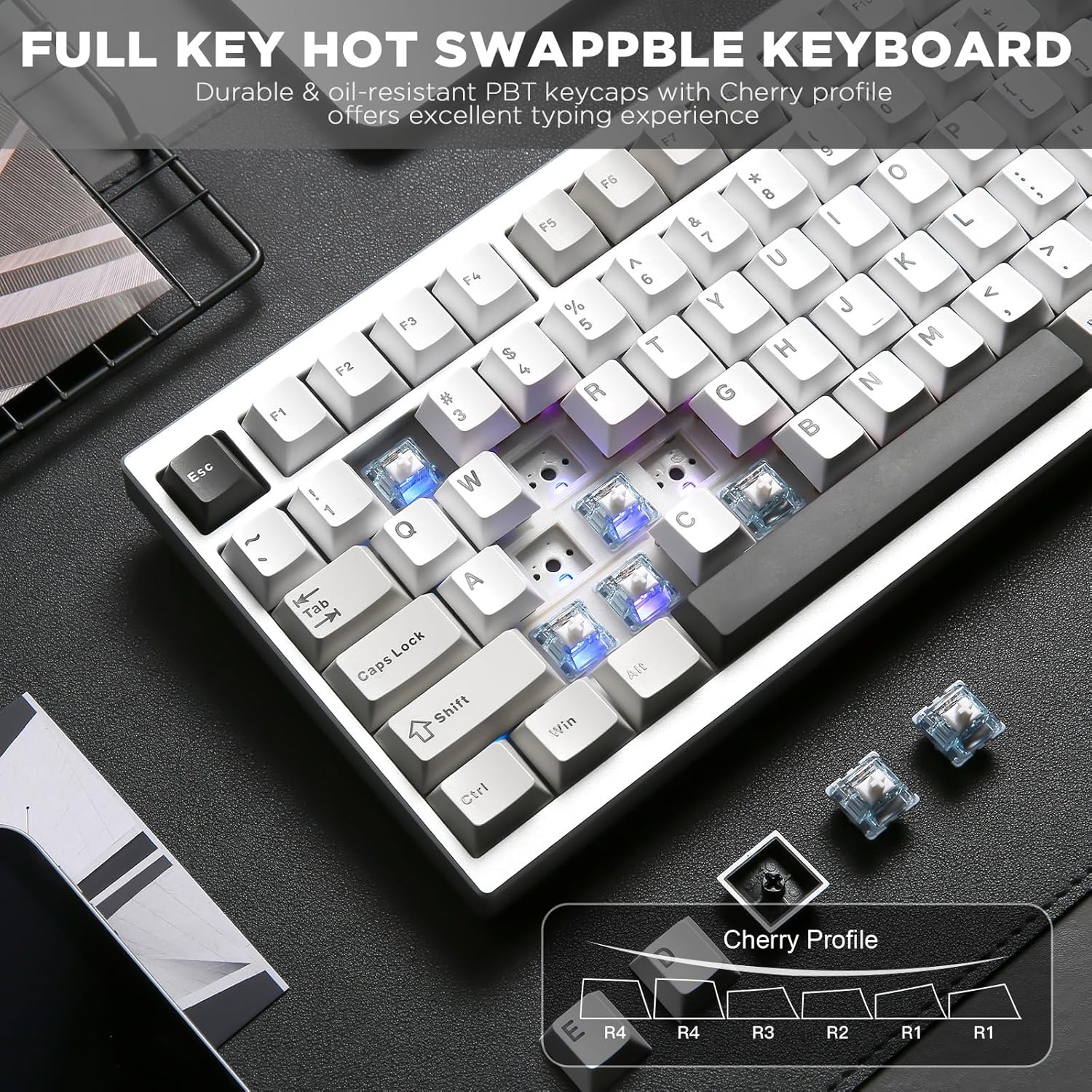
This AL80 ships with pre-lubed linear switches, known for a smooth, creamy feel and quiet enough to work in shared spaces. It’s hot-swappable for 3-pin/5-pin switches, so you’re not locked into a single switch family and can experiment with MX-compatible options like Gateron or Cherry. If you prioritise a personalized sound and feel, the combination of gasket mounting and pre-lubed linear switches can be a strong match.
Who it’s for and who should think twice
It suits gamers and productivity-focused users who want a compact board, a premium chassis, and deep customization. If you’re after a barebones RGB keyboard with a basic frame, this might feel like overkill. It also isn’t a guaranteed plug-and-play for every environment—lcd customization and macro programming require some setup time, and battery life will vary with the LCD and RGB usage.
Practical use cases
Imagine a multitask workstation where you’re juggling tabs, music, and a game. You can switch between devices with a single keystroke, adjust volume or macros on the fly, and keep your desk free of excess cables. The LCD can display helpful info like battery level during long sessions, and the knob can control media or system functions without reaching for the mouse.
Pros and potential drawbacks
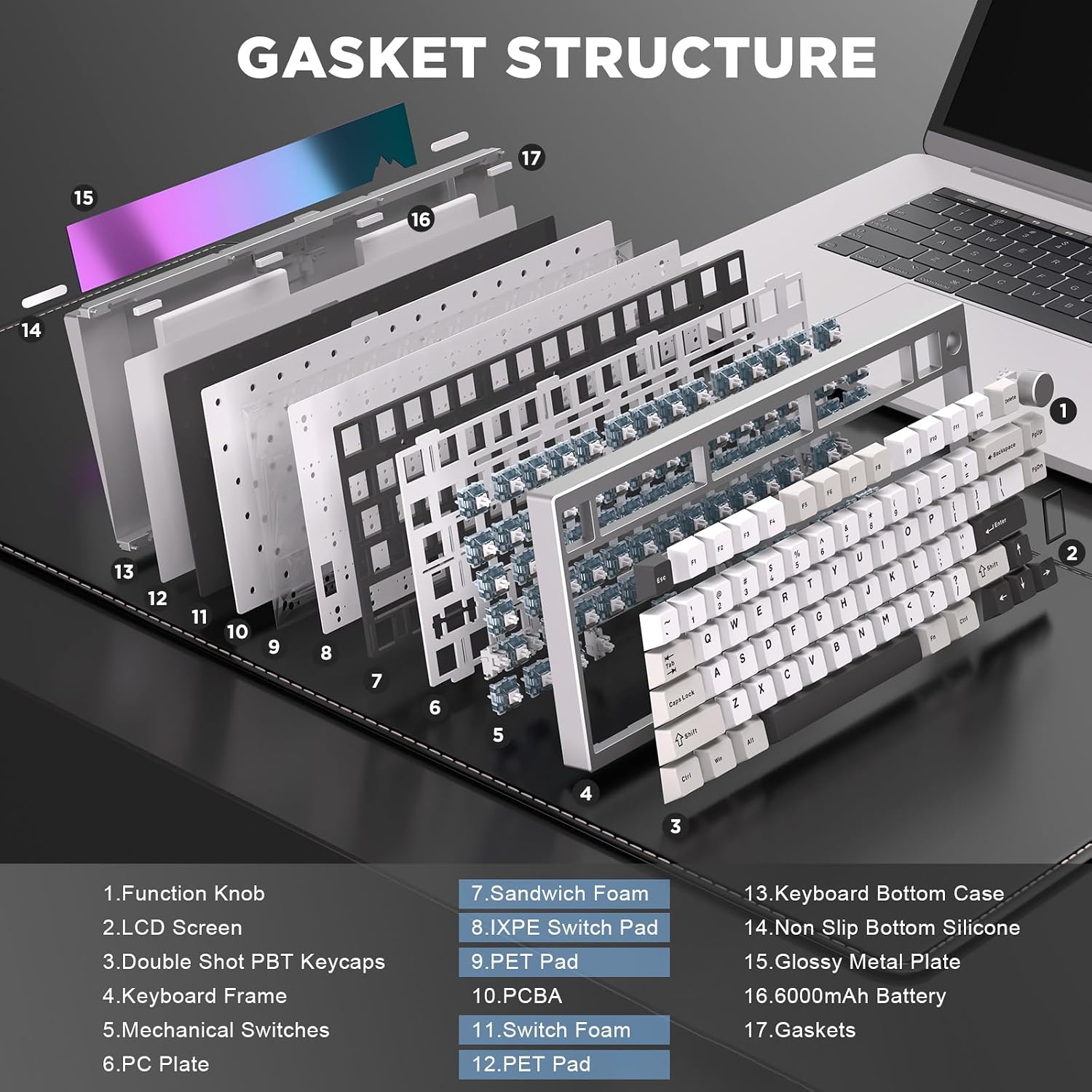
- Pros: robust all-aluminum build, gasket-mounted lower-noise typing, hot-swappable switches, full QMK/VIA customization, tri-mode connectivity, substantial battery, and an LCD that adds functional flair.
- Cons: the feature set introduces a learning curve for customizing layers and macros, LCD usage can impact battery life and may not be essential for everyone, price may be a consideration for buyers new to mechanical keyboards.
What to check before buying
- Confirm your primary OS and whether you’ll leverage QMK/VIA remapping for your work or gaming profile.
- Consider how much you value the LCD display versus more battery life or RGB brightness.
- Think about the type of switches you prefer, pre-lubed linear switches are a smooth bet, but your ideal feel may differ.
- Ensure you’re comfortable with a gasket mount and a 75% layout in your daily setup.
Comparison in context
If you’re choosing between compact aluminum boards, the AL80 stands out when you want a premium chassis, a customizable LCD hotspot, and deep software control. It’s more than a basic 75% board: you’re paying for the aluminum frame, gasket-induced sound dampening, and the ability to run multiple devices cleanly. For users who don’t need tri-mode connectivity or who don’t plan to heavily customize macros, a simpler or non-aluminum model could be a leaner option.
Final decision: when it makes sense to buy
Is it worth it?
It makes sense if you value build quality, customization depth, and the convenience of multi-device wireless work plus a distinctive LCD feature. It’s a strong pick for enthusiasts who want a premium compact board with an eye-catching aesthetic and a focus on both sound and feel.
FAQ (brief)
- Do I need to learn QMK/VIA to use it? You’ll get the most out of it with QMK/VIA, but basic typing works without heavy customization.
- Will it work with macOS and Windows equally? Yes, it supports both and is designed for cross-platform use.
- How long does the battery last with RGB on? Battery life depends on LCD usage and RGB modes, longer sessions are possible with lower brightness and fewer dynamic effects.