

YUNZII B75 PRO MAX Wireless Mechanical Keyboard: 75% with Screen, Knob, and Customizable QMK/VIA
Product description
What it is and who it’s for
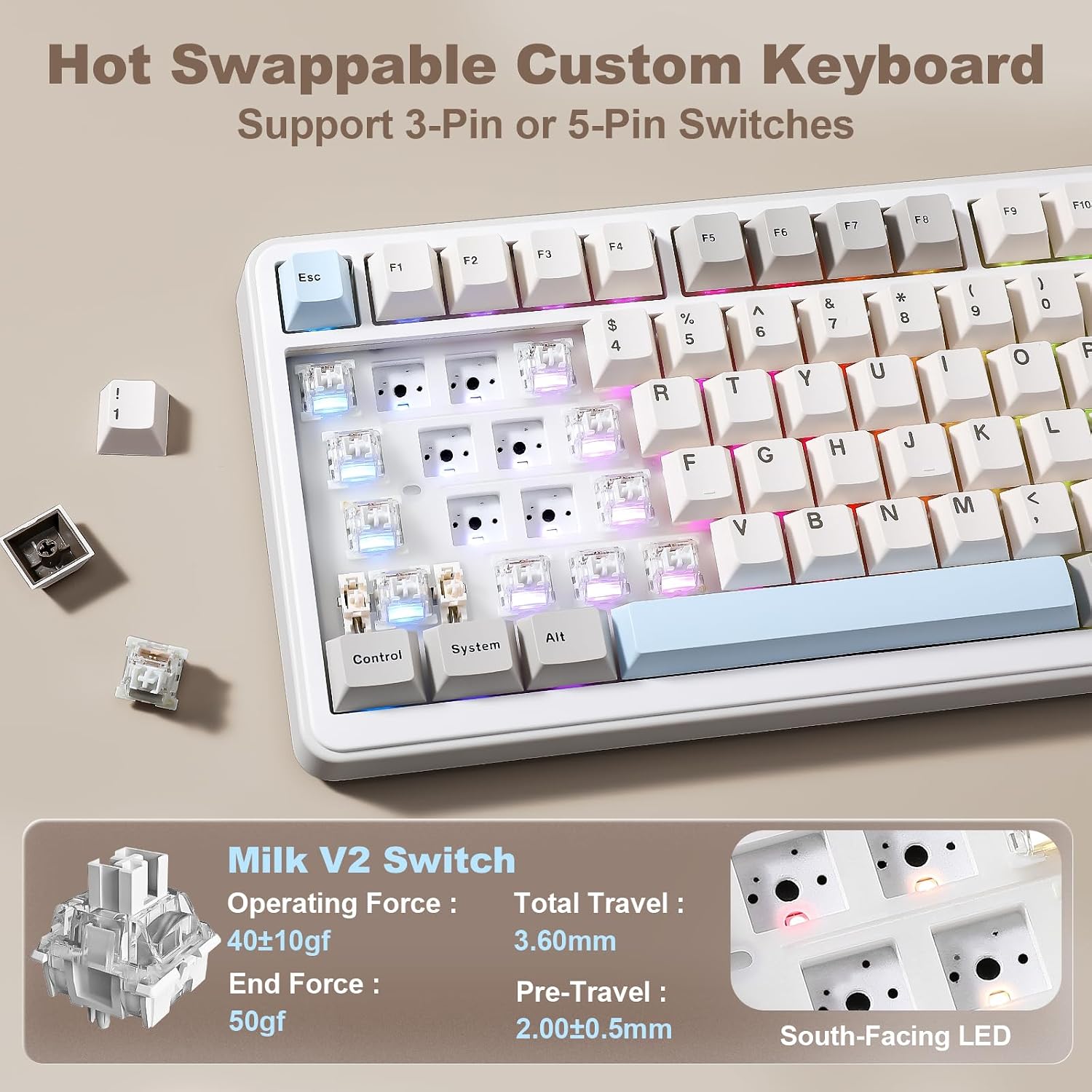
The YUNZII B75 PRO MAX is a 75% wireless mechanical keyboard with a built-in screen, rotary knob, hot-swap capability, gasket mount, and pre-lubed switches. It aims to be the compact center of a productive setup, whether you’re gaming, coding, or multitasking across Windows and Mac. If you prioritize a small footprint without sacrificing control, this keyboard is worth considering for its multiprofile, multi-device versatility and tactile, creamy switch feel.
How it stands on paper
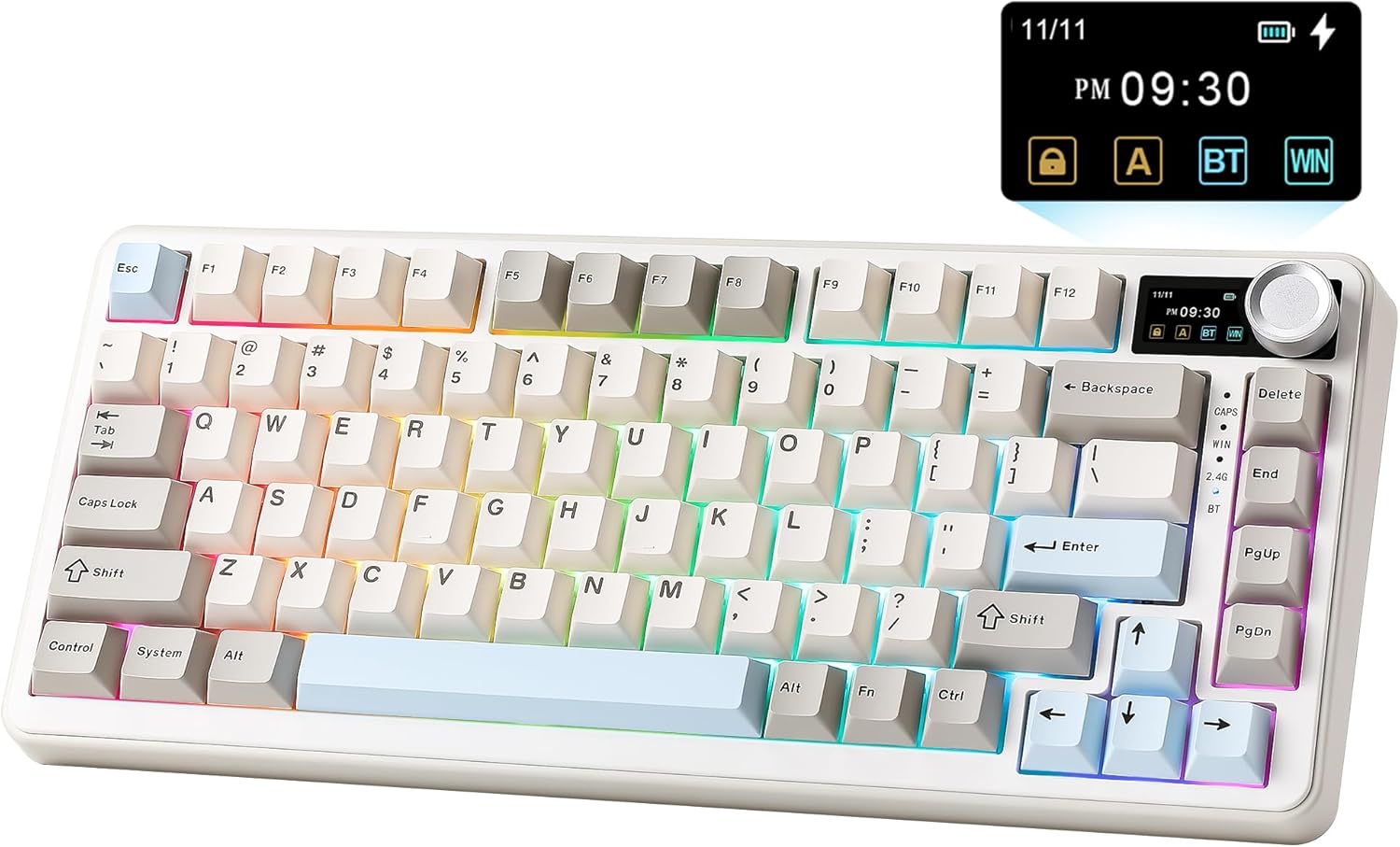
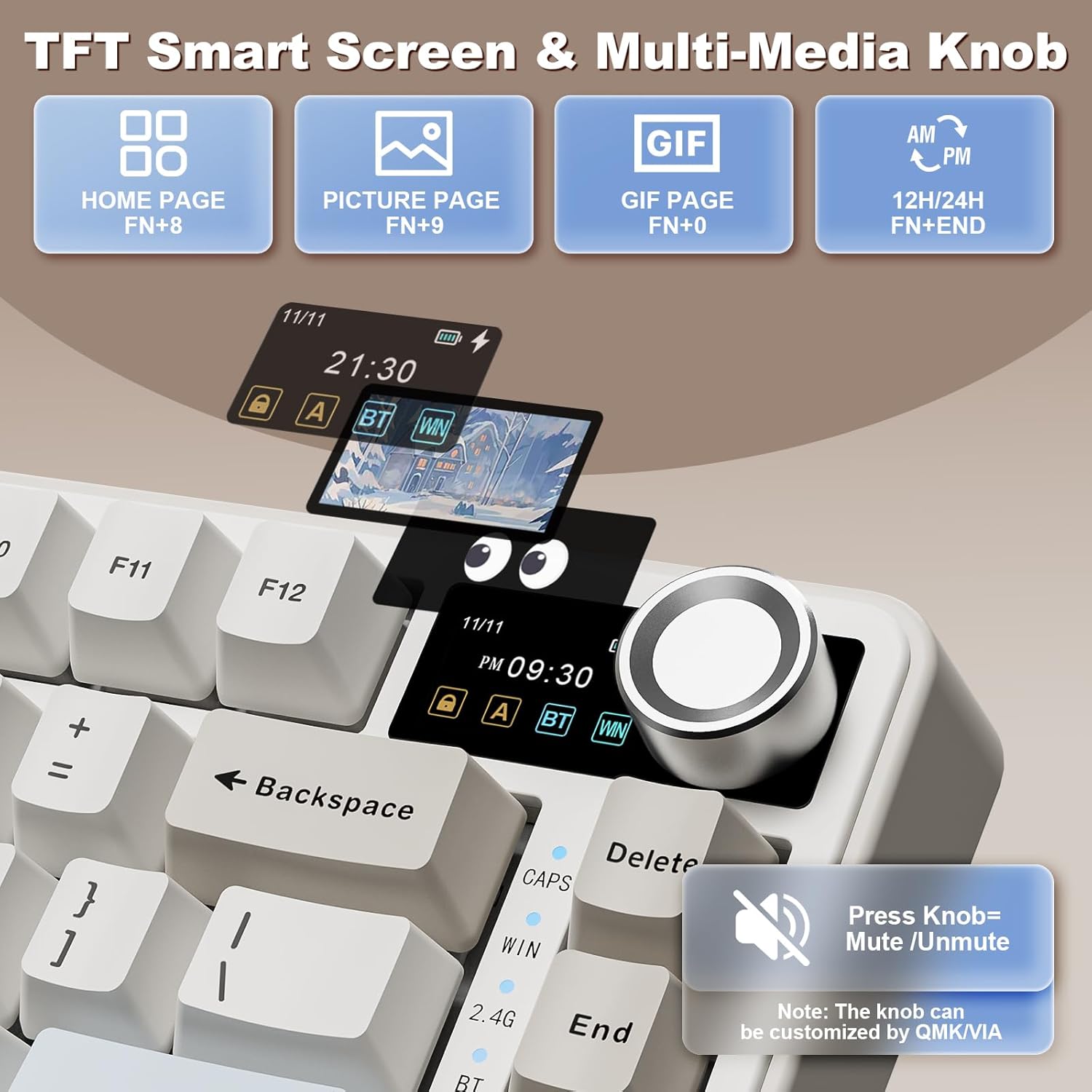
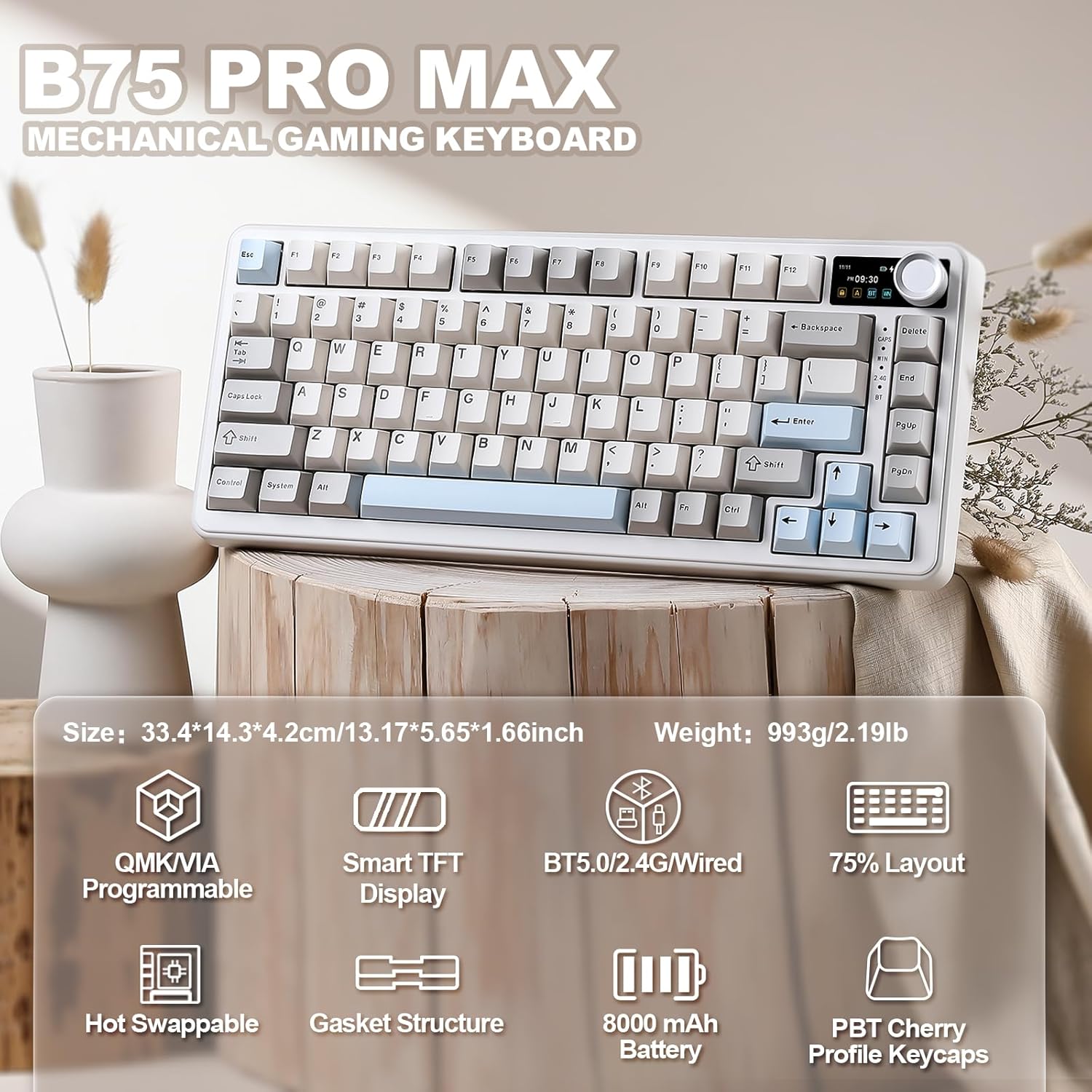
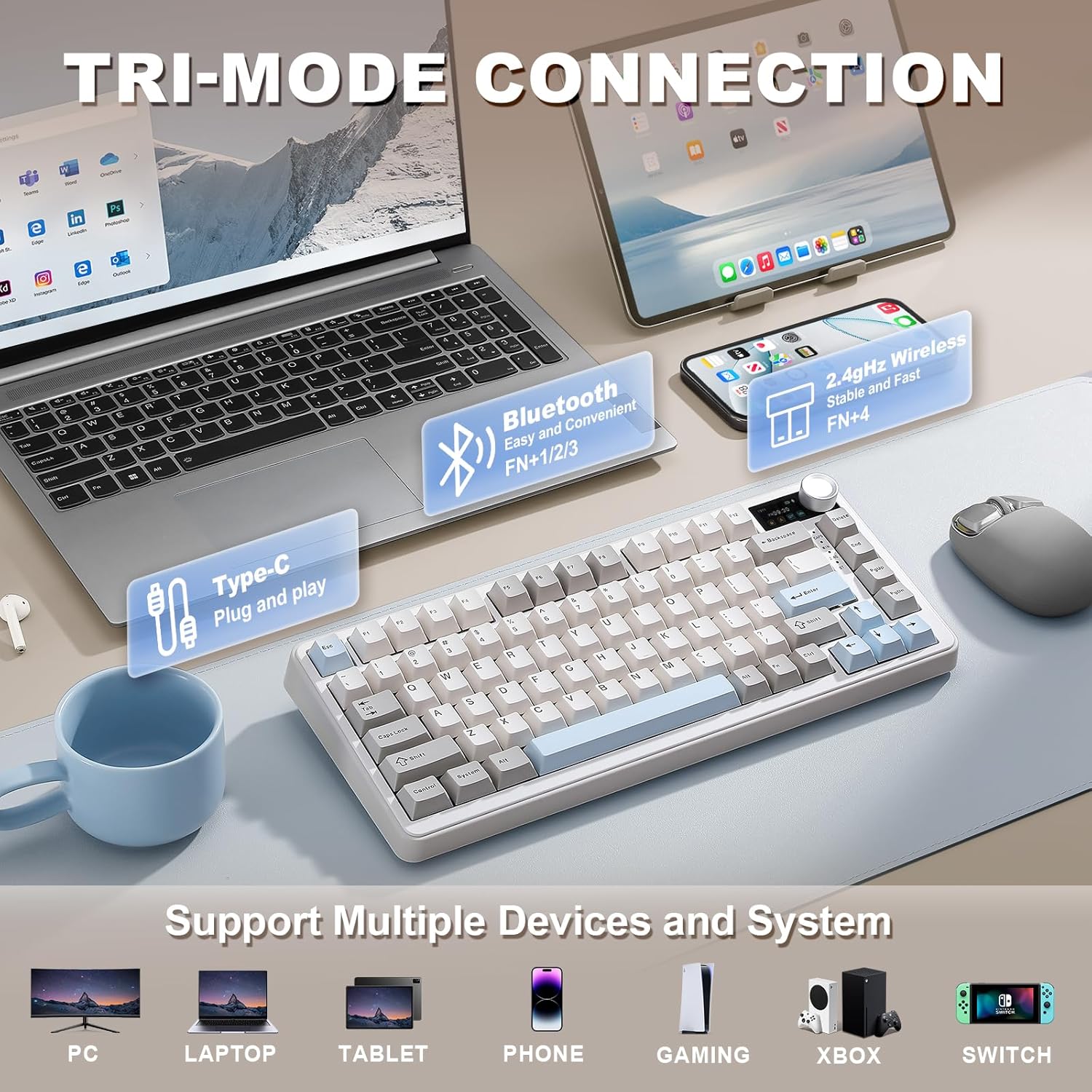
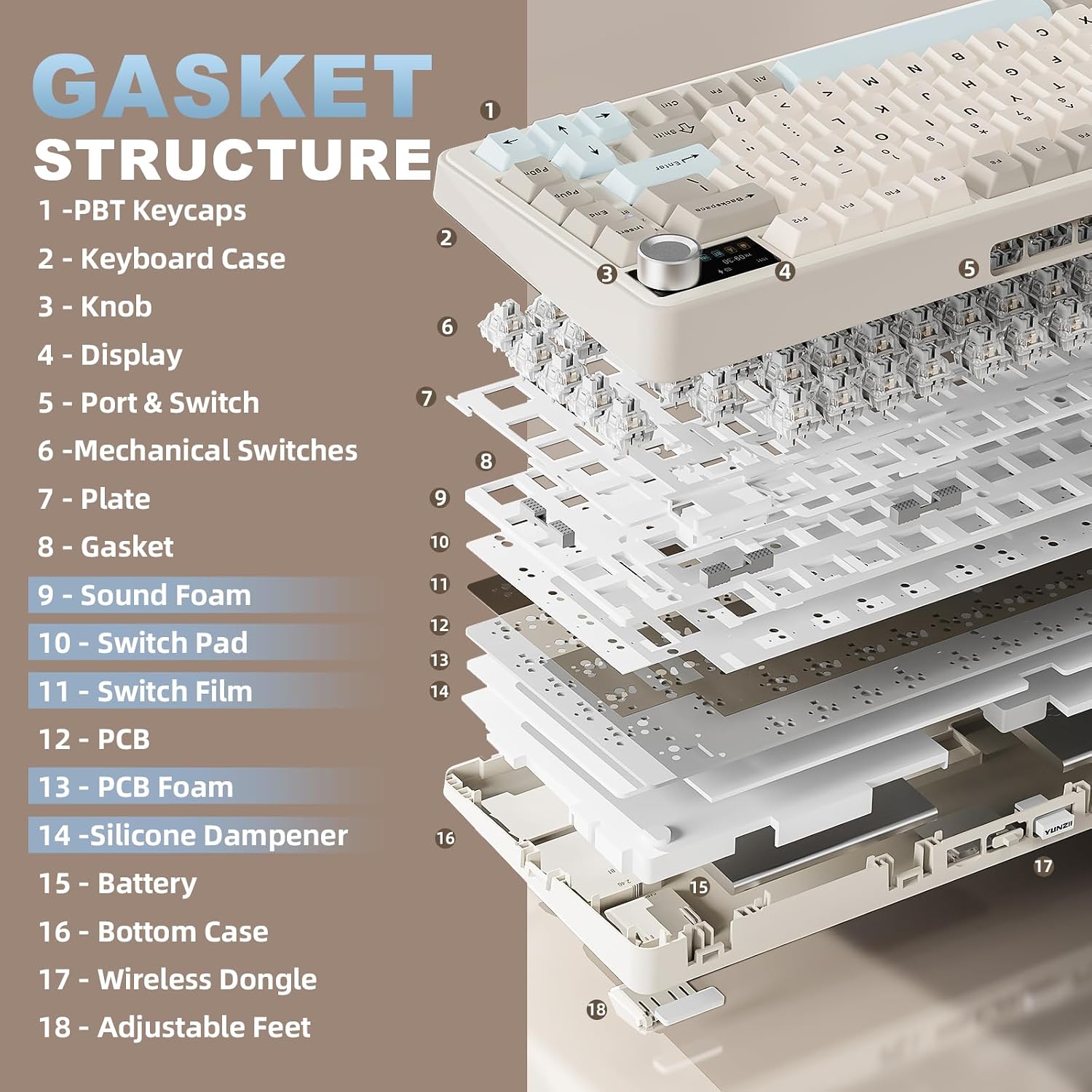
On the surface, this model expands the usual 75% form factor with several notable ideas: a customizable status screen that can show battery, date/time, OS, and even gifs or photos, QMK/VIA open-source firmware for remapping keys, macros, and RGB, a three-way connection suite (wired, 2.4GHz, Bluetooth) supporting up to 5 devices, and a large 8000mAh battery for longer wireless use. It also uses a gasket-mount structure with a five-layer cushion, aims to reduce cavity noise, and ships with double-shot PBT keycaps and pre-lubed switches for smoother keystrokes.
Strengths you’ll notice in daily use
- Compact footprint with a practical knob for quick volume control or macro access keeps desktop clutter down without losing control in games or work apps.
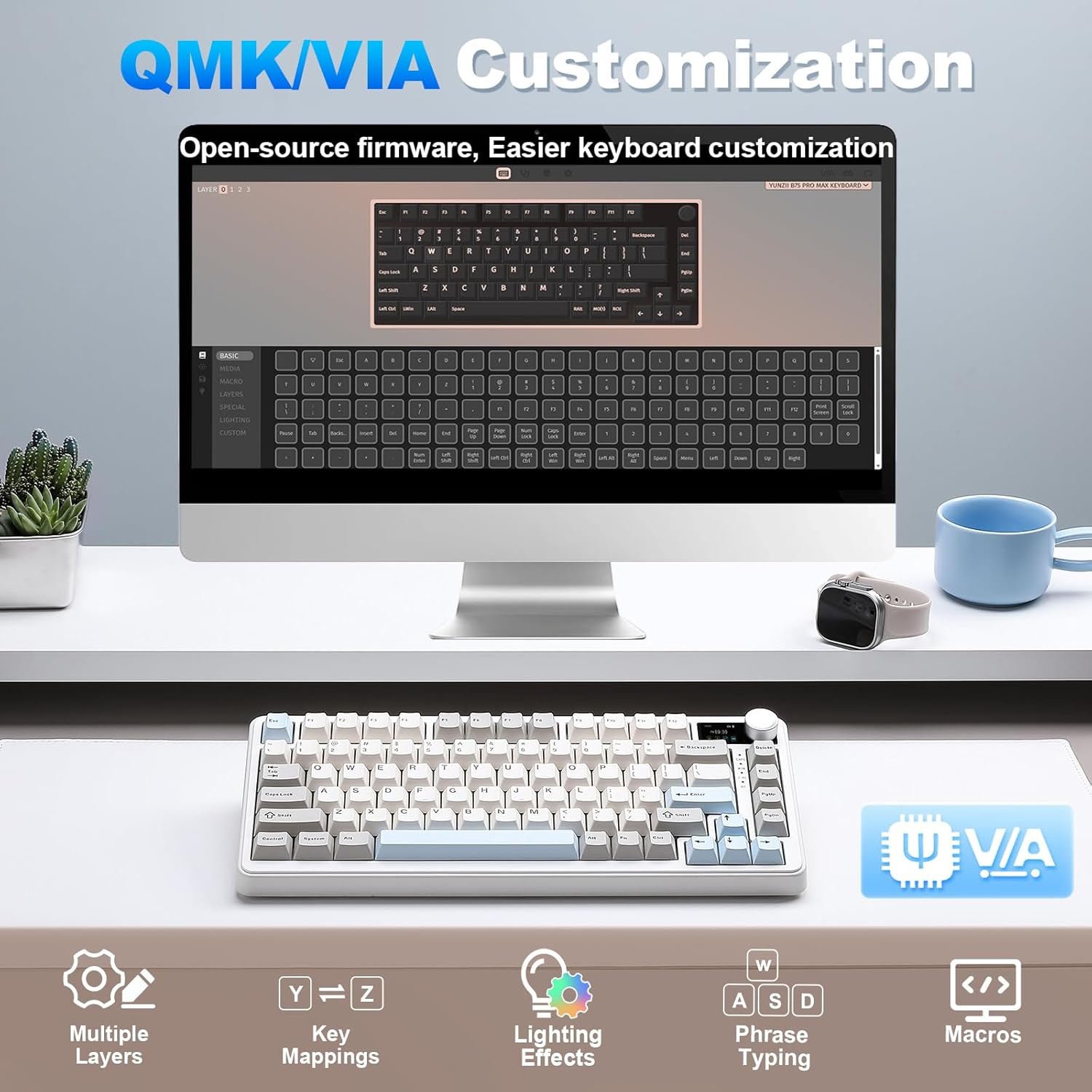
- Open-source firmware means you can tailor keymaps, macros, and even RGB to your workflow and games.
- Tri-mode wireless connection and multi-device pairing simplify switching between laptop, desktop, and tablet setups.
- The gasket-mount approach plus pre-lubed switches can yield a creamier, quieter typing sound and a refined tactile feel for long sessions.
What might hold it back
- The feature set is ambitious, if you don’t need multi-device wireless or a built-in screen, you may not value the extra hardware and potential battery considerations.
- Open-source firmware is powerful but can be intimidating for beginners or users who prefer plug-and-play out of the box.
- While the 8000mAh battery is sizable, actual runtime depends on RGB usage, screen brightness, and wireless mode, you’ll want to test in your typical setup.
Use cases and who it fits
- Ideal for power users who want a compact keyboard with rich customization, a status screen, and a single device that can handle work and gaming across Windows and Mac.
- Great for creators or productivity junkies who benefit from macros, remaps, and accessible profiles for different tasks.
- Probably overkill if you don’t need a screen, knob, or advanced firmware or if you prefer a traditional wired keyboard with minimal configuration.
When it makes sense to buy
- You need a space-saving 75% keyboard that can switch between multiple devices and operating systems.
- You want a creamy, premium feel from gasket mounting, pre-lubed switches, and stable stabilizers.
- You value a configurable rotary control and a high-capacity battery for long sessions away from a desk.
When to pause or look at alternatives
- If you mainly type on a single device and don’t care about firmware customization or a built-in screen, a simpler 75% model could be more cost-effective.
- If reliability of wireless connectivity is mission-critical in your setup, consider how tri-mode performance aligns with your daily workflow before buying.
What to review before purchasing
- Confirm compatibility with your primary OS and any specific apps that might benefit from macros or custom keymaps.
- Check how bright you want the screen and how you’ll use the knob (volume vs. a macro) to ensure the configuration fits you.
- Consider your preferred keycap profile and if the included double-shot PBT keycaps align with your typing feel.
- Think about the desk space and whether a 75% board with a screen and knob fits your setup aesthetics and ergonomics.
Practical example of use
Imagine a streamlining setup where you can switch between a coding window, a design tool, and a game by flipping between profiles, adjusting RGB to match your mood, and using the knob for quick volume changes or timeline scrubbing, all while the screen shows battery life and time. It’s the kind of keyboard that feels like a control center rather than a traditional input device.
FAQ (based on available data)
- Does it support Windows and Mac? Yes, NKRO with cross-OS support is noted, including Windows and Mac operating systems.
- Can I customize the keyboard with my own layouts? Yes, via QMK/VIA open-source firmware for remapping, macros, and RGB effects.
- How many devices can it connect to at once? It supports up to 5 devices and can switch between them across wired, 2.4GHz, and Bluetooth connections.
Is it worth it?
It depends on how much value you place on a compact 75% layout with a built-in screen, a rotary knob, and deep customization. If those features align with your workflow and you’re looking for a multi-device, highly customizable keyboard, this model offers a compelling mix of form and function. If, however, you don’t need screen-based status info or firmware tinkering, you might find simpler options more cost-effective. Worth considering if you want a premium, modular typing experience that doubles as a command center.
Final verdict
This keyboard is best suited for users who want a premium, highly configurable compact board with screen and knob support across multiple devices. It isn’t perfect for everyone—beginners or those seeking a straightforward plug-and-play experience may prefer a simpler setup. Still, for the right workflow, it can significantly boost efficiency and customization.