


Razer Basilisk V3 X HyperSpeed — Wireless Gaming Mouse with 18K Optical Sensor, Chroma RGB, 9 Programmable Controls
Reviews
Price
Product description
Why this mouse exists (and what it’s meant to do)
If you care about low-latency wireless gaming but don’t want to compromise on control, the Razer Basilisk V3 X HyperSpeed is built around that exact tradeoff. It leans into two things gamers usually feel immediately: responsive tracking with an 18K optical sensor, and quick command access through 9 programmable controls on a shape designed to support different grip styles.
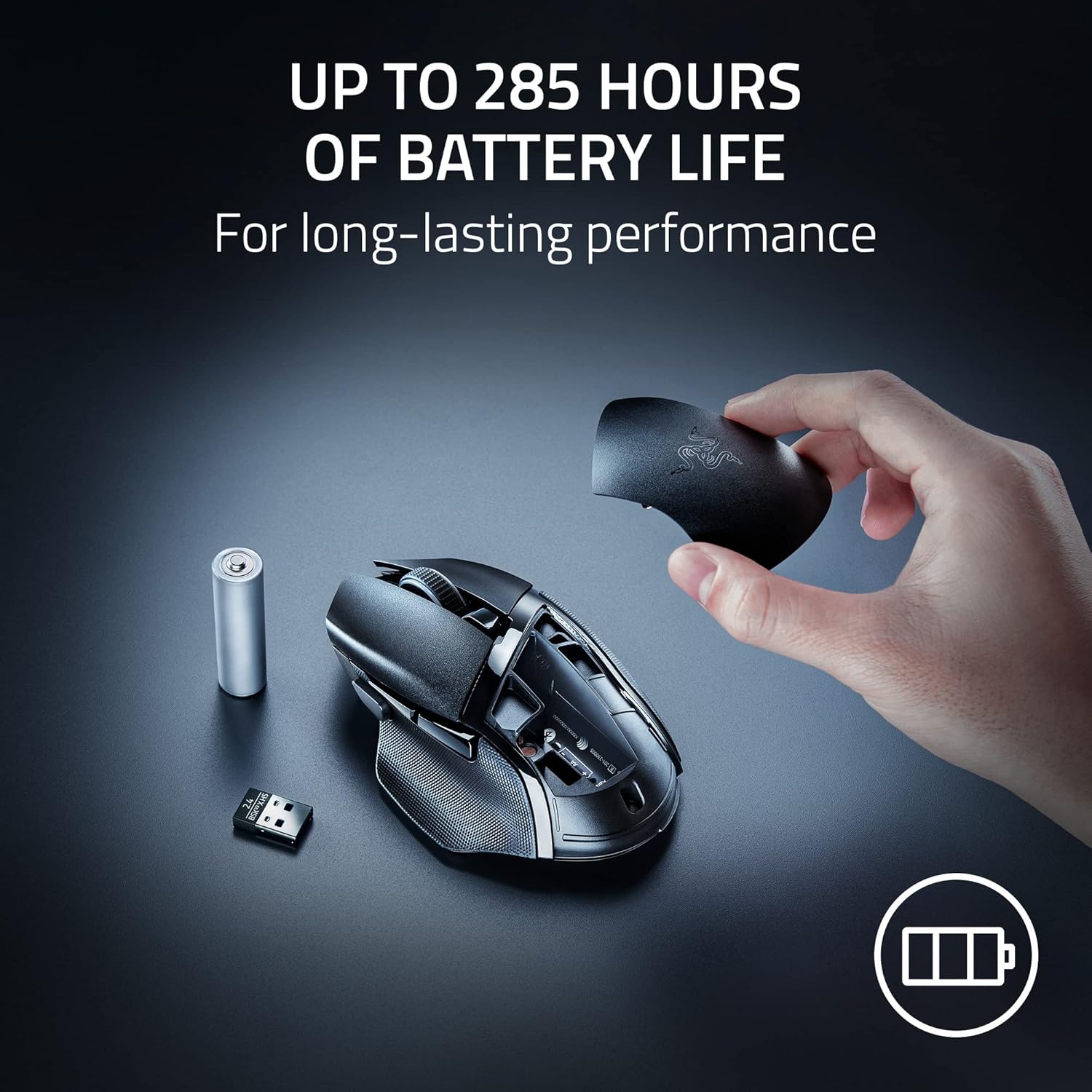
On paper, it’s also trying to solve the “wireless battery anxiety” problem. With up to 285 hours on Razer HyperSpeed Wireless (and up to 535 hours on Bluetooth), you’re less likely to have to babysit charging between sessions. Of course, battery life can vary depending on how you use it—RGB and active play patterns matter.
The essentials: what you get from the specs
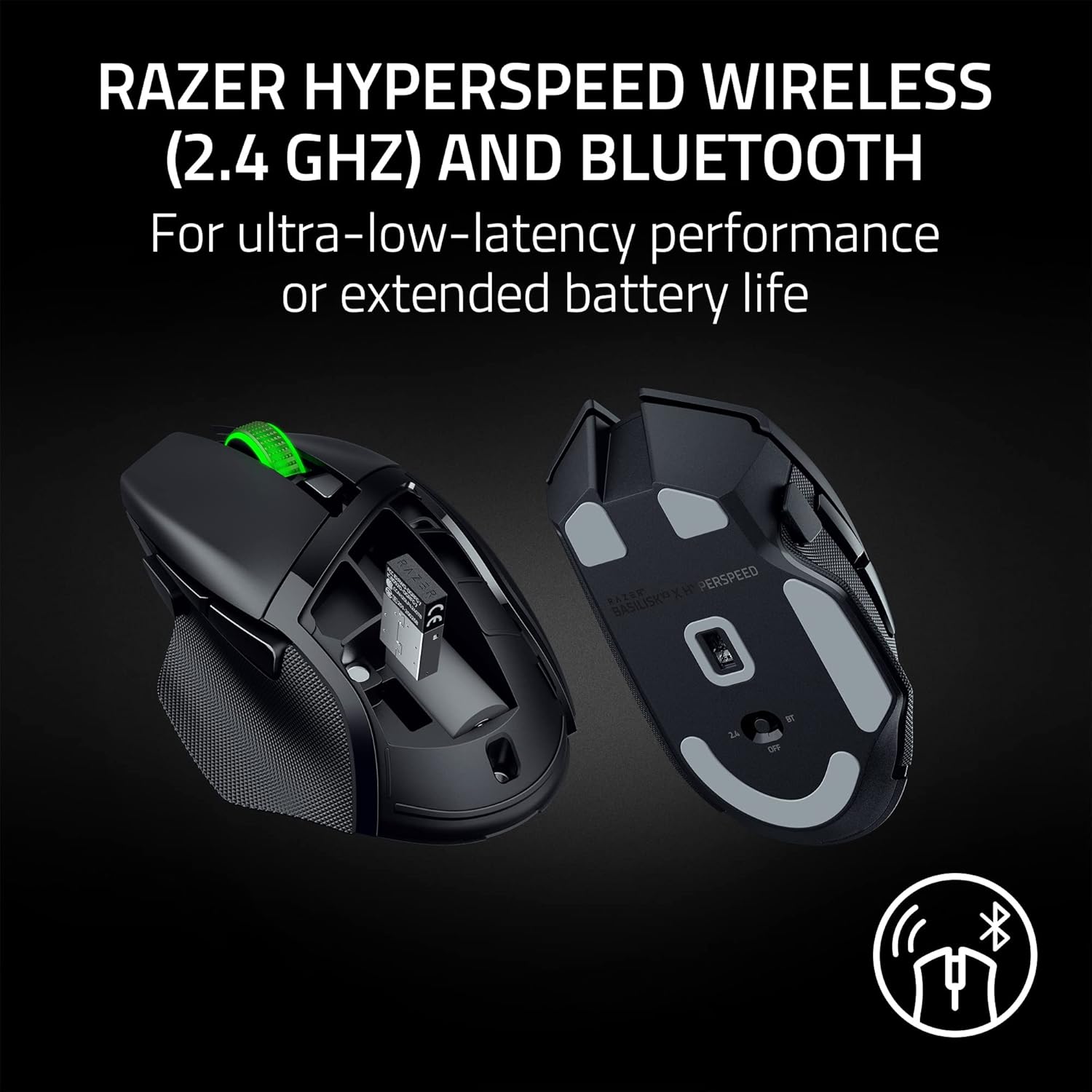
This is a wireless gaming mouse with dual connectivity: Razer HyperSpeed Wireless for low-latency performance, plus Bluetooth for longer hours when you switch away from the faster wireless mode. The mouse also supports a multi-device setup, which is useful if you bounce between setups and want fewer things to manage.
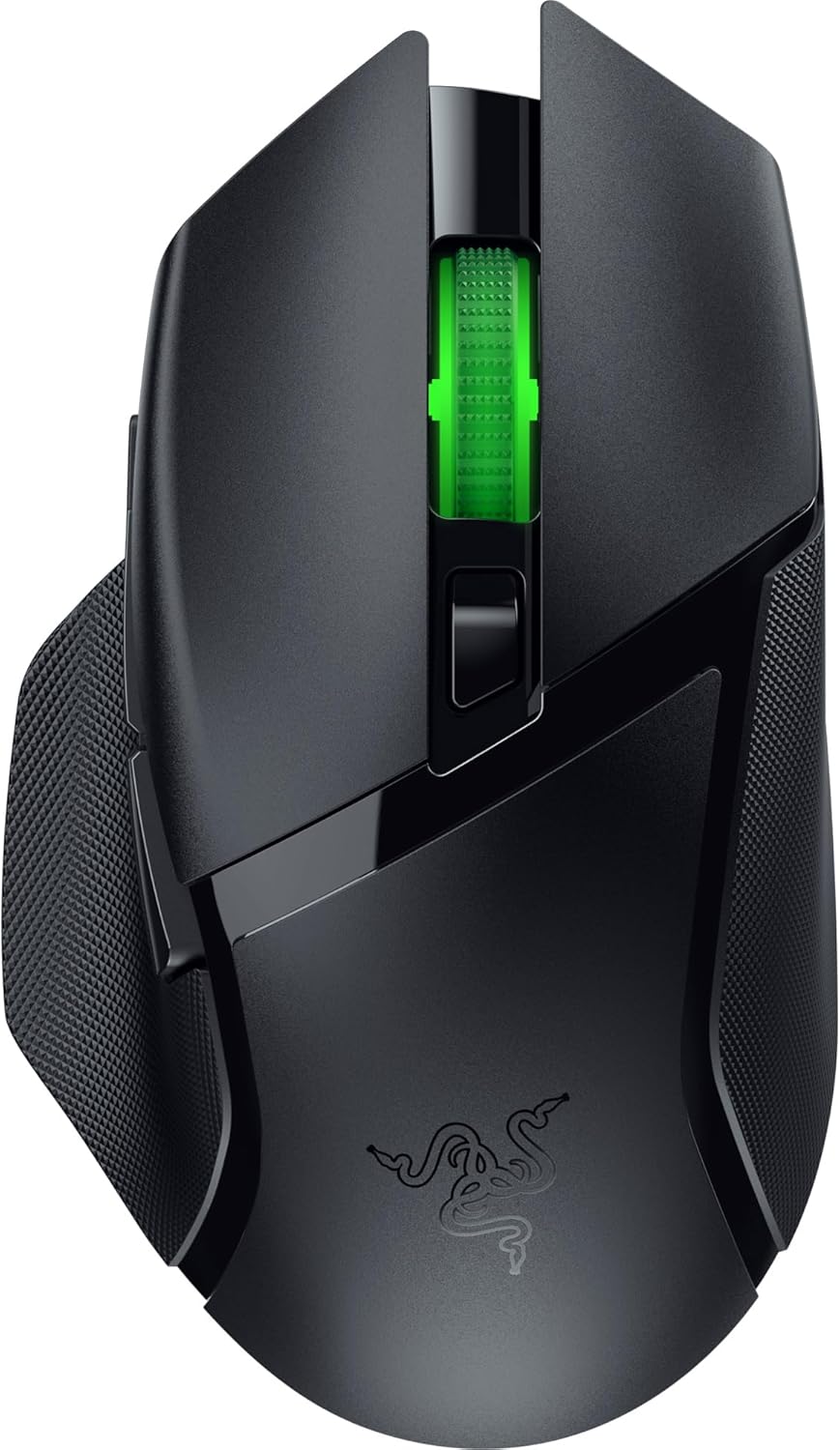
For aiming and movement, it uses a Razer 5G Advanced 18K optical sensor. The claim here is responsive, pixel-precise aiming with movement tracking designed to avoid “spinouts,” which is the kind of annoyance you’d rather not discover mid-match.
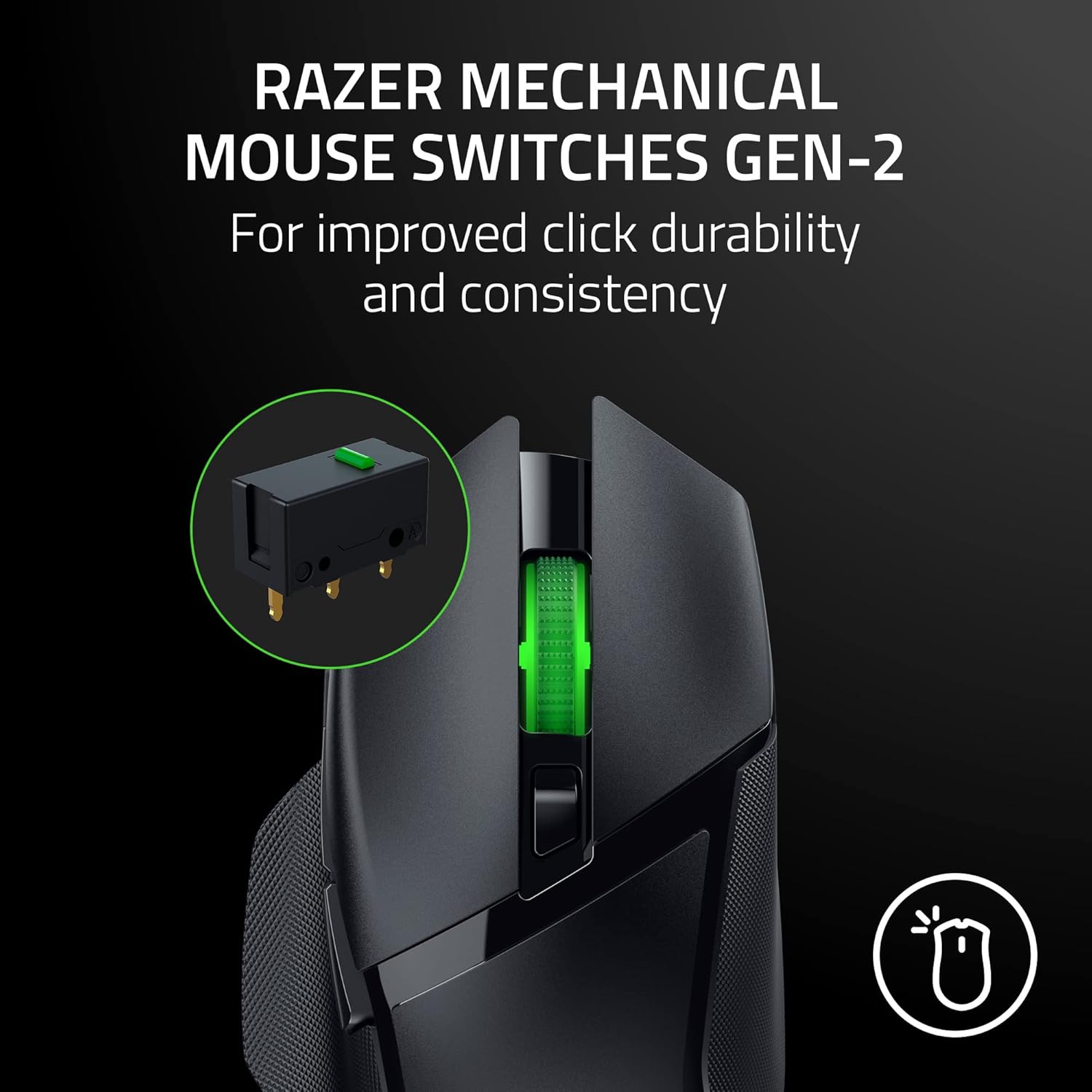
Then there are the physical “execution” parts. The Gen-2-5G mechanical switches are described as using gold-plated contact points for durability, rated for up to 60-million clicks, aiming to keep performance consistent over time.
And yes, the lighting is part of the package: Razer Chroma RGB lets you customize colors and lighting effects (with dynamic reactions supported in compatible Chroma-integrated games).

What stands out in everyday play
The Basilisk V3 X X HyperSpeed’s biggest “feel” is the combination of ergonomic design plus fast-access controls. The signature ergonomic shape is positioned as comfortable across different grips, while the 9 easy-access buttons are there to let you build a command layout that matches how you actually play—no deep dive into menus just to swap actions.
A practical example: if you’re running a typical shooter setup, you can map common actions (like a utility, weapon swap, or sensitivity toggle) to those programmable controls so your right hand stays in a steady rhythm. It’s the kind of setup that can make gameplay smoother because you’re not reaching or multitasking under pressure.
Where it also helps: accuracy “tuning.” The product guidance mentions disabling Windows “Enhance pointer precision,” and optimizing performance using the Razer Synapse app. That’s not glamorous, but if you’re already the type to tweak mouse behavior, it can reduce friction between what you expect and what Windows does by default.
Potential limits you should consider
It’s not perfect for every buyer. For one, the best battery numbers are tied to the connection mode—HyperSpeed Wireless is rated lower than Bluetooth—so if your priority is maximum runtime at all costs, you’ll likely use Bluetooth more often. Also, Chroma RGB can change how often you’ll want to charge, since lighting tends to draw power (even if the listing gives headline runtime figures).
Another small limitation: the description mentions customization through the Razer Synapse app, so if you prefer plug-and-play with minimal software involvement, you may find the “tuning” part less appealing. And while the sensor is described as avoiding spinouts, your real-world experience will still depend on your setup and settings.
Key takeaways for different kinds of buyers
This makes sense if you want a modern wireless gaming mouse that’s built for responsive play, has plenty of programmable controls, and doesn’t turn into a weekly charging routine. The 18K optical sensor and mechanical switch durability point toward longevity rather than a short-term throwaway.
It may not suit you as well if your main goal is minimal complexity—because the product direction assumes you’ll use software for optimization—and if you’re very sensitive to battery life differences between wireless modes.
Compatibility & requirements
The listing references use of the Razer Synapse app for optimization. It also specifically calls out a Windows mouse setting (“Enhance pointer precision”), which suggests you’ll be adjusting behavior through your operating system and/or Razer software.
Before buying, it’s worth checking that you’re comfortable with that workflow and that your setup supports the way you plan to connect (HyperSpeed Wireless vs Bluetooth).
Is it worth it?
Buy it if you’re aiming for low-latency wireless gaming, want an ergonomic shape that supports different grips, and value having 9 programmable controls within easy reach. The combination of a 5G Advanced 18K optical sensor, Gen-2-5G mechanical switches rated up to 60-million clicks, and multi-device wireless/Bluetooth support is a strong “serious gaming” recipe.
Skip it if you only want the simplest possible setup and would rather avoid software tuning, or if you mainly care about the absolute longest battery runtime and don’t want to think about the connection mode tradeoff.

Mini FAQ
1) Does this mouse support both wireless and Bluetooth?
Yes. The product is described as offering Razer HyperSpeed Wireless plus Bluetooth, with different rated battery life depending on the mode.
2) How long does the battery last?
It lists up to 285 hours on Razer HyperSpeed Wireless and up to 535 hours on Bluetooth. Actual results can vary with usage conditions.
3) What sensor does it use?
It uses a Razer 5G Advanced 18K optical sensor, described as designed for responsive tracking and to help avoid spinouts.
4) Are the buttons customizable?
Yes. The listing highlights 9 customizable programmable controls.
5) What’s the role of Razer Synapse?
It’s mentioned as part of optimizing mouse performance, along with guidance to adjust the Windows “Enhance pointer precision” setting.