

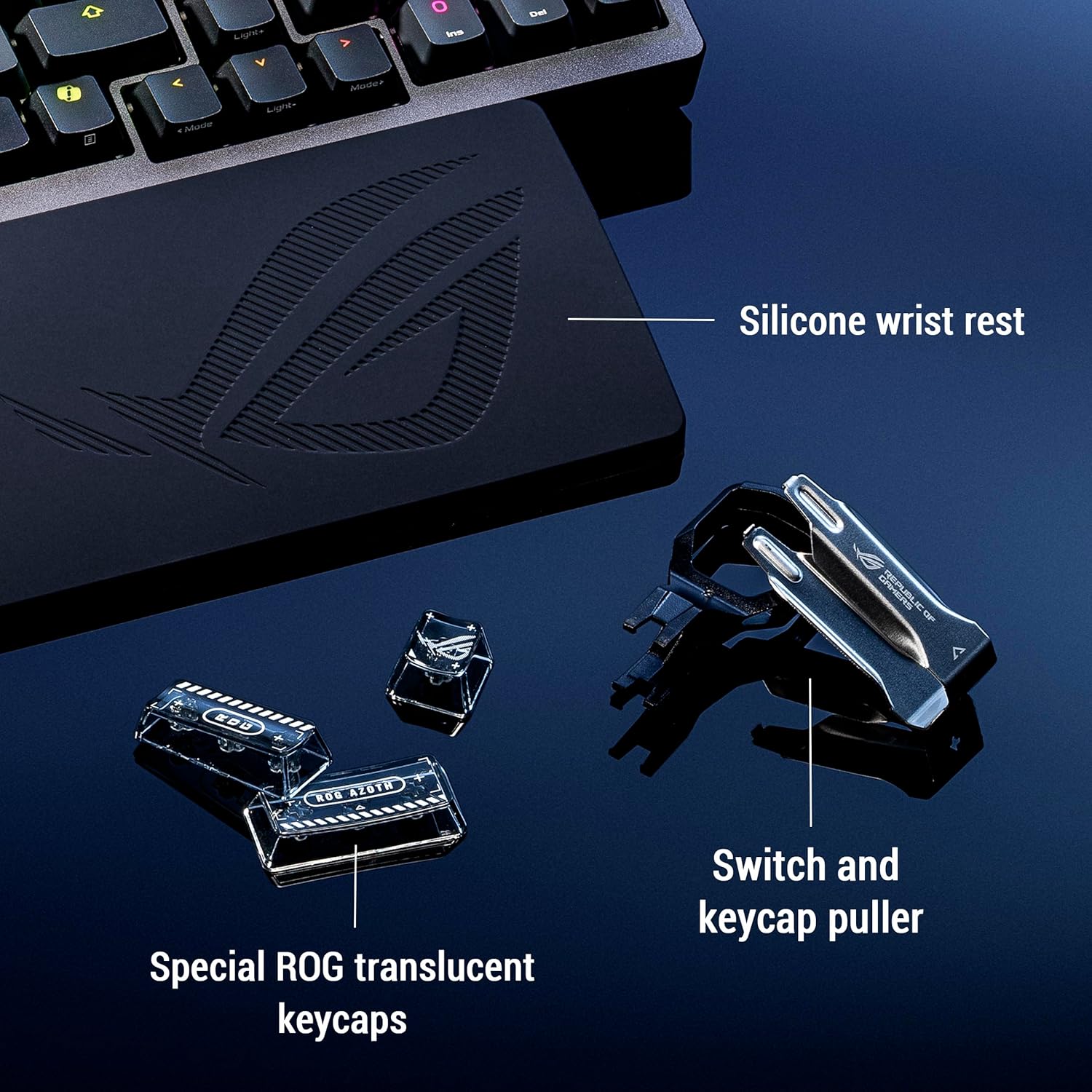
ASUS ROG Azoth 96 HE Wireless Hall Effect Gaming Keyboard (96% tri-mode) – White
Reviews
Price
Product description
If you’re picky about key feel and you want control over how fast and how far keys actuate, the ASUS ROG Azoth 96 HE is built around that idea. On paper, it’s the kind of keyboard that aims to let you tune your inputs down to the fine-grained level—then backs it up with solid connectivity options and a feature-rich OLED screen.
That said, it’s not a “plug it in and forget it” keyboard. The whole point here is customization, and the experience will feel best if you actually plan to adjust settings (actuation, sound/foam choices, and per-profile OLED info). If you just want something simple for everyday typing and don’t care about tuning, you may find it overkill.
The essentials
The ROG Azoth 96 HE Wireless is a 96% full-size style gaming keyboard that uses hot-swappable magnetic Hall Effect switches (ROG HFX V2). It’s tri-mode, meaning you can use it with USB cable, Bluetooth, and a dedicated 8K wireless approach designed for high polling. For day-to-day use, it also includes a color OLED screen and a three-way dial so you can check system info and tweak keyboard settings without having to alt-tab into software every time.
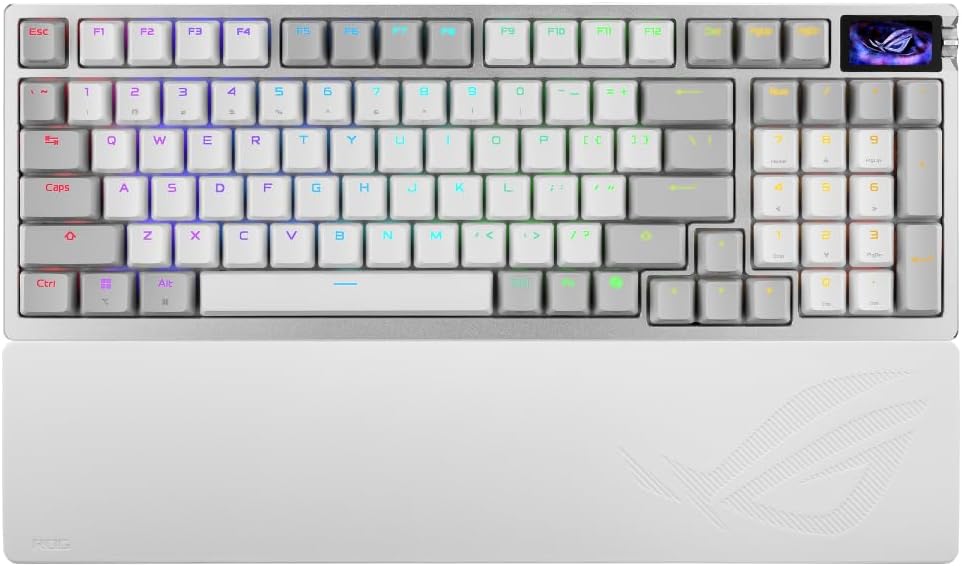
The “96% full-size” layout can be a nice middle ground: you keep most of the workflow of a full-size board, but you lose some of the far-right section space that larger layouts often take up. Still, the cut may bother you if you rely on the exact size and placement of every single key from a traditional full-size layout.
What you’ll notice day to day
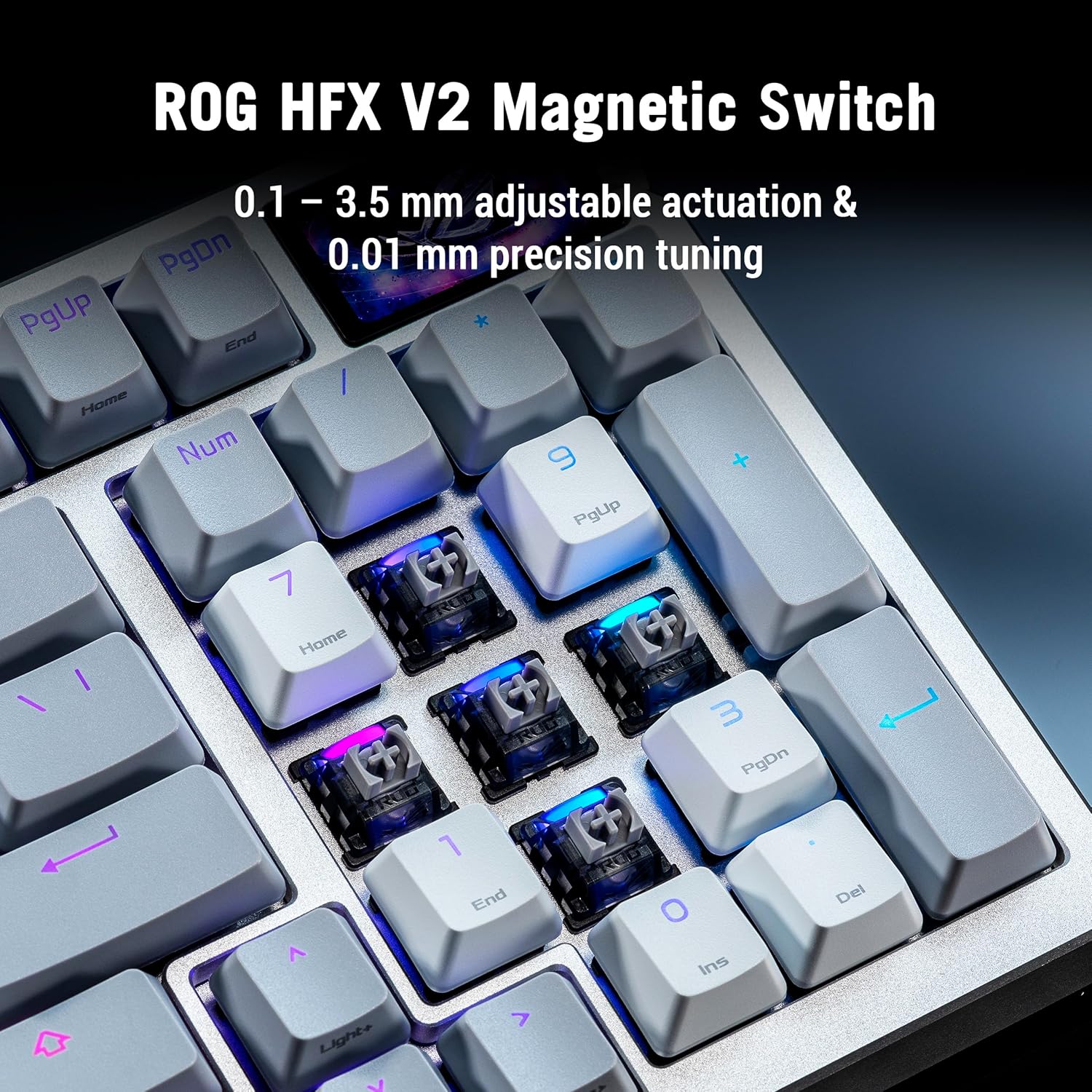
This keyboard is designed to feel refined and consistent. The hot-swappable magnetic switch approach is meant to support more precise input control through a customizable actuation range described as 0.1 to 3.5 mm, with fine precision tuning at 0.01 mm. In practice, that’s the difference between “it works” and “it matches your playstyle”—especially if you like faster or tighter responses.
ASUS also highlights a ROG Hall sensor that aims for precise input detection, reduces electrical noise and interference, and improves tolerance to magnetic flux. The brand positions this as a path to more dependable performance, not just a marketing line.
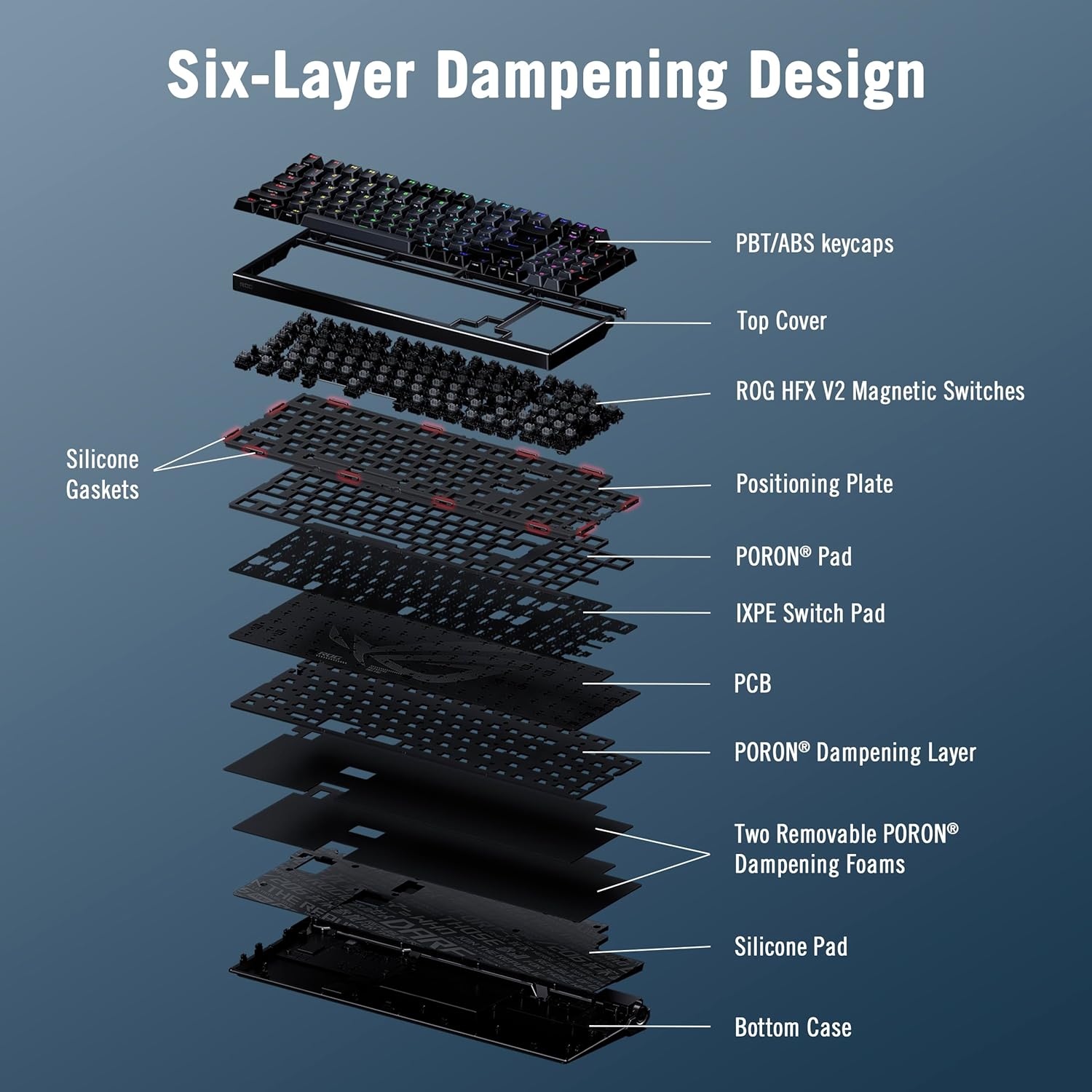
There’s also a notable sound and feel strategy. The keyboard uses a gasket mounting approach plus a six-layer damping setup: multiple PORON layers, an IXPE pad, and a silicone pad intended to absorb vibration and change the sound profile. And if you decide you want a different softness, ASUS says you can adjust it by swapping the underlying dampening foam.
And yes, it includes a comfort upgrade: an extended silicone wrist rest for longer sessions.
Connectivity and display: where it goes beyond “wireless”
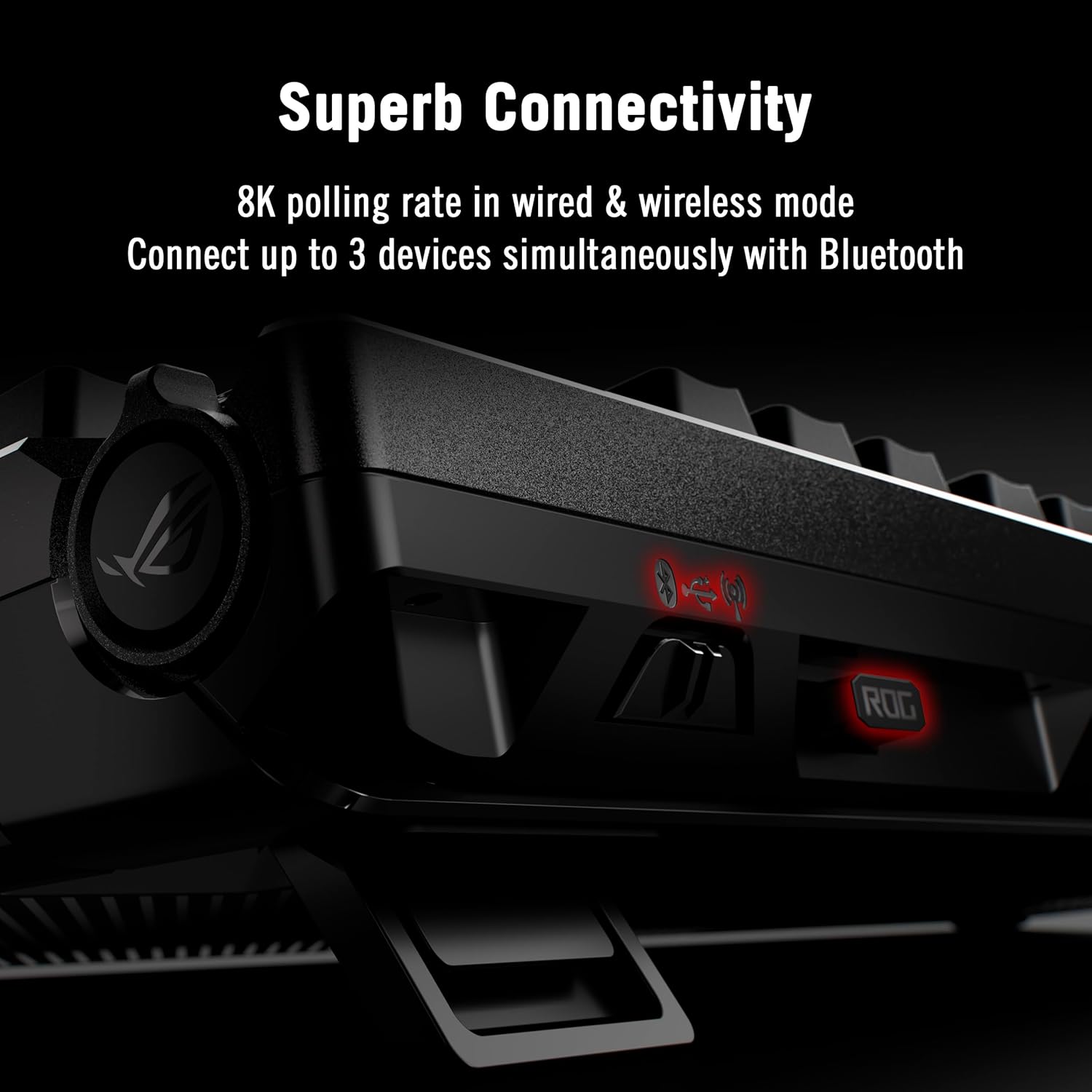
ROG SpeedNova 8K wireless is the headline for low-latency play, with a polling rate up to 8K (ASUS also references wired and wireless modes). The keyboard is tri-mode and supports up to five devices simultaneously, which is helpful if you bounce between a gaming rig and a work laptop/tablet.

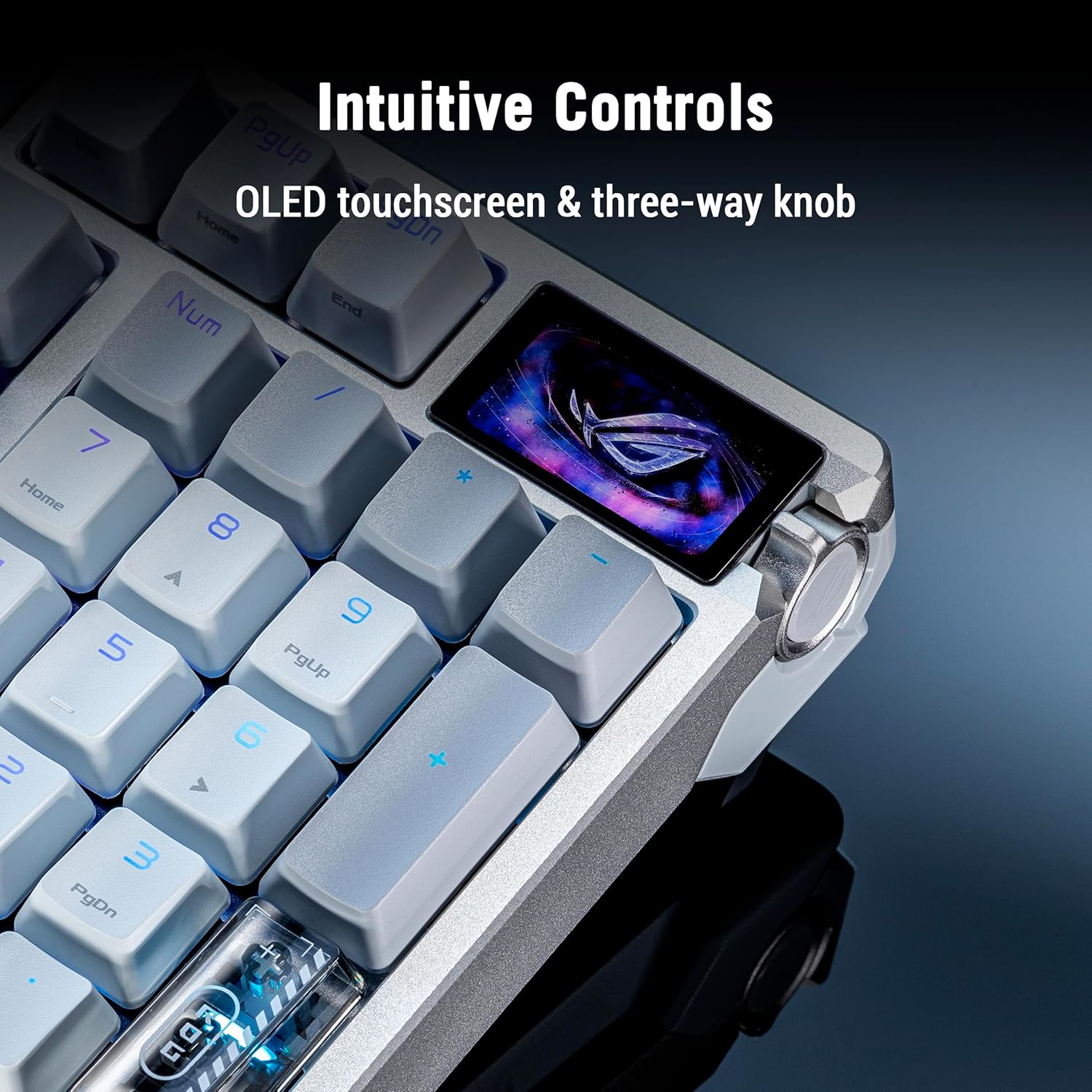
The color OLED screen is meant to keep useful info in reach. You can view system info and personalize settings, while the integrated three-way dial supports quick adjustments. It’s the kind of feature that feels small—until you’re in the middle of tweaking actuation and timing and don’t want to leave your desk.
One limitation to keep in mind: the value of the OLED and dial is only as good as your willingness to use them. If you prefer everything handled in software and never look at displays on your keyboard, you might not get much extra from this part.
Tech summary (key specifications mentioned by ASUS)
- Hot swappable magnetic switches: ROG HFX V2 (refined actuation and precise tuning)
- Customizable actuation range: 0.1 to 3.5 mm
- Fine precision tuning: 0.01 mm
- ROG Hall sensor: designed for precise detection and reduced electrical noise/interference
- Tri-mode connectivity: USB wired, Bluetooth, and 8K SpeedNova wireless
- Wireless polling support: up to 8K Hz (ASUS also notes both wired and wireless modes)
- OLED: full-color touch display plus an integrated three-way dial for instant adjustments
- Mounting and damping: gasket mount with six-layer damping (PORON layers, IXPE pad, silicone pad)
- Layout: 96% full-size
- Keycaps/material mentioned: ABS keycaps
Who it suits best (and who should skip it)
It’s a great fit if you actively care about input response and want to tune actuation depth for specific games. You’ll appreciate it if you like experimenting with feel—especially since it’s described with adjustable damping via foam changes—and you want the convenience of OLED-based status and quick dial adjustments.
It may not suit you if you’re looking for a basic keyboard with minimal tweaking. Also, if you’re sensitive to layout changes, the 96% format could take a little time to get used to, even if it’s “full-size-ish.” And if you mainly type documents and don’t game, the tri-mode + 8K focus may feel like paying for features you won’t leverage.
Worth noting: the “optimize everything” approach is part of the package. If you prefer a keyboard that stays set and only gets used, this one can feel like it’s asking you to tinker.
Should you buy it?
When it makes sense: - You want a wireless gaming keyboard with Hall Effect magnetic switches and hot swapping. - You care about fine actuation tuning and want a more controlled input feel. - You plan to use the OLED screen and three-way dial for quick setting checks. - You want adjustable sound/feel via gasket mounting and layered damping.
When it doesn’t: - You want a simple, plug-and-play board and won’t adjust settings. - You strongly need every single key location exactly like a classic full-size layout. - You don’t game much (or don’t care about 8K wireless/wired responsiveness).
Mini FAQ
Does this keyboard support multiple connection modes at once?
ASUS describes it as tri-mode, supporting USB with cable, Bluetooth, and its 8K SpeedNova wireless mode, with simultaneous device support up to five devices.
Are the switches hot swappable?
Yes. The keyboard is described as using hot swappable ROG HFX V2 magnetic switches.
What’s the point of the OLED screen?
ASUS says it shows system information and supports personalizing keyboard configuration, with a three-way dial for instant adjustments.
Can you change the sound/feel?
According to ASUS, it uses gasket mounting and a six-layer damping system, and the softness of the gasket setup can be adjusted by swapping the underlying dampening foam.
Is 96% layout worth it if you use a lot of keys on the right side?
It depends on your habits. A 96% layout keeps a lot of the full-size workflow, but it can still mean spacing differences versus traditional full-size layouts.