

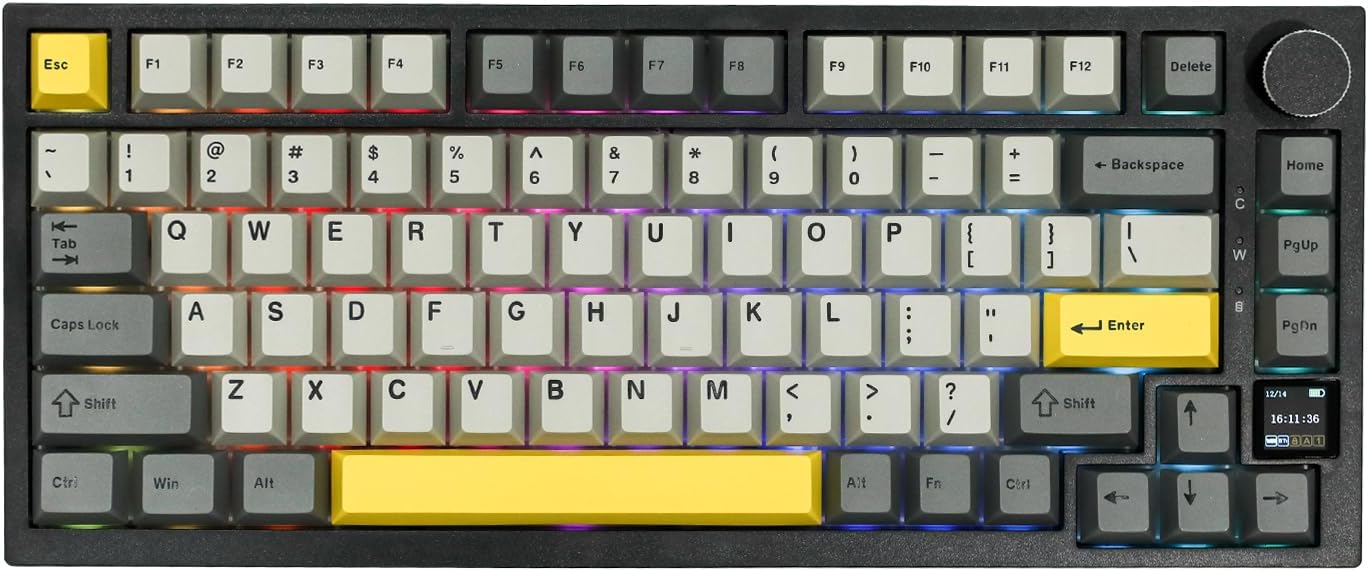
EPOMAKER Ajazz AK820 Pro 75% Wireless Mechanical Keyboard with TFT Display
Product description
What this is and what problem it solves
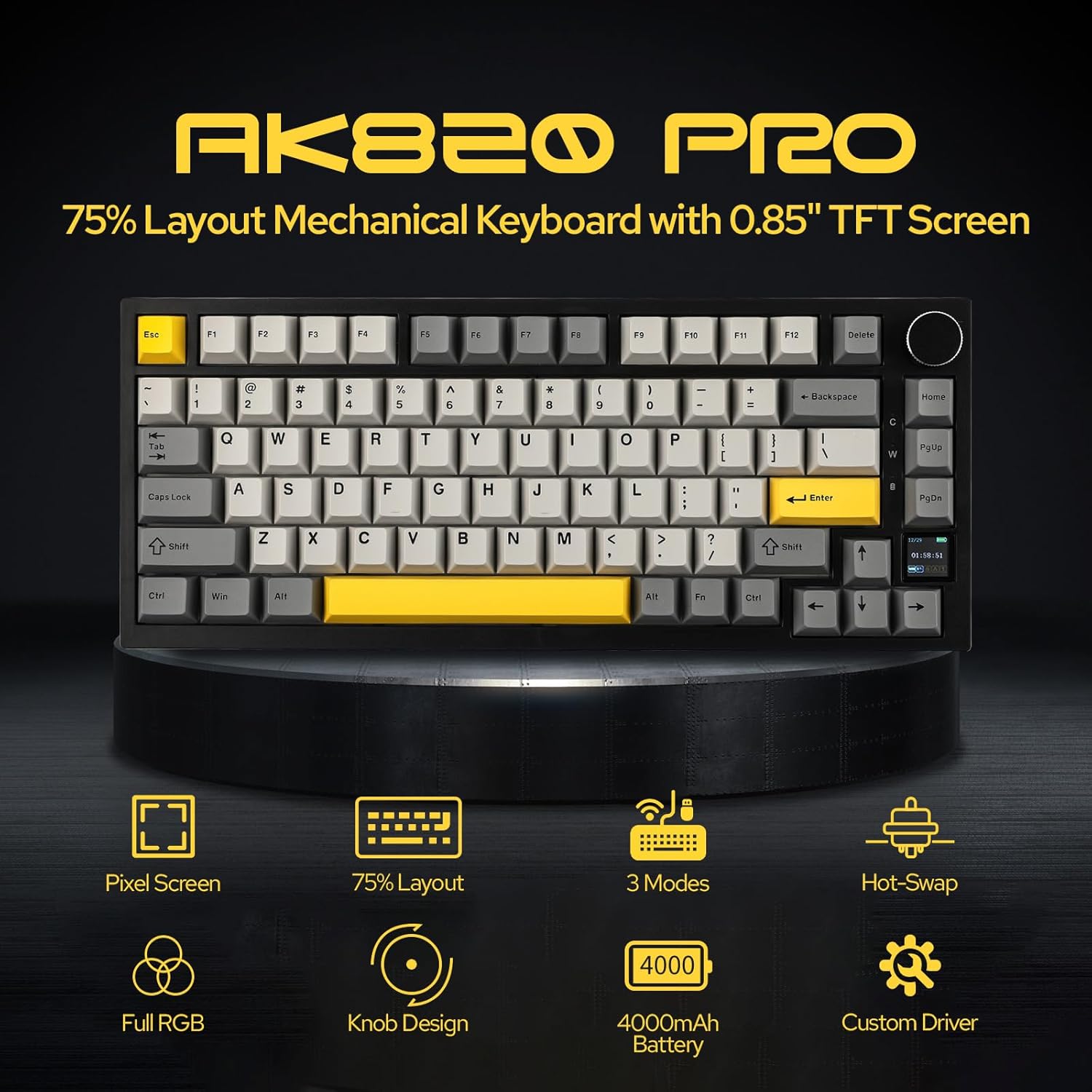
The EPOMAKER Ajazz AK820 Pro is a compact 75% wireless mechanical keyboard designed to reclaim desk space without sacrificing features. If you crave a clean, portable setup with robust wireless options, this board aims to balance size, performance, and customization through a built‑in TFT display that serves as an interactive interface for status updates and visual tweaks.
Design and typing feel
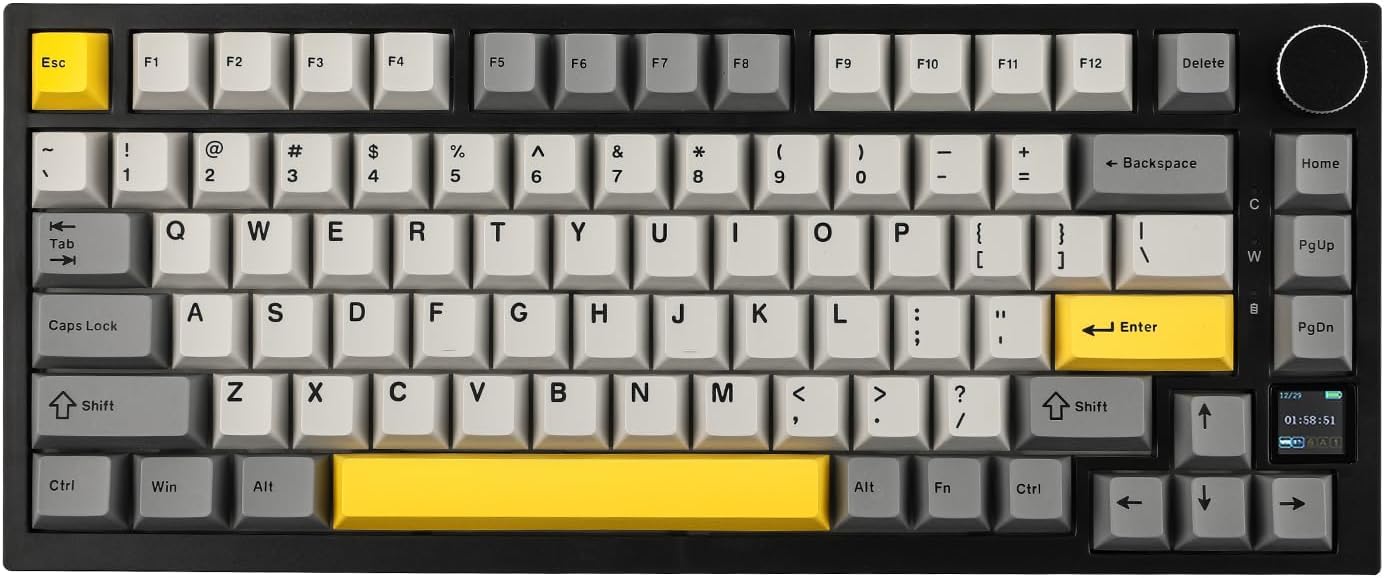
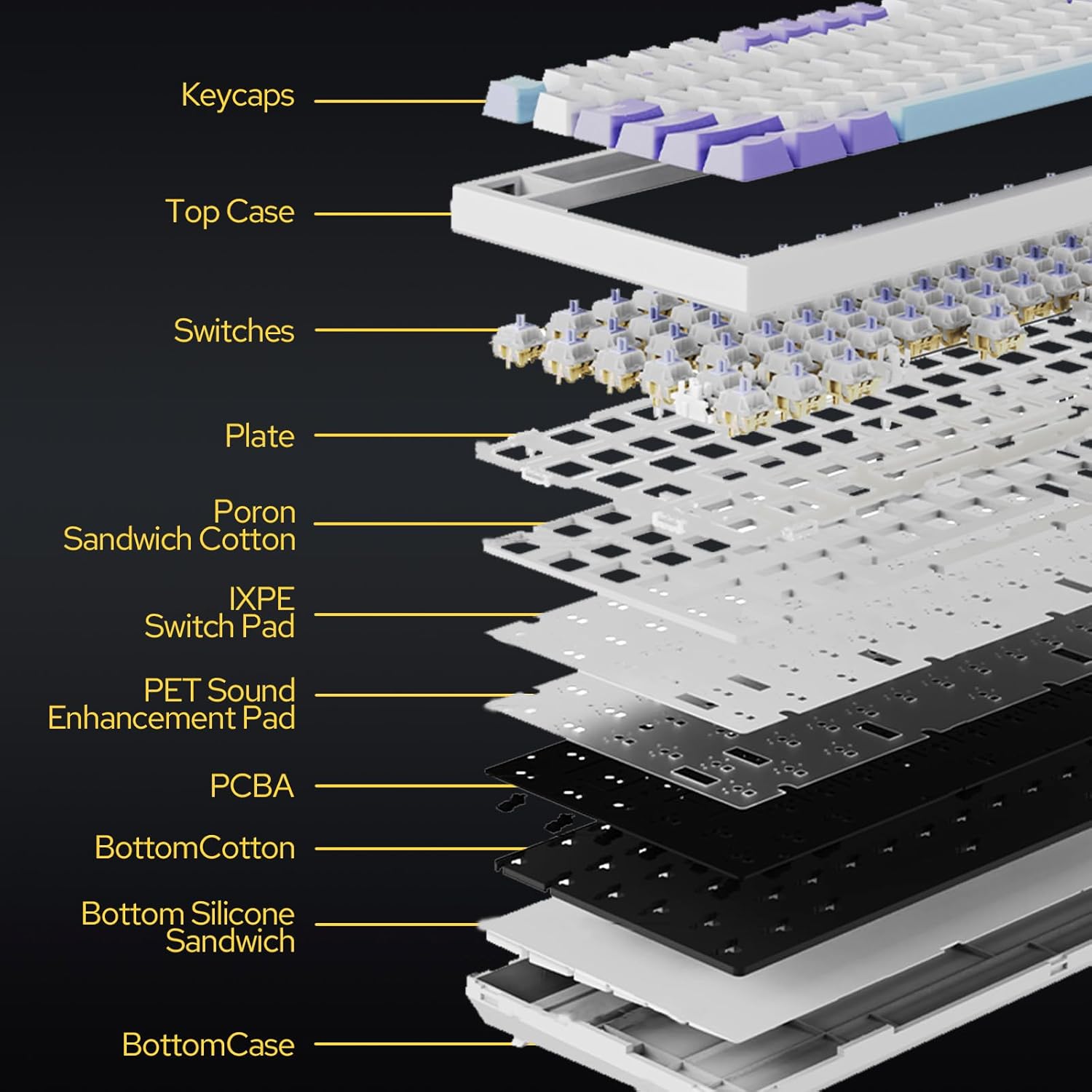
At its core, the AK820 Pro uses a gasket-mounted construction with a Flex-cut PC plate and PCB. This combination is intended to cushion each keypress while keeping overall stability, which can translate to a quieter, more controlled typing experience. The 75% layout means you get the essential function row and navigation cluster without the footprint of a full size board. If you value a compact setup that still feels responsive, this design choice is worth considering.
Connectivity and battery life
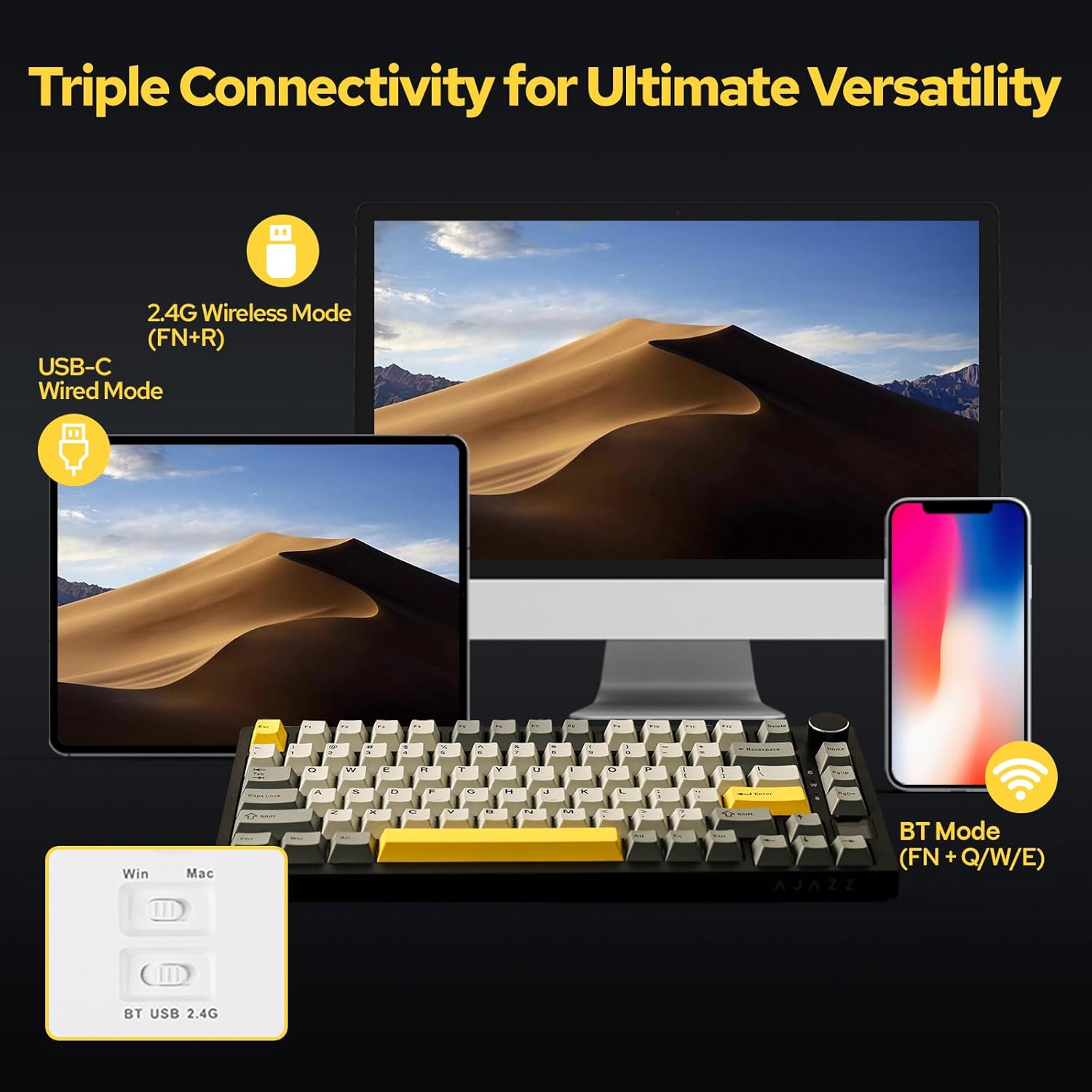
The AK820 Pro supports multiple connection modes: Bluetooth 5.1, 2.4GHz wireless, and wired USB‑C. You can switch among three modes to multitask across devices or operating systems. A 4000mAh battery promises longer sessions between charges, which is practical for portable use or standing desk setups. It’s also useful to know that switching between Mac and Windows modes is facilitated by the TFT screen, which can help you keep track of which OS you’re on during a session.
The TFT screen and lighting
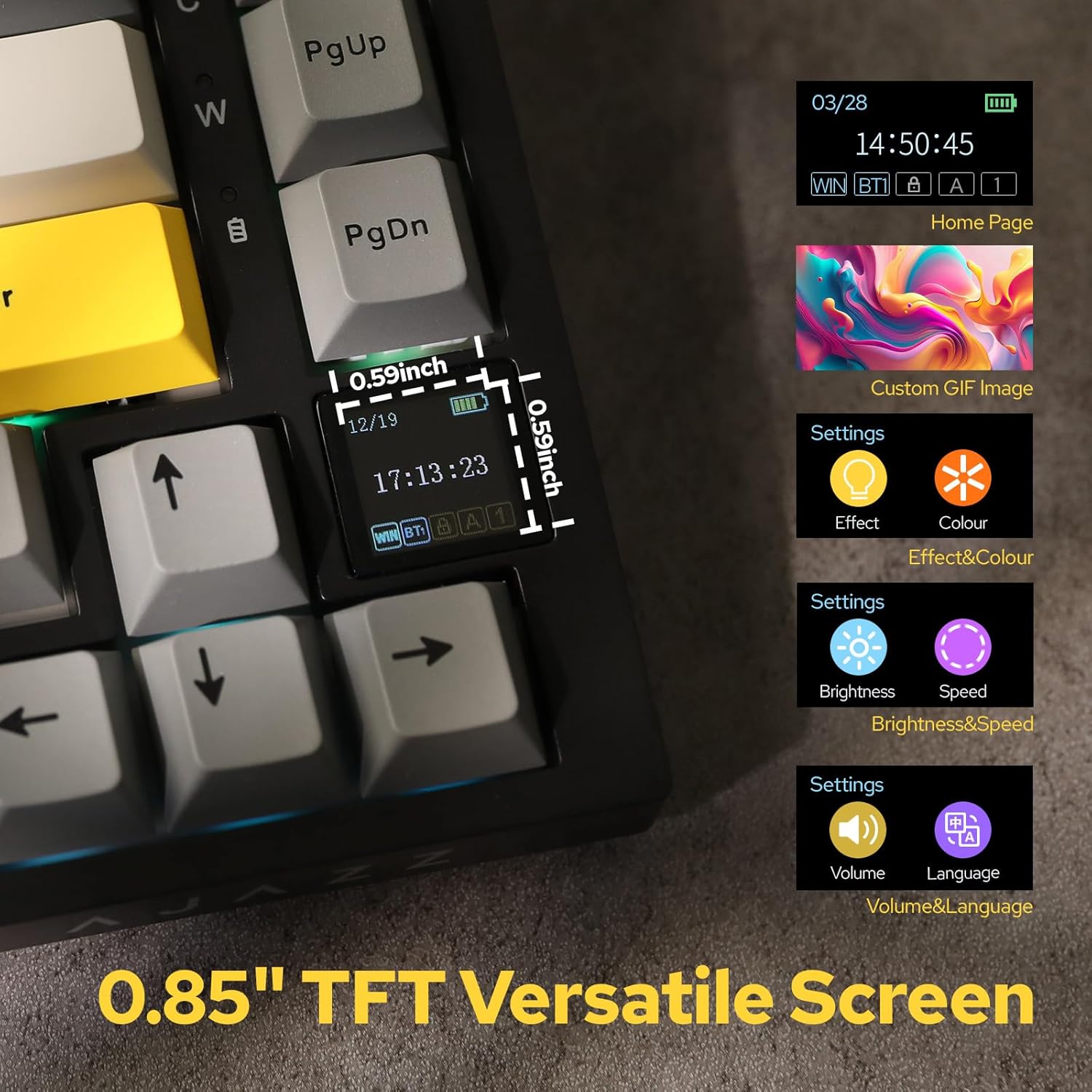
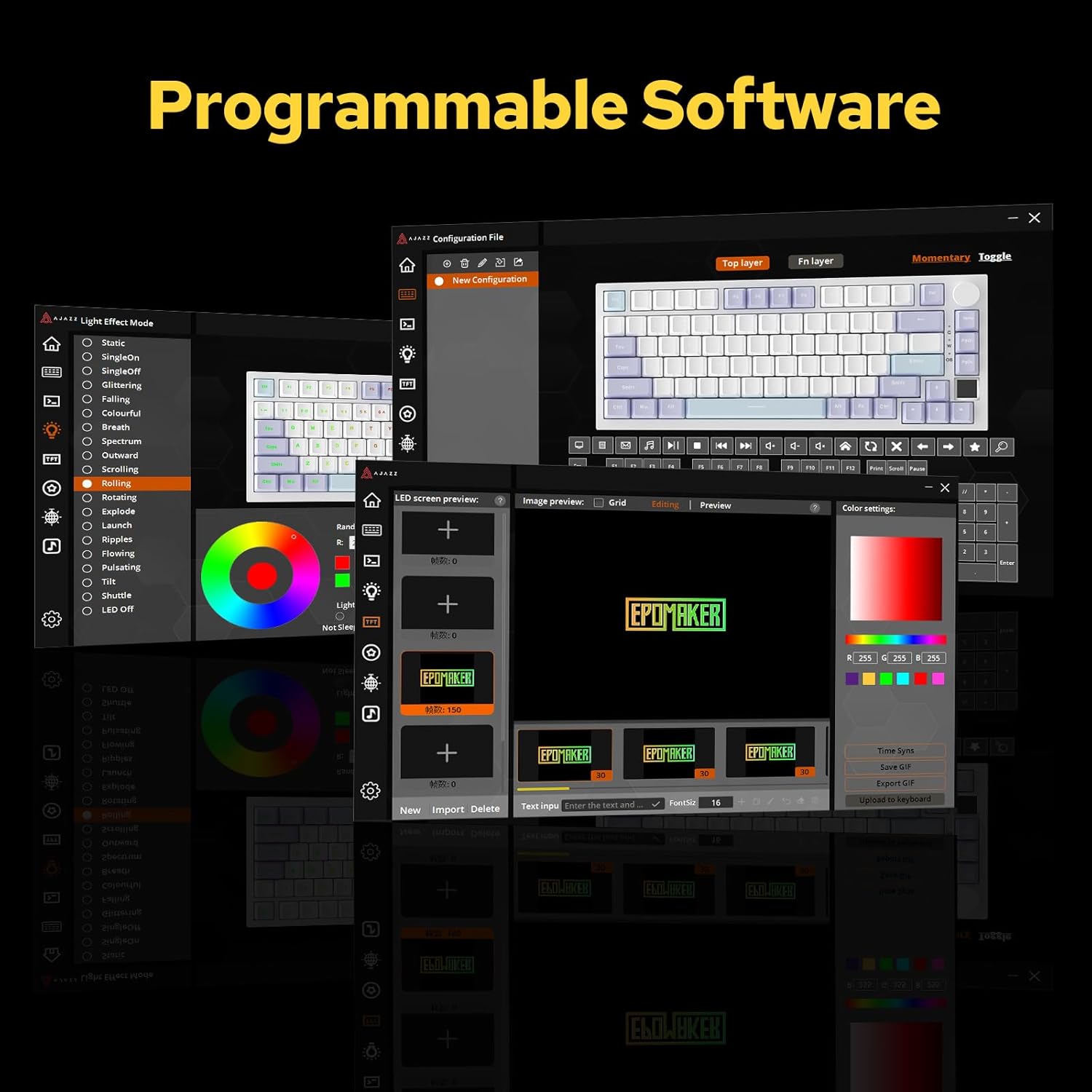
The standout feature here is the TFT interactive display. It acts as an on‑board interface for real‑time updates, battery status, date/time, connectivity status, and backlight effects. In addition, the South‑facing LEDs deliver vivid backlighting with up to 1.6 million color combinations. If you like customizing visuals to match your mood or workflow, this is a notable differentiator.
Compatibility and setup
The AK820 Pro is designed to be Mac/Windows‑friendly, with easy switching between modes and OS profiles. The combination of wireless options and a compact form factor makes it appealing for mixed‑device environments or users who switch between laptops and desktops.
What to know before buying
If your priority is a tiny footprint with modern wireless versatility and a customizable display, this keyboard aligns well on paper. However, the gasket mounting and flexible design may feel different from traditional fixed‑plate boards, so the typing experience can vary depending on your key choice and typing style. It’s not a universal fit for every desk setup, especially if you require a full‑size layout or a different switch type by default.
Who it’s for
This keyboard suits enthusiasts and professionals who want a compact, feature‑rich wireless solution with an interactive display. It’s a good match for multi‑device workflows, desk optimization, and gamers who appreciate a tactile feel with a quieter, cushioned keyboard experience. If you prioritize a large, flat footprint or a minimal RGB, you may want to weigh it against other layouts.
What it isn’t the best at
If you’re after a traditional, high‑profile typing surface with a standard, non‑gasket feel, or if you need a board with an extensive array of dedicated macro keys, this AK820 Pro might fall short of those expectations. The 75% footprint sacrifices some controls common on larger boards, and the TFT interface, while featureful, adds complexity that not all users will want to manage.
Practical takeaways for use
A practical example: you’re at a multi‑machine workstation and need to quickly switch between Mac and Windows without fiddling with software. The TFT display helps you keep OS mode visible while the three connectivity modes ensure you’re not tethered to a single device. For gaming, the gasket mount can reduce fatigue over long sessions, while the wired USB‑C option ensures a stable connection when latency matters.
Final considerations before purchase
- If desk space is a premium and you value wireless flexibility, this board makes sense.
- If you need a strict, plug‑and‑play experience with minimal setup, factor in the learning curve of the TFT interface.
- If you rely heavily on a particular switch preference or need a board without RGB complexity, assess whether the 1.6M color options align with your setup.
FAQ
- Q: Can I use this keyboard wired and still benefit from the TFT display? A: Yes, wired use is supported, and the TFT display remains active for monitoring and customization.
- Q: Is the battery life sufficient for daily heavy use? A: The 4000mAh battery is designed for long sessions, but exact runtime depends on backlight and usage patterns.
- Q: Will it work with my workflow across Windows and macOS seamlessly? A: It’s designed for cross‑OS compatibility, with mode switching via the TFT interface.
Is it worth it?
Worth considering if you want a compact, flexible setup with a distinctive TFT interface and a cushioned typing feel. If you prioritize a full‑size layout or a simpler feature set, you may be better off looking elsewhere.