

Razer BlackWidow V4 Mechanical Gaming Keyboard (Green Switches, Chroma RGB, 6 Macro Keys) with Magnetic Wrist Rest
Product description
The essentials
If you want a mechanical keyboard that feels responsive and gives you satisfying feedback with every press, the Razer BlackWidow V4 is built around clicky, tactile Green switches. On paper, that combination—tactile feel plus audible “click”—is exactly what many gamers and typists chase when precision and confidence matter. Add Razer Chroma RGB with per-key lighting and underglow, and you’re not just getting a tool for inputs, you’re also getting a battlestation-style visual setup.
That said, clicky switches aren’t for everyone. They can be loud, and the sound/feel can be a downside if you share your space or you’re sensitive to noisy feedback. So the “worth it” part depends more on your preferred switch feel than on the lighting.
Where it shines in everyday use
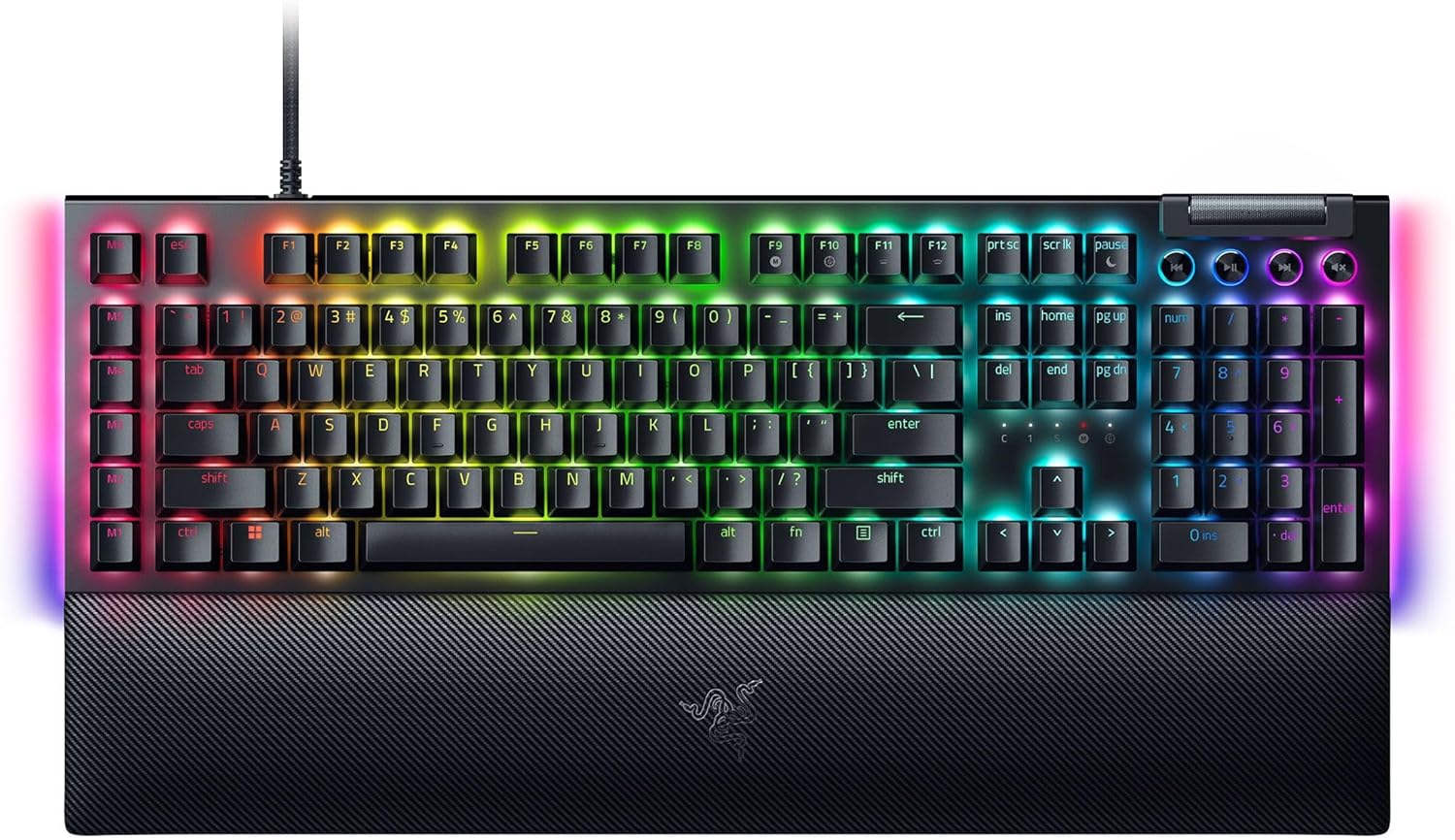
The headline here is the Green mechanical clicky switches: an actuation point of 1.9mm with 50g of force. In real terms, it’s designed for quick, precise input—meaning you don’t need a huge push to register a keystroke. For gaming, this can make your actions feel more immediate, especially during fast movement or rapid-fire moments.
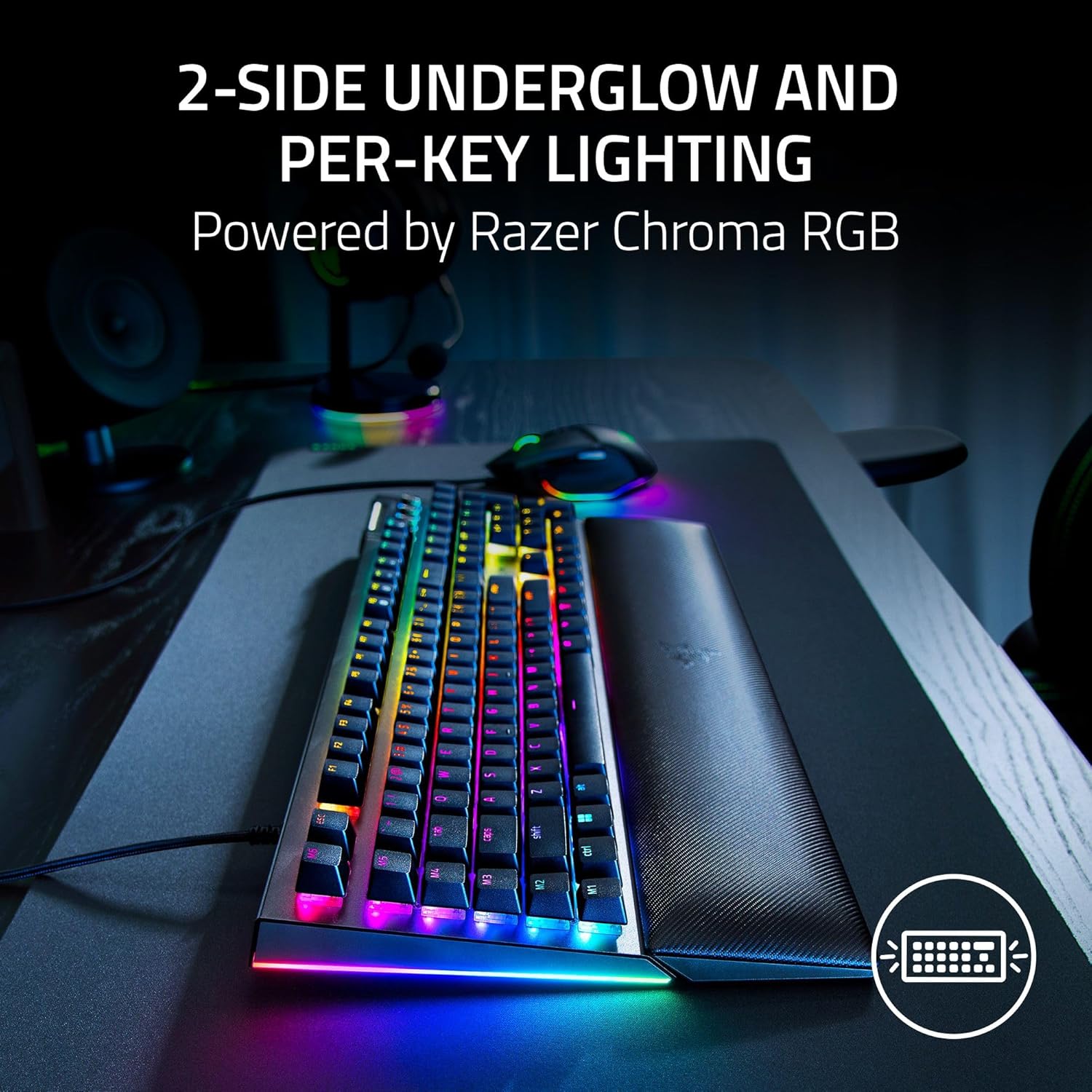
The board also includes two-sided underglow plus per-key lighting. If you like seeing your setup from different angles—think desk lighting, monitor glow, and the “whole keyboard” look—this is the type of feature set that tends to stand out. And with Chroma RGB, it’s positioned as immersion-friendly for hundreds of integrated games.
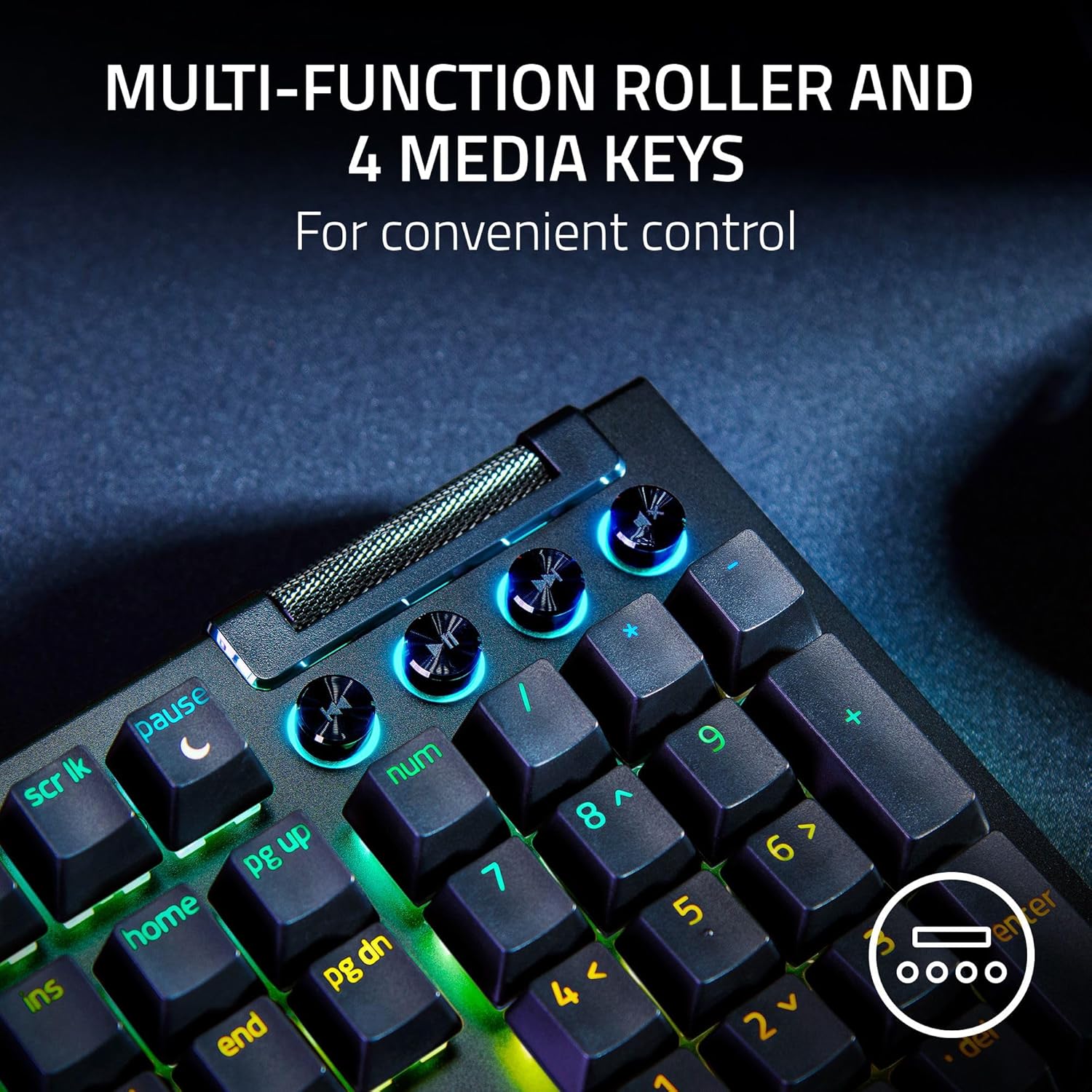
A small but practical detail: the keys include roller and media keys. That’s the kind of everyday convenience you’ll notice outside matches, like quickly controlling audio without reaching for your mouse.
What matters most: macros and comfort
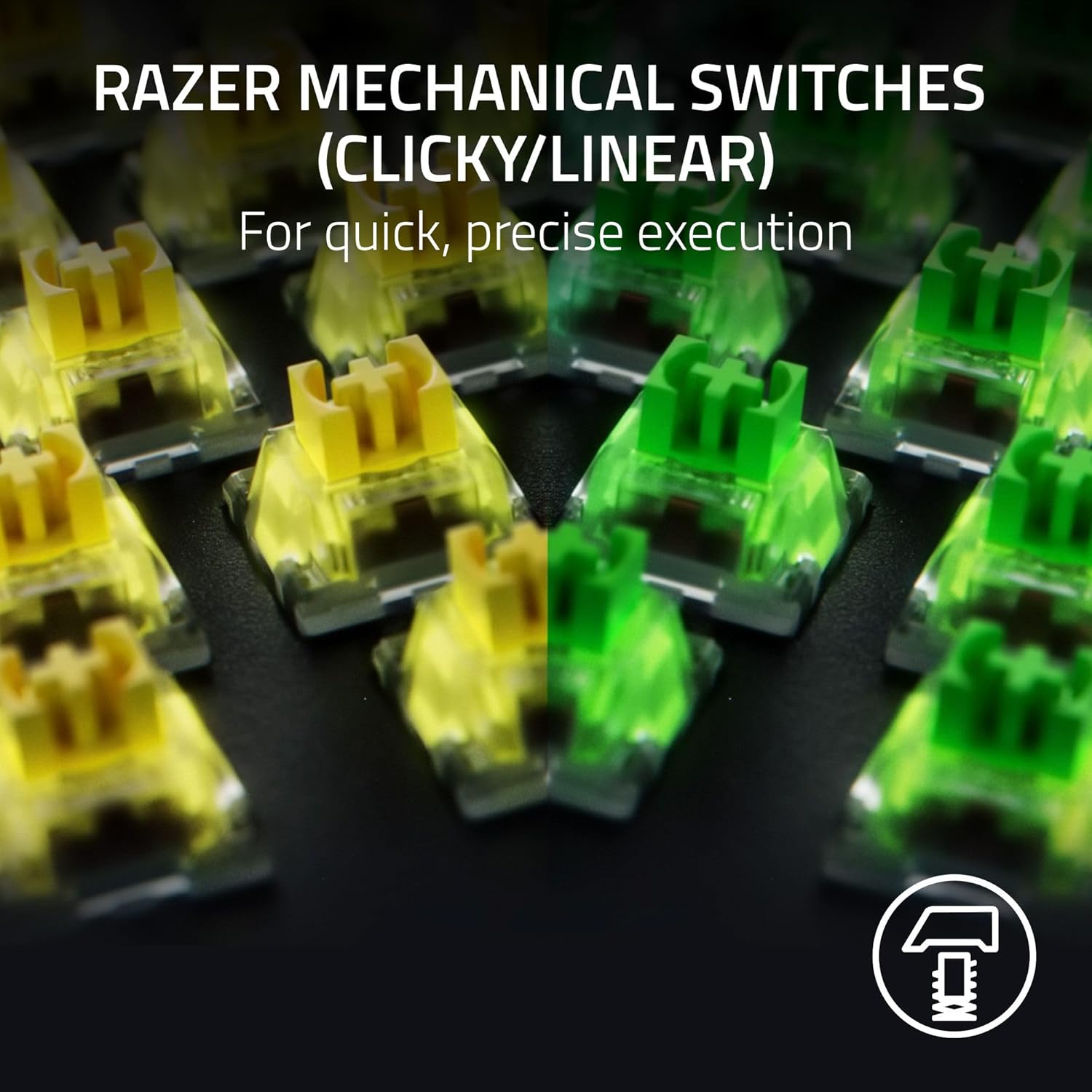
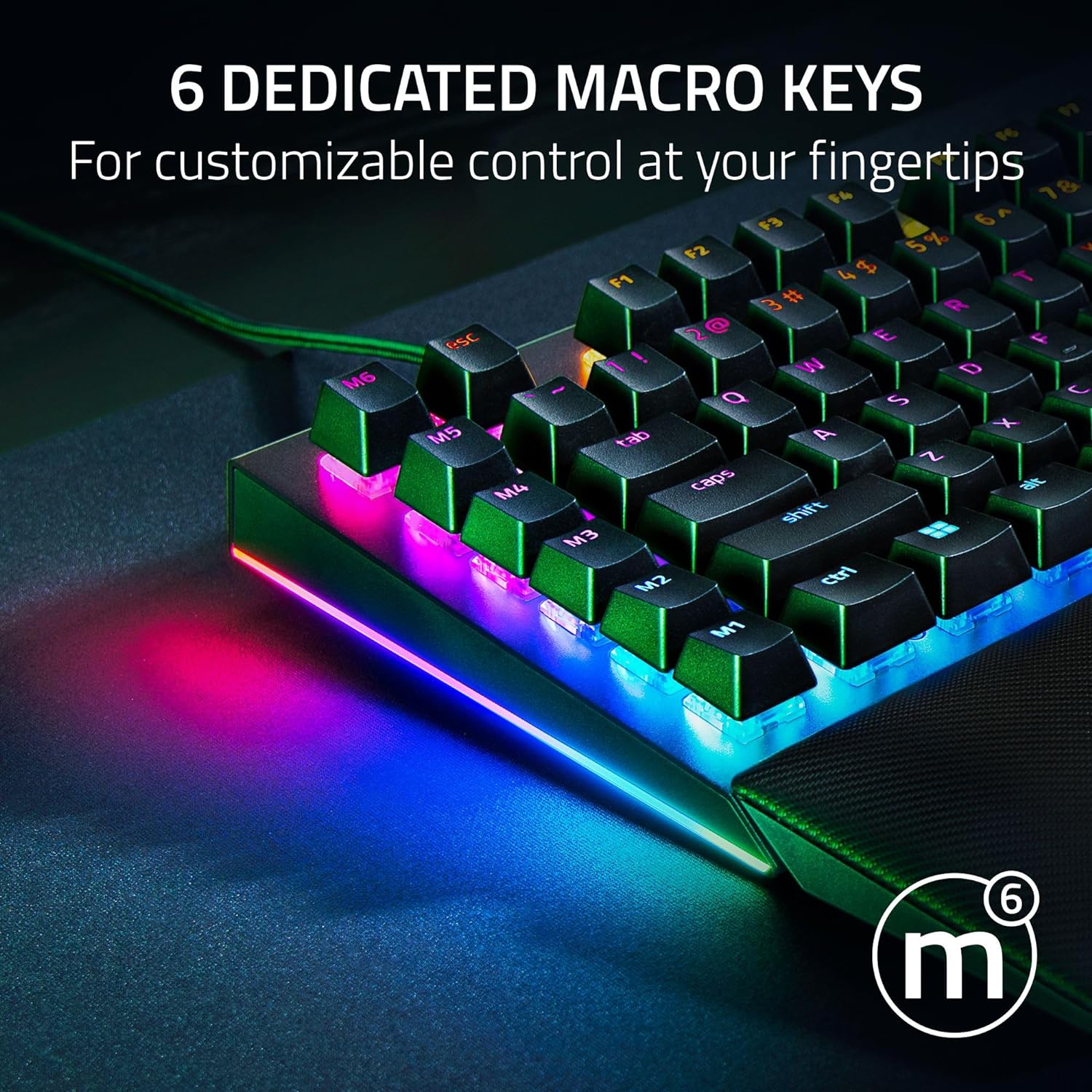
Six dedicated macro keys are included to give you fast-access commands you can program to match your preferred playstyle. This can be especially helpful if you regularly run the same set of actions—like opening a loadout sequence, triggering a utility rotation, or streamlining repeated in-game steps.
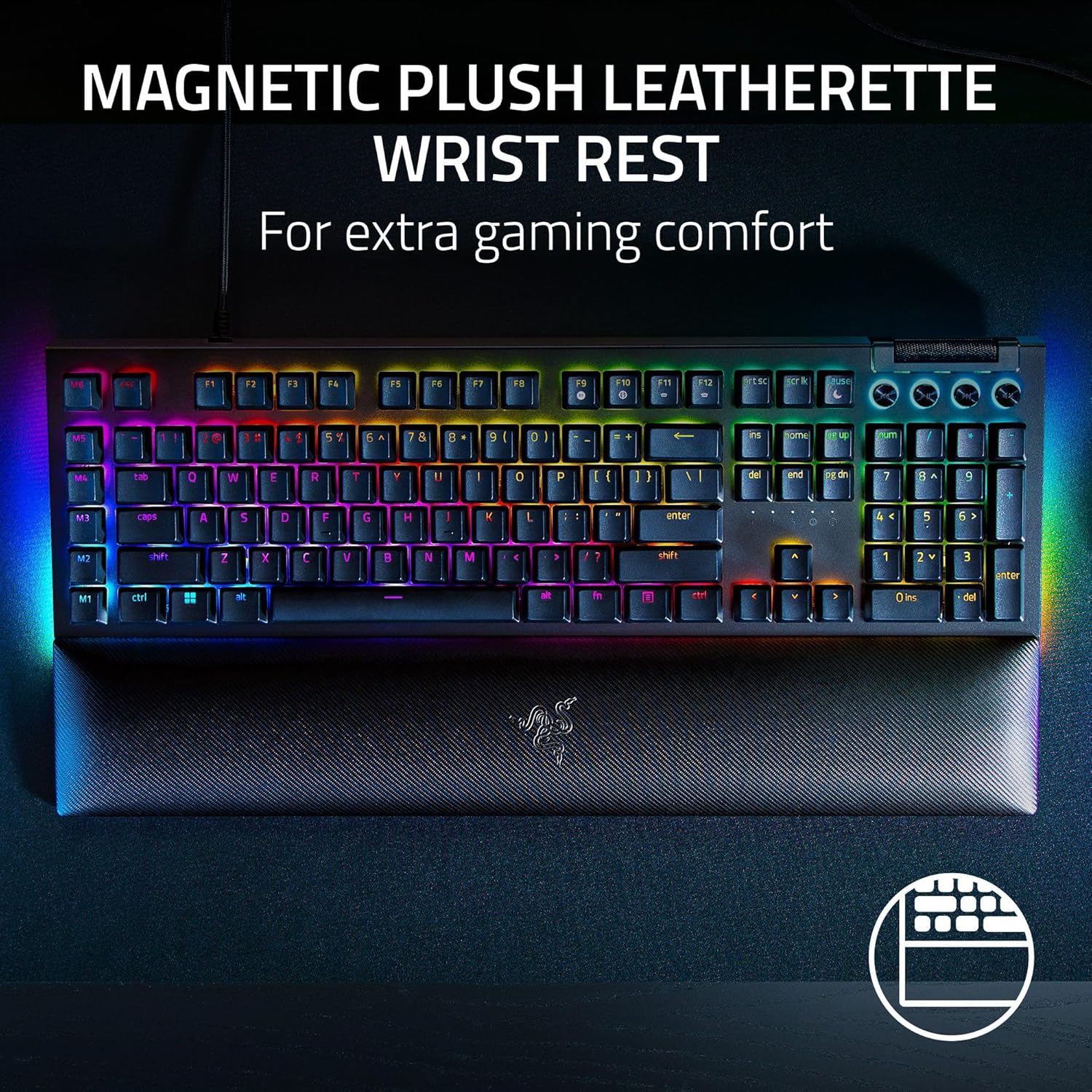
Comfort is handled with a magnetic plush leatherette wrist rest that snaps securely onto the keyboard. For longer sessions, having consistent wrist support can reduce strain and make the desk time feel less taxing. Not every keyboard nails this part, but the “snap-on” approach is at least straightforward to live with.
Still, keep expectations realistic: wrist rests are personal. If you prefer a very firm rest, or if your hand position is already ergonomic, you might not feel much difference.
Lighting, keycaps, and build choices
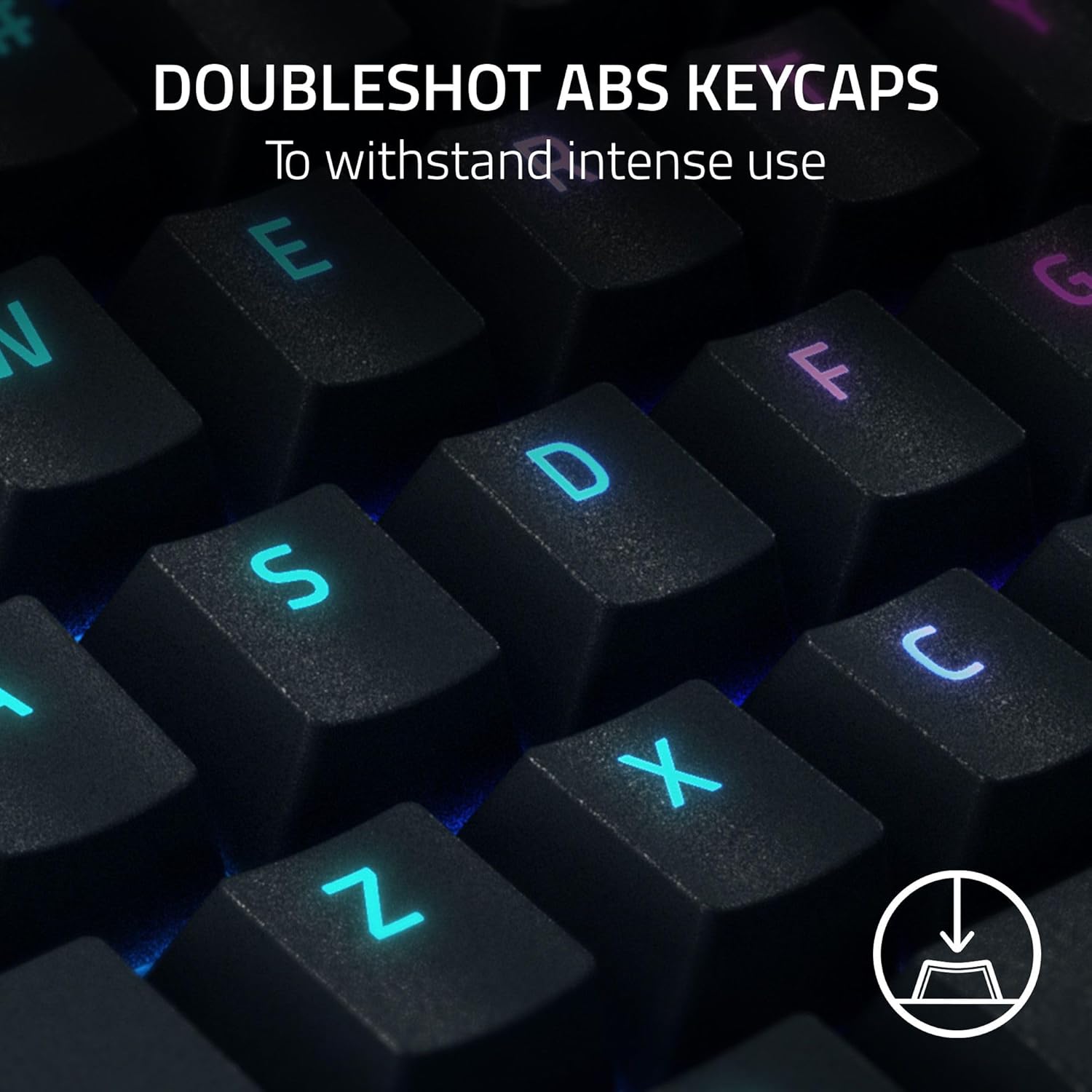
Razer includes doubleshot ABS keycaps. The key idea with doubleshot molding is that the labeling shouldn’t wear off as easily over time, and the keycaps also have extra-thick walls aimed at withstanding intense gaming. That combination is a big deal if you’re the type to grind daily—because the most common failure mode of cheaper keycap sets is fading or wear.
The board also emphasizes per-key lighting and underglow from multiple angles. The visual payoff is there, but it’s worth remembering that lighting is an aesthetic feature first—game performance doesn’t directly improve because the keys glow.
Tech specs
- Name: Razer BlackWidow V4 Mechanical Gaming Keyboard
- Type: Mechanical gaming keyboard with clicky switches
- Switch type: Green (tactile & clicky)
- Actuation point: 1.9mm
- Actuation force: 50g
- Lighting: Razer Chroma RGB, per-key lighting, 2-side underglow
- Macro keys: 6 dedicated macro keys
- Wrist rest: Magnetic plush leatherette wrist rest
- Keycaps: Doubleshot ABS keycaps
- Extras: Roller & media keys, Snap Tap
Best use cases (and where it may not fit)
It makes sense if you want tactile, clicky feedback and you’re the kind of user who will actually use per-key RGB and macro keys. If your setup is about immersion—matching lighting to gameplay and enjoying the look from more than one angle—this keyboard is clearly aiming at that vibe.
It may not suit you if you need a quiet keyboard, since Green clicky switches are inherently louder than non-clicky options. Also, if you’re mostly looking for basic typing or you don’t care about RGB and macro shortcuts, you might be paying for features you won’t use.
For example, during a game session where you rotate abilities repeatedly, assigning those actions to the six macro keys can reduce menu fumbling. Then, when you’re done, the roller and media keys are the kind of quick control you’ll use for volume and playback without breaking your workflow.
Mini FAQ
Is the keyboard meant for gaming or typing?
It’s positioned as a mechanical gaming keyboard, with clicky Green switches, six macro keys, and RGB integration aimed at game setups. That doesn’t mean it can’t be used for typing, but its features are clearly gaming-forward.
How loud are Green clicky switches?
Since they’re clicky, you should assume they’re noticeably louder than silent or linear switch types. If you share a room or prefer minimal noise, it’s one of the first things to consider.
Do the macro keys come pre-programmed?
The included information describes them as programmable to your preferred playstyle, so you should expect customization rather than assuming a universal default.
Does the wrist rest attach securely?
It’s described as a magnetic plush leatherette wrist rest that snaps to the keyboard, so it’s designed to stay in place during use.
What’s the point of doubleshot ABS keycaps?
Doubleshot molding is intended to help the labeling last longer by reducing wear, and the keycaps are also described as having extra-thick walls for intense gaming.
Is it worth it?
Buy the Razer BlackWidow V4 if you specifically want a tactile clicky feel from Green switches, you’ll use Chroma RGB (including the underglow and per-key lighting), and you like having six dedicated macro keys ready for faster in-game actions. The doubleshot keycap approach and the snap-on wrist rest add to the “daily driver” feel.
Skip it if you want a quiet keyboard or if RGB and macros don’t play a role in how you use a keyboard. In that case, the extra features can end up as unused extras rather than practical upgrades.