

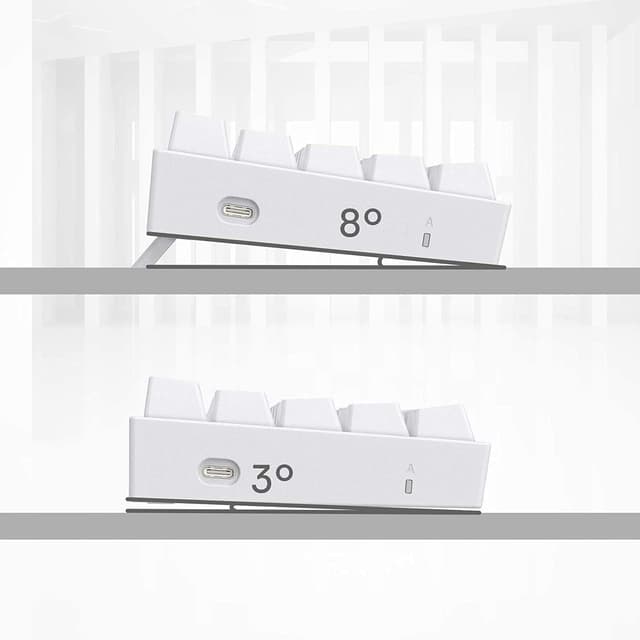
Redragon K630 Dragonborn 60% Wired RGB Mechanical Gaming Keyboard (61 keys, tactile red switches, white)
Product description
What it is and who it’s for
The Redragon K630 Dragonborn is a 60% wired mechanical gaming keyboard designed to save desk space while still giving you RGB lighting and basic gaming-oriented controls. It uses a 61-key compact layout (so you’re not dealing with a full-size board) and focuses on a straightforward “plug in and play” experience in a wired-only mode.
If you like the idea of a cleaner setup—especially on smaller desks—this kind of compact keyboard tends to make sense. Place it straight and you’ll typically find there’s less temptation to angle it in a way that eats into mouse space. That’s a small detail, but it’s often exactly what people are trying to fix when they choose a 60% layout.
Still, it’s not a board for everyone: if you need function rows, dedicated numpad keys, or you’re not comfortable with a compact layout, you may end up missing key convenience day to day.
Key takeaways (worth knowing before you buy)
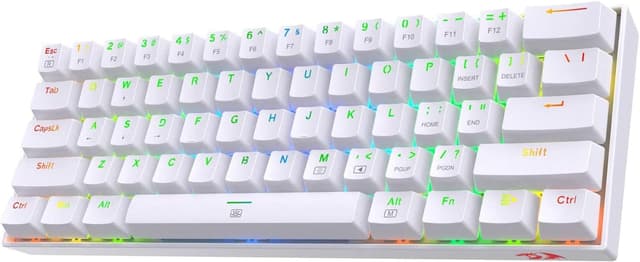
This is a wired-only 60% keyboard with RGB, 61 keys, and hot-swappable Red switches. It’s positioned as a value-focused compact mechanical option with some customisation potential via Pro driver/software support.
One limitation to keep in mind is that it’s “wired only”. If you’re shopping for a wireless setup, you’ll need to look elsewhere.
Also, the description states the switches are “most quiet” and rated for 50 million keypresses, but it doesn’t give more detail on noise profile versus other switch types—so if silence is your top priority, it’s sensible to read any additional information available on the listing to see how it fits your expectations.
What stands out in everyday use
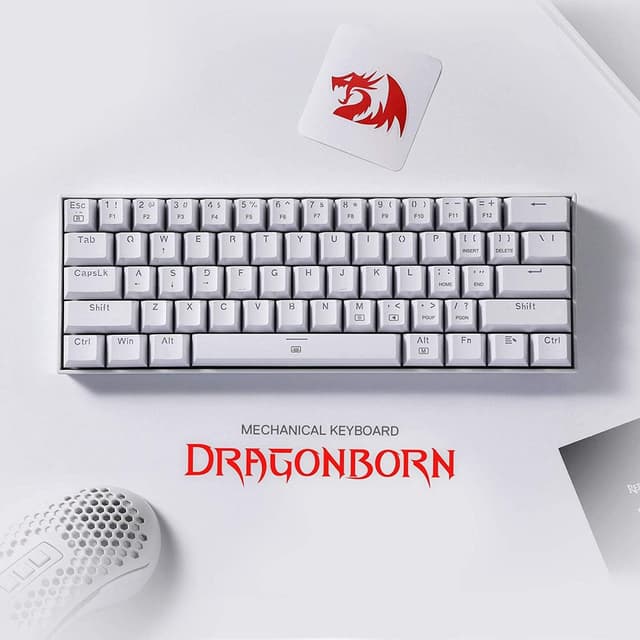
The biggest practical selling point is the form factor. A 60% layout with 61 keys frees up desktop space, and the description explicitly calls out better mouse clearance when the keyboard is positioned properly and straight on the desk.
On top of that, the hot-swappable approach means you’re not locked into a single switch choice forever—so if you like tinkering, this is the sort of feature that can extend how long you’ll want to keep the keyboard. It also supports Redragon hot-swap with other Redragon switches (so you’re not hunting for random compatibilities).
For lighting, you get up to 11 RGB presets, plus adjustable brightness and flowing speed directly on the keyboard. That’s the kind of control that’s useful when you want the board to match the mood of the room—or your game—without needing extra software for every change.
Customisation and macros with Pro software
There’s a “Pro Software” angle here: the keyboard can be customised using available software to design your own modes and effects, and it supports macros with different keybindings or shortcuts for faster work and gaming.
That matters if you’re the sort of user who actually sets up routines—like binding common actions to compact keys, or creating repeatable shortcuts for games and daily tasks. If you just want plain typing with occasional lighting, the software side may feel like more effort than it’s worth.

In other words: it’s not only a “lights and keys” keyboard, it’s set up for people who want to configure it beyond the presets.
Tech summary (relevant specs)
- Type: Wired 60% compact mechanical gaming keyboard
- Layout/keys: 61 keys (ultra-compact / minimalistic)
- Switches: Hot-swappable Red switch (tactile Red switch stated)
- Key feel: Tactile description included, rated switches for 50 million keypresses
- N-key rollover: NKRO
- RGB: Up to 11 preset backlighting modes, brightness and flowing speed adjustable on board
- Customisation: Pro driver support for modes/effects and macros
- Colour: White

Who it suits, and who should look at alternatives
This makes the most sense if you want a compact mechanical keyboard for gaming and desk tidiness, and you’re happy with a wired-only setup. The hot-swappable design also suits users who like to adjust feel over time rather than commit forever to a single switch.
It may not suit you if you strongly prefer wireless, need full-size convenience (like a numpad), or you don’t want to use software/macros at all. In those cases, a more straightforward full-size board (or a different compact model that matches your layout needs) can be less hassle.
Here’s a practical example: you game on FPS sessions where keyboard space and mouse movement matter. With this board, you can put it straight on your desk so your mouse doesn’t repeatedly bump into the keyboard area, while RGB and lighting presets keep your setup consistent without constantly diving into settings.
Final verdict
It’s a solid purchase if you’re after a wired 60% mechanical gaming keyboard with NKRO, RGB presets with on-board adjustments, and hot-swappable switches, plus the option of Pro software for macros and custom effects. You’ll likely get good value if you care about compact desk space and you’re willing to adapt to a 61-key layout.
You may want to skip it if you need wireless, require the convenience of a full-size layout, or you’re not interested in any kind of customisation beyond default lighting.

Mini FAQ
What does “wired only” mean for the K630?
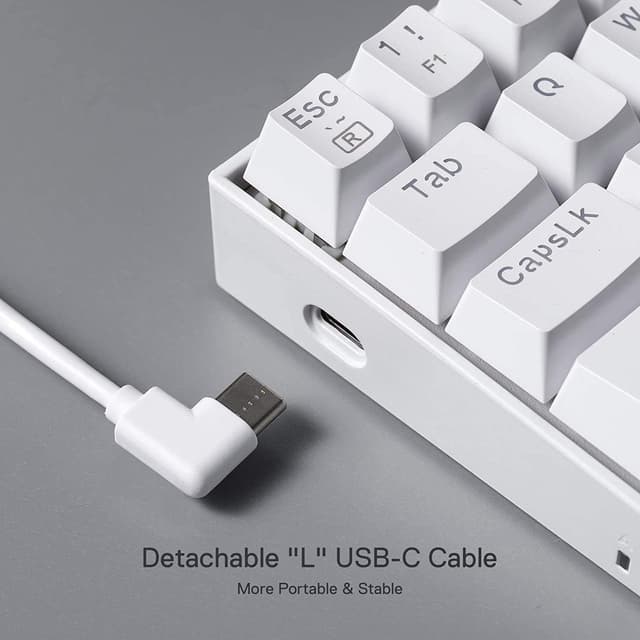
The listing describes it as wired-only mode, so it’s meant to be used connected rather than as a wireless keyboard.
Are the switches replaceable?
Yes, it’s described as hot-swappable with Redragon switches, which suggests you can swap switches without soldering.
Can I change the RGB modes without software?
The description says brightness and flowing speed are adjustable on the keyboard itself, and there are multiple RGB presets.
Does it support NKRO?
Yes, it’s listed as NKRO for ultra-compact 61-key usage.
Can I set up macros?
Pro software support is mentioned, including macros with different keybindings or shortcuts for gaming and work.