

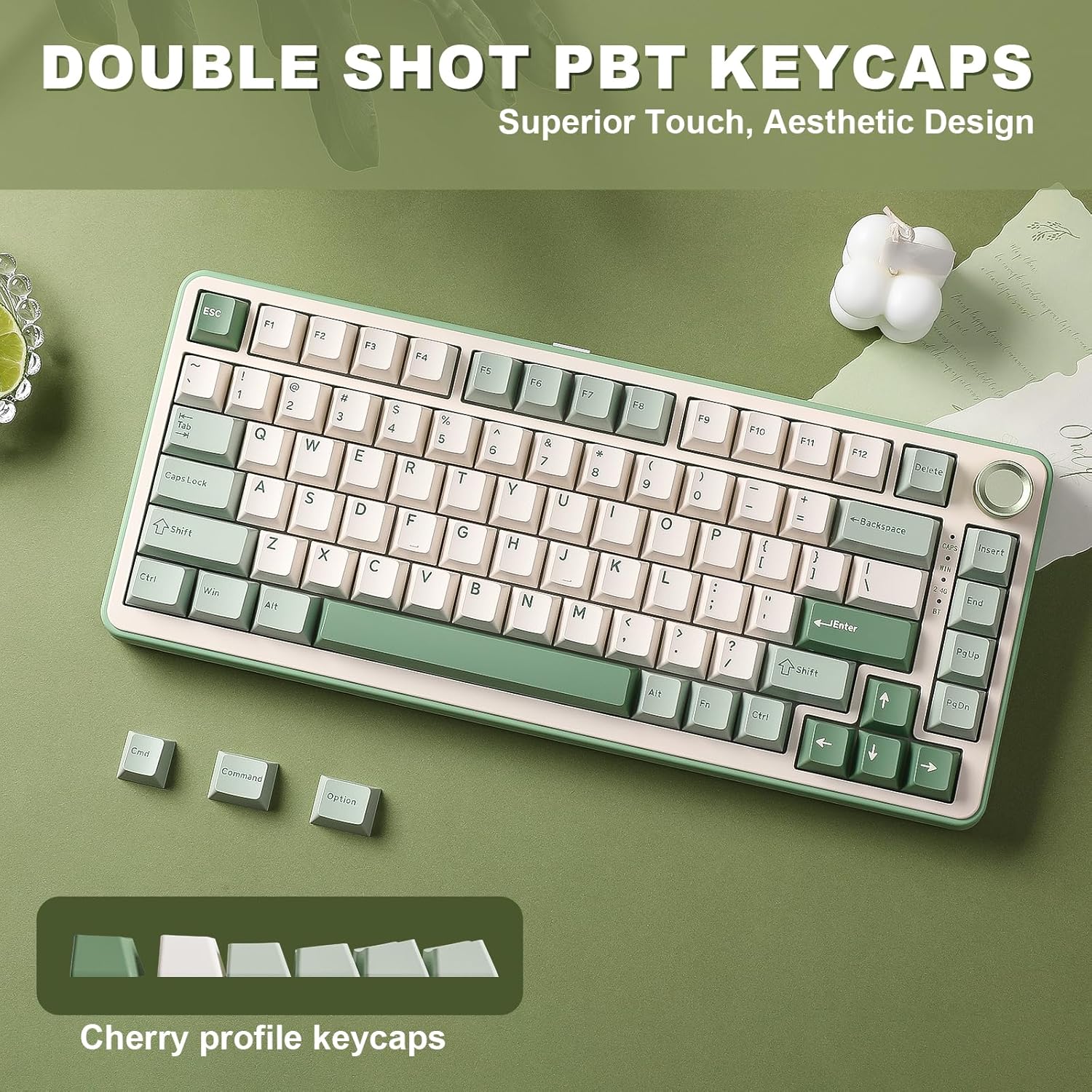
YUNZII B75 PRO Wireless Mechanical Keyboard (75% Gasket, Hot-swap, RGB, Bluetooth/2.4G/Type-C)
Product description
What it is and why people look at it
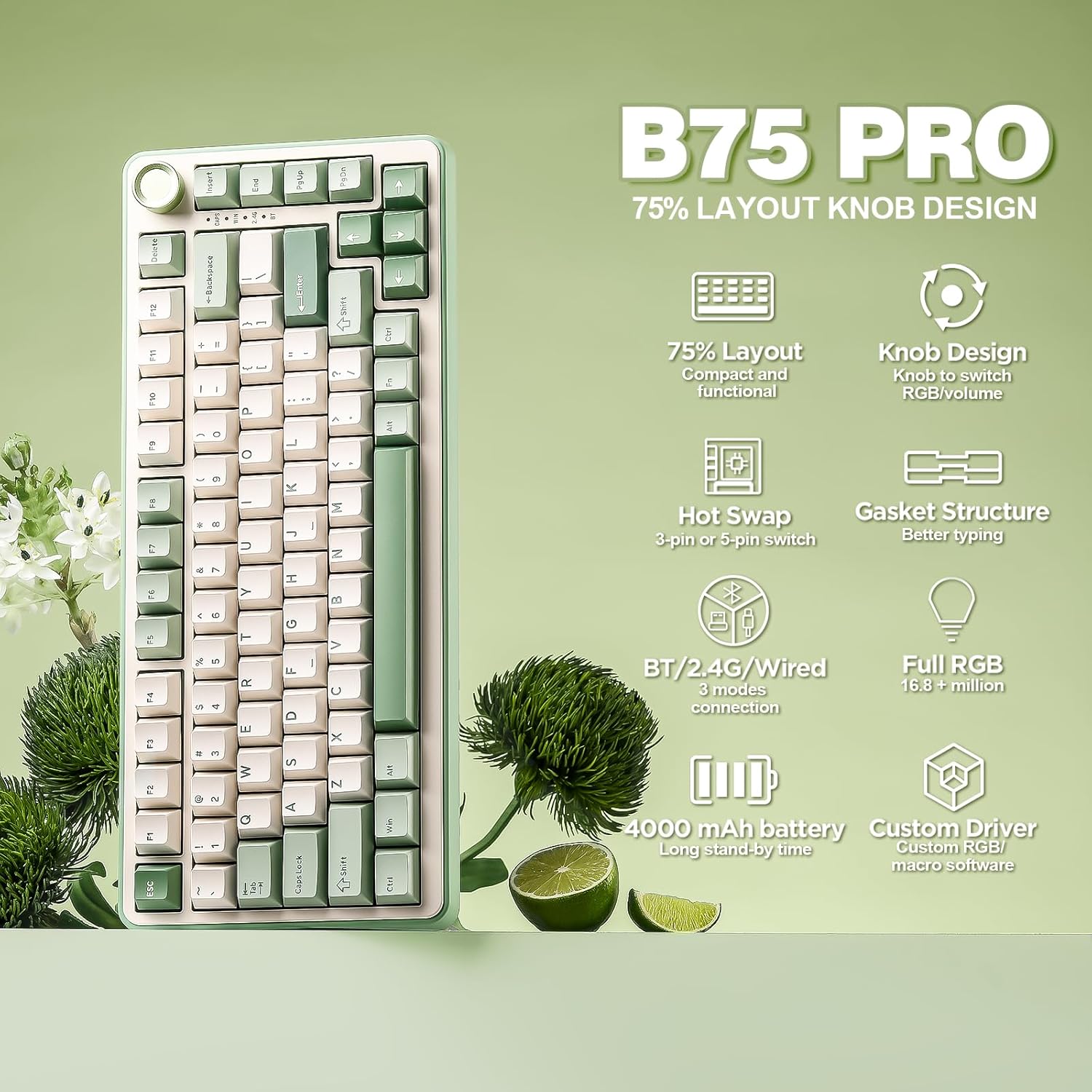
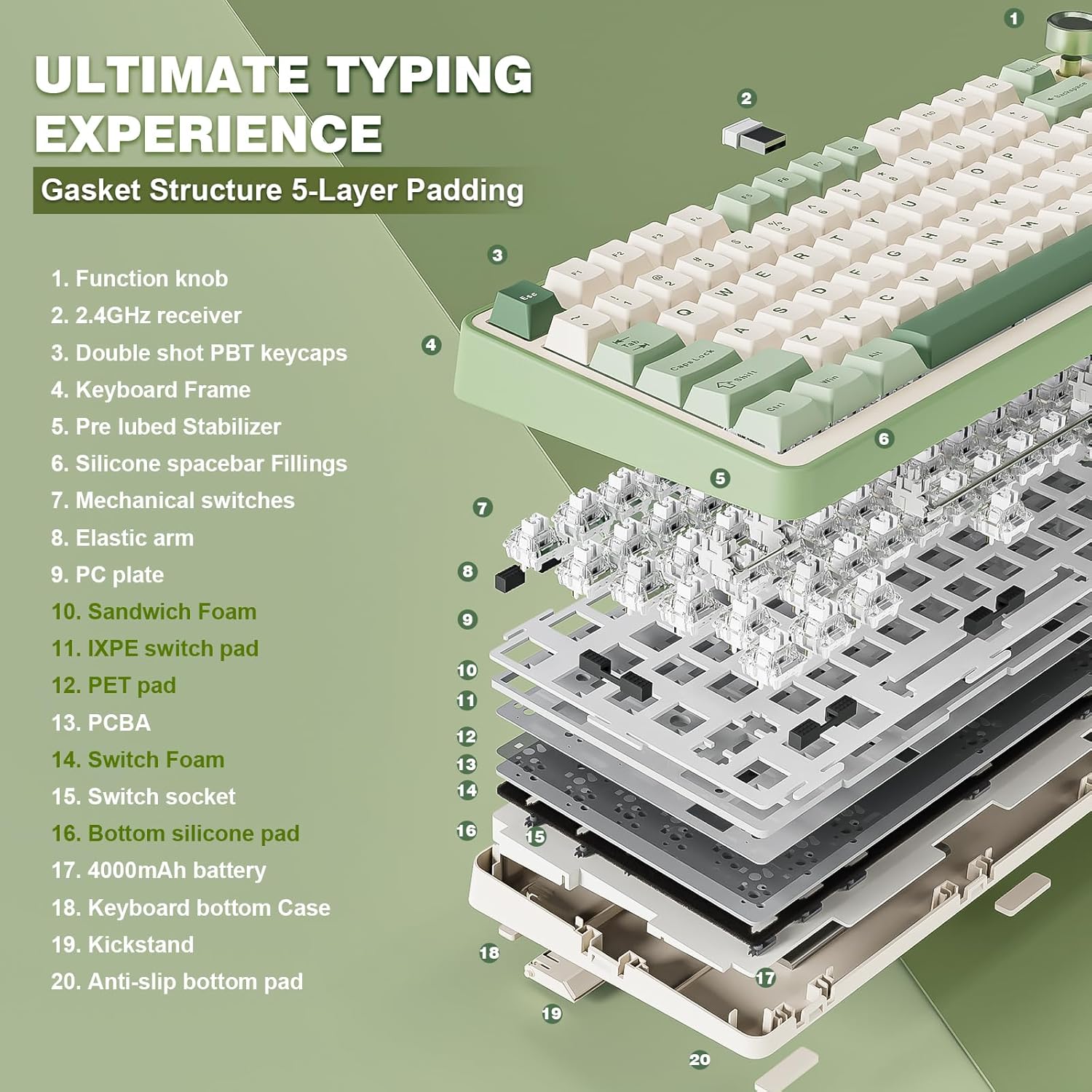
The YUNZII B75 PRO is a 75% wireless mechanical keyboard that leans into a few “enthusiast-friendly” ideas without asking you to build everything from scratch. You get a compact layout (it’s described as a 75% board with 82 keys), a multi-function dial, gasket-style mounting with multi-layer padding for a more muted feel, and switch hot-swap so you can change switches later.
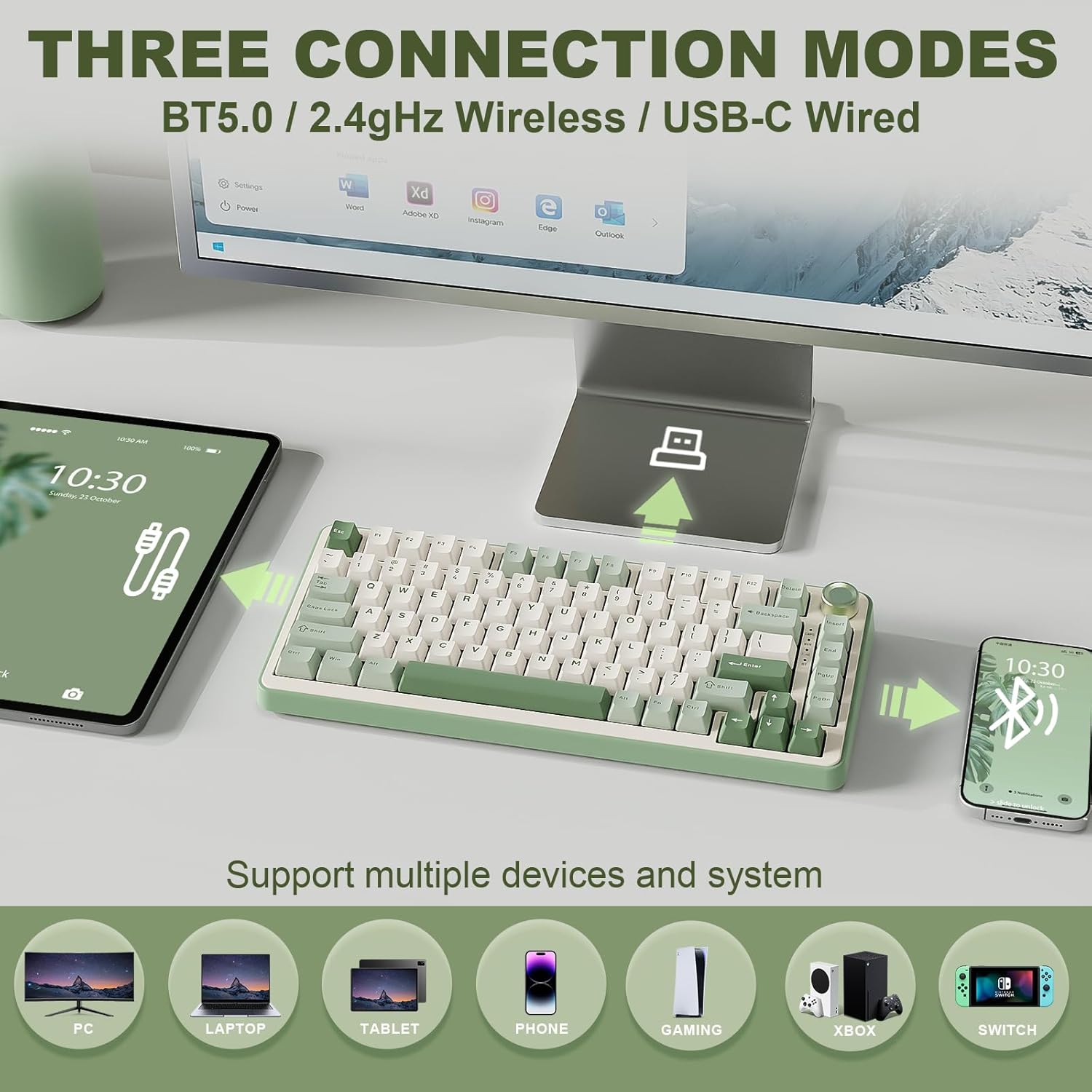
It also offers three connection options: Bluetooth, 2.4G wireless, and wired Type-C. On paper, that combination suits people who switch between a desk setup and a laptop, or who want low-latency wireless for gaming but still have an easy option for everyday use.
The experience: gasket mounting, pre-lubed switches, and sound control
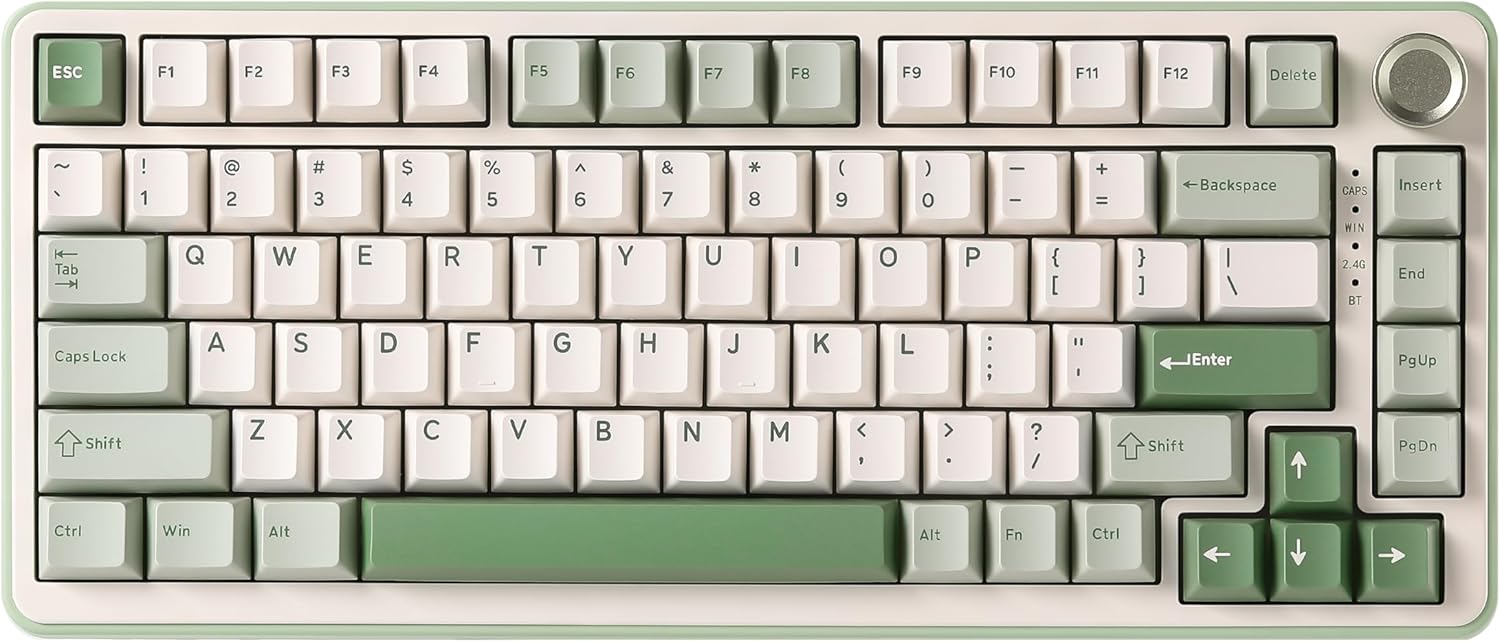
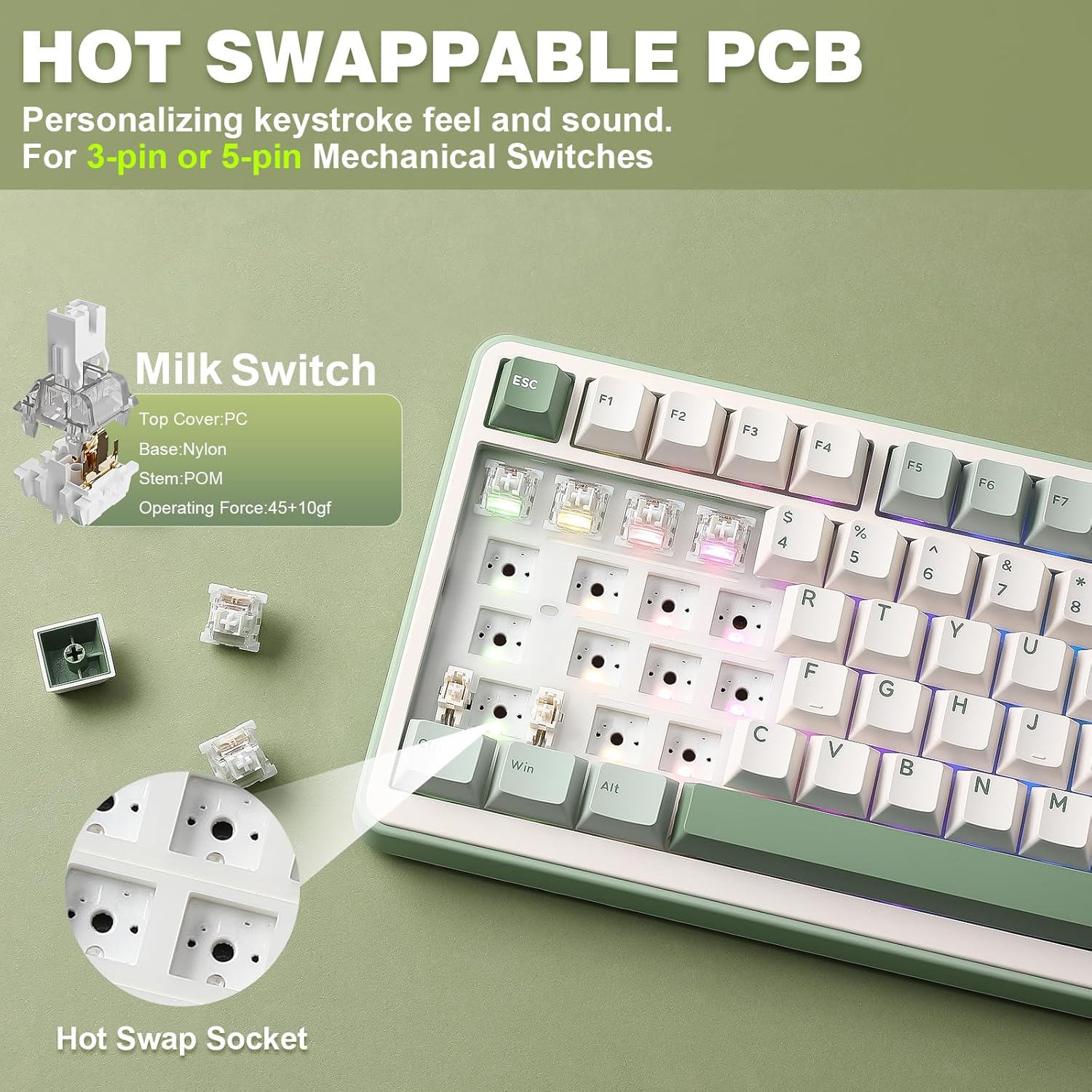
Where this keyboard starts to feel “different” is the way it’s built for typing feel and noise management. The description points to a gasket mounting structure with 5 layers of padding and noise-cancelling design. It also mentions precision-tuned stabilisers and double-click keys, plus pre-lubed linear switches (it’s listed as “Milk Switch”).
In real-world terms, this kind of setup is often chosen by people who find many budget boards a bit too pingy or harsh. Here, the claim is more about a softer, smoother sound and a solid typing sensation. That said, without independent sound tests you’ll want to treat the exact “sound” as a likely improvement rather than a guaranteed match for your preferences—some users still prefer deeper thock or a more pronounced tactile character than a linear switch gives.
Also worth noting: the multi-function knob is positioned as a quick way to adjust sound level and RGB effects, and a long press can switch between “game mode” and “office” mode. That’s a genuinely practical idea if you frequently change what you’re doing on the same machine.
Connectivity and battery: three modes, one keyboard on the desk
The B75 PRO is described as supporting Bluetooth, 2.4G, and a stable wired connection via Type-C. For mixed use, that matters because you can keep your gaming wireless setup for responsiveness, then fall back to Bluetooth for a laptop or tablet use case.
There’s also an integrated 4000 mAh battery, aimed at longer wireless sessions without taking up extra desk space. If you’ve ever had a keyboard that forces constant charging, this is the kind of specification you look for first. Still, the “how long it lasts” part will depend quite a bit on your RGB settings and which wireless mode you’re using.
Hot-swap and compatibility details you should double-check
This keyboard is positioned as hot-swappable (“fully hot-swappable housings” are mentioned), and it states it supports mechanical switches with 3 or 5 pins. That’s a big deal if you like experimenting: you can potentially change the sound and feel later without soldering.
However, because the listing is also specific about the included pre-lubed switches (listed as “Milk Switch”), it’s worth thinking about what you’re trying to achieve. If you’re the type who wants to buy once and stick with the included switch feel, hot-swap may be more of a “nice extra” than a must. If you’re actively planning to tune your build, it becomes a key reason to choose this over a board that’s fixed.
RGB, programming, and the “dial” as a daily driver
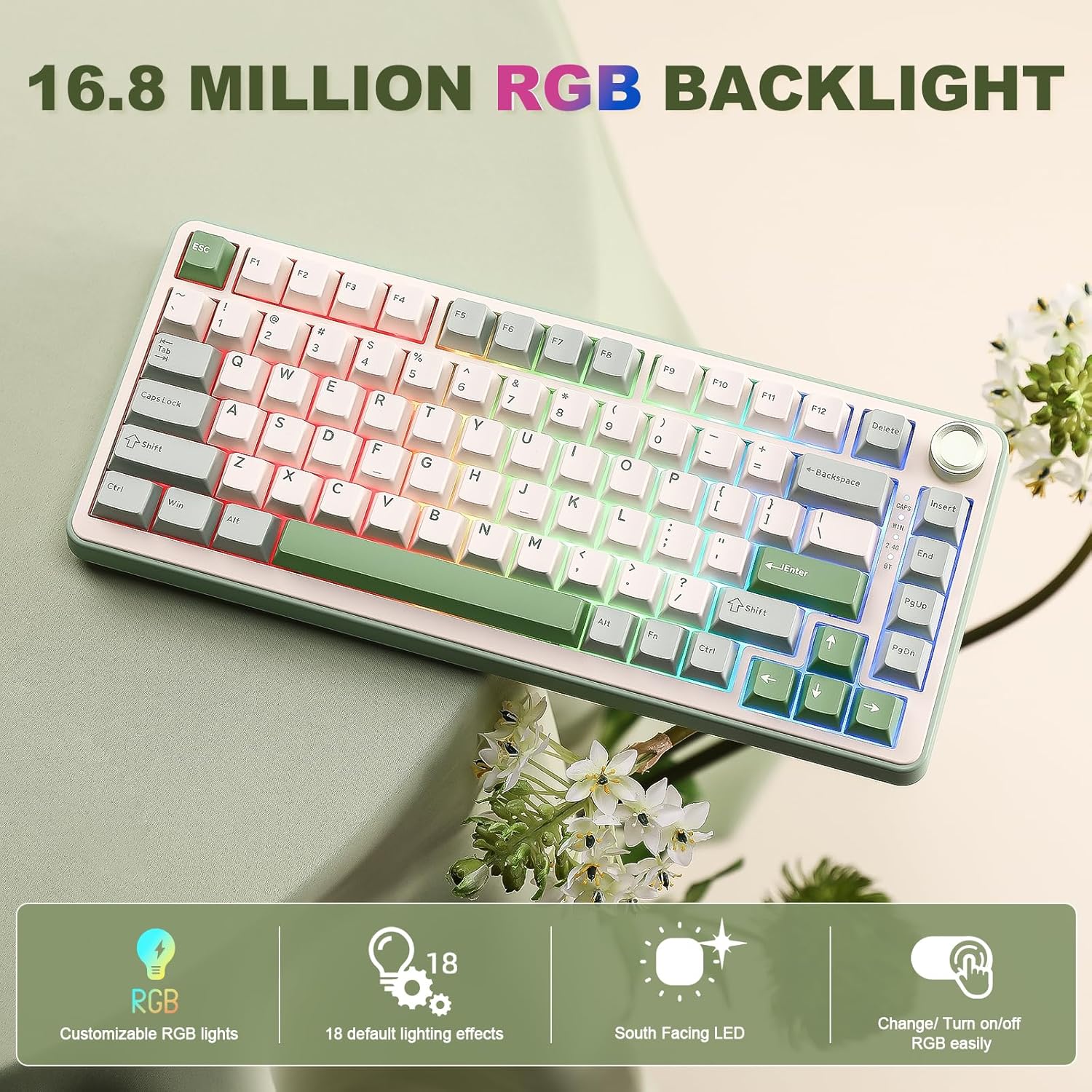
The B75 PRO includes more than 20 RGB backlight modes and mentions south-facing LEDs. It’s also described as software-programmable, with the ability to redefine keys and configure macros on Windows, alongside RGB customisation.
The dial isn’t only cosmetic here: it’s described as letting you adjust volume and RGB effects by turning it, and switch modes via a long press. That’s the kind of feature that can make the keyboard feel less like a “set-and-forget” gadget.
If you mostly care about straightforward typing and minimal tinkering, you may find RGB and deep customisation optional rather than essential. If you enjoy tweaking, you’ll likely use these controls more often than you expect.
Who it suits, and who should be cautious
It’s a good fit if you want a compact 75% layout with a dial, wireless flexibility (Bluetooth/2.4G/Type-C), and a gasket-style build designed to soften sound and improve the feel of typing. It suits people who do gaming at times, but still want a sensible office mode, or anyone who needs one keyboard across more than one device.
It might not be the best choice if you only care about the cheapest possible keyboard, or if you’re expecting a “top-tier” custom enthusiast keyboard experience without ever changing switches. The pre-lubed linear setup is described as smooth and solid, but if you specifically prefer a different switch category (for example, a stronger tactile feel), you may find you need to swap sooner than you’d like.
Is it worth it?
Buying the YUNZII B75 PRO makes sense when you’re chasing a 75% wireless keyboard that brings together gasket-style mounting, hot-swap capability (3 or 5 pin switches), and everyday controls via the multi-function knob. It’s especially compelling if you’d benefit from three connection modes and a larger onboard battery for longer wireless sessions.
You may want to skip it if your priority is pure simplicity and you don’t plan to use programming or switch swapping, because those features won’t add much value to a “minimal change” workflow. Also, if you’re extremely sensitive to keyboard sound, treat the gasket and pre-lubed claims as a promising direction rather than a guaranteed match—sound preference is personal.
Quick FAQs
Does it work with both Windows and Mac?
The description says it supports Windows and MacOS.
What connection types does it offer?
It’s described as supporting Bluetooth, 2.4 GHz wireless, and wired connection via Type-C.
Is it hot-swap?
Yes, it’s described as hot-swappable and compatible with switches with 3 or 5 pins.
Can you customise RGB and keys?
The listing says it supports software programming for Windows, including key remapping, macro configuration, and RGB customisation.
How is the keyboard expected to feel compared with simpler boards?
On paper it’s built to reduce noise and soften the sound through gasket mounting and multi-layer padding, with stabilisers tuned for a smoother typing feel.