

Redragon K673 PRO 75% Wireless Gasket RGB Mechanical Keyboard (81 keys, hot-swap, linear Red switches)
Product description
The essentials first
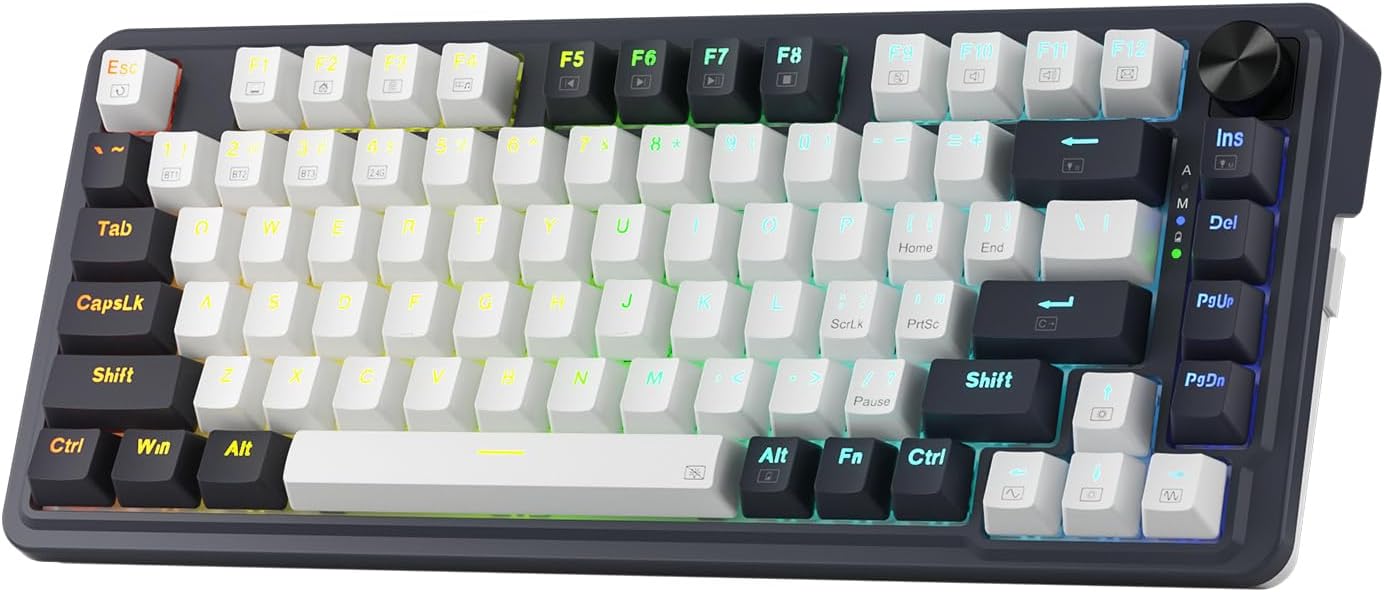
If you’re after a compact mechanical keyboard that doesn’t feel like a compromise, the Redragon K673 PRO is built around two big ideas: a gasket-style case to make typing sound calmer, and flexible connectivity so you can move between devices without constantly re-pairing. It’s a 75% layout (81 keys) with a dedicated control knob for backlight brightness and basic media functions, and it supports hot-swap sockets—so switch changes are meant to be straightforward.
On paper it’s aiming at the middle ground: more character and refinement than a basic board, without pushing you into the expensive “enthusiast” tier. That said, it’s still worth being realistic about expectations—like any gasket design, results depend on your desk, your switches, and your keycap set, and the “quieter” goal is more about reducing harsh resonance than turning it into a silent keyboard.
Key features that matter day to day
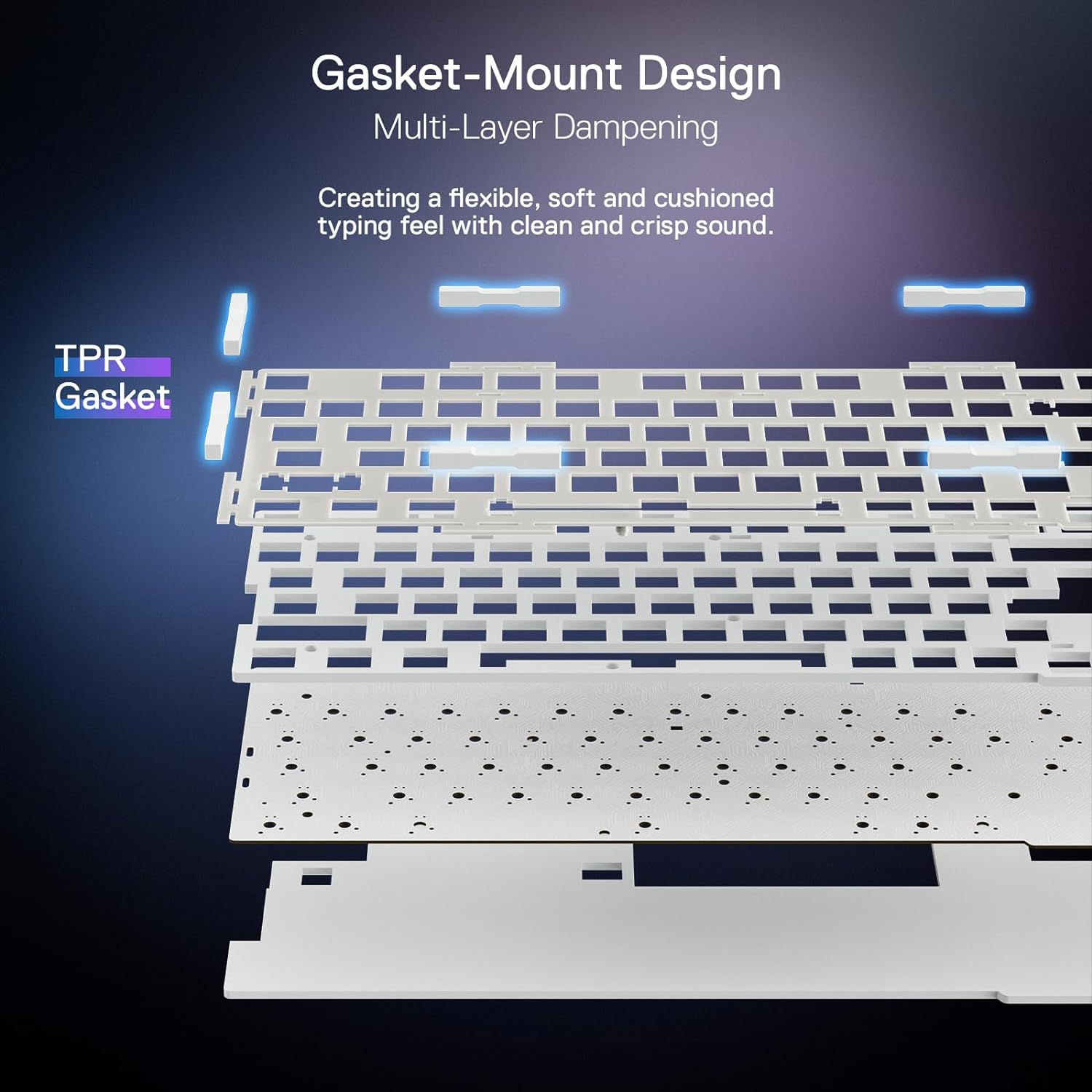
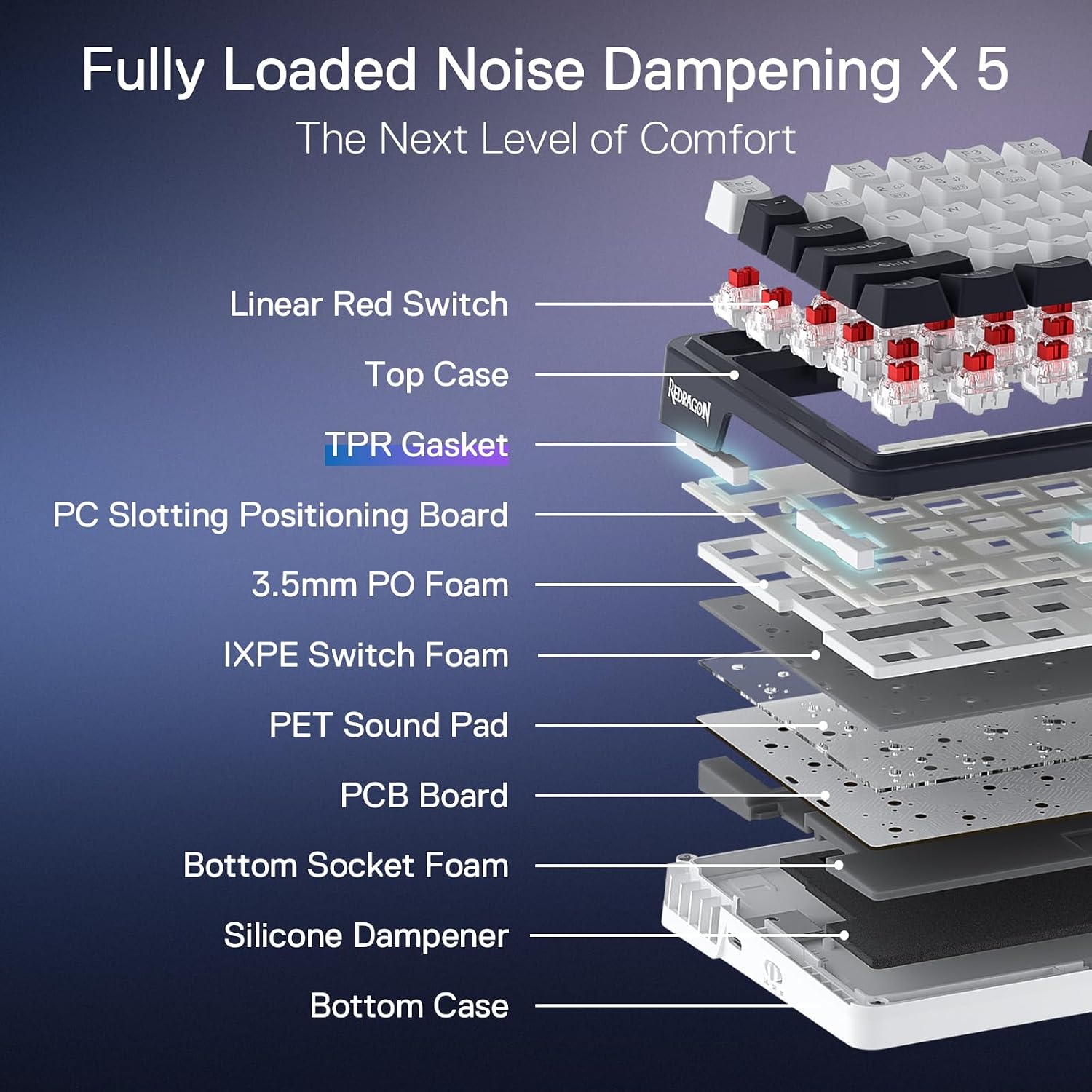
The keyboard uses a gasket approach rather than a traditional screw-fixing structure. In practical terms, that’s intended to add a bit of vertical cushioning and flexibility, which can reduce rigid noise and improve the consistency of the typing feel. It also includes sound dampening materials: two 3.5mm sound-absorbing foams between the PCB, plus a silicone gasket. The aim is a clearer “switch travel” sound and less extra resonance from metal and cavities.
The connectivity is where it gets more convenient. It’s a 3-mode setup with USB-C wired, plus BT 3.0 and BT 5.0/2.4Ghz wireless modes (the exact wireless options are part of the product’s tri-mode claim). If you use a laptop at the desk and a desktop elsewhere, or you swap between a work machine and a personal PC, this kind of multi-mode support is genuinely useful.
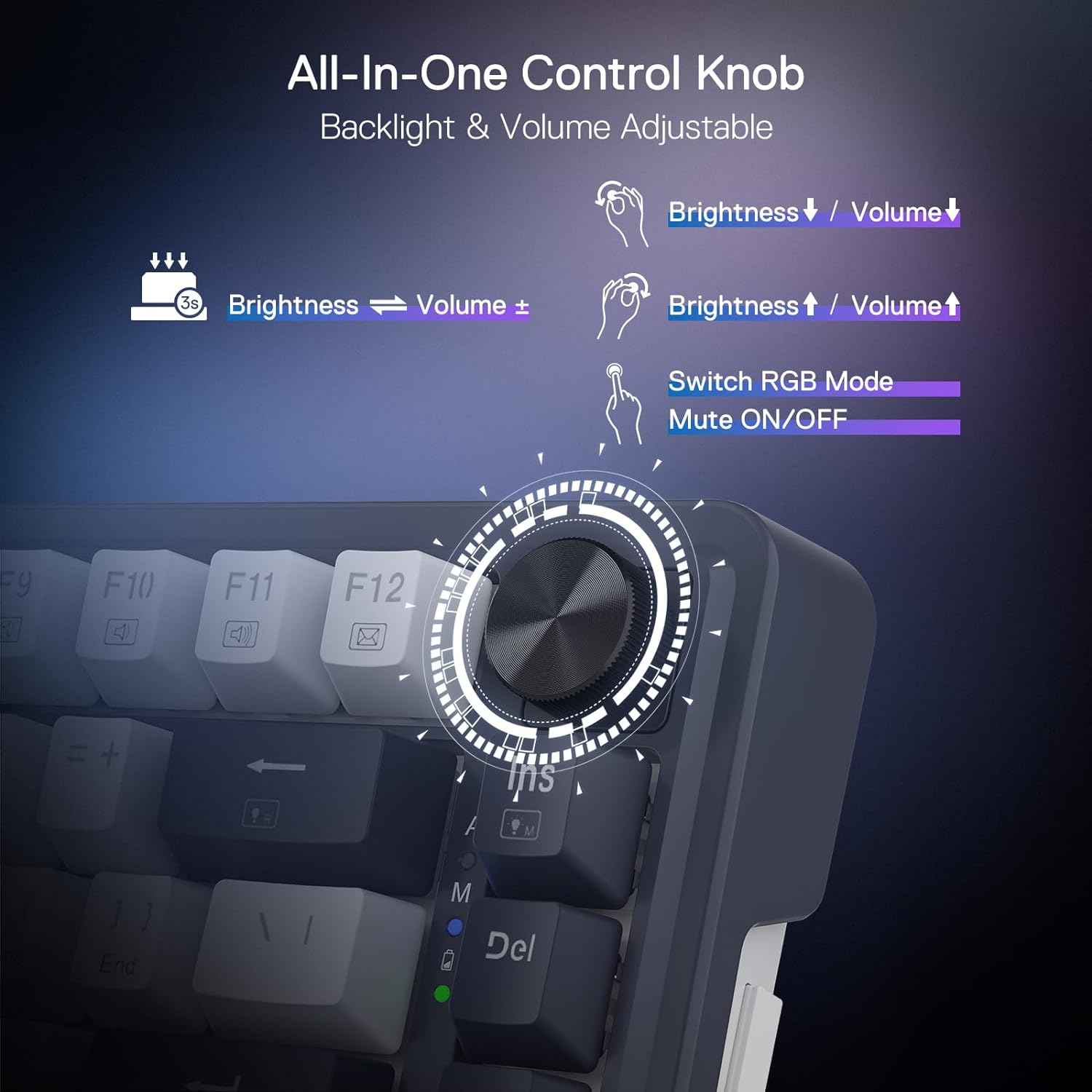
Then there’s the dedicated knob. Rather than digging into layers for everyday adjustments, you can control RGB backlight brightness and media (volume, play/pause, and switching) via a single knob. For some people, that’s the sort of quality-of-life feature you miss immediately on keyboards without it.
Layout and what you gain (and lose)
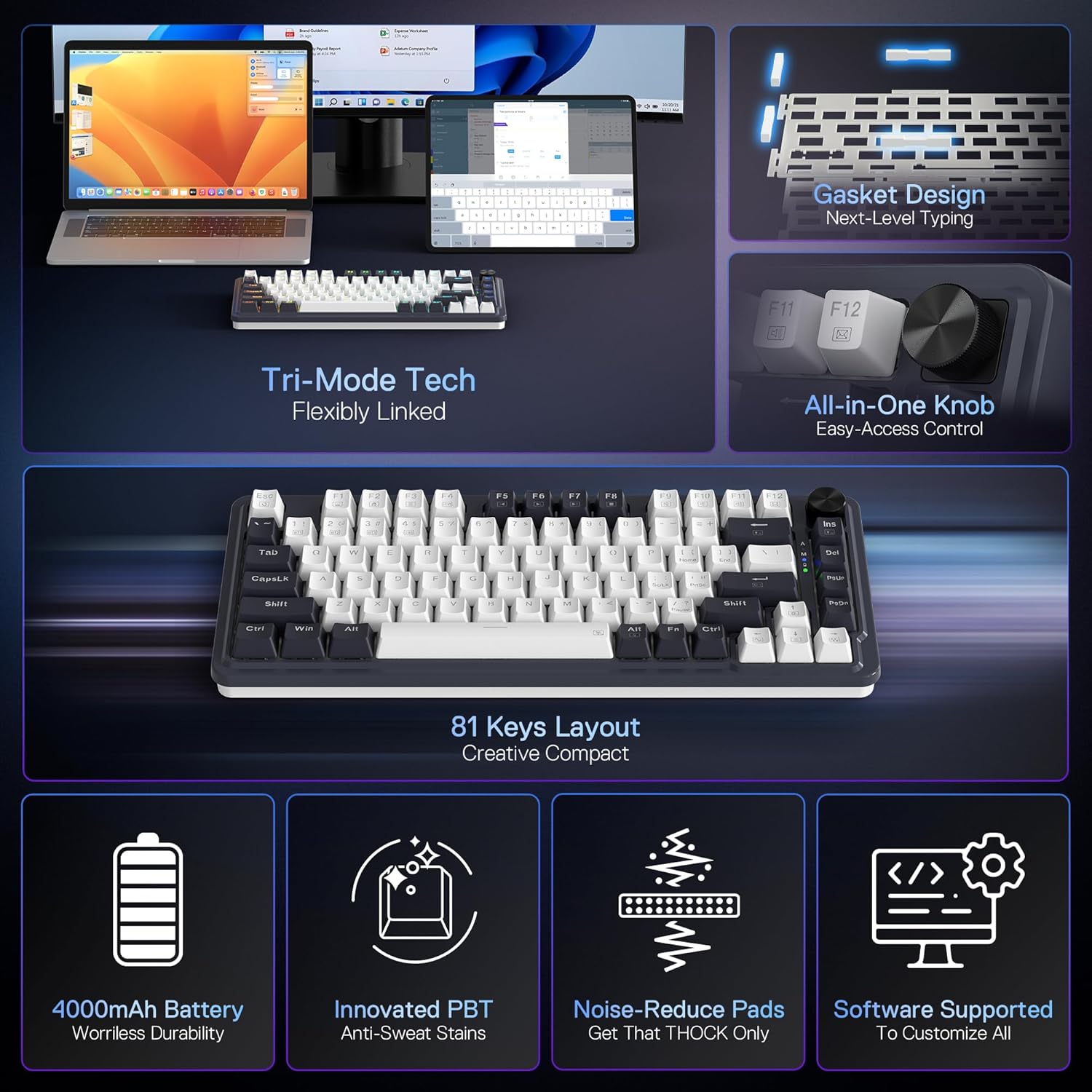
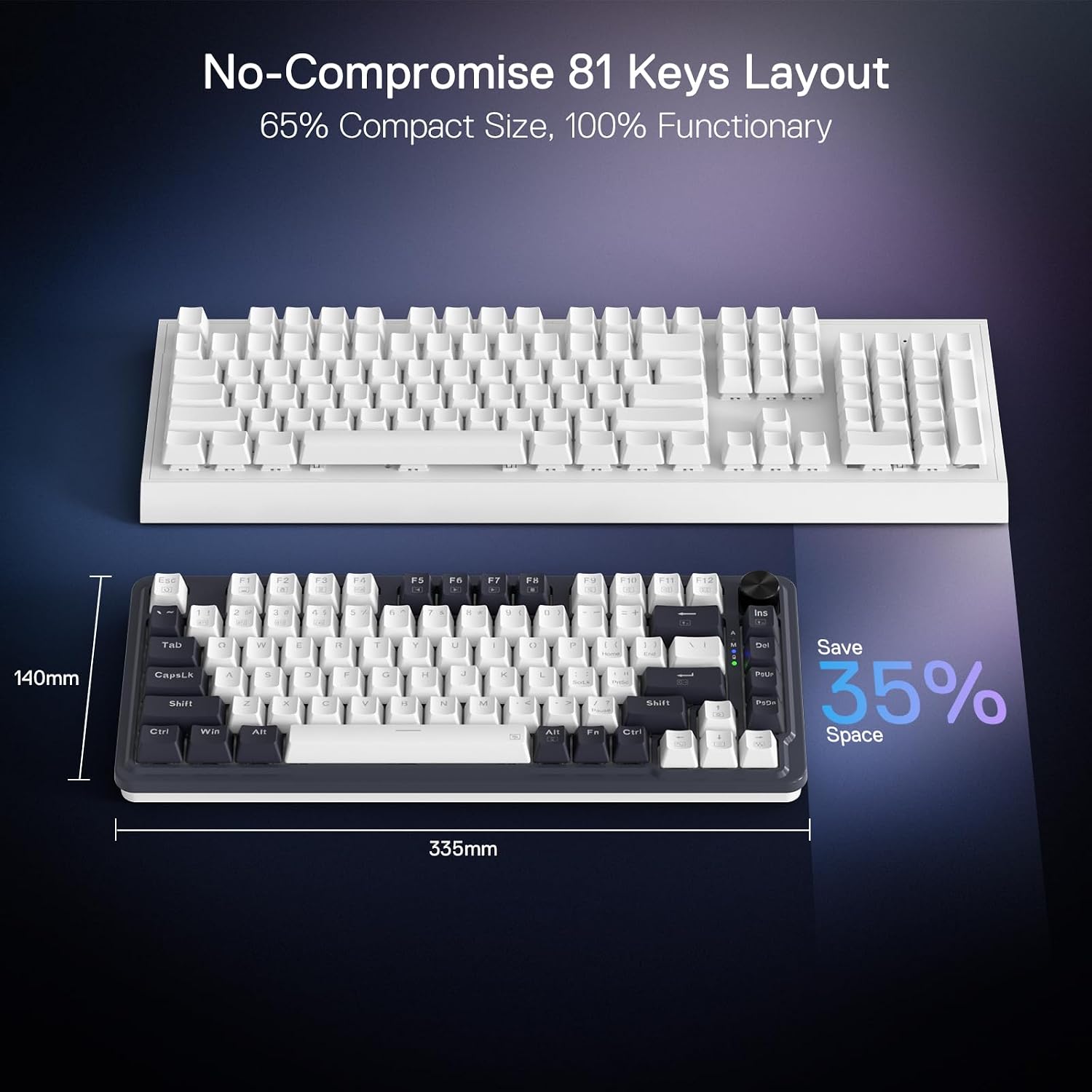
With 81 keys and a 75% form factor, the K673 PRO is designed to keep a compact footprint while still including the top-row keys zone that many users rely on. It removes the numpad, which can free up mouse space—handy if you do a lot of pointing and moving around rather than number-heavy work.
The input method described also notes there are no FN combo keys, with more direct access rather than relying on lots of modifier combos. That’s good for everyday usability, especially if you’re not trying to memorise an entire command system.
However, the trade-off is simple: if you genuinely need a numpad, this won’t be the right fit. And if you’re used to a full-size keyboard with arrow cluster and function layer habits, you may need a short adjustment period.
Switch choice and hot-swap practicalities
The K673 PRO comes with linear Red switches. Linear switches generally suit people who prefer smooth keystrokes without tactile bumps, and they’re often chosen for gaming and steady typing. The hot-swap socket design matters here because it gives you options over time.
Worth noting: the switch sound profile can still vary a lot depending on what keycaps you use and how the board resonates in your setup. If your goal is “office-quiet”, gasket + foam help, but it may still be audible—just more controlled than a more rigid build.
What stands out vs simpler keyboards
If you’ve used a basic 75% board that’s mostly about looks and price, this one leans into a more “felt” experience: gasket construction, dedicated sound dampening, and a layout that’s meant to be practical without FN combo key reliance. The knob is also not just cosmetic, it reduces friction when changing brightness or basic media.
Where it can fall short is also predictable. It’s described as a compact board aimed at a softer, cleaner typing sound, but the exact level of noise reduction isn’t something you can guarantee from spec alone. If you’re buying for a shared space (thin walls, early starts, roommates), you may still want to budget for additional damping on your desk or consider a calmer keycap/switch combination.
So, in a straight decision: if you prioritise day-to-day usability (knob, compact layout) and a more refined acoustic feel, it makes sense. If you only care about having keys quickly for the lowest cost, a more basic board may be all you need.
Who it’s for (and who should skip it)
It suits you if you want a 75% compact mechanical keyboard with linear Red switches, hot-swap support, and a build that’s explicitly designed to cut down resonance and make the typing sound cleaner. It also makes sense if multi-device work is part of your routine, because the 3-mode connection (USB-C + Bluetooth + wireless) is built for switching.
You may want to skip it if you need a numpad, or if you’re extremely sensitive to sound and expect the “gasket + foam” approach to completely remove keyboard noise. Also, if you don’t care about RGB control, media shortcuts, or multi-mode switching, the extra features might not add much value for you.
Is it worth it?
The Redragon K673 PRO is a solid buy if you’re specifically looking for a compact 75% mechanical board with hot-swap flexibility, linear Red switches, and a gasket-style case aimed at reducing harsh resonance. The dedicated knob and multi-mode wireless setup are the sort of features that can make daily use feel smoother, not just different.
It’s not the best match if you require a full keyboard layout with numpad, or if your priorities are purely budget and no-fuss. If quiet is your absolute top goal, treat the “dampening” claim as a helpful improvement rather than a guarantee of near-silence.

Mini FAQ
How does the gasket design help with typing sound?
The product describes a gasket approach plus silicone gasket and sound-absorbing foams, aiming to reduce rigid noise and resonance between metal parts and the case cavities, resulting in a clearer switch travel sound.
Does it support wired and wireless use?
Yes. It’s described as a tri-mode connection setup with USB-C wired, plus Bluetooth (BT 3.0 and BT 5.0 mentioned) and a 2.4Ghz wireless mode.
Can I change the switches later?
The keyboard is listed as a hot-swap socket model, so switch swapping is intended to be part of the experience.
What layout is it, and do I get a numpad?
It’s an 81-key 75% style layout, and it’s designed to remove the numpad to make space for the mouse.
What does the dedicated knob control?
The knob is described as controlling RGB backlight brightness and media functions such as volume, play/pause, and switching.