

YUNZII C75 Wireless Mechanical Keyboard (75% Hot-Swappable, Creamy Sound, Pink)
Product description
The essentials
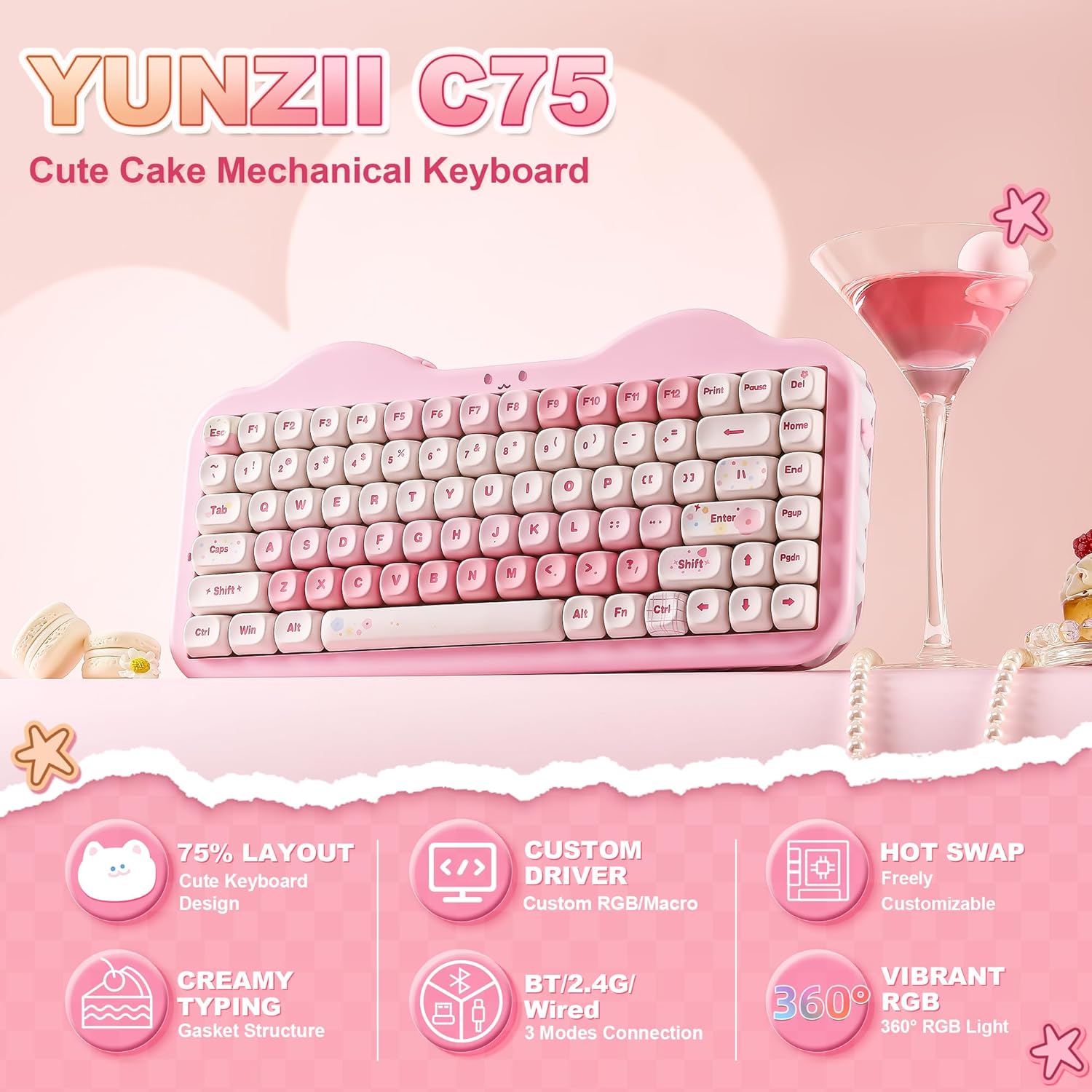
If you want a compact mechanical keyboard that feels a bit more “grown-up” on the desk, the YUNZII C75 is aiming at exactly that sweet spot: a 75% layout, wireless with BT and 2.4G/USB-C, and a gasket-mount build designed to produce a softer, “creamy” typing sound. It’s also positioned as a cute, setup-friendly keyboard rather than a no-nonsense tournament tool.
On paper, the combo that stands out is the gasket structure with sound-damping layers, paired with pre-lubed linear switches and stabilisers. That means the keyboard’s selling point isn’t only looks or compact size—it’s the feel and acoustics out of the box, without you having to start from scratch.
Key points
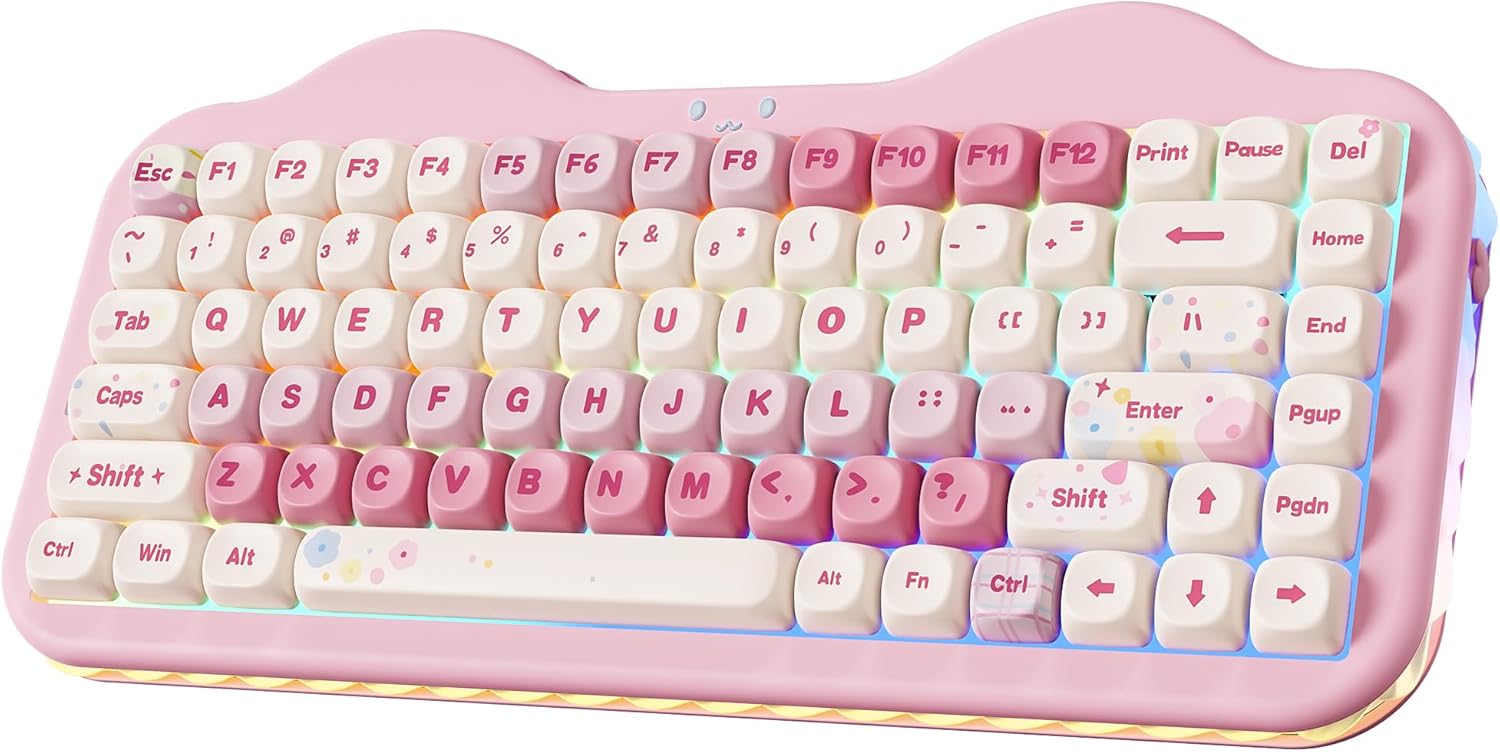
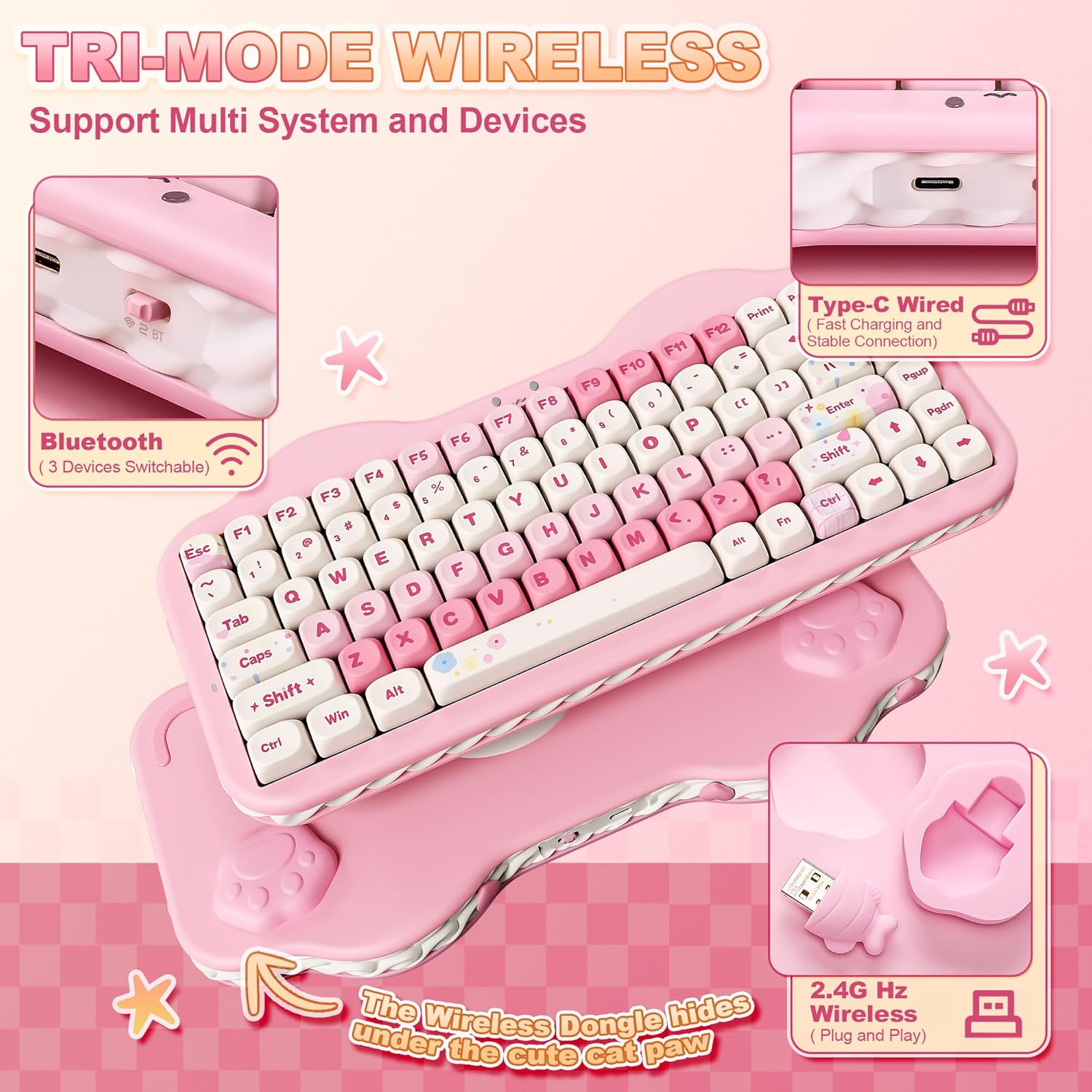
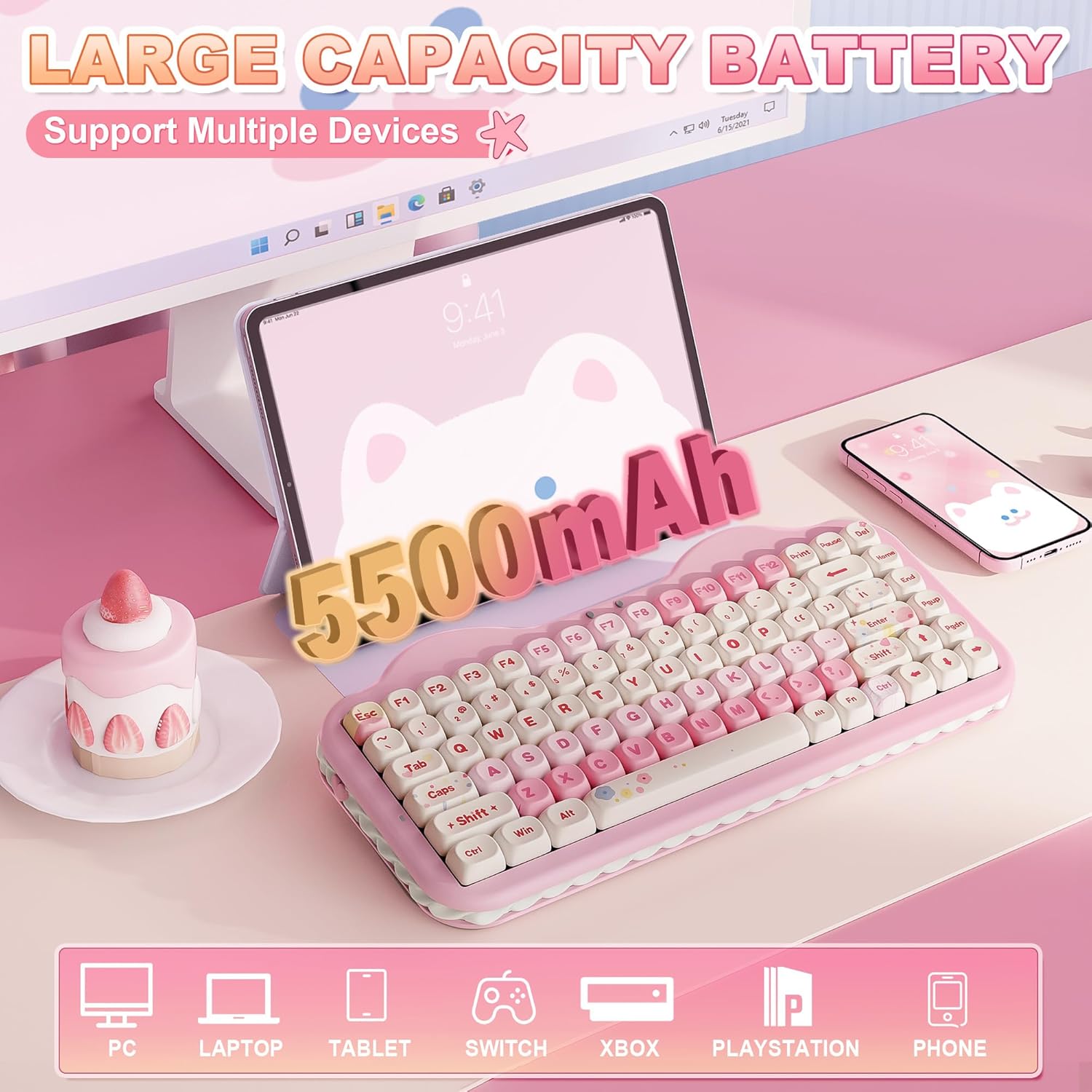
A 75% layout keeps things desk-friendly while still covering the essentials most people use daily. The keyboard supports tri-mode connectivity (BT 5.0, 2.4GHz wireless, and wired via USB-C) and is described as allowing quick switching between up to five devices, which is useful if you bounce between a work laptop and a personal device.
You also get hot-swap capability, so you’re not locked into the included switches. The included switches are linear “Milk V2” style (listed as Pink, Milk V2 Linear Switch), and YUNZII notes they come pre-lubed, with the option to swap in tactile or clicky switches later if you want a different typing character.
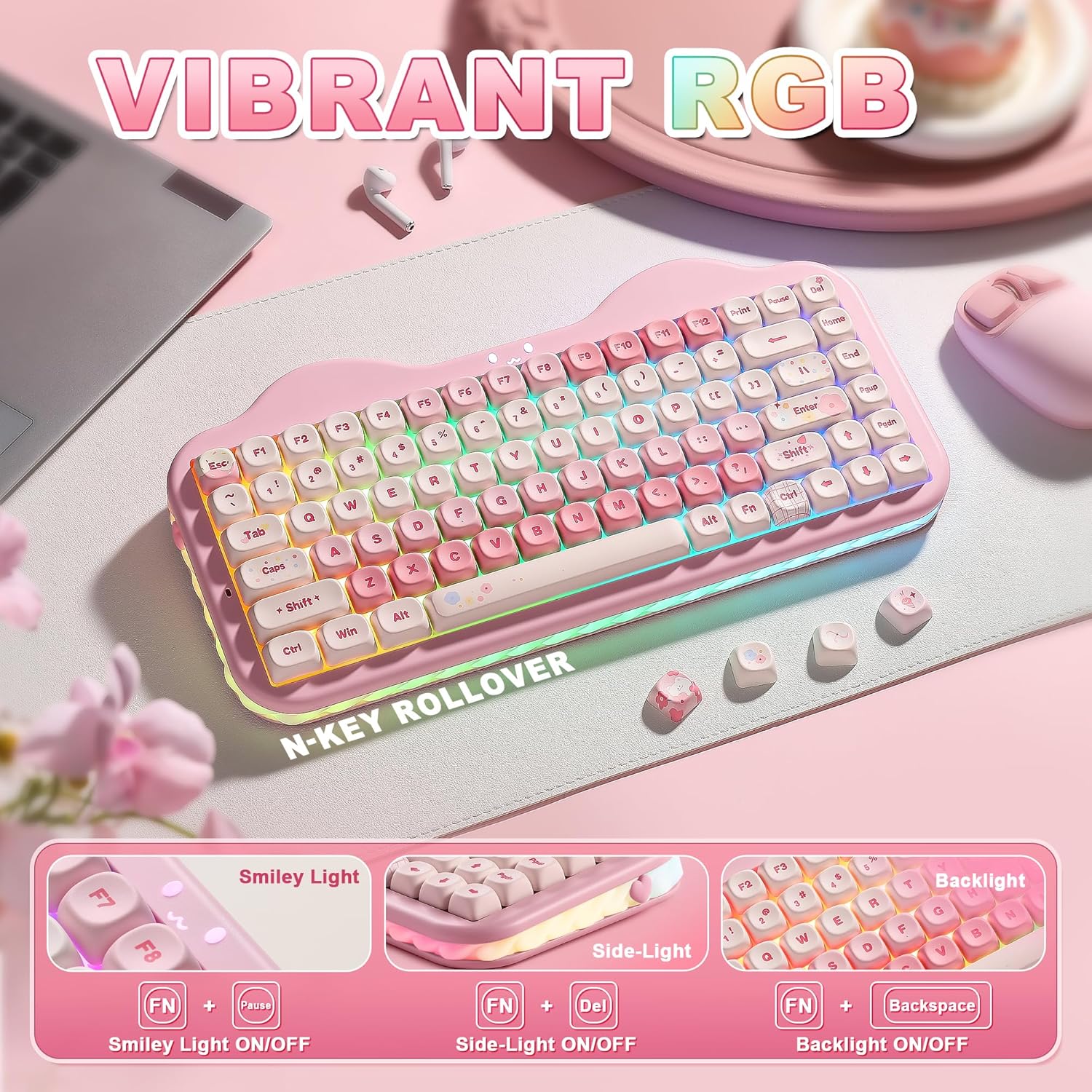
For lighting, the board uses PBT MOA keycaps and includes RGB backlighting with multiple modes, including south-facing LEDs for illumination. There’s also a side cream light bar and a smile indicator, which is part of the “cake” look.
What you’ll notice day to day
The biggest day-to-day difference here is likely the sound and feel. The gasket mounting approach, plus multiple layers of sound-absorbing filling and solid silicone, is specifically meant to reduce typing noise and give a smoother, more rounded press. It’s the kind of feature you’ll either love immediately or realise is not the main thing for you if you’re chasing a very crisp “clack” sound.
A micro-example: imagine switching from laptop typing during the day to gaming at night. With tri-mode support, you’d connect in BT or 2.4G depending on what you’re using, then switch quickly between profiles/devices. If you write long emails, the softer “thocky/creamy” character (as described) and the comfort-oriented keycap material may feel less fatiguing than a barebones budget board.
That said, it’s not perfect for every preference. If you strongly prefer a very sharp, high-feedback typing tone, the gasket + dampening approach may feel too smooth.
Tech specs
- Type: Wireless mechanical keyboard (75% layout)
- Connectivity: BT 5.0, 2.4GHz wireless, USB-C (wired)
- Layout: 75%
- Switch type: Hot-swappable mechanical (supports 3-pin and 5-pin)
- Included switch character: Linear, listed as Milk V2 Linear Switch (Pink)
- Build approach: Gasket mount
- Keycaps: PBT MOA keycaps with anti-oil coating (soft-touch)
- Battery: 5500mAh large battery
- Backlighting: RGB backlit with 18 modes, south-facing LEDs
- Software: Programmable via software (remap keys and create macros)
What to know before you buy
A few practical things are worth checking in your own setup mindset. First, this is a 75% keyboard, so you’re choosing compactness over a full set of dedicated keys. If you heavily rely on numpad entry or certain function-layer workflows, it may take some getting used to.
Second, hot-swap is a plus, but it only helps if you actually plan to customise. If you never swap switches and you just want a straightforward keyboard, you’re paying for flexibility you may not use.

Also, the RGB and “side cream light bar” are part of the design language here. If you prefer minimal aesthetics, it may be more visual than you want, even though the board is still clearly aimed at home, office and gaming stations.
Finally, the inclusion of programming features is described for both Windows and Mac systems. If you’re on a different operating environment, it’s worth considering whether you’ll be able to use the remapping/macros the way you expect.
Pros
- Tri-mode wireless with BT 5.0, 2.4G, and USB-C wired option
- Gasket mount and described sound-damping layers for a smoother, quieter feel
- Hot-swappable PCB supporting 3-pin and 5-pin switches (no soldering required)
- Pre-lubed linear switches and stabilisers mentioned for consistent keystrokes
- PBT MOA keycaps with an anti-oil coating and comfort-focused finish
- Programmable software for key remapping, macros, and RGB customisation

Final verdict
It’s a good fit if you want a compact 75% wireless keyboard that focuses on a softer, “creamy” typing experience, and you’d like the option to personalise switches later. You’ll also likely appreciate the tri-mode setup if you work and game across more than one device.
It might not be a great match if you need a full-size layout with a dedicated numpad, or if you strongly prefer a very crisp, unapologetically loud mechanical sound. And if you’re the type who never customises and just wants something plain and discreet, the extra design and configurability could feel like overkill.
Mini FAQ
Does it work without soldering?
Yes—this model is described as hot-swappable, supporting both 3-pin and 5-pin switches, and it’s positioned as not requiring soldering for switch changes.
What connection options does it have?
It offers BT 5.0, 2.4GHz wireless, and USB-C wired connectivity (tri-mode).
Can it switch between devices?
The description says it supports seamless switching between up to five devices.
Are the keycaps PBT?
Yes, it’s described as using PBT MOA keycaps with a soft-touch anti-oil coating.
Is there software for remapping?
It’s described as programmable, with support for remapping keys and creating macros via software, including for Windows and Mac systems (as stated).