

AULA F99 Mechanical Gaming Keyboard with BT5.0, 2.4GHz, USB-C and Hot-Swappable Switches (Black & Blue)
Product description
If you want a mechanical keyboard that can switch between devices without the usual faff, the AULA F99 is built around that idea. It also leans into customisation: hot-swappable switches and pre-lubed linear switches are part of the package, so you don’t have to start from scratch just to get a smoother feel.
That said, it’s not positioned as the most extreme, boutique end of the market. On paper it looks like a “solid mid-range gaming/work board” rather than something designed to be endlessly tuned with premium tooling and parts.
Key takeaways
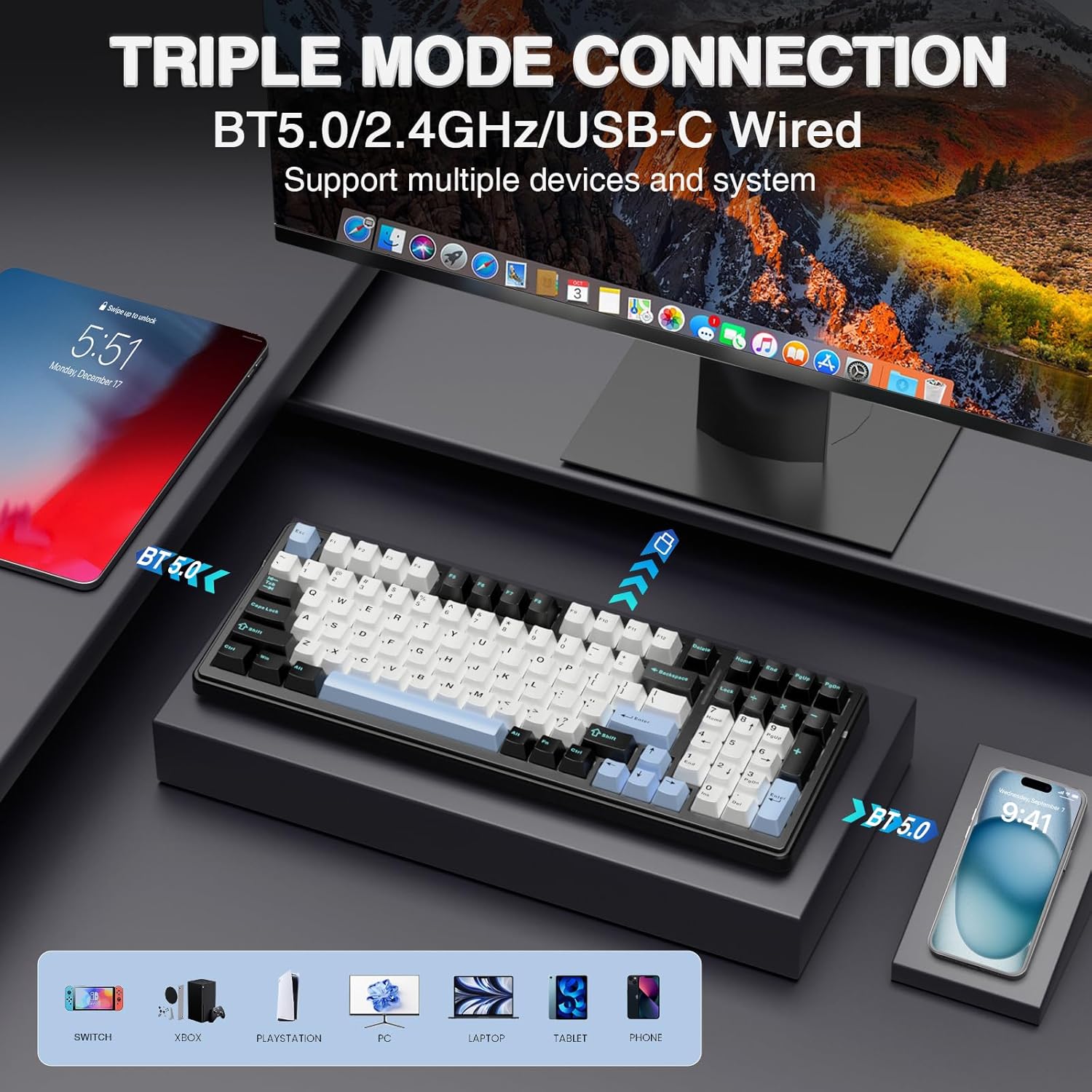
The AULA F99 offers three connection modes (BT5.0, 2.4GHz wireless, and USB-C), plus the ability to connect multiple devices and swap between them using Fn shortcuts. It also has a compact 96% layout (99 keys) to save desk space while keeping arrow keys and a number area.
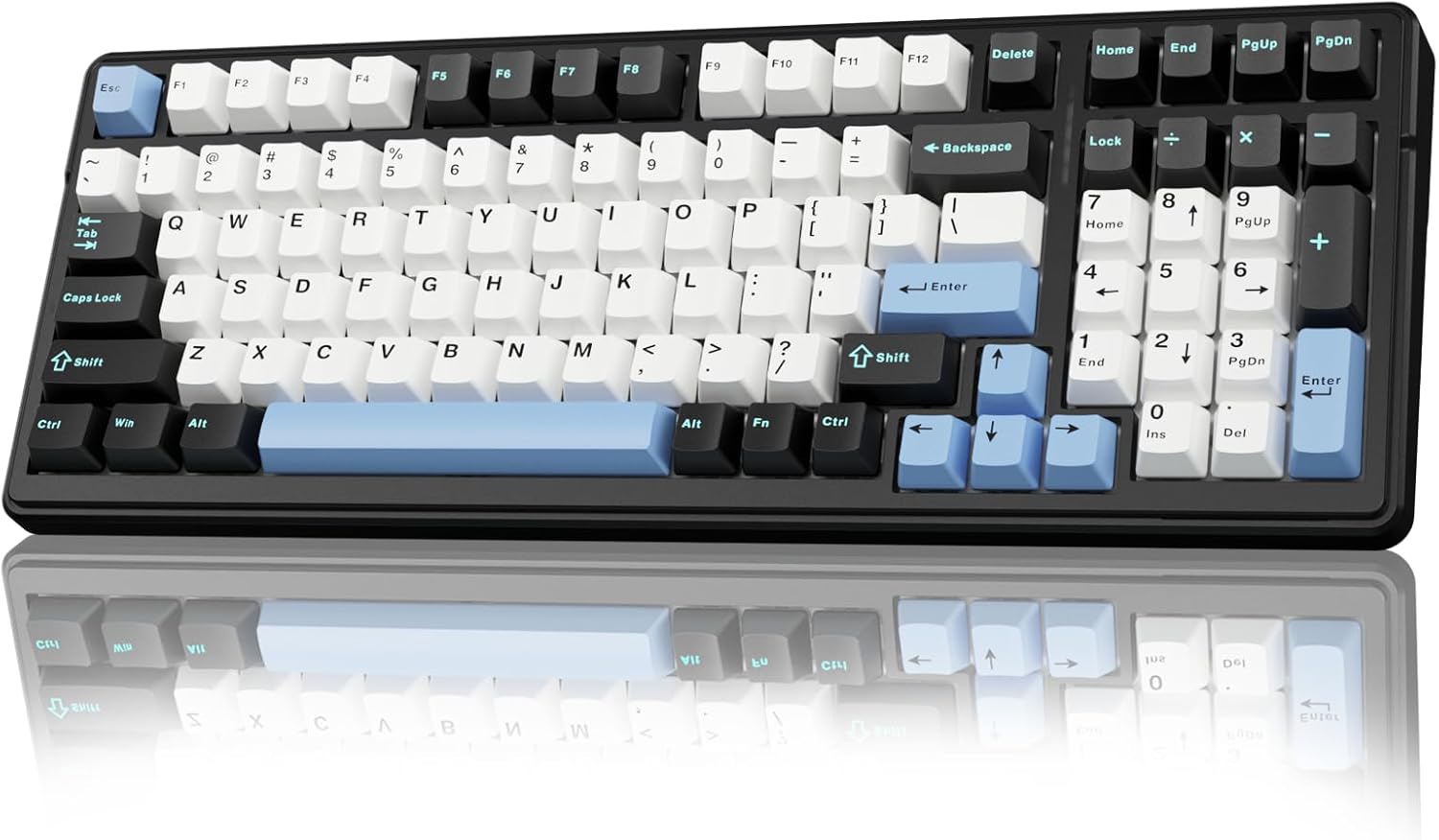
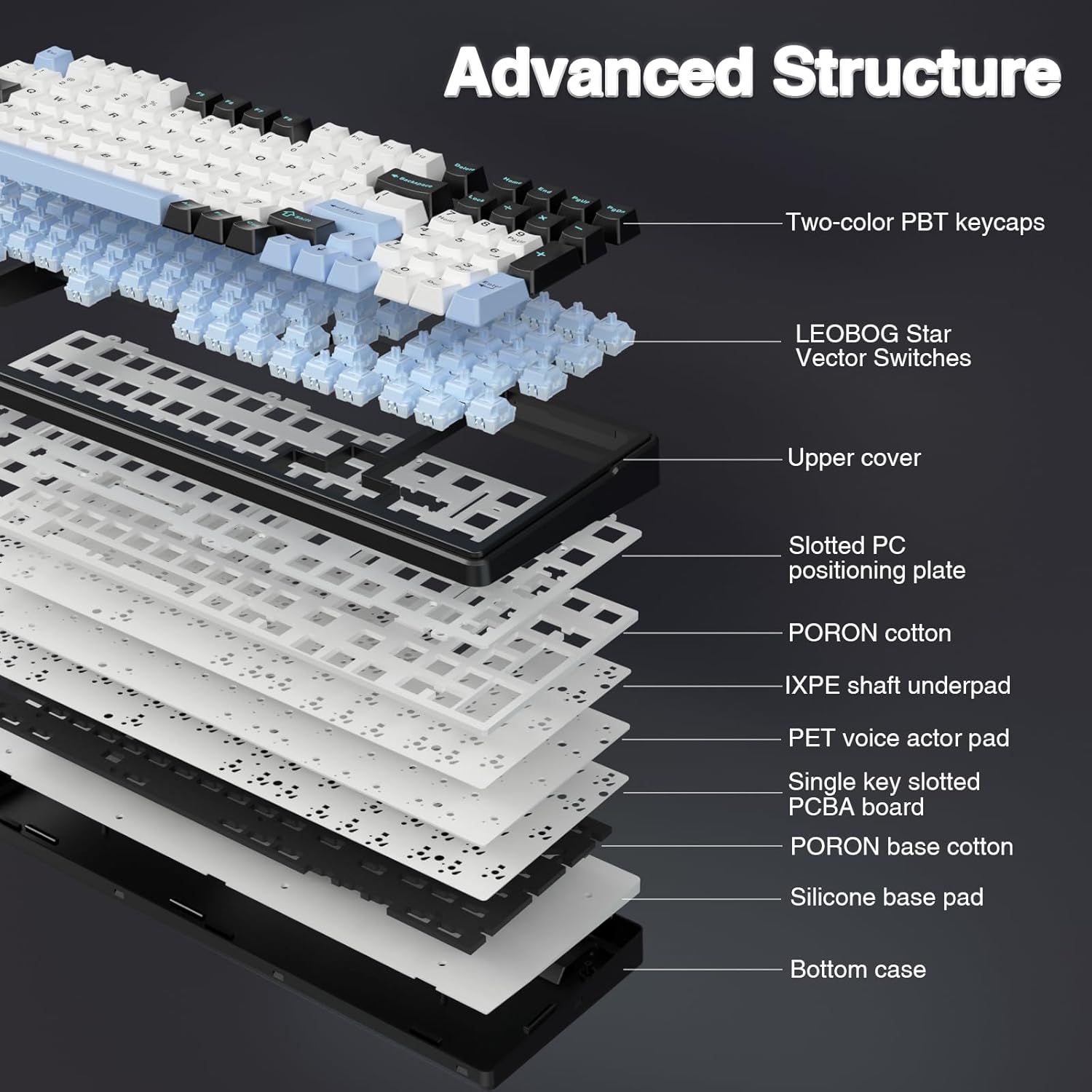
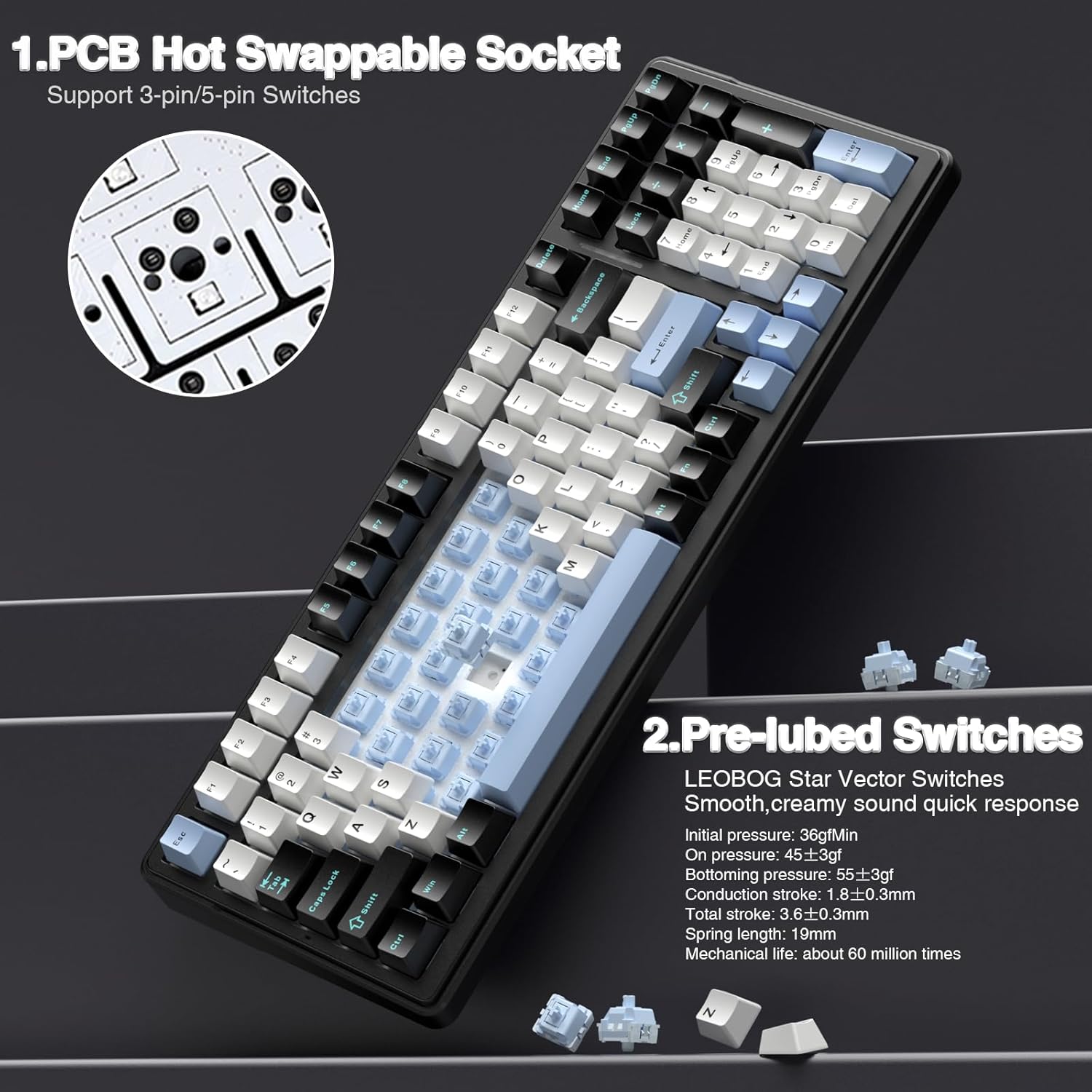
For sound and feel, it uses pre-lubed linear switches and a five-layer padding approach intended to reduce hollow “cavity” noise. And if you like getting hands-on, the hot-swappable PCB means you can replace switches without soldering (the keycap and switch pullers are included in the box, based on the information provided).
What matters most for day-to-day use
Wireless switching is the headline feature here. Instead of dedicating one keyboard per device, the F99 is designed to support up to five devices at the same time, with quick switching via key combinations. If you regularly move between a PC, tablet and maybe a laptop, that alone can make it feel more practical than a “single-device” keyboard.
In use, you can expect the linear switches to prioritise smooth keystrokes and quick response for gaming, while still being usable for everyday typing and study. The 96% compact layout is also a real-world point: you keep essential keys like arrows and the number section, but you’re not taking up the full desk footprint.
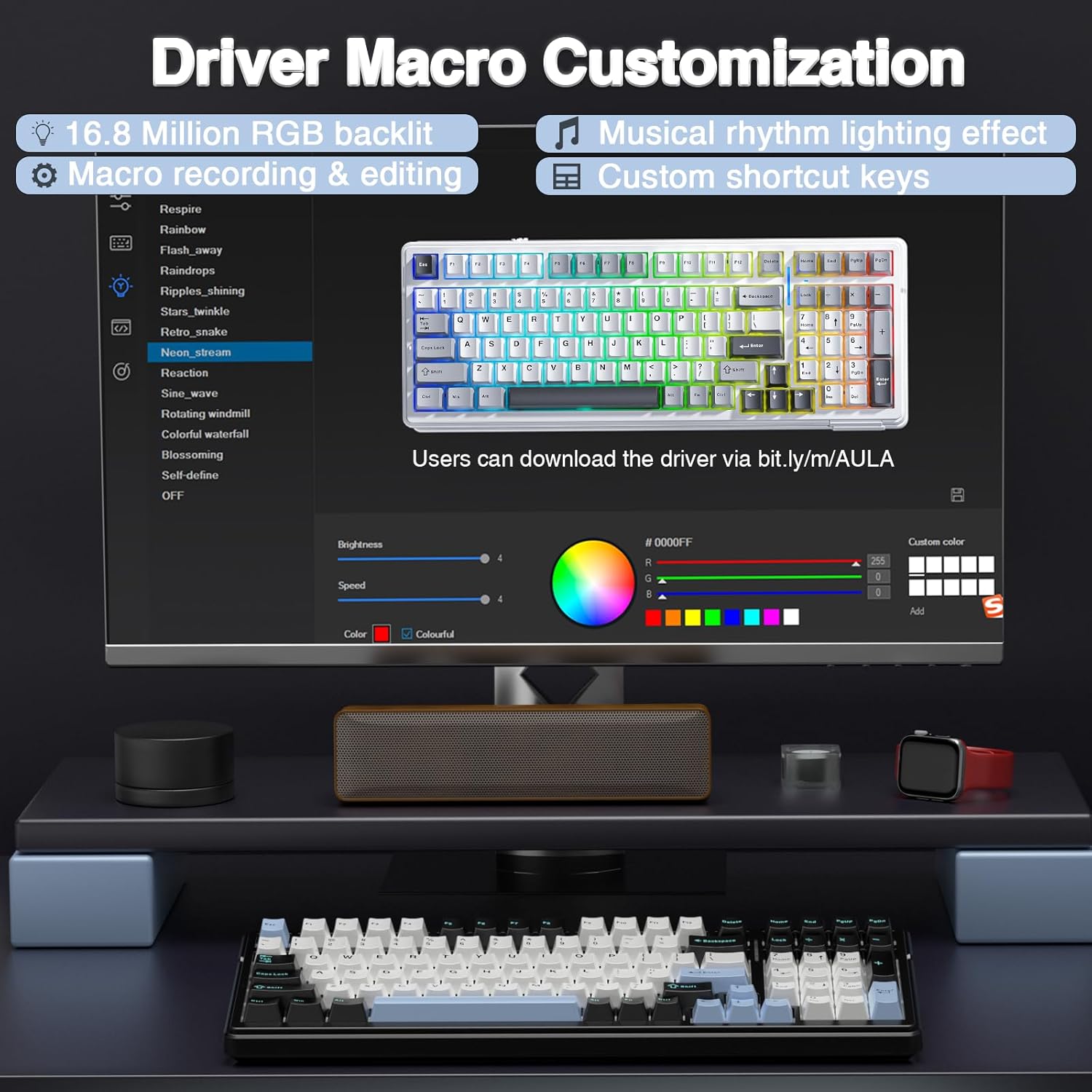
Is it perfect? Not necessarily. With RGB effects and macro support, it’s clearly aimed at gamers who like tweakability. If you’re after a plain, minimalist board for office work only, you may find the feature set more than you need.
Where it shines (and where it can fall short)
Why it’s worth considering: - Hot-swappable customisation: you can replace 3-pin or 5-pin switches without soldering, using the included tools. - Pre-lubed linear switches: intended to give a smoother write feel and a pleasant sound straight out of the box. - Wireless flexibility: BT5.0 and 2.4GHz options, plus wired USB-C. - Sound dampening approach: five layers of padding to help counter unwanted resonance.
Worth noting limitations: - The description doesn’t mention switch brand/model, software details for macros, or how advanced the music-sync RGB controller is in practice—so performance may vary depending on your setup and preferences. - It’s designed to handle multiple simultaneous key presses, which is great for fast gameplay, but if you only ever use basic typing, that gaming-forward focus might be overkill.
Tech specs
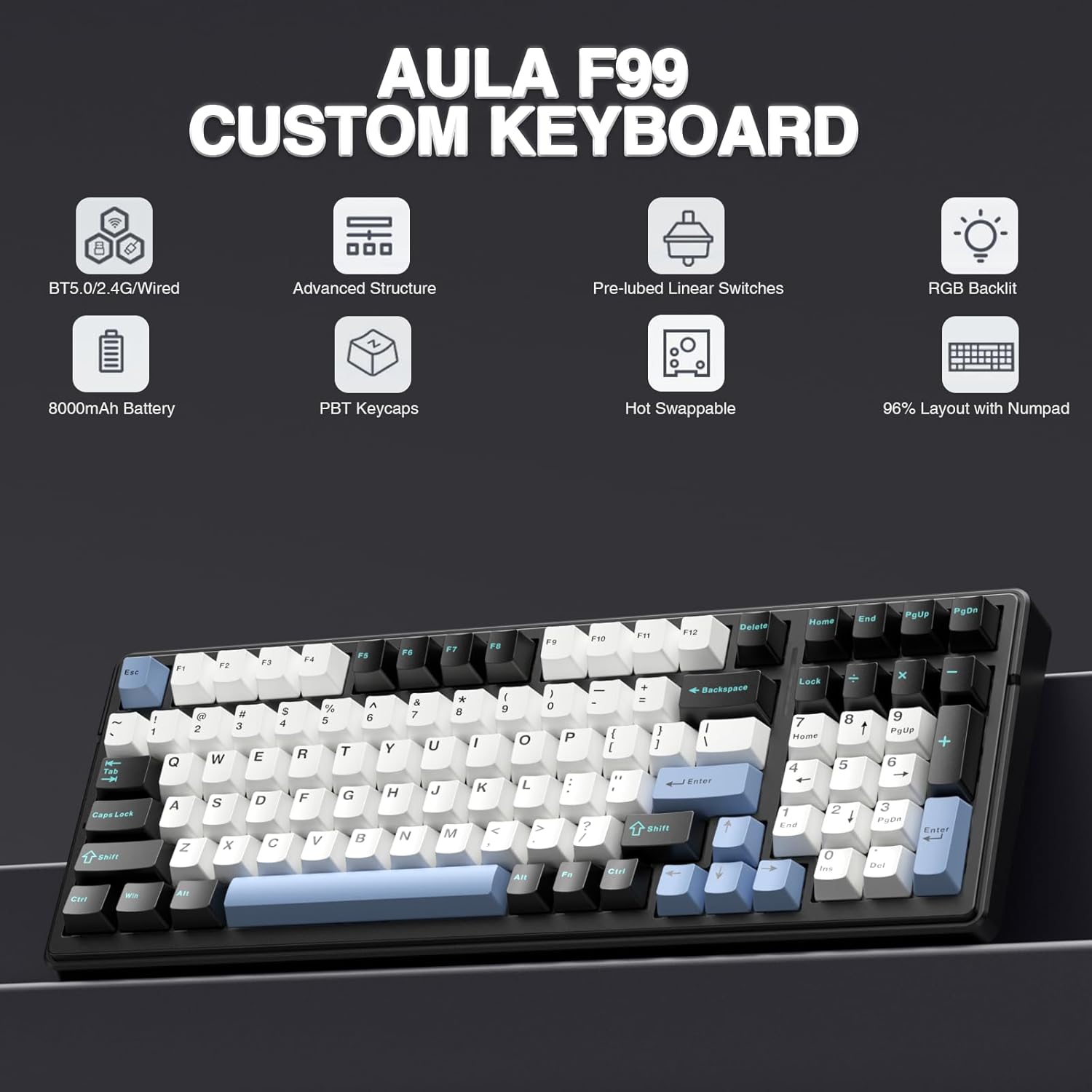
- Name: AULA F99 Mechanical Gaming Keyboard
- Type: Mechanical gaming keyboard
- Format: 99 keys, 96% compact layout
- Connection: BT5.0, 2.4GHz wireless, USB-C wired
- Multidevice support: up to five devices (switching via Fn key combinations)
- Switch type: pre-lubed linear switches
- Hot swap support: PCB supports hot-swappable switches (3-pin/5-pin mentioned)
- Layout features: single-key PCB slot structure with extended silicone pad (as described)
- Dampening: five-layer padding/silencer fill
- Key material: PBT double-shot (two-colour moulded)
- Battery: 8000mAh rechargeable battery
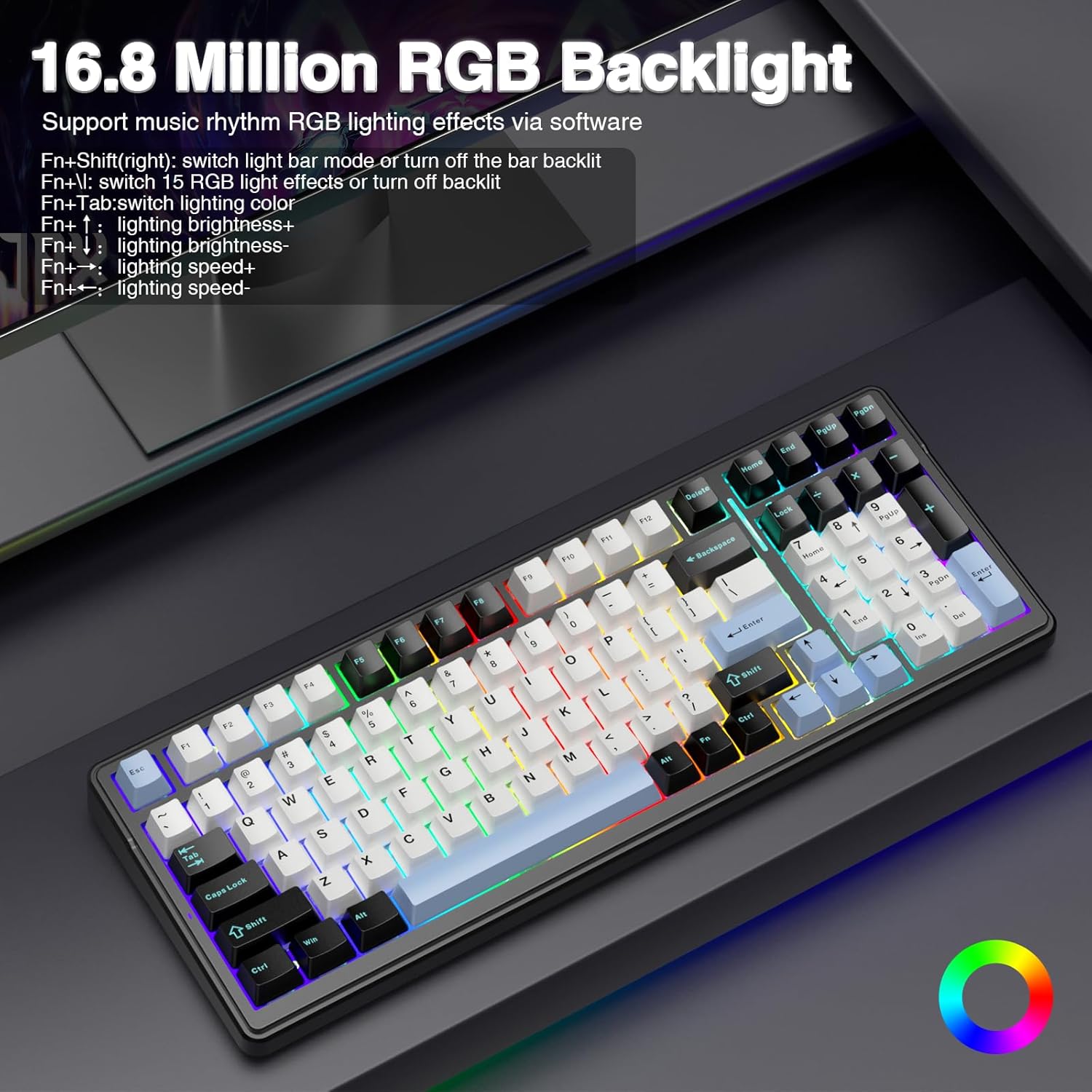
- Wireless/RGB: RGB lighting with 16 lighting effects mentioned, 16.8 million colours
Compatibility & requirements
The product info points to use with PC and tablet via the wireless modes and USB-C when connected in cable mode. It also mentions the ability to connect multiple devices at the same time (up to five). Beyond that, specific operating system compatibility isn’t stated, so it’s worth checking before buying if you’re using a less common setup.
It also references macro customisation, so if you rely on complicated key remapping workflows, you’ll want to confirm the details of how macros are created and edited in your typical environment.
Quick check before you buy
Before you commit, it’s sensible to match the F99 to your expectations: - If you want a wireless mechanical keyboard that can hop between devices, this is clearly built for that. - If you like linear switches and prefer a smoother, slightly more controlled sound, pre-lubed switches plus padding are a good starting point. - If you plan to swap switches, make sure you’re comfortable with choosing 3-pin or 5-pin options (the board supports both, but the switches you buy later need to match).
On the flip side, if your priority is ultra-minimal aesthetics, or you’d rather avoid any tinkering at all, a simpler non-hot-swap keyboard could be a better fit.
Is it worth it?
The AULA F99 looks like a practical buy if you want one mechanical keyboard for gaming and daily use, with the convenience of BT5.0 and 2.4GHz plus wired USB-C. The hot-swappable PCB and included tools make it a sensible choice if you expect to adjust switches over time, and the padding plus pre-lubed linear approach targets a nicer feel and sound than a basic “plug and play” board.
You may want to skip it if you only need a straightforward wired keyboard, you prefer a quieter, subdued feature set, or you’re looking for very specific software/macros behaviour and want it guaranteed from the outset—those details aren’t covered here.
Mini FAQ
Can the AULA F99 connect to multiple devices at the same time?
Yes. The information provided states it can connect up to five devices at the same time, with switching via Fn key combinations.
Is it hot-swappable without soldering?
The hot-swap PCB is described as allowing switch replacement without soldering, and it mentions support for 3-pin and 5-pin switches.
How is the battery handled?
It includes an 8000mAh rechargeable battery, and the keyboard can also be used via USB-C cable mode.
What keycap material is used?
The keys are described as PBT double-shot (two-colour moulded) for clearer characters and reduced fading.
Does it support gaming features?
The description mentions RGB effects, macro customisation, and the ability to respond to multiple key presses at the same time, which can help in real-time gameplay.