

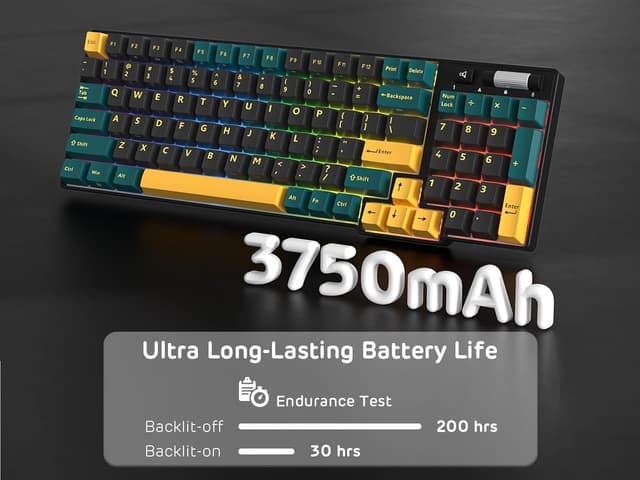
RK ROYAL KLUDGE RK96 RGB Limited Edition 90% Wireless Triple-Mode Mechanical Keyboard (BT5.0/2.4G/USB-C) with Wrist Rest
Reviews
Price
Product description
The essentials
If you want a more “full size” layout without going completely back to a cluttered desk, the RK ROYAL KLUDGE RK96 RGB Limited Edition is built around a 90% format with 96 keys. It’s still aimed at productivity and everyday typing, but it trims the fat enough to keep your workflow feeling a bit cleaner. The keyboard is also wireless in a proper, no-fuss way thanks to triple mode support: Bluetooth (BT5.0), a 2.4 GHz dongle, and USB-C wired.
On paper, the headline here is flexibility: you can switch between devices and connection types rather than committing to one. Add hot-swappable switches, PBT double-shot keycaps, and a wrist rest, and it becomes the kind of keyboard you don’t just buy and forget—you can also tinker with.
That said, it’s not a cheap “start anywhere” keyboard if you’re expecting top-end software polish or a fully premium experience in every area. Based on the information available, it’s more of a capable mid-range pick with a DIY-friendly lean.
What to know before you buy
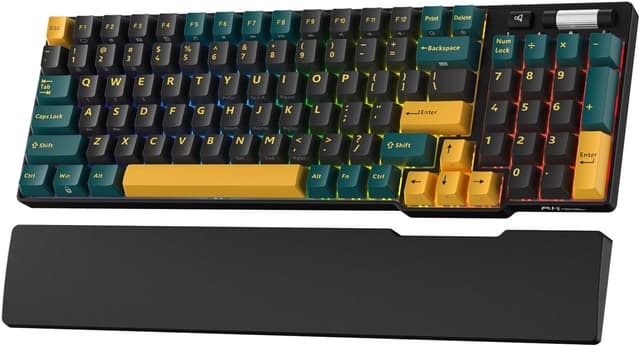
This RK96 is a 96-key mechanical keyboard in a US layout, including a number pad and arrow keys that are offset (as described). It’s designed for tactile, linear-feel typing, using RK’s Viridian linear switches “in the RK Linear Chrome Green” line (spelled out in the description as Marrs Green). The keys are PBT double-shot, which is the kind of build choice that matters if you type a lot—double-shot legends tend to stay readable even after heavy use.
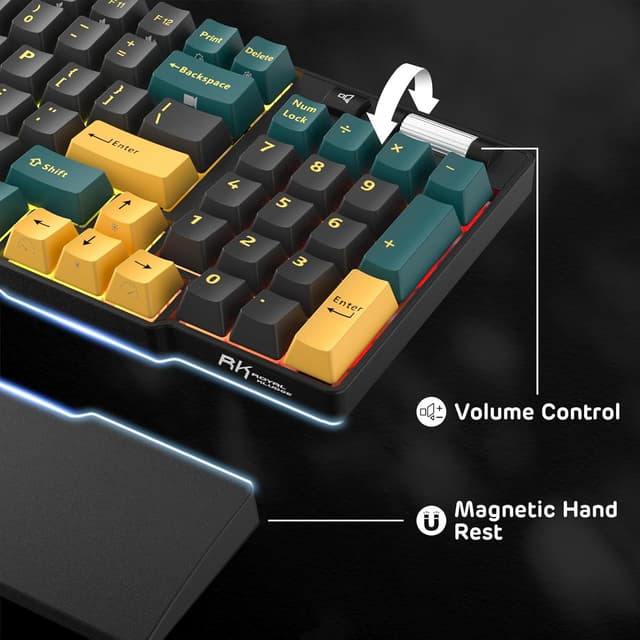
If you care about desk comfort, you get magnetic ergonomic wrist rests. They’re described as being secured via integrated magnets, which is handy for day-to-day repositioning without fiddling.
One practical limitation to keep in mind: with any hot-swappable board, you’ll still want to choose switches thoughtfully, and you’ll get the best results if you’re happy to spend a bit of time getting your setup right. If your plan is “buy once, never touch anything”, you may find you don’t fully use the main selling point.
Key features and where they shine
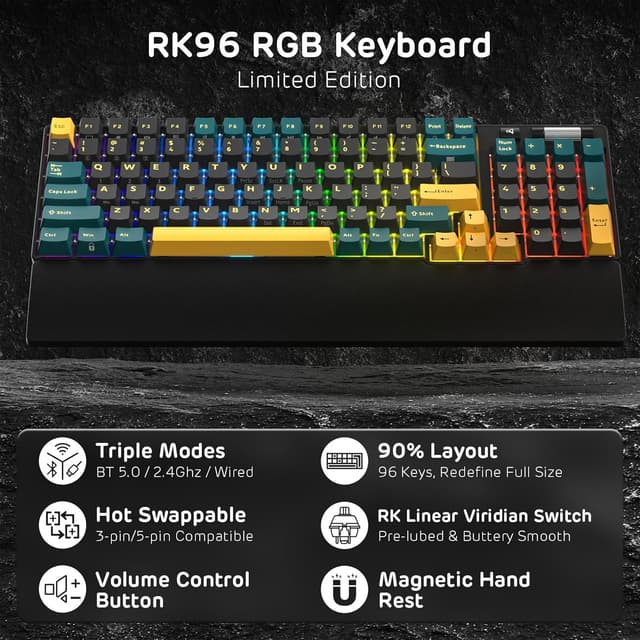
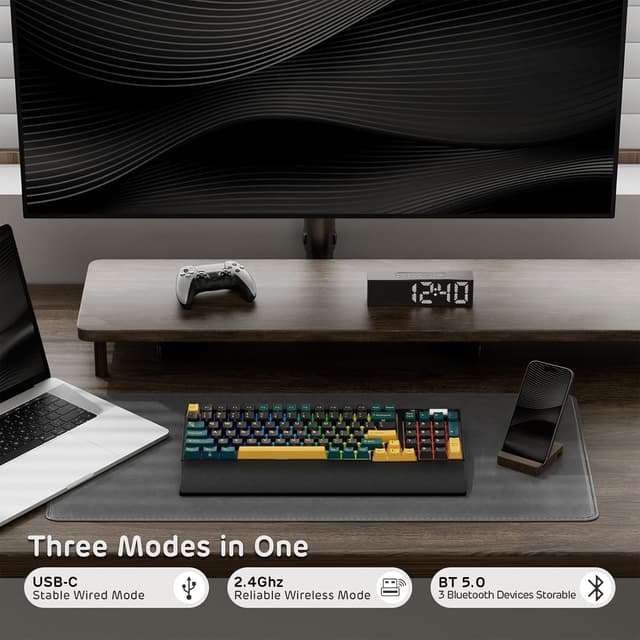
The triple-mode wireless setup is the big day-to-day win. BT5.0 is there for stable wireless use, the 2.4 GHz connection is for low-hassle responsiveness via a dongle, and USB-C wired is included if you want a direct, consistent connection (or you need to keep working when battery/connection switching isn’t your priority).
Where it gets more interesting is the hot-swap PCB. The description specifically says you can swap 3- and 5-pin switches without soldering. That’s ideal if you like experimenting with switch feel over time, or if you already own a few switch options and don’t want to commit to a single fixed setup.
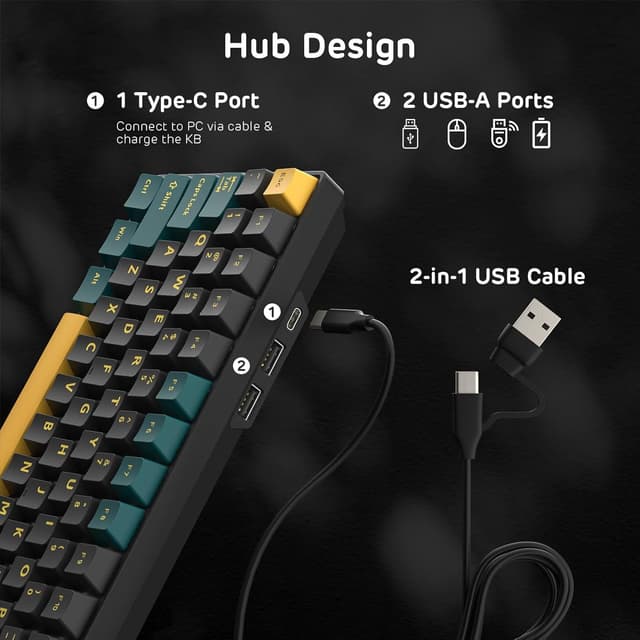
There’s also the “hub” style design detail: integrated USB ports (two USB ports plus one USB-C port). It’s meant to support additional desk accessories—like a mouse or headphones. Whether that’s genuinely useful depends on your existing desk setup, but it’s the kind of convenience you notice when cables start multiplying.
Tech specs
- Name: RK ROYAL KLUDGE RK96 RGB Limited Edition
- Type: Mechanical keyboard (wireless triple-mode)
- Format: 90% layout, 96 keys
- Connection modes: BT5.0, 2.4G (dongle), USB-C
- Switch support: Hot swappable PCB for 3-pin and 5-pin switches
- Keycaps: Double-shot PBT keycaps
- Wrist rest: Magnetic ergonomic wrist rest (integrated magnets)
- Display: RGB lighting (as stated by model name)
- Colour/variant: Marrs Green
Everyday use: a realistic micro-scenario
Imagine you’re working from a laptop during the day and then gaming later. With triple mode, you can set the board up for BT5.0 for the laptop, keep the 2.4 GHz dongle for your main setup, and switch to USB-C when you need a straightforward connection. You’re not forced into one lifestyle—typing and switching contexts becomes the workflow.
And if you’re the type who can’t resist tuning sound and feel, hot-swap means you could swap switches down the line without turning the keyboard into a soldering project.
Who it suits (and who should be cautious)
It’s a good fit if you want a compact-but-not-too-compact 90% mechanical layout with a number pad, you like linear switch feel, and you value the freedom of choosing between Bluetooth, 2.4 GHz, and USB-C. It also suits buyers who care about build longevity, given the PBT double-shot keycaps and the hot-swap PCB.
It may not be a great match if you’re strictly after a “simple wireless keyboard” experience and don’t want to think about switch choices at all. Also, if you require very specific software features, the description only mentions software support in general terms—so it’s worth checking what you need it to do before you commit.
FAQs
How does triple-mode connectivity help in practice?
It lets you use BT5.0, a 2.4 GHz dongle, or wired USB-C. On a desk, that means you can move between devices or switch connection types without replacing the keyboard.
Is the RK96 hot swappable?
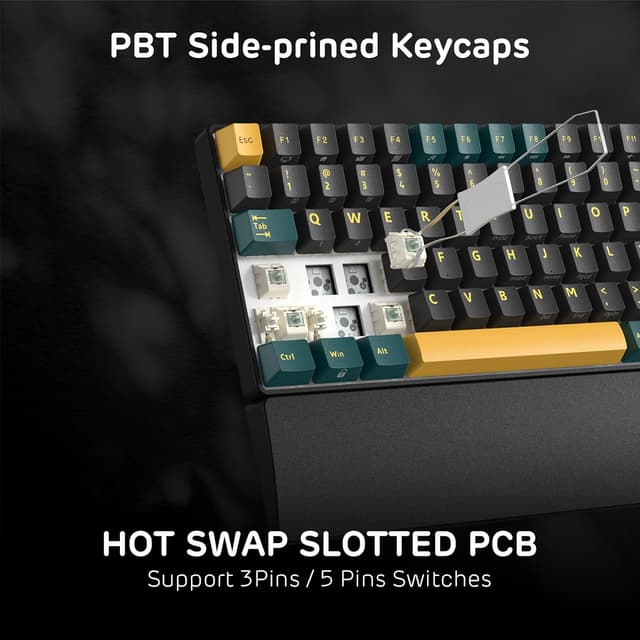
Yes. The PCB is described as hot swap and supports swapping 3- and 5-pin switches without soldering.
What kind of switches does it use?
The description points to RK’s Linear Viridian switches (in the RK Linear Chrome Green / Marrs Green variant), with a linear feel described as exceptionally smooth.
Does it include a wrist rest?
Yes. There are magnetic ergonomic wrist rests intended to make longer sessions more comfortable.
Should you buy it?
Worth considering if you want a 90% 96-key mechanical keyboard with a number pad, triple-mode wireless connectivity, hot-swappable switch capability, and PBT double-shot keycaps. The magnetic wrist rest and integrated USB ports are the sort of small conveniences that can make daily use feel less messy.
Better avoided if you want a no-fuss wireless board that you’ll never tweak, or if you’re expecting detailed software capabilities to match a very specific use case—since only general software support is mentioned, it’s smart to confirm it lines up with your needs first.