

YUNZII B75 Pro Wireless Mechanical Keyboard (75% gasket, hot-swap, tri-mode)
Product description
What it is and why people look at a 75% board
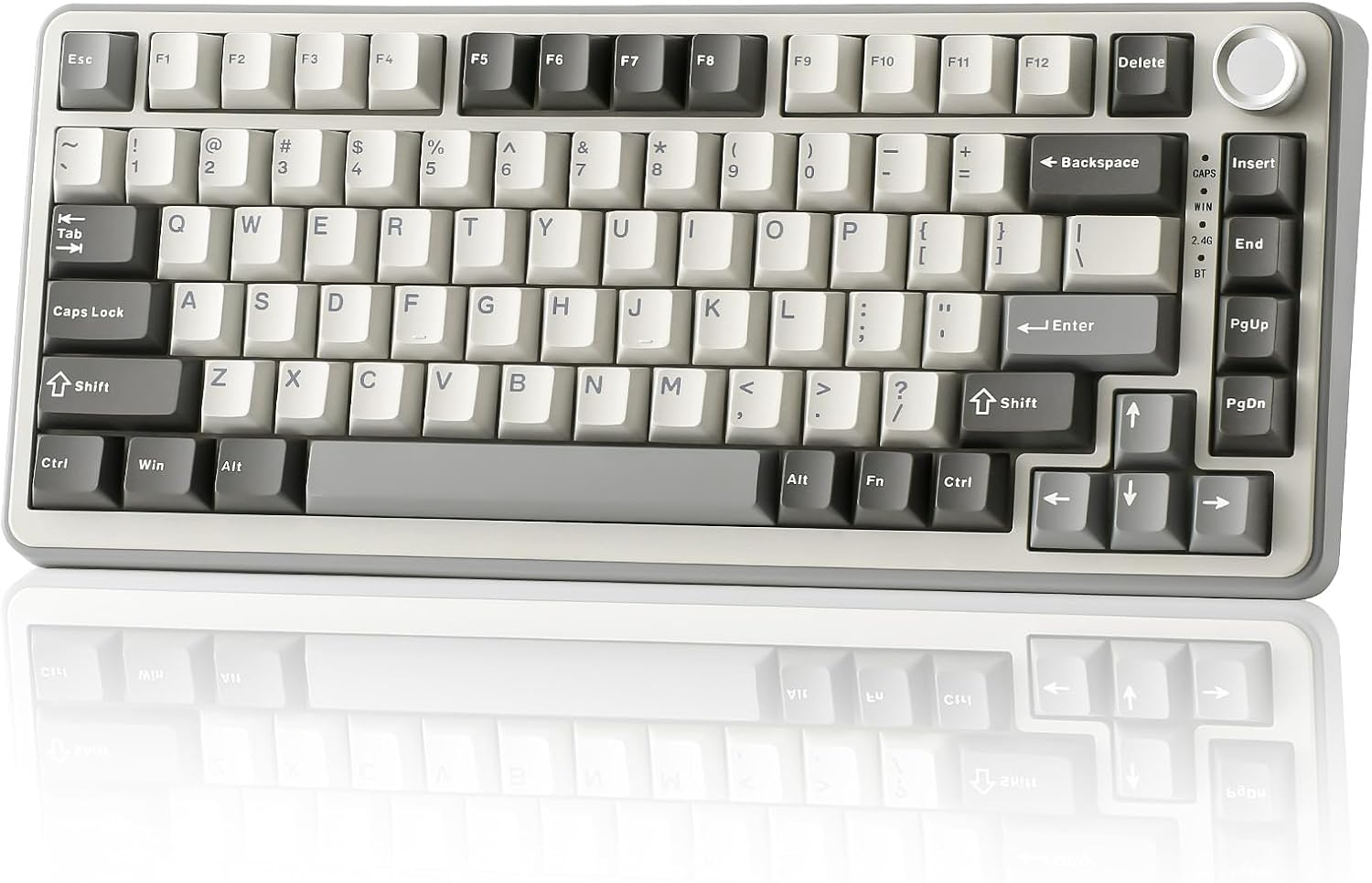
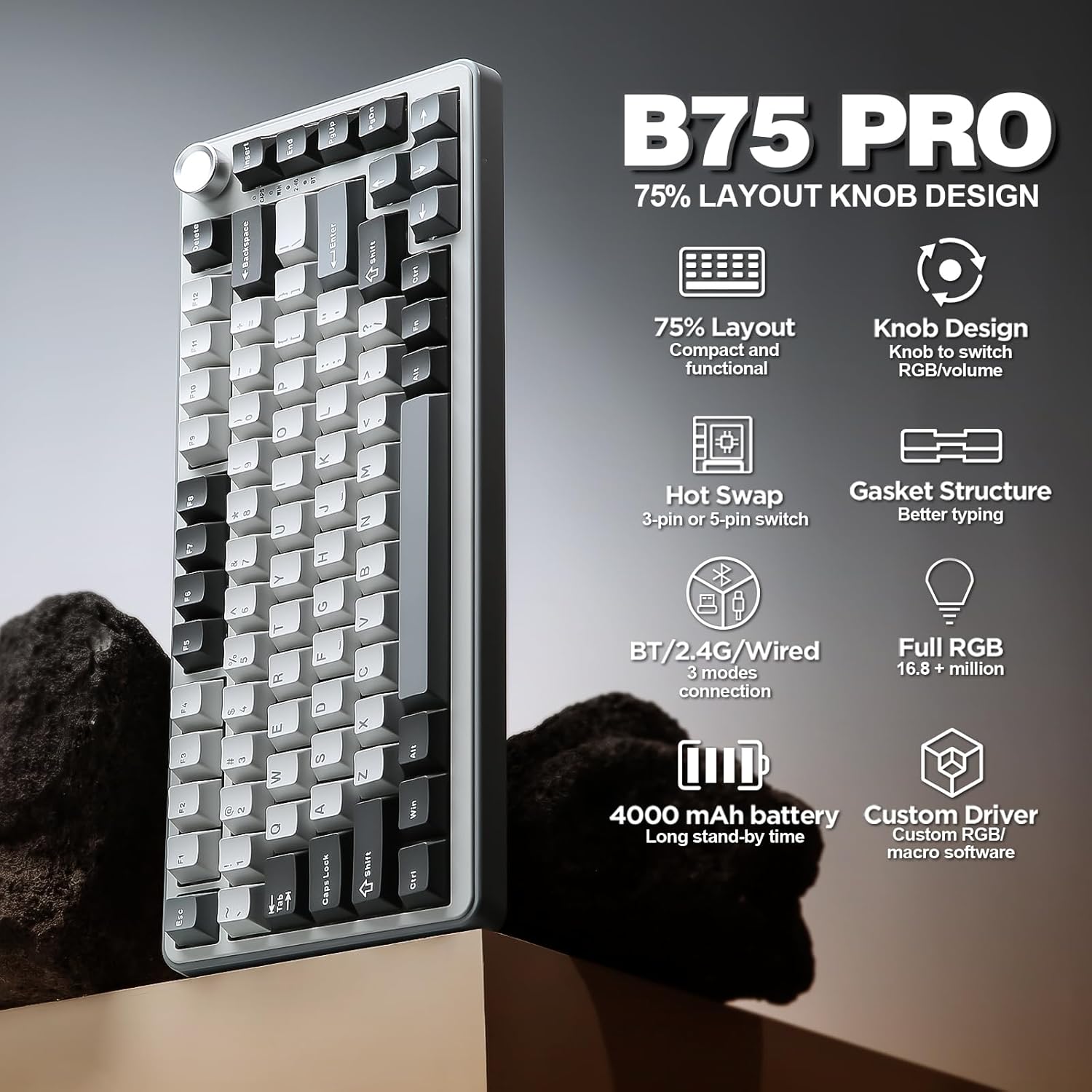
The YUNZII B75 Pro is a compact 75% wireless mechanical keyboard built around a few ideas that suit a lot of “desk life” setups: it keeps the number row while dropping some of the wider layout space, it adds a dedicated knob for quick control, and it’s designed to be hot-swappable so you can change switches without needing soldering. On paper, it’s aiming at the middle ground between a straightforward gaming board and a more custom, tinkerer-friendly keyboard.
That tri-mode wireless support (Bluetooth, 2.4G, and wired) is the other big reason it gets attention. If you regularly switch between a laptop and a desktop, or you want wireless for gaming but still have a reliable fallback, this is the kind of keyboard that tries to cover that without forcing you into one connection type.
There’s also an RGB angle: more than 20 backlight modes, south-facing LEDs, and software control for macros and key remapping in Windows.
The standout design: gasket mount + knob control
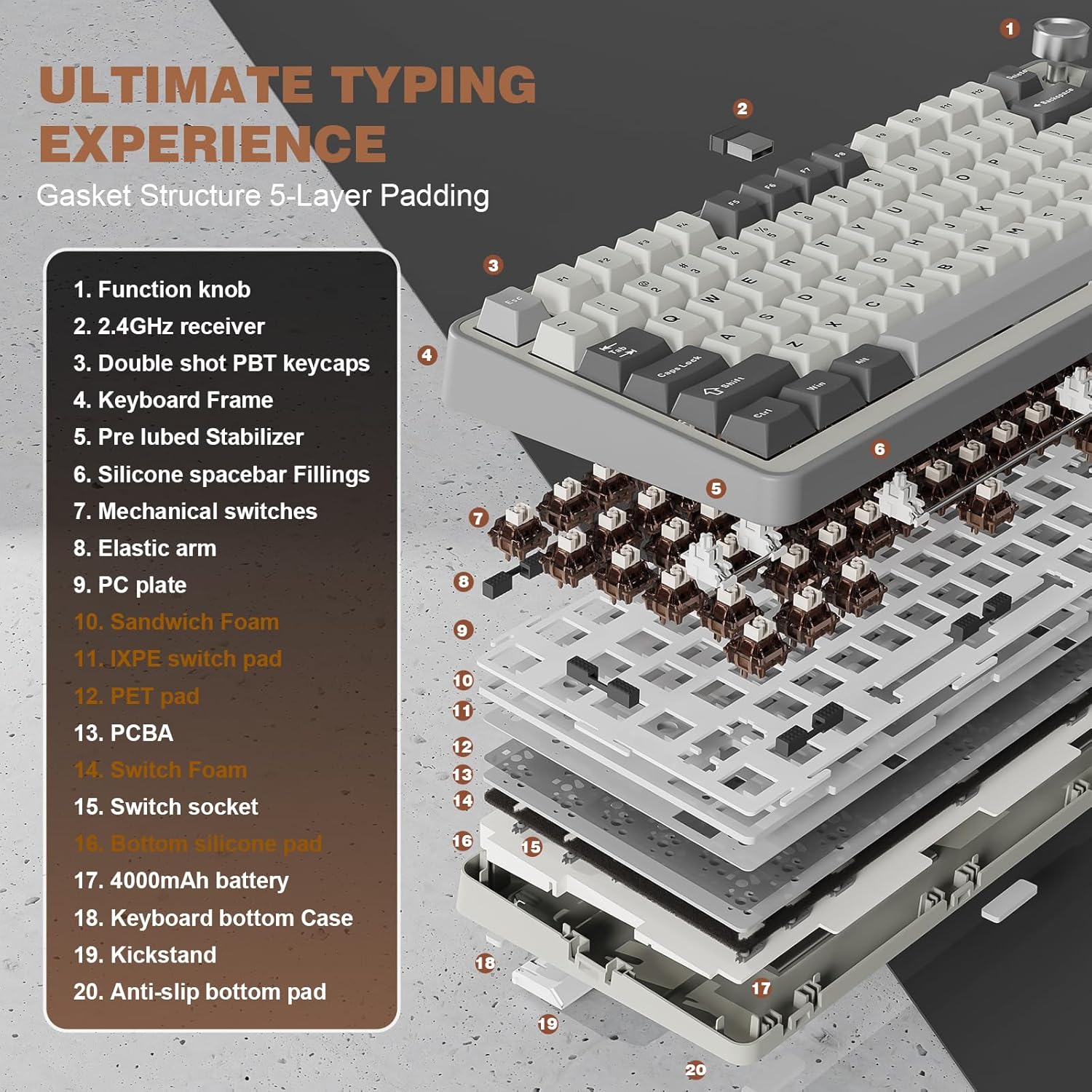
The “gasket keyboard” approach matters for feel. This model uses a gasket-style structure with 5-layer padding and a noise-cancellation design, plus precision-tuned stabilisers and double-shot keycaps. The switches are described as pre-lubed, aiming for a “creamy sounding” typing experience and a solid, smooth keystroke feel.
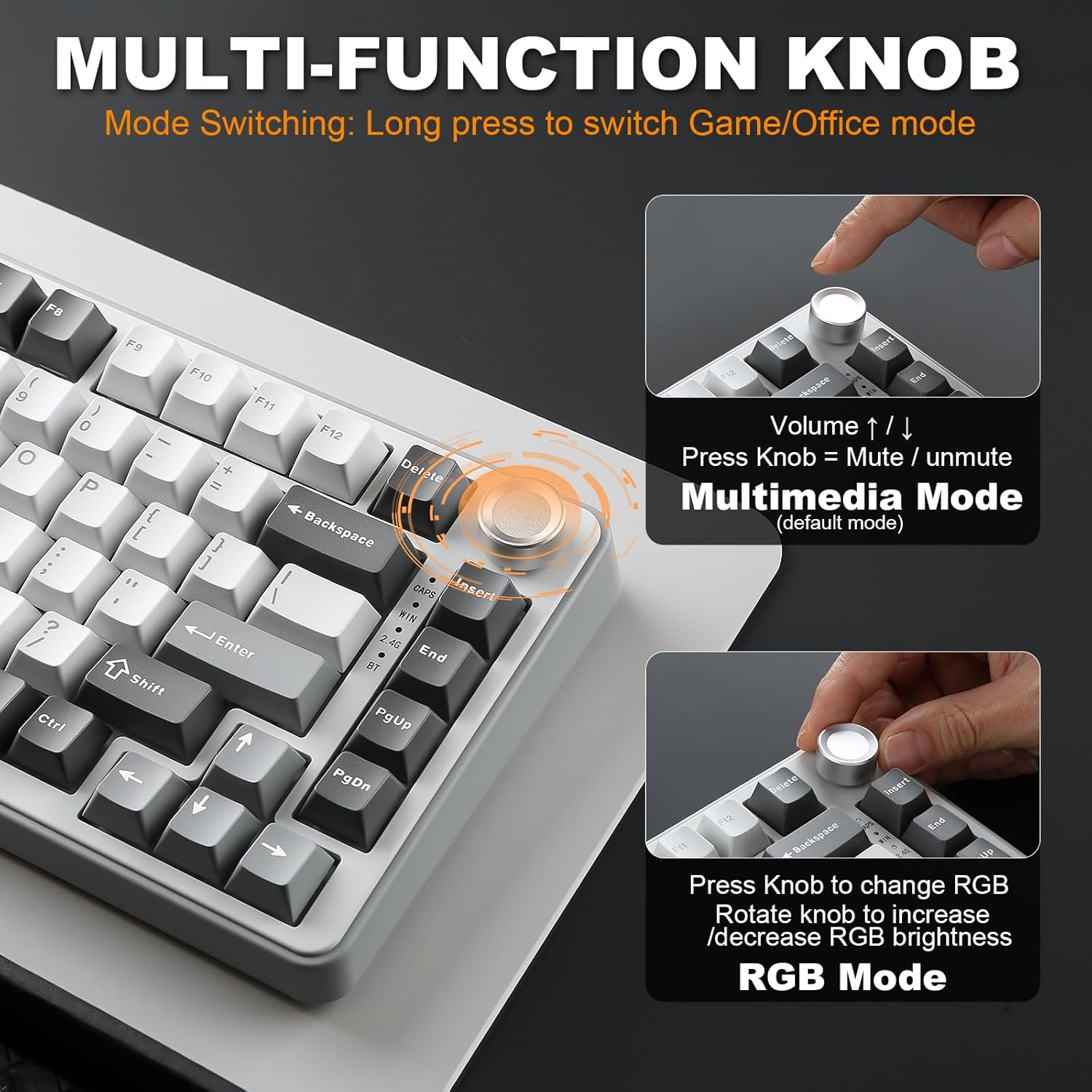
The knob isn’t just decoration either. The multi-function knob can adjust sound level and backlit effects, and a long-press can switch between gaming and office modes. That’s the sort of feature you’ll actually reach for—especially if you want quicker control over brightness/effects without diving into software every time.
Still, one limitation to keep in mind: while gasket designs often feel more forgiving and pleasant, the final sound profile will depend on the switches and how your desk setup resonates. So it’s a “likely improved feel” situation, not a guarantee that every desk will sound the way you expect.
Wireless and connectivity: tri-mode, tri-purpose
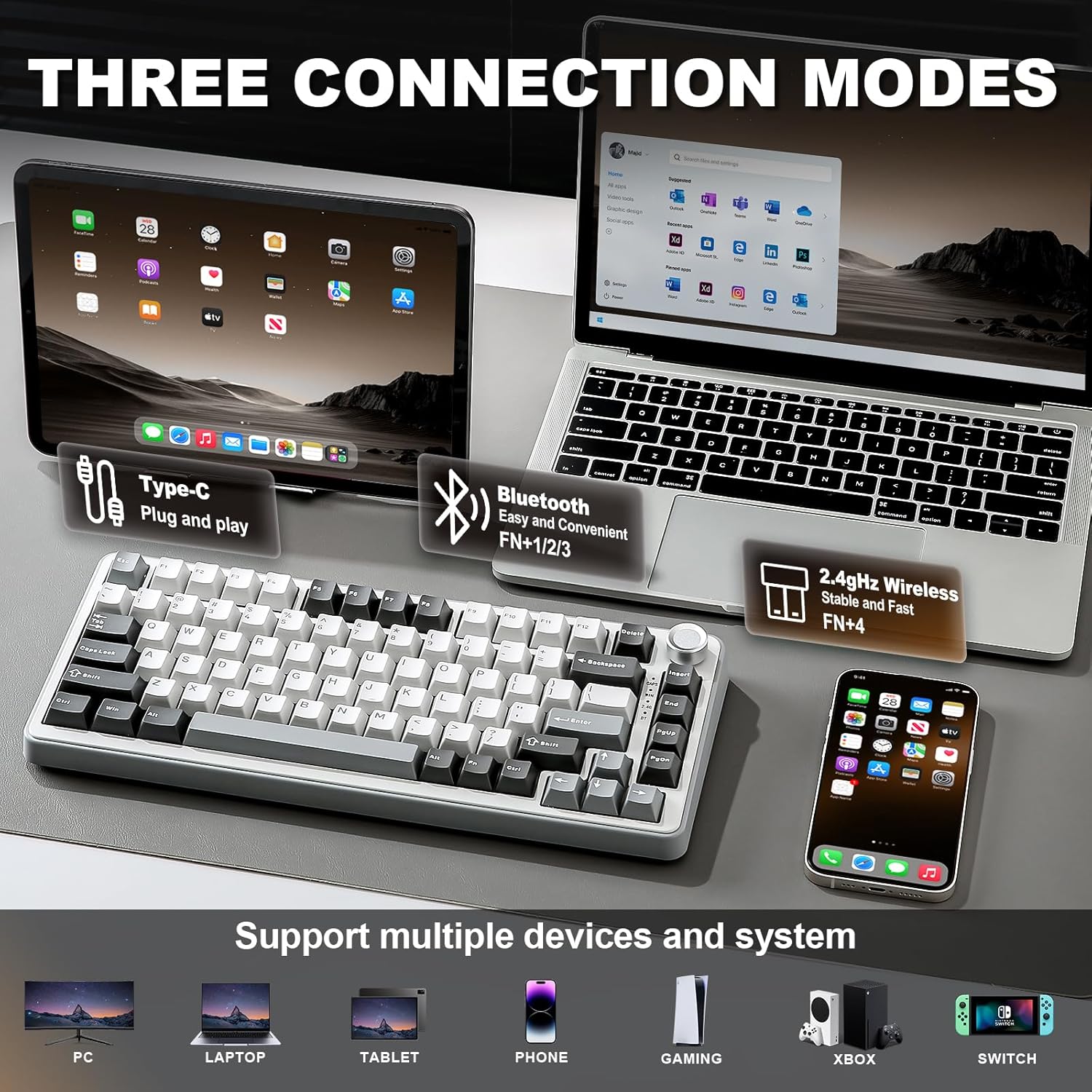
This keyboard supports three connection modes:
- Bluetooth
- 2.4G wireless
- Wired connection
The battery is listed as a built-in 4000mAh high-capacity cell, positioned as support for extended use in wireless Bluetooth and long work or intense gaming sessions.
In practice, tri-mode boards are often chosen for convenience: you can keep one device on Bluetooth and another on 2.4G, then drop back to wired if you’re charging or if you need maximum stability. Whether the battery life matches your expectations will depend on your usage patterns (especially RGB), so it’s worth being realistic if you run bright effects all day.
Hot-swap and custom switch flexibility (with a sensible warning)
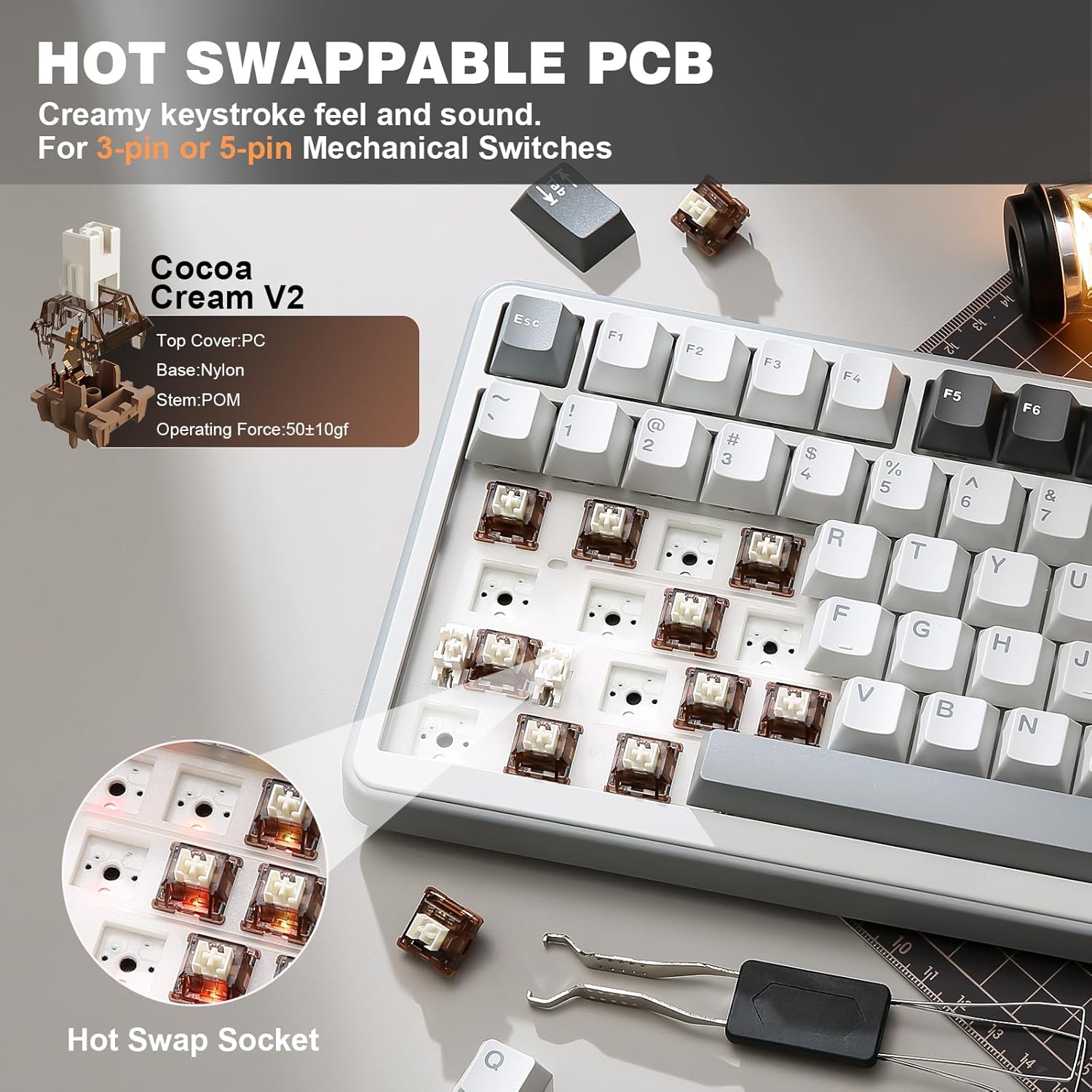
A big buying factor here is hot-swappability: the keyboard supports full-key hot-swappable sockets and is described as compatible with both 3-pin and 5-pin switches. The aim is to let you experiment with different switch feels (linear vs tactile, for example) without soldering.
It also ships with pre-lubed switches—listed as Grey Cocoa Cream V2 switches in this configuration—and the text positions them as linear and tactile options with solid sound and excellent keystroke feel.
However, here’s where you should be cautious. The entry already includes pre-lubed switches, so if you’re the type of buyer who wants a plug-and-play keyboard with minimal tweaking, hot-swap becomes less of a necessity and more of an “extra you may not use”. Also, because you’re changing switches, your final typing sound and travel feel can shift more than with a fully pre-built, locked configuration.
RGB, software control, and “real” customisation
The light-up side includes more than 20 built-in backlight modes and programmable RGB. The south-facing LED note is relevant if you use keycap profiles where you care about visibility from different angles.
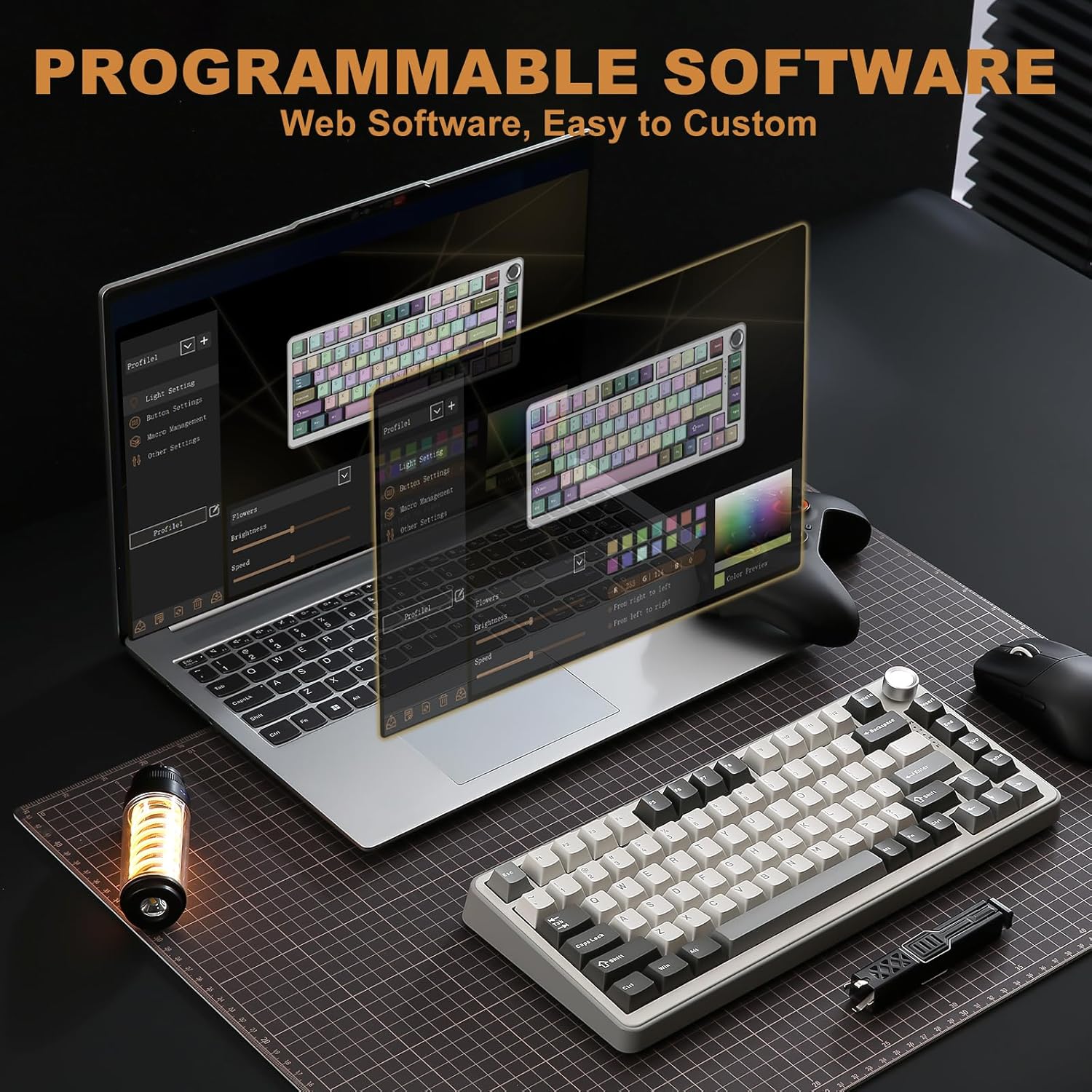
On top of that, the keyboard is described as programmable in Windows: you can redefine keys, set macros, and customise RGB through software. The key remapping and macro capability is the part that tends to matter for both gaming shortcuts and productivity workflows.
If you’re thinking about using it as a daily office board, the gaming/office mode switch via the knob is a nice touch—though again, what those modes do exactly would depend on how you configure them.
Also mentioned is compatibility with Windows and MacOS. It’s not uncommon for full software features to be strongest on Windows, so if you live fully inside macOS, it’s worth checking that your specific needs (macros, remapping) are supported the way you expect.
Tech specs that affect buying decisions (the essentials)
Tech specs
- Type: 75% wireless mechanical keyboard with knob
- Mounting style: gasket mount
- Switch type: hot-swappable (supports 3-pin or 5-pin)
- Connections: Bluetooth / 2.4G / wired
- Battery: built-in 4000mAh high-capacity
- Keycaps: 82 keycaps, double-shot keycaps
- Backlighting: RGB with more than 20 backlight modes, south-facing LEDs
- Included switch info: Grey Cocoa Cream V2 (pre-lubed) listed for this variant
Is it worth it?
A solid pick if you want a compact 75% keyboard with wireless flexibility (Bluetooth and 2.4G), a genuine gasket-style typing feel, hot-swap switch support, and RGB/macro customisation where software is available. It makes sense if you enjoy tuning your setup over time—switch swaps, different sound profiles, and quick knob-based control.
You may want to skip it if you’re after a strict plug-and-play experience with no interest in experimenting (because hot-swap and programmability are only useful if you’ll use them). It might not be a great match if you mainly care about the absolute simplest desktop keyboard for macOS software workflows, since the text explicitly points to Windows customisation features.
For most buyers, it lands in a “mid-range enthusiast” lane: enough customisation and feel-focused design to be interesting, but still built as a practical wireless desk/gaming keyboard.
Quick FAQ
Quick FAQ
Does this keyboard work wirelessly or only via Bluetooth?
It supports Bluetooth, 2.4G wireless, and a wired connection, so it’s not limited to Bluetooth only.
Is it hot-swappable without soldering?
The description says it uses full-key hot-swappable sockets, and it supports 3-pin and 5-pin switches.
Can I control brightness and effects without using software?
The knob is described as able to adjust sound level and backlit fast, and a long-press can switch between gaming and office modes.
Is there RGB customisation?
Yes—there are built-in RGB modes, plus programmable RGB and key/macro features mentioned for Windows.
Is it compatible with both Windows and MacOS?
It’s stated as compatible with Windows and MacOS, though the exact depth of software features may vary by platform.