

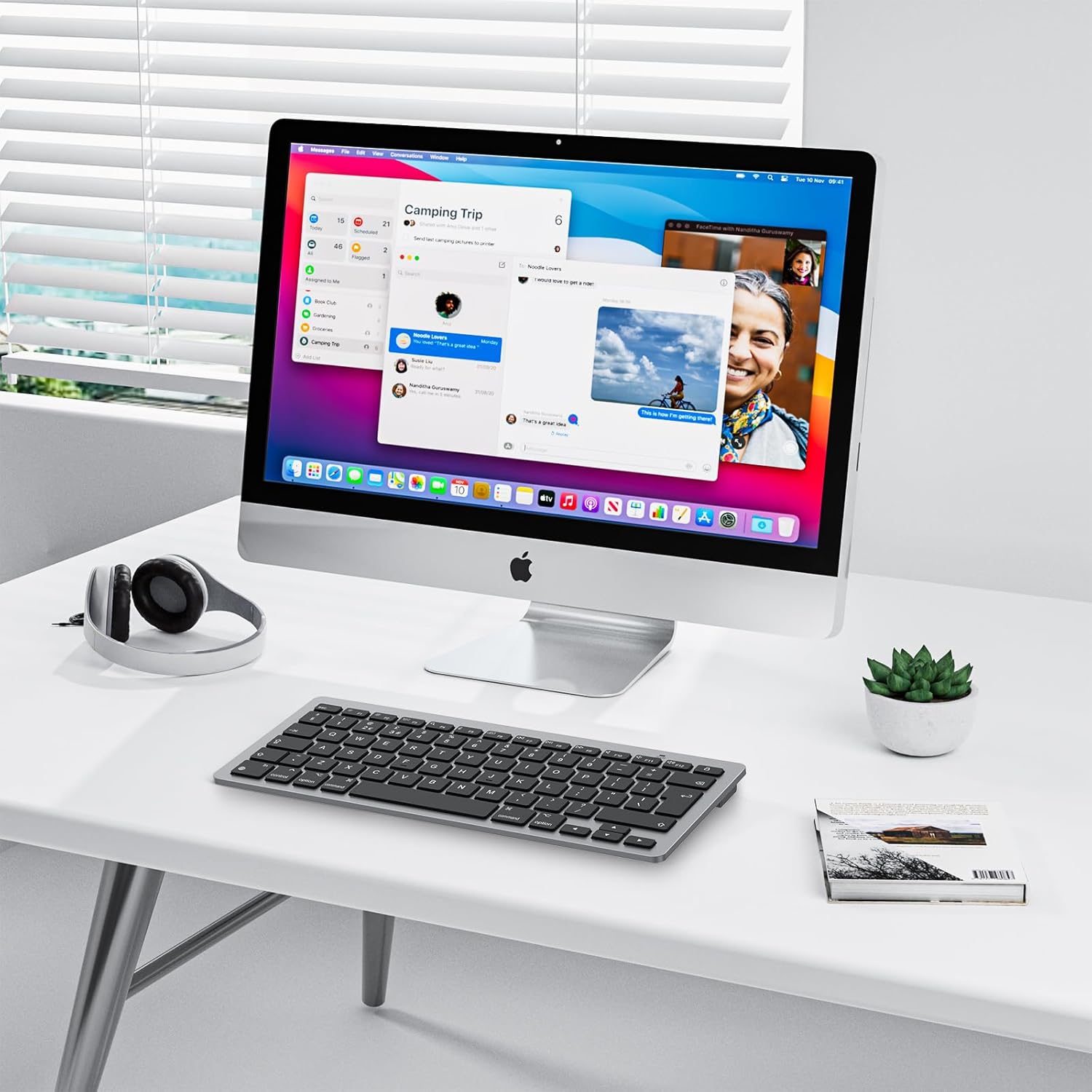
OMOTON Bluetooth Keyboard for Mac (UK Layout, Space Grey)
Reviews
Price
Product description
What it is and who it’s for
The OMOTON Bluetooth Keyboard for Mac is a compact wireless keyboard designed to pair with multiple Apple devices. With a UK QWERTY layout, it targets users who want a low-profile, space-saving solution without sacrificing full macOS compatibility. If you value a clean desk setup and a keyboard that slots neatly into a home or office workspace, this model aims to deliver that balance. It’s not aimed at high-end gaming or pro-level typists who demand a mechanical experience, but for everyday Mac users it offers a practical alternative to bulkier boards.
Key features
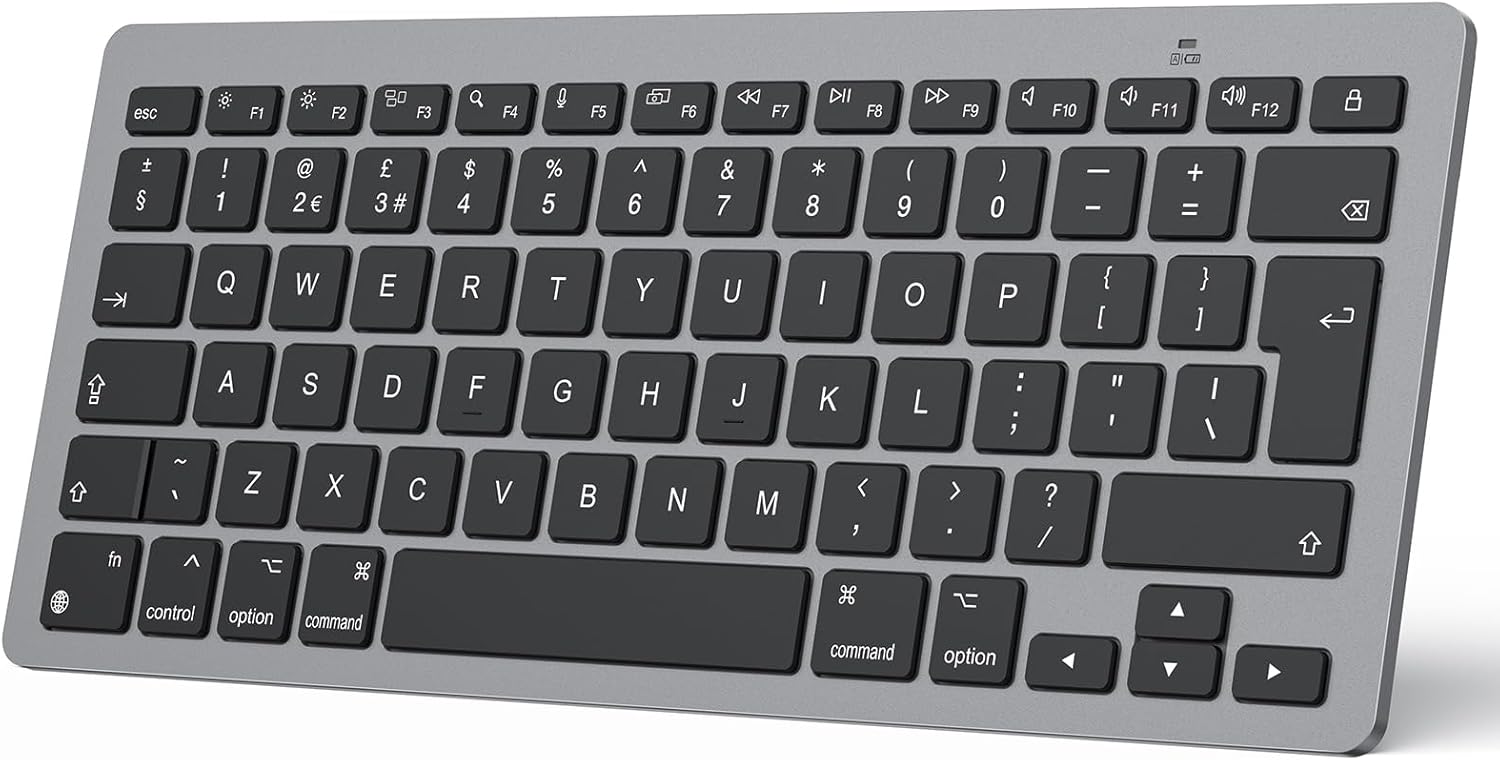
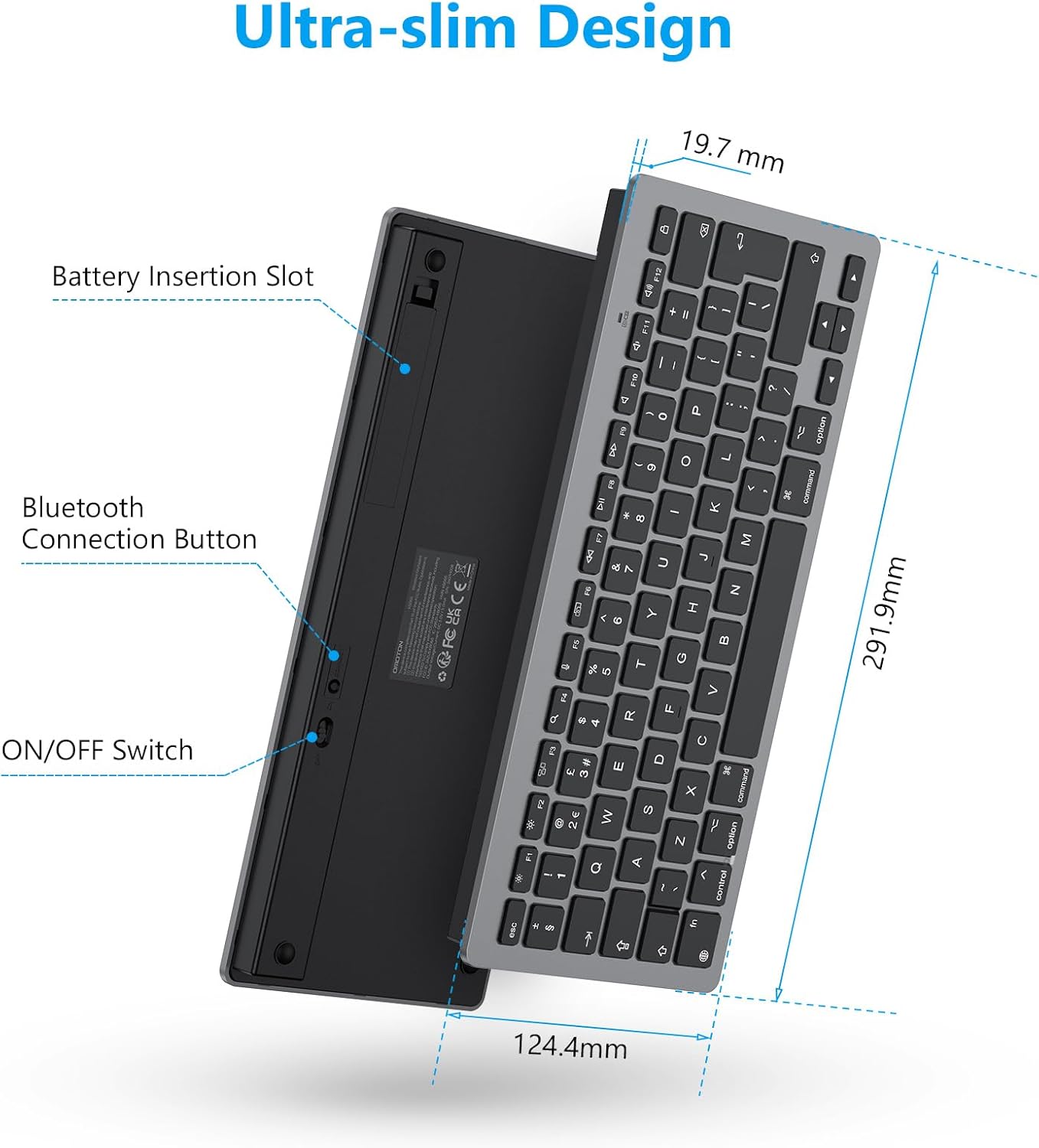
This keyboard prioritises practicality over flash. It runs on 2 AAA batteries and features an auto-sleep mode to conserve power. The Bluetooth connection is stated to reach up to 10 metres, which is handy if you keep your Mac across a room or work from a sofa or mezzanine. A scissor-switch mechanism under the keys promises a quieter, more familiar typing feel for Mac users, while the overall slim profile aids portability. There are 12 shortcut keys to help you navigate macOS tasks more quickly, which can shave a few seconds off daily routines.
Design and build
The Space Grey finish is a neutral choice that tends to blend with most Apple devices. The keyboard’s compact layout means it takes up less desk real estate, which is useful if you’re working in a small home office or want to keep your laptop’s screen area clear. On the downside, the reliance on two AAA batteries means you’ll need to replace them periodically, and the absence of a built-in rechargeable battery could be a tip for heavier daily use.
Compatibility and setup
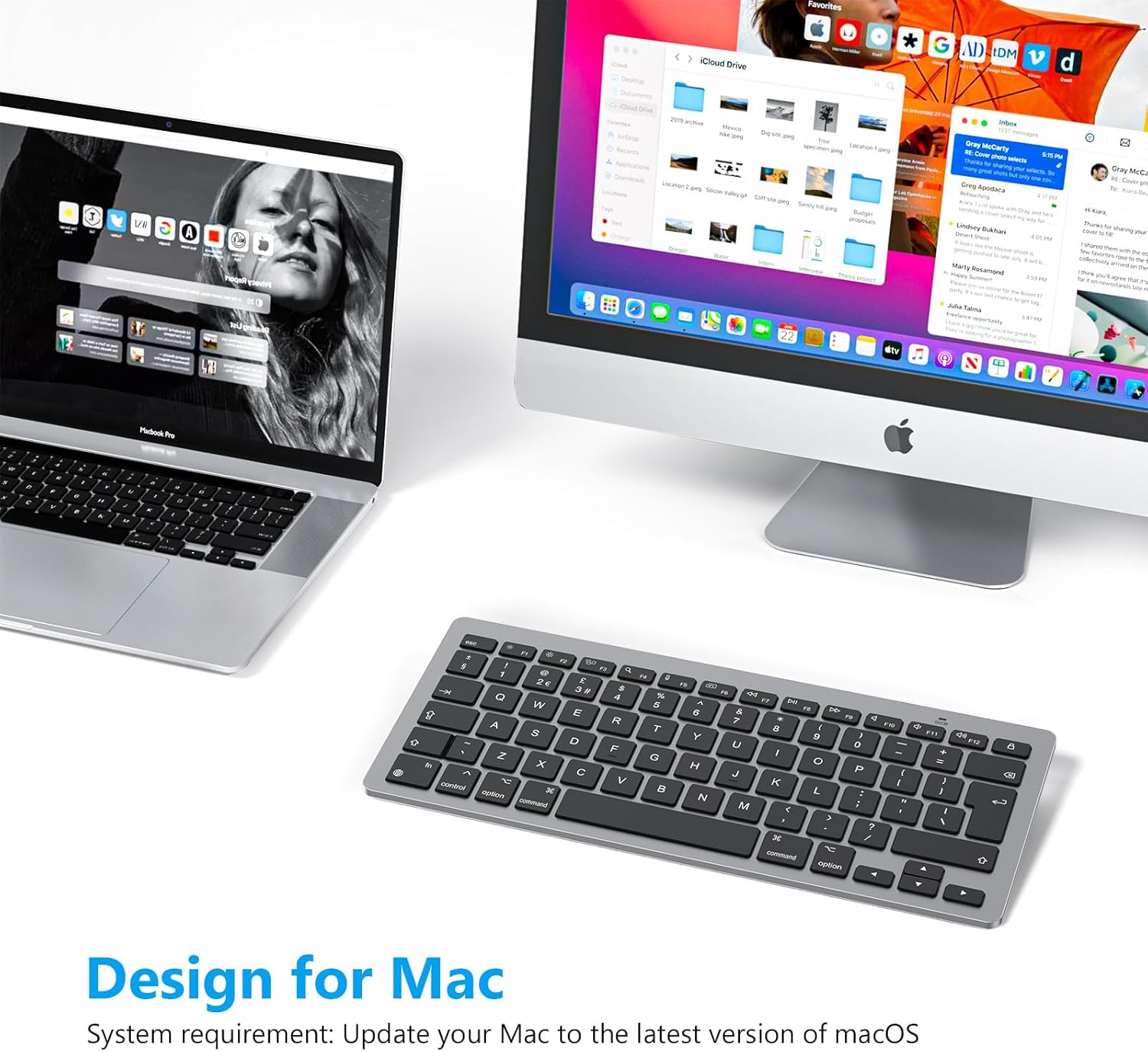
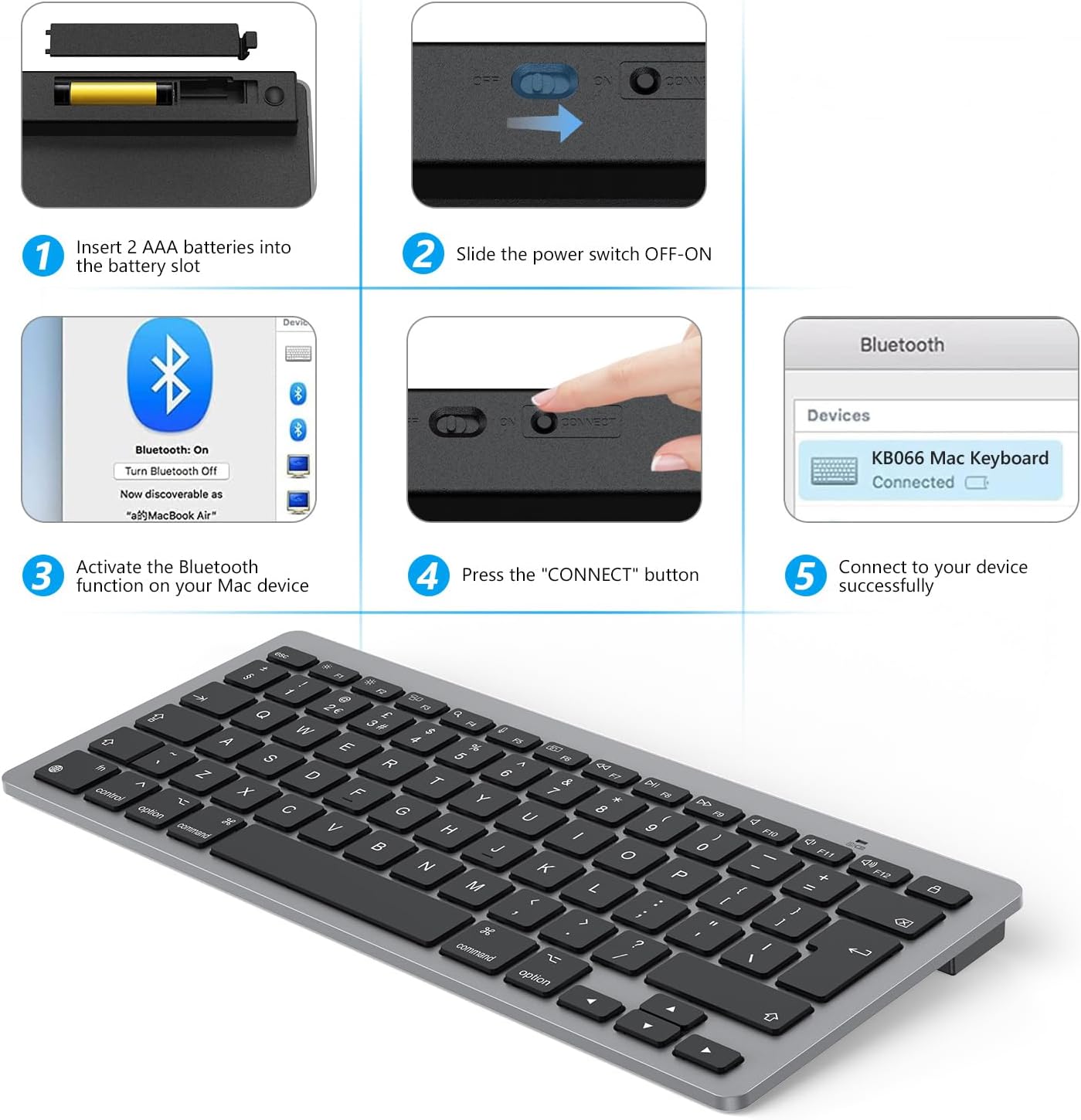
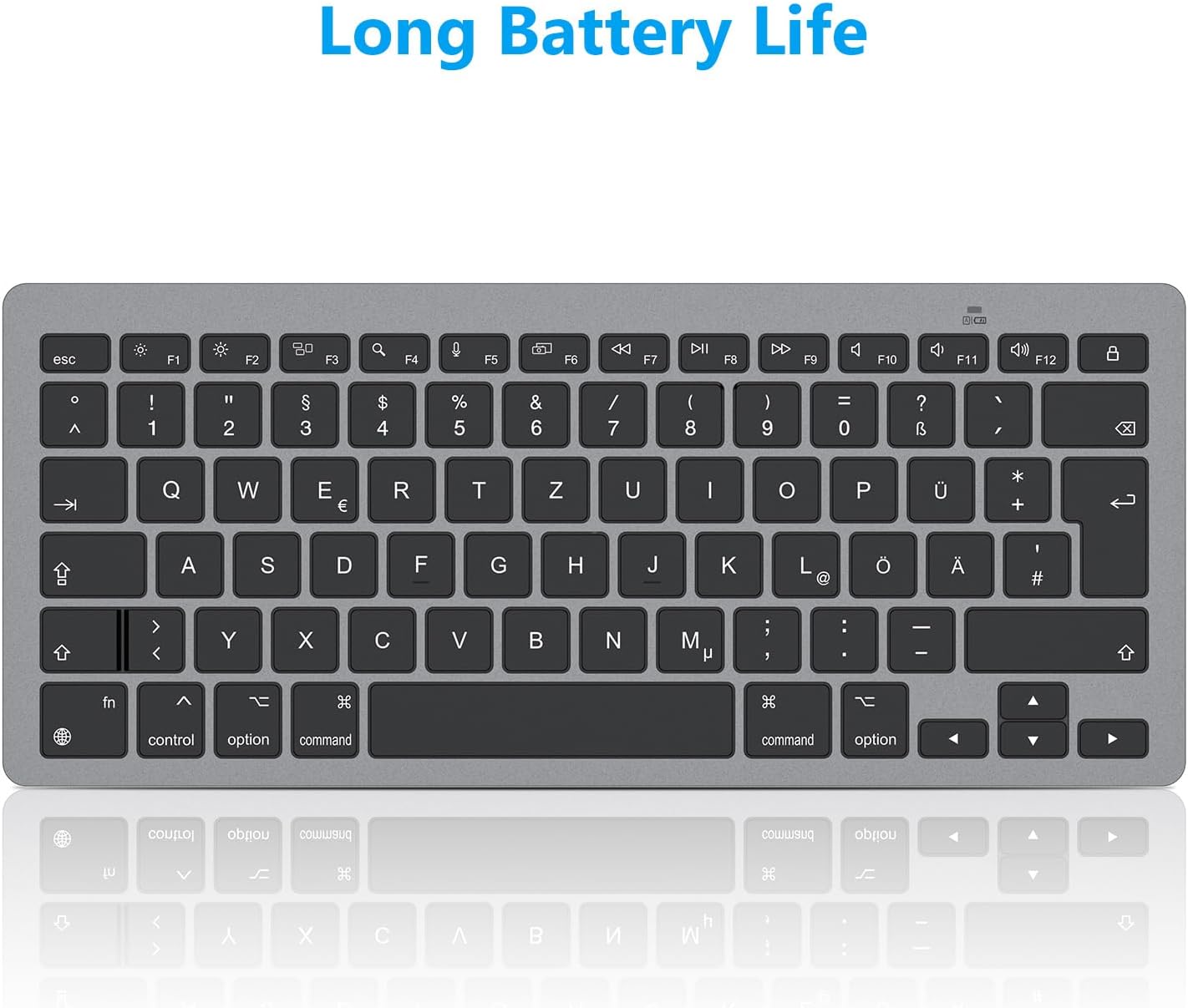
On paper, this keyboard is designed for Mac OS X 10.10 and higher. It supports a range of Apple devices, including MacBook Pro, MacBook Air, iMac, iMac Pro, Mac Pro and Mac Mini. The wireless setup is straightforward for Mac users who are comfortable with Bluetooth peripherals, and the UK layout ensures the keycaps align with local expectations. If you frequently switch between multiple Macs at home or in the office, the device could offer a convenient, consistent typing experience across devices.
What’s good and what isn’t
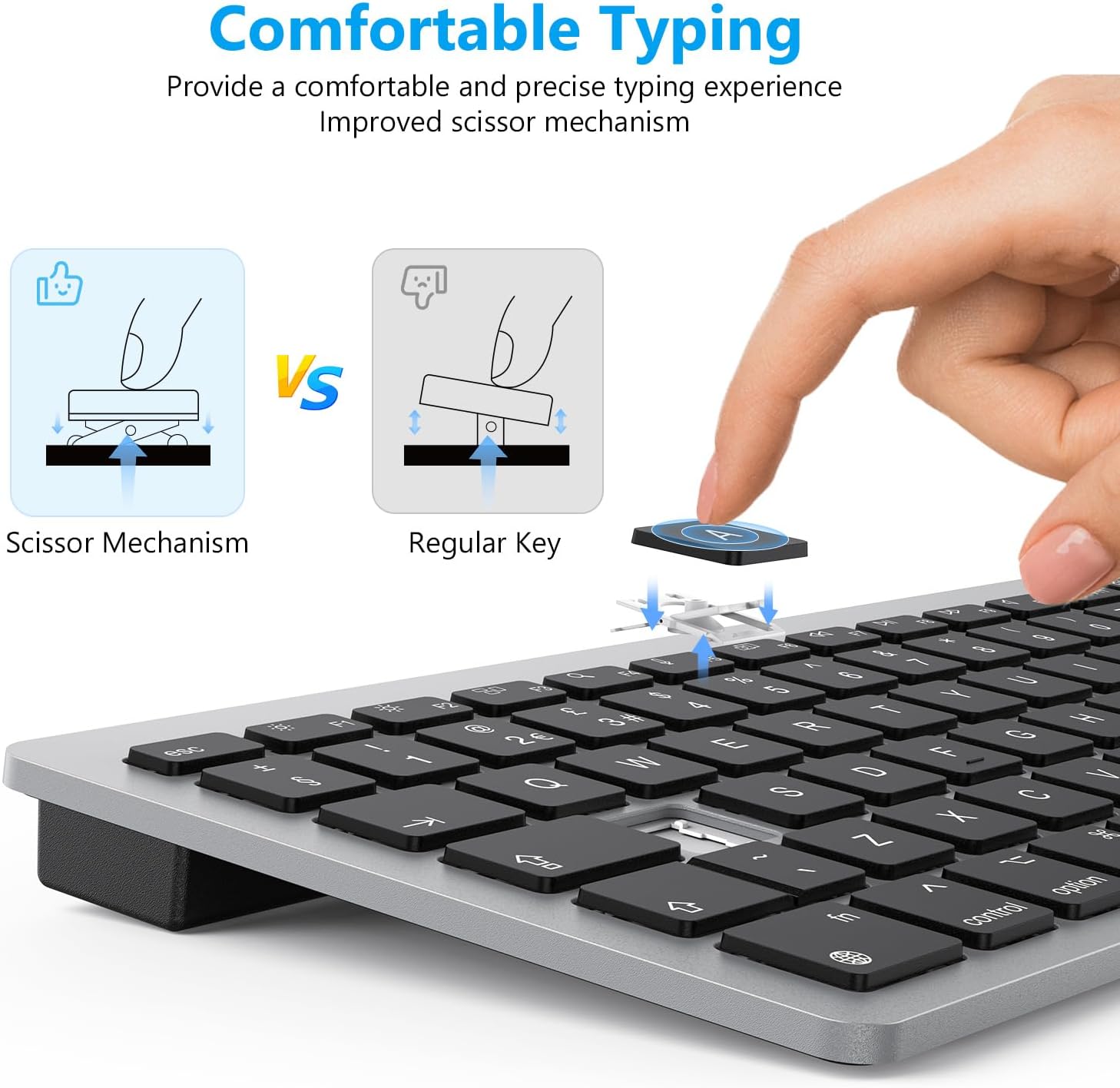
You’ll notice the appeal of a compact, quiet keyboard that still delivers full functionality via function keys and media-style shortcuts. The 10-metre Bluetooth range is competitive for a keyboard in this price segment, and the scissor-switch mechanism provides a familiar feel without loud clatter. However, the two AAA battery power means ongoing costs and occasional battery replacements the user must manage. It also isn’t advertised as a rechargeable or backlit model, so you won’t get features you might expect from higher-priced alternatives.
Who it’s for
If you prioritise portability, a clean desk, macOS compatibility, and a modest budget, this keyboard can be a sensible choice. It’s suitable for students, remote workers, or anyone who wants a dedicated macOS keyboard for a secondary setup or travel. It isn’t the best option if you’re after a premium typing experience, backlighting, or heavy gaming performance.
When it makes sense to buy
Consider this model if you want a compact, dedicated Mac keyboard that is easy to pair with multiple Apple devices, and you don’t mind occasional battery changes. It can be particularly handy for users who want a separate keyboard for a compact desk or a macro-focused workflow that benefits from the included shortcuts.
What to check before buying
- Confirm you’re comfortable using two AAA batteries and periodic changes.
- Check if your Mac setup prefers a non-rechargeable keyboard with auto-sleep features.
- Think about whether you need backlighting or extra programmable keys—the OMOTON model doesn’t advertise these features.
- Ensure you’re fine with a QWERTY UK layout and a compact footprint rather than a larger, pro-grade keyboard.
Practical use example
Imagine a writer who moves between a MacBook and an iMac. With this keyboard, you can leave the laptop closed and use the external device as a desktop setup while enjoying quiet, precise typing that doesn’t dominate the desk. The 12 shortcuts help with common macOS tasks, such as adjusting volume or brightness, without interrupting the flow of work.
Quick comparison in context
Compared with larger, premium keyboards, this OMOTON option leans into portability and simplicity. It’s a sensible choice when you’re prioritising space on the desk and straightforward Mac compatibility over premium materials or advanced features. If you need RGB lighting, macro programming, or a rechargeable battery, you’d likely look elsewhere.
FAQ (short, practical)
- Does it work with iMac and MacBook with the same pairing? Yes, it’s designed to pair with multiple Mac devices via Bluetooth.
- How long do the batteries last in typical use? Battery life depends on use, but the auto-sleep feature helps conserve power. The exact duration isn’t specified.
- Is it backlit? No, this model does not advertise backlighting.
Is it worth it?
If you’re after a compact, unobtrusive Mac keyboard that’s easy to move between devices and doesn’t break the bank, this OMOTON keyboard offers practicality over premium features. It may not be perfect for heavy typists or power users seeking rechargeable convenience or illumination, but for daily Mac tasks, it represents a straightforward value choice. For those prioritising minimal desk footprint and macOS alignment, it’s worth considering.