

OMOTON Mechanical Keyboard Gaming 75% ISO-UK: Tri-Mode Wireless, Hot Swap Gasket Mount, 4000mAh Battery
Product description
What this is and who it’s for
The OMOTON Mechanical Keyboard Gaming 75% ISO-UK is a compact, feature-rich keyboard designed for British users who want a genuine ISO-UK layout without sacrificing essential keys. With a 75% footprint, it keeps a full set of alphanumeric keys, a large Enter, and practical function layers within easy reach. It’s aimed at hybrid use cases: gaming, coding, and everyday productivity on Windows, Mac, or PS5. If you value a compact desk footprint but still need a customisable typing experience, this model presents a thoughtful balance between size and practicality.
Design and layout: what to notice in use
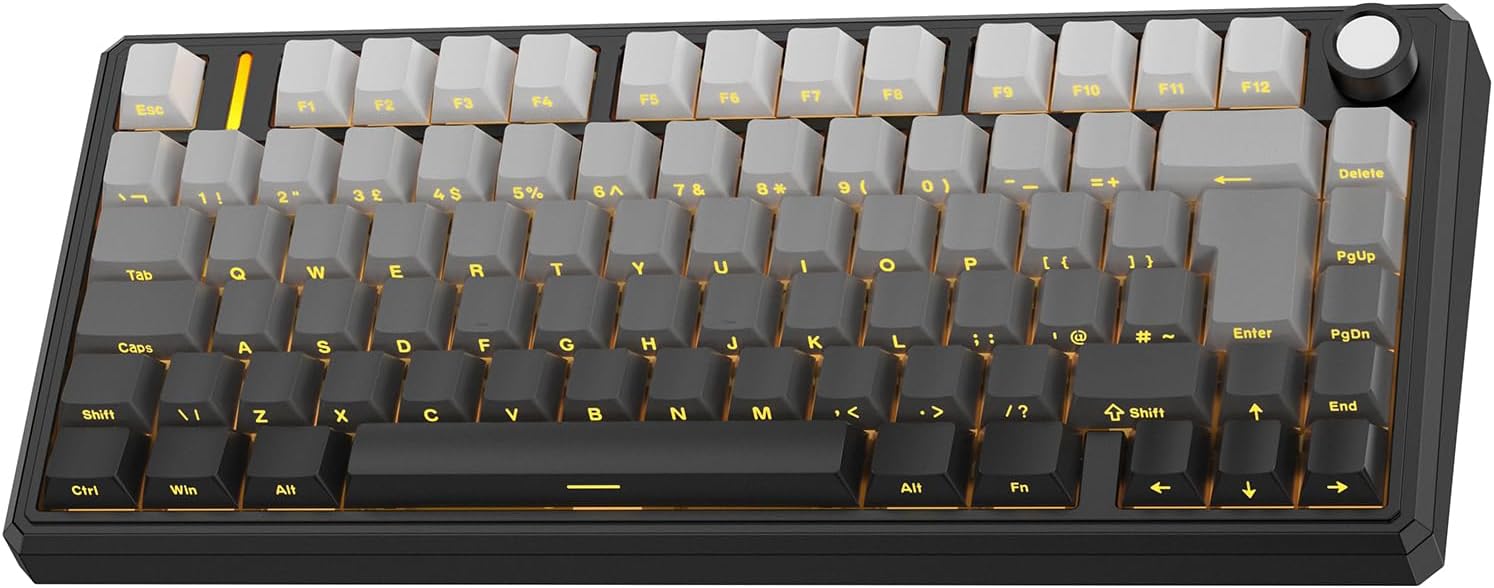
This keyboard ships with a true ISO-UK layout, so you’ll notice the larger Enter key and UK legends that feel familiar in day-to-day typing. The gasket mount construction is paired with a multi‑layer dampening system, which contributes to a calmer, smoother typing sound compared with traditional metal‑plate designs. For many that share a workspace or late-night setups, the result is a more forgiving keystroke and less reverberation when gaming or drafting documents.
Connectivity and power: how it stays useful
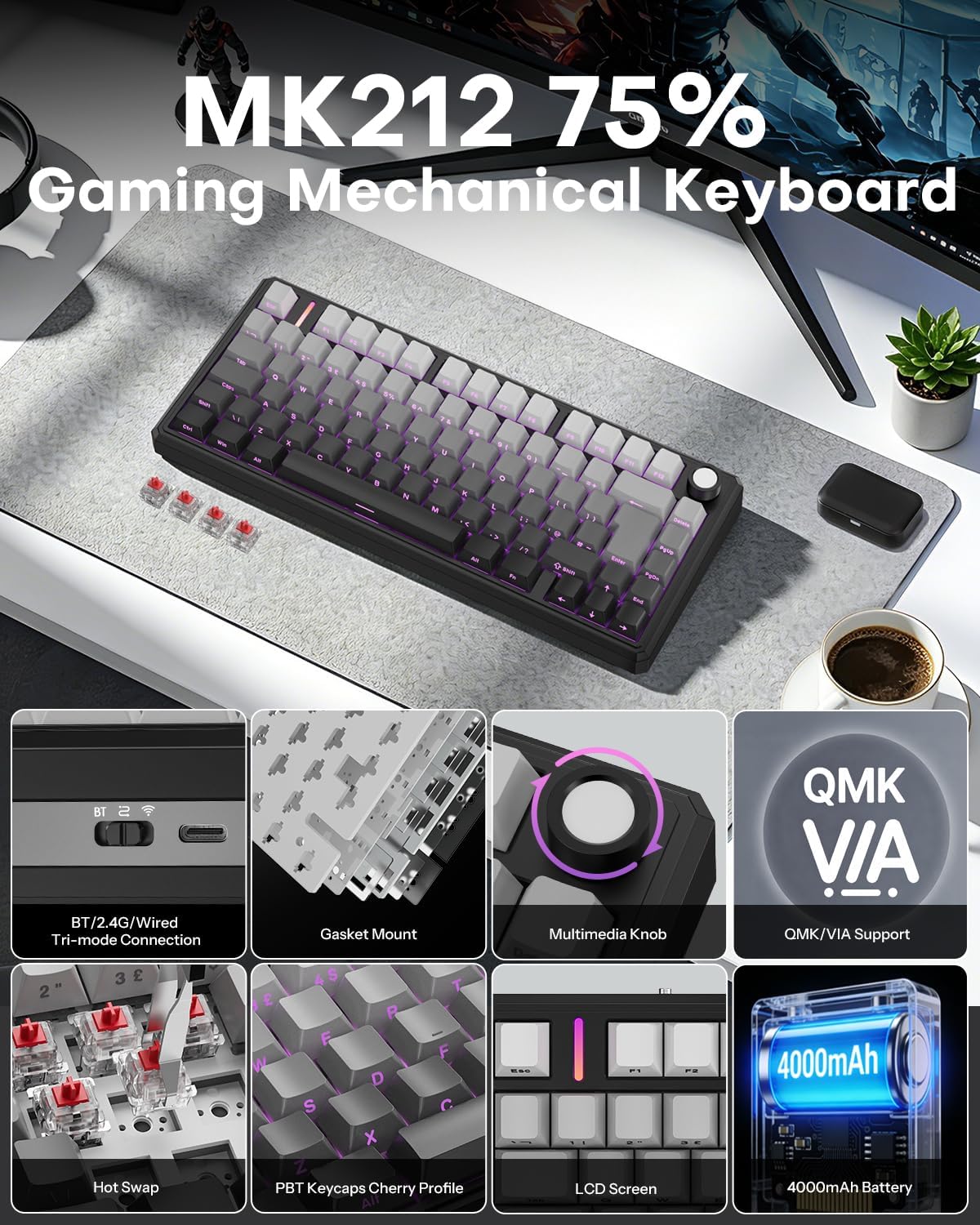
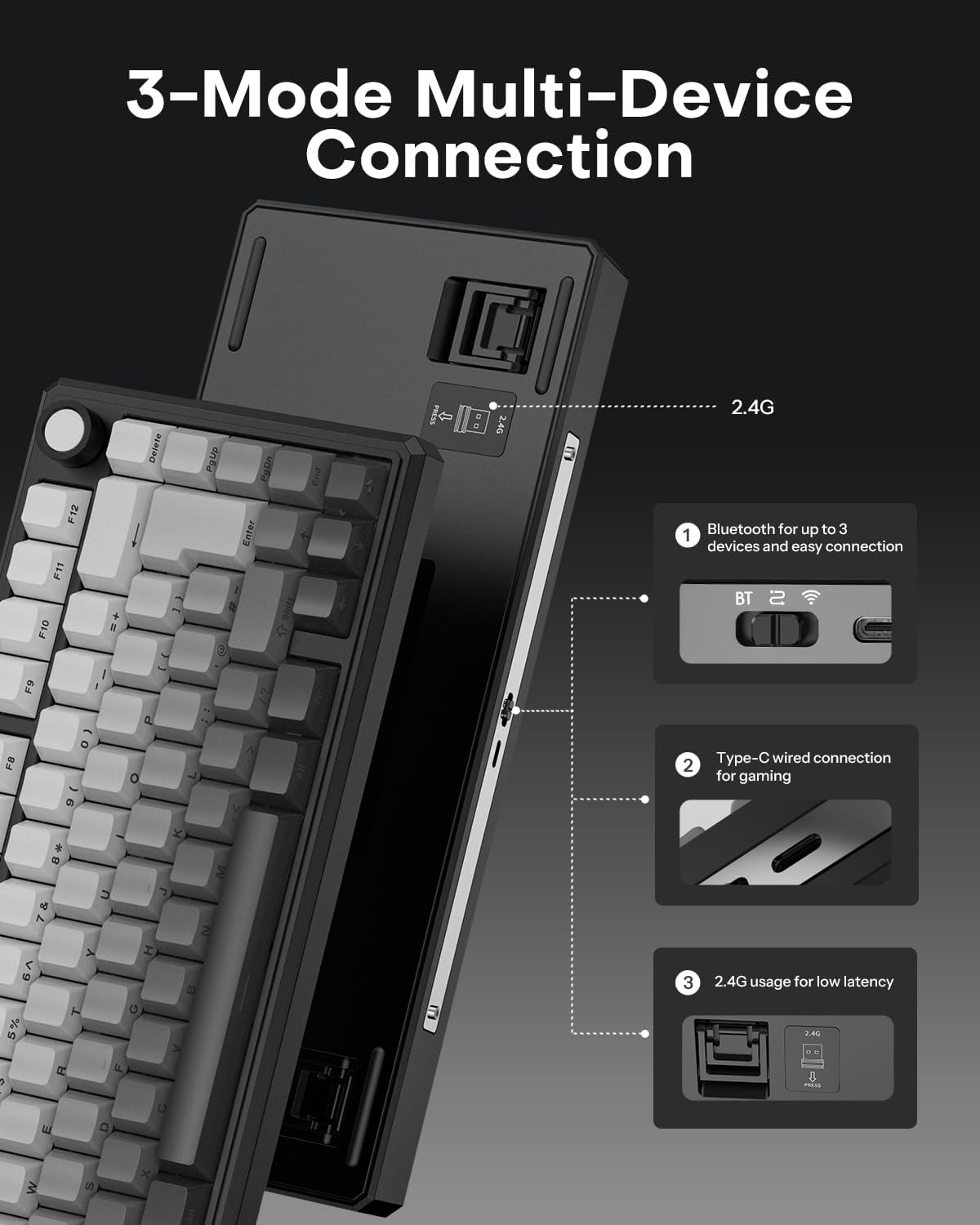
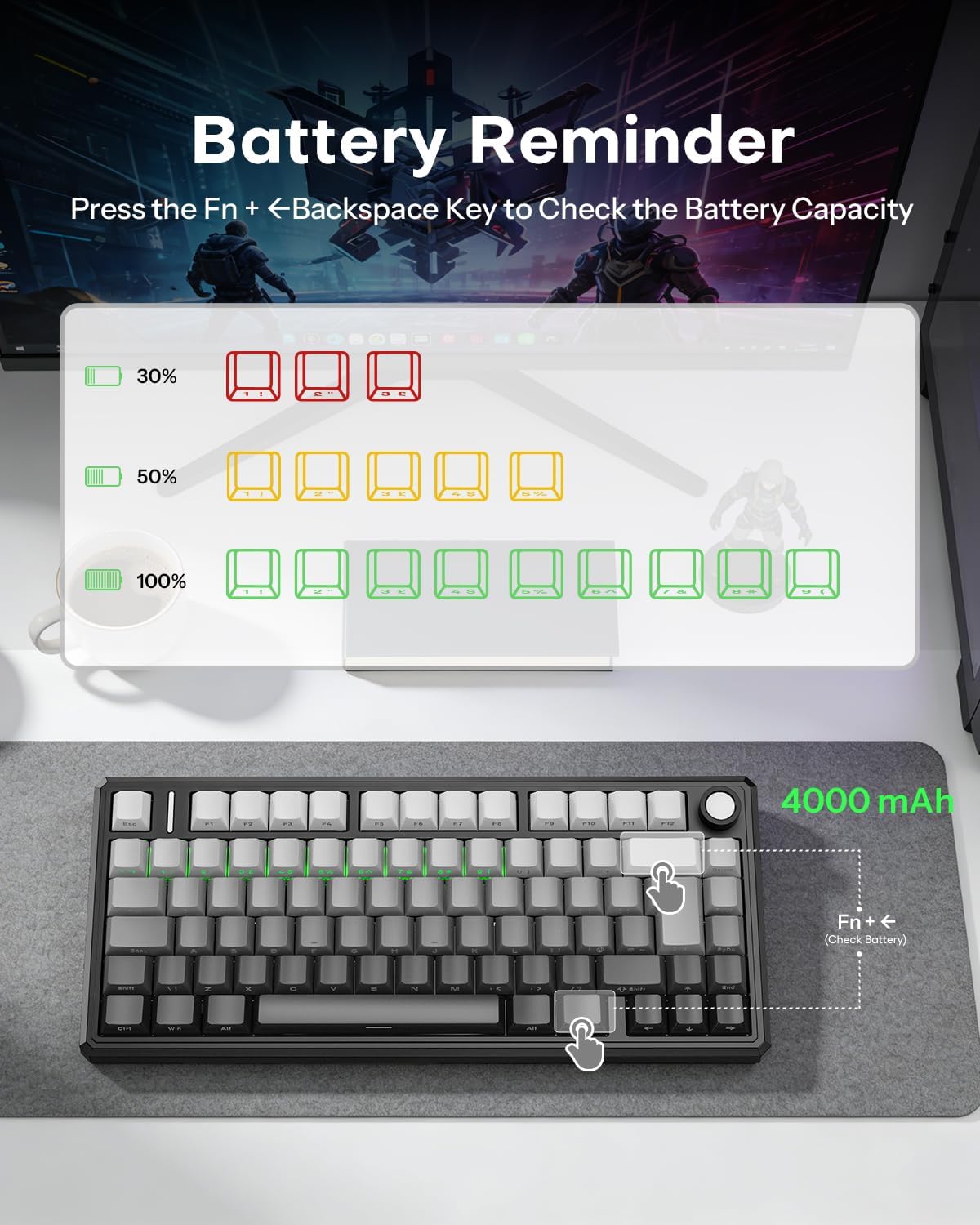
On paper, the tri‑mode wireless capability is a strong selling point. You can switch between Bluetooth, 2.4G dongle, or USB‑C, allowing quick transitions between a desktop, laptop, tablet, or even a phone. The 4000mAh battery promises lengthy use between charges—up to 266 hours without backlighting. That figure will certainly drop with RGB lighting active, but it’s still compelling for those who want a cable-free experience for extended periods.
Typing and hardware: what makes it a power user option
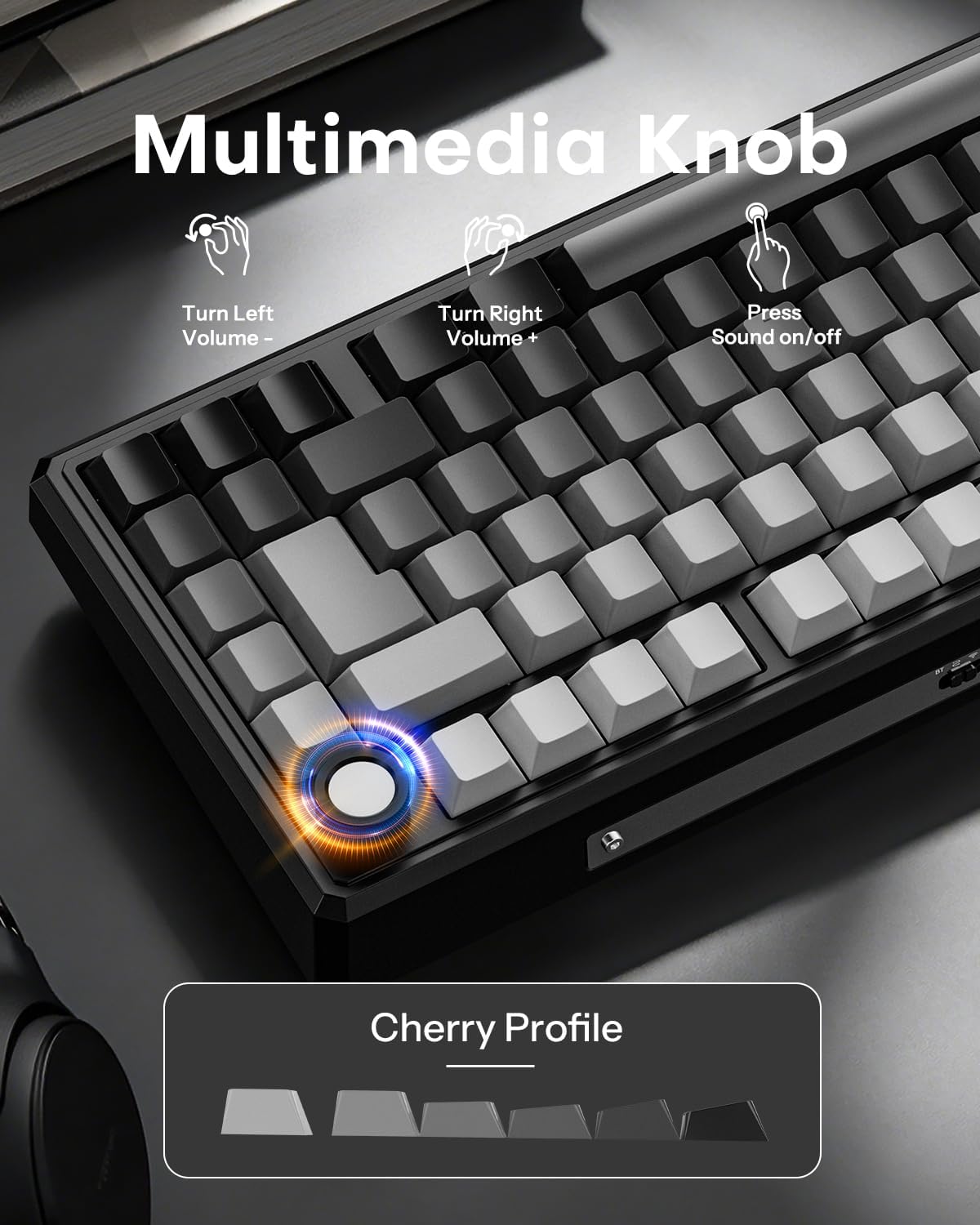
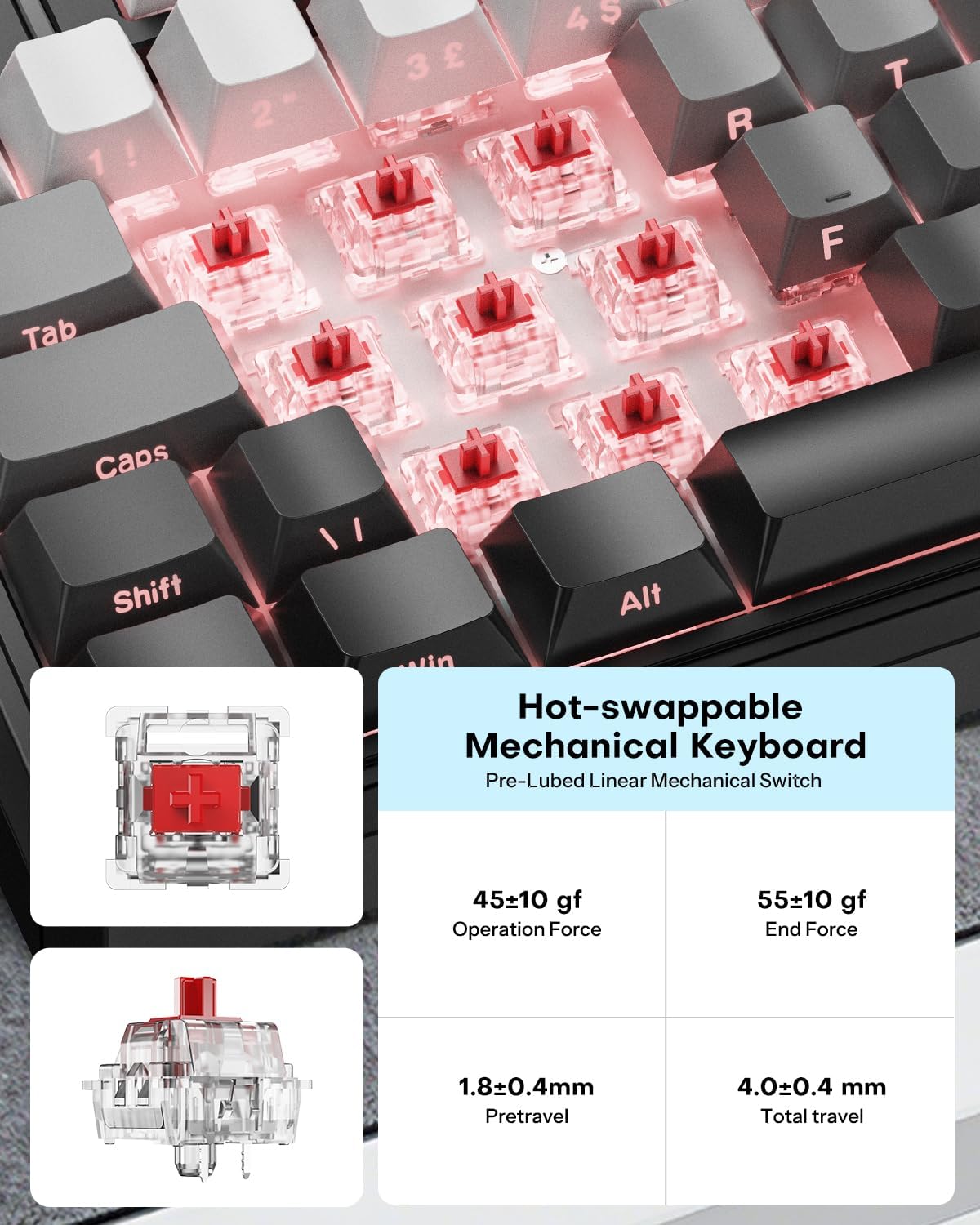
A standout feature is the hot‑swap capability. You can swap switches without soldering, and the board supports both 3‑pin and 5‑pin switches. Combined with the gasket mount, this means you can tailor tactility and sound to suit personal taste or layout at a moment’s notice. The keyboard includes a volume knob for quick, tactile control of audio without leaving the home row—an everyday convenience for video calls, music, and gaming sessions.
Software, keys, and customisation: is it flexible enough?
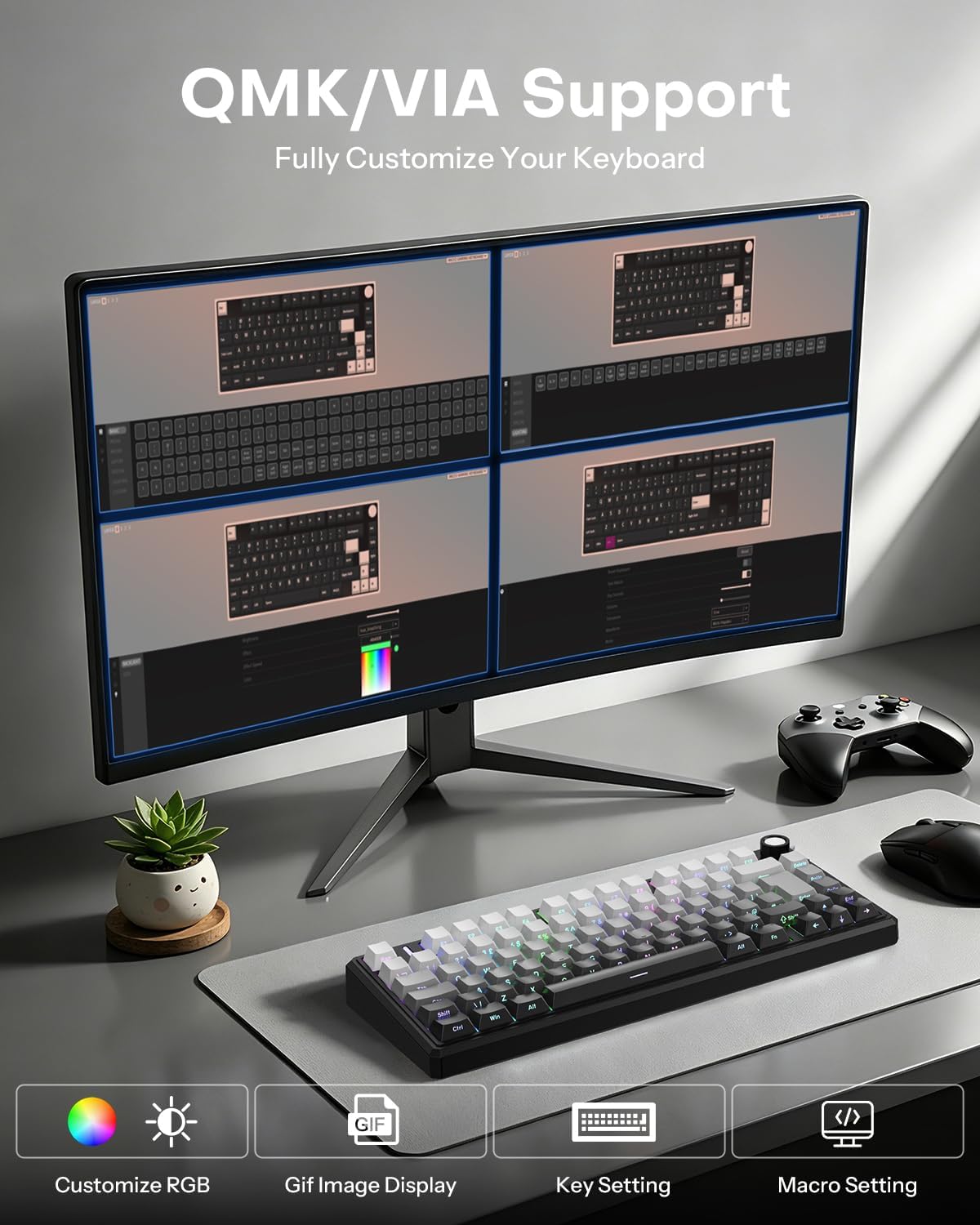
The OMOTON is compatible with QMK/VIA programming, which lets you reassign keys, create macros, and set layers directly in your browser—no software download required. For developers, programmers, or anyone who enjoys mapping their workflow, that level of configurability can be a real time-saver. It’s worth noting that VIA/QMK support is a growing ecosystem, if you rely on very specific key layouts or deep macro sets, verify your expected configurations align with these tools.
Build, durability and compatibility: where it shines
The keyboard is designed to work across Windows, Mac, PS4, and PS5, which makes it a practical hub for hybrid setups. The included side‑printed keycaps contribute to clear, legible legends, which can help new users transition to the ISO-UK layout. Two-stage adjustable feet offer ergonomic typing angles, which is a modest but meaningful enhancement for longer sessions. However, as with most gasket‑mounted boards, the added layering of dampening can affect initial feel and require a short acclimatisation period to the poke and travel of the switches.
The trade‑offs: what might not convince everyone
It isn’t a perfect fit for every scenario. If you prioritise the absolute lightest, most top‑tier typing feel, a gasket mount with adjustable dampening may still feel different from high‑end, non‑gasket boards. Battery life estimates assume relatively conservative use, if you routinely game with intense RGB or you always have backlighting on, you’ll see the usually shorter runtime. For users who prefer wired only setups, the tri‑mode flexibility is less compelling. Finally, while QMK/VIA is powerful, some users may find the browser‑based workflow less familiar than desktop software with key maps and macros.
Who it’s for and when to buy
This keyboard is well suited to anyone who wants a compact yet complete ISO-UK layout with robust programmability and hot‑swap flexibility. It’s particularly fitting for developers or power users who appreciate keyboard macros and personalised layers, and for gamers who value a quiet, controlled typing sound in shared spaces. It makes sense if you want a hybrid setup: desk work by day, gaming by night, all without swapping hardware. It’s less persuasive if you rely on ultra‑light keyboards, or if you need a purely wired system with zero wireless dependency.
What to check before you buy
- Confirm the switch type you plan to use is compatible with 3‑pin or 5‑pin hot‑swap sockets. If you have a preferred switch profile, ensure it aligns with gasket‑mounted feel.
- Consider your typical lighting needs. The 4000mAh battery is strong, but long sessions with RGB on will reduce runtime compared with backlight‑free use.
- Verify your primary devices and OS expectations align with QMK/VIA configurability and browser‑based key mapping.
Practical scenario: in use today
Imagine coding late into the evening, switching between a dev environment on a laptop and a gaming session on a PS5. You grasp the volume knob to mute a sudden notification without leaving the home row, then switch to a macro for a complex command in your editor. The ISO‑UK layout means you hit familiar keys without looking, and the gasket mount keeps the sound moderate enough not to disturb a sleeping partner in the next room.
Final decision: is it worth it?
Is it worth it? A solid pick if you want a compact ISO‑UK 75% keyboard with tri‑mode wireless, hot‑swap flexibility, and programmable layers. It fits well into mixed work and play routines and reduces cable clutter, especially for multi‑device workflows. You may want to skip it if you prioritise a pure wired setup, a lighter switch feel, or if you require the absolute longest battery life with RGB on.
FAQ (quick facts)
- Does it work with both Windows and Mac? Yes, and PS5 compatibility is stated.
- Can I replace all switches easily? Yes, hot‑swap support covers 3‑pin and 5‑pin switches.
- How does the battery perform with RGB on? Battery life scales with usage, expect shorter runtimes when backlighting is active.