

AULA F99 Mechanical Gaming Keyboard - Silent Version: Multi-Device, Hot-Swap, 8,000mAh Battery
Product description
What it is and what it solves
The AULA F99 is a wireless mechanical keyboard designed for multi-tasking across work, study and play. With BT5.0, 2.4GHz wireless, and USB-C wired modes, it can connect to up to five devices and switch between them quickly using Fn shortcuts. If you value quiet operation alongside tactile, reliable typing, the silent version aims to deliver a calmer experience without compromising on responsiveness.
How it feels and how it’s built
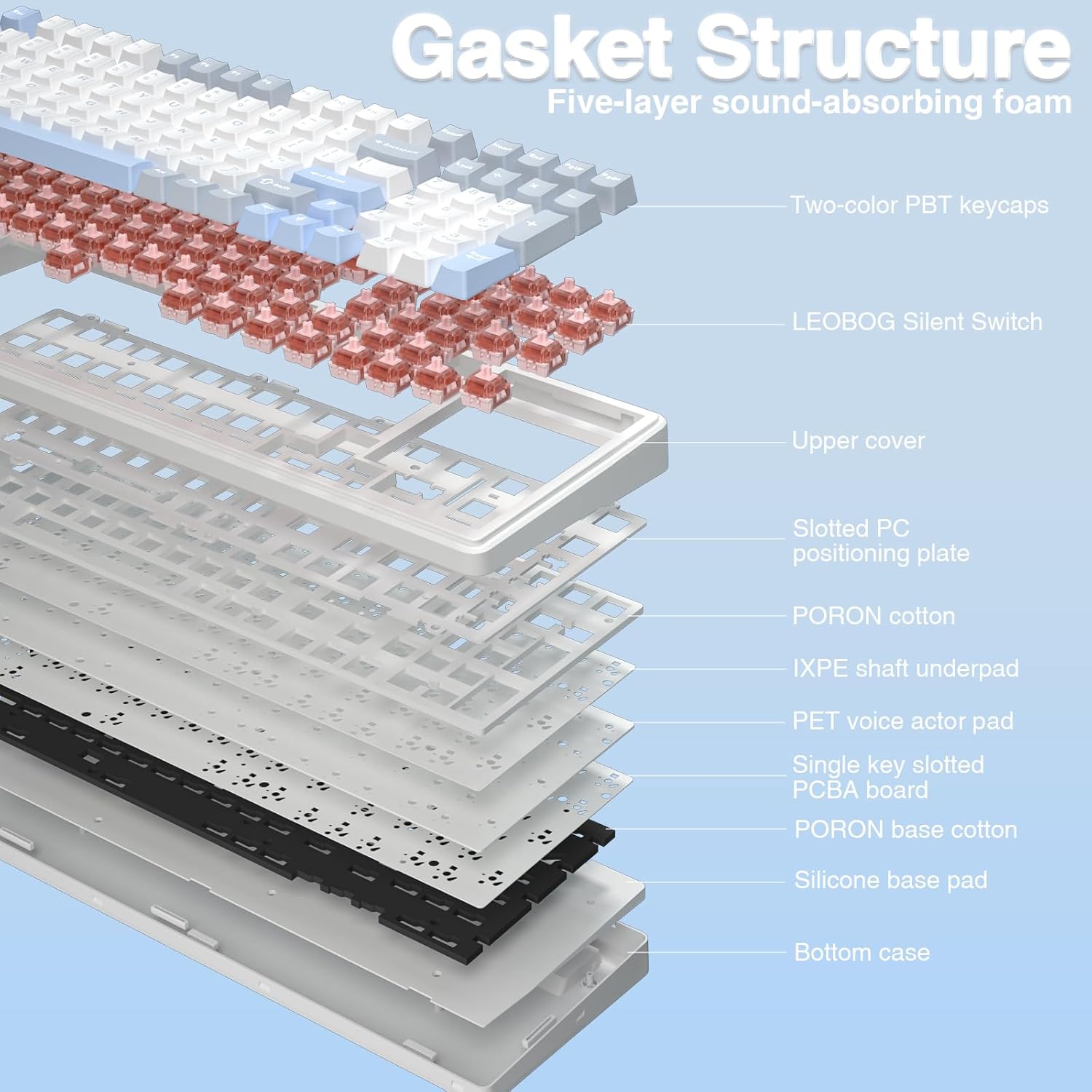
The keyboard employs an advanced multi-layer structure with an extended silicone pad and a single key slotting design. Five layers of silencing material fill the gaps between PCB, plate and switches, reducing the typical shaft noise you might hear in a mechanical board. It isn’t just about silence—there’s a soft, responsive feel when you press each key, which helps in both long sessions and fast-paced gaming.
Customisation you can actually use
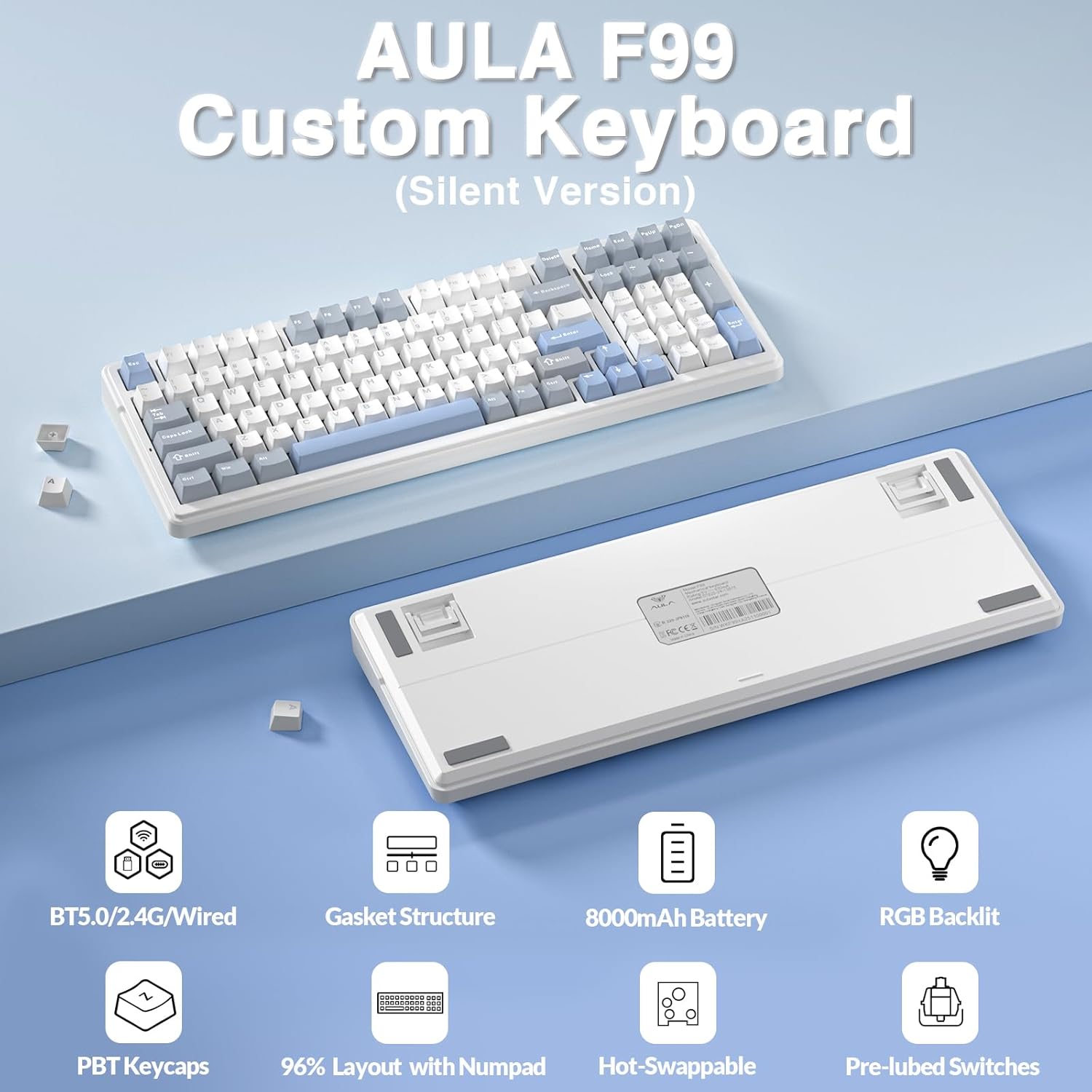
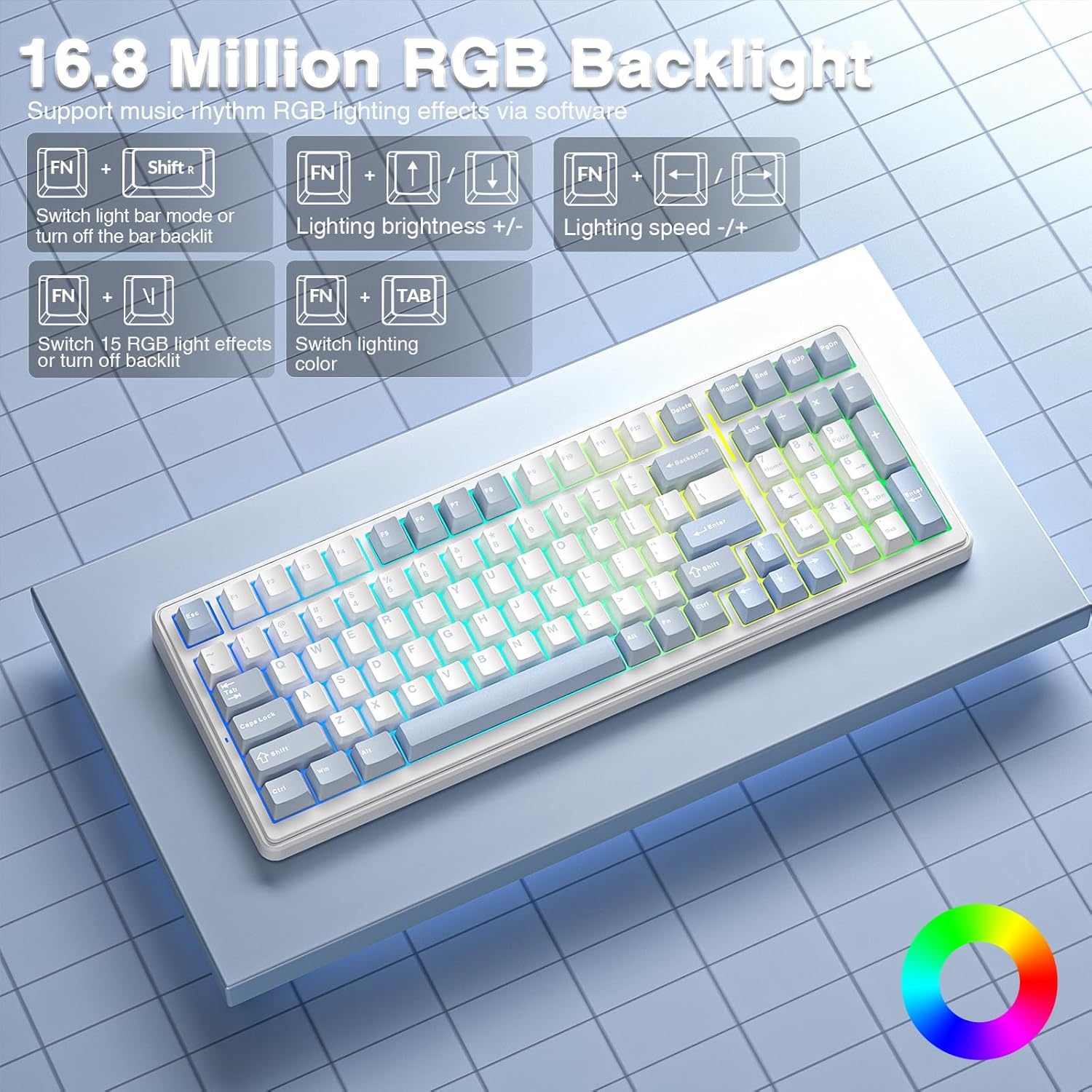
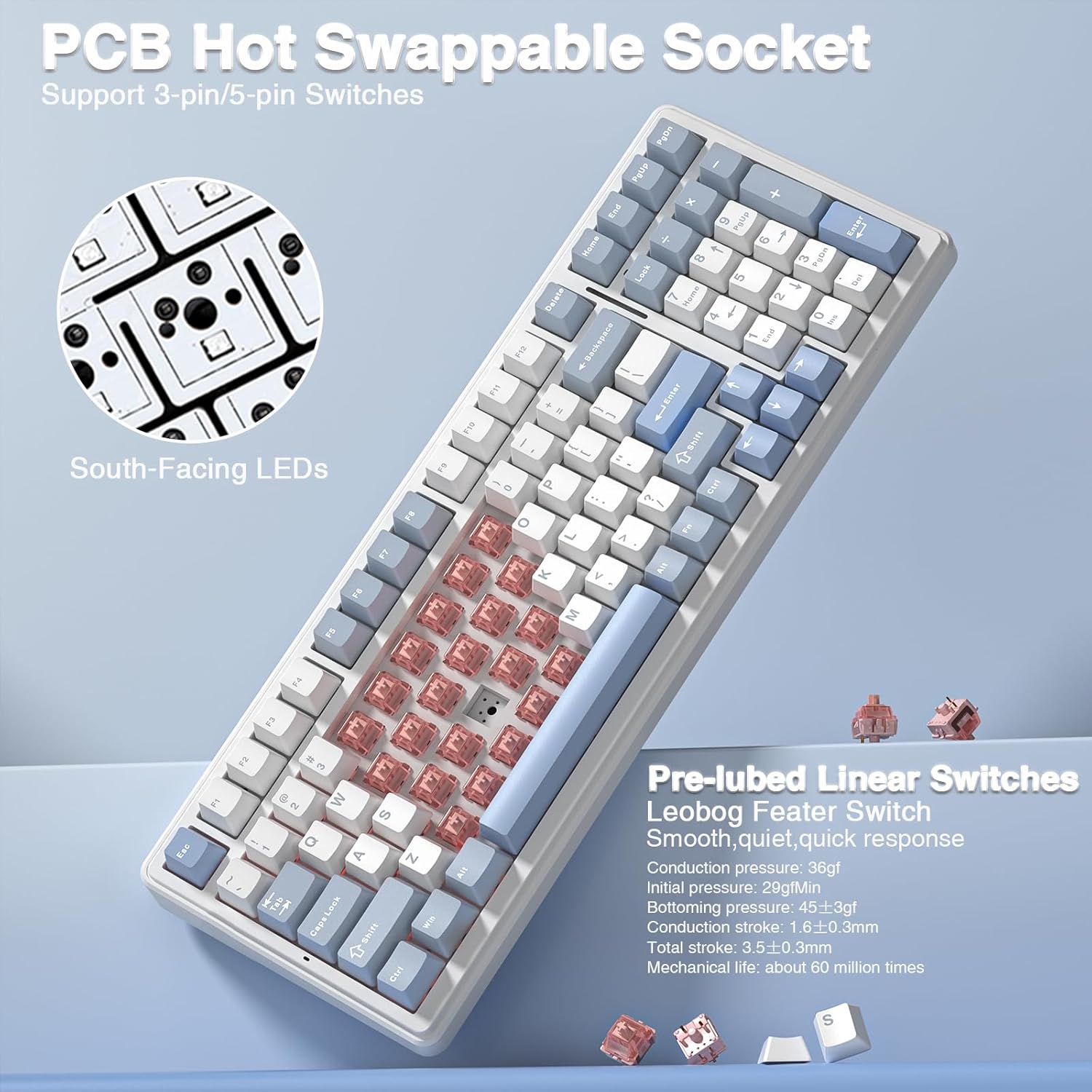
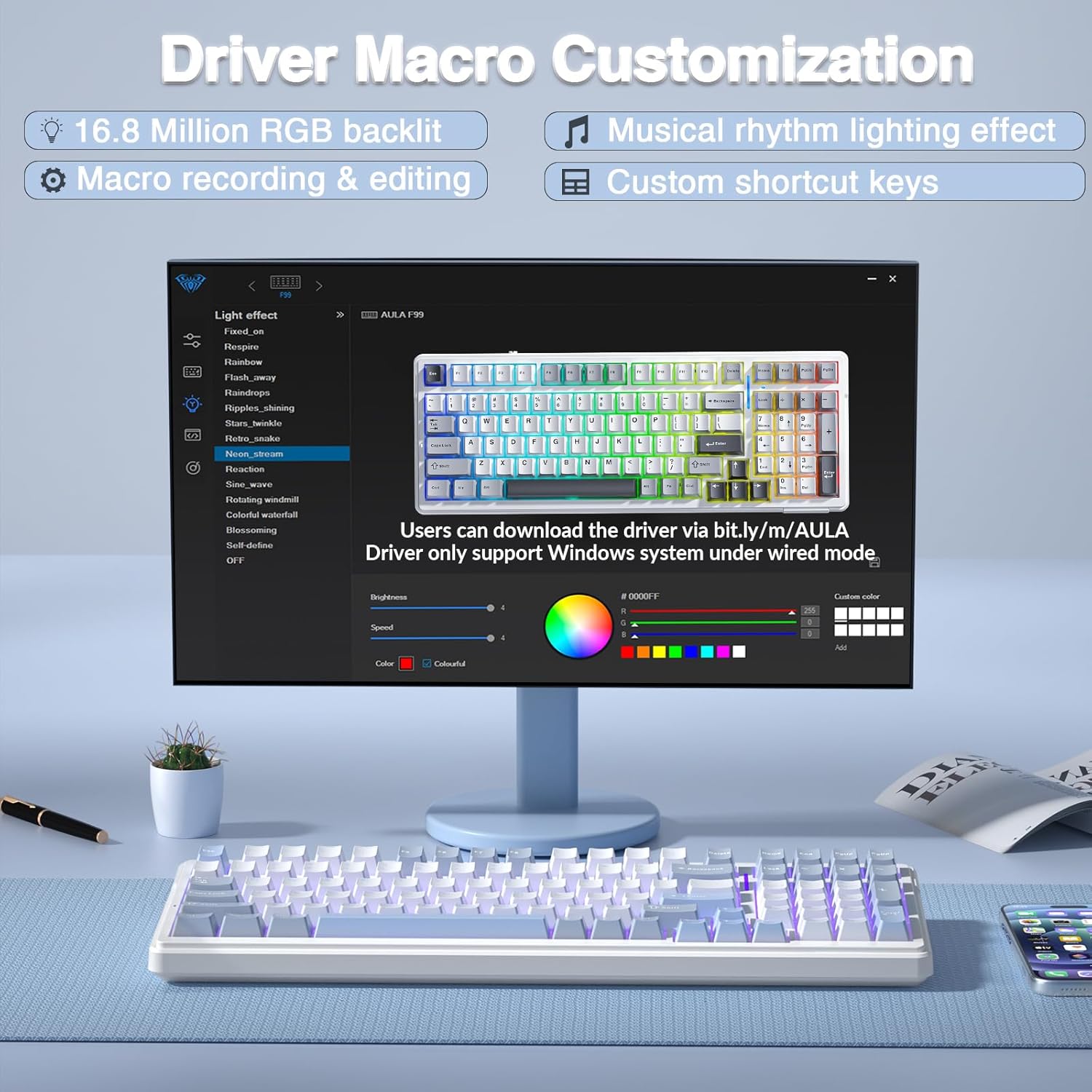
Hot-swappable functionality means you can replace switches and keycaps without soldering. The box includes a keycap puller and switch puller, making upgrades straightforward. The keyboard ships with LEOBOG Feather switches that are designed to balance quiet operation with a smooth, quick keystroke. If you like personalised macro setups, all keys support macro recording and editing via the included software, and you can dial in 16.8 million RGB colours with lighting effects that respond to music or rhythm.
Layout and power
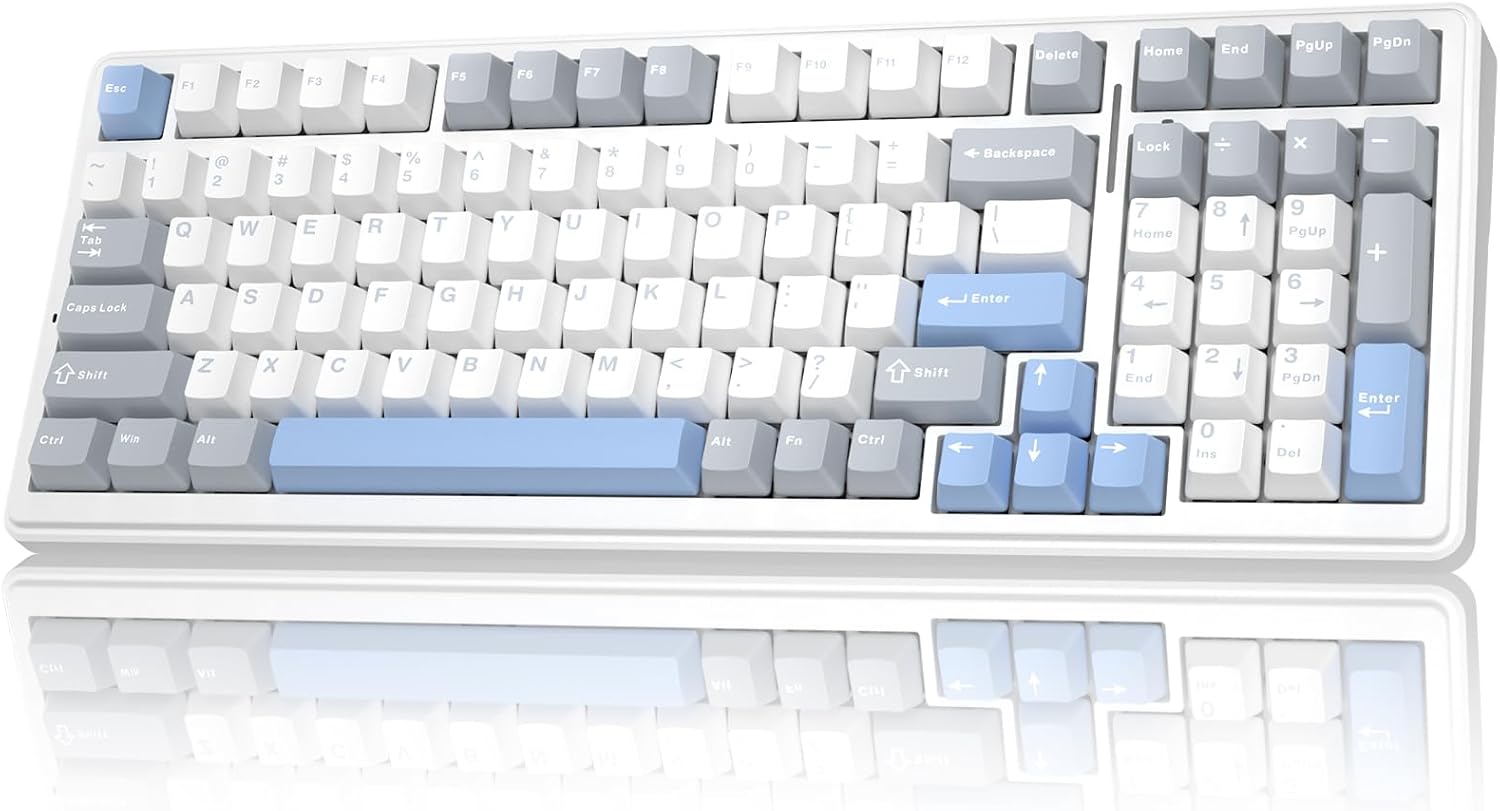
This 99‑key board uses a 96% compact layout that saves desk space while still retaining arrow keys and number pad essentials for gaming and work. A substantial 8000mAh battery promises extended usage between charges, which is handy when you’re gaming or working away from a desk charger. The PBT double-shot keycaps resist wear and fading, keeping the legend legible even after intense use.
Connectivity, latency and compatibility
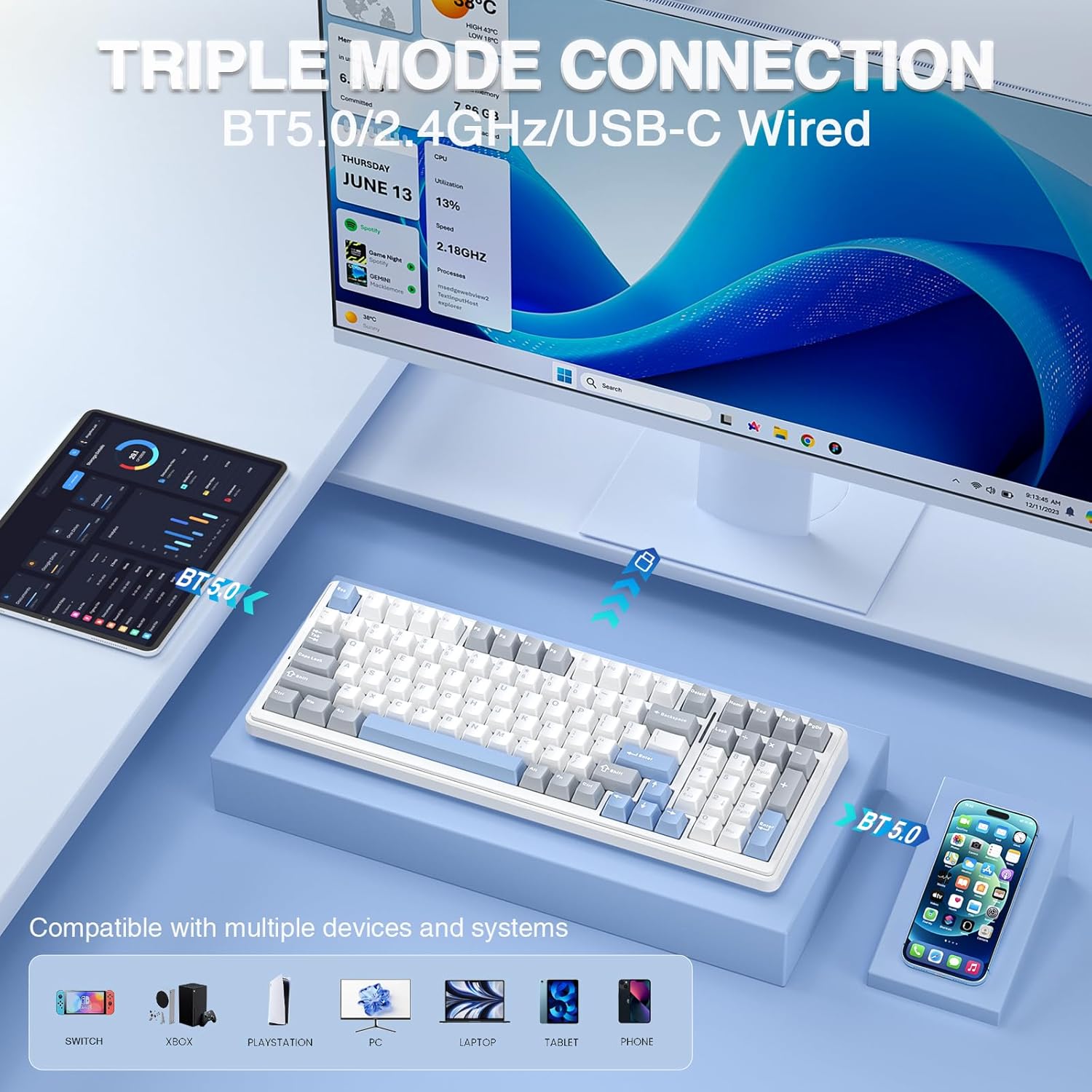
In practice, you can connect via Bluetooth 5.0, a 2.4GHz wireless dongle, or USB-C wired. The ability to pair with up to five devices is useful if you switch between a PC, tablet, laptop or other devices. The N-key rollover helps in fast, multi-key actions during gaming, while the soft, gasket-like structure helps keep the typing experience comfortable even during long sessions.
Who it’s for and when to buy
If you’re after a compact, multi-device wireless keyboard that doesn’t shout about its mechanical status, the F99 Silent Version is a sensible middle‑ground. It suits mixed use cases—office work, study, and PC gaming—where silence is valued but you still want tactile feedback and programmable keys. It may not be the best option if you require the brightest or most aggressive lighting or if you prioritise an ultra‑low profile or non-heated switches.
What to check before you buy
- Confirm you’ll use one of the wireless modes most of the time to avoid needing a cable.
- Consider whether you’ll benefit from hot-swapping, if you don’t plan to swap switches, the extra versatility may feel underutilised.
- If you want a brighter, louder click, the silent variant might feel a touch restrained, that’s a design trade-off.
Practical use case
Imagine a quiet late-evening gaming session with friends across a tablet and a PC, switching between devices with a couple of Fn combos, while a soft keyboard glow keeps your desk ambience under control. The 96% layout means less clutter on your desk but you still reach for the number row when needed.
FAQ (where data allows)
- Does the keyboard support macro recording for all keys? Yes, macro recording and editing are supported via the included software for customizations.
- Can I replace switches easily if they wear out? Yes, the hot-swappable PCB supports 3‑pin and 5‑pin switches without soldering.
- How long does the battery last in typical use? The unit features an 8000mAh battery, designed for extended use between charges, though exact endurance depends on lighting and usage.
Is it worth it?
Worth considering if you want multi‑device wireless capability, a compact 96% layout, and the option to upgrade switches and keycaps without soldering. It may not be the best choice if you prioritise louder, tactile feedback or the simplest plug‑and‑play setup with minimal maintenance.
Final verdict
If a balanced, practical keyboard with silent operation, hot-swap flexibility and long battery life fits your needs, the AULA F99 Silent Version offers a thoughtful approach to a modern, multi‑device workspace and gaming setup.