

EPOMAKER AULA F75 Wireless Mechanical Keyboard
Product description
What it is and who it’s for
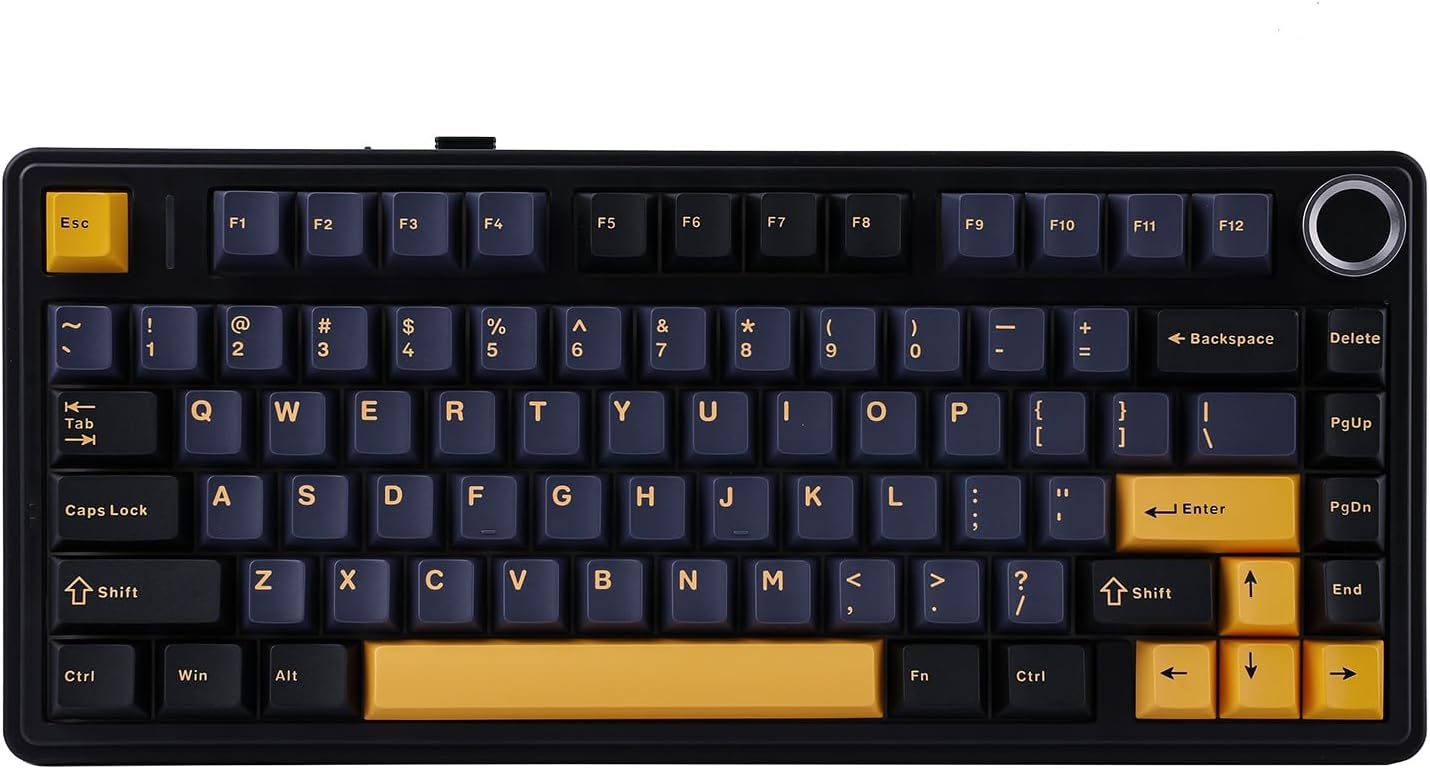
The EPOMAKER AULA F75 is a compact wireless mechanical keyboard with a 75% layout and a multifunction knob. It’s designed for users who want a smaller desk footprint without losing essential keys or control features, making it suitable for gaming setups, mobile workspaces, or cluttered desks where full-sized keyboards feel excessive.
Design and feel
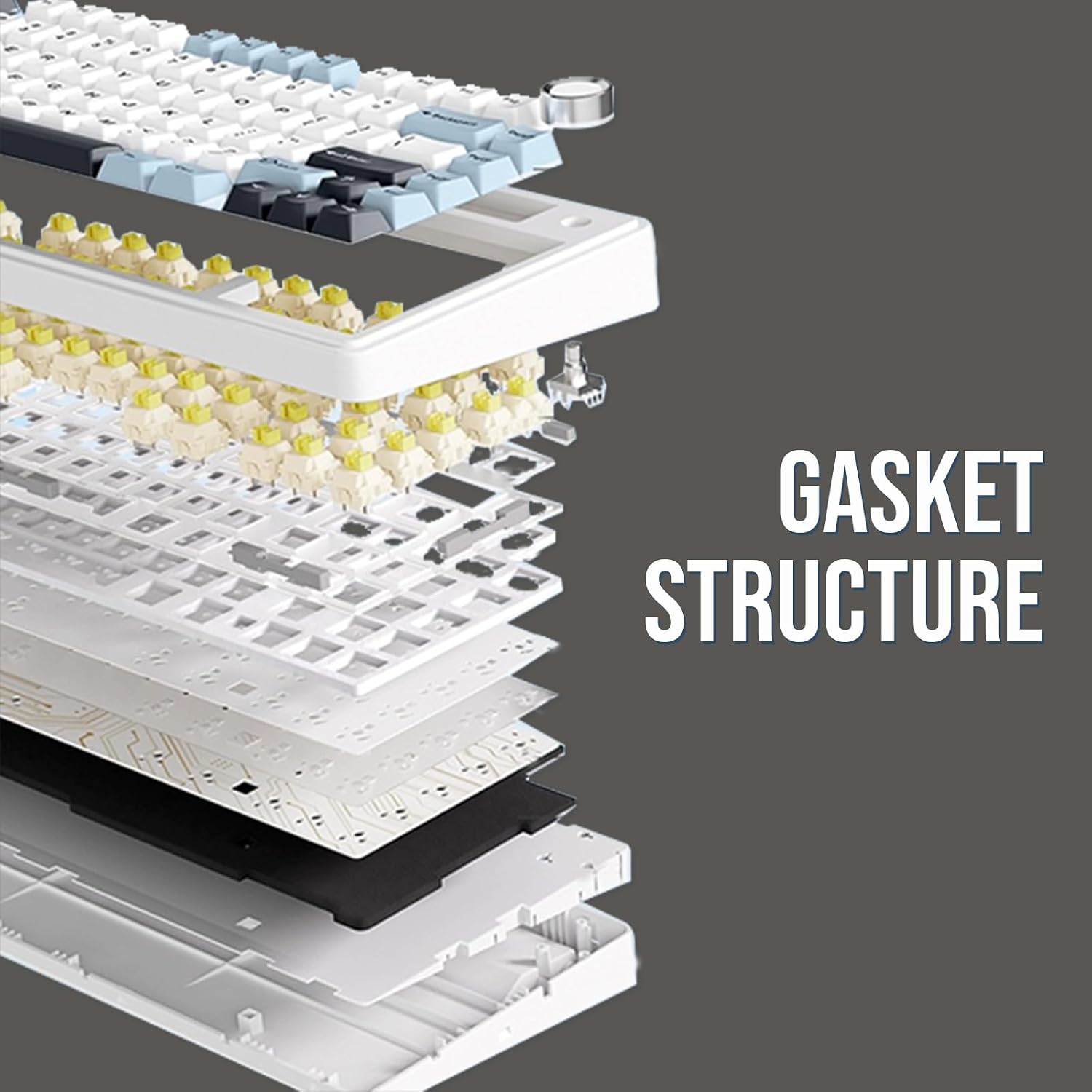
This model uses a gasket-mounted structure intended to soften keystrokes and reduce fatigue during long sessions. The five-layer internal padding (including Poron foam and IXPE/PET pads) aims to dampen sound and vibrations, contributing to a quieter typing experience. The build also incorporates Cherry-profile double-shot PBT keycaps, which resist wear and maintain a clean look over time.
Keyboard feel and switches
At the heart of the F75 is a 1.2 mm PCB with pre-lubricated mechanical switches, designed to deliver smooth actuation and stable key registration. The pre-lubrication is meant to reduce friction and provide a consistent feel from the first use. If you’re particular about typing feel, you’ll want to test how the switches respond to your cadence and preferences, as lubed switches can vary in sound and travel compared to stock options.
Connectivity and power
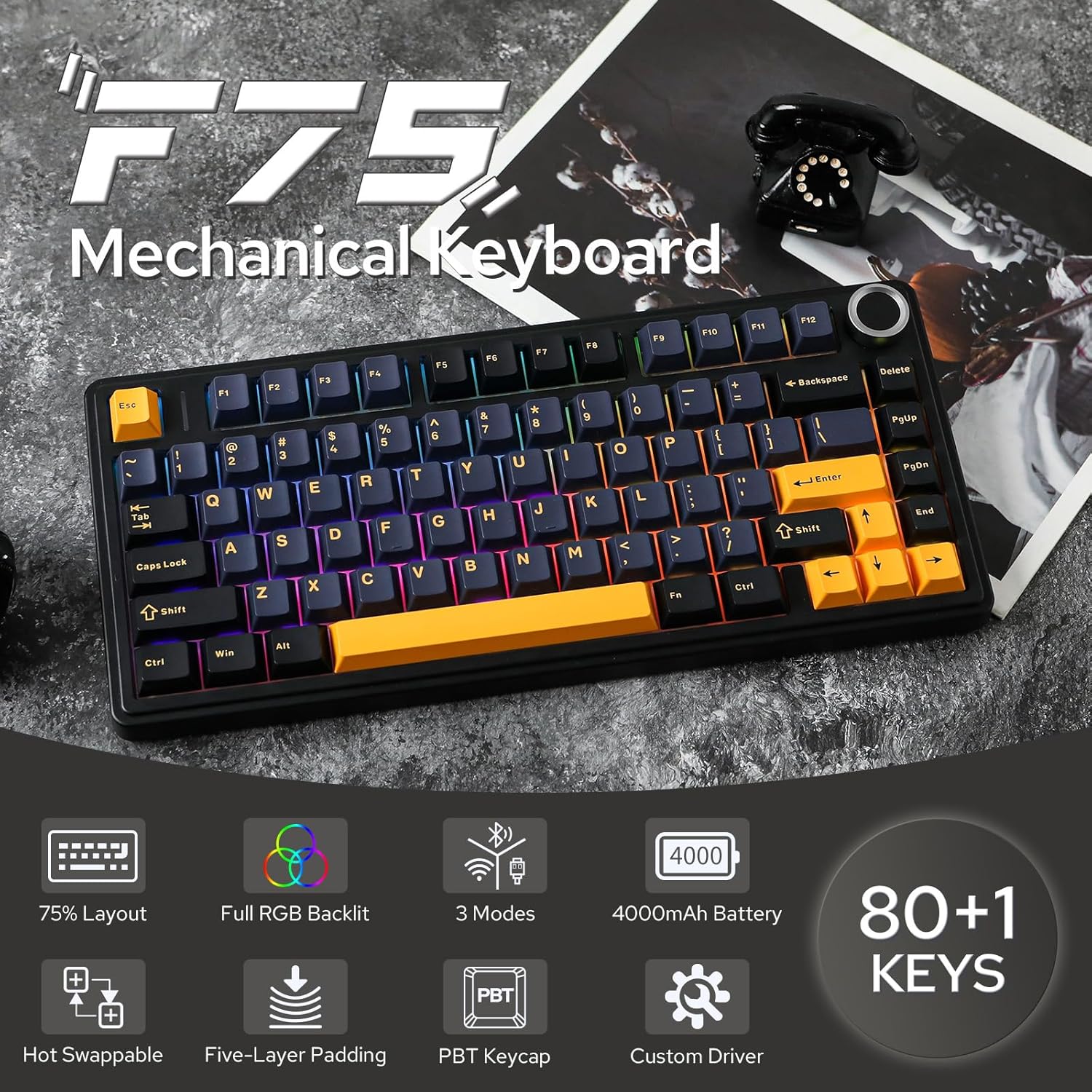
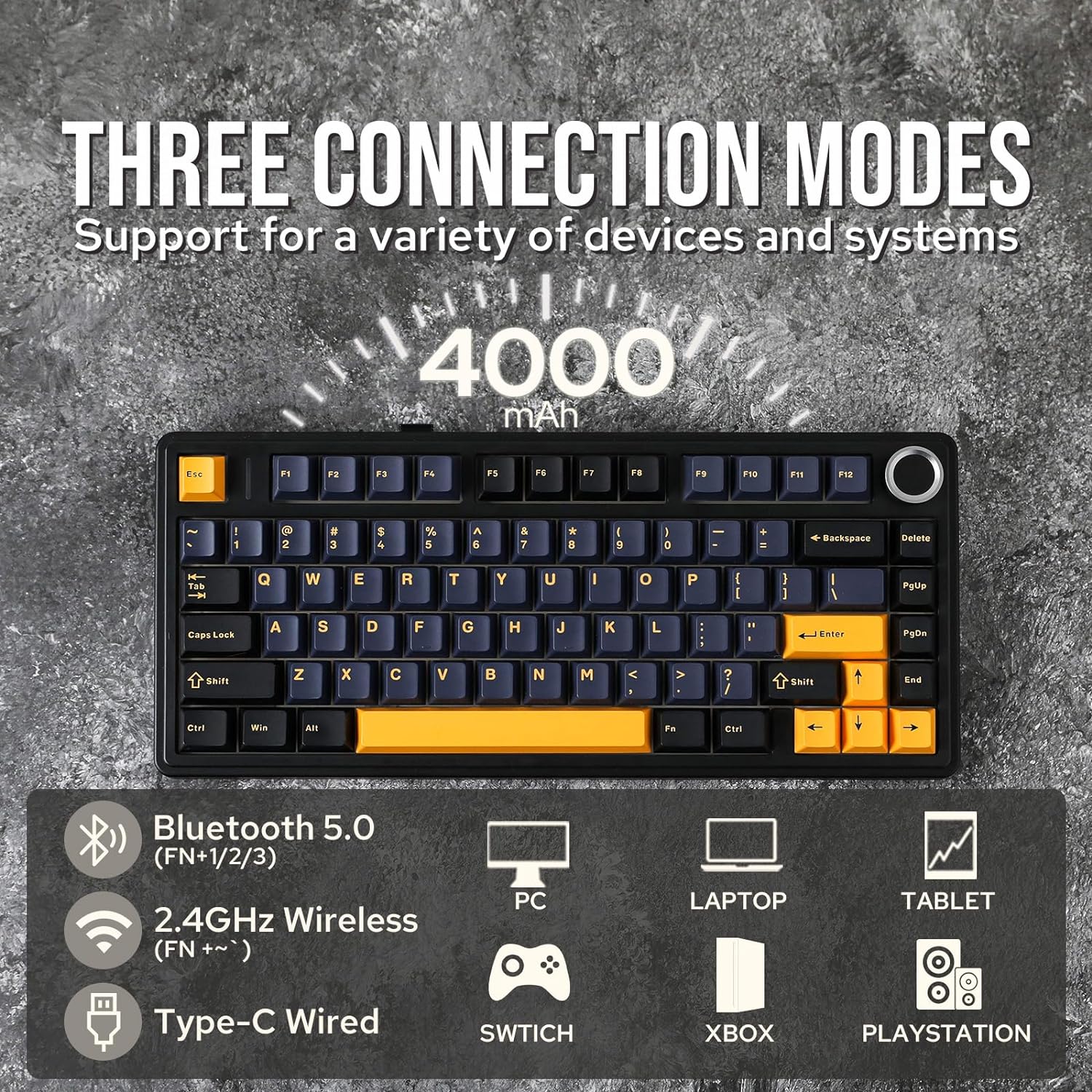
The F75 offers three connectivity modes to suit different environments: Bluetooth, 2.4 GHz wireless, and wired USB. This makes it practical for a clutter-free wireless setup or a reliable wired connection when latency is critical. A sizeable 4000 mAh battery supports extended wireless use, so long sessions away from a power outlet are more feasible, though actual endurance depends on lighting and usage.
Controls and extras
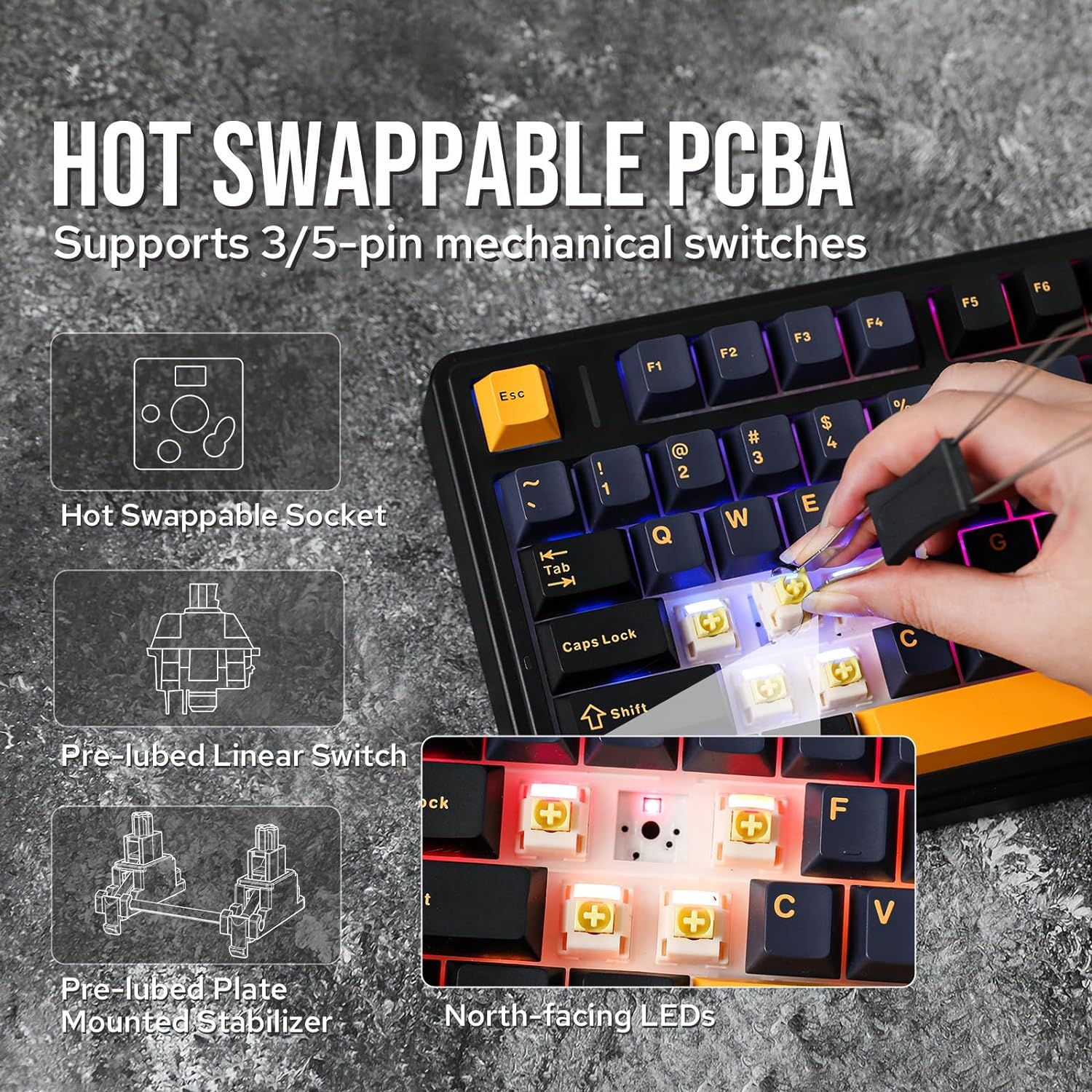
A built-in multimedia control knob provides quick access to volume and media functions, reducing the need to switch away from the current task. The keyboard also features full-key hot-swapping, allowing you to swap switches without soldering. This is useful if you want to experiment with different feels or customise your gaming and typing experience over time.
Lighting and aesthetics
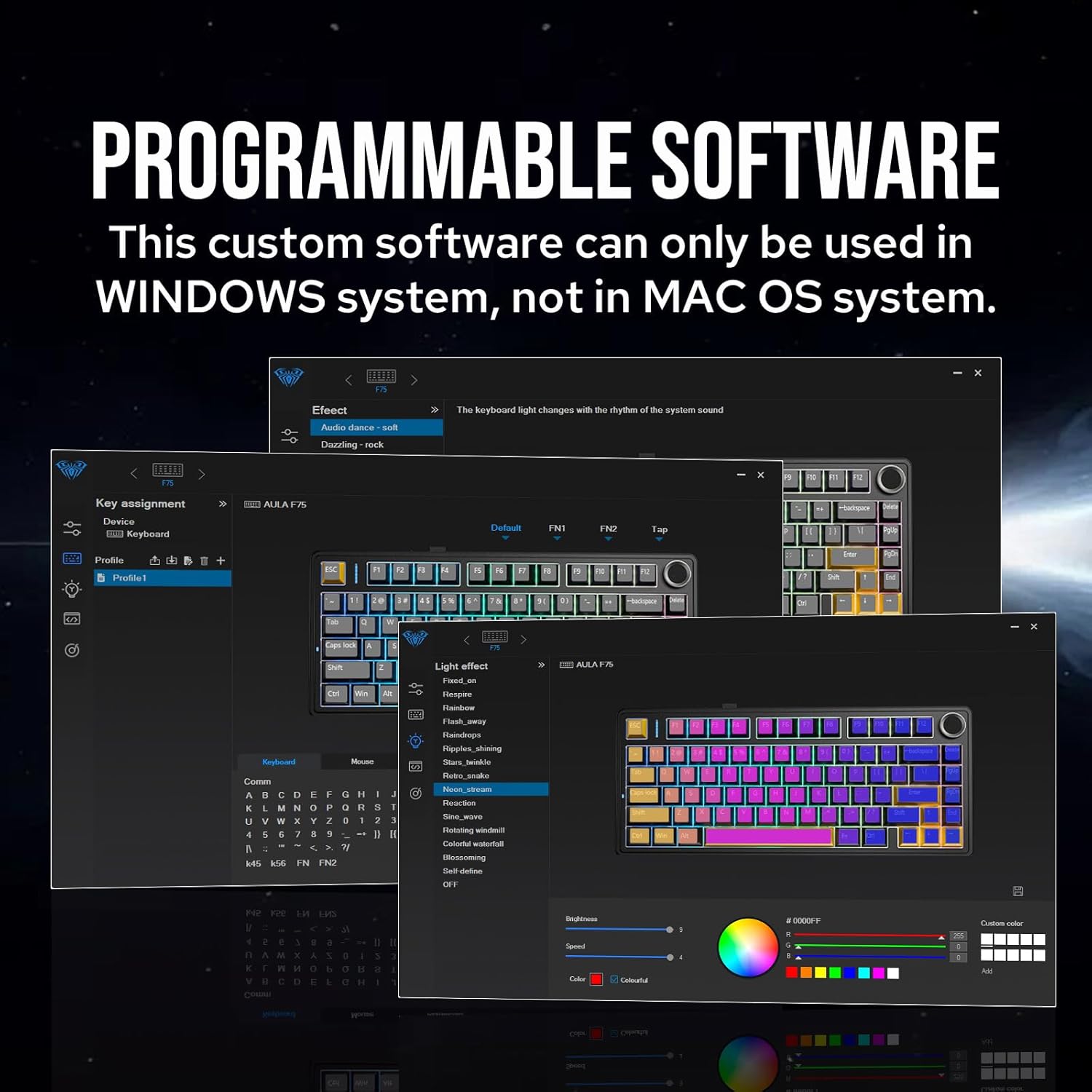
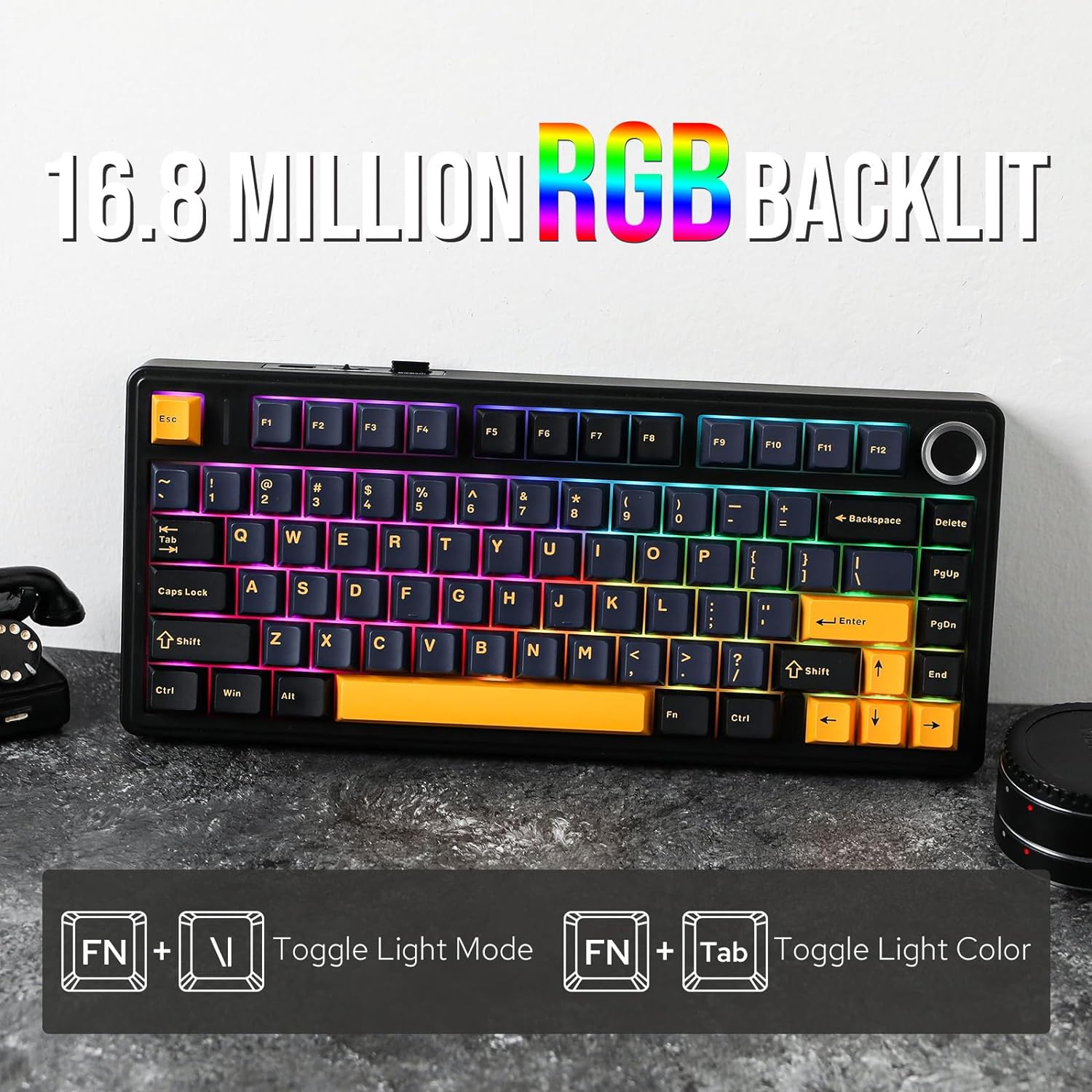
RGB illumination is robust, with a dynamic spectrum that can be customised to fit your setup or mood. The overall look is complemented by the gasket and damping system, which together aim for a calm, focused typing environment rather than a flashy aesthetic.
What to consider before buying
- It’s a compact 75% layout: you’ll gain desk space, but you’ll need to adapt to a smaller footprint if you’re used to a full-size board.
- Sound and feel depend on the gasket design and padding, while the five-layer construction reduces noise, your experience may vary with different keyboard stands or desk materials.
- Battery life is strong on paper, but real-world endurance will hinge on RGB usage and connectivity. If you rely heavily on RGB or continuous wireless operation, plan for charging intervals.
- If you prioritise hot-swappability and switch experimentation, the F75’s full-key hot-swap feature is a clear plus, though you’ll want compatible switches and a preferred typing feel in mind.
- Compatibility is versatile thanks to Bluetooth, 2.4 GHz, and USB, however, confirm your primary device supports the chosen wireless mode with stable performance.
Practical usage scenarios
For a gamer with a tight desk, the 75% footprint frees up space for mouse movement and peripheral access. For hybrid workers, the switch between Bluetooth and 2.4 GHz can help you switch devices without reconnecting cables. If you enjoy customised keycaps or want a quieter office keyboard, the gasket structure and dampening layers provide a calmer baseline than traditional mechanical boards.
How it compares to alternatives
If you’re weighing options between compact wireless mechanical keyboards, the AULA F75 ticks boxes for multi-mode connectivity and hot-swappability in a single board, along with a sizeable battery and a convenient media knob. It may not be the most affordable choice in this segment, but it aims to balance compactness with practical features useful for daily gaming and typing alike.
What’s included and setup notes
The base description does not specify exact in-the-box contents, when you open the box, expect the keyboard and essential cables for wired use along with any documentation. For setup, ensure your device supports the three connection modes you plan to use and verify firmware compatibility if you intend to tweak RGB or key mapping.
Is it worth it?
- You’ll like it if you want a compact, feature-rich wireless keyboard with switch flexibility and a practical media knob. You may want to skip it if you require a larger layout for extensive macro keys or if battery longevity under heavy RGB is a top priority.
- It suits users who value build quality, customisation, and a calmer typing footprint over sheer gaming weight or aggressive RGB visuals.
FAQ (practical answers)
- Do I need software to use the hot-swappable feature? No—hot-swapping is a hardware capability, but firmware updates may be required for some features.
- Will the gasket structure reduce travel distance? It’s designed to offer a more controlled, dampened feel rather than a dramatic change in keystroke distance.
- Is the keyboard suitable for travel? Its compact form factor is travel-friendly, and the wireless modes support mobile or on-the-go use, though the weight and battery carry should be considered for frequent flyers.
Final thoughts
If you prioritise space efficiency, flexible connectivity, and the option to tinker with the typing feel, the AULA F75 presents a solid, well-rounded option. It’s not the simplest plug-and-play device, but for a user who enjoys exploring different switches and layouts without sacrificing practicality, it’s worth considering.
Decision at a glance
- Is it worth it? Worth considering if you value compact design, multi-mode connectivity, and hot-swappability for a tailored feel. It may not be the best pick if you need a larger keyboard with dedicated macro keys or you’re sensitive to weight and price.