

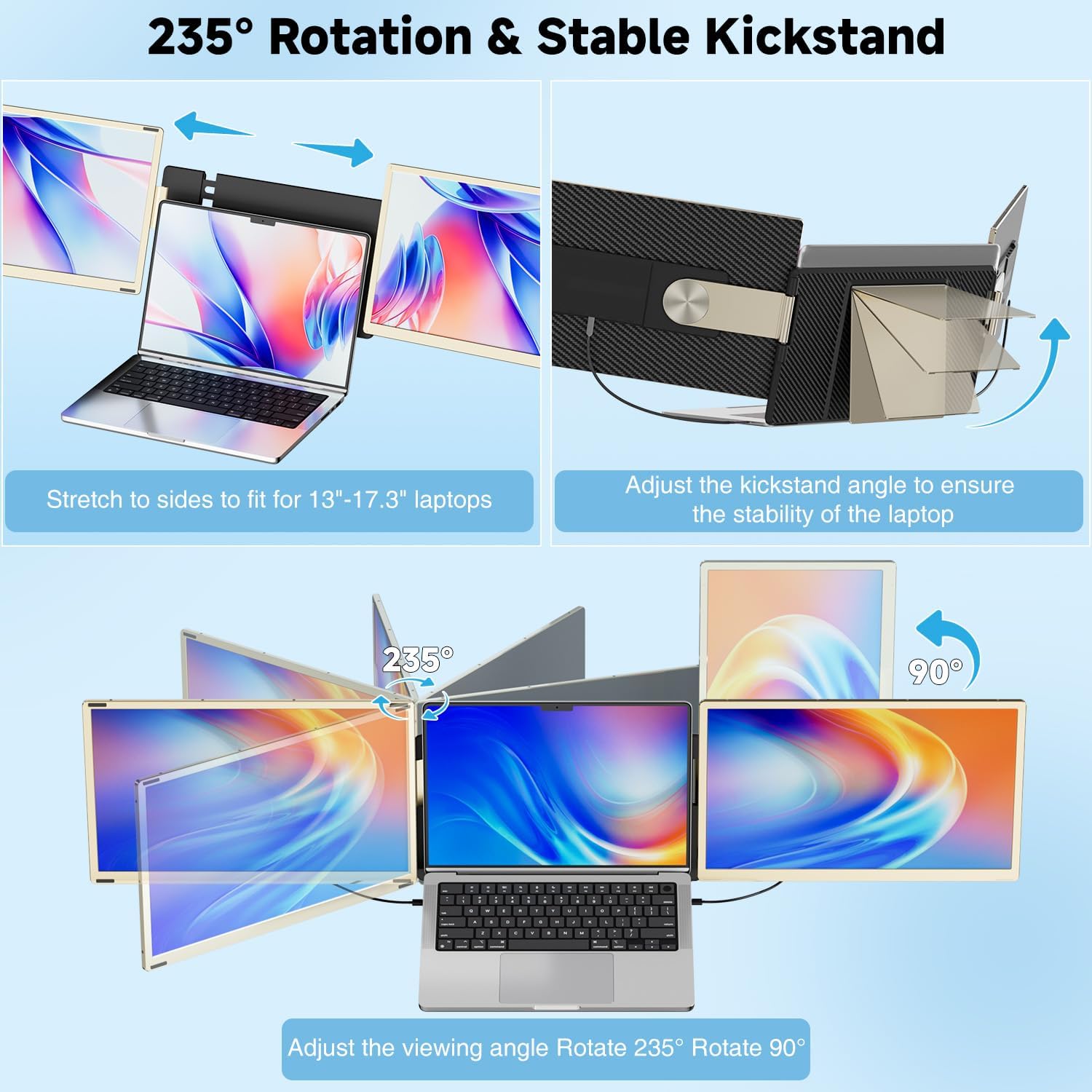
KEFEYA 15.6" Laptop Screen Extender — detachable triple monitor, 1080p FHD, 235° rotating, plug & play
Product description
What it is and what it’s for
The KEFEYA Laptop Screen Extender is a portable, detachable monitor designed to turn a lone laptop into a multi‑screen workstation. Supplied with a leather bag for transport, it’s intended for workers on the go, students, remote teams and anyone looking to expand their screen real estate without staying tethered to a desk.
How it helps in everyday use
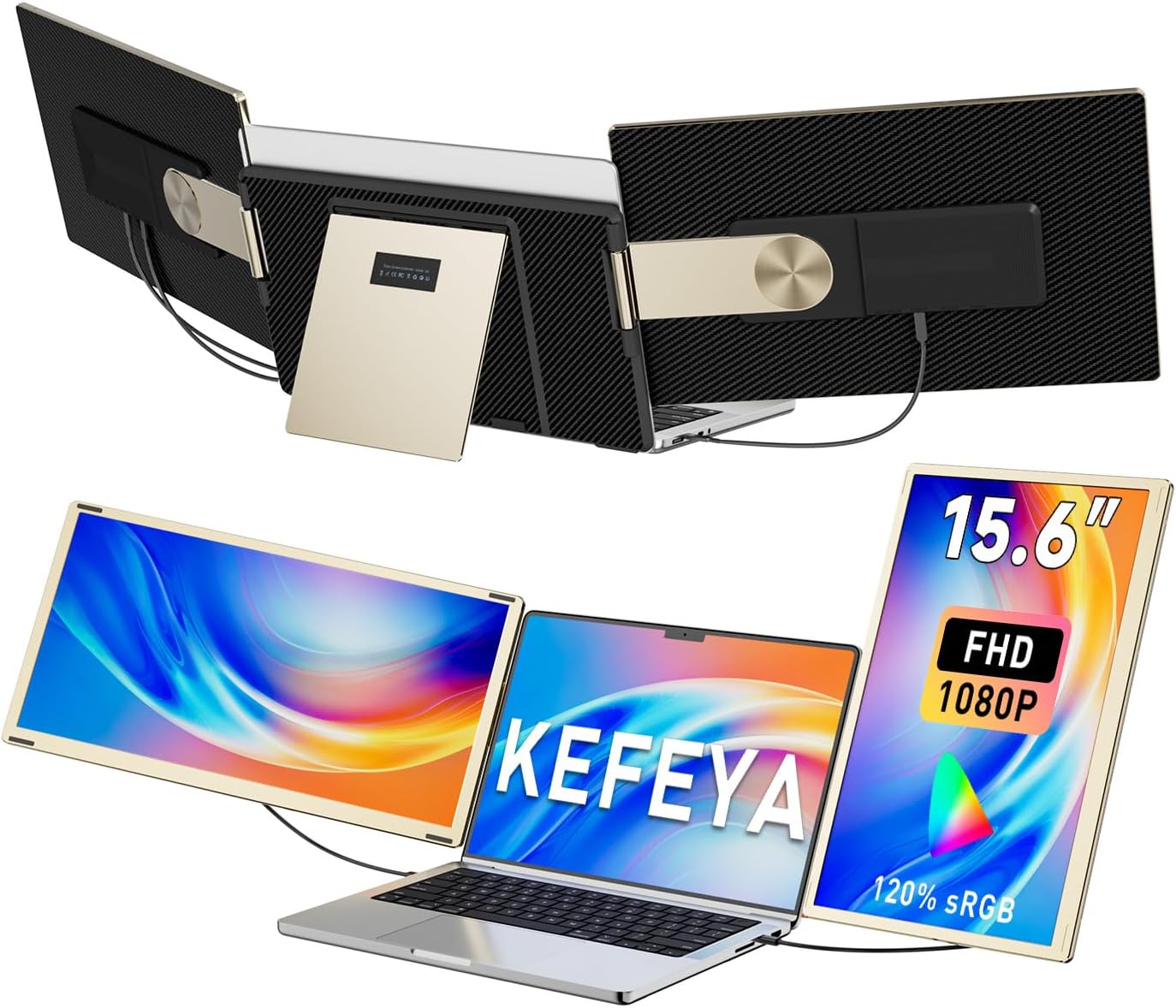
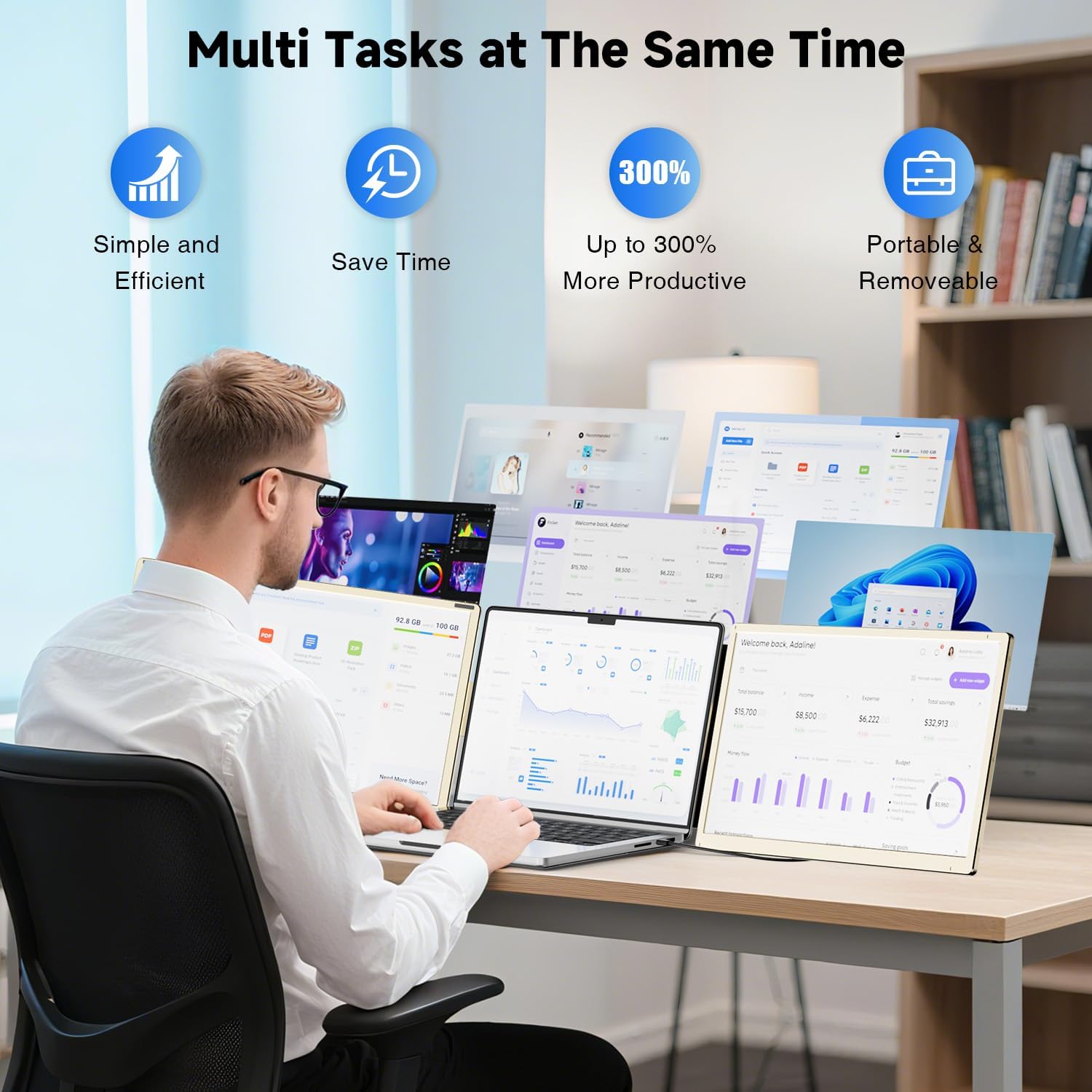
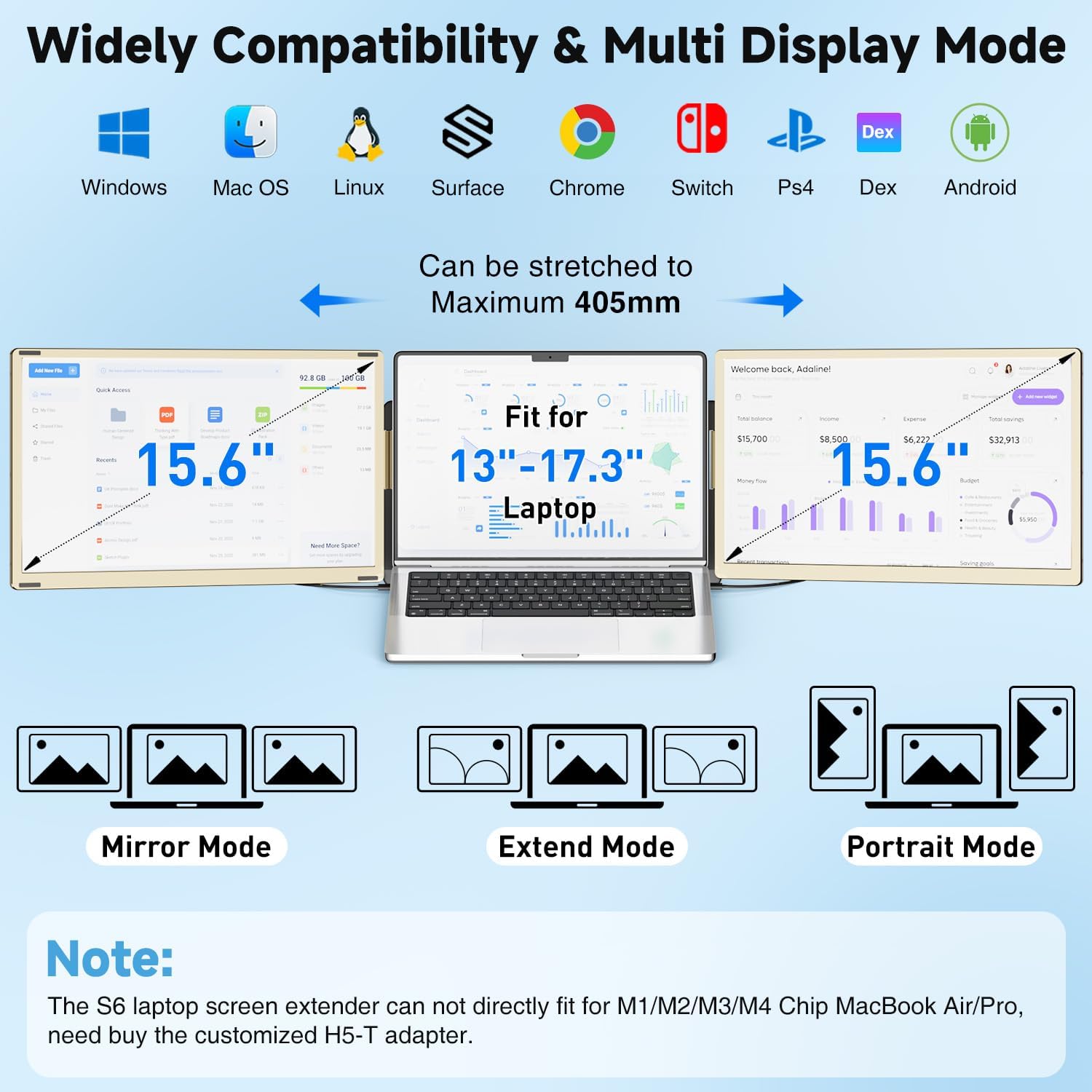
With a 15.6" FHD (1920x1080) IPS panel and a vibrant 120% sRGB colour gamut, this display aims to deliver clearer text, more natural colours and better contrast for daily tasks from word processing to video meetings. The 235° rotation allows landscape or portrait viewing, so you can tailor the setup to your workflow. The system supports mirror and extension modes, plus multiple orientations, which can be handy when you’re juggling documents, research or media alongside your primary laptop screen.
What stands out (pros) and what may fall short (cons)
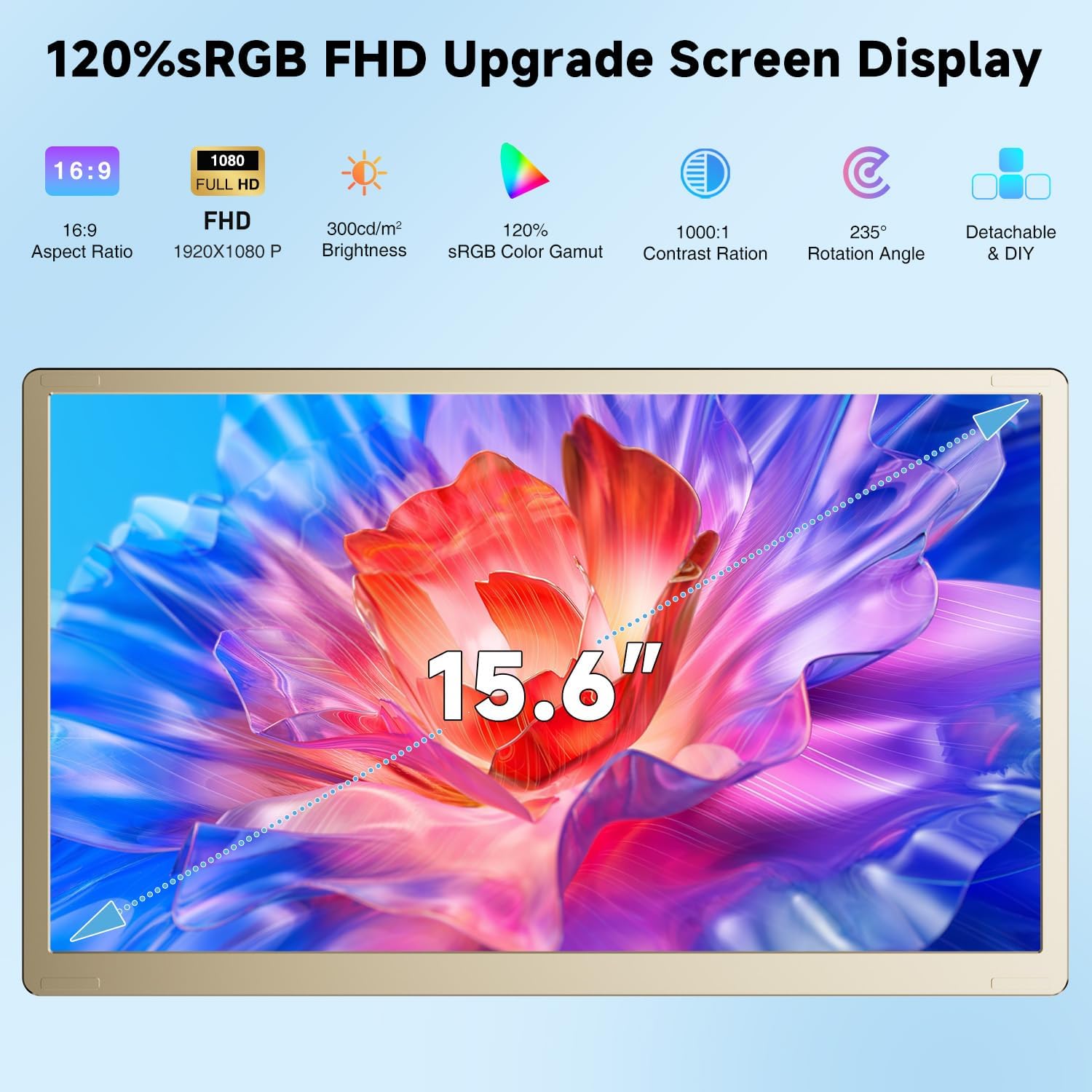
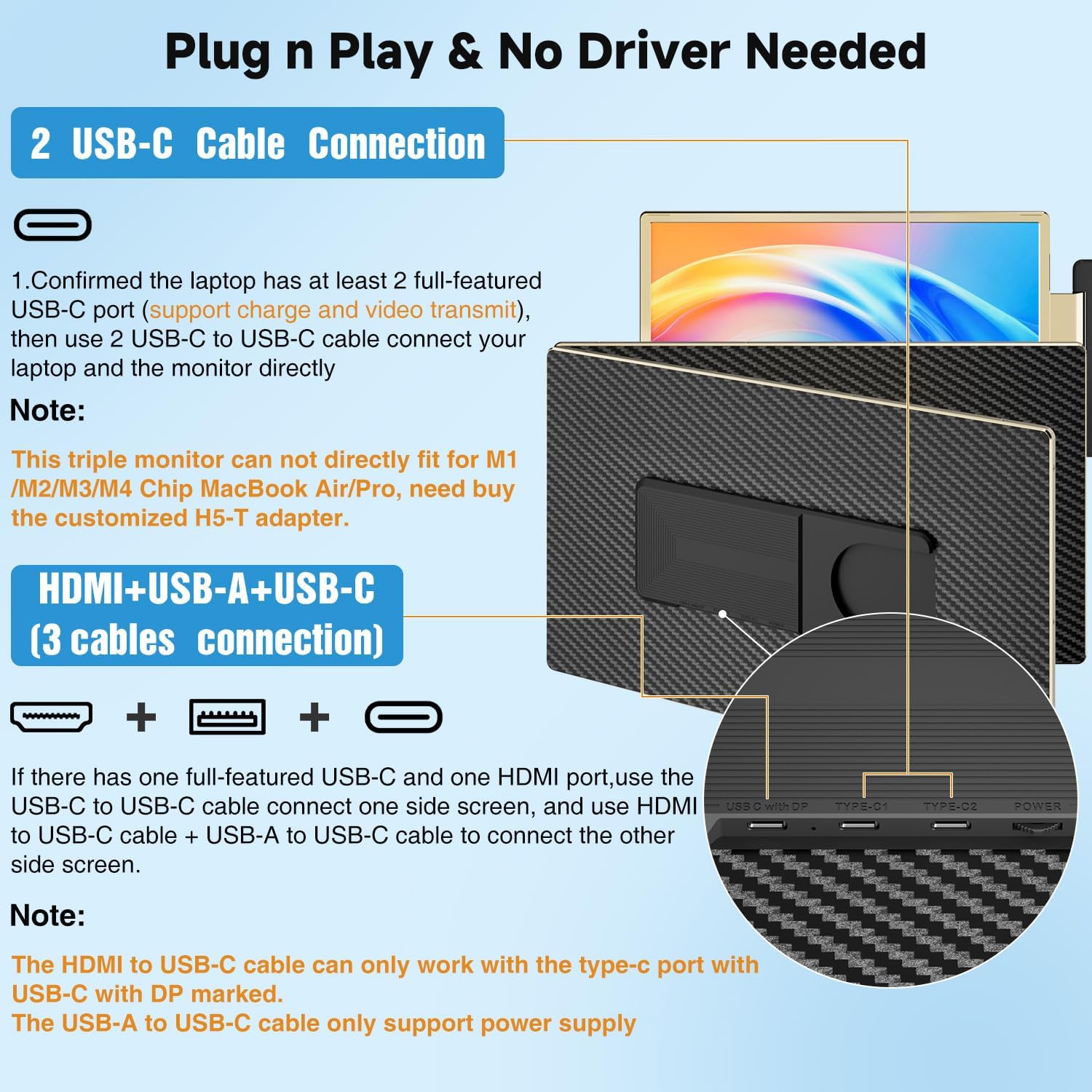
What stands out on paper is the plug‑and‑play approach: no drivers required, with either USB‑C or USB‑A to HDMI connections. The promise of “up to 300%” efficiency is a strong claim for multitaskers who want to keep several tasks visible at once. The detachable design plus a travel bag is practical for a flexible workstation setup.
On the downside, the note about Mac compatibility is nuanced: Mac users with M1/M2/M3/M4 chips aren’t supported directly, the manufacturer mentions a workaround via an H5‑T adapter (not included). For users who rely on those chips, this could mean additional cost and potential setup steps. Also, the device can rotate in many configurations, but it may take experimenting to find the most comfortable layout for long sessions.
Who it’s for
This extender is aimed at people who work remotely, juggle multiple tasks, or want a compact solution for travel—IT professionals, programmers, stock traders, students doing research, or gamers who want extra screen real estate for chats or dashboards.
Who it isn’t for
If you primarily rely on Macs with M1/M2/M3/M4 chips and expect seamless plug‑and‑play without adapters, this product may not be the best fit. Likewise, if you need built‑in speakers or a higher‑end colour gamut for precise tasks like professional photo editing, you might want to compare expectations against a dedicated high‑end portable monitor.
When it makes sense to buy
Consider this extender if you frequently work away from a fixed desk and value quick setup, portability and the ability to switch between mirror and extended displays. It’s a reasonable choice for improving multitasking efficiency when you need concurrent windows, video calls, documents and media on separate screens.
What to check before buying
- Confirm your laptop has the compatible ports (USB‑C or USB‑A with HDMI output) for plug‑and‑play use.
- If you’re on a Mac with M1/M2/M3/M4, plan for the adapter route and verify compatibility with the H5‑T adapter (not included).
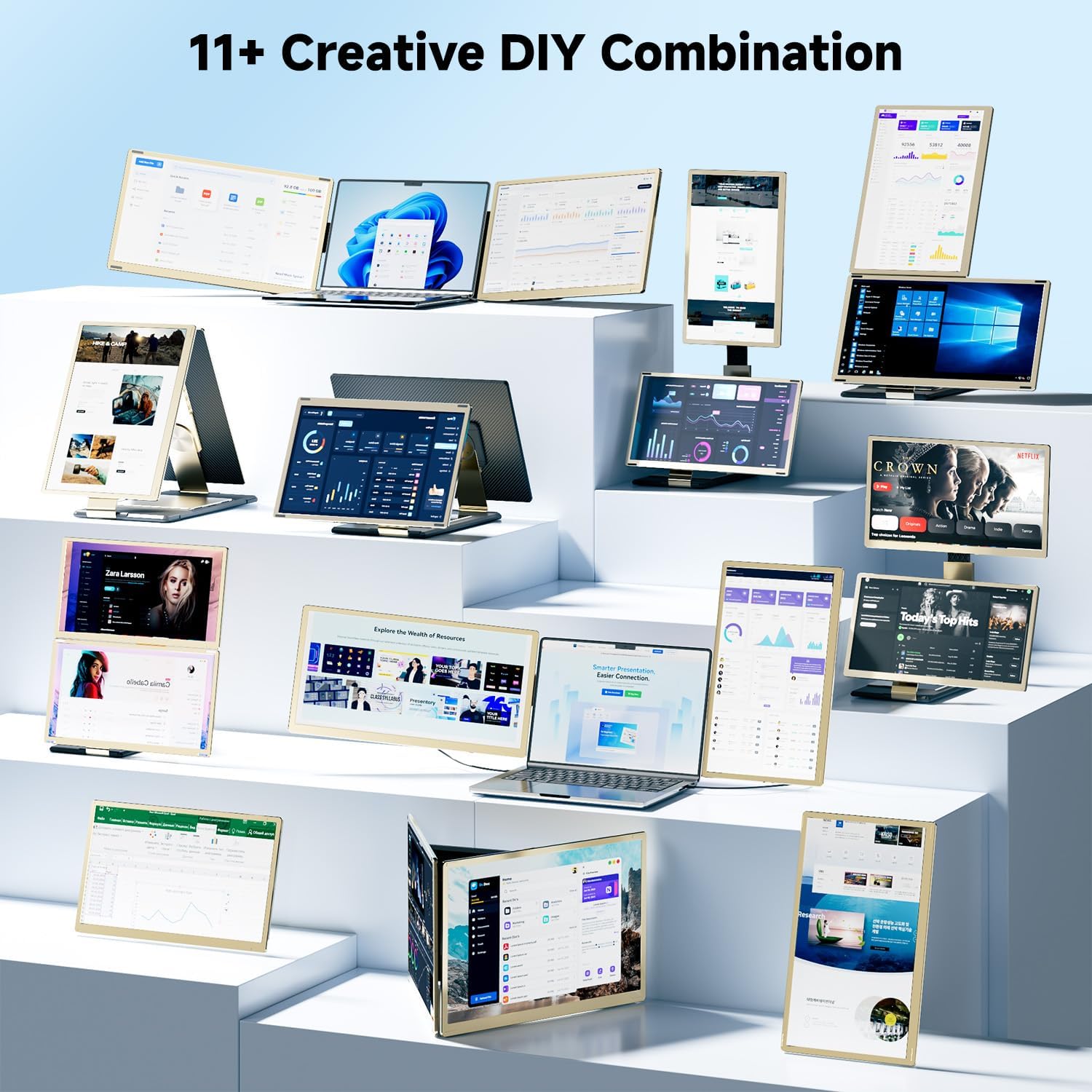
- Be prepared to test different orientations to find the most comfortable configuration for your workflow, there are over 11 DIY setups to try.
- Consider whether you need only a single extra screen or a true triple‑screen arrangement, as the extender can function in dual or triple configurations depending on your needs.
How it compares in practical terms
If you’re choosing between a detachable laptop monitor and a traditional second display, this KEFEYA unit prioritises portability and flexibility. It’s closer in concept to a portable travel monitor rather than a permanent desk setup. For users who want to travel light and avoid additional hardware, the plug‑in convenience is appealing. If you already have a fixed multi‑monitor desk setup, this product acts as a supplementary portable option rather than a full replacement for a desktop display array.
FAQ (short answers based on available data)
- Do I need drivers to use it? No, it’s designed as plug‑and‑play.
- Can I use it with all laptops? It’s designed for a wide range of devices and operating systems, but certain Mac chips require an adapter to connect.
- Is it a true triple screen always? It can be configured for triple or dual screen setups depending on how you arrange the module.
Should you buy it?
It’s worth considering if you prioritise portability, quick setup and increased screen real estate for on‑the‑move work. Not ideal if you’re on a Mac with M1/M2/M3/M4 chips and expect native, driver‑less compatibility, or if you need top‑tier colour accuracy for professional photo work. If you value flexibility, ease of transport and the ability to switch between multiple display modes, this could be a practical addition to your toolkit.